
You know the routine. The workday is almost over, you remember X, and now you're trying to write something smart in a hurry.
So you grab a half-formed thought, paste a link, hit post, and move on.
That approach feels productive because you posted. It rarely builds momentum. For a solopreneur, reactive posting creates three problems at once: it interrupts real work, makes your feed inconsistent, and pushes your best ideas into random time slots that don't help them travel.
The fix isn't posting more impulsively. It's building a system so your account keeps working even when you're busy serving clients, shipping product, or handling admin.
Scheduling isn't a convenience feature. Used properly, it becomes a weekly operating habit. You batch ideas, turn one piece of work into multiple posts, schedule your core content in advance, and keep enough room open for live replies and timely commentary. That mix is what makes social media sustainable.
A simple example: instead of writing one rushed post each evening, you spend one focused block on Friday creating next week's queue. Your educational posts go out on schedule. Your promotional posts are spaced out. Your feed stays active while you handle everything else.
Stop Posting on the Fly and Start Growing Your Business
The worst part of posting on the fly isn't the quality. It's the constant context switching.
You're in the middle of client work, product updates, bookkeeping, or fulfillment. Then you remember you haven't posted. Your brain leaves the task that pays the bills and starts hunting for a clever sentence, an old screenshot, or a link you shared months ago.
That pattern wears people out.
Most solopreneurs don't need more social media pressure. They need a lighter operating system. When you schedule twitter posts ahead of time, X stops being a daily interruption and becomes a background growth channel you can manage in batches.
I’ve seen the difference in simple weekly routines. One version looks like this:
- Open X three times a day
- Wonder what to say
- Post something quick
- Forget to follow up
- Repeat tomorrow
The better version is calmer:
- Collect ideas during the week
- Write several posts in one sitting
- Schedule them into open slots
- Use live time for replies and conversations
The second system doesn't save time. It gives your account a more stable voice. Your posts stop sounding rushed. Your offers show up consistently. Your audience sees the same themes often enough to remember what you do.
Practical rule: If posting feels like a daily scramble, the problem usually isn't motivation. It's that you haven't built a repeatable workflow.
For a small business owner, that's a significant advantage. You're not trying to become a full-time creator. You're trying to make social media support the business without taking over the business.
Why Scheduling Twitter Posts is a Productivity Power-Up
Scheduling is framed as a convenience feature. That's too small a definition.
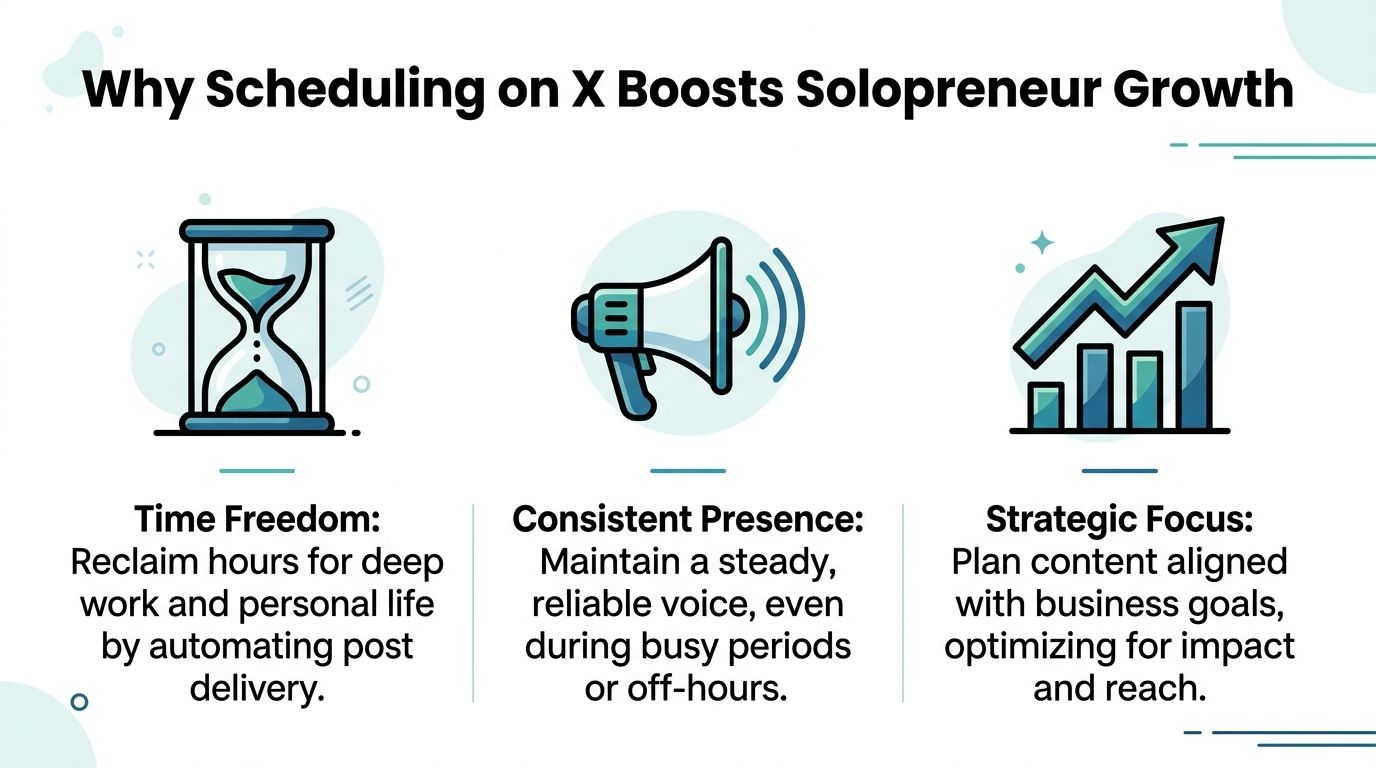
For a solopreneur, scheduling is a way to protect attention, publish consistently, and put each post in a better position to perform. Those three things matter more than squeezing out one extra post in a random moment.
Consistency without daily friction
When you batch and schedule posts, you stop depending on energy, mood, or memory.
That matters because consistent publishing is easier for your audience to recognize and easier for you to maintain. A sporadic account feels accidental. A scheduled account feels active and deliberate, even if you're offline handling the rest of your business.
The practical advantage is simple. You make content decisions once, then let the calendar handle delivery.
Better timing for the work you already did
A strong post can still flop if it goes live when your audience isn't around.
A verified summary from Upvote reports that accounts scheduling posts into peak engagement windows, including Wednesday at 9 AM, saw 30-50% higher engagement rates than accounts posting sporadically, and that the first hour after publishing is critical because early engagement helps the algorithm expand distribution (upvote.club analysis of scheduling Twitter posts).
That changes how you should think about timing. Posting isn't the finish line. The first hour is.
If you're writing manually whenever you happen to remember, you're giving up control over that early window. Scheduling lets you place a post where it has a better chance to get seen, liked, reposted, and replied to quickly.
More focus for actual business work
This is the part people recognize quickest.
Content batching clears mental clutter. Instead of asking "what should I post?" daily, you answer that question once during a focused block. The rest of the week, you can spend your energy on delivery, sales, product, or customer support.
Here's how the difference plays out:
| Workflow | Result |
|---|---|
| Posting in the moment | Constant interruptions and uneven quality |
| Batch writing once or twice a week | Cleaner thinking and steadier output |
| Scheduling around likely active windows | Better odds that each post gets early traction |
Scheduling doesn't remove the human part of social media. It removes the repetitive part so you can spend more time responding like a human.
That's why I treat scheduled posting as operational hygiene. Not glamorous. Highly useful. When you keep your baseline content running on a schedule, your live effort becomes more intentional instead of reactive.
Your Toolkit for Scheduling Posts on X
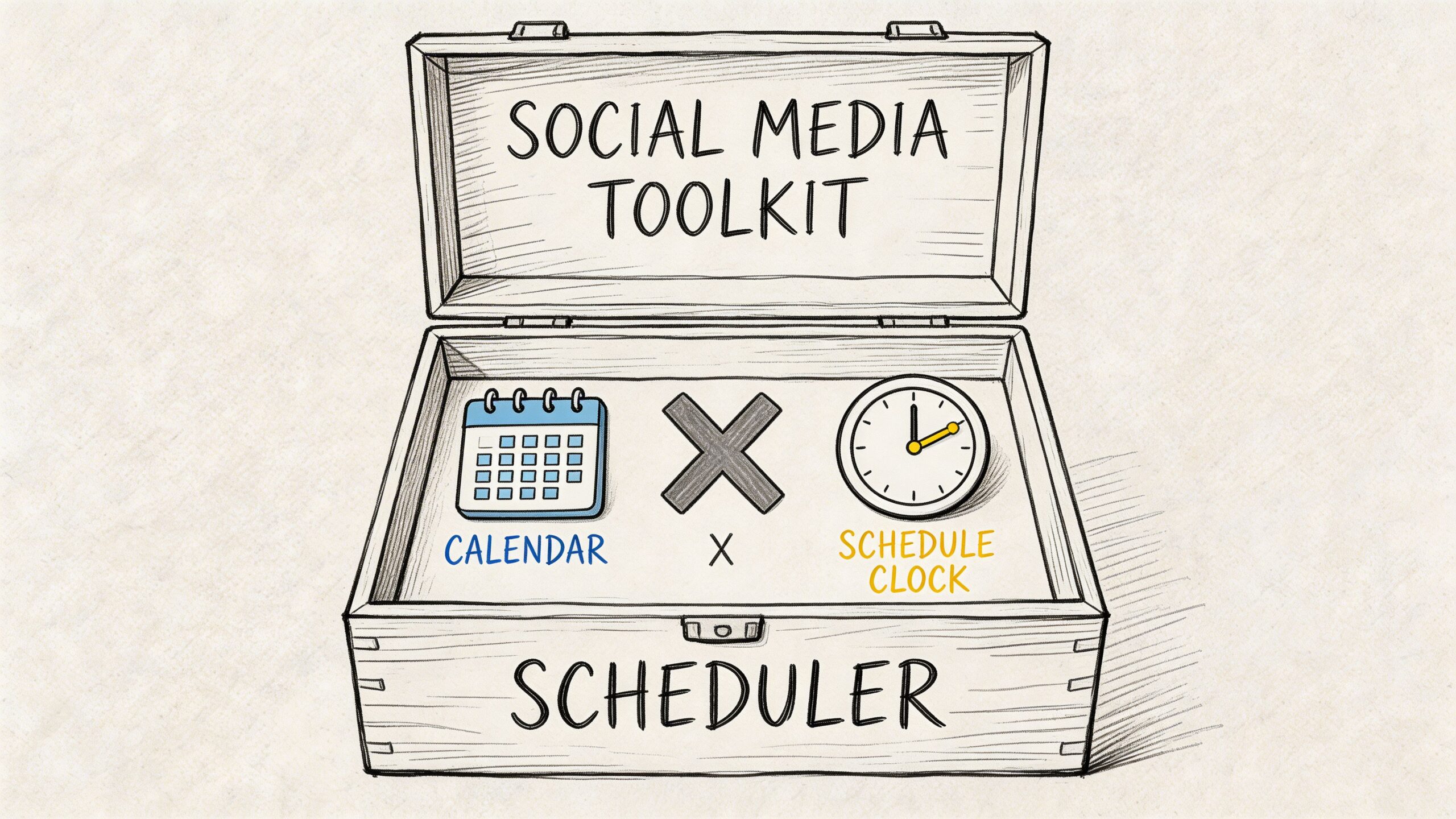
Different tools fit different stages. Some people only need a simple queue. Others need a calendar, content reuse, and support for multiple channels.
The easiest mistake is choosing a tool that's more complex than your actual workflow. Start with the lightest option that solves the problem you have today.
Use the native X scheduler for simple planning
If you only want to queue a few posts at a time, the built-in scheduler is enough.
The workflow is straightforward on desktop:
- Write your post in the standard composer.
- Add your image, video, or link.
- Click the calendar scheduling option.
- Pick the date and time.
- Confirm and save it to your queue.
This works well for founders and operators who want minimal setup. If you publish a handful of posts weekly and don't need a bigger system, staying native keeps things simple.
It's also useful for short campaigns. If you're announcing a launch week, webinar, product update, or holiday promo, you can line up the necessary posts without leaving the platform.
Where native scheduling starts to feel tight is organization. Once your queue gets fuller, it becomes harder to see your content mix at a glance. You can still schedule, but you won't get much strategic visibility.
Try X Pro when monitoring matters
X Pro is a better fit when your workflow depends on watching multiple streams at once.
Its column layout helps if you want to keep tabs on:
- Mentions and replies: Useful when customer response time matters.
- Lists: Good for tracking peers, prospects, industry accounts, or competitors.
- Search columns: Helpful for monitoring keywords, product mentions, or event hashtags.
- Scheduled activity: Better when you want more hands-on control while staying close to the platform.
This setup is practical for service businesses, indie founders, and consultants who use X both as a publishing channel and a listening channel. You can schedule posts while still keeping one eye on conversations worth joining.
That said, X Pro still centers your work inside the platform itself. If your process includes repurposing content, drafting variants, or managing more than one network, you'll likely want something broader.
Use a dedicated scheduler when content is part of your operations
A third-party scheduler makes sense when posting is no longer occasional and has become part of your weekly business rhythm.
What changes at that stage isn't volume. It's the need for a cleaner system:
- Calendar visibility: See your week in one view instead of one post at a time.
- Content reuse: Turn past posts into new variations without rewriting from scratch.
- Multi-network publishing: Adapt the same core idea for X and other platforms.
- Idea support: Keep moving even when you don't have a fresh blank-page idea ready.
If you're writing much short-form content, a good swipe file helps. That's where a resource like this copy paste Twitter kit is handy. It gives you raw material to adapt instead of staring at an empty composer.
One option in this category is Postful. It provides AI-assisted brainstorming, scheduling, reuse of past posts, and multi-network syndication from one interface. If you want a wider market view before picking software, this roundup of social media scheduling tools for 2025 is a useful comparison point. Pricing for any competitor mentioned here is best checked on the product website.
A dedicated scheduler transforms the job from "publish this post" to "manage a repeatable content system."
After you pick a tool, watch a setup walkthrough before filling the queue. It saves rework later.
A practical tool choice guide
If you're unsure what to use, this quick filter helps:
| Situation | Better fit |
|---|---|
| You post occasionally and want zero extra software | Native X scheduler |
| You publish and monitor conversations heavily inside X | X Pro |
| You batch content, repurpose often, or post across networks | Dedicated scheduler |
Don't overcomplicate the setup.
If you're still proving that a weekly content habit will stick, start simple. If you're already posting regularly and your main pain is workflow drag, move to a tool that supports batching, reuse, and a calendar view.
Building Your Content Cadence and Strategy
Tools matter less than cadence. A poor schedule on great software is still a poor schedule.
Many solopreneurs improve fastest when they stop treating each post as a separate event and start treating content like a weekly inventory system. Some posts are planned in advance. Some need to stay flexible. That balance is where scheduling starts to feel useful instead of rigid.
Use the 70-30 framework
The clearest model I've seen is the 70-30 framework.
TweetArchivist's guide recommends 70% scheduled content and 30% real-time content, and says accounts posting consistently at optimal times, at 3-5 times daily spaced 4-6 hours apart, can reach up to 3x higher engagement rates versus sporadic posting (TweetArchivist guide to scheduling tweets).
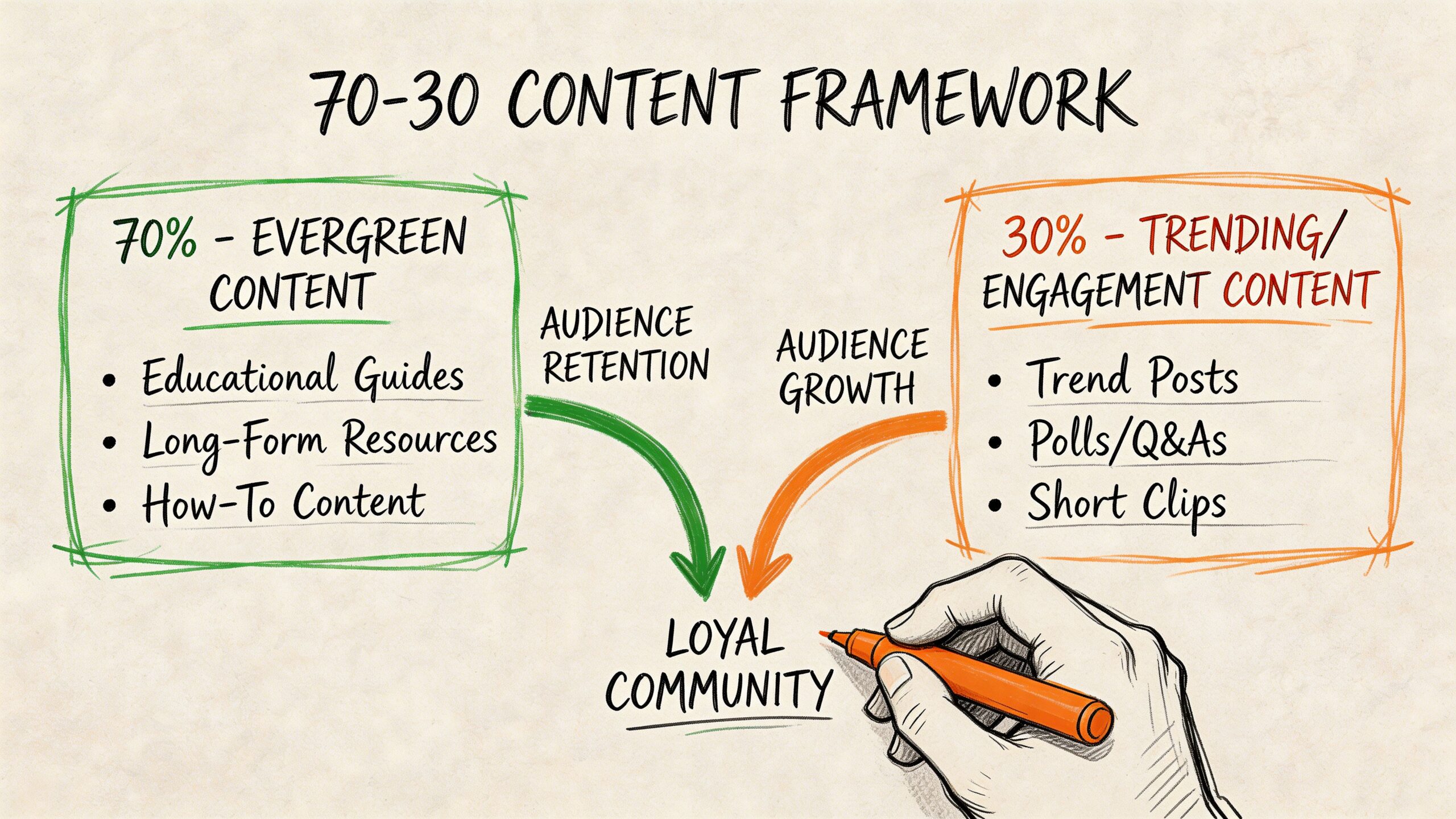
That mix works because it solves both halves of the problem.
The scheduled side provides dependable output. The live commentary side keeps your account relevant and alive.
A simple weekly content split could look like this:
- Evergreen teaching posts: Short lessons, frameworks, mistakes to avoid, checklists.
- Offer-related posts: Client results, service explanations, product use cases, launch reminders.
- Opinion posts: Your take on a common practice in your field.
- Live posts: Reactions to news, replies to active conversations, quick observations from current work.
A cadence that doesn't create burnout
Many people either underpost randomly or overpost in bursts. Neither pattern is stable.
The practical middle ground is to choose a daily range you can maintain. If you aim for the range above, keep the spacing wide enough that your own posts aren't competing with each other. One post in the morning, one around midday, one later in the day is easier to sustain than dumping several in one block.
Your schedule should fit your energy and your inventory. A calendar that looks ambitious for five days and empty for the next ten isn't a strategy.
Here's a useful planning lens:
| Content type | Best handled how |
|---|---|
| Evergreen lessons | Batch and schedule |
| Product or service reminders | Batch and rotate |
| Replies and conversation starters | Post live |
| Trend reactions | Leave unscheduled space |
If you need a clearer planning process, this guide on what a content calendar is and how to create one is a solid companion to the workflow above.
Build the schedule from your work, not from pressure
The easiest way to maintain a cadence is to pull content from what you're already doing.
If you wrote a proposal, there are probably two posts inside it. If you answered the same client question twice this week, that can become a short thread. If you made a product decision, explain the reason behind it. Batching helps considerably in this scenario. A short session dedicated to turning existing work into posts keeps your content grounded in reality instead of forcing you to invent hot takes. If you want a cleaner batching process, this walkthrough on https://blog.postful.ai/what-is-batching/ is worth reading.
A good cadence doesn't feel like feeding a machine. It feels like documenting useful parts of the business and delivering them on purpose.
Advanced Scheduling Tips for Solopreneurs
Once your basic queue is running, the big gains come from getting more mileage out of the work you've done.
Scheduling transforms from a posting habit into one that optimizes impact. You stop asking "what should I publish today?" and start asking "how many useful assets can I create from one idea?"
Repurpose one idea into several posts
One blog post, podcast note, client question, or product lesson can become a small batch of X content.
For example, a single article can produce:
- A contrarian opener: State the mistake people make.
- A short teaching post: Pull one practical takeaway.
- A thread: Break the idea into steps.
- A promo post: Invite readers to the full article or offer.
- A reply starter: Ask people how they handle the same issue.
This approach reduces blank-page pressure. It also keeps your feed coherent because multiple posts reinforce one business theme instead of scattering into unrelated topics.
Schedule threads like mini assets
Threads are worth planning separately from single posts.
Write the full thread in one sitting. Check the flow from one post to the next. Make sure the opening line earns attention and the closing post tells readers what to do next, whether that's reply, visit a page, or follow for more.
Before scheduling a thread, review these points:
- Opening hook: Make the first post strong enough to stand alone.
- Sequence logic: Each post should pull the reader into the next one.
- Formatting check: Remove clutter, extra hashtags, and unclear references.
- End action: Ask for a reply, repost, or click if it fits naturally.
A scheduled thread should read like one continuous asset, not a pile of separate notes.
Handle multiple time zones without a complex setup
If you have customers in more than one region, generic timing advice gets weak fast.
A verified summary from EvergreenFeed notes that for global audiences, generic posting times can underperform by 50-70%, and that identifying your top 3-5 regions and scheduling for their local peak hours helps close the gap (EvergreenFeed guide to scheduling a Twitter post).
That matters for side hustles, niche ecommerce brands, and online services selling across borders.
A simple workflow works well:
- List the top regions where your buyers or followers live.
- Choose one or two repeat windows for each important region.
- Create slight post variations instead of sending the exact same wording everywhere.
- Review which regional slots pull more replies, clicks, or conversation.
For example, if London and Los Angeles both matter to you, don't force one market to live on the other's schedule. Give each region a fair shot at seeing the post during its active hours.
The goal isn't to be everywhere all day. It's to stop making one time zone carry your whole account.
If you want broader timing context for social platforms, this resource on https://blog.postful.ai/best-time-to-post-on-social-media/ can help you think through posting windows.
Common Scheduling Pitfalls and How to Fix Them
Most scheduling problems aren't strategic. They're operational.
A post fails, media looks wrong, a link preview breaks, or you notice a typo after the item is in the queue. None of that is catastrophic, but it slows people down when they don't have a basic checklist.
Quick fixes that prevent most issues
- Post didn't publish: Open the scheduler, confirm the post still exists in the queue, and check account connection status if you're using a third-party tool.
- Media looks off: Preview images and video before scheduling. Cropping issues are easier to fix before the post is locked in.
- Link preview is messy: Test the link beforehand. If the destination page loads slowly or has weak metadata, the preview can look incomplete.
- Tagging feels inconsistent: Double-check handles while drafting so the right account gets mentioned.
- A scheduled post feels outdated: Edit, reschedule, or delete it. A live queue should never outrank common sense.
A lightweight preflight checklist
I like a final scan with five checks:
| Check | What to verify |
|---|---|
| Copy | Spelling, clarity, and tone |
| Link | Correct destination and clean preview |
| Media | Formatting and visibility |
| Timing | Right day and slot |
| Context | Still relevant if posted later |
Use full URLs or shortened links based on readability and trust for your audience. The important part is consistency and testing. If a format creates broken previews or looks suspicious in your niche, change it.
Scheduled content works best when you treat it like publish-ready inventory, not like drafts you hope will hold up later.
Your Schedule is Your Strategy
If you want X to support your business without draining your day, scheduling has to become a habit, not a backup plan.
A primary benefit isn't that posts go out automatically. It's that your thinking gets clearer. You know what you're publishing, why it fits, and when it will go live. That removes daily friction and gives you more room for the part that software can't replace: replying, listening, and building trust.
A good schedule also makes your business easier to recognize. Your ideas show up consistently. Your offer doesn't disappear for a week because client work got busy. Your audience gets a steadier signal about what you do and who you help.
Start with a small system you can keep.
Batch a few posts. Queue them up. Leave room for live conversation. Review what lands. Then tighten the workflow until it feels normal.
That rhythm is what turns social media from a recurring chore into a useful business asset.
If you want a simpler way to turn ideas, past posts, and rough notes into a working content queue, Postful is built for that. It helps small business owners and solopreneurs brainstorm content, schedule posts, reuse what already works, and publish across networks without adding more daily admin.