Tag: social media scheduling

  • Automating Instagram Posts: A Founder’s Guide to Productivity

    Automating Instagram Posts: A Founder’s Guide to Productivity

    Let's be honest: for a busy founder or side-hustler, manually posting on Instagram every single day is a drag. It’s a constant pull away from the things that actually move the needle, like building your product or talking to customers. This is where automating your Instagram posts becomes less of a "nice-to-have" and more of a "need-to-have."

    We're not talking about sketchy bots here. This is about using official, API-approved tools to schedule your content—from feed posts to Reels and Stories—so they go live at the perfect time, automatically. It's a strategic workflow to keep your brand front and center, even when you're completely focused on other parts of your business.

    Why Automating Instagram Posts Is A Smart Move

    Time is your most valuable asset. Every minute you spend trying to come up with a caption on the fly is a minute you're not spending on something else. Automating your Instagram isn't about being lazy; it's about reclaiming your focus by implementing a smart workflow.

    A smartphone with Instagram, a calendar showing saved time, a clock, and gears, representing social media automation.

    When you set up an automation system, you shift from a reactive, day-to-day grind to a proactive, strategic approach. For example, a solo founder can spend a single 3-hour block on a Sunday afternoon to plan, create, and schedule all of their Instagram content for the entire week. They can then let a tool handle the publishing for them, freeing up mental space for a week of deep work. The difference is night and day.

    The Core Benefits of Automation

    The biggest win here is consistency. The Instagram algorithm loves accounts that post regularly, and an automated schedule makes sure you never skip a beat.

    Here’s what that consistency really gets you:

    • You stay top-of-mind with your audience, keeping them engaged.
    • You can post at peak engagement times, even if that's 9 PM on a Saturday when you’re definitely not working. A tool can analyze your data and publish when your followers are most active.
    • You build a reliable content library that reinforces who you are as a brand over the long haul.

    Suddenly, your Instagram account transforms from a daily chore into a well-oiled marketing machine that works for you.

    Reclaim Your Time and Boost Your Productivity

    Modern automation tools have completely changed the game. With Instagram now home to over 2 billion active users, you can't afford to be inconsistent. Thankfully, platforms like Meta Business Suite, Later, and Buffer use official APIs to safely automate your posts and track analytics, giving you back hours every single week.

    The real power of automation lies in freeing up your mental energy. Instead of constantly thinking, "What should I post today?" you can focus on bigger-picture strategies for growing your business.

    To get a feel for what’s possible, it’s worth checking out some of the top Instagram services available. You’ll see how scheduling is just one piece of a much larger puzzle.

    Ultimately, automating your Instagram posts is about showing up for your audience consistently and effectively—all without sacrificing your most precious asset: your time.

    Choosing The Right Instagram Automation Tool

    Picking the right tool to automate your Instagram posts can feel like a huge decision, but it really just boils down to one question: What are you actually trying to do?

    Not all platforms are built the same, and your choice will shape your workflow, your budget, and ultimately, your results. The world of Instagram tools is pretty much split between free, native options and more powerful paid platforms.

    For founders just getting their sea legs, the best place to start is usually with what’s free. Meta Business Suite is Instagram's own built-in scheduler. It’s reliable, 100% compliant with their terms, and handles the basics for scheduling feed posts, Stories, and Reels.

    Sure, it’s missing the advanced stuff like deep analytics or a visual planner, but it’s the perfect no-cost way to get into the habit of posting consistently. For a founder testing a new idea, this is enough to establish a presence without any financial commitment.

    When To Upgrade to a Third-Party Tool

    It won't take long to feel the ceiling of a free tool. If you find yourself wanting more sophisticated features, it's probably time to see what third-party options can do. These platforms are built for serious growth and are packed with features that can save you a ton of time.

    You'll want to look for tools that offer:

    • Visual Grid Planners: See exactly how your scheduled posts will look on your feed. This is key for nailing that professional, cohesive aesthetic.
    • Hashtag Management: Save and organize groups of hashtags to quickly pop them into your posts or the first comment. No more frantic searching.
    • Advanced Analytics: Go way beyond likes and comments. Understand your best times to post, what content really works, and how your audience is growing.
    • Content Curation: Some tools even help you find and repost user-generated content, which is a lifesaver for filling gaps in your content calendar.

    There's a reason platforms like Later, Buffer, and Sprout Social are so popular. They're excellent at these features, turning Instagram management from a chore into a strategic part of your business. If you want to dive deeper, our guide on the best social media scheduling tools breaks down all the top contenders.

    The right tool isn't just about scheduling. It gives you the data and features to make smarter content decisions. Think of it as an investment in a more effective—and less stressful—social media strategy.

    The Rise of AI in Content Creation

    Beyond just scheduling, a new wave of AI-powered tools is tackling an even bigger headache for founders: the "blank page" problem. Let's be honest, coming up with fresh content ideas is often the real bottleneck.

    New tools are integrating AI to help brainstorm ideas, write captions that actually sound human, and even generate post concepts based on your industry. This is a massive shift from just publishing content to creating better content, faster.

    Instead of staring at a blinking cursor, you could give an AI assistant a simple prompt like, "Write three Instagram post ideas for a new coffee shop." In seconds, you get ready-to-use captions and concepts.

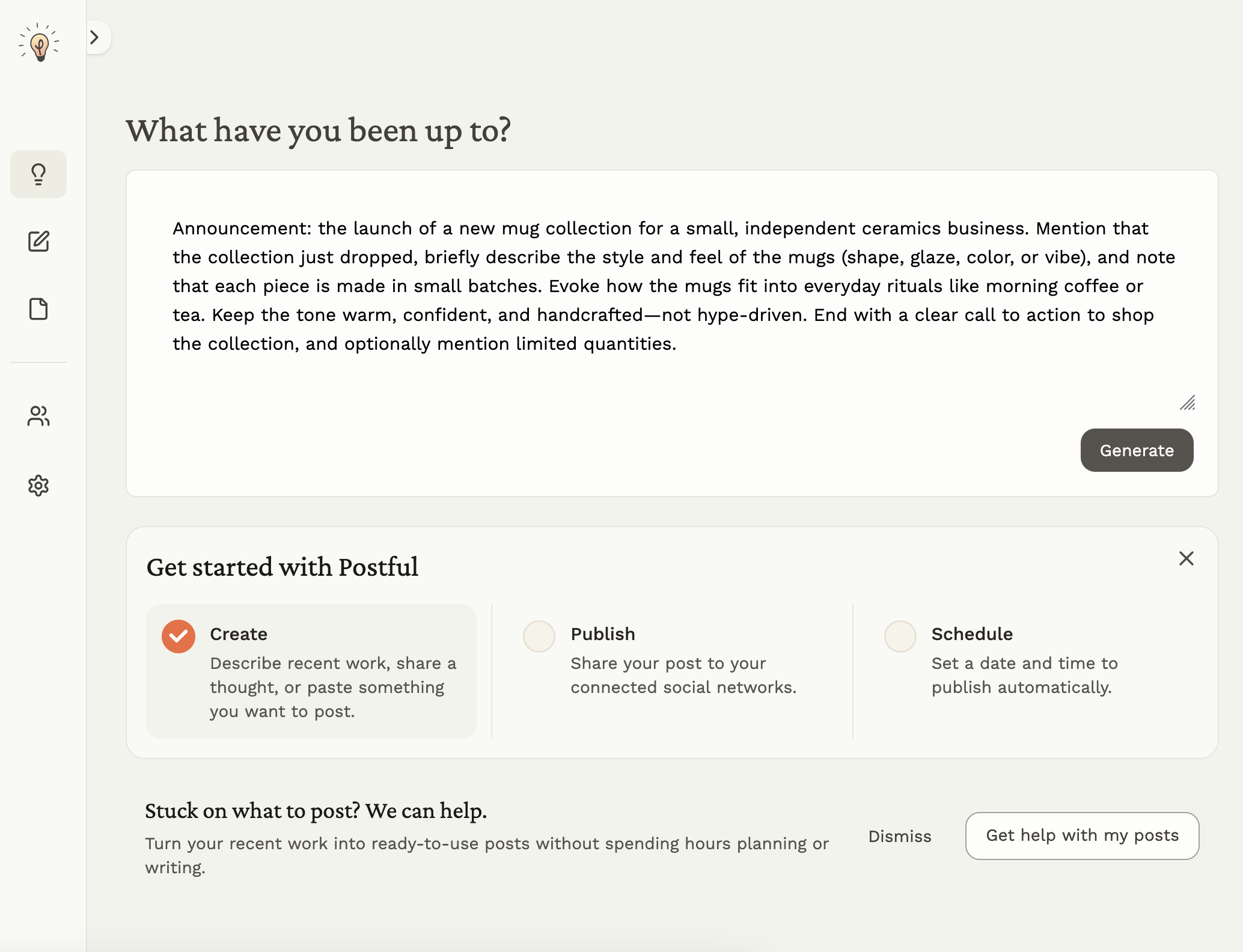
    This turns automation from a simple time-saver into a powerful creative partner—which is a core part of what we're building here at Postful.

    Designing Your Automated Content Workflow

    An automation tool is only as good as the system you build around it. The real magic isn't just scheduling posts—it's creating a repeatable workflow that turns a chaotic, daily chore into a streamlined, once-a-month process. This is how you get your time back.

    A solid workflow means you can stop asking, "What should I post today?" every single morning. Instead, you work from a clear plan, which frees you up to create much higher-quality content in a fraction of the time. You shift from reactive posting to proactive brand-building.

    Start with Your Content Pillars

    Before you even think about creating a post, you need to define your content pillars. These are the 3-5 core themes or topics your brand will consistently talk about. They're your guideposts, making sure every post is relevant to your audience and hits your business goals.

    Let's imagine a solo founder who sells handmade ceramic mugs. Their pillars might look like this:

    • Behind the Scenes: Showing the pottery process, from a lump of clay to the final glaze in the kiln.
    • Product Spotlight: Beautiful, high-quality photos and videos of the finished mugs in action.
    • User-Generated Content: Featuring happy customers enjoying their morning coffee.
    • Lifestyle & Inspiration: Content that captures the cozy, mindful vibe of their brand.

    Once you have your pillars, planning becomes dead simple. You just rotate through them to keep your feed balanced and interesting. A good plan is the foundation of any content strategy, and you can learn more about how to map it all out by reading up on how to create a content calendar.

    The Power of Batch Creation

    Now for the productivity hack that changes everything: content batching. Instead of creating one post at a time, you dedicate a single block of time—say, one afternoon a month—to create all your content for the weeks ahead.

    Here’s a practical workflow for our ceramics entrepreneur:

    1. Visuals Day (2 Hours): They spend one afternoon shooting all the photos and videos they need. That includes shots of the creation process, slick product photos, and a few lifestyle images. They gather everything into a shared drive like Google Photos or Dropbox.
    2. Captions & Hashtags Day (2 Hours): They open a spreadsheet and write every single caption for the month, mapping each one to a visual from the drive. With the content pillars as a guide, this goes way faster. At the same time, they can create 3-4 distinct hashtag groups to rotate for maximum reach.

    Just like that, our founder has an entire month's worth of Instagram content ready to go after only four hours of focused work. The rest of the month? Pure automation.

    This infographic breaks down the typical journey of choosing tools to support a workflow like this, from free and simple to more professional options.

    Three steps to choosing Instagram tools: Free, Basic, and Pro options, shown with icons.

    As your needs grow, it's natural to move from basic, free schedulers to more advanced platforms that can handle a sophisticated, batched workflow with ease.

    Scheduling for a Clean Look

    Once your content is created and ready, the final step is loading it into your automation tool. This is where a few pro tricks can keep your feed looking polished.

    One of my favorite productivity features in many third-party tools is the ability to schedule your hashtags in the first comment. It keeps your caption clean and focused on the message, but you still get all the discovery benefits from using relevant hashtags.

    For anyone looking to really streamline their content pipeline, especially in visual-heavy industries, understanding AI's role in fashion content creation can offer some fantastic insights.

    By combining a pillar-based strategy, batch creation, and smart scheduling, your Instagram presence can practically run on autopilot. That frees you up to focus on what really matters: growing your business.

    Advanced Automation Strategies For Higher Engagement

    Once your basic scheduling is on autopilot, it’s time to move beyond just posting content and start actively driving conversations. True efficiency isn't just about saving time; it's about using that saved time to build a system that boosts engagement while you focus elsewhere.

    This is where you turn your Instagram from a simple broadcast channel into an interactive machine.

    Diagram illustrating advanced engagement automation using a bot for social media interaction on a smartphone.

    Advanced tools let you schedule more than just a static image. You can now automate interactive Instagram Stories packed with polls, quizzes, and sliders. For example, a personal trainer can schedule a "Workout Wednesday" Story with a poll asking, "Which muscle group are you training today? Legs or Upper Body?" These features aren't just for fun—they are powerful signals to the algorithm that people are actively engaging with your content, which can seriously increase your Story's reach.

    Automate Your DMs to Nurture Leads

    One of the most powerful—and surprisingly underused—automation strategies is connecting your posts directly to your DMs. Instead of just asking for a "like," you can create a call-to-action that triggers an automated, personalized response.

    This is a game-changer for lead generation. Imagine you create a post offering a valuable resource. Your caption could be something like this:

    "Want my free Ultimate Guide to Productivity? Comment 'GUIDE' below, and I'll send it straight to your DMs!"

    When someone comments "GUIDE," a tool like ManyChat instantly sends them a direct message with the link. This move accomplishes two critical things at once: it delivers immediate value to your audience and floods your post with comments, signaling to Instagram that your content is a hot ticket.

    If you want to dive deeper into creating compelling content that fuels these funnels, check out our guide on using AI for social media content creation.

    Fueling the Algorithm with Comment Triggers

    This strategy is incredibly effective. Posts designed with DM automation almost always dominate business accounts and drive the highest performance. They generate a massive number of comments, providing the exact early engagement signals that the algorithm loves. The data shows this works across industries; for example, the education field sees a 4.2% average engagement rate, and this strategy can amplify those numbers significantly.

    This isn't just automation; it's building a responsive system. Your audience gets instant gratification, you capture a warm lead, and the algorithm gets the engagement signals it needs to show your content to more people.

    You can set up similar triggers for Story reactions, too. If someone reacts to your Story with a specific emoji, you can have a tool automatically send them a follow-up message with a discount code or a relevant link.

    This approach transforms passive viewers into active participants, turning your Instagram into an automated growth engine that works for you 24/7.

    Using Automation Safely and Authentically

    Automating parts of your Instagram is a huge time-saver, but it's not something you can just set and forget. You have to be smart about it—both to keep your account in good standing and to avoid sounding like a robot.

    The first rule is simple: stick to official, API-approved tools. These are platforms that have Instagram’s permission to connect and schedule content securely. Sketchy bots, on the other hand, often scrape the platform or use other workarounds that violate Instagram's rules.

    A massive red flag? If a tool asks you for your actual Instagram password instead of redirecting you to log in through Facebook or Instagram. That's a sign it's not using the official API, which puts your account at serious risk of getting flagged or even shut down.

    The 80/20 Rule for Sustainable Growth

    The best way I've found to approach automation is with what I call the 80/20 Rule. It’s all about automating the tedious work so you can focus on what actually matters: the human connection.

    • Automate 80% (The Logistics): This is all the repetitive stuff. Scheduling your feed posts, planning out your Reels, and getting your Stories ready to go. A machine is perfect for this—it ensures you’re consistent without the daily grind.
    • Handle 20% (The Engagement): This is where you show up. Spend a little time each day—even just 15 minutes over your morning coffee—personally replying to comments, answering DMs, and just interacting with your community. This is how you build real relationships.

    This balance keeps your account feeling genuine and alive, not like it’s being run on autopilot.

    Automation should free you up for engagement, not free you from it. The goal is to spend less time on publishing logistics and more time building an authentic community that trusts your brand.

    For founders and side-hustlers, where time is your most valuable asset, this is a game-changer. Automating your posts can turn hours of manual work into a few minutes of planning. That 20% you spend on real engagement is what prevents your account from feeling like a one-way broadcast. Dig into these powerful Instagram statistics to see just how much that engagement matters.

    Keeping It Real and Staying Compliant

    At the end of the day, authenticity is everything on social media. Tools can publish for you, but they can't replicate your personality or forge genuine connections with your audience.

    This is exactly why automating comments on other people’s posts is a huge no-go. Instagram’s API strictly forbids this to cut down on spam. Any service that offers this "feature" is playing with fire and putting your account directly in the line of sight for penalties.

    Even when your content is scheduled, it should still feel personal and add value. When you’re batching your posts for the week, take the time to write captions that actually start a conversation. Ask questions. Encourage replies.

    Use automation to set the stage, then make sure you show up when your audience responds. That combination of efficiency and genuine human interaction is the secret to making Instagram automation work for you, safely and successfully.

    Common Questions About Instagram Automation

    When you first start thinking about automating your Instagram posts, a few questions always pop up. It's totally normal. Getting straight answers is the best way to feel confident about making the switch.

    Here’s a quick rundown of the things we hear most from founders and creators just like you.

    Will Using an Automation Tool Hurt My Engagement?

    This is probably the biggest myth floating around. The short answer? Nope. Not as long as you stick with an official, Meta-approved partner tool. These platforms are built on Instagram's official API, which makes them 100% safe and compliant with all the platform's rules.

    You won't get penalized for scheduling posts this way. In fact, it’s usually the opposite. Using a tool to post consistently when your audience is most active often gives your overall reach and engagement a nice little boost.

    Can I Automate More Than Just Feed Posts?

    Absolutely. The days of only being able to schedule a single static image are long gone. Modern scheduling tools give you full support for all the content formats you need to keep your feed interesting.

    You can schedule:

    • Reels: Just upload your video, write the caption, and tell it when to go live.
    • Stories: Plan out your interactive Stories—stickers and all—and have them ready to go in advance.
    • Carousels: Schedule posts with multiple images or videos to tell a bigger story.

    A great workflow is to plan and schedule an entire week's worth of content on Sunday. For example, a Reel on Monday, a carousel post on Wednesday, and daily interactive Stories. The tool does the posting, you just handle the engagement.

    How Often Should I Automate Posts?

    Just because you can schedule a ton of content doesn't mean you should. On Instagram, quality over quantity has always been the winning strategy. If you bombard your audience with post after post, they’ll just get tired and hit that unfollow button.

    For most businesses, aiming for one or two high-quality, automated posts a day is the sweet spot. It keeps you present and consistent, which satisfies both the algorithm and your followers, without ever feeling spammy. That steady rhythm is what builds a reliable brand people want to follow.


    Ready to stop staring at a blank page and start building a consistent, effective social media presence? Postful is an AI-powered tool built for founders and doers. Get ready-to-use templates and on-demand brainstorming to grow your reach with less effort. Join the waitlist today to secure early access.

  • What is Social Media Scheduling?

    What is Social Media Scheduling?

    This article was assisted with AI. We may include links to partners.

    Social media scheduling is the practice of planning and setting posts to automatically publish across platforms at specific times. Instead of manually posting in real time, creators, entrepreneurs, and brands can organize their content ahead of time to maintain a consistent and strategic online presence.

    By scheduling posts, you can align your content with marketing campaigns, audience activity, and broader goals, ensuring every post goes out when it will have the most impact.

    Why Social Media Scheduling Matters

    • Saves time by automating repetitive posting tasks.
    • Ensures consistency, helping maintain audience trust and algorithm visibility.
    • Improves engagement by posting during peak activity hours.
    • Supports long-term planning through content calendars and campaign alignment.
    • Frees focus for higher-value work like community engagement and content creation.

    Key Tactics and Tools for Social Media Scheduling

    Modern scheduling tools make it simple to manage multiple platforms, including Instagram, LinkedIn, X (Twitter), Facebook, and Pinterest, from a single dashboard.

    Some of the most popular tools include:

    • Postful: Designed for small businesses and creators, Postful combines scheduling with AI-powered post generation and reuse, helping users brainstorm, refine, and publish content seamlessly.
    • Buffer: Designed to scale from beginner to advanced marketer, Buffer focuses scheduling and analytics for solo users and small teams.
    • Later: Ideal for visual planners, offering drag-and-drop calendars and media libraries for Instagram-heavy workflows.
    • Typefully: A specialized platform for writing and scheduling long-form threads and posts on X, ideal for creators building thought leadership.
    • Sprout Social: Built for larger marketing teams, providing analytics, collaboration tools, and CRM integrations.

    Each platform varies in scope: Postful emphasizes simplicity and AI-assisted creation, Buffer focuses on planning, Later on visuals, Typefully on long-form writing, and Sprout Social on enterprise reporting.

    For a wider look at automation beyond scheduling, see What Is Social Media Automation?.

    Emerging Trends in Scheduling

    • AI-powered optimization: Tools like Postful are introducing smart suggestions for when and what to post, based on audience engagement patterns.
    • Cross-platform publishing: Seamless syndication across multiple networks is becoming the norm.
    • Evergreen recycling: Scheduling tools now support recurring content to keep valuable posts in rotation automatically.
    • Mobile-first workflows: More platforms offer mobile publishing features for creators on the go.

    Common Mistakes to Avoid

    • Over-automation: Failing to balance scheduled posts with real-time engagement can make your brand feel impersonal.
    • Ignoring analytics: Without reviewing performance data, you miss insights into what’s working.
    • Poor timing: Scheduling without understanding your audience’s active hours can reduce reach and engagement.

    How Scheduling Supports Audience Growth

    Consistency fuels growth. A steady posting rhythm keeps audiences engaged and helps algorithms recognize your account as active and reliable. Scheduling ensures that content goes live even when you’re busy, building momentum and trust over time.

    Combined with automation and AI-driven insights, scheduling enables small teams and solo creators to compete with larger brands in maintaining a professional, always-on presence.

    Key Takeaways

    • Social media scheduling helps maintain consistent posting without constant manual effort.
    • It supports time management, engagement, and audience growth by optimizing when posts go live.
    • Platforms like Postful, Buffer, Later, Typefully, and Sprout Social cater to different user needs and team sizes.
    • Pairing scheduling with social media automation leads to smarter, more scalable marketing workflows.
    • Reviewing analytics regularly helps refine your schedule for maximum impact.

    Try Postful today to simplify your social media workflow — create, schedule, and syndicate content across platforms effortlessly.

  • How to Schedule Social Media Posts and Save Time

    How to Schedule Social Media Posts and Save Time

    This article was assisted with AI. We may include links to partners.

    Learning how to schedule social media posts is all about using the right tools to plan, create, and get your content out there ahead of time. It’s a shift that turns social media from a reactive, time-sucking chore into a strategic, efficient marketing channel. It’s how you maintain a consistent presence and connect with your audience when it matters most, without being glued to your phone.

    Why Smart Social Media Scheduling Matters

    An overhead shot of a person's hands using a laptop, with a smartphone and a cup of coffee on the desk, illustrating social media management.

    Let’s be real: trying to manually post content every single day is a recipe for burnout. It’s just not efficient, and it becomes a massive barrier to actual growth.

    When you’re constantly scrambling to think of something new to post, you have zero time left for the activities that actually move the needle—like jumping into conversations, building real relationships, and figuring out what’s resonating with your audience. This is where a smart scheduling strategy completely changes the game.

    It’s about more than just setting it and forgetting it. It’s about building consistency, which is the bedrock of audience trust. When your followers know they can count on you for regular, valuable content, they stick around. To really dial this in, mastering automated social media posting can give you a serious leg up on the competition.

    Connect With Your Audience on Their Time

    Your audience isn’t online 24/7, and neither are you. Scheduling lets you drop your message right when your followers are most active and ready to engage, even if that’s 10 PM on a Saturday. That simple tweak can maximize your visibility and send your likes, shares, and comments through the roof.

    And this isn’t just a hunch. Globally, people’s lives revolve around social media. By 2025, an estimated 65.7% of the world’s population will be active on social platforms. On top of that, 58% of consumers find new businesses through social media. Suddenly, scheduling isn’t just a nice-to-have; it’s a core part of how people discover your brand. Sprinklr.com has some great deep dives on these kinds of stats if you want to dig in.

    Key Takeaway: Scheduling frees up so much mental energy. Instead of the constant, nagging thought of “What do I post next?” you can batch your content creation for the week or month. Then you can spend your time on genuine community interaction, which is where the real magic happens.

    A Real-World Scheduling Scenario

    Imagine you’re a small e-commerce brand about to launch a new product line. That launch week is pure chaos—you’re buried in fulfilling orders and answering customer questions.

    Without a schedule, your social media feeds would probably go dark. But if you planned and scheduled your posts a week in advance, you could keep the buzz going strong. Here’s what that could look like:

    • Monday: A slick teaser video drops, hinting at what’s coming.
    • Tuesday (Launch Day): The official product announcement goes live at 9 AM sharp, right when people are starting their day.
    • Wednesday & Thursday: Scheduled posts show off different product features and share some glowing early customer testimonials.
    • Friday: A post goes out promoting a limited-time launch discount to drive sales.

    This is a perfect example of effective social media management (https://blog.postful.ai/glossary/what-is-social-media-management/). It’s about being strategic, not just busy, ensuring your brand stays top-of-mind even when you’re swamped.

    Choosing Your Social Media Scheduling Tool

    The Buffer homepage showing its clean interface, which is an example of a popular social media scheduling tool.

    The dashboard above for Buffer shows just how clean and approachable modern scheduling tools can be. A lot of platforms are designed to feel intuitive, letting you plan your content visually without a huge learning curve.

    But with a sea of options out there, picking the right one can feel like a chore. The secret is to ignore the noise and focus on what your specific workflow actually demands. Are you a solo creator managing one brand, or a growing agency juggling multiple clients? Your answer completely changes which features matter most.

    Instead of just chasing the longest feature list, let’s walk through what really counts. This will help you find a platform that not only schedules posts but actually makes you more productive.

    Core Features to Look For

    Your top priority should be finding a tool that fits your daily grind and supports where you want to go. A platform that’s too simple will hold you back, while one that’s overly complicated will just become a time-sink.

    Start by focusing on these essentials:

    • Platform Integrations: Does the tool reliably connect to the social networks where your audience actually hangs out? Don’t pay for a tool that covers ten platforms if you only use Instagram and LinkedIn.
    • Ease of Use: A clunky interface is a productivity killer. You want a tool with a clean visual calendar and a post composer that just makes sense. Most offer free trials—use them to see what feels natural.
    • Analytics and Reporting: Just posting content isn’t enough; you need data to see what’s working. A good tool gives you clear, actionable insights on engagement and reach without needing a data science degree to figure it out.
    • Budget: Free tools are great for getting started, but paid plans often unlock crucial time-savers like bulk scheduling or AI assistance. Figure out what your time is worth.

    To help you get a better sense of what’s out there, here’s a quick comparison of some popular options.

    Comparing Popular Social Media Scheduling Tools

    This table breaks down a few leading tools to give you an idea of how they stack up. Think about your scale—are you a one-person shop or a multi-client agency?—and use this as a starting point for your research.

    ToolBest ForKey FeaturesPricing Model
    BufferSolopreneurs & Small TeamsClean UI, simple scheduling, basic analytics, free plan available.Freemium with tiered paid plans.
    LaterInstagram-focused CreatorsVisual planner, Linkin.bio feature, user-generated content tools.Freemium with paid plans for more features.
    PlanableAgencies & TeamsCollaboration workflows, client approvals, universal content calendar.Per-user pricing, starts with a free trial.
    AgorapulseMid-to-Large BusinessesAdvanced reporting, social inbox, team management, CRM tools.Higher-tier subscription, no free plan.

    Each of these platforms excels in a different area. The key is finding the one that aligns with your specific goals, not just the one with the most buzz.

    Finding the Right Fit for Your Scale

    The “best” tool is completely relative. A freelance content creator has vastly different needs than a marketing agency managing a dozen clients.

    Let’s look at two common scenarios to see how this plays out.

    Scenario 1: The Solopreneur

    A freelance graphic designer wants to post to Instagram and LinkedIn three times a week. Their main goals are consistency and efficiency.

    • Needs: A simple, visual calendar, a free or low-cost plan, and basic performance analytics.
    • Example Workflow: They spend one hour every Monday morning creating graphics and captions for the week. They upload everything into their scheduling tool, set the publish times, and they’re done.
    • Example Tool Choice: A tool like Later or Buffer on a free plan is perfect here. It lets them schedule their portfolio pieces and articles without any unnecessary complexity or cost.

    Scenario 2: The Growing Agency

    A small marketing agency handles social media for five clients, each with different brand guidelines and content needs.

    • Needs: Team collaboration features, client approval workflows, multi-account management, and detailed reports they can brand and send to clients.
    • Example Workflow: The content creator drafts all posts for a client and assigns them to the account manager for review. The manager makes edits and sends a shareable link to the client for final approval. Once approved, the posts are automatically scheduled.
    • Example Tool Choice: A more robust platform like Planable or Agorapulse makes more sense. These tools are built for teamwork, letting the agency assign tasks, get client sign-offs, and prove their value with in-depth analytics.

    When you’re weighing your options, it’s also smart to check out resources that pinpoint the best social media tools for digital product sales. This can give you a better sense of which platforms excel at driving real business results beyond just likes and shares.

    Building Your First Content Calendar

    A fancy scheduling tool is great, but it’s pretty useless without a solid plan. This is where a content calendar comes in. It’s the single most valuable asset for turning random social media updates into a smart, strategic narrative. Think of it as your roadmap—what you’ll say, where you’ll say it, and when.

    The heart of any good calendar is built on content pillars. These are just the main themes or topics your brand consistently talks about. They’re the foundational categories that support your brand’s story and give your audience real value.

    For most businesses, this all comes down to a healthy content mix. I’ve always found the 80/20 rule to be a great starting point: 80% of your content should entertain, educate, or inspire, while only 20% is directly promotional. This balance is key to building a genuine community, not just a feed full of ads.

    A content calendar isn’t just about filling empty slots on a schedule. It’s a strategic document that brings order to your creative chaos, ensuring you always have high-quality, relevant posts ready to go.

    Defining Your Content Pillars

    First things first, you need to identify three to five core pillars that feel true to your brand. These pillars will be your guide, making sure you never run out of things to talk about. For a small business, getting this right is everything. If you’re stuck, you can find a ton of inspiration by checking out these social media post ideas for small businesses.

    Let’s make this real. Imagine a local coffee shop trying to build a loyal following and get more people through the door. Here’s what their pillars might look like:

    • Pillar 1: Educational Content. This is all about sharing your expertise.

      • Example: A short video explaining the difference between a flat white and a latte.
      • Example: A carousel post walking through their single-origin bean sourcing process.
    • Pillar 2: Behind-the-Scenes. Show the human side of your brand. People love this stuff.

      • Example: An Instagram Story of a barista practicing their latte art.
      • Example: A “Meet the Team” post introducing a staff member and their favorite drink.
    • Pillar 3: Community & User-Generated Content (UGC). Celebrate your customers and make them feel seen.

      • Example: Resharing a customer’s photo of their coffee and tagging them.
      • Example: A fun post asking followers to help name a new seasonal drink.
    • Pillar 4: Promotional Posts. The content that directly drives sales.

      • Example: Announcing a “two-for-one” espresso special on a slow Tuesday morning.
      • Example: A mouth-watering photo highlighting a brand-new pastry on the menu.

    From Pillars to a Practical Schedule

    Once those pillars are defined, planning out a month of content suddenly feels much easier. You don’t need a complicated tool to get started—a simple spreadsheet or even a note-taking app works perfectly fine.

    Here’s how a week might look on that coffee shop’s calendar:

    • Monday: (Pillar 2) “Meet our baker, Sarah!” post.
    • Tuesday: (Pillar 4) Announce the weekly drink special.
    • Wednesday: (Pillar 1) Quick tip on brewing better coffee at home.
    • Thursday: (Pillar 3) Share a customer’s photo (UGC).
    • Friday: (Pillar 4) Promote a new weekend pastry.

    See? This simple workflow completely removes the daily “what should I post?” panic. When you plan ahead, you end up with a balanced, engaging feed that keeps your audience coming back. It makes the whole process of scheduling social media posts feel manageable instead of overwhelming.

    Mastering Platform-Specific Scheduling

    A one-size-fits-all schedule is a recipe for low engagement. I’ve seen it time and time again: what works on X (formerly Twitter) will almost certainly fall flat on LinkedIn. Every social platform has its own algorithm, audience, and rhythm.

    Learning how to schedule posts effectively means tailoring your approach to each network’s unique personality. This goes way beyond just timing—it involves adjusting your content format, frequency, and even your tone to match what users on that platform expect.

    Think of it like this: LinkedIn is a professional networking event, while TikTok is a high-energy party. You wouldn’t show up to both wearing the same outfit or starting the same conversations. Your content strategy needs that same level of adaptability.

    Tailoring Your Schedule for Major Platforms

    To really get this right, you have to understand the natural cadence of each platform. High-frequency networks like X reward quick, conversational updates. Others, like Instagram, favor more polished, less frequent posts.

    Let’s break down some practical strategies for the big players:

    • Instagram: It’s all about high-quality visuals. I recommend scheduling 3-5 feed posts per week, but aim for daily engagement using Stories. Productivity Tip: Schedule your feed posts in advance, but use your free time each morning to create spontaneous Stories with polls or Q&As. This keeps your account active without requiring a full content plan for every single story.
    • LinkedIn: This is your professional stage. Schedule 1-2 posts per day during the workweek, focusing on industry insights, company news, and career-related content. Practical Example: Schedule a long-form article for Tuesday at 8 AM and a shorter, text-only question for Thursday at noon to spark conversation.
    • Facebook & X (Twitter): These platforms thrive on timely, conversational content. For Facebook, aim for 1-2 quality posts daily. On X, a higher frequency of 2-3 posts per day often works better because of the platform’s fast-moving feed. Workflow Idea: Schedule your core content, but leave gaps in your X schedule to manually retweet industry news or jump into trending conversations.

    A common mistake I see is simply duplicating content across all channels without any changes. A better approach is to adapt the core message for each platform. You can explore our guide that explains in detail what cross-posting is (https://blog.postful.ai/glossary/what-is-cross-posting/) to learn how to do this well.

    Optimizing Frequency and Timing

    Strategic scheduling is what separates the pros from the amateurs. Recommended posting frequencies vary a lot across platforms. For instance, data from Slate Teams shows Facebook pages perform best with 1-2 posts per day, prioritizing quality over quantity. The best times to post are typically between 12 PM and 3 PM.

    In contrast, the rapid cycle of X encourages more frequent posting. An average of 2-3 tweets daily is usually ideal, and you’ll want to aim for the 9 AM to 11 AM weekday window.

    This chart gives you a sense of how to create a balanced content mix, splitting your posts into educational, behind-the-scenes, and promotional categories to keep your audience from tuning out.

    Infographic about how to schedule social media posts

    As you can see, a successful strategy relies heavily on providing value through educational and authentic content, rather than just hitting people with promotional posts all day.

    When you align your schedule with these platform-specific behaviors, you make sure your content reaches the right people at the moment they are most likely to interact. This thoughtful approach transforms scheduling from a simple chore into a powerful tool for growing your audience.

    How to Analyze and Optimize Your Schedule

    A person at a desk analyzing charts and graphs on a laptop screen, representing data-driven social media optimization.

    Learning how to schedule posts is really just the starting line. The real growth happens when you treat your schedule less like a fixed calendar and more like a living, breathing thing—something you constantly tweak based on what the data is telling you. A “set it and forget it” approach is just a shot in the dark, but a data-driven one gives you a clear roadmap.

    Most good scheduling tools have a built-in analytics dashboard. This is your command center. Instead of getting hung up on vanity metrics, you want to focus on the numbers that signal a real connection with your audience and a real impact on your goals.

    Key Metrics to Track

    When you dig into your performance, don’t just glance at the follower count. You need to look at the metrics that show which content—and which timing—is actually grabbing people’s attention.

    • Engagement Rate: Honestly, this is the big one. It measures the likes, comments, and shares you get as a percentage of your reach. It tells you, point-blank, how much your content resonated with the people who saw it.
    • Reach and Impressions: Reach is the number of unique people who saw your post, while impressions are the total number of times it was seen. Spikes in reach on certain days can be a huge clue about when your audience is most active.
    • Link Clicks: If your goal is driving traffic, this metric is non-negotiable. It’s the clearest indicator of which posts are successfully getting people off social media and onto your website or product page.

    This data-driven approach is becoming the standard. For example, a massive analysis of over 1 million posts found that 8 AM on Wednesdays was a globally optimal time for engagement. That same research highlighted platform-specific sweet spots, like 9 AM to 11 AM on Wednesdays through Fridays for X. You can discover more insights about social media timing from Hootsuite to get a feel for these benchmarks.

    Conducting a Monthly Performance Review

    Set aside a little time once a month to look at your analytics. This isn’t about getting lost in spreadsheets; it’s a quick, purposeful check-in to spot trends and make smart adjustments before your strategy gets stale.

    Key Takeaway: Think of your social media data as direct feedback from your audience. Listening to it is the fastest way to improve your schedule and create content people actually want to see.

    Let’s walk through a real-world scenario. Say you do your monthly review and notice that your posts on Wednesday mornings are consistently bombing—low reach, low engagement, the works. That’s a clear signal to experiment.

    For the next month, you could try one of these simple adjustments:

    • Test a New Time Slot: Move that Wednesday content to the afternoon or evening. See if you can catch your audience during a different peak in their day.
    • Switch Up the Content: Maybe the time isn’t the problem, but the content is. If you’re always posting something promotional then, try an educational or behind-the-scenes post instead.

    By making one small, measurable change at a time, you can systematically figure out what works. This cycle of analyzing, testing, and optimizing is how you turn a decent social media schedule into a truly effective one.

    Common Questions About Scheduling Social Media Posts

    Even when you have the right tools and a solid plan, a few questions always come up as you get the hang of scheduling social media posts. Let’s walk through some of the most common ones I hear.

    What Is the Best Time to Schedule Social media Posts?

    You’ve probably seen those infographics suggesting midday on a Tuesday is the magic hour. Think of those as a starting point, not gospel. The real best time is completely unique to your audience.

    The most reliable way to figure this out is to look at your own data. Most scheduling tools have analytics that show when your followers were most active in the past. Use that as your guide, test out a few different time slots, and see what actually drives likes, comments, and shares for your brand.

    Will Scheduling Posts Hurt My Engagement?

    This is a stubborn myth, but the short answer is no. Scheduling your posts with a reputable tool that uses the official platform APIs won’t hurt your engagement one bit. The platforms themselves provide these connections for a reason.

    What really kills engagement is posting low-quality content or ignoring your community.

    Productivity Tip: Use the time you save by scheduling to have actual conversations with your followers. Block out 15-20 minutes each day specifically for community management. Responding to comments and DMs is what builds a loyal audience and signals to the algorithm that your account is worth showing to more people.

    How Far Ahead Should I Schedule My Content?

    Finding the right rhythm here is key. For most businesses, scheduling one to two weeks in advance is the sweet spot. It gives you a comfortable buffer so you’re never scrambling for something to post, but you’re still nimble enough to jump on a trending topic or share timely news.

    Of course, for big campaigns, product launches, or evergreen content, feel free to plan a month or more ahead. The goal is to build a workflow that avoids last-minute panic without making your feed feel out of touch with what’s happening right now.

    Can I Edit a Scheduled Post Before It Goes Live?

    Absolutely. Any good scheduling platform makes this easy. Whether it’s in a calendar view or a queue, you should be able to click on any scheduled post and edit, reschedule, or delete it right up until the moment it’s set to publish.

    This flexibility is a lifesaver. Maybe you spot a typo after the fact, need to update some information, or want to pause your content in response to a major world event. You have full control. It’s a simple process that gives you complete peace of mind.


    Ready to stop the guesswork and start scheduling with confidence? Postful is an AI-powered social media tool built for founders and doers. We give you curated post ideas and on-demand brainstorming tools to help you create better content, faster. Join the waitlist to secure your early access at https://postful.ai.