
Sure, anyone can tap the plus icon on Instagram, pick a photo, and hit “Share.” That part’s easy. But in 2026, just knowing the mechanics of posting won’t get you very far.
What you really need is a strategy for why you’re posting.
Why Posting on Instagram Is More Than Just Hitting Publish
I remember when posting on Instagram felt simple. You’d find a nice photo, maybe add a filter, and the likes would just appear. That era is long gone.
Today, with organic reach dropping and competition at an all-time high, you need a deliberate game plan. This is especially true for small businesses, solopreneurs, and anyone with a side hustle trying to turn their effort into actual results.
It’s time to move past the “what should I post?” paralysis that I see trip up so many entrepreneurs. The key is adopting a smarter workflow that respects your limited time and gets you the most bang for your buck.
The New Reality of Instagram Content
The scale of Instagram today is almost hard to wrap your head around. Your content isn’t just being posted; it's being thrown into a massive digital arena to compete against a flood of other posts.
Every single day in 2026, users are uploading over 95 million photos and videos. That’s a torrent of content from friends, creators, and other brands, all fighting for a split second of your audience's attention.
And with over 3 billion monthly active users—more than 36% of the world's population—your small business is competing with everything from viral pantry hacks to your customer's own vacation photos. You can dig into more of these numbers in these Instagram statistics from Vidpro.com.
The biggest shift for anyone running a business is the algorithm's focus on engagement that signals real interest. Likes aren't the main goal anymore. The new currency is saves, shares, and comments that start a conversation.
Focusing on High-Impact Formats
To cut through all that noise, you have to lean into the post types that both the algorithm and your audience actually want to see. This means prioritizing formats that do more than just show off a pretty picture.
I always advise people to focus on these two:
- Reels: These short-form videos are built for discovery and are your best bet for reaching people who don't follow you yet. For example, a quick behind-the-scenes clip of you packing an order or a helpful tip about your industry can get more new eyes on your brand than a dozen standard photos.
- Carousels: Think of these multi-slide posts as mini-guides or stories. They get users to spend more time with your content, which is a powerful signal to the algorithm that what you've posted is valuable. For example, use a carousel to break down a process ("5 Steps to a Perfect Pour-Over Coffee"), show off different product features, or share a few customer testimonials at once.
When you choose the right format, you’re creating content that doesn't just look good—it actively works to grow your business.
Alright, let's get down to the nitty-gritty of actually creating an Instagram post. It's one thing to know you should be posting, but it’s another thing entirely to do it consistently and without it feeling like a total chore.
My goal here is to give you a practical walkthrough so you can post with confidence every single time, whether you're on your phone or sitting at your computer.
The starting point is always the same: tap that little plus icon (+). It’s your gateway to sharing new content. Once you tap it, you’ll be prompted to pick your media from your phone’s camera roll or your computer's files.
Right away, you have your first strategic decision. Are you going with a single, powerful image? A quick, attention-grabbing video? Or maybe a multi-slide carousel to tell a deeper story or showcase a product from different angles? Each format has its own job to do.
It's about shifting from just uploading content to posting with a real purpose. You're not just throwing things at the wall; you're aiming for a specific target.

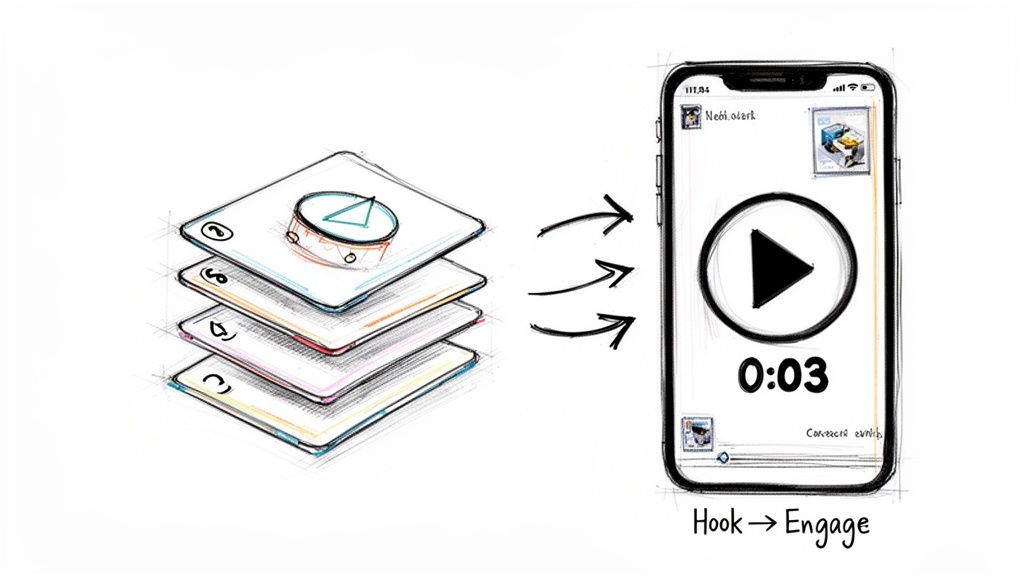
This visual really captures it. To break through the noise, you need a more thoughtful approach than just a simple upload.
Choosing The Right Instagram Post Format For Your Goal
Not sure which format fits your objective? This quick table breaks it down, helping you align your content with what you want to achieve, whether that's driving sales or just building a stronger community.
| Post Type | Best For | Productivity Tip for Small Businesses |
|---|---|---|
| Single Image | Making a strong, immediate statement or announcement. | Batch create your graphics for the week in one sitting using a tool like Canva. You can create 5-7 quote graphics or promotional images in under an hour. |
| Carousel | Telling a story, step-by-step guides, or showing multiple products. | Repurpose a single blog post into a 5-10 slide educational carousel. One article becomes a week's worth of content. |
| Reels | Grabbing attention, showing your brand's personality, and reaching new audiences. | Film several short clips at once (e.g., different parts of your workspace or process) and edit them into separate Reels later. This is called "batch filming." |
Think of this table as your cheat sheet. When you're short on time but need to make an impact, matching your post type to your goal is the quickest way to get results.
Composing Your Post For Maximum Impact
Once you’ve got your visual locked in, it's time to add the words and details that give it context and help people find it. This is where I see a lot of people stall, but having a simple workflow makes it much faster.
First up, the caption. This is your chance to start a conversation. A great caption can share a personal story, ask a thoughtful question, or give your audience a valuable tip they can use right away.
And on a technical note, making sure your visuals look sharp is key. Nail down The Best Size For Instagram Post Formats so your content never looks pixelated or awkwardly cropped.
Next, there are a couple of small but powerful features you absolutely should use to expand your post’s reach:
Tagging Accounts: Give a shout-out to partners, happy customers, or other businesses in your photo and caption. When you tag an account, they get a notification. This often leads to them sharing your post, instantly boosting your exposure. For example, a local coffee shop could post a photo of their latte art and tag the local dairy farm that supplies their milk.
Adding a Location: If you have a brick-and-mortar store or you’re a service provider targeting a specific area, this is non-negotiable. Adding your city or even your specific storefront makes your post discoverable to anyone searching for content in that area. A freelance photographer at a wedding could tag the venue, making them discoverable to couples searching for that location.
My personal productivity hack is to draft all of this in a notes app first. I write my caption, list the accounts I want to tag, and jot down my location. When it’s time to post, I just copy and paste everything into Instagram. It's so much faster than trying to type it all out on a tiny phone keyboard.
Don’t Skip Accessibility and Discoverability
Last but not least is a tiny feature with a huge impact: Alt Text.
You can find it under "Advanced Settings" right before you hit "Share." It's a simple, descriptive sentence about what's in your image.
Its main job is accessibility—it allows visually impaired users with screen readers to understand what you've posted. But it also has a major bonus for you. It tells the Instagram algorithm exactly what your post is about.
By writing a clear description (like, "a chocolate croissant on a white plate next to a latte"), you’re feeding the algorithm keywords it can use to show your post to people who are interested in those things. It’s a tiny step that makes your content more inclusive and more discoverable. Win-win.
Crafting Posts That Actually Drive Engagement
A great image might stop the scroll for a second, but it's the caption that truly starts a conversation. We’ve covered the basic mechanics of posting, but this is where the real magic happens—turning passive followers into an engaged community in 2026.
The game has changed. The latest data paints a picture that smart creators can use to their advantage. While overall engagement on Instagram has dipped, the kind of engagement that matters is shifting. Likes have been nearly cut in half, but comments are up 7% and shares have jumped by 11%.
This is a huge signal. The algorithm isn't just rewarding what's popular anymore; it's rewarding content that sparks genuine interaction. For a small business, that’s gold. If you want to dig into the numbers, Buffer’s latest social media engagement report breaks it all down.
Writing Captions That Connect
Your caption is the best tool you have for turning a simple view into a real connection. I always tell people to think of it less like a description and more like the start of a conversation. Stop just describing what's in the photo and start telling the story behind it.
Here are a few practical examples:
- Ask a genuine question: Don't just post a photo of your new muffins. Ask your audience something they’ll actually want to answer. Example: "Our new Lemon Poppyseed muffin is here! What's one flavor you wish we'd bake next month?"
- Share a quick story: A consultant could post a headshot with a caption that starts with a hook. Example: "This photo was taken right after my most challenging client call yet. Here’s the one lesson I learned that day that completely changed my approach…"
- Offer real value: Instead of just showing a finished product, give a tiny piece of your expertise away. A home organizer could share a picture of a tidy pantry and write a caption. Example: "My #1 tip for a clutter-free pantry? Decant everything. It feels like a hassle at first, but it saves you from half-empty boxes and makes everything visible."
The goal isn't just to get comments for the sake of it. It’s about building a community that feels heard and involved. When people feel connected to your story, they’re much more likely to become loyal customers.
Building a Smart Hashtag Strategy
Hashtags are your post's discovery engine. Using them the right way is what gets your content in front of people who don't follow you yet. The biggest mistake I see is using super-generic tags like #love or #business—they're so crowded your post will disappear in seconds.
A good strategy is layered. I like to think of it as a small pyramid of different tag types working together.
- Niche & Community Tags (5-10): These are hyper-specific to your ideal customer. A consultant who works with startups might use
#founderlifeor#startupgrind. - Industry & Topic Tags (5-10): These are a bit broader and describe your service. That same consultant could add
#businesscoachingor#marketingstrategy. - Trending & Location Tags (2-5): Use these sparingly to join a current conversation or a local search. Think
#smallbusinesssaturdayor#torontobusiness.
Productivity Tip: Create 3-4 "hashtag groups" in your notes app for different content pillars (e.g., one for educational posts, one for behind-the-scenes). When you post, you can quickly copy and paste the relevant group, saving you from searching for hashtags every time. We put together a resource to make it easier—check out our guide on how to effectively use hashtags on Instagram for a deeper dive.
Mastering Carousels and Reels for Business Growth
While single images definitely have their place, if you’re serious about growing your business on Instagram, you have to look beyond them. The real momentum comes from Carousels and Reels. They’re built to hold attention and reach new audiences—exactly what any small business or side-hustler needs.
The secret isn't just knowing how to post, but knowing which format to choose for the job. Let’s get into how you can use these two powerhouse formats to tell your story and drive actual growth.
Use Carousels to Educate and Build Trust
Think of Carousels as your chance to teach, tell a deeper story, or show off a product from every angle. When a user swipes through your slides, they're spending more time with your content. That's a huge signal to the Instagram algorithm.
I always build my carousels with a clear story arc: a beginning, middle, and end.
- Your first slide is the hook. Start with a bold title or a question that makes people curious. Practical example: a local coffee shop could go with, "Our 3 New Fall Drinks, Ranked." It’s simple and creates an immediate desire to swipe.
- The middle slides deliver the value. This is where you share the goods. Each slide should offer a distinct piece of information—a step in a tutorial, a specific product feature, or a glowing customer testimonial.
- The last slide is your call-to-action. Never leave your audience hanging. Prompt them to save the post, comment with their thoughts, or tap the link in your bio.
Think of a carousel as a mini-presentation. A freelance designer could walk potential clients through a branding project, showing the initial mood board, different logo concepts, and the final design. This builds authority and gets people to save your work for later.
If you want to dig deeper into what makes these posts so effective, we've put together a guide on just that. You might be interested in learning what a carousel post is and how to use it for your business.
Create Reels That Stop the Scroll
Reels are all about grabbing attention from people who don't follow you yet. You have to hook them within the first three seconds. If you don’t, they’re gone.
You don't need a professional camera crew. In my experience, a simple, authentic video shot on a phone often outperforms a slick, highly-produced ad.
Here are a few Reel ideas that consistently work for businesses:
- A quick "how-to" clip: A baker could share a 15-second video showing how to perfectly frost a cupcake, set to a trending audio clip.
- A "behind-the-scenes" look: A solopreneur can offer a glimpse into their daily workspace. It builds a personal connection. Example: Show a time-lapse of you setting up for a client meeting.
- A satisfying "before and after" reveal: An interior designer can show the stunning transformation of a messy room into a beautiful space.
The potential here is enormous. With Instagram's global ad reach projected to hit 1.91 billion by 2026 and drive $42.5 billion in revenue, it’s a platform you can’t afford to ignore. For small businesses, formats like Carousels and Reels offer a powerful organic boost before you even need to think about paid ads.
Building a Smarter and Faster Instagram Workflow
I talk to a lot of entrepreneurs, and their biggest hurdle isn't a lack of ideas. It's finding the time to act on them. Knowing the nuts and bolts of posting on Instagram is one thing, but building a sustainable workflow that doesn't lead to burnout is the real key to consistency. You need a system that doesn't chain you to your phone all day.
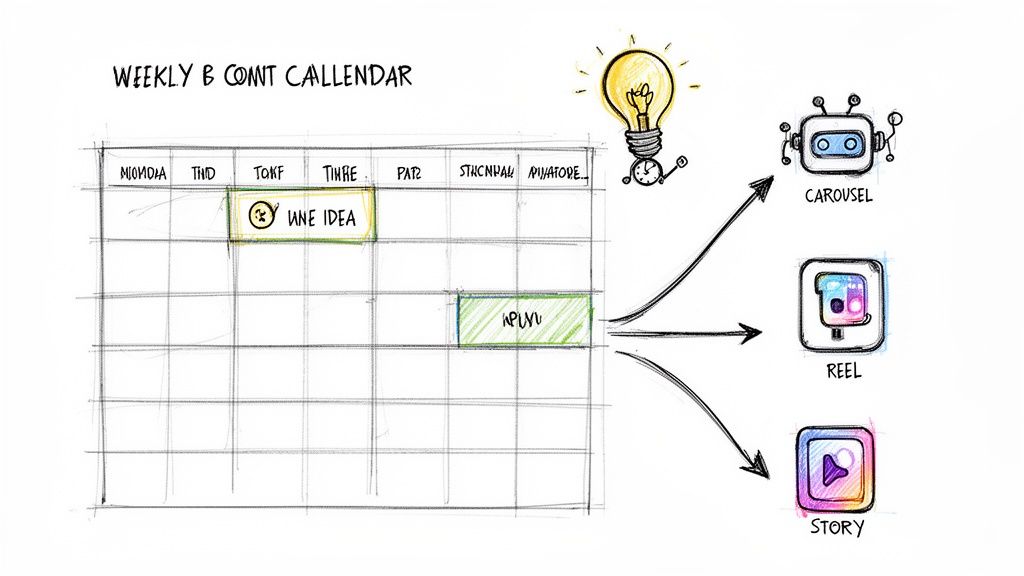
This is where planning and scheduling become your best friends. Instead of scrambling to find something to post every morning, you can batch-create your content and line it up in advance. It’s a simple shift that keeps your brand active even when you’re swamped with the actual work of running your business.
Embrace the Power of AI and Scheduling
Modern tools can completely change how you approach content. An AI-powered tool like Postful is designed to be your content assistant, helping you spin raw ideas into polished posts that are ready to go live.
Think about it: you have one solid idea for the week—a great customer story, a new feature announcement, or a look behind the scenes. With a bit of AI help, you can:
- Brainstorm angles: Get suggestions on different ways to frame that single idea.
- Generate effective captions: Turn a simple thought into a compelling story that actually gets people talking.
- Repurpose with ease: Transform that one idea into multiple formats—a detailed carousel, a quick Reel script, and even a simple text-based post.
This is how you squeeze more value out of every bit of work. We dive deeper into this process in our guide on automating Instagram posts. Postful is currently free to use during its early access period, so it's a great time to see how it works for you.
A Practical Repurposing Workflow
Let’s walk through a real-world example. Imagine you’re a business consultant who just wrote a short blog post on productivity tips for founders. That single piece of content can easily fuel your Instagram for a whole week.
- Main Post (Carousel): Create an educational carousel that summarizes the top 3 tips from your article. Use bold graphics and clear text for each slide.
- Reel: Shoot a quick "talking head" video where you dive a little deeper into just one of those tips. Add on-screen text captions for viewers watching with the sound off.
- Image Post: Pull a powerful quote from the article and drop it onto a branded graphic using a simple design tool.
- Story Series: Use the poll or question sticker to ask your audience which productivity tip they struggle with the most. Share the results the next day.
This "create once, distribute many times" method is the core of an efficient content strategy. It saves an incredible amount of time and ensures your message hits your audience in different formats, because let's be honest—not everyone sees every post.
This approach isn’t just about saving time; it's about building a smarter, faster system. For e-commerce brands, that same efficiency applies to creating visuals. To speed up your visual content and build a smarter workflow, you could explore something like an AI Ghost Mannequin Generator for high-quality product shots.
When you combine smart content repurposing with tools that accelerate visual production, you get valuable hours back to focus on what really matters—growing your business.
Common Questions About Posting on Instagram
Even when you have a solid plan, specific questions always pop up when you’re in the middle of creating content. I get these all the time from small business owners and solopreneurs trying to make every post count.
Let's tackle a few of the most common ones.
A big one I hear is, "How often should I be posting?" There's no magic number here. Consistency is far more important than frequency.
Posting three high-quality, genuinely helpful posts a week will always beat posting seven rushed ones. The goal is to stay on your audience's radar, not to overwhelm their feed.
Another question is about posting from a computer. While Instagram started as a mobile-first app, you can absolutely post from your desktop. Honestly, it's a huge time-saver. It’s so much easier to type out thoughtful captions and upload high-res images from your computer on a bigger screen. For example, using a scheduling tool or Instagram's own web interface to upload content from your desktop streamlines the process.
How Do I Know What Is Working?
This is the most critical question. How do you figure out which posts actually connect with your audience?
You have to look at your Instagram Insights. Set aside five minutes once a week to review them. But please, don't just glance at the likes.
Focus on these three metrics instead—they tell a much deeper story:
- Shares: This means your content was so good that someone had to send it to a friend.
- Saves: A huge signal that your post was useful enough for someone to want to come back to it later.
- Profile Clicks: This tells you your post made someone curious enough to check out who you are.
These actions show a much deeper level of interest than a simple like, and they’re what the algorithm really pays attention to.
Practical Example: Let's say you notice a carousel tutorial you posted on Tuesday got 150 saves, while a single image post from Thursday only got 10. That's a direct signal from your audience to create more content just like that tutorial. Stop guessing what they want and start using this data to build your strategy.
This simple feedback loop is the core of a smart content plan. It helps you stop wasting time on what isn't working and double down on what drives real results for your business.
Ready to turn your work into more business? Postful gives you the AI-powered tools and one-on-one guidance to create, schedule, and repurpose your content smarter. Start for free at https://postful.ai.