
You post three times a week. You reply when you can. You tell yourself you’ll get back to those DMs tonight. Then tonight turns into next week, a good customer goes unanswered, and your social accounts start feeling less like an asset and more like a leak in the ceiling.
That’s where a lot of small business owners get stuck with social media community management. They treat it like inbox cleanup. Necessary, annoying, never finished.
The better way to think about it is simpler. Your comments, replies, mentions, group posts, and customer questions are where trust gets built in public. If you handle that well, you don’t just “stay active.” You create a place people want to return to, contribute to, and buy from.
I’ve found that solopreneurs usually don’t need more hustle here. They need a repeatable system. Clear goals. A content rhythm they can keep. Basic moderation that protects the room. And a workflow that lets them sound human without being online all day.
Why Social Media Community Management Matters Now
You wake up to three new comments, two DMs, a tagged story, and one customer question buried under yesterday’s post. None of that looks urgent on its own. Leave it for two days, and it turns into missed sales, colder leads, and a social presence that feels half-alive.
That is why community management carries more weight than it used to. Reach is less predictable, feeds move faster, and people make decisions from small signals. A fast reply. A thoughtful comment. A customer helping another customer in public. Those moments shape whether someone trusts the business behind the account.
For a solo operator, this work sits right between marketing, support, and retention. That overlap is useful. One good reply can answer a pre-sale objection, reassure an existing customer, and give future buyers proof that you show up. If you want a practical outside perspective on how to build online community, start there, then adapt the advice to the time limits of a one-person business.
Small brands still have one advantage here. They can sound human without layers of approval, and they can turn everyday interactions into insight quickly.
That only helps if the workflow is realistic.
A solopreneur usually cannot monitor every platform all day, write custom replies from scratch, and keep posting consistently. The answer is not more hustle. The answer is a lighter system: clear response windows, saved reply starters, and AI support where it saves real time. Tools like Postful can help draft replies, surface common themes, and keep your voice consistent, but the trade-off is simple. Automation should handle repetition, not relationships. The final pass still needs your judgment.
Community is one of the few moats a small business can build
A bigger brand can publish more content and spend more on distribution. A smaller business can stay closer to the customer.
That shows up in a few ways:
- You catch recurring questions early and turn them into posts, FAQs, or onboarding fixes.
- You see buying objections in real time and adjust your offer before the problem spreads.
- You make customers visible through reposts, shout-outs, and follow-up replies that add social proof.
- You create space for peer help so useful answers do not depend on you being online every hour.
Over time, followers stop behaving like a passive audience. They start contributing context, feedback, examples, and reassurance for each other.
A simple test helps here. If every interaction starts and ends with you, you have attention. If customers talk to each other, return on purpose, and help carry the conversation, you have the beginnings of a community.
What works for lean teams, and what breaks fast
The best small-business communities feel present, not overmanaged. People know someone is paying attention, but the room still feels natural.
What tends to work:
- Visible consistency: regular replies and check-ins, even if you are not online all day
- A recognizable tone: people can tell what fits the space and what does not
- Member contribution: reviews, questions, wins, photos, feedback, and peer replies
- Repeatable formats: weekly prompts, office hours, themed posts, and lightweight rituals
- Smart use of AI: drafting, tagging, summarizing, and queueing follow-ups so you spend time on higher-value conversations
What tends to fail:
- Posting and disappearing
- Only replying when someone complains
- Spreading effort across too many platforms
- Using AI to mass-produce generic responses that flatten your voice
- Treating follower count as proof of community health
The payoff is practical. A public answer to a simple question often does more for conversion than another promotional post, because people get to see how the business treats them once the sale is possible. For solopreneurs and side-hustlers, that is the strong case for community management now. It is one of the few growth channels that can improve trust, reduce repeat support work, and stay sustainable without hiring a full team.
Laying the Foundation for a Thriving Community
Strong communities don’t start with content. They start with decisions. If you skip those decisions, you end up posting into the void, chasing trends, and wondering why engagement feels random.
The foundation comes down to three things. Goals, audience, and platforms. Get those aligned and your workload drops because you stop creating activity that has no job to do.

Start with a business goal, not a content goal
“Grow the account” is too vague to guide real work. A better goal tells you what kind of community behavior matters.
A few examples:
| Business situation | Better community goal | What you’d focus on |
|---|---|---|
| Freelance designer wants more inbound leads | Build trust with prospects | Educational posts, comment conversations, project breakdowns |
| Local bakery wants repeat buyers | Create a habit loop with regulars | Stories, customer reposts, product drops, local mentions |
| SaaS founder wants feedback | Turn users into contributors | Feature questions, onboarding prompts, bug feedback threads |
| Coach wants referrals | Build visible client wins and peer advocacy | Testimonials, celebration posts, Q&A, member shout-outs |
That single choice changes everything. If you want leads, you’ll create content that surfaces pain points and objections. If you want loyalty, you’ll design more interaction after the sale.
Know the audience by behavior
Most audience notes are too shallow. Age range and job title won’t help much when you’re deciding what to post on Tuesday or how to answer a skeptical comment.
What helps is behavioral detail:
- What do they ask repeatedly
- What language do they use when describing the problem
- What makes them hesitate before buying
- What kind of post gets them to reply instead of scroll
- Where do they already enjoy talking
A B2B consultant might get better conversations on LinkedIn because buyers are already in work mode there. A bakery might build stronger community through Instagram Stories because regulars respond better to quick visuals, polls, and local familiarity. A creator selling digital templates might get the best depth in a private group or broadcast channel where people can share how they’re using the product.
If your audience only ever reacts with likes, you may be on the right platform with the wrong prompts, or the wrong platform entirely.
One useful way to sharpen this is to review your last month of interactions and separate them into three buckets: questions, objections, and excitement. That gives you a more honest map of your community than demographics alone.
For a broader practical framework, this guide on how to build online community is worth reading because it helps connect audience intent with platform choice and participation style.
Pick fewer platforms and do them properly
This is the point where many solopreneurs overcomplicate things. They assume community management means active presence on every network where their audience might exist.
Usually, the better move is one primary platform, one secondary support platform, and a simple repurposing plan.
A practical setup looks like this:
Primary platform
Conversation quality is highest here. You show up here daily or close to it.Secondary platform
This supports discovery or retention. You don’t force every interaction here, but you maintain presence.Private layer
This could be a group, email list, or member space where deeper discussion happens.
The trade-off is straightforward. More platforms can mean more reach, but they also create more response debt. If you can’t maintain the conversation layer, adding channels often weakens trust instead of building it.
Write down your operating rules
Before posting, document the basics in one page:
- Purpose: why this community exists
- Audience: who it serves and who it doesn’t
- Content pillars: the recurring themes you’ll talk about
- Voice: how you sound in public replies
- Boundaries: what you won’t discuss, tolerate, or promise
- Success signs: what meaningful participation looks like
This doesn’t need a Notion dashboard with twelve tabs. A simple document works. The point is to stop reinventing your approach every week.
Once that foundation is clear, content gets easier because you’re no longer asking, “What should I post?” You’re asking, “What helps this specific group move one step forward?”
Crafting Your Content and Engagement Rhythm
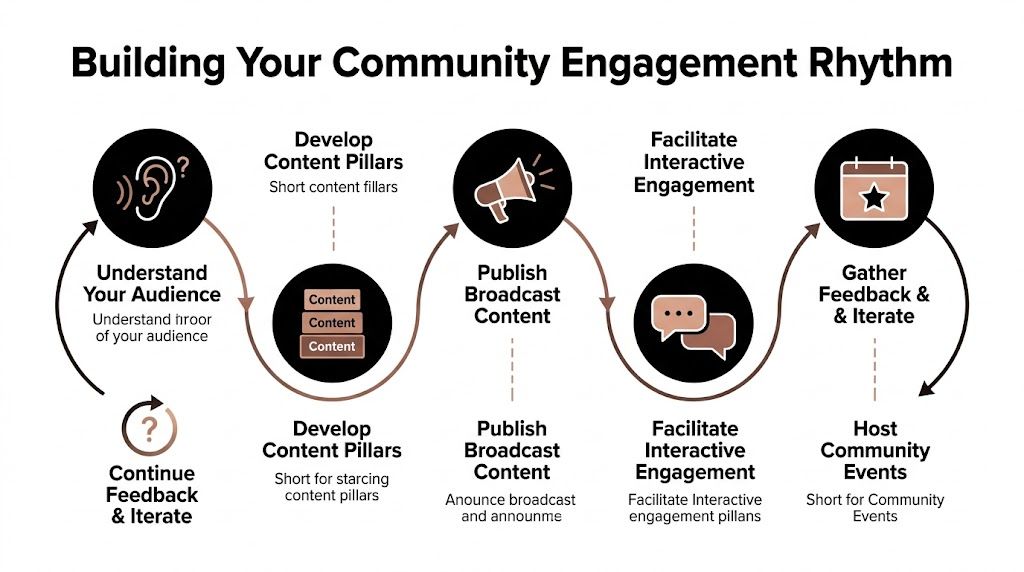
Most small businesses don’t fail at social because they lack ideas. They fail because they run two separate systems without realizing it. One system is publishing. The other is conversation. When publishing gets all the attention, the community side becomes reactive and messy.
A good rhythm connects both.
Think in two tracks
Broadcast content is what you plan and publish. Tips, stories, product updates, behind-the-scenes moments, customer features.
Interaction content is what keeps the room alive. Replies, follow-up questions, welcome messages, polls, comment prompts, appreciation posts, and light moderation.
Many owners only schedule the first category. Then they wonder why engagement feels flat. A community usually responds better when it feels invited, not just informed.
According to Talkwalker’s guide to social media community management, brands with dedicated community managers see a 70% increase in customer retention, and quick replies within 1 hour can generate 257 average engagements, compared with 133 to 145 after 24 hours. For a solopreneur, that doesn’t mean living in your inbox all day. It means building a response habit for the moments that matter most.
A weekly rhythm that doesn’t eat your life
Here’s a practical cadence I like for a one-person brand. It’s light enough to maintain and structured enough to build familiarity.
| Day | Broadcast content | Interaction focus |
|---|---|---|
| Monday | Short teaching post or lesson learned | Reply to weekend comments, ask one follow-up question on every meaningful reply |
| Tuesday | Behind-the-scenes story or process clip | Welcome new followers, thank sharers, collect recurring questions |
| Wednesday | Community prompt or opinion question | Spend a focused block in comments, encourage member-to-member replies |
| Thursday | Customer story, testimonial, or UGC | Repost member content and add context about why it matters |
| Friday | Light personal note, recap, or “what are you working on” prompt | Close loops in DMs, highlight a top contributor, note ideas for next week |
The point isn’t to copy this exactly. The point is to stop treating every day as a blank page.
If you want a planning structure that keeps this manageable, a simple content calendar workflow for small teams helps turn recurring post types into a reusable system.
What proactive engagement looks like in practice
Reactive engagement is firefighting. Someone complains, asks for help, or tags you, and you rush in.
Proactive engagement is different. You start conversations before there’s a problem.
A few examples:
- After posting a tip: ask, “Which part of this tends to get skipped in real life?”
- After a customer result: ask, “What almost stopped you from trying this?”
- After a behind-the-scenes clip: ask, “Want to see the draft version too?”
- In a quiet week: bring back a recurring prompt such as “What are you stuck on right now?”
These questions work because they lower the burden of response. People don’t need to write an essay. They just need a clear opening.
Short prompts beat broad prompts. “Which part is hardest?” gets better replies than “Thoughts?”
Use UGC to make members the center of gravity
A healthy community shouldn’t feel like a stage where only the brand speaks. User-generated content fixes that fast because it turns your audience into visible contributors.
That can include:
- screenshots of customer wins
- before-and-after photos
- short testimonials
- member tips
- examples of how someone used your product or advice
- comments worth elevating into their own post
The key is curation. Don’t repost everything. Choose examples that teach, reassure, or create momentum for others.
A solo fitness coach could repost a client’s meal prep photo and add one sentence about consistency. A consultant could feature a client’s implementation note and explain the strategy behind it. A maker selling handmade goods could share customer photos and mention the small details buyers tend to ask about.
Handle praise and criticism with the same calm tone
Public praise is easy to waste. Don’t just answer “Thanks so much.” Extend it. Ask what they found most useful. Invite them to share how they used it. That often turns a compliment into a mini case study.
Public criticism needs steadiness. Don’t rush to defend yourself in public. Acknowledge the issue, ask one clarifying question if needed, and move detailed resolution into DM or support if the conversation requires privacy.
A simple response pattern works well:
- Acknowledge the experience
- Clarify without sounding legalistic
- Offer the next step
- Close the loop publicly once resolved, if appropriate
That keeps your comment section from becoming a courtroom while still showing others that you respond with respect.
How to Moderate Your Community and Keep It Safe
Communities become unusable long before they become obviously toxic. Usually the decline starts with smaller issues. Repetitive spam. Drive-by self-promotion. Needlessly hostile replies. Confusing boundaries. People stop feeling comfortable, so the thoughtful members go quiet first.
Good moderation prevents that slide. It doesn’t suffocate conversation. It gives decent people confidence that participating won’t be a hassle.
Publish simple rules people can actually follow
Your guidelines don’t need corporate language. They need to be short, visible, and enforceable.
The best ones usually cover:
- respectful disagreement
- no harassment or hate
- no spam
- limits on self-promotion
- privacy and confidentiality
- what happens if someone ignores the rules
Here’s a practical checklist you can adapt.
| Guideline Category | Example Rule | Why It's Important |
|---|---|---|
| Respect | Disagree with ideas, not with people | Keeps debate from turning personal |
| Promotion | Don’t drop links or pitches unless invited | Prevents the space from becoming an ad board |
| Relevance | Keep posts related to the stated topic of the community | Helps members know what belongs |
| Safety | No abusive, discriminatory, or threatening language | Protects participation and trust |
| Privacy | Don’t share private customer details or screenshots without permission | Prevents harm and reduces legal risk |
| Misinformation | Don’t present guesses as facts in advice threads | Keeps the community useful |
| Escalation | Repeated rule-breaking may lead to post removal or removal from the group | Sets consequences clearly |
Moderate like a host, not a bouncer
Tone matters. When you enforce rules harshly, members get tense. When you never enforce them, thoughtful people leave. The sweet spot is firm and boring.
A basic workflow helps:
Filter obvious junk first
Use platform keyword filters and spam controls for repeat offenders, suspicious phrases, and common bait.Review edge cases manually
Some comments are clumsy, not malicious. Read for intent before acting.Respond in public when it helps others
If a rule reminder teaches the room, keep it visible and calm.Move private when context is needed
Personal disputes and sensitive complaints usually improve off-thread.Document patterns
If the same problem shows up repeatedly, your rules or prompts may need tightening.
Brandwatch reports that 48% of members feel safer with an active admin presence, and 31% of brands use AI tools to cut spam by as much as 73%, according to its community management moderation advice. For a one-person business, this is one of the most impactful uses of automation because it removes low-value cleanup before it drains your attention.
Communities don’t need constant policing. They need visible standards and consistent follow-through.
Scripts for awkward moments
Most moderation stress comes from not knowing what to say in the moment. Keep a few plain-language scripts ready.
For self-promotion
- “Thanks for joining in. We keep promotions limited so the feed stays useful. Please hold off on links unless someone asks for them.”
For aggressive disagreement
- “It’s fine to disagree here. Keep it focused on the idea, not the person.”
For off-topic posting
- “This one is a bit outside the scope of the group. If you can connect it back to the main topic, feel free to repost.”
For a complaint with real substance
- “Thanks for raising this. I want to handle it properly. Send me a message with the details and I’ll follow up.”
If you want a broader framework for policy design and escalation thinking, this roundup of social media content moderation strategies is a useful reference.
Scale Your Community Management with Smart Tools and Workflows
The hard part of social media community management for a solopreneur isn’t knowing what good looks like. It’s keeping it going when sales, fulfillment, admin, and content are all competing for the same day.
That’s where tooling matters. Not because software magically creates trust, but because repetitive tasks eat the exact time you need for real conversations.
Use tools for repetition, keep judgment for yourself
A lot of people get this backward. They either try to do everything manually and burn out, or they automate so aggressively that the account starts sounding hollow.
The better split is simple:
Let tools handle
- drafting first versions
- repurposing a strong post for another network
- queueing and scheduling
- collecting ideas from prior content
- filtering obvious spam
- organizing replies that need attention
Keep for yourself
- sensitive responses
- customer complaints
- nuanced questions
- member recognition
- humor, empathy, and judgment calls
- final voice edits before publishing
This is especially relevant for smaller operators. The Mastroke playbook notes that among SMBs, AI adoption for social tasks surged 40% in the last year as businesses use it to automate routine engagement work, in its piece on social media community management best practices.
A practical solo workflow for one working day
Here’s what a low-stress workflow can look like when you’re handling community and content without a team.
Morning triage
Open comments, mentions, and DMs first. Don’t start by creating content.
Sort interactions into three buckets:
- Quick replies that need less than a minute
- Meaningful conversations worth a more thoughtful response
- Issues to escalate or schedule time for
This step alone keeps you from spending half an hour polishing a post while urgent customer context sits unanswered.
Midday content production
Use one core idea from the morning’s interactions. Maybe three customers asked a variation of the same question. That becomes the day’s post.
Then adapt it:
- one short text post for LinkedIn
- one visual caption for Instagram
- one brief opinion thread or prompt for another network
- one follow-up Story or comment prompt tied to the same theme
A good tool stack makes this much easier. If you’re comparing options for planning, scheduling, and repurposing, this guide to social media management tools for small businesses gives a practical overview.
End-of-day loop closing
Before signing off:
- answer the unresolved messages that matter most
- save strong customer language into an idea bank
- note any repeated objection or support issue
- flag one member worth featuring later
That final step is important because communities grow from repeated recognition, not just repeated posting.
Competitor tools that can help
Different tools solve different parts of the workflow well. If you’re exploring the category, it helps to match the tool to the job instead of expecting one dashboard to do everything perfectly.
- Buffer is well liked for scheduling and queue-based publishing. Pricing: see website for details.
- Hootsuite is a recognized option for multi-platform management and monitoring. Pricing: see website for details.
- Sprout Social is often used by teams that want deeper reporting and collaboration features. Pricing: see website for details.
- Later is popular for visual planning and creator-friendly workflows. Pricing: see website for details.
- Canva helps with fast social asset creation and template reuse. Pricing: see website for details.
Build templates once, then reuse them
Most solo burnout comes from starting from scratch too often. Fix that by creating reusable templates for your most common community tasks.
Useful templates include:
- reply starters for FAQs
- comment prompts for educational posts
- member spotlight post formats
- weekly recap structures
- policy reminders for moderation
- a simple escalation note for complaints
The goal isn’t to sound automated. The goal is to remove blank-page friction so your energy goes into relevance, not retyping.
When you do this well, tools don’t replace your voice. They protect it by saving it for the conversations where it matters.
Measuring Community Health and Driving Sustainable Growth
You can post every day, pick up followers, and still end the month with a community that feels flat. That usually shows up in the same places. Fewer repeat commenters. More drive-by likes. More questions that never turn into conversations or sales.
A healthy community leaves a trail of behavior, not just bigger top-line numbers.
Measure behavior, not just audience size
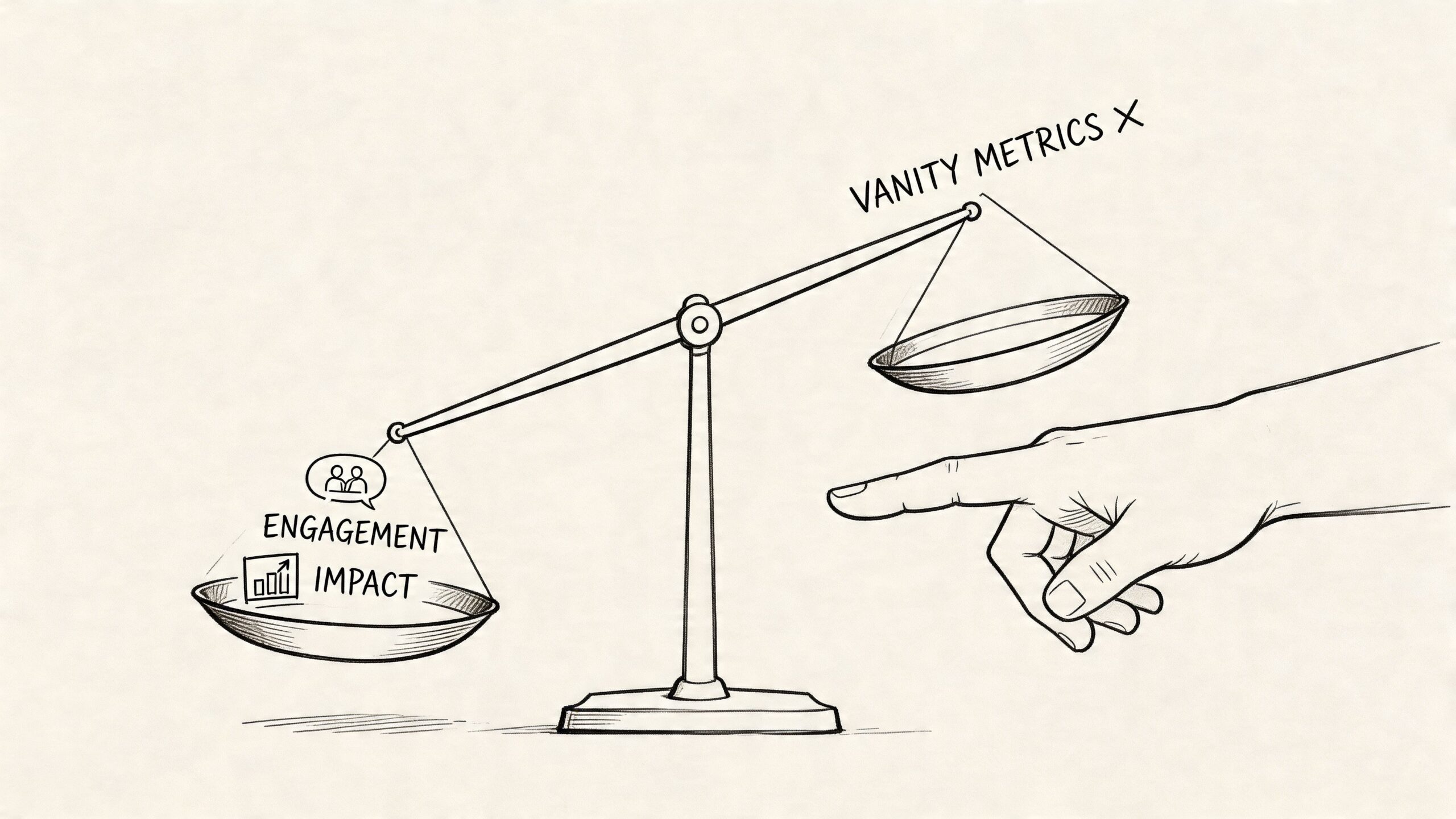
Follower growth matters, but it needs context. For a solo operator, the better question is whether people are coming back, responding with substance, and taking actions that make the business easier to grow.
The signals I watch are simple:
- repeat participation from the same people
- comments that show intent, questions, or real feedback
- saves and shares on posts meant to teach
- direct messages that reveal buying friction or support gaps
- members answering each other without being prompted
- recurring topics that can become future content, offers, or onboarding fixes
That is why a small account with active regulars often outperforms a larger one with weak interaction. If your audience grows while the percentage of active participants drops, reach is rising but community quality is slipping.
If you want a practical framework for that review, these social media metrics that connect activity to business outcomes are a good place to start.
Build a dashboard you can keep up with
Solo community management breaks when reporting becomes another full-time job. A useful dashboard should take minutes to review and give you a clear next move.
Here’s a version that works well for a one-person business:
| Timeframe | What to review | What you’re looking for |
|---|---|---|
| Daily | Unanswered comments, DMs, brand mentions | Which conversations need a reply today |
| Weekly | Top discussions, repeated questions, sentiment notes | What sparked real interest, confusion, or objections |
| Monthly | Returning contributors, customer stories, support themes | Whether the community is getting stronger and more self-sustaining |
| Quarterly | Retention patterns, referral sources, time spent managing | Whether the effort still makes sense for the business and your energy |
Every metric needs a job. Comments can surface objections. Customer stories can reduce trust barriers. Repeated complaints usually point to weak onboarding, unclear offers, or content that promises more than it explains.
Watch ratios, but don’t force enterprise metrics onto a solo business
Participation ratios can be useful if you run a group, membership, or community with regular return behavior. As noted earlier, many community professionals use active-member ratios to judge whether participation is becoming a habit instead of a one-time visit.
For a solo brand account, the principle matters more than the formal benchmark. Track whether the same names keep showing up, whether conversations get easier to sustain over time, and whether members start helping each other without waiting for you.
That’s the point. A strong community has memory.
I pay special attention to return frequency because it tells me whether I’m building a room people want to re-enter or just publishing into a feed that resets every day.
Grow without wrecking the culture
Growth creates pressure. More people means more noise, more edge cases, and more chances to drift away from the tone that made the community work in the first place.
The tactics that hold up are usually low-tech:
Recognize good contributors early
Public thanks, quick shoutouts, and member spotlights help set the standard for how people participate.Ask for referrals with specificity
Tell people who the community is for, what they’ll get, and what kind of conversations belong there.Promote the community in channels you already own
Your email list, welcome emails, checkout pages, and post-purchase follow-ups usually bring in better-fit members than broad awareness posts.Turn strong discussions into reusable assets
One useful thread can become a post, FAQ, short video, carousel, or email.Slow the pace when attention spikes
If one post pulls in a wave of new people, tighten your moderation, restate expectations, and guide newcomers before the tone slips.
This is one of the biggest trade-offs for solopreneurs. Fast growth feels good, but unmanaged growth creates more replies, more cleanup, and more pressure to be online all the time.
Let your metrics change the workflow
Measurement only helps if it changes how you work.
If response backlog keeps climbing, reduce platform sprawl or use saved replies for common questions. If the same objections keep appearing, turn them into content. If one post format brings in thoughtful comments while another brings empty reach, post more of the first one. If engagement stays healthy but conversions stay flat, the issue may be your offer, landing page, or call to action.
AI can provide assistance without making the brand feel robotic. A tool like Postful can help a solo business owner turn good ideas into posts faster, reuse proven content across channels, and keep a steady publishing rhythm while saving their energy for actual conversations.
That trade-off matters. The goal is not to automate the relationship. The goal is to spend less time staring at a blank caption box and more time responding where your voice has the most value.
Sustainable growth comes from that balance. Keep the systems light, keep the signals clear, and protect your energy so the community can keep getting stronger without requiring a full team behind it.