

You’ve probably hit the same wall most small businesses hit on TikTok.
You can post short videos, reply to comments, test hooks, and maybe even get a few strong posts out into the world. But when you try to use one of the platform’s most useful features, LIVE still isn’t available. That’s frustrating when you want to demo products, answer questions in real time, or build trust faster than a polished edit ever can.
The good news is that how to get live access on tiktok is straightforward once you treat it like a business milestone instead of a mystery. The essential work isn’t only gaining access to the button. It’s building the right audience, running a stream people want to stay in, and turning that stream into reusable content that keeps working after you log off.
The First Hurdle: Meeting Your LIVE Eligibility Requirements
A lot of small business owners hit the same moment. They have a few posts working, comments starting to come in, and a real reason to show up live, but TikTok still does not give them the LIVE option.
For eligible accounts, TikTok LIVE usually becomes available once you reach 1,000 followers. The hard part is not understanding the requirement. It is getting there with the right audience, so your first stream has people who care, ask questions, and might buy.
That distinction matters. A thousand random followers can help you access the feature, but they do very little for a business. A thousand followers built around a clear offer, repeatable content themes, and a recognizable point of view can turn LIVE into a sales and trust-building channel from day one.
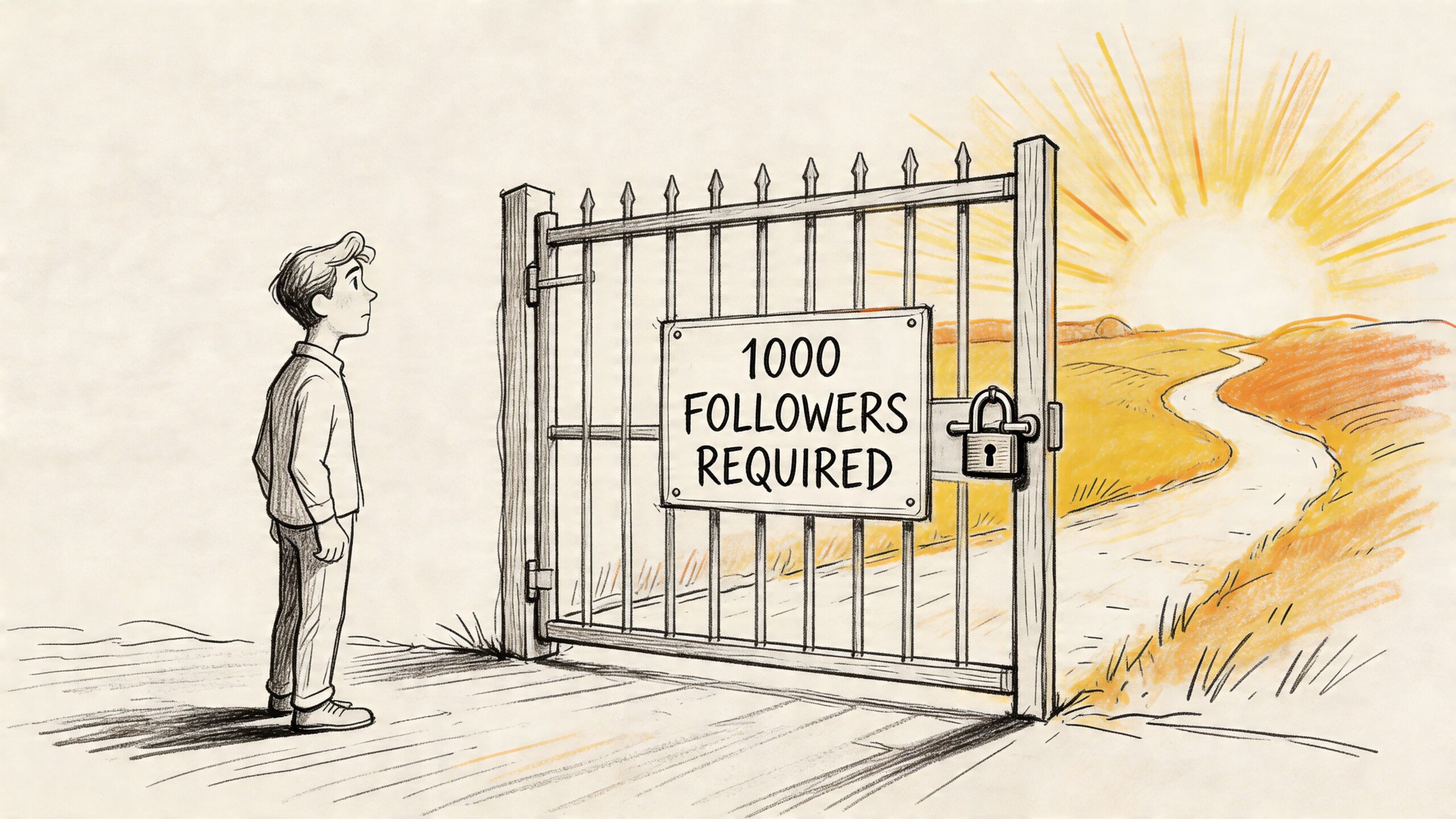
Turn the follower requirement into a business goal
The accounts that reach the threshold fastest usually do one thing well. They publish videos that make the next step obvious. Follow for more tips. Follow for the next demo. Follow if you want the answer in real time.
For service businesses, that often looks like this:
- Answer buyer questions in public: Turn the questions you hear on calls, in DMs, or in emails into short videos.
- Show how you work: Walk through your process, your reasoning, or a before-and-after result.
- Comment on real situations in your niche: Use stitches, duets, or direct-to-camera reactions to join conversations your buyers already care about.
For product-based businesses, the content usually works better when it is more visual and more specific:
- Lead with the product in use: Start with the outcome, not the explanation.
- Show context: A product in a real routine or real space usually performs better than a feature list.
- Answer objections on camera: Shipping time, sizing, setup, durability, and use cases all make strong short-form topics.
Build for the audience you want in your future LIVE
I have seen businesses waste weeks chasing broad views that never turn into followers, questions, or sales. That kind of reach looks good on the surface and performs badly where it counts.
A better weekly content mix is simple:
| Focus | What to post | Why it helps |
|---|---|---|
| Discovery | Short, searchable answers | Brings in people already looking for help |
| Trust | Behind-the-scenes clips | Makes the business more credible and relatable |
| Conversion | Proof, demos, results | Gives viewers a reason to follow and come back |
| Community | Comment replies | Trains people to interact before you ever go live |
A useful filter is this: if a video cannot naturally lead to a live demo, a live Q&A, or a live discussion, it may be off-topic for the audience you need.
Growth also has a defensive side. If reach drops hard for no clear reason, fix that before you keep posting into a wall. This guide on what to do if you think you're shadowbanned on TikTok can help you sort out whether the issue is content quality, policy friction, or distribution problems.
The habits that get you there faster
Three habits tend to produce steady follower growth.
First, keep your themes repeatable. A recognizable series beats a new idea every day because people quickly understand what they will get from your account.
Second, reply to comments with videos. That gives you a steady idea pipeline and shows TikTok that people are interacting with your content.
Third, clean up your profile so it matches your posts. If your videos are about one problem but your profile looks scattered, viewers hesitate to follow. The accounts that get to LIVE access faster usually make the value proposition obvious within a few seconds of landing on the page.
The goal is bigger than gaining the feature. You are building the exact audience you want to show up when you go live, stay engaged during the stream, and keep your content working after the broadcast ends.
A Step-by-Step Guide to Activating TikTok LIVE Access
You hit 1,000 followers, open TikTok, tap the plus button, and expect to see LIVE waiting for you. Sometimes it is. Sometimes the option is missing, delayed, or buried behind a basic setup issue. That gap matters for a small business because every day you wait is another day you are not testing live demos, answering buyer questions in real time, or turning attention into sales conversations.
For mobile streaming, TikTok LIVE access is generally available to users who are 18+ and have at least 1,000 followers. The in-app path is usually simple: tap the + icon, then swipe to LIVE, as shown in this walkthrough of mobile LIVE setup.
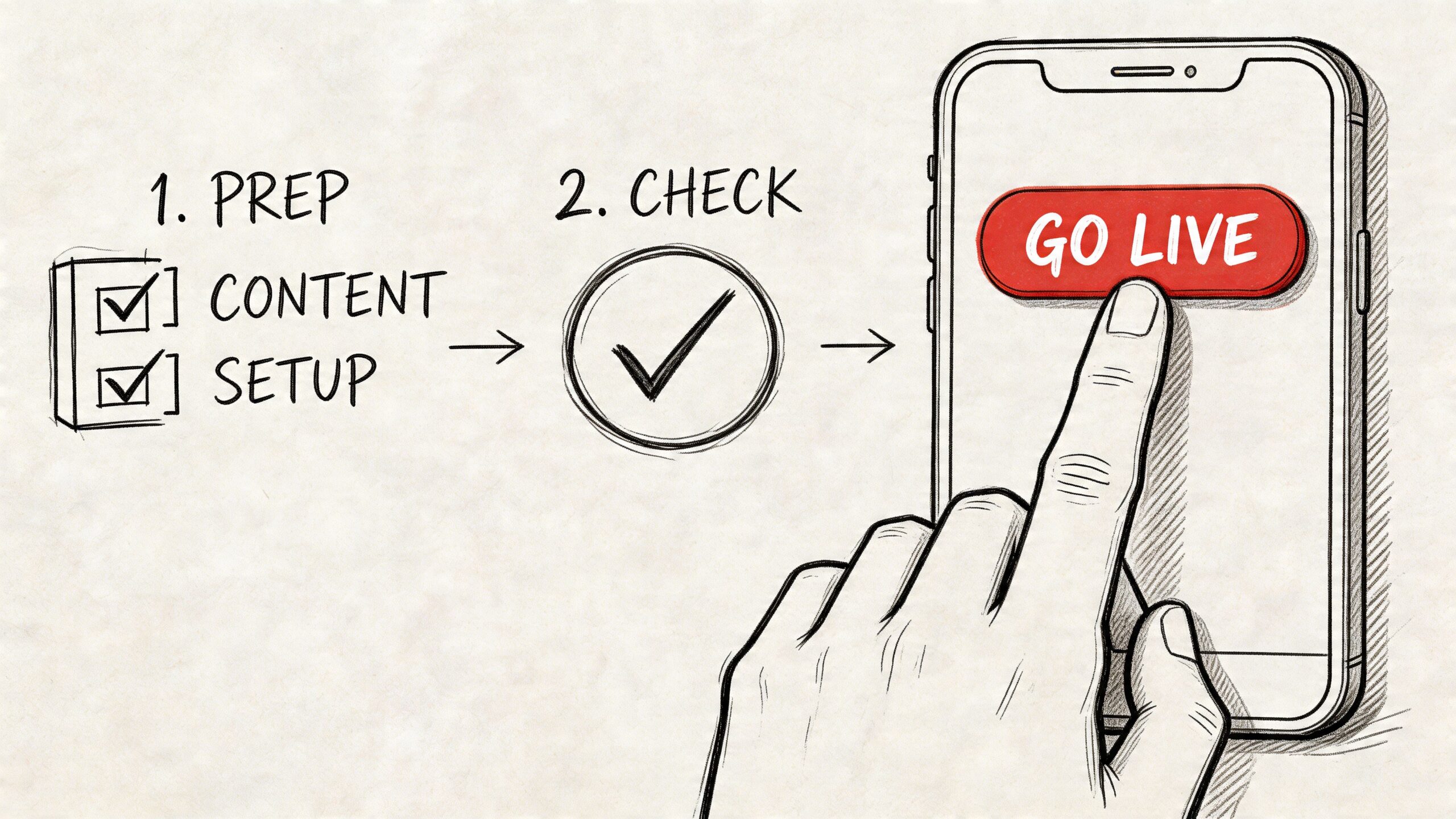
The fast activation checklist
Check the basics first. This saves time and keeps you from treating a normal delay like a serious account problem.
- Confirm your age eligibility in your account details.
- Check your follower count on your profile and make sure you are clearly over the threshold.
- Update the TikTok app before trying anything else.
- Tap the plus button as if you were creating a standard post.
- Swipe to LIVE in the creation menu.
- Add a clear title that tells viewers what they will get.
- Tap Go LIVE once your setup is ready.
For a first stream, keep the setup plain. A phone, stable internet, decent lighting, and a specific topic are enough to confirm access and get comfortable with the format.
If the LIVE button isn’t showing
This is the point where many business owners lose momentum. They assume they need a workaround when the issue is usually one of three things: eligibility, app state, or account status.
Use this troubleshooting order:
- Restart the app
- Clear cache
- Install the latest version
- Check for account violations
- Wait if access seems delayed after hitting the threshold
If the button still does not appear, review your recent content and account standing before doing anything more complicated. Accounts with moderation friction, age mismatches, or delayed feature rollout can take longer to show LIVE access.
A missing LIVE button usually points to eligibility, rollout timing, or account status. It usually does not require a complicated fix.
Set up your stream before you press the button
The title does more work than many brands realize. On LIVE, people make a join-or-skip decision fast, so vague titles waste the small window you have to win attention.
Better examples:
- “Packing today’s customer orders live”
- “Ask me anything about Etsy product photos”
- “Live demo of our new candle scents”
Weaker examples:
- “Going live”
- “Hey everyone”
- “Come hang out”
A good title also helps you later. If you plan to clip the stream into short videos, a focused topic gives you cleaner segments to repurpose for feed posts, product education, and FAQ content.
You can also use a cover image or filters if they fit the stream format. Keep it on-brand, but do not overproduce it. For a small business, clarity usually beats polish.
A quick visual walkthrough helps if you prefer to see the button flow on screen:
Avoid the two mistakes that end streams early
The first is technical. Unstable internet can end a stream fast, especially if you are walking through a shop, warehouse, salon, or studio while broadcasting. Test your connection before you go live.
The second is policy-related. If your business covers regulated products, copyrighted audio, before-and-after claims, or sensitive topics, review your setup first. A stream that gets interrupted or restricted is not just annoying. It can slow down your ability to turn LIVE into a repeatable sales and content channel.
Treat activation as the starting line, not the win. Value comes from getting access, running a useful stream, and turning that live session into content that keeps bringing people back to the business.
Your Playbook for an Engaging First TikTok LIVE
You hit the follower requirement, tap LIVE, and suddenly the hard part starts. A blank stream with no plan is where small businesses waste the opportunity. The first session should do one clear job for the business: answer buying questions, show how the product works, build trust, or turn common objections into content you can reuse later.
That is why the best first LIVE is narrow. Pick one format, one promise, and one outcome. If viewers know what they will get in the first 10 seconds, they stay longer and comment sooner.
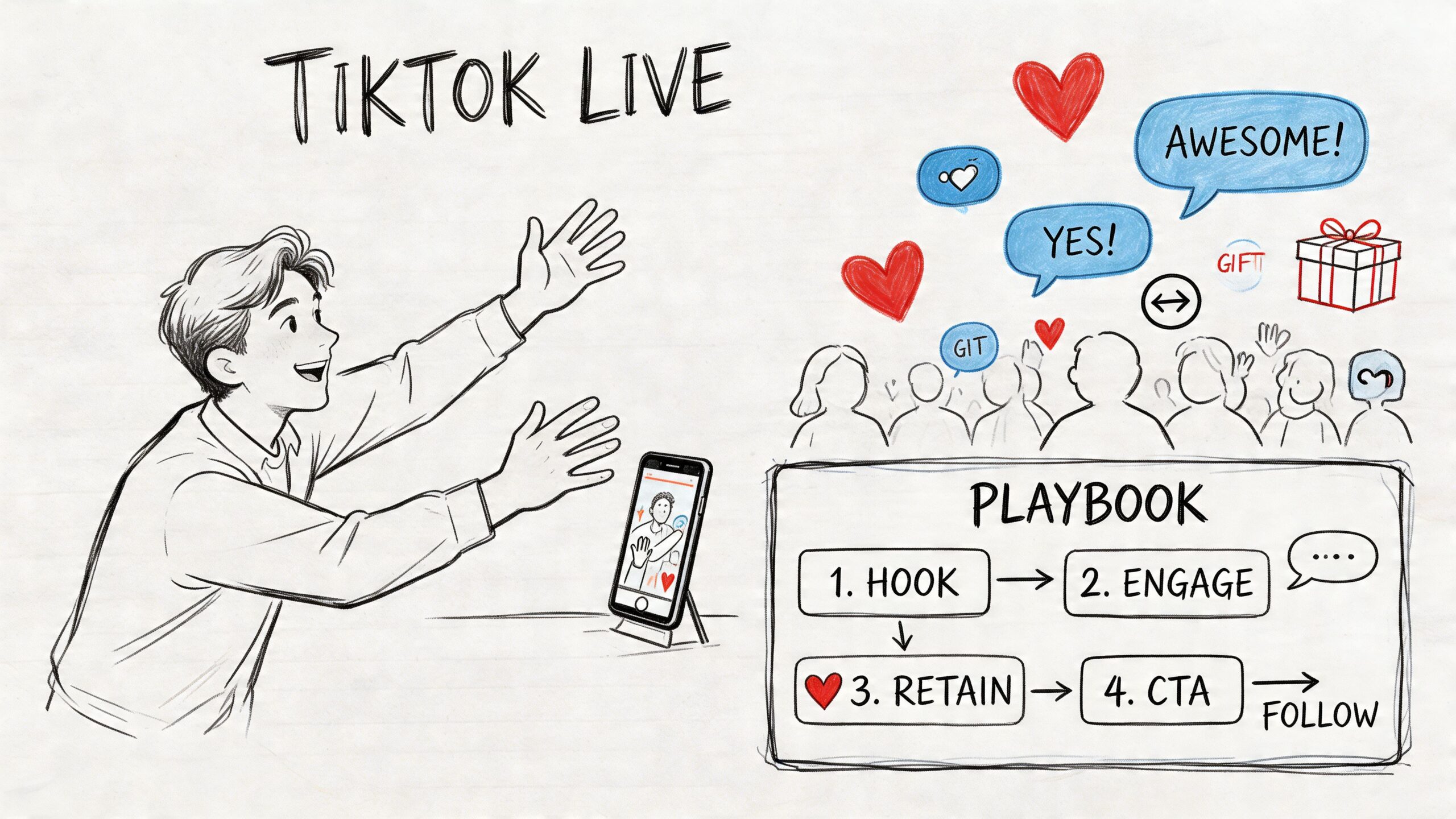
Format one behind-the-scenes work session
This format works well for product businesses, makers, and service brands with a visible process. People like seeing how the business operates.
A candle shop can pour a batch. A bakery can prep custom orders. A consultant can review a landing page draft. A clothing brand can pack shipments and explain what customers ordered most that week.
The rule is simple. Talk while you work. Silence kills momentum fast.
Use an opening line with context:
“I’m packing today’s orders, showing what customers picked, and answering questions about our bestsellers.”
That gives you three things at once. A reason to watch, a reason to comment, and a clear topic you can clip later into short videos.
Format two live demo with objection handling
This is usually the strongest first stream for a business that sells a product.
Show one product in use and answer the questions that stop people from buying. If you sell skincare, explain texture, routine order, and skin type fit. If you sell tools, show setup time and storage. If you sell a digital template, walk through what the customer receives and how quickly they can use it.
Keep the stream focused on one use case. A broad catalog tour sounds productive, but it usually weakens retention because no single viewer feels the stream is for them.
I have seen this play out repeatedly. A specific demo gets better questions than a general pitch because viewers can picture themselves using the product.
Format three ask me anything
An AMA works best for service businesses, coaches, educators, and founders whose expertise is part of the offer.
The mistake is starting with “Any questions?” and waiting. Seed the conversation with three questions you already get from prospects or customers. Answer those first, then invite follow-ups.
Examples:
- A bookkeeper answers tax prep questions for small business owners
- A fitness coach addresses consistency problems with home workouts
- A founder explains pricing decisions and early business mistakes
This format does more than fill airtime. It shows how you think, which often matters more than a polished sales message.
Format four guided review or teardown
This is a strong option for agencies and service providers because it proves expertise in real time.
A social media manager can review bios. A copywriter can fix weak hooks. A product photographer can critique listing images. A web designer can point out friction on a homepage.
The difference between a useful teardown and a chaotic one is structure:
| Strong approach | Weak approach |
|---|---|
| Focus on one problem at a time | Jump between unrelated opinions |
| Explain why the issue matters | Drop vague judgments |
| Give the viewer a next step | End with general commentary |
A teardown also creates strong repurposing material. One review can become several short clips, a carousel, or a follow-up FAQ post.
Prepare the stream so people stay
Engagement usually comes from pacing and clarity, not personality alone.
Start with a simple run of show:
- First 2 minutes: state the topic and promise
- Next 10 to 15 minutes: teach, demo, or review
- Next segment: answer live questions
- Final minute: give one next step
This structure keeps the stream from drifting. It also gives you cleaner sections to cut into future content.
Before you go live, check lighting, sound, and connection quality. A weak upload speed ruins a good stream faster than a weak script. If you need a benchmark, this guide on the best upload speed for streaming gives a practical starting point.
Keep the room active without sounding pushy
Call viewers by name when you can. Repeat each question before answering it. Tell people what is coming next so they have a reason to stay.
If energy drops, change the mode. Move from demo to Q&A. Move from explanation to story. Move from showing a product to explaining who it is for and who it is not for.
Close with one clear action. Follow for the next LIVE. Send a product question by DM. Check the pinned item. Watch for the clipped replay later in the week.
That final step matters for business growth. A good first TikTok LIVE is not just a live moment. It is the start of a content cycle that brings in questions, sales conversations, and future posts from a single session.
Advanced Strategies for Professional LIVE Streams
A phone setup is enough to prove you can hold attention. A desktop setup is what helps a small business run LIVE with more control, clearer branding, and fewer mistakes once viewers start showing up consistently.
TikTok’s computer-based streaming options are not available to everyone by default. As noted earlier, PC or console streaming depends on having mobile LIVE eligibility first, and some accounts also get encoding access through a stream key. For a business owner, the main question is less about the feature itself and more about timing. Add complexity only after your LIVE format already works on mobile.
Why desktop streaming is worth the extra setup
Desktop streaming gives you production control that is hard to match on a phone.
With OBS or TikTok LIVE Studio, you can build a stream that feels organized instead of improvised. That matters if you sell products, teach a repeatable process, or want each LIVE to look consistent enough that viewers recognize your brand within a few seconds.
Useful upgrades include:
- Overlays for product names, offers, or key talking points
- Scene switching between face cam, product cam, and screen share
- Cleaner visual prompts so you stay on track while speaking
- Multiple camera angles for demos, packing videos, tutorials, or behind-the-scenes workflows
I have found that these changes do more than improve appearance. They reduce dead space, make transitions faster, and give you cleaner segments to turn into clips later. If your plan is to turn LIVE into a repeatable content and sales channel, that control matters.
Set a quality floor before you add polish
A professional stream does not need expensive gear. It needs stable video, clear audio, and a layout you can manage without fumbling.
Earlier guidance on TikTok PC setup recommends starting around 720p at 30fps with moderate bitrate settings in OBS, then increasing quality only if your hardware and internet connection can handle it. That is the right approach for small businesses. A stream with steady audio and clean framing will outperform a more ambitious setup that lags during a product demo or drops comments during Q&A.
Use a simple test before you commit to a bigger setup:
- Run a private practice stream
- Check whether your audio stays consistent for 20 to 30 minutes
- Watch CPU usage while switching scenes
- Confirm your camera, mic, and lighting still look good after sunset
- Test whether your connection can hold quality without buffering
If you are unsure about bandwidth before building a higher-resolution workflow, review this guide on the best upload speed for streaming.
Build a repeatable live production system
The businesses that get results from TikTok LIVE do not treat each stream like a one-off event. They build a format they can run every week with the same core assets.
A practical setup usually includes:
- OBS or TikTok LIVE Studio for scenes and source control
- A webcam positioned at eye level
- A dedicated microphone if your room adds echo or background noise
- A second screen for comments, product notes, and pinned offers
- A saved scene template so every stream starts faster
That last point saves more time than people expect. Once you have a default scene pack, intro card, demo angle, and closing screen, going live becomes an operating routine instead of a scramble. It also makes post-stream editing easier because your visuals stay consistent across sessions. If you are building a system around clipping and redistribution, this content repurposing workflow for social channels is a strong model to follow.
Use professional features only when they support the sale
More production options can improve a stream, but they can also distract from the reason a business is live in the first place. The goal is not to look like a broadcaster. The goal is to keep viewers watching long enough to trust you, ask questions, and take action.
For product businesses, that may mean a tight two-camera setup that shows the item clearly and lets you pin offers. For service businesses, it may mean screen sharing a process, reviewing common mistakes, or walking through client examples live. For local businesses, a desktop stream can support scheduled weekly segments that build familiarity over time.
Professional LIVE works best when every added tool supports one of three outcomes: better retention, clearer selling, or easier reuse later. If a feature does not help one of those, skip it.
Repurpose Your LIVE Content for Maximum Reach
The stream ending is not the end of the work. For most small businesses, it’s the moment the true advantage starts.
A good LIVE session contains raw material you’d struggle to script from scratch. You’ve got audience questions, natural phrasing, real objections, spontaneous examples, and clear signals about what people cared enough to stay for. That’s why repurposing isn’t a nice extra. It’s one of the highest-impact habits you can build into your content process.
Post-LIVE, TikTok Studio gives you 28-day historical data on metrics including total views, unique viewers, average watch duration, and new followers. For commerce-focused streams, it also tracks GMV, items sold, and CTR, as explained in TikTok’s LIVE analytics documentation.
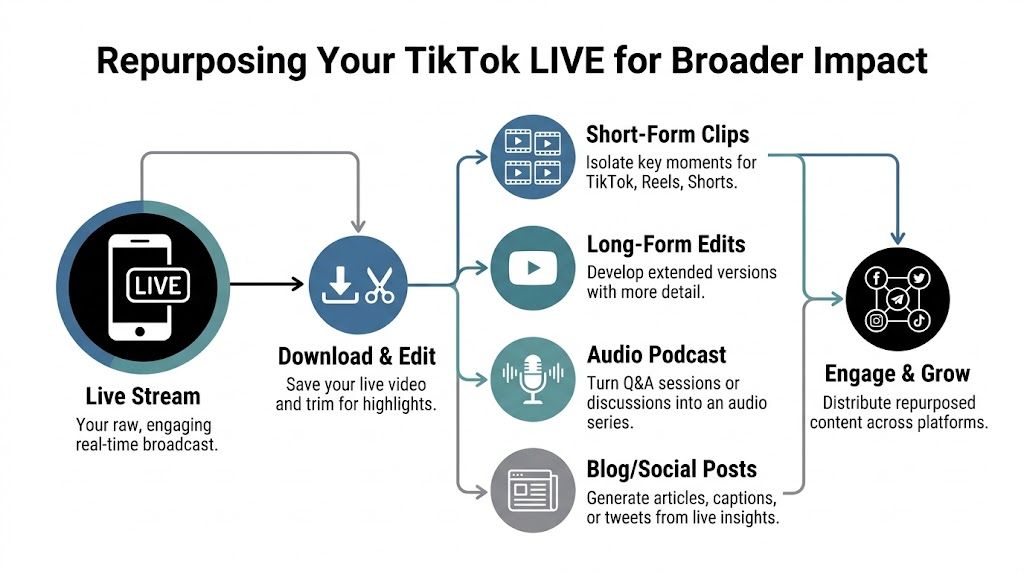
What to pull from every stream
Don’t try to reuse the whole thing as-is. Mine it for moments.
Look for:
- Questions that kept coming up because they point to future content themes
- Segments with strong watch time because the topic or delivery held attention
- Clear explanations you can turn into standalone clips
- Buyer objections that can become short FAQ videos
- Unexpected reactions that reveal what your audience values
A one-hour stream can become a week or more of useful content if you treat it like a recorded workshop instead of a disposable event.
A practical post-LIVE workflow
Here’s a simple production rhythm:
- Download the stream or replay
- Review audience questions and timestamps
- Clip the strongest moments into short-form videos
- Rewrite one answer into a caption post or blog draft
- Turn repeated objections into future pre-recorded TikToks
- Schedule the derivative content while the topic is still fresh
This approach keeps your content grounded in proven audience interest instead of endless guessing.
The easiest content to publish next week is usually hidden inside the conversation you already had this week.
Use analytics to decide what deserves a second life
Here, small businesses save time. You don’t have to repurpose everything.
If a segment created strong engagement, held attention, or drove follow-up questions, that’s a signal. If a product mention fell flat or a tangent lost the room, don’t force it into your calendar.
A lot of creators still create content in isolation. A better system uses performance data from one format to guide the next. If you want a broader workflow for that, this guide to content repurposing for small teams is worth reviewing alongside your LIVE process.
Think in asset chains, not single posts
One LIVE can turn into:
- Short clips for TikTok, Reels, and Shorts
- Written posts based on questions or lessons
- Email ideas pulled from objections and answers
- Sales content built from your clearest explanations
- Future LIVE topics based on where viewers leaned in
That’s a significant productivity gain. You stop asking, “What should I post today?” because your audience already helped create the next batch of content.
From Live Stream to Business Growth Engine
The strongest TikTok LIVE strategy looks a lot less like “go live when you have time” and a lot more like a repeatable business system.
First, you build toward eligibility with content that attracts the right followers. Then you run LIVEs with a clear format, a useful promise, and a reason for viewers to stay. After that, you use the recording, comments, and performance signals to feed the rest of your content calendar.
That cycle works for creators, but it’s especially valuable for operators. A founder can turn customer questions into streams. A seller can turn demos into clips. A freelancer can turn live audits into authority-building content. Over time, LIVE stops being a feature and starts acting like a trust engine.
That also opens up adjacent opportunities. If your account develops a defined audience and consistent presence, partnerships become more realistic too. For businesses or creators exploring that path, this breakdown of micro influencer brand deals is a useful next read.
The main point is simple. Access is only the beginning. The key payoff comes from measuring what your streams do for attention, trust, and revenue over time. If you want a sharper way to think about that bigger picture, this guide on measuring ROI on social media can help connect content effort to business results.
If you want help turning one live stream into a full week of useful social content, take a look at Postful. It’s built for small business owners, side-hustlers, and solo operators who want to turn their work into more business with AI brainstorming, simple scheduling, and easy content remixing across networks.