
Stop guessing and start growing with a Reel strategy you can keep up with.
If you're a small business owner, solopreneur, or side-hustler, you’ve probably felt the pressure. One week it’s a trending audio. The next week it’s a raw talking-head clip. Then someone says polished edits are back. Meanwhile, you still have client work, admin, sales, and an actual business to run.
That’s the problem with most advice on instagram reel trends. It assumes you have a content team, extra hours, and the patience to chase every format the algorithm happens to like that day. Few people do. They need a system that turns everyday work into useful Reels, then batches and schedules them before content creation starts eating the week.
That matters because Reels aren’t a side format anymore. In 2025, Reels accounted for 38.5% of all content in the Instagram feed, and more than 2 billion users engaged with Reels monthly, according to these 2025 Reels platform stats. If you want discoverability, Reels are where Instagram is putting attention.
This guide is built for execution. You’ll get 10 Reel formats that work especially well for small businesses, plus practical workflows to plan, batch, and schedule a month of content in a few focused sessions. Some are fast educational posts. Some build trust. Some help you ride trends without looking like you copied a creator with a totally different business.
If you work in a visual industry, it also helps to study adjacent niches. This walkthrough on how to make a reel for real estate that gets views is a good example of turning ordinary business activity into watchable short-form content.
1. Quick Tips & Tutorials

Educational Reels are still one of the cleanest ways to grow an audience that might buy.
A bookkeeper can post “3 deductions freelancers forget.” A fitness coach can post “1 form mistake that makes push-ups harder.” A real estate agent can post “2 things to fix before filming a listing walkthrough.” These ideas are simple, useful, and easy to batch.
What makes this format work is speed. The viewer gets one concrete win fast. That’s why short educational clips fit current user behavior well. In 2025, Reels drove 45% of total engagement on Instagram, according to this 2025 Reels engagement breakdown. If you teach something quickly, Instagram has reason to keep distributing it.
A batch workflow that saves time
Record five to ten tip Reels in one sitting. Don’t change clothes. Don’t change locations unless the setting helps the lesson. Just change the hook.
Try a simple structure:
- Hook: Name the pain fast.
- Teaching point: Give one tactic, not seven.
- Example: Show what it looks like in real work.
- CTA: Invite a DM, save, or inquiry.
A social media manager could batch these in under an hour:
- “The caption mistake reducing your reach”
- “How to recycle one testimonial into three posts”
- “What to post when you have no new photos”
Postful is useful here because the AI brainstorming can turn a broad topic like “content planning” into several narrow Reels you can film back-to-back. Then schedule them across the month instead of creating from scratch every week.
Practical rule: If a tip needs more than 30 seconds to explain, split it into a series.
Captions matter too. A lot of people watch with sound off, and clear on-screen text makes the lesson easier to save and share.
2. Behind-the-Scenes

The polished brand Reel isn’t dead, but raw behind-the-scenes content is winning attention because it feels believable.
That’s especially useful for small businesses. You don’t need a studio. You need receipts. Show the order packing. Show the client prep. Show the sketch before the final logo. Show the messy desk before the launch email goes out.
In 2026 trend coverage, raw and unpolished content is highlighted as a leading Reels style for business use in this Instagram trends roundup. That lines up with what many small operators already notice in practice. Viewers often trust a clean phone clip more than a heavily edited promo.
What to film during a normal workday
The easiest BTS workflow is passive capture. Film tiny clips while you’re already doing the job.
A ceramic artist might capture:
- wedging clay
- trimming a mug
- loading the kiln
- packing an order
- writing the thank-you note
A consultant might capture:
- setting up a planning board
- reviewing notes before a call
- outlining a proposal
- tweaking a slide deck
- shutting down daily
At the end of the week, stitch those clips into one Reel with text like “What client delivery week looked like.”
People don’t need perfect footage. They need proof that your business is real, active, and competent.
Postful helps most when you turn BTS into recurring themes. For example, “Monday prep,” “Wednesday work in progress,” and “Friday delivery.” Once those categories exist, scheduling gets easier because you’re not inventing a concept each time.
One caution. Don’t film behind-the-scenes just because someone told you authenticity matters. If the clip doesn’t reveal process, personality, or standards, it becomes filler. “Me typing on laptop” is weak. “How I review every client project before delivery” is useful.
3. Trending Audio and Personal Angle
Trending audio still works, but copying it shot-for-shot usually doesn’t.
The better move is to borrow the structure and attach it to a business truth. If there’s a dramatic reveal sound going around, use it for “What clients think branding means vs what I fix.” If a playful beat is trending, use it for “tasks I thought would grow my business that didn’t.”
Many people burn time here. They save a trend, overthink the adaptation, then post it too late. Audio trends move quickly. In 2026 coverage, audio trends are described as peaking in a short window, while format trends usually last longer, in this business growth guide to Instagram Reels.
How to use audio without losing your brand
The workflow is simple:
- Save the sound early: Don’t wait until you have the full concept.
- Write three business angles: One educational, one funny, one sales-adjacent.
- Film a lightweight version first: A talking clip, screen recording, or product shot is enough.
- Remix what works: If a sound performs, make another version with a new message.
If you want a better read on what Instagram tends to reward, this breakdown of the Instagram Reels algorithm is worth reviewing alongside your own results.
And before posting any music-based Reel for business, it’s smart to check copyright on song use so you’re not building a workflow around audio you can’t safely use.
A practical example. A freelance designer sees a trending sound built around “they don’t know…” Instead of making it generic, she overlays:
- “they don’t know this logo took 12 discarded directions”
- “they don’t know the brand guide matters more than the logo”
- “they don’t know I almost sent the first draft and hated it”
That keeps the trend recognizable while making it hers.
4. Carousel and Slideshow Storytelling
Not every strong Reel needs live footage. Some of the best business content is a slideshow with a sharp narrative.
This works well when you have screenshots, product photos, before-and-after assets, quotes from your own notes, or a sequence that tells a story better than a single clip. Think “from inquiry to finished website,” “the three revisions that improved the design,” or “how a small product idea became a launch.”
For many businesses, this is one of the easiest formats to batch because the raw materials already exist in folders, camera rolls, and client docs.
Story first, slides second
A good storytelling slideshow has a clear arc:
- Slide 1: Hook with tension.
- Slides 2 to 4: Show the problem or process.
- Slides 5 to 7: Reveal the shift.
- Final slide: Add the lesson or offer.
Example for a nutrition coach:
- “Client said healthy eating felt impossible during work travel”
- airport snacks
- hotel breakfast issue
- simple ordering framework
- packed snack backup
- result and key lesson
Carousels also deserve a place in the mix because they can perform well for saves and education. In the 2026 business growth guide already noted earlier, carousels are described as edging out Reels for some save-driven educational behavior. That’s why I like using slideshow Reels for emotional narrative and standard carousels for deeper step-by-step teaching.
Use Postful to turn one story into multiple assets. A founder story can become:
- one slideshow Reel
- one standard carousel
- one text post on another network
- one short email
That reuse matters more than novelty. Most businesses don’t need more ideas. They need a better system for extracting value from the ideas they already have.
5. Transition and Visual Effects Magic
Smooth transitions can still stop the scroll, but they’re easy to overuse.
For a business account, transitions work best when they clarify a change. Before and after. Messy to organized. Draft to final. Empty table to packaged order. Casual clothes to event-ready setup. If the transition exists only to prove you can edit, viewers usually move on.
A product seller might use a jump cut from materials on a desk to finished item in hand. A home organizer might use a cabinet door swipe to reveal the finished pantry. A service business can use a screen wipe from chaotic spreadsheet to clean dashboard.
For format basics, this guide to Instagram video format helps keep dimensions and setup clean before you spend time editing.
Here’s a useful demo to study for timing and movement:
Keep a small transition library
You do not need ten transitions. You need two or three that fit your business.
Good options:
- Hand cover: Cover lens, uncover in new scene
- Object match cut: Hold same object in both clips
- Walk-by transition: Move across frame to hide cut
Use CapCut, Adobe Premiere Pro, or Final Cut Pro if you want more editing control. Pricing: see each product website for details.
Then build templates. A stylist can reuse the same mirror transition weekly. A baker can reuse the tray-placement cut. A marketer can reuse the laptop-close to dashboard-open sequence.
Workflow note: Save your transition setup as a repeatable shot list, not a one-off idea.
Postful fits after filming. Store the concept, duplicate it, swap the hook text, and schedule several variations over the month. That’s how transitions stay efficient instead of becoming a two-hour edit for one post.
6. Motivational and Inspirational Messaging
Motivational content works when it’s anchored in real business experience. It falls flat when it sounds like a poster.
“Keep going” isn’t enough. “I lost three proposals in a row, tightened my offer, and finally started getting clearer yeses” is better. “Nobody talks about how tiring the middle stage of growth feels” is better. “This is what I’d do differently if I were starting again with one client and no portfolio” is better.
The strongest version of this trend blends mindset with evidence from your day-to-day work.
Make the message specific
A founder, coach, or freelancer can film simple face-to-camera Reels built around one tension:
- charging more
- sticking with the business through slow periods
- learning sales
- choosing consistency over perfection
- recovering from a bad launch
The easiest posting rhythm is a weekly series. “Monday mindset” works. “Founder Friday” works. “Lesson from this week” works even better because it gives you a built-in prompt.
A practical example from a solo service provider:
“Thought posting every day would grow my business. What helped was posting clearer offers, following up faster, and showing more process.”
That kind of Reel reaches two audiences at once. Current followers feel seen, and potential clients get a stronger sense of how you think.
If you use Postful, let the AI help generate angles from journal notes, wins, setbacks, and client patterns. Then trim each one to a single message. One Reel, one truth.
One warning. Don’t drift into vague hustle content if your audience hires you for expertise. Inspiration should reinforce your positioning, not replace it.
7. Comparison and Transformation Content
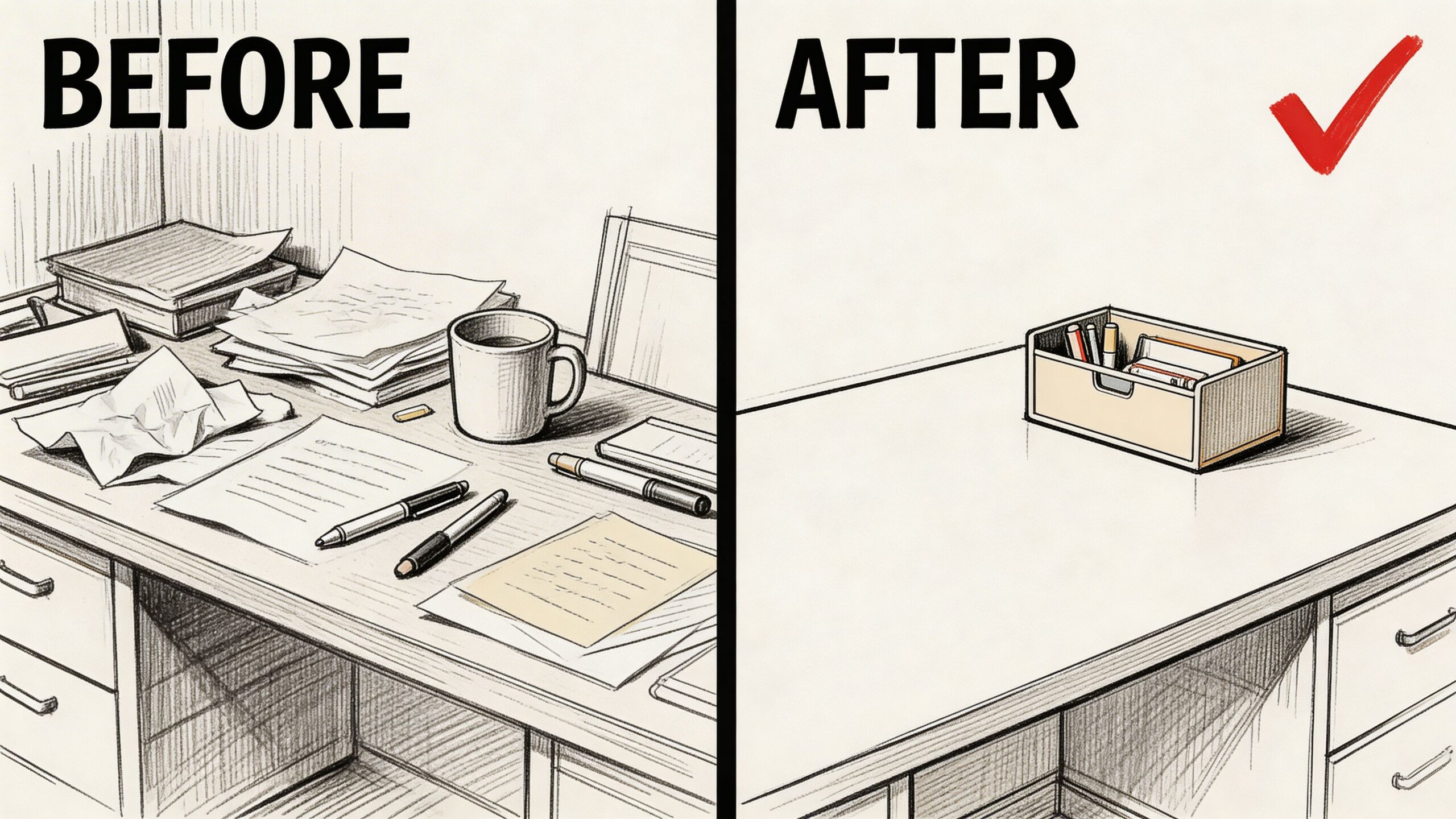
Comparison Reels get attention because people understand them instantly.
Wrong way vs right way. Before vs after. Amateur setup vs professional setup. Generic website copy vs customer-focused copy. These formats are clear, visual, and naturally saveable.
They’re also useful when you want to educate without sounding preachy. Instead of saying “you’re doing this wrong,” show the contrast and explain the improvement.
Use contrast without talking down to people
A business coach could compare:
- “posting motivational quotes only”
- “posting actual buyer questions and answers”
A photographer could compare:
- “dark room phone footage”
- “window light plus a simple reflector”
A skincare brand could compare:
- “routine with too many steps”
- “routine built around consistency”
The strongest transformation Reels use labels on screen. Viewers should understand the contrast even with sound off.
Try these overlays:
- BEFORE / AFTER
- COMMON MISTAKE / BETTER APPROACH
- WHAT I USED TO DO / WHAT I DO NOW
This format is also good for batching because one theme can become several posts. A copywriter can film five “weak CTA vs stronger CTA” examples in one session.
Keep the tone generous. The point is clarity, not superiority.
A useful comparison Reel makes the viewer feel smarter, not smaller.
Postful’s remixing features are helpful here because once you’ve built one split-screen template, you can keep swapping examples. That turns one editing setup into a repeatable series instead of a one-time experiment.
8. Trending Challenges and Participation
Challenges can build community fast, but only if they’re easy to join.
Many business owners overcomplicate them. They create too many rules, ask for polished entries, or choose a concept that only other creators would attempt. Small businesses usually do better with low-friction participation. A simple prompt. A clear visual format. A useful result.
A fitness coach might run a weekly mobility check-in. A stationery brand might ask customers to show how they use planners. A consultant might invite followers to share their workspace reset before Monday.
Design for participation, not applause
The strongest challenge ideas have three traits:
- Simple to understand: People get it in seconds.
- Easy to recreate: No special tools needed.
- Relevant to your offer: It connects back to what you sell.
If you need examples of how audience-created content supports brand growth, this explainer on what is user-generated content UGC gives the right framing.
One practical workflow:
- announce the challenge with one Reel
- post a simple demonstration
- add reminder Stories during the week
- repost selected entries
- compile responses into a recap Reel
A local bakery could run “show us your Sunday coffee setup” and feature pastries in the original prompt. A language tutor could run “say this phrase in your accent.” A home decor shop could run “small corner refresh.”
Postful helps because challenge content isn’t one post. It’s a campaign. You need the announcement, reminders, reposts, and recap scheduled in a sequence. That’s much easier when the campaign lives in one place instead of scattered across drafts and screenshots.
One caution. Don’t join every broad challenge just because it’s trending. Participation works best when the trend can carry your business angle naturally.
9. Data and Insights Visualization
You open Instagram to post a Reel, remember a useful stat from a report, then lose 40 minutes trying to turn it into something people can read on a phone. That is why this format either builds authority quickly or wastes a production block.
Data Reels work best when they answer one practical question. What changed, why it matters, or what to do next. Keep the scope tight. One chart. One takeaway. One action.
This format fits consultants, service providers, educators, founders, and agencies especially well because you already have raw material. Client results, sales patterns, survey responses, booking trends, customer questions, and before-and-after metrics can all become short Reels without filming new footage.
Turn one insight into a Reel people will actually finish
A simple structure works well:
- Lead with the conclusion: Put the takeaway in the first line of on-screen text.
- Show the proof: Use a chart, screenshot, or animated number sequence.
- Explain the action: Tell viewers what to change based on the insight.
Example for a business coach:
“Your audience does not need more content. They need clearer next steps.”
Then show a simple visual comparing saves, profile visits, or inquiries before and after stronger calls to action.
Then explain what changed: “We reduced the number of ideas per Reel and added one direct next step.”
The trade-off is clarity versus detail. A full report can hold context, caveats, and methodology. A Reel cannot. Cut aggressively. If viewers need ten seconds to understand the graphic, the visual is too busy.
Canva is usually enough for this. Adobe tools make sense if motion design is part of your brand, but they also slow production for a solo operator. I usually recommend picking one chart style, one font pair, and one caption format, then reusing them for every insight Reel. That is how you batch a month of this content in one sitting instead of redesigning each post from scratch.
A practical batching workflow:
- collect 4 to 6 stats, patterns, or client lessons in one doc
- write a one-sentence takeaway for each
- build one visual template and duplicate it
- record short voiceovers in one session
- schedule the set inside Postful with captions and posting times together
This approach allows solopreneurs to save time. The hard part is not design. It is deciding what to say. Once your template and structure are fixed, data Reels become one of the fastest authority formats to produce at scale.
Be strict with sourcing. Use your own business data, platform analytics, or a clearly cited report. If a number is fuzzy or you cannot verify where it came from, drop it and teach the lesson without the stat. Clean insight beats fake precision every time.
10. Quick Q and A and Common Questions
You post a Reel, get a few views, then the same question lands in your DMs again. “How does this work?” “Do I need to be on camera?” “What should I do first?” That is not repetitive admin. It is a ready-made content queue.
Q and A Reels work because they answer buying questions in the format people already watch. A viewer with a small objection rarely books a call just to ask it. They will watch a 15-second Reel that clears it up.
The best questions usually come from the same places every week:
- DMs
- comment threads
- sales calls
- onboarding calls
- email replies
- in-person conversations
Keep the question on screen exactly as your audience asked it. That phrasing matters. It helps the right person stop scrolling because they recognize their own concern immediately.
Good prompts for this format:
- “Do I need a big following before posting Reels?”
- “How often should a small business post?”
- “Can I make Reels without filming myself?”
- “What should I post if my business isn’t very visual?”
Answer with a point of view, not a vague disclaimer. If you are a web designer, skip the long “it depends” setup and say what you would recommend: “Start with your homepage, one service page, and one proof element. Fix those before you worry about publishing more.”
This format suits smaller accounts because it rewards clarity more than production value. Clear answers build trust fast, especially for service businesses where buyers need reassurance before they need entertainment.
For a solo operator, the smart move is to batch this into a recurring FAQ series. Pull ten real questions from client conversations, write one tight answer for each, and film them in a single session. Then use Postful to schedule those Reels between broader trend-based posts so your content mix keeps bringing in reach while also handling objections. The same clips can be reused in Stories, Shorts, and text posts without extra filming.
Instagram Reels: Top 10 Trend Comparison
| Format | 🔄 Implementation Complexity | ⚡ Resource Requirements | 📊 Expected Outcomes | 💡 Ideal Use Cases | ⭐ Key Advantages |
|---|---|---|---|---|---|
| Quick Tips & Tutorials (Educational Carousel) | Low, simple 3–5 step scripts, tight edits | Low, phone, basic editing apps | High, boosts watch-time, shares, authority | Service-based businesses, coaches, solopreneurs | High engagement, low cost, easily repurposed |
| Behind-the-Scenes (BTS) Authenticity | Low, minimal editing, casual capture | Very low, phone, natural light | Medium, stronger trust and loyalty | Solopreneurs, small teams, personal brands | Builds genuine connection; differentiates from polished content |
| Trending Audio + Personal Angle (Audio Hijacking) | Medium, sync visuals to audio; trend monitoring | Low–Medium, phone, editing, trend research | High, algorithmic discoverability, viral potential | Any business seeking viral reach; youth-targeted brands | Leverages trend momentum while staying original |
| Carousel/Slideshow Storytelling | Medium–High, plan narrative arc across slides | Medium, design tools, time to storyboard | High, longer time-on-post, deep storytelling | B2B solopreneurs, coaches, consultants | Algorithm favors swipes; great for complex case studies |
| Transition & Visual Effects Magic | High, precise edits and timing skills needed | High, advanced editing tools and production time | High, memorable, highly shareable content | Fashion, fitness, lifestyle, visually-oriented creators | Demonstrates production value; drives watch-through |
| Motivational/Inspirational Messaging | Low, simple scripting and uplifting visuals | Low, phone, basic editing and music | Medium, emotional engagement, saves & shares | Coaches, personal brands, founders | Builds community loyalty; easy to repurpose |
| Comparison/Transformation Content (Dualities) | Low–Medium, plan before/after or split-screen | Low, basic editing, simple set-ups | High, clear value demonstration, high engagement | Coaches, service providers, product creators | Immediately shows benefit; educational and shareable |
| Trending Challenges & Participation (UGC) | Medium, design rules, encourage participation | Medium, campaign management, moderation | Potentially very high, exponential UGC reach | Coaches with engaged audiences, fitness, brands | Cost-effective growth via community-generated content |
| Data/Insights Visualization (Infographics & Stats) | Medium, accurate data + clear visual design | Medium–High, design tools, data sourcing | Medium–High, establishes authority; evergreen value | B2B agencies, consultants, data-driven businesses | Positions expertise; highly shareable in professional circles |
| Quick Q&A & Common Questions (Interactive Educational) | Low, concise answers, direct-to-camera format | Low, gather questions, phone, batch recording | Medium, improves trust and addresses pain points | Service-based solopreneurs, coaches, support-focused creators | Highly relevant to audience; easy to batch and repurpose |
Turn Trends into a System That Works for You
Many creators don’t need more awareness of Instagram Reel trends. They need a way to use them without blowing up their week.
That starts with choosing fewer formats. Two or three is enough. Pick the ones that match your business, your strengths, and your available time. A consultant might focus on quick tips, Q and A, and motivational founder lessons. A product business might focus on behind-the-scenes, transformation clips, and challenge participation. A creative service provider might use storytelling slideshows, trend-based audio, and comparisons.
The point is consistency with range. Not random variety.
A good monthly workflow looks like this:
Week one, brainstorm themes. Use your real business inputs. Customer questions, recent wins, repeated mistakes you see, steps in your process, product use cases, testimonials, launch prep, and common objections. That gives you more than enough raw material.
Week one, same day if possible, script lightly. Don’t write essays. Write hooks, bullet points, and on-screen text. Decide which concepts need talking-head footage, which need b-roll, and which work as slideshows.
Then batch film. Capture all face-to-camera clips in one block. Capture process footage while you work. Pull screenshots, product photos, and customer examples into a content folder. The system gets easier here over time. Once your camera roll starts filling with reusable clips, content creation speeds up.
After that, edit in groups by format. Do all Q and A Reels together. Do all comparison Reels together. Do all educational clips together. Repetition reduces friction. You stop making style decisions from scratch every time.
This is also where tools help most. Postful is useful because it supports the whole workflow, not just scheduling. You can use AI brainstorming to turn rough ideas into postable angles, organize content into repeatable themes, schedule across networks, and remix older posts into new variations. That matters when you’re running a business and can’t afford to reinvent your content system every Monday.
What works:
- building recurring series
- filming more than you need
- keeping hooks short
- using trends selectively
- answering real customer questions
- reusing proven formats
What usually doesn’t:
- chasing every audio trend
- overediting simple ideas
- posting inspirational filler with no business relevance
- making every Reel a sales pitch
- waiting for perfect footage
- relying on memory instead of a content workflow
Keep your evaluation simple too. Look for signs that your content is doing useful work. More saves. Better replies. More profile visits. Better conversations in DMs. Clearer questions from leads. More recognition of your process and offer. Not every Reel needs to “go viral” to be valuable.
The biggest shift is mental. Stop treating Reels as a separate performance layered on top of your real business. Treat them as documentation, explanation, and distribution. You already have material. The missing piece is the system.
If you build that system once, trends become inputs instead of emergencies.
Postful helps you turn your work into more business. If you want an easier way to brainstorm Reel ideas, batch and schedule content, remix what already worked, and get support as you build a repeatable social workflow, try Postful. It’s open in early access and free to use during early access.