

If you’re just posting on Instagram whenever you feel like it, you’re not building a strategy—you’re just creating noise. A real content strategy for Instagram is a battle plan. It connects every single post, Reel, and Story back to a core business goal.
This is what turns your account from a time-sink that just chases likes into a machine that actually builds your brand, grows a community, or drives sales. Getting this foundation right is your compass for everything that comes next.
Defining Your Foundation for Instagram Growth
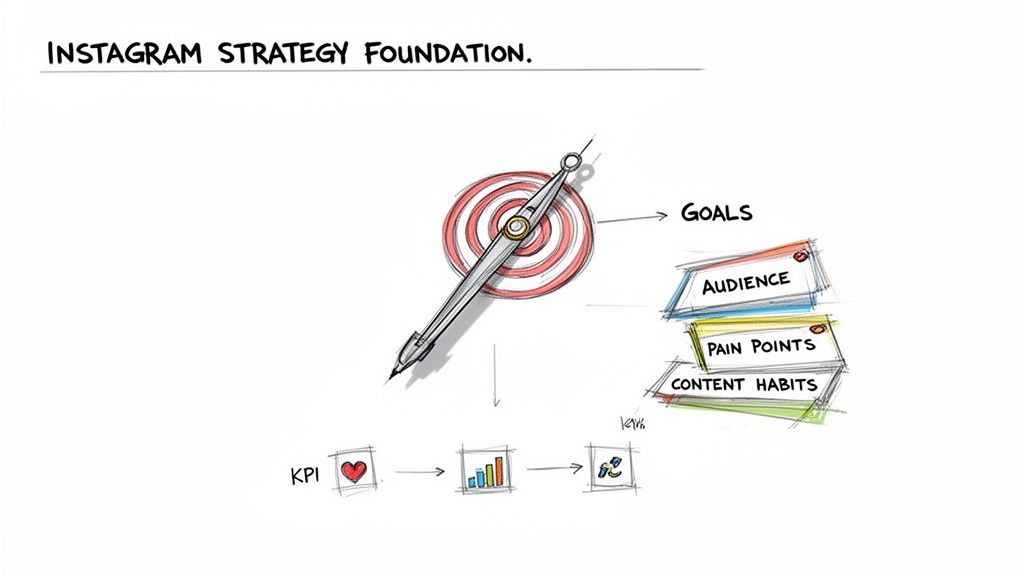
Before you even think about what to post, you need to know why you're posting. A winning strategy looks past vague targets like "get more followers" and locks onto tangible business objectives. This is where you define what winning on Instagram actually looks like for your brand.
Nailing this down from the start ensures every piece of content has a purpose and speaks to the right people. No more wasted time or creative burnout.
Set Clear, Measurable Goals
Posting without a purpose is just shouting into the void. Your Instagram goals need to be a direct extension of your bigger business ambitions, not just vanity metrics. Forget about "growing your account"—get specific.
For example, if you're a founder launching a new SaaS product, your goal might be to generate 15 qualified demo sign-ups every month through Instagram. If you're a solo e-commerce operator, you might aim to drive $2,000 in monthly sales from clicks on your link-in-bio.
Practical Example: A productivity coach could set a goal to "acquire 50 new email subscribers per month from Instagram." This goal is specific, measurable, and directly supports their business by growing their marketing list. Every piece of content can then be designed to drive traffic to a lead magnet in their bio.
This kind of clarity makes it infinitely easier to see what’s working and justify the hours you put in.
Identify Your Key Performance Indicators
Once you know your destination, you need a dashboard to track your progress. Key Performance Indicators (KPIs) are the specific numbers that tell you if your strategy is actually delivering. The KPIs you choose will depend entirely on your main goal.
Here’s a quick breakdown of how to match KPIs to goals:
- Goal: Brand Awareness? Your KPIs are Reach (how many unique people see your stuff), Impressions (total views), and Follower Growth Rate. These show if you're breaking into new audiences.
- Goal: Community Engagement? You’re watching Comments, Saves, and Shares. These are gold. They prove your content is hitting home and providing real value, which matters way more than a simple like.
- Goal: Sales & Conversions? Keep your eyes on Website Clicks, Story Link Taps, and the Conversion Rate from your Instagram traffic. To really juice these numbers, you’ll want to make the most of that single clickable link in your bio. Checking out the best link in bio platform tools is a non-negotiable step here.
Picking the right KPIs keeps you honest and focused on what actually moves the needle.
Create a Precise Audience Persona
You can’t make content that resonates if you don't know who you're talking to. Ditch the broad demographics and build a detailed persona of your ideal follower. Seriously, give them a name, a job, and a backstory.
Let’s say you run a productivity app for busy solopreneurs. Your persona could be "Alex, 32," a freelance graphic designer who’s drowning in client projects and deadlines. Alex is overwhelmed, craves efficiency, and follows accounts that serve up practical, time-saving hacks.
Understanding Alex’s specific pain points (like "decision fatigue" or "zero focus") and their content habits (they save quick-tip carousels and watch short Reels on their coffee break) is everything. This is what informs your entire content strategy for Instagram, from the topics you choose to the way you write your captions. It's the difference between content that gets scrolled past and content that gets saved for later.
Designing Your Content Pillars and Format Mix
Okay, you've got your goals locked in and you know who you’re talking to. Now for the fun part: deciding what you’re actually going to post. This is where we move past random acts of content and start building a recognizable, value-packed presence on Instagram.
It all starts with your content pillars. Think of these as the 3-5 core themes or topics your brand will own. They're the main channels of your personal TV network; every single thing you publish should fit neatly into one of them.
Establish Your Core Content Pillars
Content pillars are the foundation that connects your expertise to what your audience actually cares about. They act as guideposts, making sure every post is relevant and reinforces who you are. Honestly, they’re the ultimate cure for staring at a blank screen, wondering what on earth to post next.
Let's say you're building a productivity app for solopreneurs. Your pillars might look something like this:
- Pillar 1: Focus Hacks: Actionable tips for deep work and killing distractions. (Example Post: A Reel demonstrating the "Pomodoro Technique" with a timer overlay).
- Pillar 2: Workflow Automation: Showing how to save time on mind-numbing, repetitive tasks. (Example Post: A Carousel tutorial on setting up automated email filters in Gmail).
- Pillar 3: Solopreneur Mindset: Real talk on overcoming burnout and staying motivated when you're flying solo. (Example Post: A quote graphic with a caption sharing a personal story about overcoming imposter syndrome).
Boom. This framework instantly unlocks dozens of post ideas. If you want to really nail this crucial step, check out our deep-dive guide on how to develop your own content pillars.
Choose a Potent Content Format Mix
Once your pillars are set, it’s time to decide how you’ll bring those ideas to life. Instagram gives you a whole toolkit of formats. A smart strategy doesn't use every single one; it uses the right one for the right job to keep your audience hooked and play nice with the algorithm.
Short-form video is the undisputed king of the platform right now. Reels, in particular, get massive attention. In fact, around 60% of consumers say they interact with brand content on Instagram multiple times a week, and a huge chunk of that is video. Data shows Reels generate the most impressions of any format, making them a non-negotiable for reaching new people.
But a Reels-only strategy can feel a bit shallow. That's where other formats come in. Carousels are gold for step-by-step guides and storytelling that encourage saves and shares. Stories are your go-to for daily, informal chats, using polls, quizzes, and behind-the-scenes glimpses to build a real community.
To help you decide where to focus your energy, here's a quick breakdown of the main formats.
Choosing the Right Instagram Content Format
| Format | Best For | Pro Tip |
|---|---|---|
| Reels | Reaching new audiences, demonstrating quick tips, and sharing entertaining, behind-the-scenes content. | Hook viewers in the first 3 seconds. Use trending audio and keep it under 90 seconds for the best performance. |
| Carousels | In-depth educational content, step-by-step tutorials, listicles, and storytelling. Great for getting saves. | Use the first slide as a compelling headline. Aim for 5-10 slides that provide tangible value. |
| Single Image | High-impact visuals, announcements, quotes, and user-generated content (UGC). | Make sure the image is high-quality and tells a story on its own. Your caption is key here. |
| Stories | Daily engagement, polls, Q&As, behind-the-scenes content, and driving traffic with link stickers. | Keep it raw and authentic. Use interactive stickers to encourage replies and build community. |
Ultimately, a balanced mix is what wins. For a masterclass in making your short-form video count, explore these comprehensive Instagram Reels best practices.
Productivity Tip: Don't just spray the same idea across different formats. Adapt the message for the medium. A quick tip that shines as a 15-second Reel can be expanded into a 10-slide educational Carousel that digs deeper and provides more context. This "repurposing" workflow saves you from having to generate brand-new ideas for every single post.
Create Your Ideal Content Ratio
To keep your feed from feeling like one long sales pitch, you need a content ratio. It’s a simple rule that guides your weekly planning, ensuring you’re delivering consistent value and building trust.
A model that works incredibly well for startups and solo operators is the 60/30/10 Rule:
- 60% Educational/Entertaining Content: This is your bread and butter. It’s content tied directly to your pillars that teaches, inspires, or entertains. Think tutorials, myth-busting carousels, or funny, relatable Reels.
- 30% Community-Focused Content: This is all about building relationships. Share user-generated content (UGC), answer audience questions in a post, run polls, and show the real people behind the brand.
- 10% Promotional Content: This is where you make your ask. Talk about your product, announce a launch, or share a special offer. Because you’ve already built so much goodwill with the other 90% of your content, these posts feel earned, not annoying.
This intentional mix means you’re giving far more than you’re taking, creating a loyal following that’s genuinely listening when you finally have something to sell.
Building a Repeatable Content Creation System
A brilliant strategy is useless if it leads to burnout. I’ve seen it happen time and time again.
The real secret to a killer content strategy for Instagram isn't just having great ideas; it's building a system that makes creating and publishing those ideas feel almost effortless. Consistency is where most accounts fall apart, so turning your content creation from a daily scramble into a predictable workflow is the single most productive thing you can do for your brand.
This is where you build your content engine. Think of it less like an art project and more like an assembly line.
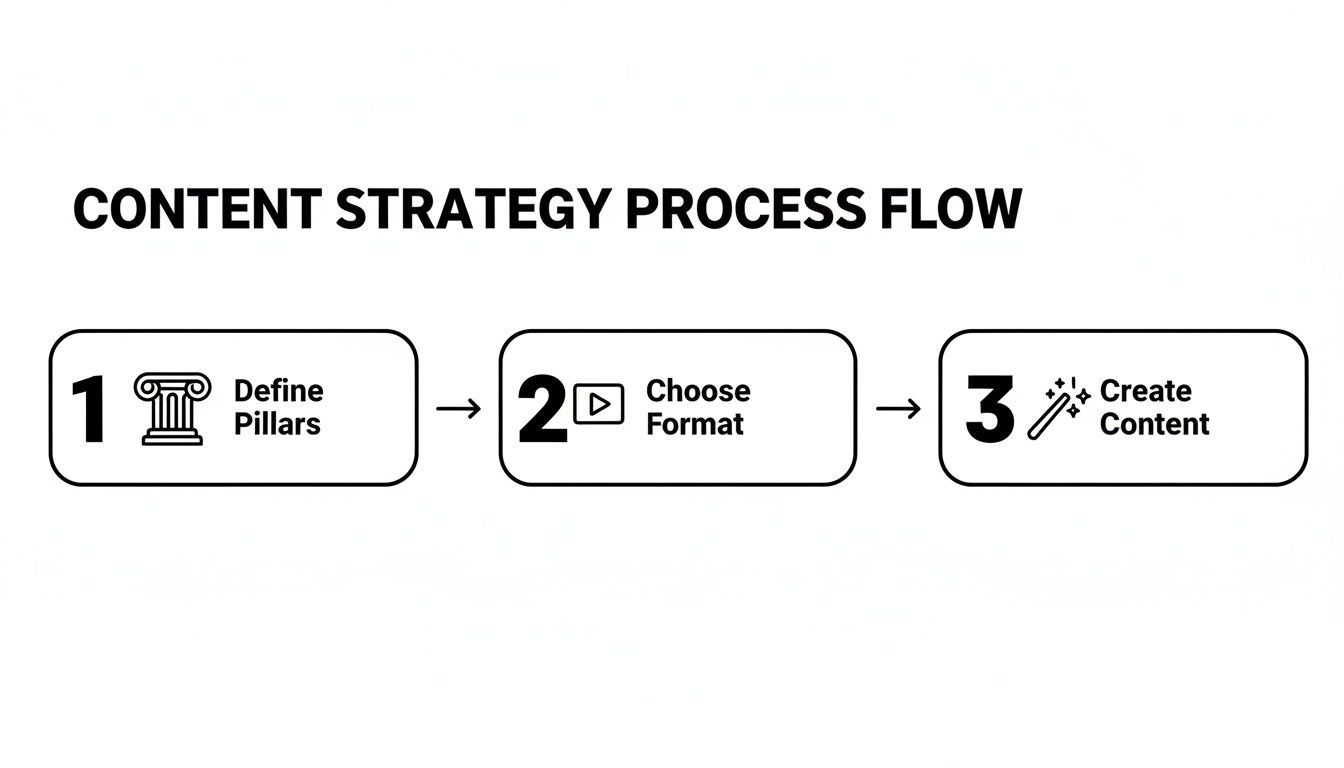
The flow is simple but powerful: your pillars tell you what to talk about, which makes choosing a format easy. From there, creating the actual content becomes faster and more focused.
Master the Art of Content Batching
For anyone running their own show, content batching is a non-negotiable. Instead of trying to brainstorm, shoot, edit, and write a new post every single day, you group similar tasks together and knock them out in dedicated blocks of time.
This approach saves your creative energy by minimizing context switching—that mental whiplash from jumping between wildly different tasks.
Here’s what a practical batching workflow could look like for a month's worth of content:
- Week 1 (Monday): Ideation & Scripting. Block out two hours. Brainstorm all your Reel and Carousel ideas for the month based on your pillars. Write out simple scripts or bullet-point outlines in a document.
- Week 1 (Wednesday): Filming Day. Set aside three hours to film all your video content. Change your shirt a few times between takes to create visual variety for your feed.
- Week 2: Editing & Visuals. In one session, edit all your videos using an app like CapCut. In another, use a tool like Canva to design all your graphics and Carousel slides for the month using pre-made templates to speed up the process.
- Week 3: Caption Writing & Scheduling. Now, write all your captions in one go. You’re in writing mode, so you can focus on storytelling and clear calls-to-action. Once written, upload everything to a scheduling tool.
By the end of week three, your content for the entire month is done and ready to go. This frees you up to focus on what really moves the needle: engaging with your community.
Organize Your Workflow with a Content Calendar
A content calendar is your single source of truth. It's where your strategy becomes a tangible plan, and it’s your best defense against that "oh crap, what do I post today?" panic.
You don't need fancy software. Simple tools like Trello, Asana, or even a well-organized Notion database work perfectly. A great starting point is a simple Kanban board with columns for "Ideas," "Scripting," "Designing," "Ready to Schedule," and "Published."
Your calendar just needs to track the essentials for each post:
- Publish Date: When it goes live.
- Content Pillar: Which of your core themes it aligns with.
- Format: Reel, Carousel, Story, etc.
- Status: A simple tag like "Idea," "Drafting," or "Ready to Schedule."
- Caption: The final copy.
- Visuals: A link to the finished video or graphic.
This birds-eye view helps you see if you’re hitting the right mix of educational, community, and promotional content and makes collaboration with a VA or team member seamless.
Write Captions That Spark Conversation
A great visual stops the scroll, but a great caption starts the conversation.
The game has changed. Instagram doesn't just care about likes anymore. The algorithm now heavily favors metrics that signal genuine interest—think watch time, saves, and shares. For instance, Reels hitting over 110% average watch time can see up to 3x more distribution. Shares have become a top-tier ranking signal because they show your content truly connected with someone.
To write captions that drive these kinds of interactions, lean on a proven formula like AIDA:
- Attention: Kick things off with a bold hook. Ask a provocative question or state a surprising fact that makes them pause.
- Interest: Connect that hook to your audience's pain points or desires. Show them you get it.
- Desire: Paint a picture of what's possible. Show them the transformation or solution you offer.
- Action: End with a clear, low-friction call-to-action (CTA). Forget just saying "link in bio." Try something specific like, "Save this for later" or "Share this with a friend who needs to hear this."
Here’s AIDA in action:
(A) Feeling like you're just creating content to check a box? (I) It’s easy to fall into that trap when you're juggling a dozen other tasks. (D) Imagine having a system so smooth that your next month of posts is done before this week is even over. (A) Save this post to build your own content batching system!
Find Hashtags That Actually Work
Stop spamming 30 random tags at the end of your caption. Hashtags are about discoverability, not volume. A smart strategy helps Instagram categorize your content and show it to people who will actually care.
For better productivity, create pre-saved hashtag groups in your notes app or a text expander tool.
- Niche Tags (5-7): These are hyper-specific to your topic (e.g.,
#solopreneurtips,#startupmarketing). The volume is lower, but the audience is highly relevant. - Industry Tags (5-7): These are broader tags related to your field (e.g.,
#digitalmarketing,#socialmediastrategy). They offer wider reach. - Community Tags (3-5): These are tags used by the people you want to connect with (e.g.,
#womeninbusiness,#creativeentrepreneur).
Using a mix of these in every post gives you the best of both worlds—targeted reach and broader discoverability. That’s how you build a system that works for you, not against you.
Turn Your Audience into Your Best Content Creators
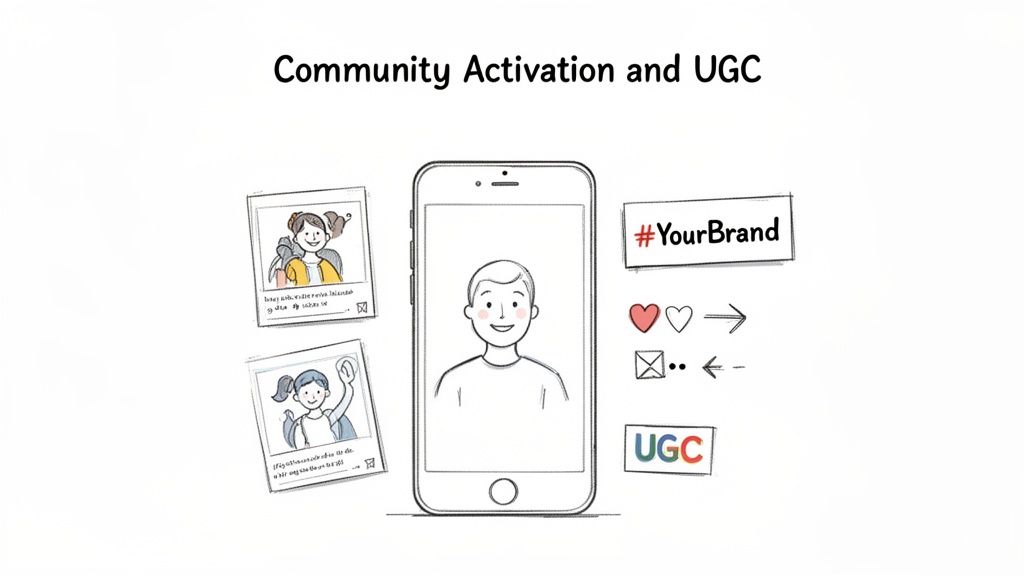
Here's a secret: some of your best content creators are probably already following you. Tapping into user-generated content (UGC) is one of the most powerful moves you can make in your content strategy for Instagram. It’s how you turn passive followers into genuine brand advocates and load your feed with authentic social proof that money can’t buy.
This isn’t just about getting free photos to fill your calendar. It’s about making your community the hero of your story. When you feature real customers, you build a level of trust and loyalty that a perfectly polished branded post just can't match.
Kicking Off a UGC Initiative
So, how do you get your audience to start creating content for you? It all starts with a clear, simple, and exciting invitation. Your job is to make it incredibly easy for them to jump in and participate. The goal is to build a repeatable system that brings in a steady stream of high-quality, authentic content.
Here are a few practical examples to get the UGC ball rolling:
- Launch a Branded Hashtag Challenge: A skincare brand could launch a
#GlowUpChallengeasking users to post a Reel of their morning routine using their products. This generates authentic video testimonials. - Run a Weekly Feature Series: A coffee subscription company could run a "Mugshot Monday" feature, reposting the best photo of a subscriber enjoying their coffee with the hashtag
#MyBrewView. This creates a consistent incentive. - Host a Giveaway or Contest: A travel gear company could offer a new backpack to the person who posts the most epic adventure photo with their old gear. This is a perfect tactic for a product launch or a big seasonal campaign.
This isn't just a "nice to have" tactic; it has a real impact on your bottom line. Data shows that UGC drives 28% higher engagement and delivers 29% higher conversion rates compared to standard branded content. Better yet, brands that feature customer photos have seen visitors convert at rates 102.4% higher than those who don't. You can dig into more stats on boosting your Instagram ROI and see why the platform is a leader for product discovery through UGC.
The Right Way to Reshare Content
Once the UGC starts flowing in, how you handle it is critical. Just taking a screenshot and reposting is a surefire way to alienate your biggest fans. You need to be professional and respectful.
Golden Rule: Always, always ask for permission before you reshare someone's content on your feed. A quick, friendly DM is all it takes. "We absolutely love this photo! Would you mind if we featured it on our feed? We'll be sure to credit you in the caption."
That simple act of respect shows you value their effort and instantly strengthens your relationship.
Crediting Creators Like a Pro
Properly crediting the original creator isn't optional—it's essential. It gives them valuable visibility and shows your entire community that you appreciate their contributions.
Here’s a quick checklist for giving credit where it's due:
- Tag Them in the Photo/Video: Use Instagram's built-in tagging feature to link directly to their profile from the image or video itself.
- Mention Them in the Caption: Kick off your caption with a clear shout-out. Use their @username right at the top, like: "Incredible shot from the talented @username!"
- Specify Their Contribution: If they're a photographer, model, or stylist, mention their specific role. This gives them professional credit and shows you're paying attention.
When you follow these steps, you turn a simple reshare into a genuine collaboration. That’s how you transform happy customers into loyal, long-term advocates for your brand.
How to Measure and Optimize Your Strategy
Posting content without looking at the data is like driving with your eyes closed. You’re definitely moving, but you have no idea if you're actually headed in the right direction.
A truly effective Instagram strategy isn’t static—it’s a living document that you constantly tweak based on what your audience actually responds to. This is where you learn to listen to the numbers and turn those insights into much smarter content decisions. It creates a powerful feedback loop: the data sharpens your strategy, and that refined strategy helps you build better systems.
Look Beyond Likes and Follows
For years, the game was all about racking up likes and followers. Those days are over.
Sure, it's nice to see those numbers go up, but they're classic "vanity metrics." They look good on the surface but tell you almost nothing about your actual business impact. The algorithm—and more importantly, your bottom line—cares about much deeper signals.
To figure out what’s really working, you need to dive into your Instagram Insights. Focus on the metrics that actually matter.
- Saves: This is a massive indicator of value. When someone saves your post, they're saying, "This is so useful, I need to come back to it." It’s a direct signal that your content is solving a problem or sparking inspiration.
- Shares: A share is a personal endorsement. Someone found your content so valuable they put their own reputation on the line to send it to a friend or post it to their Story. This is absolute gold for reaching new, highly qualified people.
- Profile Visits & Website Clicks: These metrics show your content was compelling enough to make someone take the next step. They stopped passively scrolling and started actively seeking out more information about you.
Tracking these numbers gives you a clear picture of which posts are actually building trust and driving action, not just collecting a few empty likes.
Conduct a Quick Monthly Content Audit
To make optimization a real habit, set aside an hour at the end of each month for a simple content audit. You don't need a complicated spreadsheet. Just open your Instagram Insights and start looking for patterns. The goal is to spot what’s resonating so you can double down on it.
Ask yourself these three questions:
- Which posts got the most Saves and Shares? Look at your top five posts for these metrics. What did they have in common? Was it a specific topic, a format (like a 10-slide carousel), or a particular tone in the caption?
- Which content pillar drove the most engagement? Look back at your posts and see which of your core themes consistently hit the mark. If your "Workflow Automation" pillar is getting tons of saves but "Solopreneur Mindset" is falling flat, that's your cue to shift focus next month.
- What drove the most profile or website clicks? Pinpoint the posts that successfully moved people to action. Was it a specific call-to-action? A unique offer? This tells you exactly how to turn engagement into potential conversions.
Productivity Workflow: Create a simple template in Notion or a Google Doc for this audit. At the end of each month, duplicate the template and fill it out. Note your top 3 posts, key learnings, and 2-3 action items for the next month's content plan. This turns a vague idea into a repeatable, productive habit.
Answering these questions helps you make informed decisions based on real data, not just on what you feel like posting. You can learn more about the math behind this in our article explaining what an engagement rate is.
Boost Productivity with Smart Workflows
Optimizing your strategy isn't just about what you post—it's also about how you manage your time. As a solo operator or small team, your hours are precious.
Automating the repetitive stuff is the key to staying consistent without burning out. This is where simple tools and workflows can free up your mental energy for the creative work that actually matters.
Consider baking these time-savers into your routine:
- Use a Content Scheduler: Tools like Later or Buffer are game-changers. Instead of scrambling to post manually every day, you can schedule an entire week or month's worth of content in one sitting. This guarantees a consistent presence even when you’re swamped.
- Set Up Saved Replies: Tired of typing out the same answers to common questions in your DMs? Use Instagram's "Saved Replies" feature. You can create pre-written responses for FAQs—like pricing or services—and pop them in with a simple keyword shortcut.
- Create Design Templates: In a tool like Canva, create 5-10 branded templates for your Carousels, Stories, and quote graphics. When it's time to create content, you're just swapping out text and images, not designing from scratch. This can cut your design time by 80%.
These small automations don't replace genuine interaction; they create more space for it. By systemizing the mundane, you reclaim valuable time that can be spent building real relationships with your community.
Common Instagram Strategy Questions
Even the best-laid plans run into snags. When you're in the weeds building your Instagram presence, specific questions always seem to pop up, and getting the right answer can make all the difference.
Let's tackle some of the most common hurdles I see founders and solo operators face. Think of this as your quick-reference guide for when you get stuck.
How Often Should I Post on Instagram?
My honest answer? As often as you can create genuinely great content. Consistency will always beat frequency. It’s far better to publish three killer posts your audience loves than seven mediocre ones just to check a box.
A solid, sustainable starting point for most startups is:
- 3-5 high-quality feed posts per week. I'd lean heavily on Reels and Carousels here, as they're built for providing deep value and reaching new people.
- 3-7 daily Story frames. This is where you can be more casual. Think behind-the-scenes, quick polls, and interactive stickers to stay on your followers' minds.
Don't just post randomly, though. Dive into your Instagram Insights to see when your audience is actually online, and schedule your posts to drop right in those peak engagement windows.
What Is a Good Engagement Rate on Instagram?
You'll see people throw around the platform-wide average of 0.50%, but honestly, that number is mostly useless noise. Context is everything. I've worked with niche accounts that have tiny, hyper-engaged followings and pull 2-5% engagement without breaking a sweat.
Instead of chasing some arbitrary benchmark, get obsessed with your own trendline.
Is your engagement rate—calculated as
(Likes + Comments + Saves + Shares) / Followers * 100—climbing month over month? That's the only KPI that matters. Pay special attention to Shares and Saves. The algorithm sees those as the strongest signals that your content is truly hitting the mark.
A rising rate, no matter the specific number, means you're doing something right.
How Can I Grow My Follower Count Authentically?
Forget the growth hacks and sketchy shortcuts. Real, sustainable growth comes from two things: creating value and being discoverable. You want to attract the right people—the ones who will eventually become customers.
Here's a simple, repeatable workflow that works:
- Nail Your Bio. Your bio needs to instantly answer, "What's in it for me?" State exactly who you help and what you do, then give them a clear call-to-action pointing to your link-in-bio.
- Make Shareable Stuff. Pour your creative energy into Reels and Carousels that are so genuinely helpful or entertaining that people can't help but share them with friends or save them for later. These formats are your ticket to reaching non-followers.
- Be Smart with Hashtags. Use a thoughtful mix of niche, industry, and community hashtags on every single post. This is how you show up in relevant searches and on the Explore page.
- Engage Off Your Own Turf. This is the one most people skip. Spend 15 minutes a day leaving thoughtful, genuine comments on posts from potential followers or brands in your orbit. It’s one of the most underrated ways to get noticed.
This approach isn't about overnight success. It's about building a community of people who actually care about what you're doing, which is infinitely more valuable in the long run.
Ready to stop staring at a blank page and start creating content that works? Postful is your AI-powered partner for building a consistent, high-impact social media presence. Get ready-to-use templates and curated ideas to jumpstart your creativity and automate repetitive tasks, so you can focus on growing your business. Try it for free and see the difference at https://postful.ai.