

Feeling the pressure to post consistently but staring at a blank screen? For founders, side-hustlers, and small business owners, the content creation grind is relentless. It's not just about posting; it's about posting content that connects, engages, and ultimately drives growth for your brand. This pressure often leads to a creative bottleneck, where finding fresh, impactful content ideas for social media feels like a full-time job in itself.
This article is your new productivity playbook. It's packed with 12 battle-tested content ideas that actually work, moving beyond generic advice to give you actionable templates, practical examples, and smart workflows you can implement immediately. You’ll learn how to leverage each idea to not only fill your content calendar but also to build a loyal audience, establish authority, and save precious hours in your demanding schedule.
We’ll cover everything from creating educational thread series and compelling behind-the-scenes content to running user-generated content campaigns and sharing powerful case studies. Once you have a wealth of ideas, understanding how to truly make them resonate is key. Learning how to create engaging social media content transforms these concepts into captivating posts that get noticed.
We will even show you how tools like Postful can streamline the entire process, turning these powerful ideas into high-performing posts in minutes. Consider this your definitive resource for breaking through the creative block and building a sustainable, effective social media strategy.
1. Educational Thread Series
An Educational Thread Series is a powerful format for establishing thought leadership and delivering immense value. It involves breaking down a complex topic into a sequence of digestible, numbered posts, typically on platforms like X (formerly Twitter) or LinkedIn. This approach is one of the best content ideas for social media because it transforms you from a mere promoter into a trusted educator. Instead of a single, dense post, you create an engaging, serialized learning experience that keeps your audience coming back for more.
This format excels at teaching a process, explaining an industry trend, or sharing a framework you've developed. Think of it as a mini-course delivered directly in your audience's feed.
How to Implement This Idea
The key is to structure your content for scannability and sustained engagement. A strong thread hooks the reader immediately and guides them through a logical progression of ideas, making complex information easy to absorb.
- Create a Powerful Hook: Start the first post (the "hook") with a bold claim, a surprising statistic, or a relatable problem. Practical Example: "I grew my SaaS to $10k MRR in 6 months. Most guides tell you to 'build in public.' They're wrong. Here's the 5-step framework I used instead: 🧵"
- Use Clear Numbering: Number each post in the series (e.g., 1/5, 2/5, 3/5) to maintain clarity and help readers keep their place.
- Provide Actionable Steps: Each point should offer a concrete insight or a specific action. Practical Example: "2/5: Identify ONE high-value problem. Don't build a Swiss Army knife. We focused solely on automating client reporting, nothing else. This laser focus was our secret weapon."
- End with a Strong CTA: The final post should summarize the key takeaway and include a call to action. Practical Example: "5/5: In summary: Niche Down -> Solve Pain -> Build Community. What's the #1 roadblock you're facing in growing your SaaS? Let me know in the replies."
Productivity Tip: Don't write threads live on social media. Use a tool like Notion or Google Docs to draft the entire series in one go. Then, use a scheduler like Postful to auto-post it over several hours. This "batching" workflow saves time and prevents errors.
2. Behind-the-Scenes (BTS) Content
Behind-the-Scenes (BTS) content offers an authentic, unpolished glimpse into your daily operations, humanizing your brand and building genuine trust. It pulls back the curtain to show the process, the people, and even the problems behind your polished final product. This strategy is one of the most effective content ideas for social media because it fosters a deep connection by showcasing vulnerability and authenticity, making your brand more relatable and memorable.
This format is perfect for sharing your product development journey, a day in the life of a founder, or the collaborative chaos of a team meeting. It transforms your audience from passive consumers into invested supporters who feel part of your story.

How to Implement This Idea
The goal is to capture reality, not perfection. Authenticity resonates far more than high production value, so use your phone to record quick, candid moments that reveal the personality and passion driving your business.
- Show the Process, Not Just the Product: Document how your product is made or how a service is planned. Practical Example: A software founder could post a screen recording (using Loom) of a bug-squashing session with the caption, "This one little bug took 3 hours and 4 cups of coffee to fix. Here's a look at the not-so-glamorous side of coding."
- Feature Your Team: Introduce the people behind the brand. Practical Example: Post a quick Instagram Reel of your customer support lead sharing their favorite productivity hack for managing tickets.
- Share Both Wins and Challenges: Don't just show the highlights. Sharing a challenge you overcame or a lesson you learned makes your journey more relatable. Practical Example: "Our server costs just tripled. Scary, but it means we're growing. Here's how we're optimizing our infrastructure to handle the load."
- Use Ephemeral Formats: Leverage Instagram Stories, Reels, or TikTok for casual, in-the-moment updates that don't need to be perfectly polished.
Productivity Tip: Create a dedicated "BTS Ideas" note on your phone. Whenever a shareable moment happens—a tough decision, a team win, a funny mistake—jot it down. Spend 30 minutes on Friday scheduling these moments for the following week using a tool like Postful to ensure consistent, authentic content.
3. User-Generated Content (UGC) Campaigns
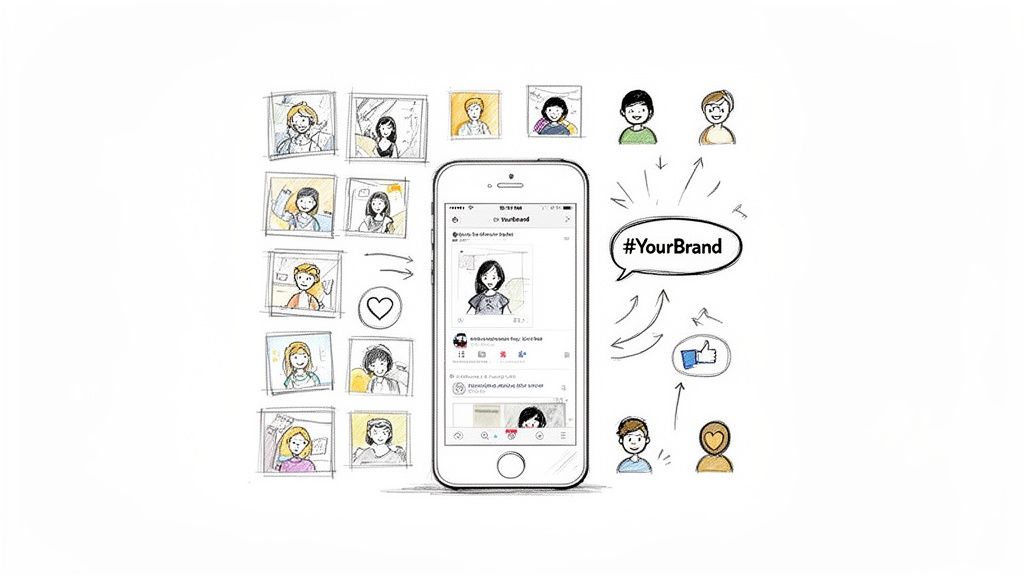
User-Generated Content (UGC) Campaigns are a brilliant strategy for sourcing authentic content while building a vibrant community. This approach involves encouraging your audience to create and share posts featuring your product or service, effectively turning loyal customers into vocal brand advocates. This is one of the most powerful content ideas for social media because it provides a steady stream of genuine testimonials and creative assets at little to no production cost, building immense social proof.
Instead of telling people your product is great, you let your happy customers show them. This format is perfect for building trust and leveraging the network effects of your existing user base, as seen in wildly successful campaigns like GoPro's #GoProAwards or Starbucks' #WhiteCupContest.
How to Implement This Idea
Success with UGC hinges on making participation easy, exciting, and rewarding. Your goal is to create a simple framework that motivates users to share their experiences and transforms their creativity into your marketing assets.
- Create a Branded Hashtag: Launch a unique, memorable, and easy-to-spell hashtag. Practical Example: A productivity app could use #MyProductiveDay to encourage users to share screenshots of their completed to-do lists.
- Offer Clear Incentives: Motivate participation by offering rewards. Practical Example: "Share a photo of your organized workspace using our planner with #MyWorkspace and tag us! We'll pick one winner to receive a $100 gift card and be featured on our page."
- Provide Simple Guidelines: Clearly explain what you want users to do. Practical Example: "Show us how you use our project management tool to plan your week! Post a screenshot or short video with #ProjectMastery for a chance to win a free year of our Pro plan."
- Engage and Amplify: Actively repost, comment on, and share the best submissions. Always tag the original creator to give them credit and show your appreciation.
Productivity Tip: Use a social listening tool like Sprout Social or even just the platform's search function to monitor your UGC hashtag. Save links to the best posts in a spreadsheet. This creates a content library you can pull from for weeks, allowing you to schedule "Fan Feature Fridays" far in advance.
4. Quick Tips and Hacks
Quick Tips and Hacks are single-concept posts designed to deliver immediate, actionable value in a bite-sized format. This could be a 30-second video, a simple graphic, or a short text post. This approach is one of the most effective content ideas for social media because it caters to short attention spans and provides a quick win for your audience, positioning you as a go-to resource for practical solutions.
This format is perfect for sharing productivity shortcuts, industry-specific advice, or tool recommendations. Think of it as offering a concentrated dose of expertise that solves a specific, nagging problem for your followers, like HubSpot’s sales tip carousels or Neil Patel's SEO quick wins.
How to Implement This Idea
The goal is to be concise, valuable, and memorable. Focus on one single takeaway that a busy founder or side-hustler can implement immediately after seeing your post.
- Lead with the Benefit: Start your post or video with the direct benefit. Practical Example: "Tired of messy Google Drive folders? Here's the 30-second naming convention that will save you hours: [Date][Project][Version]. Like 20231026_SocialGraphics_V3."
- Use Visuals: A simple screen recording or a graphic often communicates a hack faster than text. Practical Example: A 15-second Reel showing a keyboard shortcut in Figma or VS Code.
- Incorporate a Surprising Insight: Grab attention with a counterintuitive fact. Practical Example: "Stop checking email first thing in the morning. Your most creative energy is wasted on reactive tasks. Try this instead: The first 60 mins are for 'deep work' ONLY."
- Repurpose Across Formats: Turn a single tip into a short video for TikTok/Reels, a text post for X, a carousel for LinkedIn, and a graphic for Pinterest.
Productivity Tip: Dedicate one hour to brainstorm and write down 20-30 quick tips. Then, use a tool like Canva to create a simple, branded template. In another hour, you can produce a month's worth of "Quick Tip Tuesday" posts, ready to be scheduled.
5. Case Studies and Success Stories
Case studies and success stories are detailed narratives that showcase how a customer achieved tangible results using your product or service. This format provides powerful social proof by moving beyond claims and presenting real-world evidence of your value. Highlighting a customer's journey is one of the most compelling content ideas for social media, as it builds trust and helps potential buyers visualize their own success.
This format is particularly effective for B2B or high-ticket service businesses where demonstrating a clear return on investment is crucial for closing deals. Think of it as a testimonial supercharged with data and a compelling story arc.
How to Implement This Idea
The key is to structure the story for maximum impact, transforming a customer win into a persuasive marketing asset. Frame the narrative around a clear before-and-after transformation that your audience can relate to.
- Follow the "Problem-Solution-Result" Framework: Practical Example:
- Problem: "Acme Inc. was spending 15 hours/week manually creating client reports."
- Solution: "They implemented our automation tool to sync their data and generate reports instantly."
- Result: "They now save 60 hours/month, reduced errors by 95%, and can focus on client strategy instead of admin work."
- Incorporate Direct Quotes: Weave in a powerful quote. Practical Example: " 'This tool didn't just save us time, it completely changed how we serve our clients.' – Jane Doe, CEO of Acme Inc."
- Atomize the Content: Break a single case study into a series of posts. Workflow Example: Day 1: Post the "Problem." Day 3: Post the "Solution." Day 5: Post the "Result" with the quote. This creates a mini-campaign from one asset.
- Get Permission: Always obtain explicit written consent from your customer before featuring their story, name, or metrics publicly.
Productivity Tip: Create a templated Google Form to send to successful customers. Ask them about their challenges, how they use your product, and the results they've seen. Their answers provide all the raw material you need for a case study, saving you hours of interview time.
6. Trending Topic Commentary
Trending Topic Commentary involves connecting your expertise to current news, viral moments, or industry conversations. By offering a unique, timely perspective on what people are already talking about, you increase your visibility and relevance. This strategy is one of the most effective content ideas for social media because it positions you as a tuned-in expert who is actively engaged with your industry's pulse.
This format excels at capturing attention quickly. Instead of creating a conversation from scratch, you enter an existing one, providing valuable analysis that helps your audience make sense of breaking news, like a marketing expert breaking down a Super Bowl ad or a tech founder analyzing a new Apple announcement.
How to Implement This Idea
The key is to add genuine insight quickly without simply echoing the crowd. A well-crafted commentary post can attract a new audience by leveraging the momentum of a popular topic, turning a fleeting trend into a long-term follower.
- Monitor Key Topics: Use tools like Google Alerts or Feedly to track industry news. Create a private Twitter List of industry leaders to see what they're discussing.
- Add Your Unique Angle: Don’t just report the news. Ask: "What does this mean for my specific audience?" Practical Example: If Google releases an algorithm update, an SEO expert for e-commerce sites could post: "Here are 3 specific actions online store owners need to take TODAY in response to the new Google update."
- Formulate a Clear Opinion: Take a stance. Practical Example: "Everyone is excited about the new AI feature from Competitor X, but I think it's a privacy nightmare. Here's the overlooked security flaw nobody is talking about."
- Encourage Discussion: End with a question to invite engagement. Practical Example: "That's my take on the acquisition. Am I being too cynical, or do you see the same potential issues? Let me know below."
Productivity Tip: Time is of the essence. Don't aim for a perfect blog post. Use your phone to record a 2-minute "hot take" video or write a quick, direct text post on LinkedIn or X. The goal is speed and relevance, not high production value.
7. Carousel Posts (Multi-Slide Content)
Carousel Posts are multi-page visual narratives that guide your audience through a collection of related tips, a step-by-step process, or a complete story. Each slide builds on the last, encouraging viewers to swipe through, which significantly boosts engagement and time spent on your post. This format is a cornerstone of effective content ideas for social media because it packages substantial value into a highly interactive and visually appealing format, making it a favorite on platforms like Instagram and LinkedIn.
This format excels at breaking down complex information, showcasing product features, or telling a brand story. Think of it as a mini-presentation or a visual blog post delivered directly within the feed.

How to Implement This Idea
Success with carousels depends on a strong narrative flow from the first slide to the last. The goal is to make each swipe feel rewarding, delivering a new piece of valuable information that keeps the user engaged until the final call to action.
- Hook with a Bold Cover: Your first slide must grab attention. Practical Example: "The 5 Biggest Mistakes Founders Make When Hiring (And How to Avoid Them)."
- One Idea Per Slide: Avoid overwhelming your audience. Practical Example: Slide 2: "Mistake #1: Hiring for Skills, Not Attitude." Slide 3: "Solution: Use behavioral questions to test for resilience."
- Encourage the Swipe: Use visual cues like arrows or text prompts like "Swipe for the next mistake."
- Conclude with a CTA: The final slide is your opportunity to convert engagement into action. Practical Example: "Want more hiring insights? Save this post for your next interview and drop a ' hiring' in the comments!"
Productivity Tip: Use a tool like Canva which has thousands of carousel templates. Create a branded template once, then reuse it. For your workflow, first write the text for all slides in a Google Doc. Then, copy-paste it into your Canva template. This "assembly line" process can cut your creation time by over 50%.
8. Polls and Questions
Polls and Questions are low-effort, high-impact tools for sparking immediate audience interaction and gathering valuable market insights. Instead of just broadcasting your message, this format invites your followers into a conversation, making them active participants. This is one of the most effective content ideas for social media because it provides direct feedback, boosts engagement metrics, and shows your audience that their opinion matters.
Platforms like X (formerly Twitter), LinkedIn, and Instagram Stories have native poll features that make this incredibly easy to implement. By asking a direct question, you lower the barrier to engagement, as a simple tap is all that's required to participate.
How to Implement This Idea
The goal is to create questions that are both easy to answer and compelling enough to stop the scroll. Successful polls often tap into industry trends, common pain points, or simple preferences, turning passive viewers into an engaged community.
- Ask Specific, Intriguing Questions: Avoid generic questions. Practical Example: Instead of "What content do you want?", ask a poll: "For our next tutorial, which topic would be more helpful? A) Advanced Formulas in Sheets B) Building a CRM in Notion."
- Create Intrigue with Options: Use 2-4 clear, distinct options. Practical Example: A marketing agency could ask: "What's your biggest marketing challenge right now? A) Lead Gen B) Content Creation C) ROI Tracking."
- Follow Up with Results: Don’t just post the poll and forget it. Practical Example: "The results are in! 68% of you said Lead Gen is your biggest challenge. So, this Thursday, I'm posting a thread on my top 3 lead gen tactics for 2023."
- Inform Your Strategy: Use the data you collect. The poll results become your content calendar, directly addressing your audience's stated needs.
Productivity Tip: Schedule a recurring "Poll Day" in your content calendar. For instance, every Wednesday, you post a poll. This builds a habit for your audience and makes content planning easier for you. Keep a running list of potential poll questions in a note-taking app so you're never scrambling for ideas.
9. Storytelling and Personal Narratives
Storytelling and Personal Narratives involve sharing your business journey, personal experiences, failures, and lessons learned through episodic or long-form content. This is one of the most powerful content ideas for social media because it forges a genuine emotional connection with your audience. By sharing your authentic story, you move beyond being just a brand and become a relatable, memorable human being.
This format is ideal for building trust, demonstrating resilience, and illustrating your values. Think of Brené Brown’s narratives on vulnerability or Naval Ravikant’s stories about startup failures; they create deep, lasting impact.
How to Implement This Idea
The goal is to structure your personal experiences into a compelling narrative that resonates with your audience's own challenges and aspirations. A well-told story can inspire action and build a loyal community far more effectively than a simple sales pitch.
- Follow a Classic Structure: Use the Situation → Conflict → Resolution → Lesson model. Practical Example: "In 2021 (Situation), we lost our biggest client, 40% of our revenue, overnight (Conflict). We had two choices: lay off staff or reinvent our service. We chose reinvention (Resolution). It taught me that your business model is only as strong as your ability to adapt (Lesson)."
- Be Vulnerable, Not Vague: Share specific details. Practical Example: Instead of "it was hard," say "I spent a week staring at a spreadsheet, trying to figure out how to make payroll. The stress was immense."
- Connect Your Story to Your Audience: Explicitly link the lesson to their journey. Practical Example: "If you're facing a setback right now, remember that it might be the catalyst you need to build something even stronger."
- End with Inspiration: Conclude with a clear takeaway or a question. Practical Example: "What's one failure that taught you an invaluable lesson?"
Productivity Tip: You don't need to write a masterpiece every time. Use your phone's voice memo app to talk through a story while you're on a walk. Transcribe it later using a tool like Otter.ai. This often produces more authentic and conversational text that you can quickly edit into a powerful post.
10. Infographics and Data Visualizations
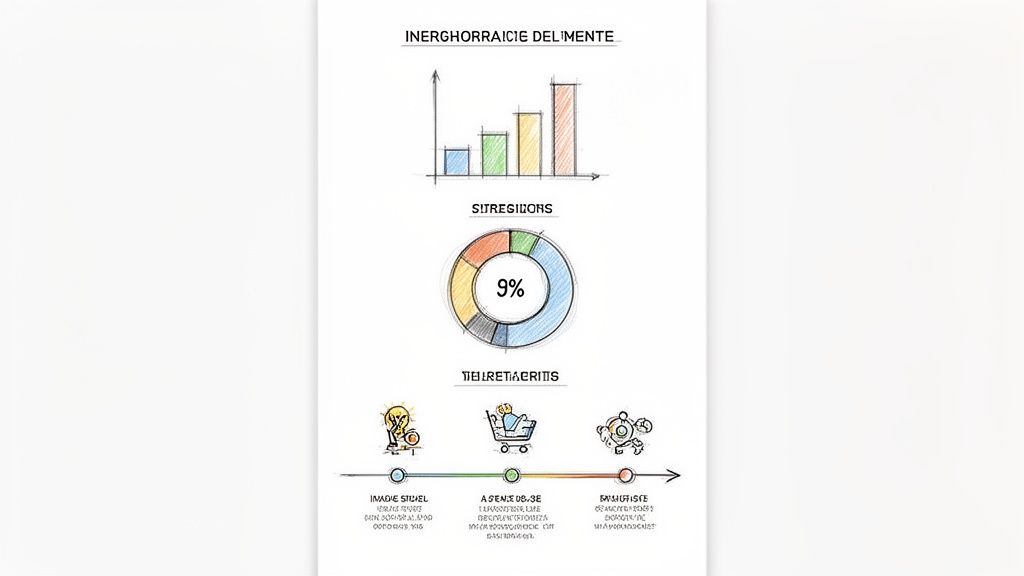
Infographics and Data Visualizations are a highly effective way to simplify complex information and present it in a visually engaging format. This approach combines design, data, and clear messaging to communicate insights quickly and memorably. This is one of the most shareable content ideas for social media because it transforms dense data from reports or surveys into a compelling visual story that’s easy for audiences to digest and share.
This format is perfect for breaking down industry trends, survey results, or complex processes. Instead of asking your audience to read a long article, you give them a beautiful, self-contained piece of content that delivers value in seconds.
How to Implement This Idea
The goal is to make data accessible and aesthetically pleasing. A great infographic guides the viewer’s eye through a logical flow, highlighting the most important statistics and takeaways without overwhelming them.
- Focus on a Core Narrative: Start with one key statistic. Practical Example: Create an infographic titled "The Anatomy of a High-Converting Landing Page," visualizing data points like "Headlines under 10 words convert 21% better" and "Pages with video see an 80% lift in conversion."
- Use Brand-Aligned Design: Maintain a consistent color scheme and font style. Ensure all text is large enough to be easily readable on mobile devices.
- Cite Your Sources: Always include your data sources. This simple step adds credibility and builds trust with your audience.
- Repurpose Strategically: Slice a single large infographic into multiple smaller graphics. Workflow Example: Each statistic from your main infographic can become a standalone post for different days, extending one piece of research into a week of content.
Productivity Tip: You don't need to be a designer. Use tools like Canva or Visme that offer professional infographic templates. To find data, search for "[Your Industry] statistics 2023" or look at reports from Gartner or Forrester. You can create a high-value asset just by visualizing existing public data.
11. Daily Habits and Routines
Sharing your daily or weekly habits provides a behind-the-scenes look at the discipline and structure that fuel your success. This format capitalizes on the universal curiosity about how successful people organize their lives for maximum productivity and well-being. This is one of the most relatable content ideas for social media because it humanizes your brand and offers an authentic, actionable blueprint that others can adapt.
This approach is perfect for building a personal brand and demonstrating the principles you advocate for. Whether it's a morning routine, a productivity system, or a content creation workflow, you are turning your personal process into valuable, educational content.
How to Implement This Idea
The goal is to be specific and connect each habit to a tangible benefit or outcome, making your routine both aspirational and practical for your audience. Authenticity is crucial; showcase your real system, not an idealized version.
- Detail the "What" and "Why": Don't just list activities. Explain the purpose. Practical Example: "My 5 AM Wake-Up Routine: 1. Hydrate (Why: Rehydrates after sleep). 2. Journal (Why: Clears my head for the day). 3. 30-Min Workout (Why: Boosts energy more than coffee)."
- Show, Don't Just Tell: Create a short video or a carousel of photos walking through your routine. Practical Example: A Reel showing a time-lapse of your "end-of-day shutdown routine" for your desk.
- Connect Habits to Results: Explicitly link your routines to achievements. Practical Example: "I implemented a 'No Meetings on Fridays' rule. Result: My deep work output increased by 50%, and I developed two new product features last quarter."
- Encourage Audience Participation: End your post by asking your audience to share one of their most effective daily habits.
Productivity Tip: Acknowledge that your routine isn't perfect. Practical Example: "This is my ideal morning routine, but honestly, I only manage it 3-4 days a week. On other days, it's just coffee and chaos. Progress, not perfection!" This authenticity builds more trust than pretending to be flawless.
12. Giveaways and Contests
Giveaways and contests are time-tested promotional campaigns that offer a prize in exchange for specific user actions. This format is one of the fastest content ideas for social media for growing your audience and boosting engagement because it incentivizes participation. By asking users to follow, share, and tag friends, you leverage their networks to expand your reach exponentially.
This strategy works exceptionally well for rapid audience growth, launching a new product, or re-engaging a dormant community. Think of it as a controlled burst of viral marketing that can quickly fill your follower pipeline.
How to Implement This Idea
Success hinges on a relevant prize and clear, simple rules. The goal is to make participation feel effortless and the reward highly desirable to your ideal customer, not just anyone looking for a freebie.
- Choose a Relevant Prize: Offer something directly related to your business. Practical Example: A project management SaaS could give away a "Ultimate Productivity Bundle" including a 1-year Pro subscription, a high-quality planner, and a book on productivity.
- Set Clear Entry Rules: Keep it simple. The most effective formula is often "Follow us + Like this post + Tag 2 friends who need this."
- Promote Strategically: Announce the giveaway multiple times. Workflow Example: Post 1: "Something BIG is coming Tuesday." Post 2: "GIVEAWAY LIVE!" Post 3: "48 hours left to enter!"
- Announce Winners Publicly: Increase trust by publicly announcing the winner in a post or Instagram Story.
Productivity Tip: Partner with a complementary, non-competing brand. You can share the prize cost and, more importantly, the promotional effort. Create a shared document with all the copy and graphics so both teams can post seamlessly. This effectively doubles your reach for half the work.
Comparison of 12 Social Media Content Ideas
| Item | 🔄 Implementation | ⚡ Resource requirements | 📊 Expected outcomes | 💡 Ideal use cases | ⭐ Key advantages |
|---|---|---|---|---|---|
| Educational Thread Series | Medium — planned sequence, consistent cadence | Low–Medium — writing time, minimal design | Builds authority and multi-day engagement (3–7 days) | Thought leaders, B2B founders, educators | Establishes expertise; repeatable framework |
| Behind-the-Scenes (BTS) Content | Low — informal, frequent creation | Low — phone video/photos, light editing | Increases trust and relatability; steady engagement | Startups, solopreneurs, product businesses | Authenticity and humanization of brand |
| User-Generated Content (UGC) Campaigns | Medium–High — campaign setup, moderation | Low ongoing, medium upfront — incentives & management | Strong social proof and scalable content supply | E‑commerce, consumer brands, community businesses | Cost-effective content and brand advocacy |
| Quick Tips and Hacks | Low — single-concept, fast to produce | Very low — templates, short videos/text | Immediate, high-share engagement; easy to batch | Coaches, consultants, creators | Fast production and frequent visibility |
| Case Studies and Success Stories | High — interviews, data gathering, approvals | Medium–High — production, customer coordination | High trust and conversion; strong B2B ROI | SaaS, service providers, consulting firms | Quantifiable proof and sales enablement |
| Trending Topic Commentary | Medium — monitoring + rapid response | Low — quick writing or short video | Short-term visibility spikes; new audience discovery | Thought leaders, industry experts, commentators | Timely relevance and increased reach |
| Carousel Posts (Multi-Slide) | Medium — slide structure and narrative | Medium — design tools or templates | High engagement time, saves, and shareability | Educators, product launches, tutorial creators | Deep-dive content with visual clarity |
| Polls and Questions | Low — simple set-up and posting | Very low — platform native tools | Fast interaction and audience insights | Product teams, community builders, researchers | Quick feedback and engagement data |
| Storytelling & Personal Narratives | Medium–High — craft arc and vulnerability | Low–Medium — writing/video time | Deep emotional connection and loyalty | Founders, personal brands, coaches | Memorable authenticity and long-term loyalty |
| Infographics & Data Visualizations | Medium–High — data + design work | High — design skills, data sourcing | Shareable authority content; evergreen traffic | B2B, research firms, educators | Simplifies complex data; strong SEO value |
| Daily Habits & Routines | Low–Medium — recurring content cadence | Low — recordings or short write-ups | Relatable serial content; steady audience interest | Productivity experts, wellness creators, founders | Repeatable series that drives consistent engagement |
| Giveaways & Contests | Medium — rules, logistics, compliance | Medium–High — prizes, promotion, management | Rapid follower growth; variable follower quality | Growth-focused startups, consumer brands | Fast audience expansion and buzz generation |
From Ideas to Impact: Automating Your Content Workflow
You now have a comprehensive playbook filled with powerful content ideas for social media, from deep-diving educational threads to engaging user-generated content campaigns. We’ve moved beyond generic advice, equipping you with actionable templates for case studies, quick tips, and personal narratives. The real challenge, however, isn’t finding an idea for today; it's building a system that guarantees you have a great idea for every day, without the burnout.
The gap between a sporadic social media presence and a high-impact, lead-generating machine is bridged by one thing: workflow. For busy founders and side-hustlers, daily, from-scratch content creation is a recipe for inconsistency. The key is to shift your mindset from "creator" to "system-builder." This is where the true leverage lies.
Building Your Content Engine: From List to Action
Having this list is your starting point, not the finish line. The next step is to operationalize these concepts. Instead of waking up and wondering what to post, you can build a sustainable process that turns these ideas into a predictable stream of high-quality content.
Here’s a simple, actionable workflow to get started:
Select Your “Core Four”: You don't need to do all 12 at once. Choose four ideas that align with your brand. Practical Example: A SaaS founder might choose Educational Threads (authority), Behind-the-Scenes (connection), Case Studies (trust), and Polls/Questions (feedback).
Batch Your Creation: Dedicate one 2-hour block per week to content. On "Content Day," you can write one thread, draft two case study posts from a customer form, and schedule three polls. This batching workflow is far more productive than creating one-off posts daily.
Template Everything: For each of your “Core Four” formats, create a reusable template in a tool like Notion or Google Docs. For a case study, your template might be: Hook (The Pain Point) -> Our Solution -> The Transformation (Data-Backed) -> Testimonial -> Call to Action. This removes the friction of starting from scratch.
The Power of Automation and Smart Tooling
Once you have a system for ideation and creation, the final piece is scheduling and automation. A well-structured content calendar allows you to strategically place different types of posts throughout the month, ensuring a balanced mix of value, personality, and promotion. This is where modern tools become indispensable.
Leveraging technology isn't about removing your creativity; it's about amplifying it by handling the repetitive, time-consuming tasks. By automating the mechanics of posting, you free up your mental energy to focus on what truly matters: crafting a compelling message and engaging with your community. To truly streamline your content creation and make an impact, exploring the best tools for content creators can be a game-changer.
Ultimately, the goal is to transform your social media from a daily chore into a powerful, automated asset that works for your business even when you aren’t. By combining the diverse content ideas for social media in this guide with a smart, repeatable workflow, you’re no longer just posting online; you're building a brand, one strategic piece of content at a time.
Ready to turn these ideas into perfectly formatted posts in minutes? Postful provides AI-powered brainstorming and ready-to-use templates specifically designed to help you execute these strategies effortlessly. Stop staring at a blank screen and start building your content engine today with Postful.