This article was assisted with AI. We may include links to partners.
Viral content refers to any post, video, image, or meme that spreads rapidly across the internet through social sharing. Much like a virus, it multiplies as people react, comment, and share within hours or days — often reaching audiences far beyond the creator’s network.
Virality is driven by emotional impact, timing, and shareability. For creators and small businesses, understanding how content goes viral can help you craft posts that resonate deeply, reach new audiences, and amplify your brand’s visibility.
Why Viral Content Matters
Expands reach quickly: Viral posts can introduce your brand to thousands of new followers overnight.
Builds credibility: High engagement signals social proof — your audience sees that others are paying attention.
Drives organic growth: You gain visibility without paid promotion.
Encourages community participation: Challenges, trends, and memes foster user-generated content and conversation.
Boosts platform algorithms: High engagement rates increase how often your posts appear in feeds.
The Formula for Virality
While there’s no guaranteed recipe for going viral, most viral content follows a repeatable pattern:
In other words, content that sparks emotion, offers something fresh, and is easy to share tends to spread fastest — especially when there’s minimal friction (like complicated links or unclear messaging). The more a post triggers immediate reactions and invites participation, the greater its viral potential.
Key Traits of Viral Posts
Emotional resonance: Elicits laughter, awe, empathy, or surprise.
Timeliness: Connects with current events, trends, or cultural moments.
Simplicity: Easy to understand and share — often visual or short-form.
Novelty: Offers something unexpected or fresh.
Participation: Invites others to join in, comment, or remix.
Examples include:
The Ice Bucket Challenge — simple, repeatable, and cause-driven.
“Charlie Bit My Finger” — authentic, relatable, and emotionally genuine.
The Distracted Boyfriend meme — humor rooted in shared cultural experience.
Challenges and Common Mistakes
Chasing virality over value: Not all trends align with your brand or audience.
Negative virality: Controversial content can spread fast — and damage reputation just as quickly.
Short-lived impact: Viral spikes fade quickly without follow-up content.
Inauthentic tone: Forced or overly promotional posts rarely resonate.
How Viral Content Supports Audience Growth
Viral moments create massive exposure — but the real opportunity lies in what happens next. Consistent, authentic follow-up content turns one-time viewers into loyal followers. By integrating viral-ready ideas into a regular posting rhythm, brands can sustain engagement and drive long-term audience growth.
Tools like Postful help creators capitalize on viral moments by generating fresh content, remixing popular posts, and scheduling follow-ups across networks to maintain momentum.
Key Takeaways
Viral content spreads rapidly through emotional, relatable, and shareable storytelling.
Emotional impact, timing, and simplicity are key to virality.
Risks include short attention spans and negative publicity — authenticity matters most.
Let's be honest, creating social media content that actually works starts long before you write a single caption. The secret isn't a magical hook or a viral trend. It’s about building a solid foundation first: defining your business goals, truly understanding your audience, and locking in your core content themes.
This is the framework that ensures every post has a purpose and drives real growth.
Build Your Content Foundation Before You Post
Stop wasting time throwing content at the wall to see what sticks. Before you even think about hooks or carousels, you need a plan. This is what separates random posting from a strategic growth engine that turns followers into actual customers. It’s the difference between shouting into a void and starting a real conversation.
Putting this foundation in place saves you from the daily panic of "what do I post today?" It shifts your social media from a reactive chore to a proactive asset that consistently works for you.
Define Your Goals and Know Your Audience
Your social media needs to serve a real business purpose. Likes and comments are nice, but engagement for its own sake is just a vanity metric. You need to focus on outcomes you can actually measure.
Practical Example: A new SaaS founder might set a goal to generate 50 qualified leads for their waitlist this quarter. A side-hustler selling handmade candles could aim to drive 20% more traffic to their Etsy shop month-over-month. Clear targets like these dictate the exact content you need to create.
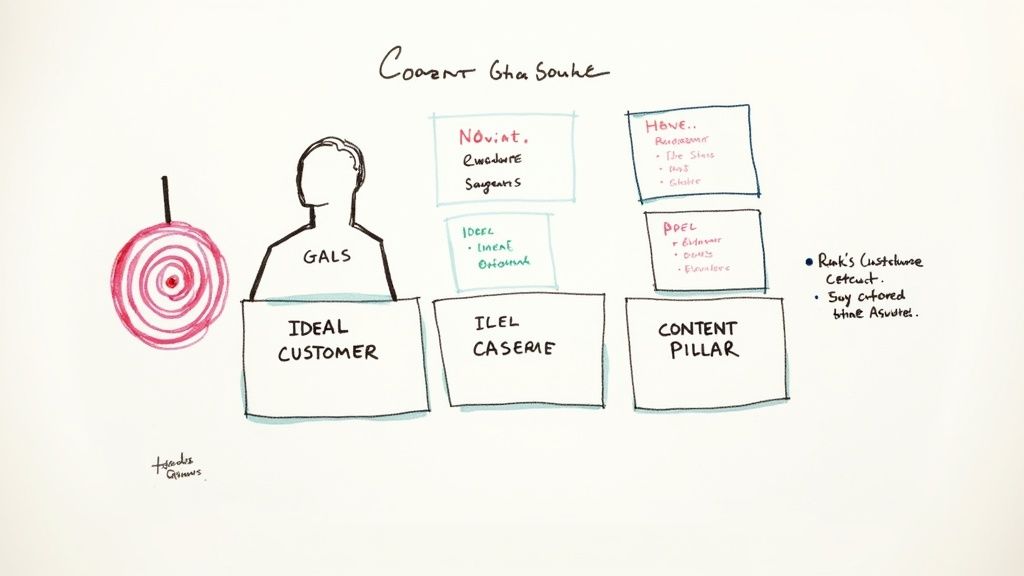
Once you know your goal, you have to know who you're talking to. A simple ideal customer profile (ICP) is your best friend here, but it needs to go deeper than just age and location.
A powerful ICP gets to the why behind your audience’s behavior. What are their biggest frustrations? What kind of content are they already saving and sharing? Where do they hang out online? Answering these questions is the key to creating content they can't scroll past.
Establish Your Core Content Pillars
With your goals and audience dialed in, it's time to establish your content pillars. Think of these as the 3-5 core themes your brand will own, day in and day out. They act as a filter for every idea, making sure every post is relevant and reinforces what you're all about.
This simple structure makes content planning a high-productivity task. Take a productivity coach, for example. Their pillars might look something like this:
Time Management Systems: Breaking down frameworks like Pomodoro or time blocking.
Founder Mindset: Talking through how to beat procrastination and build deep focus.
Productivity Tools: Reviewing and comparing apps like Notion or Asana.
Work-Life Balance: Sharing real tips to prevent burnout and disconnect.
These pillars become your creative sandbox. Whenever you need an idea, you just pull from one of these buckets. You can post with confidence, knowing it will hit home with your audience and move you closer to your business goals.
If you want to go deeper on this, we've got a whole guide on how to build effective content pillars. This strategic foundation is what turns creating engaging social media content into a repeatable, low-stress process.
Master the Art of the Scroll-Stopping Hook
You’ve got your content pillars locked in. Now for the hard part: actually stopping the scroll.
You get about three seconds, maybe less, to grab someone's attention in a feed that never stops moving. This is where the battle is won or lost, and it all boils down to a killer hook.
A hook is simply the first line of your caption or the first few seconds of your video. Its only job is to spark enough curiosity to make someone pause. Think of it as the headline for your post. If it’s weak, even the most brilliant content behind it goes completely unnoticed.
Hooks That Actually Work
You don’t have to be a master copywriter to write a good hook. I'm certainly not. Instead, I lean on a few proven formulas that are grounded in basic human psychology. Two of my go-tos are PAS and AIDA.
PAS (Problem, Agitate, Solution): This formula is so effective because it hits on a real pain point your audience has. First, you state a Problem they know all too well. Then, you Agitate it by digging into the frustration it causes. Finally, you offer up your content as the Solution.
Practical Example for a project management tool:
(P) Still juggling team tasks in endless email chains?
(A) Deadlines get missed, nobody knows who’s doing what, and you’re drowning in notifications.
(S) Here’s how a shared project board can get everyone on the same page in 10 minutes flat.
AIDA (Attention, Interest, Desire, Action): This is a classic for a reason. It’s a mini-journey you take your reader on. Grab their Attention with a bold statement, build Interest with a surprising detail, create Desire by showing them the payoff, and then give them a clear Action to take.
Practical Example for a nutrition coach:
(A) You can actually have more energy in the afternoon without a third cup of coffee.
(I) Most of us blame bad sleep, but the real culprit is often the blood sugar crash from a carb-heavy lunch.
(D) Imagine finishing your workday feeling focused, not foggy and ready for a nap.
(A) Swipe to see three simple lunch swaps that make it happen.
Picking Formats People Can't Ignore
Your hook is critical, but the format you choose is just as important. Different formats work for different things and match how people like to consume content. A single-image post can work, sure, but formats that encourage interaction or tell a story almost always perform better.
An old analysis of over 800 million Facebook posts found something that still rings true today: keep it short. Posts with 80 characters or fewer saw a 66% higher engagement rate. Why? Our brains can process short, punchy messages faster, making them more satisfying to read and share.
Here are a few formats I find myself recommending over and over for maximum impact:
Short-Form Video (Reels/TikToks/Shorts): Video is still king. It lets you mix visuals, sound, and text to tell a quick, compelling story. Productivity tip: Film 3-4 short videos in one session using different outfits to create a week's worth of content in under an hour.
Carousel Posts: Carousels are fantastic for teaching something. You can break down a complex idea into simple, swipeable slides. This gets people to spend more time on your post, which is a great signal to the algorithm. If you want to go deeper, we have a complete guide on what a carousel post is and how to nail it.
Interactive Polls and Quizzes: People love to give their opinion. Use the built-in features on platforms like Instagram Stories to ask questions, run polls, or create quizzes. Productivity tip: Use the answers as direct inspiration for your next piece of content—it’s free market research.
To keep your visuals consistent without spending hours, a tool like a bulk social media image generator can be a huge time-saver. It lets you create a batch of branded graphics at once, helping you maintain a professional look with far less manual work.
A Founder-Friendly Content Creation Workflow
Knowing what to post is one thing. Actually finding the time to create and publish it consistently is a whole different beast. As a founder, the last thing you want is to be scrambling every single day, trying to come up with a post on the fly. That path leads directly to burnout.
The secret isn't working harder—it's working smarter. And the smartest system I've found is content batching.
Instead of trying to be creative on demand every day, you block off a specific chunk of time—say, three hours on a Friday afternoon—to get an entire week's worth of content planned, created, and scheduled. It’s a simple shift, but it completely removes the daily decision fatigue and keeps your social channels active even when you're buried in other work.
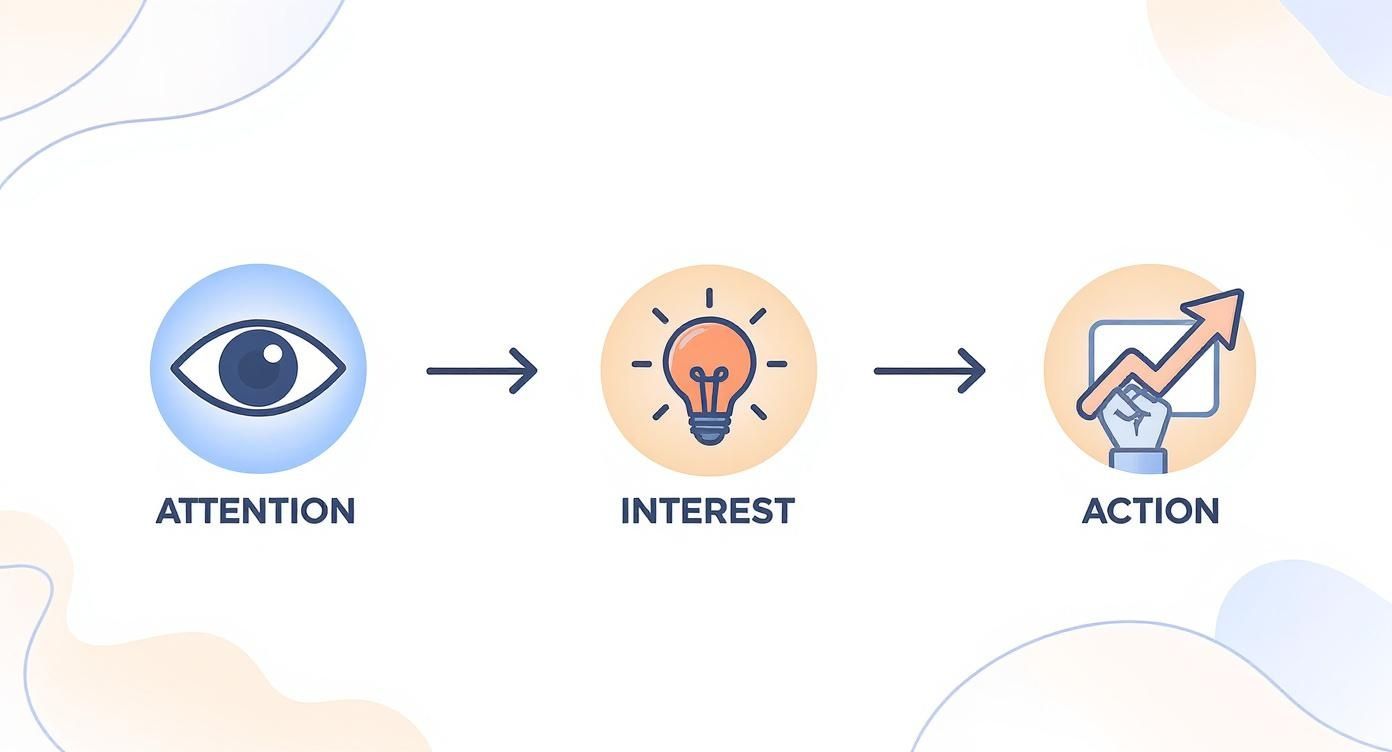
Every post, no matter how simple, should guide your audience through a mini-journey: grabbing their attention, sparking some real interest, and finally, nudging them toward an action.
Think of this as the basic DNA of a good post. It ensures you’re not just shouting into the void but actually connecting with people at each step.
Your Go-To Productivity Tools
A smooth workflow is all about having the right tools in your corner. You don't need a huge, expensive tech stack. In fact, keeping it simple is better. The goal is a small but mighty toolkit that does the heavy lifting for you.
Here’s my minimalist setup for getting quality content out the door, fast:
For Quick Design (Canva): Honestly, Canva is a non-negotiable for founders. Its template library is massive, letting you whip up professional-looking carousels, graphics, and Stories in minutes. Productivity Tip: Create a "Brand Kit" with your logos, fonts, and colors to apply your branding to any template in one click.
For Easy Video Editing (CapCut): If you’re making Reels or TikToks, CapCut is a lifesaver. The mobile app is super intuitive for trimming clips, adding auto-captions (a must!), and finding trending audio to give your video a little extra reach.
For Smart Scheduling (Buffer or Later): A scheduler is your best friend for staying consistent. Tools like Buffer or Later let you upload all your batched content, set it to post at the best times, and then forget about it. Your social media basically runs on autopilot.
The real magic of batching isn't just about saving time. It’s about getting into a creative flow state. By focusing on one task at a time—writing all your captions, then designing all your graphics—you work faster and produce higher-quality, more cohesive content.
A Repeatable Batching Session Workflow
So what does a batching session actually look like in practice? It's a focused sprint, broken down into clear stages. This structure helps you avoid multitasking and keeps the momentum going.
Here’s a practical workflow for turning what could be a chaotic process into a predictable, manageable task.
My Weekly Content Batching Workflow
Time Allotment
Task
Tools & Focus
30 Mins
Brainstorming & Outlining
Pull from your content pillars. List 5-7 raw ideas for the week. Workflow: Use a simple notepad or Trello board to dump ideas. What questions can you answer? What's a quick tip? Just get the concepts down.
60 Mins
Copywriting
Flesh out those ideas into full captions. Workflow: Write your hooks first, then the body, and finally the call-to-action for each post. Focus on writing all at once to maintain a consistent voice.
75 Mins
Visual Production
With copy done, jump into Canva or CapCut. Workflow: Create all the graphics or edit all the videos for the week. You're working methodically, not creatively scrambling. Use templates to speed this up.
15 Mins
Scheduling & Final Check
The final step. Upload everything to your scheduler. Workflow: Add captions, tag accounts, and set the publish times. Close the laptop. You're done for the week.
By following a system like this, you can reclaim countless hours and finally get ahead of your content calendar.
How to Adapt Your Content for Each Social Platform (Without Starting from Scratch)
That killer content idea feels like a home run, right? But if you just blast the exact same post across every social platform, you’re fumbling at the one-yard line.
A data-heavy carousel that absolutely crushes it on LinkedIn will get scrolled past on Instagram. A viral TikTok trend will look totally awkward and out of place on your Facebook Page. The secret isn't creating ten different pieces of content. That’s a one-way ticket to burnout.
It’s about translation. You take your core idea and adapt it to speak the native language of each platform. A small tweak in format, a shift in tone—that’s often all it takes to go from ignored to engaging.
Instagram: Think Visuals and Community
Instagram is all about aesthetics. It’s a visual-first world where you win by telling compelling stories through great images, Reels, and interactive Stories. A stock photo with a bland caption just doesn't fly anymore.
The real goal here is to build a genuine connection. To do that, you have to play the whole field, not just the main feed.
Reels for Reach: Use these for quick tips, behind-the-scenes clips, or sharing customer content. Practical Example: A software company could create a 15-second Reel showing a "hidden feature" that saves users time, using on-screen text and a trending audio track.
Stories for Community: This is your brand's daily vlog. Use polls, quizzes, and question stickers to get people talking. Practical Example: A marketing agency could use the "Quiz" sticker to test followers' knowledge on a recent industry update, then share the correct answer and a brief explanation.
Here's something to keep in mind: Instagram still packs a bigger punch than Facebook, with an average reach rate of 3.50% compared to Facebook's 1.65%. But that reach is also down 12% year-over-year. The platform is getting more crowded. This means that while you can get in front of more people on Instagram, your content has to be that much better to actually get noticed. You can dig into more social media reach stats to see how things are shifting.
Facebook: The Community Hub
Okay, organic reach on Facebook isn't what it used to be. We all know that. But it’s still a powerhouse for building tight-knit communities, especially in Groups. Think of your brand's Page as the central hub, but the real magic often happens in the smaller, more focused side rooms.
Practical Example: A meal-prep service could launch a group for "Busy Professionals Sharing Healthy Lunch Hacks." This gives people a place to connect with each other, not just you, which builds a much deeper kind of loyalty. In the group, they could host a weekly thread asking "What's your go-to 5-minute lunch this week?" to spark conversation.
LinkedIn: Build Your Authority
LinkedIn is the office, not the party. People are here for valuable insights, industry knowledge, and things that will help their careers. The real goal is to build credibility and become the go-to person in your field.
Here’s what consistently works for me on LinkedIn:
Insightful Text Posts: Share a strong opinion, a lesson you learned from a mistake, or a bold prediction for your industry. Practical Example: A founder could share a post starting with, "I hired the wrong person for a key role. Here are the 3 red flags I'll never ignore again…"
Data-Driven Carousels: Simple, text-based carousels (just export a PDF from Canva) are perfect for breaking down complex ideas. Practical Example: A financial consultant could create a 5-slide carousel on "How to Read a P&L Statement in Under 60 Seconds."
Meaningful Comments: Don't just post and ghost. The real networking happens in the comments. Productivity Workflow: Block 15 minutes in your calendar each morning to leave thoughtful comments on posts from 5-10 key people in your industry. It’s one of the best ways to grow visibility.
TikTok: Jump on the Trends
TikTok is all about authenticity and trends. Super polished, corporate-looking content feels alien here and almost never works. The algorithm rewards creators who are relatable, creative, and just willing to have a little fun.
You don't need a fancy camera—your smartphone is more than enough. The key is to be fast. Practical Example: I saw a financial advisor use a trending sound where someone is lip-syncing a funny line. The on-screen text read: "My client after I showed them how to save an extra $5k a year by automating their investments." It was smart, entertaining, and felt completely native to the platform. That’s how you win.
Building Community and Authentic Connections
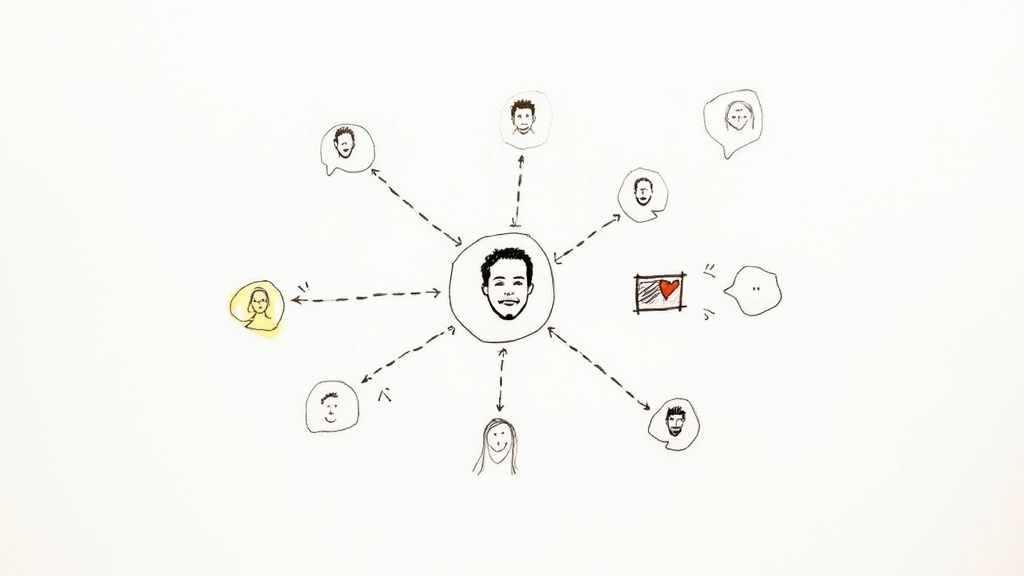
Here's the thing: the best engagement hack isn't some secret formula or a fleeting trend—it’s just genuine human connection. Once you’ve tailored your content for each platform, the real work starts. It’s time to stop broadcasting and start building a real community.
Your goal is to turn your social media channels from a megaphone into a hub where people feel seen and heard. This is how you build real relationships, and those relationships are what create a loyal audience that doesn't just see your content but actively roots for your brand.
Lean into User-Generated Content
Your happiest customers are often your best marketers. User-generated content (UGC) is any content your audience creates that features your brand. It's incredibly powerful because it’s authentic social proof.
The trick is making it easy and rewarding for them to share. Practical Example: A small coffee shop could put a small sign on their counter asking customers to post a photo of their latte with a unique hashtag like #MyMorningMug for a chance to be featured on their Instagram Story every Friday. It’s simple, but it works.
When you reshare a customer’s post and tag them, you're not just getting free content; you’re making that person feel valued. That single act builds incredible loyalty and encourages others to join in.
The numbers back this up. UGC drives 28% more engagement than standard branded posts and is seen as 2.4 times more authentic by consumers, particularly with Gen Z and Millennials. That authenticity is a huge driver for trust. You can find more stats on the power of authentic content from Sprinklr.
Show the Real People Behind the Brand
In a world filled with polished ads and faceless companies, people crave connection with other people. One of the best ways to do this is to pull back the curtain and show the human side of your business. This is where founders have a massive leg up on the big brands.
Don't just show the polished final product; share the journey.
Founder Stories: Record a short video explaining the "why" behind your business. What problem got you so fired up that you had to solve it?
Behind-the-Scenes (BTS):Practical Example: A candle maker could post a quick time-lapse video of them pouring a new batch of candles, showing the messy, real process. It’s far more engaging than just a photo of the final product.
Team Spotlights: If you have a team, introduce them! A quick post about what your first hire actually does forges a way stronger connection than a generic corporate update.
This is the stuff that makes your brand relatable and trustworthy. It shows there are real, passionate people behind the logo, turning your brand into something people can actually connect with.
Master the Art of Community Management
Your job isn’t over when you hit "publish." The comment section is where the real community building happens, and how you show up there matters more than you might think.
Meaningful community management is more than just dropping a "thanks!" or a fire emoji. It’s about starting and sustaining real conversations.
Ask Open-Ended Questions: Instead of a yes/no question, ask something that invites a story. Practical Example: A fitness coach could ask, "What’s one small win you’re proud of this week?" instead of "Did you work out today?"
Reply with Substance: When someone leaves a thoughtful comment, acknowledge their point and add to the conversation. If they ask a question, give them a real answer.
Productivity Workflow: Set a timer for 10 minutes twice a day (morning and end of day) to respond to all new comments. This keeps it manageable and ensures your community feels heard without letting it take over your entire day.
When you treat your comments section like a real conversation, you create a space where people feel comfortable sharing. That’s how you build a loyal community that shows up not just for your products, but for the connection you've built together.
How to Measure and Improve Your Content Performance
Creating content without looking at the data is like driving with your eyes closed. You might be moving, but you have no idea if you're headed in the right direction. When you finally understand what’s working, you stop guessing and start creating smarter, more engaging social media content.
This doesn’t need to be a complicated, time-sucking process. It’s really about focusing on a few key numbers that tell a clear story about what your audience truly cares about. This data-driven approach is your shortcut to better results with far less effort.
Identify the KPIs That Actually Matter
It's easy to get caught up in vanity metrics like follower count and likes. They feel good, but they don't tell you much about your content's real health. To actually understand performance, you need to track the metrics that signal genuine interest and intent.
These are the KPIs that should be on every founder's dashboard:
Engagement Rate: Your most important health metric. It’s the percentage of people who saw your post and actually chose to interact with it. A high engagement rate tells the algorithm your content is valuable.
Saves: When someone saves your post, they’re saying, "This is so useful, I need to come back to it later." This is a huge indicator that you’ve created high-value, educational content that solves a real problem.
Website Clicks: If your goal is to drive traffic or generate leads, this is non-negotiable. It directly measures how effective your content is at moving people from social media to your website.
Run Simple A/B Tests to Improve Systematically
The fastest way to improve is to test. A/B testing just means creating two slightly different versions of a post to see which one performs better. This simple habit removes the guesswork and lets you make small, incremental improvements that really add up over time.
You don't need any fancy software for this. Just be methodical.
Run one test at a time to get clean data. If you change the headline, the visual, and the call-to-action all at once, you’ll have no idea which element was actually responsible for the change in performance.
Here’s a practical example for an Instagram Reel:
Test the Hook: Post the same video twice, about a week apart. For the first one, use a question as the hook ("Are you making this mistake?"). For the second, try a bold statement ("Stop doing this right now."). Then, track which one gets a higher 3-second view count.
Test the Call-to-Action (CTA): Post two similar carousels. In the first CTA, say "Click the link in bio to learn more." In the second, try something different like "DM me 'GUIDE' for the full breakdown." See which one generates more clicks or messages.
Conduct a Quick Monthly Content Review
Set aside 30 minutes at the end of each month for a simple content audit. No spreadsheets needed—just open up your platform's native analytics and look for patterns in your top-performing posts.
Ask yourself these three questions:
Which format (e.g., carousels, talking-head videos, text posts) got the most saves?
What topics or themes drove the highest engagement rate?
Did any posts lead to a noticeable spike in website clicks?
This quick review gives you all the insight you need to double down on what resonates and stop wasting time on what doesn't. For a deeper dive into strategizing and measuring the impact of your visual content, it's worth developing a full video content marketing strategy. This data-first mindset is what turns content creation from a chore into a reliable growth engine.
A Few Common Questions
How Often Should I Actually Post?
Everyone wants a magic number, but there isn't one. The real answer? Focus on consistency, not frequency.
It’s way better to publish three genuinely helpful, high-quality posts every week than to burn yourself out with seven rushed, low-value ones. Start with a schedule you know you can stick to, then watch your analytics. Your audience's engagement will tell you if you need to ramp up or pull back.
What's the Best Tool for Making Social Media Graphics?
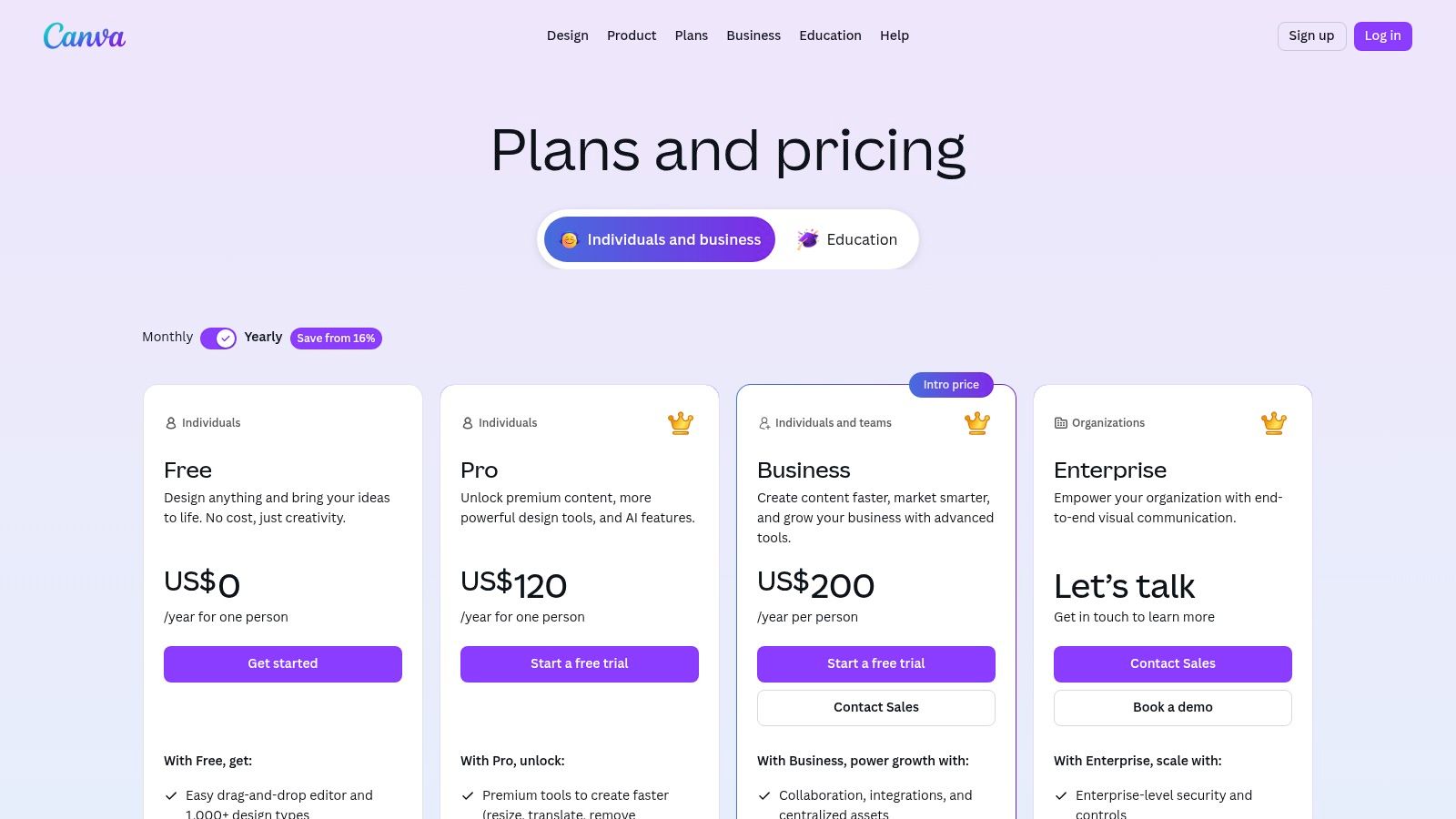
For most founders and side-hustlers, Canva is the undisputed champ. It's incredibly easy to use, has a massive library of templates, and the free version is more than enough to create sharp, engaging content. Productivity tip: Use Canva's "Magic Switch" feature to resize one design for multiple platforms (e.g., Instagram post to a Story) in seconds.
If you find yourself needing more firepower and don't mind a steeper learning curve, Figma is a fantastic alternative for more complex design work.
I'm Completely Stuck. How Do I Find Content Ideas?
When you hit a wall, go back to your roots: your content pillars and your customer profile. What are the burning questions your audience has? What are their biggest frustrations? Your audience is a goldmine of inspiration.
Productivity tip: Keep a running list of ideas in a notes app or a simple spreadsheet. Whenever a customer asks a question or you see a common theme in your comments, add it to the list. When it's time to batch content, you'll have a pre-vetted list of topics to pull from. You can also use a tool like AnswerThePublic to see what people are literally typing into search engines.
Ready to stop guessing and start creating content that actually connects? Postful gives you AI-powered templates and brainstorming tools built for busy founders like you.
Join the waitlist to get early access and build a consistent, effective social media presence with way less effort.
Juggling content creation, posting, and engagement across multiple platforms can feel like a full-time job. The constant context-switching kills productivity and leads to inconsistent posting, which hurts audience growth. Manually posting to LinkedIn, then X (formerly Twitter), then Instagram isn't just inefficient; it's a workflow guaranteed to burn you out.
This guide is a productivity playbook designed to solve that problem. We'll break down the 12 best social media scheduling tools, showing you exactly how to choose the right one to automate repetitive tasks, reclaim your time, and build a consistent online presence. This isn't just a list of features. It's a strategic analysis of which platform is best for specific users, from a solo founder building a personal brand to an agency managing multiple client accounts.
You will learn not just what each tool does, but the specific workflows and use cases that make them powerful for different needs. We'll explore honest pros and cons, transparent pricing, and practical implementation tips to get you started quickly. While this guide is comprehensive, it's wise to consult multiple resources. To further explore different options and find the best fit for your needs, consider looking at other resources on the best social media scheduling tools.
Each review in our list includes screenshots and direct links, so you can see the platforms in action and make a confident decision. Get ready to transform your social media from a time sink into a streamlined, automated growth engine.
1. Postful: The AI-First Content Engine for Founders & Solopreneurs
Postful earns its top spot by fundamentally rethinking the social media workflow for time-strapped founders and solo operators. Instead of just being a tool to schedule posts, it operates as an AI-powered content partner designed to overcome the biggest hurdles in social media management: idea generation and consistent execution. This platform is built on the premise that for a solopreneur, the bottleneck isn't just scheduling, it's the entire creative process from a blank page to a published post.
Postful directly addresses this by providing curated post ideas and ready-to-use templates, effectively eliminating writer's block. For a founder launching a new feature, this means skipping the brainstorming phase and starting with a proven "New Feature Announcement" template, which the AI can then help tailor to their specific audience and tone. This positions Postful as one of the best social media scheduling tools for users who need to maximize efficiency and impact with limited resources.
Key Features & Use Cases
Postful’s strength lies in its practical, AI-driven features built for lean workflows. Its on-demand brainstorming tools are particularly powerful, allowing users to refine a rough idea into a polished, resonant message. For example, a side-hustler can input a simple concept like "new productivity ebook" and use the AI to generate compelling hooks, calls to action, and benefit-oriented copy.
AI-Powered Idea Generation: Access a library of templates and curated prompts to jumpstart content creation instantly.
On-Demand Brainstorming: Refine and expand your core messaging with AI assistance, ensuring your posts are clear and impactful.
Workflow Automation: Automates repetitive tasks in the posting process, freeing up valuable time to focus on business-building activities.
The platform is explicitly designed to create repeatable systems for social media, which is crucial for solo operators. Small business owners can explore how these features directly support growth in this detailed guide on choosing a social media scheduler for a small business.
Pros & Cons
Pros
Cons
Drastically reduces content creation time with AI templates and ideas.
Currently invite-only access, requiring users to join a waitlist.
Refines messaging to improve post performance and audience connection.
No public pricing information makes it difficult to budget or compare.
Designed for solopreneurs, focusing on speed and efficiency.
Limited third-party reviews or case studies available due to its newness.
Automates tedious tasks, creating a more sustainable workflow.
AI-generated content may require manual edits to perfect brand voice.
The Verdict
Postful is the ideal choice for founders, side-hustlers, and one-person marketing teams who need more than just a scheduler. It’s a content engine that helps you show up consistently and confidently, even when you're short on time and ideas. While its invite-only status and lack of public pricing are current drawbacks, its focused approach on solving the core content creation problem makes it a standout platform to watch.
Best For: Established businesses and teams needing an all-in-one command center.
Hootsuite is one of the original and most comprehensive social media scheduling tools, evolving into a full-suite management platform. It excels in environments where collaboration, deep analytics, and broad platform support are non-negotiable. Beyond simple scheduling, its unified social inbox allows teams to manage comments and DMs from one place, ensuring no customer interaction is missed.
What sets Hootsuite apart is its enterprise-grade feature set, which scales effectively for larger organizations. Features like competitor benchmarking and sentiment analysis, available on higher-tier plans, provide strategic insights that go beyond basic performance metrics. Its AI assistant, "OwlyWriter AI," can generate captions and content ideas, streamlining the creative process directly within the platform.
Key Features & Pricing
Hootsuite's structure is built for scalability, though this comes at a higher price point compared to solopreneur-focused tools.
Core Functionality: Unlimited post scheduling, a unified social inbox for engagement, and a content calendar are standard.
AI & Content Tools: An integrated AI caption writer and Canva templates help accelerate content creation.
Advanced Analytics: Higher-tier plans unlock competitor analysis, social listening, and automated reporting.
Pricing: Plans start with the Professional tier at $99 per month, scaling up to custom Enterprise solutions. A 30-day free trial is available, and U.S.-based nonprofits can access generous discounts.
Practical Tip: Use the "Streams" feature to create custom dashboards. For example, set up one stream to monitor mentions of your brand, another for specific industry keywords, and a third for posts from key competitors. This workflow transforms Hootsuite from a simple publishing tool into a real-time market intelligence dashboard, helping you spot trends and engagement opportunities instantly.
Best For: Individuals and small businesses seeking a clean, intuitive, and affordable entry point into social media scheduling.
Buffer is renowned for its user-friendly interface and straightforward approach, making it one of the best social media scheduling tools for those who prioritize simplicity and efficiency. It strikes an excellent balance between core scheduling features and insightful analytics without the overwhelming complexity of enterprise-level platforms. Its transparent, channel-based pricing allows users to start for free and scale affordably as their needs grow.
What makes Buffer a consistent favorite is its laser focus on the core tasks of social media management: planning, scheduling, and analyzing. Features like the AI Assistant for generating content ideas, a hashtag manager, and the ability to schedule a first comment on Instagram and LinkedIn posts add significant value. This streamlined feature set helps small teams and solo creators master their social media presence without a steep learning curve or high initial investment.
Key Features & Pricing
Buffer’s pricing is famously transparent, allowing you to pay only for the channels you need, making it highly cost-effective for small-scale operations.
Core Functionality: A clean content calendar, platform-specific tailoring, and unlimited post scheduling on all paid plans.
AI & Engagement Tools: An integrated AI Assistant to overcome writer's block, a unified inbox to manage comments, and a hashtag manager.
Analytics & Reporting: Clear and concise performance reports to track key metrics and understand audience engagement.
Pricing: A generous Free plan is available for up to 3 channels. Paid plans start with the Essentials tier at $6 per month per channel, with options to add team members.
Practical Tip: Use Buffer’s queue system to create a content pipeline. Spend one hour batch-creating 10-15 evergreen posts and add them to the queue. Then set a custom posting schedule (e.g., twice on weekdays, once on weekends). Buffer will automatically publish the next post in your queue at the designated time, ensuring a consistent presence even when you're not actively scheduling. This is a foundational step in learning how to automate social media posts effectively.
Best For: Growing agencies and data-driven teams needing premium analytics and collaboration tools.
Sprout Social positions itself as a premium, all-in-one social media management platform designed for organizations that treat social media as a core business function. It excels at providing sophisticated analytics, streamlined team workflows, and robust governance features, making it a powerful choice for teams managing multiple brands or high-stakes client accounts. Its unified Smart Inbox is a standout feature, centralizing messages across platforms for efficient team-based engagement.
What truly differentiates Sprout Social is the depth and clarity of its reporting. While many tools offer basic metrics, Sprout provides presentation-ready reports on competitor performance, paid social campaigns, and team productivity right out of the box. This makes it one of the best social media scheduling tools for teams that need to demonstrate ROI and make data-backed strategic decisions without spending hours manually compiling spreadsheets.
Key Features & Pricing
Sprout Social’s plans are structured to support growing teams, but its premium nature is reflected in its per-seat pricing model.
Core Functionality: Advanced post scheduling with optimal send times, a unified Smart Inbox, and a shared content calendar.
Best-in-Class Reporting: In-depth analytics on post performance, competitor activity, and paid campaign results are available in higher tiers.
Team Collaboration: Features include content approval workflows, task assignments, and detailed user permissions to manage team access.
Pricing: Plans are priced per user, starting at $249 per month for the Standard plan. A 30-day free trial is available to test the full feature set.
Practical Tip: Use the "Review" feature to streamline your content approval workflow. A junior marketer can draft a week's worth of posts and submit them for approval. The manager receives a single notification, can approve or reject posts with comments in one batch, and the content is automatically scheduled. This workflow prevents errors, creates a clear audit trail, and saves hours of back-and-forth communication.
Best For: Visual-first brands and creators who prioritize aesthetics and content planning.
Later began as an Instagram-first scheduling tool and has retained its strong visual focus, making it a favorite among creators, influencers, and brands in sectors like fashion, travel, and food. Its core strength lies in its Visual Planner, a drag-and-drop calendar that allows you to see exactly how your grid will look before you publish. This makes it one of the best social media scheduling tools for maintaining a cohesive brand aesthetic.
What sets Later apart is its creator-centric toolkit. Beyond scheduling, it offers robust features for sourcing user-generated content (UGC), a highly customizable Link in Bio tool, and an AI caption writer trained on effective social copy. The platform also streamlines collaboration by allowing users to share content plans for external approval via a simple link, no login required for the reviewer.
Key Features & Pricing
Later's plans are designed to grow with a creator or small business, though key features like the social inbox and advanced analytics are reserved for higher tiers.
Core Functionality: Visual Planner, unlimited media storage, and a Link in Bio page are included in all plans.
AI & Content Tools: An AI Caption Writer, hashtag suggestions, and a "Best Time to Post" feature help optimize content performance.
Collaboration & Analytics: Higher-tier plans add a social inbox for engagement, team collaboration features, and competitive benchmarking.
Pricing: A free plan exists for single-user testing. Paid plans start at $25 per month for the Starter tier, scaling to the Scale plan at $80 per month. A 14-day free trial is available.
Practical Tip: Use the User-Generated Content (UGC) feature to build an authentic content library. For example, a coffee shop can search for posts tagged with their location or branded hashtag, request permission from the creator directly within Later, and then schedule those customer photos into their calendar. This is a powerful workflow for building community and filling your content schedule with high-trust visuals.
Best For: Agencies and marketing teams managing multiple client accounts.
Sendible is a social media management platform designed from the ground up for agencies and teams that handle social media for others. It provides a robust suite of collaboration and client management tools that streamline workflows and reporting. Its standout feature is the ability to create separate, branded dashboards for each client, giving them access to approve posts and view performance reports without seeing the backend of your entire agency’s operations.
What makes Sendible a top choice among the best social media scheduling tools for agencies is its focus on efficiency and scalability. Features like team assignments, approval workflows, and white-label options on higher tiers allow agencies to present a polished, professional front. The platform also offers an AI content assistant to help overcome creative blocks and generate post ideas, ensuring a steady flow of content for every client account.
Key Features & Pricing
Sendible's pricing is tiered based on the number of users and social profiles, making it easy to scale as your agency grows.
Core Functionality: Unlimited scheduling, a unified social inbox, and team collaboration tools are included in all plans.
Agency-Focused Tools: Client dashboards, post-approval workflows, and team assignments are central to the platform. Higher tiers add white-labeling and a dedicated account manager.
Reporting: Custom and automated reports are available, with live, shareable reports and Google Analytics integration unlocked on higher plans.
Pricing: Plans begin with the Creator tier at $29 per month. Agency-focused plans start with the White Label plan at $280 per month. A 14-day free trial is available.
Practical Tip: Use the "Content Libraries" feature to create a central repository for each client. For example, you can create a library with their approved brand assets, another for a list of frequently used hashtags, and a third for evergreen testimonials. This workflow ensures brand consistency and dramatically speeds up the content creation process when scheduling in bulk for multiple accounts.
Best For: Small businesses and agencies focused on evergreen content and automation.
SocialBee is a powerful social media scheduling tool that excels at content organization and automation, particularly for users with a strong library of evergreen content. Its standout feature is category-based scheduling, which allows you to group posts by topic (e.g., blog posts, promotions, behind-the-scenes) and set a specific posting schedule for each category. This ensures a balanced and varied content mix goes out on autopilot.
What makes SocialBee unique is its focus on content recycling. Once a post from a category is published, it goes to the back of the queue to be shared again later, keeping your profiles active with minimal effort. This, combined with its AI Copilot for generating captions and even entire social media strategies, makes it a robust choice for small teams looking to maximize their content's lifespan and impact without a huge time investment.
Key Features & Pricing
SocialBee offers competitive pricing with a clear path for agencies to scale, plus a generous trial and guarantee.
Core Functionality: Category-based scheduling, content recycling queues, and analytics with PDF reports. It supports a wide range of platforms including Threads, Bluesky, and Google Business Profile.
AI & Content Tools: An integrated AI Copilot assists with caption writing and strategic planning.
Agency Features: Higher-tier plans offer multiple workspaces to manage different clients, team roles, and permissions.
Pricing: Plans begin with the Bootstrap tier at $29 per month, scaling up to Agency plans. A 14-day free trial (no credit card required) and a 30-day money-back guarantee are available.
Practical Tip: Set up a practical content workflow using categories. Create a "Promotional" category and set it to publish only once every 10 posts. Then, create an "Educational Tips" category set to publish 4 times every 10 posts, and a "Blog Posts" category set for 3 times every 10 posts. This workflow ensures your valuable content significantly outweighs sales pitches, building audience trust automatically.
Best For: Agencies and mid-sized teams that need a balanced, all-in-one engagement and reporting tool.
Agorapulse has carved out a niche as one of the most reliable and user-friendly social media scheduling tools, striking an excellent balance between publishing, engagement, and reporting. Its standout feature is an incredibly robust unified social inbox that not only captures organic comments and messages but also pulls in ad comments, a critical function for businesses running paid campaigns. This ensures no customer query, whether on a regular post or an ad, goes unanswered.
What makes Agorapulse a favorite among agencies is its strong focus on team collaboration and reporting. You can assign inbox items to specific team members, leave internal notes, and track response times to measure performance. The platform’s reporting capabilities are both comprehensive and easy to understand, allowing teams to quickly demonstrate ROI to clients without getting lost in overly complex data. It's a true command center for managing client accounts efficiently.
Key Features & Pricing
Agorapulse’s plans are designed to scale with your team's needs, offering a clear pathway from basic management to advanced social media intelligence.
Core Functionality: Unlimited post scheduling, a powerful social inbox for organic and ad comments, and a shared content calendar.
Team Collaboration: Features include content approval workflows, team assignments, internal notes, and detailed team performance reports.
Advanced Tools: Higher-tier plans add social listening, competitor analysis, a link-in-bio tool, and product tagging for e-commerce.
Pricing: Plans start with the Standard tier at $49 per user/month, with a 30-day free trial. Generous discounts are available for annual billing and registered nonprofits.
Practical Tip: Use the "Inbox Assistant" to automate community management. For example, create a rule to automatically assign any comment containing the word "price" or "support" to your sales or customer service team member. This workflow ensures that high-intent questions are answered quickly by the right person, improving customer experience and freeing up your social media manager to focus on content.
Best For: Marketing teams and agencies that prioritize a strong, centralized content calendar experience.
CoSchedule’s Social Calendar is a powerful organizational tool designed to unify marketing efforts. Its strength lies in its intuitive and comprehensive calendar interface, which provides a single source of truth for all social media campaigns, blog posts, and other marketing activities. This makes it an ideal choice for teams needing to visualize and coordinate complex content strategies across various channels.
What truly sets CoSchedule apart is its "ReQueue" feature, an intelligent automation tool for recycling evergreen content. ReQueue automatically identifies gaps in your schedule and fills them with your best-performing posts, ensuring your social feeds remain active without constant manual effort. This, combined with its best-time scheduling, helps maximize reach and engagement efficiently, making it one of the best social media scheduling tools for content-heavy teams.
Key Features & Pricing
CoSchedule offers a free plan to get started, with paid plans adding more advanced automation and collaboration features.
Core Functionality: A unified marketing calendar, best-time scheduling, and bulk CSV uploads are central to the platform.
Automation: The ReQueue feature intelligently recycles your best evergreen content to fill schedule gaps automatically.
Agency Features: Higher-tier plans support unlimited client calendars, team approvals, and white-label reporting.
Pricing: A free plan is available for one user. The Social Calendar plan starts at $19 per user, per month. Note that X/Twitter profiles are billed separately as add-ons.
Practical Tip: Create distinct ReQueue groups for different content categories. For example, create a group for "Blog Promotions," another for "Company Culture," and a third for "Industry Tips." You can then set different publishing frequencies for each, ensuring a balanced content mix on your profiles without having to manually schedule each evergreen post. This workflow automates your content strategy, not just your posting.
Best For: Teams transitioning from spreadsheets who need a structured, calendar-first planning and approval process.
Loomly is a social media scheduling tool that shines for its emphasis on organized, collaborative content creation. It's designed for teams that require clear approval workflows and a central calendar to manage their pipeline, making it a perfect step up from disjointed spreadsheets and shared documents. The platform provides content suggestions, post ideas, and optimization tips right within the creation process.
What sets Loomly apart is its library feature, which acts as a central repository for media assets, post templates, and notes, ensuring brand consistency across all content. This, combined with its step-by-step post creation workflow (from draft to approval to scheduling), makes it one of the best social media scheduling tools for teams focused on brand management and structured collaboration. Its generous nonprofit discount also makes it highly accessible for mission-driven organizations.
Key Features & Pricing
Loomly offers flexible billing and straightforward plans that scale with your team's needs, though pricing can vary by region.
Core Functionality: A central, visual content calendar, post ideas and inspiration, and a unified content library.
Collaboration & Workflows: Granular roles, permissions, and multi-step approval workflows for seamless team management.
Advanced Analytics: Core metrics are included, with more advanced reporting and multi-account management available on higher tiers.
Pricing: Plans start with the Base tier at $32 per month for 2 users and 10 social accounts. A 15-day free trial is available, and registered nonprofits can receive a 50% lifetime discount.
Practical Tip: Use Loomly's "Post Ideas" feature as the starting point for your weekly content meeting. The platform generates ideas based on trending topics, holidays, and social media best practices. Your team can review these suggestions together, assign the best ones to specific creators, and move them directly into the "Draft" stage in your calendar—all within a single workflow.
Best For: Solopreneurs and small agencies managing multiple brands who need strong automation and flexible pricing.
Publer stands out as one of the most flexible and cost-effective social media scheduling tools, particularly for users managing several accounts. Its transparent pricing model allows you to add social accounts and team members individually, avoiding large jumps to higher-priced tiers. This makes it an ideal choice for freelancers or small agencies scaling their client base gradually.
What makes Publer a powerhouse for productivity is its deep automation capabilities. You can set up recurring posts that recycle evergreen content at specified intervals and automatically pull in content from RSS feeds to keep your channels active. Features like scheduling a first comment, ideal for adding hashtags on Instagram, and Spintax support to vary post captions, help streamline workflows and maintain content freshness with minimal effort.
Key Features & Pricing
Publer’s a-la-carte plan builder provides excellent value, though its free plan is quite limited, lacking X/Twitter support.
Core Functionality: Unlimited scheduled posts and drafts on paid plans, a link-in-bio tool, and a content calendar.
Automation Tools: Set up recurring posts, auto-import from RSS feeds, and schedule first comments or auto-delete posts.
Content Creation: An integrated AI assistant for generating ideas and captions, Canva integration, and a built-in media editor.
Pricing: A free plan is available. Paid plans start with the Professional tier at $12 per month (for 3 social accounts), with the Business plan at $21 per month adding competitor analysis and unlimited AI prompts.
Practical Tip: Create a highly efficient workflow using the RSS feed feature. Connect the RSS feeds of 5-10 top industry blogs to Publer. Set up a rule to automatically pull in new articles and add them as drafts to your queue. You can then spend just 15 minutes a day reviewing these drafts, adding your own commentary, and scheduling them out. This keeps your feed full of relevant, curated content with minimal effort.
Best For: Cross-referencing marketing claims with real-world user experiences before committing to a tool.
While not a scheduling tool itself, G2 is an indispensable resource for anyone in the market for one. It's a B2B software marketplace and review platform that aggregates verified user feedback, providing an unbiased look at the best social media scheduling tools based on actual usage. This allows you to cut through the marketing jargon and see how a platform truly performs in a day-to-day business environment.
What makes G2 essential is its powerful filtering and comparison capabilities. You can sort tools by company size, specific features (like AI content generation or social listening), user satisfaction ratings, and market presence. The platform presents aggregated pros and cons from hundreds of reviews, giving you a quick, honest snapshot of a tool’s strengths and weaknesses, which is invaluable for shortlisting your top contenders.
Key Features & Pricing
G2 is free to use for buyers and researchers. Its value comes from the depth of its user-generated data.
Core Functionality: Detailed user reviews, side-by-side tool comparisons, and category-specific "Grid" reports that rank vendors.
Advanced Filtering: Sift through options based on company size, industry, or specific features to find the perfect fit for your needs.
Verified Data: G2 verifies reviewers to ensure feedback comes from legitimate users, increasing the reliability of the insights.
Pricing: Free for browsing and research. The platform links out to vendor websites for trials and purchases.
Practical Tip: Use the comparison feature to select your top 2-3 shortlisted tools. This creates a side-by-side table that directly compares their user satisfaction ratings across key areas like "Ease of Use," "Quality of Support," and "Ease of Setup." This practical workflow is the fastest way to identify potential red flags or confirm a tool's strengths before you even start a free trial.
Calendar planning, post ideas, approvals, reporting
★★★★
💰 Flexible billing; nonprofit discount
👥 Teams replacing spreadsheets & nonprofits
✨ Built-in content suggestions + approvals
Publer
Recurring automation, Spintax recycling, API access
★★★★
💰 Transparent per-account pricing; good value
👥 Creators, solo multi-brand operators
✨ Strong RSS/recurring content automation
G2
Filtered user reviews, pricing snapshots, rankings
★★★★
💰 Free to browse; links to vendor trials
👥 Buyers researching tools
✨ Aggregated verified reviews & category rankings
Choosing the Right Tool to Maximize Your Productivity
Navigating the crowded landscape of social media scheduling tools can feel overwhelming, but making an informed choice is the first step toward reclaiming your time and amplifying your brand’s voice. As we've explored, the "best" tool is rarely a one-size-fits-all solution. Instead, it’s the platform that aligns perfectly with your unique workflow, team size, and strategic objectives. The ultimate goal isn't just to automate posting; it's to build a sustainable and efficient content engine that frees you up to focus on other critical areas of your business.
The key takeaway from our deep dive is this: match the tool to your primary bottleneck. Your biggest challenge will dictate your ideal platform. For instance, a solo founder staring at a blank content calendar will find immense value in an AI-first tool like Postful, which transforms simple ideas into polished posts. In contrast, an agency managing a dozen client accounts needs the robust approval workflows and client management features found in a platform like Sendible or Agorapulse.
How to Make Your Final Decision
To move from analysis to action, it’s crucial to treat your selection process as a strategic investment. Don’t get distracted by a long list of features you may never use. Instead, focus on the core functionality that solves your most pressing problems.
Here is a simple framework to guide your final choice:
Identify Your Core Need: Are you struggling with content ideation, organization, collaboration, or analytics? Be honest about where your process breaks down. A content creator’s need for visual planning (Later) is fundamentally different from a data-driven enterprise’s need for deep analytics (Sprout Social).
Test the Workflow, Not Just the Features: Almost every tool on this list offers a free trial or a freemium plan. Use it actively for a week. Don’t just explore the dashboard; try to replicate your entire social media workflow within the platform. Does the user interface feel intuitive or clunky? Does scheduling a month’s worth of content feel liberating or tedious? The feel of the tool is just as important as its capabilities.
Consider Your Growth Trajectory: The needs of a side-hustler are different from those of a scaling startup. If you plan to hire a team or expand to more social platforms in the next year, choose a tool that can grow with you. Platforms like Buffer and Hootsuite offer scalable plans that can accommodate your evolving needs without requiring a painful migration later on.
Beyond Scheduling: Building a Holistic Strategy
Remember that scheduling is just one component of a successful social media strategy. Effective management also involves community engagement, monitoring brand mentions, and analyzing performance to refine your approach. While many of the best social media scheduling tools incorporate these features, your strategy might benefit from a broader perspective. Beyond just scheduling, a good strategy involves comprehensive social media management. For a broader overview, consider exploring other social media management tools that can help you build a more holistic and integrated digital presence.
Ultimately, the right tool should feel like a natural extension of your brand, empowering you to execute your vision with consistency and precision. By taking a methodical, needs-based approach to your selection, you’re not just buying software; you’re investing in a system that will pay dividends in productivity, growth, and peace of mind.
Ready to turn your ideas into a consistent stream of high-quality content without the manual effort? Postful uses AI to help you create, schedule, and grow your social media presence in a fraction of the time. Stop staring at a blank calendar and start building your brand by visiting Postful to begin your free trial.
This article was assisted with AI. We may include links to partners.
Growing your social media presence really comes down to three things: knowing your audience, creating stuff they actually want, and showing up consistently. Forget chasing viral trends. The real win is building a solid foundation that supports steady, long-term growth by figuring out who you’re talking to and giving them a reason to listen.
Building Your Foundation for Lasting Growth
Jumping straight into making posts without a plan is like trying to build a house without a blueprint. If you want to grow your social media presence in a way that actually lasts, you have to lay the groundwork first.
This initial work is what separates the accounts that build real momentum from the ones that fizzle out after a few weeks. It all starts with getting a clear picture of where you are right now and where you want to go.
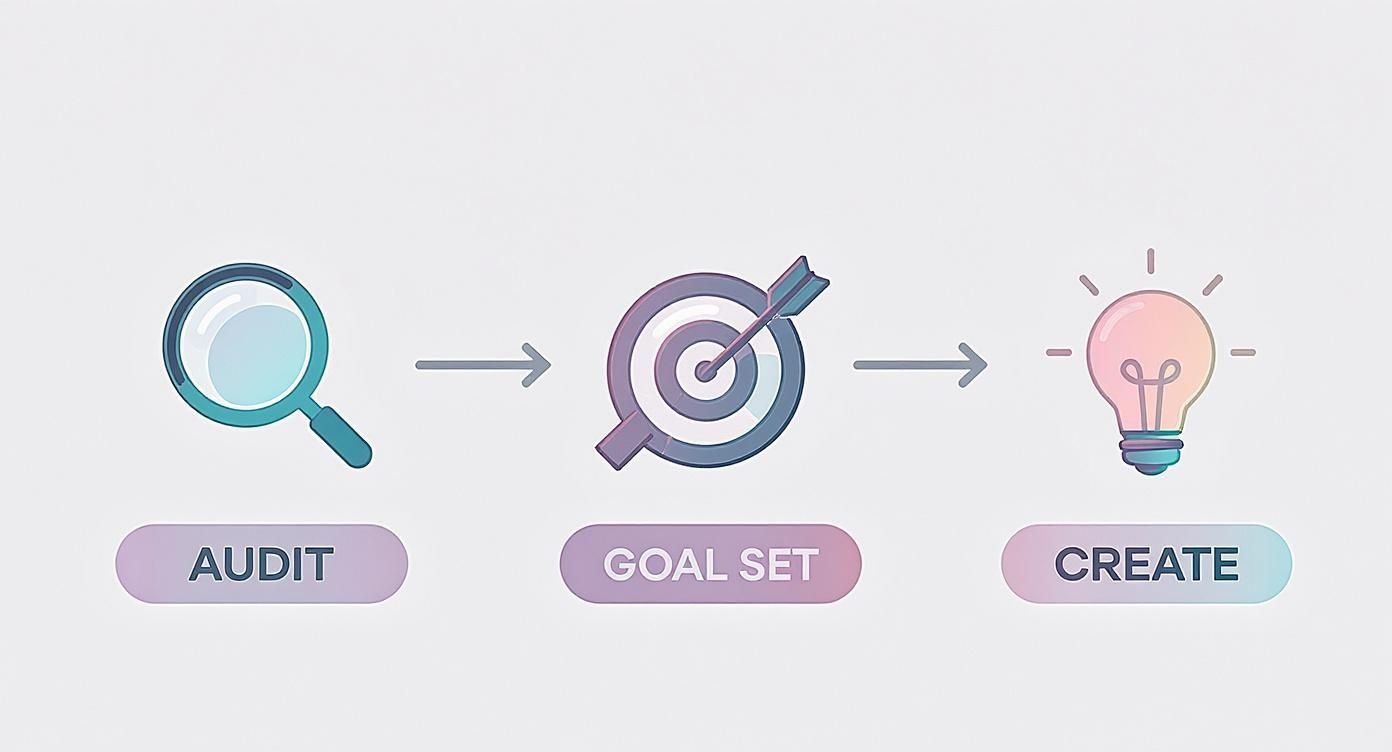
Start with a Simple Audit
Before you can plan your next move, you need to know where you stand. Even if you’re starting from scratch, this step is a must. An audit sounds complicated, but it’s really just a quick reality check.
Productivity Tip: Time-box this task. Set a 30-minute timer and open a simple spreadsheet. Create columns for “Platform,” “Post Type,” “What Worked,” “What Didn’t,” and “Audience Question.” This prevents you from falling down a rabbit hole of analysis.
If you’re a new brand, this could be as simple as looking at your top three competitors. Take note of their most engaging posts, see what questions their audience is asking, and get a feel for their overall tone. What are they nailing, and where are the gaps you could fill?
For those with an existing account, take a look at your last 10-15 posts.
Spot the winners: Which posts got the most likes, comments, or shares? Pay attention to the format (video, carousel, single image) and the topic.
Analyze the duds: What fell flat? Was it a boring topic, or did you use the wrong format?
Check your bio: Does it clearly state who you are and what you do? A killer bio is non-negotiable. To get this right, you can learn more about what a social media bio is and how to make it work for you.
This quick analysis gives you immediate, real-world data to guide what you do next.
Define Your Purpose with SMART Goals
Vague goals like “get more followers” won’t get you very far. You need to connect your social media efforts to actual business outcomes using the SMART framework (that’s Specific, Measurable, Achievable, Relevant, and Time-bound).
A goal without a plan is just a wish. Setting clear, measurable objectives turns abstract ambitions into a concrete action plan, giving every post you create a distinct purpose.
Practical Example: A productivity coach wants to grow their email list. Instead of a vague goal, they set this: “Increase email newsletter sign-ups from Instagram by 15% in the next quarter by promoting our ‘5-Day Focus Challenge’ lead magnet three times a week via Reels and Stories.” This goal is specific, you can measure it, and it directly helps the business grow.
Understand Your Ideal Audience
This is the most important piece of the puzzle. You have to know your audience inside and out. Go beyond basic demographics and create detailed personas that feel like real people with real needs.
Workflow Suggestion: Create a simple “Audience Persona” document in a tool like Google Docs. Answer these questions:
What are their biggest frustrations or pain points in their daily lives? (e.g., “Juggling client work and finding new leads.”)
What kind of content do they hit “save” on or share with their friends? (e.g., “Quick tech tutorials, motivational quotes from founders.”)
Which platforms are they scrolling on to unwind versus to learn something for work? (e.g., “TikTok for fun, LinkedIn for industry news.”)
A freelance graphic designer might realize their target audience (startup founders) uses Instagram for visual inspiration but hops over to LinkedIn for solid business advice. That single insight tells them exactly where to post certain types of content to get the best results.
Trying to be everywhere at once is a classic recipe for burnout, not growth. I’ve seen it happen time and time again. The real key to building a social media presence is focusing your energy on the platforms where your ideal audience is already hanging out and paying attention.
Don’t just jump on the biggest networks because they’re popular. You need to match the platform’s culture to your brand’s voice. This one strategic choice is the difference between shouting into an empty room and actually starting conversations that matter.
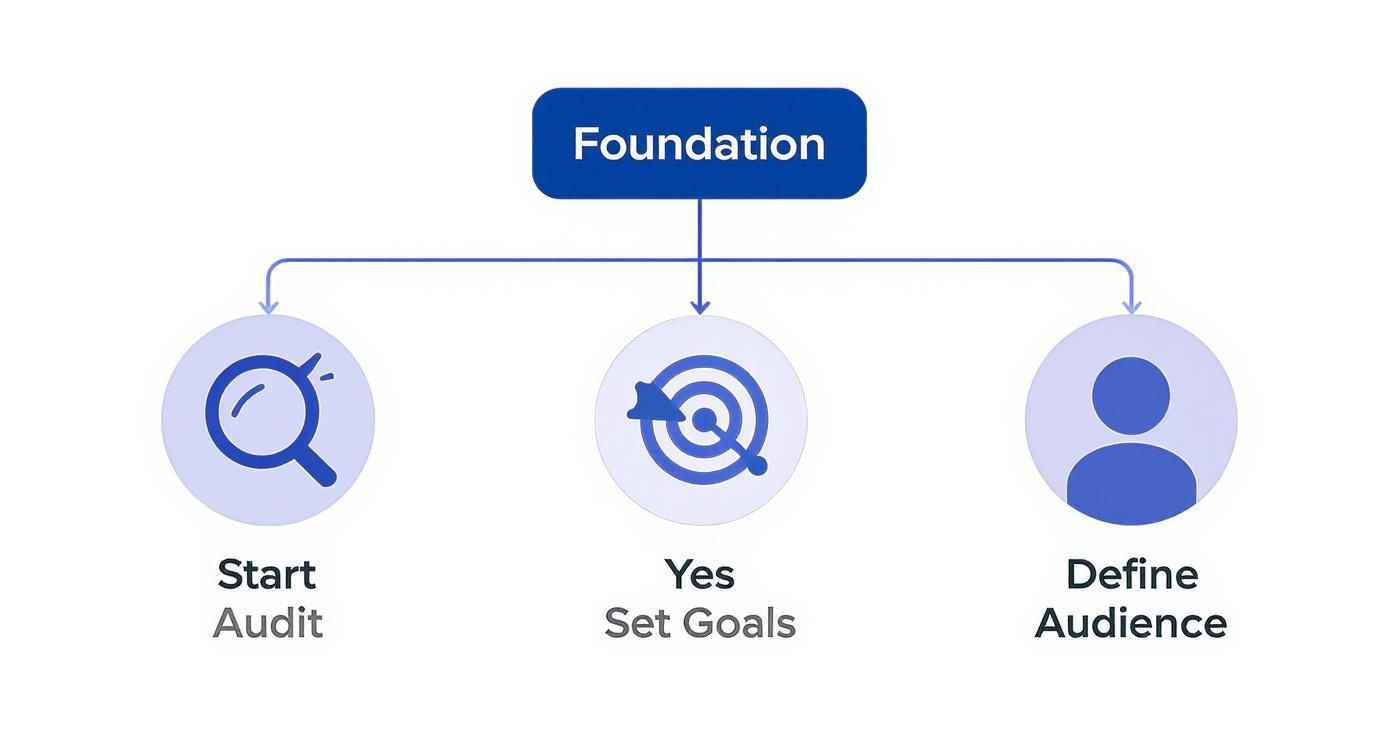
This decision tree gives you a good look at how the foundational pieces fit together.
As you can see, picking your platforms should come after you’ve figured out your audience and goals. It makes every move you make a strategic one.
Aligning Your Brand with Platform Culture
Every social platform has its own vibe—unspoken rules, preferred content formats, and audience expectations. If you want your content to feel like it belongs, you have to adapt your message to fit the environment.
Take a B2B SaaS company, for example. They’ll get way more traction publishing in-depth articles and case studies on LinkedIn, where the audience expects professional, educational content. On the flip side, a direct-to-consumer fashion brand will thrive on the visual, trend-driven world of TikTok.
Here’s a quick workflow I use for adapting a single piece of content:
Core Message: Start with one central idea, like “Our new software feature saves users 5 hours a week.”
LinkedIn Version: Write a detailed post explaining the problem, the solution, and the business impact. Go for depth.
Instagram/TikTok Version: Create a 15-second Reel showing a user’s frustrated “before” and a relieved “after” using the feature. Quick and visual.
X (Twitter) Version: Craft a short, punchy thread of 3-4 posts. Lead with a key stat, add a user quote, and drop a link to a blog post.
Analyzing Demographics and User Behavior
Knowing who uses each platform is critical. You have to make sure your message is actually reaching the right people. While giants like Facebook and Instagram still pull in massive numbers, how people use them is always changing.
Choosing the right platform means going beyond sheer user numbers. It’s about finding the specific digital spaces where your unique audience is most receptive to your message and ready to engage.
This is central to growing your social media presence effectively. While the leading platforms dominate, emerging networks like Threads shot out of the gate in 2023 as the fastest-growing social platform across generations, showing a real demand for real-time news and community.
At the same time, platforms built on conversation like Reddit and X saw major growth in 2024 as social discourse heated up. Diving into social media marketing statistics can help you get a handle on these trends.
Productivity Tip: Don’t get lost in data. Each month, spend one hour reviewing your top platform’s native analytics. Look for the “Audience” tab to check demographics and active times. This is enough to make informed decisions without getting overwhelmed.
Once you analyze where your specific audience spends their time, you can invest your resources with confidence and get a much higher return on your efforts.
Developing a High-Value Content Strategy
Let’s be real: “posting consistently” is tired advice. Great content is what actually drives growth on social media, and that requires a smart strategy to attract, engage, and keep your audience coming back.
Before you can do any of that, you need a winning social media content strategy as your foundation. This is what stops the endless, panicked cycle of “what do I post today?” and replaces it with a purposeful system. It’s about creating real value, not just adding to the noise.
Implement a Content Pillar System
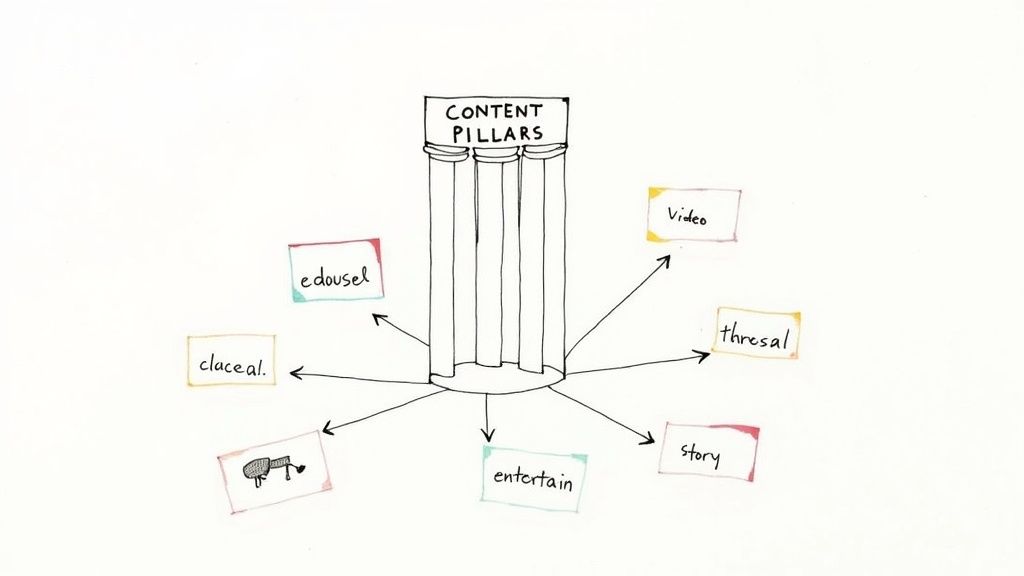
Instead of coming up with random, one-off posts, think bigger. A content pillar system has been a complete game-changer for my own productivity and consistency. The idea is to identify 3-5 core themes or topics that your brand can truly own. These become your pillars.
Practical Example: A financial advisor who works with freelancers might build their strategy around these pillars:
Pillar 1: Tax Tips for Solopreneurs
Pillar 2: Investing Basics for Beginners
Pillar 3: Managing Variable Income
Each pillar becomes a deep well of ideas you can draw from for months. Just one pillar like “Tax Tips” can easily spin off into dozens of smaller, valuable content pieces. If you want a deeper dive, we have a whole guide on how to structure your content using content pillars.
Repurpose Content Like a Pro
Now for the fun part—making those pillars work for you. One single core idea can be sliced, diced, and repurposed across different formats to maximize its reach and hit different parts of your audience.
Here’s a practical workflow for the “Tax Tips” pillar:
Long-Form Content: Kick things off with a detailed blog post titled “Top 10 Tax Deductions Every Freelancer Misses.”
Short-Form Video (Reels/TikTok): Turn each of the 10 deductions into its own punchy, 30-second video. Use a tool like Captions to add auto-subtitles.
Carousel Post (Instagram/LinkedIn): Design a simple 10-slide carousel in Canva that summarizes the blog post. Each slide breaks down one deduction with a clean graphic.
Thread (X/Threads): Chop up the key points into a 5-part thread, and be sure to end with a question to get the conversation started.
This single workflow turns one big effort into weeks of high-value content. It’s an incredible time-saver.
A great content strategy isn’t about creating more; it’s about getting more from what you create. Repurposing your core ideas ensures you work smarter, not harder, to grow your social media presence.
Manage Your Workflow with a Content Calendar
An organized content calendar is your single source of truth. It’s what saves you from the last-minute scramble and keeps your presence consistent. You don’t need anything fancy; tools like Notion or Trello are perfect for this.
Here’s a productive workflow using a simple Kanban board:
Idea Backlog: A brain dump for all your raw ideas.
To Create: Posts you’ve committed to producing this week.
In Progress: What you’re actively working on right now.
Ready for Review: Content that’s waiting for a final proofread.
Scheduled: Approved posts that are loaded up and ready to go live.
This visual workflow takes the chaos out of content creation. It helps you spot gaps in your schedule and keeps you on track to actually meet your goals. By putting these systems in place, you’ll find yourself consistently creating content that educates, entertains, and grows your audience.
Mastering Engagement and Building a Loyal Community
Let’s be real: follower count is a vanity metric. True social media growth isn’t about how many people follow you; it’s about building an active, loyal community that actually cares about what you have to say.
Creating great content gets you in the game, but sparking real conversations is how you turn passive scrollers into genuine brand advocates. This is where you master the art of engagement.
This shift in thinking is more critical than ever. The explosion of social media users is staggering—from roughly 2.08 billion in 2015 to a projected 5.24 billion by 2025. You can dig into the numbers and discover insights about social media user growth on Backlinko. While that’s a massive potential audience, it also means the competition for attention is insane. Genuine connection is what will make you stand out.
Spark Conversations with Intentional Content
Every single post should feel like an invitation to interact. Instead of just broadcasting facts, craft your captions to pull people in and get them talking. This means moving beyond the tired “what do you think?” and asking smarter, more targeted questions.
Practical Example: A company that sells a productivity tool posts a photo of a chaotic desk and asks, “What’s the one organization hack you absolutely can’t live without?” It’s specific, easy to answer, and speaks directly to your audience’s daily struggles.
You should also lean into the interactive features these platforms offer:
Instagram Stories Polls: A local coffee shop could ask, “Morning Brew: Hot Latte or Iced Americano?” A simple “This or That” poll gets instant feedback.
LinkedIn Quizzes: A B2B marketing agency might create a quick quiz like, “What’s Your Marketing Superpower?” to engage professionals in a way that feels fun, not formal.
X Questions: A tech startup could ask, “Which AI tool has actually saved you the most time this week?” to get people sharing their favorite tools and tips.
The goal isn’t just to rack up comments. It’s to start a real conversation that makes your followers feel seen and heard. Every interaction is a deposit into your community’s trust bank.
Make Your Audience Feel Valued
Your response matters just as much as your post. Think of your comment section and DMs as the central hubs for your community. When you acknowledge and thoughtfully reply, it shows there’s a real person behind the account who actually cares.
Productivity Workflow: To make this manageable, set aside two 15-minute blocks each day—one in the morning, one in the afternoon—just for engagement. Use a timer to stay focused. During this time, reply to comments, answer DMs, and even jump into conversations on other accounts in your niche. If you want a deeper dive, our guide on what is social media engagement breaks down all the different facets of interaction.
And don’t forget to celebrate your audience. Showcasing user-generated content (UGC) is one of the most powerful ways to build loyalty. When a customer posts about your product, reshare it to your Stories and thank them by name. It’s powerful social proof and makes that person feel like they’re a core part of your brand’s journey.
Effective Community Engagement Tactics
Tactic
Description
Primary Benefit
Example Platform
Ask Open-Ended Questions
Prompt followers with questions that require more than a “yes” or “no” answer.
Sparks deeper conversation and provides valuable audience insights.
LinkedIn, X
Run Polls & Quizzes
Use built-in features to ask for opinions or test knowledge in a fun, low-effort way.
Boosts interaction rates and helps you gather quick feedback.
Instagram Stories, LinkedIn
Feature User-Generated Content
Reshare photos, videos, or testimonials created by your followers (with credit).
Builds strong community bonds and provides authentic social proof.
Go beyond a simple emoji or “thanks” by asking follow-up questions or adding value.
Shows you’re listening and encourages others to join the conversation.
All Platforms
Putting these tactics into practice consistently is what transforms a passive audience into a thriving community. It takes time, but the payoff is a loyal following that trusts and champions your brand.
Amplifying Your Reach with Video and Paid Ads
Organic growth is your foundation, but if you really want to pick up speed, you need to think about amplification. Once you have a steady stream of good content, video and paid social ads are how you pour fuel on the fire.
Think of it this way: organic reach gets your content in front of your current followers. Paid reach, on the other hand, introduces you to thousands of potential new ones who fit your ideal customer profile perfectly.
Embrace Short-Form Video for Discovery
If you’re not making short-form video on platforms like TikTok and Instagram Reels, you’re missing out on one of the biggest discovery engines online. The algorithms on these platforms are built to push compelling videos to new audiences, giving even small accounts a massive shot at visibility.
A productive workflow for creating video:
Batch Your Ideas: Set aside an hour a week to brainstorm 5-7 video ideas. A productivity coach could list topics like “3 ways to beat procrastination” or “My favorite focus-timer app.”
Film in One Go: Shoot all your clips at once. This saves a ton of setup time and helps you stay in a creative headspace.
Use Simple Editing Tools: Apps like CapCut or the built-in editors on Instagram and TikTok are more than enough. You can add text overlays, trim clips, and drop in trending audio in minutes.
The goal here is to provide quick, digestible value. Imagine a local bakery creating a 15-second Reel showing the mesmerizing process of frosting a cake, set to a popular song. It’s simple, visually appealing, and super shareable.
Launching Your First Smart Ad Campaign
Paid social advertising can feel intimidating, but a smart strategy starts small and focuses on a single, clear goal. Don’t just hit the “boost” button on a post—build a real campaign with a specific purpose.
First, what are you trying to accomplish? Are you looking to build brand awareness, generate leads, or drive people to your website? Your objective will shape your entire strategy, from the creative you use to the audience you target.
Practical Example: A business that sells custom pet portraits shouldn’t target all pet owners. A much smarter move would be to target users who have shown interest in pages like “Dog Lovers of Austin” and have recently engaged with pet-related content. This kind of precision ensures your ad dollars are spent reaching the people most likely to convert.
Paid advertising isn’t about outspending your competition. It’s about out-targeting them. A small, highly-targeted campaign will always outperform a large, generic one.
When you combine video with paid ads, the results can be incredibly powerful. The digital video ad market is projected to hit $140.18 billion by 2025, and a big reason for that is that 78% of people prefer learning about products through video. If you want to dig deeper into these trends, you can explore the latest social media statistics on Sprout Social.
Productivity Tip: Don’t get overwhelmed by ad metrics. Start with a small budget ($5-$10 per day) and watch two key numbers: Click-Through Rate (CTR) and Cost Per Click (CPC). If an ad has a high CTR and a low CPC after three days, consider increasing its budget. If not, pause it and test a new one. This loop of testing and optimizing turns a small investment into significant growth.
Common Questions About Social Media Growth
Digging into social media growth brings up the same handful of questions time and time again. Getting clear, no-nonsense answers is the key to focusing your energy where it actually counts. Let’s tackle some of the most common hurdles you’ll run into.
How Long Does It Take to See Real Growth?
There’s no magic number here. Anyone who tells you otherwise is selling something. Your timeline depends entirely on your niche, how good your content actually is, and your consistency.
That said, if you stick to a solid strategy, most accounts start to feel real momentum within 3 to 6 months.
Practical Expectation: In month 1, you’re testing and learning. By month 3, you should see consistent engagement from a small, core audience. By month 6, that engagement should start translating into measurable growth in reach and website clicks. Growth is almost never a straight line. It starts slow—painfully slow, sometimes. Then, as the algorithms start to trust your content and your community begins to form, it starts to compound.
True, sustainable growth is a marathon, not a sprint. Stop checking your stats every day and focus on the compound effect of doing good work, consistently, for months on end.
What Are the Most Important Metrics to Track?
It’s so easy to get hung up on your follower count. Don’t. It’s the ultimate vanity metric. The numbers that really matter tell you a much deeper story about how people are actually connecting with what you’re putting out there.
Productivity Suggestion: Create a simple monthly report dashboard. At the end of each month, spend 30 minutes recording these four metrics to track your progress over time.
Engagement Rate: This is your holy grail. Likes, comments, shares, and saves all signal that your content is hitting the mark. This is the clearest sign that you’re providing real value.
Reach: This tells you how many unique eyeballs are seeing your posts. It’s a direct measure of your brand awareness and how far your content is spreading beyond your immediate circle.
Website Clicks: If you’re using social media to drive traffic back to your business, this metric cuts straight to the chase. It tells you if your social efforts are actually moving the needle.
Watch Time & Completion Rate: For any video content, these are non-negotiable. They tell you if you’ve hooked your audience or if they’re just swiping past. A high completion rate is a massive signal of strong interest.
Should I Post More Content or Better Content?
This is the age-old dilemma, but the answer is dead simple: quality always wins.
One thoughtfully crafted, high-value post will do more for you than five rushed, generic ones ever could. Quality is what builds trust, earns shares, and tells the algorithm that your account is worth paying attention to.
Practical Workflow: Start with a posting schedule you can realistically maintain at a high standard (e.g., three high-quality posts per week). Once that workflow feels easy, you can consider ramping up the frequency. Never sacrifice quality just to post more often. This is exactly where a content pillar strategy becomes a lifesaver—letting you create multiple top-notch assets from a single core idea.
Ready to stop guessing and start growing? Postful is the AI-powered social media tool that makes creating high-quality content simple and consistent. Join the waitlist today to get early access and build your presence with confidence. Join the Postful waitlist.
Choosing the right platform to find local leads can make or break a service professional’s business. With so many options available, Thumbtack and Angi remain two of the most talked-about platforms for contractors, handymen, and other home service providers. But which one truly delivers better local leads in 2025? This article dives into the latest data, user experiences, and industry insights to help you decide where to invest your time and effort.
Understanding the Market Landscape for Home Service Leads
The home services market in the U.S. has been growing steadily, with a total addressable market estimated at $657 billion as of 2025. This represents a healthy 10.9% increase from the previous year, signaling strong demand for tradespeople and service providers nationwide. However, the explosive growth seen during the pandemic has started to slow down, as noted by Angi’s Chief Economist, Mischa Fisher. Consumer spending is stabilizing, which means platforms must innovate to keep attracting both professionals and customers.
Despite the market’s size, finding quality leads remains a challenge. Service pros often rely on platforms like Thumbtack and Angi to connect with homeowners, but the experience can be frustrating. Venkatesh Ragala, CEO of InstaService, highlights this pain point: traditional platforms often trap homeowners in a cycle of waiting for quotes, unclear pricing, and uncertainty about whether a provider will even show up. This frustration impacts the entire ecosystem, from lead generation to job completion.
Given this context, it’s crucial to evaluate how Thumbtack and Angi stack up in 2025, especially as Angi recently introduced AI-driven tools to enhance the customer experience. These innovations aim to streamline the process, allowing homeowners to receive instant quotes and connect with service providers in real-time, thereby reducing the anxiety associated with home repairs. Furthermore, the integration of customer reviews and ratings into these platforms has become increasingly sophisticated, enabling users to make more informed decisions based on the experiences of others.
Moreover, the competitive landscape is evolving as new players enter the market, each vying for a share of the lucrative home services pie. Startups are leveraging technology to create niche platforms that cater to specific trades, such as plumbing or electrical work, offering tailored solutions that traditional platforms may overlook. This diversification not only enhances the customer experience but also provides service professionals with targeted leads that are more likely to convert into jobs. As the market continues to mature, understanding these dynamics will be essential for both service providers and consumers navigating the complex world of home services.
Thumbtack’s Reach and User Experience in 2025
Thumbtack continues to be a popular choice among independent service professionals. It offers a straightforward interface where pros can find local leads by bidding on jobs posted by homeowners. This model gives providers some control over pricing and project scope, but it also means competition can be fierce, especially in saturated markets. The platform has introduced features aimed at enhancing user experience, such as improved filtering options that allow professionals to target specific job types or client demographics, making it easier to find the right leads.
In terms of platform traffic, Thumbtack’s reach is significant but still trails behind some competitors. For example, in June 2023, Angi’s platform received 3.9 million hits, while HomeAdvisor’s combined platforms (part of the Angi family) garnered 10.1 million hits, indicating a broader audience reach. Thumbtack’s traffic, while robust, does not match this scale, which can impact the volume of leads available to service pros. However, Thumbtack has been actively working on partnerships and marketing campaigns to boost its visibility, aiming to attract more users and create a more vibrant marketplace for its professionals.
That said, Thumbtack’s strength lies in its simplicity and the ability for pros to directly engage with potential clients. It also appeals to those who prefer a more hands-on approach to managing leads and pricing. However, many service providers find marketing themselves beyond the platform challenging, as social media and brand-building often require additional time and skills outside their trade expertise. To address this, Thumbtack has begun offering educational resources and webinars, helping users learn how to effectively market their services and leverage digital tools to enhance their visibility.
Marketing Challenges for Thumbtack Users
Many independent professionals using Thumbtack struggle with marketing beyond the platform. They often document their work with photos and reviews but don’t repurpose this content to build a broader brand presence. This limits their ability to attract repeat clients or referrals outside the platform’s ecosystem. Additionally, the lack of a cohesive marketing strategy can leave service providers feeling isolated and unsure of how to grow their businesses in a competitive landscape.
For service pros looking to grow organically, tools that help turn daily work into social media content can be game-changers. Campaigns like “Service Pros + Lead Platforms” emphasize the importance of bridging lead platforms with long-term marketing strategies to build sustainable businesses. By integrating their Thumbtack profiles with social media accounts and utilizing customer testimonials effectively, service providers can create a more comprehensive online presence. Furthermore, Thumbtack has started to highlight success stories from its users, showcasing how effective marketing strategies can lead to increased bookings and client loyalty, inspiring others to follow suit and invest in their personal brands.
Angi’s Innovations and Market Position in 2025
Angi, formerly known as Angie’s List, has been a staple in the home services industry for decades. In its 30th year, Angi introduced an “AI Helper” in June 2025 designed to streamline the service request process. This AI-driven feature aims to reduce friction for homeowners by providing clearer pricing and faster responses, addressing some of the frustrations highlighted by industry experts.
Despite reporting a 12% decline in revenue in Q2 2025 compared to the previous year, totaling $278.2 million, Angi remains a dominant player. This dip reflects the market’s normalization after pandemic-driven surges rather than a loss of relevance. The company’s focus on technological innovation and user experience improvements positions it well for future growth.
Angi’s platform also benefits from a vast user base. The combined traffic of Angi and HomeAdvisor platforms outpaces competitors, giving service pros access to a larger pool of potential clients. This scale can translate into more consistent lead flow, especially for those who leverage the platform’s full suite of tools.
Tradespeople Satisfaction and Career Outlook
Angi’s “Skilled Trades in America Report” reveals that 90% of tradespeople are satisfied with their careers, up from 83% since the pandemic. This positive sentiment reflects a stable and growing workforce eager to meet homeowner demand. For service pros, this means a competitive but vibrant market where quality and reliability can set them apart.
However, the challenge remains in converting leads into loyal customers. Angi’s AI enhancements and large market presence help streamline this process, but pros still need to actively manage their profiles and reviews to maximize visibility and trust.
Comparing Lead Quality and Volume: Thumbtack vs. Angi
When it comes to lead quality, both platforms have strengths and weaknesses. Thumbtack’s bidding system allows pros to vet jobs and clients before committing, which can lead to better matches but requires more effort. Angi’s AI-powered interface simplifies the process for homeowners, potentially increasing lead volume but sometimes at the cost of less personalized vetting.
Volume-wise, Angi’s broader reach gives it an edge. More platform hits mean more leads, but also more competition. Service providers on Angi need to be proactive in managing their reputation and responsiveness to stand out. Thumbtack users, while facing fewer leads overall, might find higher engagement per lead due to the bidding and direct communication model.
For many service pros, the choice comes down to their business style. Those who prefer a hands-off approach to marketing and want a steady stream of leads might lean toward Angi. Meanwhile, pros who want more control over pricing and client selection might prefer Thumbtack despite its smaller audience.
How to Maximize Leads Regardless of Platform
Regardless of whether you choose Thumbtack or Angi, success depends on more than just signing up. Effective marketing, timely communication, and reputation management are critical. Many service providers find themselves stuck relying solely on platform leads without building their own brand presence.
Campaigns like “Service Pros + Lead Platforms” emphasize practical strategies to bridge this gap. For example, repurposing job photos and client reviews into social media posts can boost visibility and attract repeat business. AI-assisted content creation tools can save time and help pros maintain consistent engagement without needing marketing expertise.
Building a brand beyond lead platforms also offers more predictability and control over your business pipeline. It reduces dependency on fluctuating platform algorithms and fees, giving you a stronger foundation for growth.
Final Thoughts: Which Platform Gets You Better Local Leads in 2025?
Both Thumbtack and Angi have their merits in 2025. Angi’s scale, AI innovations, and broad market presence offer a high volume of leads and a smoother customer experience. Thumbtack’s bidding system and user-friendly interface provide more control and potentially higher-quality engagements for those willing to invest time in managing their leads.
Service professionals should consider their business goals, marketing skills, and preferred level of control when choosing between these platforms. For many, the best approach might be to leverage both while also investing in brand-building strategies outside these marketplaces.
As the home services market continues to evolve, staying adaptable and proactive will be key. Platforms like Angi are innovating with AI to improve user experience, while Thumbtack offers a straightforward path to connect with local clients. Understanding these dynamics helps you make informed decisions that grow your business sustainably.
Ready to turn your daily work into effective marketing content that attracts more clients? Tools like Postful can help you automate social media posting from your job documentation, making it easier to build your brand beyond lead platforms.
Explore more about Angi’s recent developments and market insights here, and learn about the broader home services market growth here. For a deeper dive into the challenges homeowners face with traditional platforms, check out this expert perspective from InstaService’s CEO here.
Boost Your Lead Generation with Postful
As you navigate the competitive landscape of home services and consider platforms like Thumbtack and Angi for local leads, remember the power of a strong social media presence. With Postful, you can effortlessly grow your audience and maintain a consistent brand voice across all your channels. Our AI-powered tool simplifies content creation, tailors messages to your audience, and ensures your social media efforts resonate with potential clients. Ready to amplify your marketing with less effort and more impact? Sign up for Postful today and transform your daily work into compelling stories that attract and retain customers.
This article was assisted with AI. We may include links to partners.
Feeling the pressure to post consistently but staring at a blank screen? You’re not alone. The secret to a thriving social media presence isn’t just about posting more; it’s about posting smarter. By understanding the core social media content categories, you can build a flexible, efficient, and highly effective content strategy that resonates with your audience and banishes creative block for good. A structured approach removes the guesswork, allowing you to plan purposefully and execute faster.
If you’re feeling stuck in a content rut, exploring new approaches can provide valuable inspiration, such as these 12 fresh social media content ideas for 2025 to get your creativity flowing. This comprehensive guide, however, moves beyond individual ideas to give you the strategic framework behind them. We will walk you through 10 powerful content categories, each broken down with practical examples, productivity workflows, and tools to help you create compelling posts without the burnout.
This list is your blueprint for a dynamic content calendar. You’ll learn how to strategically mix and match these types to keep your feed fresh, build a loyal community, and achieve your business goals. Let’s transform your content creation from a daily grind into a strategic advantage that drives real results.
1. Educational/How-To Content
Educational content is a cornerstone of effective social media strategy, designed to teach, inform, and guide your audience. This category includes everything from step-by-step tutorials and in-depth guides to insightful webinars and quick-tip carousels. Its primary function is to provide genuine value by solving a specific problem or answering a burning question, positioning your brand as a credible and trustworthy resource. By empowering your followers with knowledge, you build a loyal community that views you as an authority in your niche.
This approach is highly effective because it directly addresses audience pain points. For example, a marketing agency could create an Instagram Reel demonstrating how to use a new AI tool for content creation, or a financial advisor could post a LinkedIn article breaking down complex investment strategies. These pieces of content don’t just sell; they serve. They are a fundamental part of the “social media content categories” mix because they foster trust long before a transaction ever occurs.
Actionable Tips for Implementation
To maximize the impact of your educational content, focus on clarity and accessibility.
Break Down Complexity: Convert intricate topics into digestible, numbered steps or bullet points. Productivity Tip: Use a tool like Canva to create a reusable template for carousels. This speeds up your workflow, allowing you to simply drop in new text and icons for each tutorial.
Show, Don’t Just Tell: Use video demonstrations to make instructions clearer. Practical Example: A software company can use Loom to create a quick screen recording that walks users through a new feature, making the tutorial far more effective than text alone.
Provide Tangible Resources: Enhance your posts by offering downloadable templates, checklists, or worksheets. Workflow Idea: A productivity coach could link to a free Notion template for weekly planning, capturing email leads in the process.
Stay Current and Accurate: The digital landscape changes fast. Productivity Tip: Set a quarterly calendar reminder to review and update your top-performing “how-to” guides. This ensures they remain relevant and protects your credibility.
2. Behind-the-Scenes Content
Behind-the-scenes (BTS) content pulls back the curtain on your brand, offering an authentic, unpolished glimpse into your daily operations, company culture, and the people who make it all happen. This category includes everything from office tours and production process videos to “day in the life” vlogs and candid team moments. Its core function is to humanize your brand, transforming a faceless entity into a relatable group of people working towards a common goal. By showcasing the real and raw, you build deeper trust and a more personal connection with your audience.
This strategy is powerful because it fosters transparency and relatability, key drivers of consumer loyalty. For instance, a small e-commerce brand could share an Instagram Story of their team packing orders, or a tech startup could post a TikTok showing a brainstorming session for a new feature. These glimpses are a vital part of the “social media content categories” because they show the effort, passion, and personality behind the final product. This authenticity makes your brand more memorable and builds a community that feels genuinely connected to your journey.
Actionable Tips for Implementation
To create impactful behind-the-scenes content, prioritize authenticity over perfection.
Show the Process, Not Just the Product: Use your phone to record short clips of product creation, service delivery, or event setup. Tool Suggestion: Apps like CapCut or InShot make it easy to quickly edit these clips into engaging montages for Reels or TikTok on the go.
Spotlight Your Team: Introduce your employees through brief Q&A sessions or “takeovers” on Instagram Stories. Practical Example: A “Meet the Team Tuesday” feature where a different employee shares a fun fact and their favorite part of the job.
Document Challenges and Wins: Share the journey of overcoming a tough project or celebrating a small victory. This narrative arc is compelling and makes your brand’s story more relatable. Workflow Idea: Keep a running list of “small wins” in a shared document so you always have content ideas ready.
Go Live Spontaneously: Use Instagram Live or TikTok LIVE to host impromptu Q&A sessions from your workshop, office, or while unboxing new supplies. This raw, unfiltered format encourages direct audience engagement and builds community.
3. User-Generated Content (UGC)
User-Generated Content (UGC) is the authentic material created by your audience rather than your brand. This powerful category includes everything from customer photos and video testimonials to unboxing clips and positive reviews shared on social media. Its core function is to leverage genuine customer advocacy as a form of social proof, building unparalleled trust and community engagement. By showcasing real people using and loving your products, you transform customers into your most credible marketers.
This approach is exceptionally effective because it provides an unbiased, third-party endorsement that resonates deeply with potential buyers. For example, GoPro’s entire marketing strategy thrives on showcasing thrilling adventure videos shot by its customers, while Starbucks’ #RedCupContest turns a simple seasonal product into a viral, interactive campaign. To fully leverage User-Generated Content, it’s essential to grasp its fundamental meaning and significance. Understanding the UGC Meaning: A Complete Guide for Creators can help you build a more effective strategy. As one of the most persuasive social media content categories, UGC fosters a sense of community and provides authentic content that modern consumers crave.
Actionable Tips for Implementation
To successfully integrate UGC, you need a system for encouraging, collecting, and showcasing it.
Create a Branded Hashtag: Launch a simple, memorable hashtag (like Lululemon’s #thesweatlife) and promote it in your bio, posts, and even on packaging to easily track submissions. Tool Suggestion: Use a social listening tool like Sprout Social or Agorapulse to monitor your hashtag automatically.
Incentivize Participation: Run contests or offer features on your main page to motivate users to share. Practical Example: A local cafe can offer a free coffee to anyone whose photo is featured on their Instagram grid for the week.
Always Ask for Permission: Before reposting any customer content, send a direct message to ask for permission to feature it. This shows respect for your community and protects your brand legally. Workflow Tip: Create a saved reply/template message to quickly request permission, streamlining the process.
Showcase and Engage: Feature the best UGC prominently on your profile, in your Stories, or even in your ads. Always tag and engage with the original creator to thank them and strengthen the relationship.
4. Entertaining/Humor Content
Entertaining content is designed to amuse, delight, and make your audience laugh. This category thrives on memes, witty commentary, funny videos, and humorous takes on trending topics. Its primary purpose is to humanize your brand and create an emotional connection with followers, making your profile a source of enjoyment rather than just information or sales. By delivering a dose of humor, you foster a memorable brand personality and encourage high levels of engagement, including likes, comments, and shares.
This approach is powerful because it taps into the core reason many people use social media: to be entertained. For instance, Wendy’s has built an entire brand persona around sarcastic Twitter roasts, while Duolingo uses its unhinged owl mascot in absurdist TikTok videos to stay culturally relevant. These brands understand that humor is a key part of the “social media content categories” mix because it makes them relatable and shareable. It builds brand affinity in a way that purely promotional content cannot.
Actionable Tips for Implementation
To effectively integrate humor, ensure it aligns with your brand voice and audience.
Stay Current with Trends: Use tools like Google Trends or TikTok’s “For You” page to spot emerging memes and audio. Tool Suggestion: Use a template editor like Kapwing or Canva’s video editor to quickly create your own version of a trending meme.
Match Humor to Brand Personality: Your humor should feel authentic. Practical Example: If your brand is quirky and playful (like an indie bookstore), absurdist humor might work. If it’s more sophisticated (like a law firm), witty wordplay is a better fit.
Know Your Platform’s Humor: The sarcasm that works on Twitter may not land on LinkedIn. Adapt your comedic style to fit the unwritten rules and user expectations of each platform.
Punch Up, Not Down: Good humor critiques systems of power or shared frustrations; it doesn’t target vulnerable groups. Workflow Tip: Before posting, run your humorous content by a colleague to get a second opinion and ensure it lands as intended.
5. Inspirational/Motivational Content
Inspirational and motivational content is designed to uplift, encourage, and create a strong emotional resonance with your audience. This category includes everything from powerful quotes and success stories to personal transformation journeys and messages about overcoming adversity. Its goal is to foster a positive connection, making your brand a source of encouragement and aligning it with your audience’s aspirations and values. By sharing content that makes people feel good, you build a community that associates your brand with positivity and resilience.
This approach is powerful because it taps into universal human emotions. For instance, Nike’s campaigns often feature athletes overcoming immense challenges, tying the brand to a spirit of perseverance. Similarly, a business coach might share a client’s success story on LinkedIn, complete with a powerful testimonial, to motivate their followers. These pieces are a key part of the “social media content categories” because they build brand affinity and loyalty on a deeper, more emotional level than purely transactional content.
Actionable Tips for Implementation
To make your inspirational content impactful, focus on authenticity and relatability.
Anchor in Real Stories: Whenever possible, base your motivation on genuine stories from your community, team, or clients. Practical Example: Feature a customer who used your product to achieve a personal goal, and tell their story in their own words.
Be Genuine, Not Generic: Avoid clichés and corporate jargon. Share messages that reflect your true brand values and voice. Brené Brown’s work resonates because it’s rooted in authentic research and personal vulnerability.
Combine Inspiration with Action: Don’t just motivate; empower. Workflow Tip: Follow up an inspirational quote with a practical question in the caption, such as, “What’s one small step you can take today?” to encourage engagement and reflection.
Showcase Diverse Perspectives: Feature a wide range of voices and success stories to ensure your content is inclusive and relatable to a broader audience. This reinforces that success is achievable for everyone.
6. Trending/Newsworthy Content
Trending content taps into the cultural zeitgeist, capitalizing on current events, viral memes, and breaking news to keep your brand relevant. This agile approach, often called real-time marketing, involves joining conversations as they happen, from reacting to awards show moments to participating in trending challenges. Its core function is to boost visibility and showcase your brand’s personality by connecting with what your audience is actively discussing at that moment. By skillfully inserting your brand into these conversations, you can capture significant organic reach and appear current and relatable.
This strategy is powerful because it leverages existing momentum, placing your content directly in front of a highly engaged audience. For instance, Oreo’s famous “Dunk in the Dark” tweet during the 2013 Super Bowl blackout is a classic example of turning an unexpected event into a marketing win. Similarly, brands that create timely content around seasonal holidays or social movements like #BlackLivesMatter demonstrate their values and connect on a deeper level. This is a crucial part of the “social media content categories” mix because it proves your brand is listening and is a dynamic participant in the world, not just a passive advertiser.
Actionable Tips for Implementation
To succeed with trending content, you need a blend of speed, awareness, and judgment.
Establish a Rapid-Response Workflow: Speed is essential. Create a pre-approval process that empowers your social media team to act quickly without getting stuck in bottlenecks. Workflow Suggestion: Use a dedicated Slack channel for real-time ideas where key decision-makers can give a quick thumbs-up or down.
Monitor Trends Proactively: Use tools like Google Trends, BuzzSumo, or the native “Explore” pages on platforms like X (formerly Twitter) and TikTok. Set up keyword alerts to stay ahead of emerging conversations relevant to your industry.
Assess Brand Alignment First: Before jumping on a trend, ask: “Does this align with our brand voice and values?” A forced connection can feel inauthentic and backfire. Not every trend is right for every brand.
Know When to Stay Silent: For sensitive or polarizing topics, the best move is often to listen rather than speak. A misstep can cause significant brand damage, so exercise caution and prioritize respectfulness.
7. Video Content
Video content has become the undisputed king of social media, designed to capture attention, drive engagement, and tell stories in a dynamic way. This category spans everything from polished long-form YouTube videos and viral short-form clips on TikTok and Reels to interactive live streams and personal vlogs. Its core function is to connect with audiences on a deeper, more human level, leveraging motion, sound, and personality to create a memorable brand experience. By incorporating video, you tap into the most consumed format online, positioning your brand as modern and highly engaging.
This approach is dominant because it commands viewer attention and has the highest engagement rates across platforms. For example, a travel agency could create a cinematic YouTube video showcasing a destination, while a fitness coach could post short, high-energy workout clips as Instagram Reels. These pieces of content are essential to a modern mix of social media content categories because they entertain, educate, and build a powerful connection with followers. Creators like MrBeast have built entire empires on long-form challenges, while Charli D’Amelio leveraged short-form dance videos to become a global phenomenon.
Actionable Tips for Implementation
To make your video content stand out, prioritize engagement and platform optimization.
Hook Viewers Immediately: The first three seconds are critical. Start with a compelling question, a surprising visual, or a bold statement to prevent users from scrolling past.
Optimize for Each Platform: Shoot vertically for TikTok, Reels, and Shorts, and horizontally for YouTube. Tailor the length and style to what works best on each platform. For a deep dive, you can learn more about YouTube Shorts.
Add Captions for Accessibility: A significant portion of users watch videos without sound. Tool Suggestion: Use tools like CapCut or Premiere Pro’s auto-captioning feature to add subtitles, making your content accessible to everyone and improving watch time.
Leverage Trending Audio: On platforms like TikTok and Instagram, using trending sounds can dramatically increase your reach. Workflow Tip: Spend 10 minutes each morning scrolling your “For You” page and save relevant trending audio to a collection for future use.
8. Interactive/Engagement Content
Interactive content is specifically designed to transform passive viewers into active participants. This category includes everything from polls, quizzes, and contests to Q&A sessions and challenges that invite your audience to do more than just scroll. Its primary goal is to spark a two-way conversation, making your followers feel seen, heard, and valued. By directly asking for input and encouraging participation, you can dramatically boost engagement metrics and build a more dynamic community around your brand.
This strategy is powerful because it taps into the human desire for connection and involvement. For instance, a coffee shop could run an Instagram Stories poll asking followers to vote on the next seasonal drink, or a software company could host a Q&A on Twitter Spaces with their lead developer. These tactics are essential within the diverse mix of “social media content categories” because they provide invaluable audience insights while making your brand more relatable and accessible. Learn more about the principles of social media engagement.
Actionable Tips for Implementation
To get the most out of your interactive content, make participation irresistible and rewarding.
Keep It Simple: Design your interactive elements to be frictionless. Practical Example: Use one-click polls on Instagram Stories (“This or That?”) or simple “fill-in-the-blank” questions in your captions to maximize participation.
Offer Clear Incentives: Motivate your audience to engage by offering a clear benefit, such as a discount, a shoutout, or entry into a giveaway. A simple contest can significantly boost interaction.
Ask Resonant Questions: Pose questions that genuinely interest your target audience. Workflow Idea: Keep a running list of customer questions from DMs and emails. Turn these into “Ask Me Anything” (AMA) sessions or weekly Q&A posts.
Feature User Submissions: Acknowledge and showcase audience participation. Resharing user-generated content from a challenge or featuring the best comments makes your community feel valued and encourages others to join in.
9. Promotional/Sales Content
Promotional content is the engine of conversion, explicitly designed to drive sales, highlight products, and encourage direct action from your audience. This category includes everything from new product launches and discount announcements to limited-time offers and direct calls-to-action (CTAs). Its primary function is to convert the interest and trust you’ve built into tangible business results, guiding followers from passive consumption to active purchasing. By clearly showcasing your offerings and their benefits, you create a direct path for your audience to become customers.
This approach is highly effective because it capitalizes on purchase intent and creates a sense of urgency. For example, an e-commerce brand like Sephora might use Instagram Stories to announce a 24-hour flash sale with a “swipe up” link, or Shopify merchants might run a targeted Facebook ad campaign for a new product launch. These pieces of content are a vital part of the “social media content categories” mix because they directly translate social media engagement into revenue, justifying the investment in community-building and value-driven posts.
Actionable Tips for Implementation
To maximize the impact of your promotional content without alienating your audience, strike a careful balance and focus on value.
Follow the 80/20 Rule: Aim for a content mix where 80% of your posts provide value (educational, entertaining) and only 20% are directly promotional. Productivity Tip: Use a content calendar with color-coding for each category to visually ensure you maintain this balance.
Create Urgency and Scarcity: Use phrases like “Limited Time Only,” “While Supplies Last,” or countdown timers in your Stories to encourage immediate action. This psychological trigger can significantly boost conversion rates.
Make Your CTA Crystal Clear: Don’t be vague. Use strong, direct action verbs like “Shop Now,” “Book Your Spot,” or “Download the Guide.” Ensure the link in your bio or the swipe-up feature is working and leads directly to the intended page.
Incorporate Social Proof: Pair promotions with customer testimonials, reviews, or user-generated content. Practical Example: A post announcing a discount on a product is far more powerful when paired with a quote graphic from a happy customer.
10. Community/Niche Content
Community/Niche content is created specifically for a highly-targeted group of enthusiasts or professionals, fostering a sense of belonging and deep loyalty. This category moves beyond broad appeal, focusing instead on insider discussions, shared jargon, and specialized knowledge that resonates powerfully with a specific subculture. Its primary function is to build an engaged and dedicated following by demonstrating that you are an authentic member of their tribe, not just an outsider trying to sell to them.
This approach is incredibly effective for building brand advocacy and a loyal customer base. For instance, a brand selling developer tools could actively participate and share valuable insights in a Reddit community like r/webdev, or a gaming hardware company could host a dedicated Discord server for its users to connect and share tips. These pieces of content are a core part of the “social media content categories” because they transform passive followers into active participants and brand ambassadors, creating a defensible moat around your business.
Actionable Tips for Implementation
To successfully leverage community content, prioritize authenticity and genuine participation over overt marketing.
Participate Before You Promote: Spend time in existing communities like specialized subreddits or Facebook Groups to understand the culture, language, and values before you start posting about your brand.
Use Niche-Specific Language: Incorporate terminology, memes, and inside jokes that are unique to the community. This signals that you are an insider and builds immediate rapport. Practical Example: A SaaS company for project managers might use humor related to “scope creep” or Gantt charts.
Create a Dedicated Space: Use platforms like Discord or a private Slack channel to create a hub for your most dedicated fans to interact with each other and your team directly. Tool Suggestion: Circle.so is a great platform for building a branded community space.
Feature Community Members: Spotlight user-generated content, testimonials, or projects from your community members. This rewards active participation and encourages others to get involved.
Memberships, specialist products, thought leadership
Putting It All Together: Your Path to a Smarter Content Strategy
Navigating the world of social media content can feel overwhelming, but it doesn’t have to be a guessing game. By understanding and implementing the ten core social media content categories we’ve explored, you now have a strategic blueprint to build a vibrant, engaging, and effective online presence. The true power lies not in mastering a single category, but in skillfully blending them to create a rich and varied feed that serves every facet of your audience’s needs.
From establishing authority with Educational Content to building trust through authentic Behind-the-Scenes glimpses, each category serves a distinct purpose. UGC fosters community and social proof, while Entertaining Content forges emotional connections. This balanced approach transforms your feed from a one-dimensional sales pitch into a dynamic community hub where followers feel seen, heard, and valued.
Your Actionable Next Steps to a Productive Workflow
For a busy founder or small business marketer, translating this knowledge into a sustainable workflow is the most critical step. Random acts of content rarely lead to consistent results. Instead, it’s time to be intentional.
Here’s how you can start today:
Conduct a Quick Content Audit: Spend 30 minutes scrolling through your last month of posts. Use a simple spreadsheet or notebook to tally which categories you’re hitting and which you’re missing. Are you heavily skewed toward promotional posts? Are you forgetting to ask your audience to engage with interactive content? Identifying these gaps is your first win.
Create a Simple Content Mix Ratio: You don’t need a complex formula. Start with a goal, like the 4-1-1 rule: for every six posts, four are educational or entertaining, one is a soft promotion (like sharing UGC), and one is a direct sales post. This ensures you’re providing value far more often than you’re asking for a sale.
Theme Your Days: To boost productivity and beat creative blocks, assign a content category to specific days of the week. For example: Motivational Mondays (Inspirational), How-To Tuesdays (Educational), We-Did-It Wednesdays (Behind-the-Scenes), and so on. This structure simplifies your brainstorming process immensely.
Batch Your Content Creation: Dedicate a single block of time each week to create all your content. Using this “assembly line” approach, you can film all your videos, design all your graphics, or write all your captions at once, saving countless hours and reducing context-switching.
By systemizing your approach, you move from a reactive content creator to a proactive strategist. This structured workflow is your key to maintaining a high-quality, consistent presence that drives real business growth without causing burnout. You have the categories, you have the strategy; now it’s time to execute.
Ready to turn this strategy into a streamlined, automated workflow? Postful is designed to help you manage all these social media content categories effortlessly. Use our AI-powered idea generator to brainstorm posts for each category and our intuitive scheduler to build a balanced content calendar in minutes, freeing you up to focus on what you do best. Get started with Postful today and take control of your content strategy.
The constant demand for fresh social media content can feel overwhelming, especially for founders, side-hustlers, and small business marketers. Juggling content creation with core business operations often leads to burnout and inconsistent posting. The right social media content creation tools don't just add features; they remove friction, automate tedious tasks, and give you back valuable time to focus on your strategy and growth.
This guide moves beyond generic lists to provide a practical, in-depth analysis of the 12 best platforms designed to boost your productivity and elevate your brand's presence. We cut through the marketing fluff to deliver what you actually need: an honest assessment of key features, ideal use cases, pricing considerations, and notable limitations for each tool.
Whether you're looking for an AI-powered video editor to create Reels in minutes, a design suite to produce stunning graphics without a designer, or a massive library of creative assets, this resource will help you identify the perfect fit for your specific workflow. Each entry includes direct links and screenshots to simplify your evaluation process. Let’s find the right tools to streamline your process, stop the scroll, and help you create engaging content consistently.
1. Postful
Postful positions itself as a premier AI-powered social media assistant, engineered specifically for founders, side-hustlers, and small business operators. It stands out among other social media content creation tools by directly addressing the primary pain point for this audience: the lack of time and consistent inspiration. Instead of presenting a blank canvas, Postful provides a structured workflow that starts with curated post ideas and ready-to-use templates, effectively eliminating the dreaded "what to post" dilemma.
Key Features & Use Cases
Postful’s strength lies in its blend of idea generation and workflow automation. Its on-demand brainstorming tools are a significant productivity booster, allowing you to take a raw concept and instantly expand it into a polished, relevant post. For a practical workflow, a founder could input a simple idea like "new feature launch" and receive multiple angles, hooks, and calls-to-action. They can then select the best one, refine the AI-generated text in seconds, and schedule it for publication, turning a 30-minute task into a 5-minute one.
The platform also automates repetitive tasks like scheduling and recurring content series, which is a game-changer for maintaining a consistent online presence. You can learn more about how a dedicated social media scheduler can boost small business productivity on their blog. This focus on low-friction workflows makes it an exceptionally strong choice for non-marketers who need to achieve professional results without a steep learning curve.
Canva is an indispensable all-in-one design platform that has become a go-to for marketers and creators needing to produce high-quality visuals quickly. It excels at empowering non-designers to create professional-looking social media assets, from Instagram Stories to LinkedIn carousels, without a steep learning curve. Its core strength lies in its massive, well-organized library of templates sized perfectly for every major social network.
The platform’s drag-and-drop interface makes it one of the most user-friendly social media content creation tools available. For a productivity boost, a small business can use the Brand Kit feature to store logos, brand colors, and fonts. A practical workflow would be to create a set of branded templates for different post types (e.g., testimonials, promotions, tips). Each week, a team member can simply duplicate these templates, update the text and images, and generate a week's worth of consistent content in under an hour. With recent additions like the AI-powered Magic Studio, users can perform tasks like background removal or text-to-image generation directly within their workflow. Beyond static images, you can even create stunning mockups directly in Canva to showcase products professionally.
Key Features & Pricing
Feature
Best For
Pricing
Template Library
Rapidly creating on-brand posts, stories, and carousels.
Free plan available.
Brand Kits
Maintaining brand consistency across all social media content.
Included in Canva Pro.
Magic Studio (AI)
Removing backgrounds, generating AI images, and resizing designs.
Included in Canva Pro.
Team Collaboration
Agency workflows and getting stakeholder approvals.
Canva for Teams plan.
Pricing: Canva offers a robust free plan. Canva Pro starts at $14.99/month for one person, with Canva for Teams pricing based on the number of users.
Pros:
Extremely intuitive and easy for beginners to master.
Massive template library accelerates the content creation process.
Brand Kits make it simple to maintain a consistent visual identity.
Cons:
Video editing capabilities are basic compared to dedicated software.
The popularity of its templates means designs can sometimes look generic.
Recent pricing changes for team seats have increased costs for some users.
Adobe Express is the creative giant’s answer to quick and accessible content creation, positioning itself as a powerful alternative for social media managers and creators. It combines a user-friendly drag-and-drop editor with the professional polish of the Adobe ecosystem, granting access to millions of premium Adobe Stock photos, videos, and music tracks. Its key differentiator is the seamless integration with Creative Cloud, making it an ideal choice for teams already invested in apps like Photoshop or Illustrator.
As a social media content creation tool, Adobe Express shines in its ability to handle both graphics and short-form video within one interface. For a productive workflow, a marketing team could have a designer create a branded template in Photoshop and save it as a "Linked Asset." The social media manager can then open this template in Adobe Express, easily update the text and images for a new campaign, and use the built-in content scheduler to plan and publish posts directly to Instagram and TikTok. This ensures brand consistency while empowering the marketing team to work quickly without needing design expertise for every post.
Key Features & Pricing
Feature
Best For
Pricing
Adobe Stock Integration
Accessing high-quality, professional assets without leaving the app.
Included in Premium plan.
Generative AI (Firefly)
Creating unique, commercially safe images and text effects.
Free plan has limited credits.
Content Scheduler
Planning, previewing, and publishing content to multiple platforms.
Included in Premium plan.
Linked Assets
Teams using Photoshop/Illustrator to maintain brand consistency.
Included in Premium plan.
Pricing: Adobe Express offers a free plan with core features. The Premium plan starts at $9.99/month and unlocks all premium content and features.
Pros:
Unrivaled access to premium Adobe Stock assets and fonts.
Seamless integration with the professional Adobe Creative Cloud suite.
Generative AI features are designed to be commercially safe.
Cons:
The interface can feel slightly less intuitive than some direct competitors.
Frequent updates to plan names and features can be confusing for new users.
Mobile app functionality can sometimes lag behind the web version.
CapCut has emerged as a powerhouse video editor, especially for creators focused on short-form vertical content like TikToks, Reels, and YouTube Shorts. Its mobile-first design makes it incredibly fast for on-the-go editing, but its web and desktop versions provide robust functionality for more polished projects. The platform’s key advantage is its deep integration with social media trends, offering a vast library of viral templates, audio clips, and effects that help creators stay relevant with minimal effort.
The interface is intuitive, making complex features accessible to beginners. For a practical productivity example, a creator can see a trending video format on TikTok, find the corresponding template within CapCut, and simply drop in their own clips. The app automatically syncs the footage to the beat of the trending audio. Then, they can use the Auto-captions feature to add subtitles with one click, making a relevant, high-engagement video in under 10 minutes. For small businesses, the Pippit product's script-to-video tools offer another workflow: paste a product description, and the AI generates a shareable video ad concept.
Key Features & Pricing
Feature
Best For
Pricing
Trending Templates
Quickly capitalizing on viral video formats and sounds.
Mostly free.
Auto-Captions
Making videos more accessible and engaging for silent viewers.
Generous free tier.
Pippit AI Suite
Generating scripts, AI avatars, and entire videos from text prompts.
Uses a credit-based system.
Cross-Device Editing
Starting a project on mobile and finishing it on a desktop.
Free feature.
Pricing: CapCut offers a powerful free version. Paid plans, like those for Pippit's AI features, are often based on credit bundles or subscription tiers that unlock more advanced capabilities and cloud storage.
Pros:
Extremely fast and intuitive for creating vertical social videos.
Excellent library of trending templates, effects, and audio.
The free version is incredibly generous and powerful enough for most users.
Cons:
Pricing and credit bundles for advanced AI features can be confusing.
Its availability in certain regions' app stores has been inconsistent.
Primarily focused on short-form video, less ideal for long-form content.
Descript revolutionizes video and audio editing by making it as simple as editing a text document. Its core innovation is transcript-based editing, allowing creators to edit recordings by simply deleting words or sentences from the auto-generated transcript. This workflow is a massive time-saver for anyone repurposing long-form content like podcasts or webinars into short, engaging social media clips. It stands out as one of the most intuitive social media content creation tools for video.
Here's a practical workflow for maximum productivity: a creator uploads a one-hour webinar recording to Descript. The AI transcribes it in minutes. The creator then uses the transcript to find five key "highlight" moments. They copy and paste these text snippets into a new composition, and Descript automatically creates five short video clips. With a single click, the tool removes all filler words ("um," "uh") and applies Studio Sound to improve audio quality. Finally, they add animated captions and export five ready-to-post Reels, turning one long video into a week's worth of content in under an hour. This makes it an essential tool for effective content repurposing strategies.
Key Features & Pricing
Feature
Best For
Pricing
Transcript-Based Editing
Quickly editing long videos and podcasts into social clips.
Free plan available.
Studio Sound
Enhancing audio quality for professional-sounding voiceovers.
Included in Creator & Pro.
Filler Word Removal
Instantly cleaning up interviews, vlogs, and podcasts.
Included in paid plans.
Overdub (AI Voice)
Correcting audio mistakes without re-recording.
Included in Pro plan.
Pricing: Descript offers a free plan with limited features. The Creator plan is $15/month per user, and the Pro plan is $30/month per user.
Pros:
Huge time saver for producing social clips from long recordings.
Best-in-class transcript-based editing workflow.
Simple learning curve for users unfamiliar with complex video editors.
Cons:
Many of the best AI-driven features require paid tiers.
Not a full professional NLE for complex timeline edits or visual effects.
Video export processing can be slow for longer projects.
VEED is a powerful, browser-based video editing platform designed to simplify and accelerate social media video creation. It stands out by packing professional-grade features, like automatic subtitling and AI-driven tools, into an accessible, install-free workflow. This makes it an ideal choice for creators and marketers who need to produce high-quality, engaging video content for platforms like TikTok, Instagram Reels, and YouTube Shorts without getting bogged down in complex software.
For a practical productivity workflow, a social media manager can upload a raw video testimonial from a client. In VEED, they can use the one-click subtitle generation to add captions, apply a branded template with the company logo, and use the background noise remover to clean up the audio. If the client wasn't looking directly at the camera, the manager can apply the eye-contact correction tool to improve engagement. The entire process, from raw footage to a polished, ready-to-publish social asset, can be completed in minutes directly in a web browser.
Key Features & Pricing
Feature
Best For
Pricing
Auto-Subtitles & Translation
Maximizing accessibility and global reach for video content.
Included in all plans.
AI Toolkit
Generating short-form video clips and AI avatars from text prompts.
Credits included in paid plans.
Eye-Contact Correction
Improving audience connection in talking-head or tutorial videos.
Included in paid plans.
Team Collaboration
Sharing projects and getting feedback from team members easily.
Pro & Business plans.
Pricing: VEED offers a free plan with watermarked exports. Paid plans start with the Basic plan at $25/month per user, with Pro and Business tiers offering more features and AI credits.
Pros:
Excellent automatic captioning and translation tools are a huge time-saver.
Fully browser-based, requiring no software installation.
Strong team collaboration features with shared links and workspaces.
Cons:
The AI credit system and pricing tiers can be confusing for new users.
Some users have reported occasional billing and credit allocation issues.
Performance can sometimes be slow with very large or complex video projects.
InVideo is an AI-assisted video creation platform designed for users who need to produce social media videos quickly, without extensive editing experience. It excels at turning ideas into shareable content through its template-driven workflow and powerful AI features. For businesses needing to create social ads, explainer videos, or short-form content for Reels and Shorts, InVideo provides a streamlined path from script to final video, complete with AI-generated voiceovers and avatars.
The platform’s standout feature is its AI script-to-video generator. Here's a practical example of its workflow: a marketer needs to create a short video ad for a new product. They simply type a prompt like, "Create a 30-second video for our new eco-friendly water bottle, highlighting its temperature retention and sleek design." The AI generates a script, selects relevant stock footage of people enjoying drinks, adds text overlays with key features, and syncs a professional AI voiceover. The marketer can then make minor tweaks in the timeline editor, dramatically reducing production time from hours to just a few minutes.
Key Features & Pricing
Feature
Best For
Pricing
AI Script-to-Video
Rapidly generating video ads and explainers from text prompts.
Included in paid plans (credit-based).
Video Templates
Creating consistent, professionally designed social media videos.
Free and paid plans.
Stock Media Library
Finding high-quality B-roll and music without leaving the app.
Included in all plans.
AI Avatars & Voiceovers
Producing talking-head videos without filming or recording audio.
Included in paid plans (credit-based).
Pricing: InVideo offers a free plan with watermarks and export limits. Paid plans start at $25/month, which removes watermarks and provides AI credits.
Pros:
Extremely fast ideation-to-video workflow, ideal for non-editors.
Straightforward templates and a user-friendly editor simplify customization.
Active user community and reliable 24/7 customer support.
Cons:
The free plan is very restrictive with watermarks and output limits.
Advanced AI features like avatars and generation are limited by a credit system.
Lacks the granular control of traditional video editing software.
Placeit by Envato is a powerful asset creation engine, best known for its extensive library of high-quality mockups and templates. It shines for creators and small businesses needing to showcase products, apps, or brand designs in realistic settings without complex software like Photoshop. Its core value is speed and simplicity, turning the often-tedious process of creating professional promotional images into a task that takes just a few clicks.
The platform is one of the most efficient social media content creation tools for generating promotional assets. For a practical example, an e-commerce store owner selling custom t-shirts can upload one design file to Placeit. In minutes, they can generate dozens of professional photos showing different models wearing their shirt in various settings—a coffee shop, a park, a studio. This allows them to create a diverse and realistic-looking product catalog for their Instagram feed without the cost and time of a photoshoot.
Key Features & Pricing
Feature
Best For
Pricing
One-Click Mockups
Product shots, app promos, and branded merchandise visuals.
Included in subscription.
Social & Video Templates
Creating quick, templatized video intros or social media posts.
Included in subscription.
Browser-Based Editor
Users without design software or technical skills.
Included in subscription.
Unlimited Downloads
High-volume creators and agencies needing constant assets.
Available with subscription.
Pricing: Placeit offers an unlimited subscription for $7.47/month (billed annually) which includes access to all mockups, designs, and video templates.
Pros:
Extremely fast and easy for non-designers to create realistic mockups.
Massive library of templates for apparel, devices, and branding.
Unlimited subscription offers incredible value for prolific content creators.
Cons:
The video editor is very basic and not suitable for complex projects.
Customization options are limited compared to professional design tools.
Best for promotional assets rather than everyday social media content.
Envato Elements is a powerhouse subscription service for creators who need a constant stream of diverse assets. Instead of purchasing items individually, a single subscription grants unlimited downloads from a massive library of stock video, music, sound effects, graphic templates, fonts, and photos. This makes it one of the most cost-effective social media content creation tools for agencies and high-volume creators who need a wide variety of assets to produce dynamic content.
The platform’s simple commercial license covers most social media uses, removing legal complexities. For a productive workflow, a content creator can batch-download a collection of video templates for Instagram Stories, a pack of sound effects for transitions, and a new font for a campaign. Once they have these assets, learning how to effectively use templates in their video editor allows them to create a month's worth of cohesive, professional-looking video content in a single production session, saving significant time compared to sourcing assets for each video individually.
Key Features & Pricing
Feature
Best For
Pricing
Unlimited Downloads
High-volume content creators and agencies needing diverse assets.
Included in all plans.
Simple Commercial License
Worry-free use of assets in commercial social media projects.
Included in all plans.
Vast Asset Library
Finding everything from video templates to SFX in one place.
Included in all plans.
Team Plans
Agencies and businesses needing centralized billing and user management.
Team plans available.
Pricing: Individual plans start at $16.50/month (billed annually). Team plans are priced per member, starting at $29.00/month for a team of two.
Pros:
Incredible value for money with its unlimited download model.
Massive variety of asset types supports diverse content needs.
Cons:
Requires an active subscription to license assets for new projects.
Asset quality can vary since it's a marketplace with many contributors.
Can feel overwhelming to navigate without a clear idea of what you need.
Learn more about plans at Envato Elements.
10. Creative Market
Creative Market is a vibrant marketplace for unique, handcrafted design assets from independent creators worldwide. While not an all-in-one platform, it serves as an essential resource for social media managers looking to purchase high-quality, niche templates, custom fonts, graphics, and mockups that stand out from the crowd. Its strength lies in providing curated, stylish assets that help brands avoid the generic look of overused templates found on other platforms.
Unlike subscription services with unlimited downloads, Creative Market operates on an à la carte model. For a practical example, a boutique brand manager could purchase a specific, artist-designed Canva template pack for Instagram that perfectly matches their aesthetic. They can then use these unique templates as the foundation for all their posts, ensuring a distinctive brand presence that doesn't look like everyone else's. The optional membership is a great value for frequent buyers, offering discounts that make this high-quality approach more affordable over time.
Key Features & Pricing
Feature
Best For
Pricing
Asset Marketplace
Finding unique templates (Canva, PSD), fonts, and graphics.
Pay-per-asset.
Membership Plans
Saving money on frequent purchases with discounts and credits.
Starts at $19.95/month.
Independent Creators
Sourcing authentic and specialized design assets.
Varies by creator.
Monthly 'Drops'
Accessing curated bundles of premium, fresh assets.
Included with membership.
Pricing: Assets are priced individually. Membership plans start at $19.95/month, providing credits and discounts.
Pros:
Incredible diversity of high-quality, niche templates from independent designers.
Membership credits offer flexibility and can be applied across the entire site.
Directly supports a global community of independent creators.
Cons:
Assets are purchased individually, there is no unlimited download option.
Users must track individual license terms for each asset they purchase.
The cost can add up quickly if you need many different assets.
Storyblocks is an essential resource for creators who need a constant supply of high-quality, royalty-free assets. It provides a massive subscription-based library of stock video, After Effects templates, motion backgrounds, music, and sound effects, making it one of the most cost-effective social media content creation tools for video-heavy strategies. Its simple, predictable licensing eliminates the legal headaches often associated with using stock media for commercial social channels.
For a highly productive workflow, a video editor can use the Adobe Creative Cloud plugin to browse the entire Storyblocks library without ever leaving Premiere Pro. For example, when editing a YouTube video, they can search for "city aerial drone shot," drag a 4K clip directly into their timeline, search for "upbeat corporate music," and add a track to the audio layer. This seamless integration saves immense time by eliminating the need to download, import, and organize files separately, streamlining the process of adding professional b-roll and audio.
Key Features & Pricing
Feature
Best For
Pricing
Unlimited Downloads
High-volume content creators, agencies, and YouTubers.
Included in All Access plans.
Adobe Creative Cloud Plugin
Streamlining video editing workflows in Premiere Pro.
Included with subscription.
Simple Licensing
Commercial social media use without complex legal worries.
All plans.
Maker for Business
Quickly creating simple videos with an in-browser editor.
Included in higher-tier plans.
Pricing: Plans start at $15/month for limited downloads. The Unlimited All Access plan offers the best value, especially with an annual commitment.
Pros:
Cost-effective for creators who need a large volume of assets.
Predictable, straightforward licensing is ideal for social media publishing.
Adobe plugin significantly improves the video editing workflow.
Cons:
No option to purchase single assets; a subscription is required.
The best pricing value is typically tied to an annual subscription.
The library may not have the niche, highly-specific clips found on premium per-asset sites.
Motion Array is a creative asset marketplace built for video creators, making it an essential resource for producing high-impact social media video content. It moves beyond static templates, offering a vast library of motion graphics, video templates for software like Premiere Pro and After Effects, royalty-free music, and sound effects. For creators focused on YouTube, TikTok, or Instagram Reels, it provides the building blocks for professional intros, transitions, and dynamic text overlays.
Its core value lies in its all-in-one subscription model, granting unlimited downloads of millions of assets. Here's a practical workflow for a freelance video editor: they can download a Premiere Pro template for a "Top 5" list video. They simply replace the placeholder text and video clips with their client's content. Next, they browse the royalty-free music library to find a fitting track. Finally, they export the video and upload it to Motion Array's Review tool to get time-stamped feedback from the client, keeping the entire revision process organized and efficient.
Key Features & Pricing
Feature
Best For
Pricing
Unlimited Asset Downloads
Video editors needing a constant supply of templates and SFX.
Included in all paid plans.
Video Templates
Creating polished YouTube intros, Instagram Reels, and TikToks.
Included in all paid plans.
Royalty-Free Music/SFX
Adding professional audio to social video content.
Included in all paid plans.
Review & Collaboration Tools
Agencies and freelancers managing client feedback on video projects.
Included in paid plans.
Pricing: Motion Array offers a free plan with limited assets. Paid plans with unlimited downloads start at $19.99/month when billed annually.
Pros:
Incredible value with one subscription covering millions of video assets.
Deep library of templates specifically for social video formats.
Team licensing and collaboration features simplify agency workflows.
Cons:
Assets are only available via subscription; no single-item purchases.
Users must carefully review licensing terms for commercial or client work.
Less suited for creators who primarily need static image assets.
Video templates, motion graphics, plugins, unlimited plans
★★★★☆
💰 Subscription — unlimited downloads on paid plans
👥 Video editors & motion designers
✨ Deep template library + review/team collaboration tools
Choosing the Right Tool to Build Your Content Engine
Navigating the vast landscape of social media content creation tools can feel overwhelming, but the journey to finding the perfect fit for your brand is a strategic one. As we've explored, the ideal solution isn't about having the most features; it's about identifying the tool that solves your most significant bottleneck and integrates seamlessly into your workflow. The key is to move from sporadic posting to building a sustainable content engine that fuels consistent growth.
Your final decision hinges on an honest assessment of your team's skills, your primary content format, and your budget. There is no single "best" tool for everyone. A founder focused on building a personal brand with video podcasts will find Descript’s text-based editing revolutionary, while a small e-commerce business will get immense value from Placeit’s quick and professional mockups. The goal is to choose a platform that empowers you to execute your strategy efficiently, not one that adds another layer of complexity to your already busy schedule.
From Selection to Systemization
Selecting a tool is just the first step. The real magic happens when you integrate it into a repeatable system. Don't fall into the trap of using a powerful tool reactively. Instead, build a process around it.
For the Solo Creator: If you're a one-person marketing team, your primary challenge is time. A tool like Postful is designed to tackle the "blank page" problem by generating ideas and drafts, turning a multi-hour task into a few minutes of refinement. Combine this with Canva for quick, on-brand graphics, and you have a powerful, time-saving stack.
For the Visually-Driven Brand: If your strategy revolves around stunning visuals, focus your resources on a robust design platform and a high-quality asset library. A subscription to Envato Elements paired with Adobe Express gives you unlimited creative assets and a powerful editor to bring them to life, ensuring your feed always looks polished and professional.
For the Video-First Strategist: Video content demands the most resources, but tools like CapCut and VEED have dramatically lowered the barrier to entry. They make sophisticated edits, like adding animated captions and transitions, accessible to non-editors. Your system should focus on batch-producing raw footage and then using these tools to efficiently edit and repurpose it for multiple platforms.
Making Your Final Choice
Before committing to a paid plan, leverage free trials to test your top two or three contenders with a real-world project. Can you create a week's worth of content faster? Does the interface feel intuitive or frustrating? The right tool should feel like an extension of your creativity, amplifying your efforts, not hindering them.
Ultimately, the best social media content creation tools are the ones you consistently use. They reduce friction, save precious time, and empower you to show up for your audience day after day. Choose wisely, build a system, and watch your content engine drive meaningful results for your business.
Ready to conquer the blank page and build a consistent content workflow? Postful is an all-in-one AI-powered tool designed for busy founders and marketers. Go from idea to a week's worth of polished social media posts in minutes, not hours, with Postful.
Trying to create social media content that actually converts without a plan is like starting a road trip with no map and an empty gas tank. You'll just spin your wheels.
The most effective (and least stressful) way to approach social media is to nail down your goals, get to know your audience, and define your brand's voice before you even think about opening Canva. This upfront work is what separates a daily content grind from a strategic, goal-driven process that gets real results.
Building Your Foundation for High-Converting Content
Jumping straight into making posts without a strategy is a classic mistake. You might end up with something that looks nice, but it won't be stable, and it definitely won't achieve what you need it to. Taking a little time to build a solid foundation ensures every single piece of content you create has a clear job to do.
This has never been more important. To stay competitive, brands are now expected to publish a staggering 48 to 72 posts per week across all platforms. That's a brutal pace, and without a clear plan, you're just setting yourself up for burnout while creating content that falls flat.
Define Your Primary Content Goals
First things first: what are you actually trying to accomplish? Vague wishes like "get more followers" don't cut it because you can't measure them effectively, and they don't give you any creative direction. Instead, you need to lock in specific business outcomes.
The goals you set will directly shape the kind of content you make.
Brand Awareness: The main mission here is to get your name in front of as many of the right people as possible. Example: Create a shareable infographic that simplifies a complex industry topic, or a humorous Reel that taps into a current trend relevant to your audience.
Lead Generation: This is all about capturing contact info. You’ll create content that pulls people to a landing page. Example: Run an Instagram Story poll and then direct message everyone who answered "yes" with a link to download your free ebook.
Direct Sales: Pretty straightforward. Your goal is to drive purchases. Your content will lean heavily on product demos, customer testimonials, and special offers. Example: Post a short video of a customer unboxing your product, paired with a caption that includes a limited-time discount code.
Productivity Tip: Don't try to cram all three goals into every post. It just muddies the waters. Assign a single, primary goal to each piece of content. This simple focus makes your message sharper and your call-to-action way more effective.
Get to Know Your Audience Deeply
You can't create content that converts if you have no clue who you're talking to. Generic, one-size-fits-all content is the fastest way to get ignored. The real secret is understanding your audience's specific pain points, what motivates them, and even the slang or jargon they use.
This is where creating a user persona becomes a total game-changer. A persona is basically a detailed, semi-fictional profile of your ideal customer. It goes way beyond basic demographics to dig into their daily challenges and long-term goals.
Practical Example: Instead of just targeting "small business owners," you might create a persona for "Sarah, the Side-Hustler." You'd know she's short on time, feels overwhelmed by marketing, and is always looking for a good productivity hack. Suddenly, you know exactly how to craft content that speaks directly to her needs—like a post titled "5 Social Media Tasks You Can Automate in 10 Minutes." (You can learn more about this technique in our guide on what is a user persona).
Before you write a single word, it's worth taking a moment to answer a few core questions. This simple checklist will help you solidify the "who, what, and why" behind your content strategy, making everything that follows much easier.
Your Core Content Strategy Checklist
Component
Key Question to Answer
Practical Example
Primary Goal
What is the #1 business outcome this content should drive?
Increase email subscribers by 15% this quarter.
Target Audience
Who, specifically, are we talking to?
"Sarah, the Side-Hustler," who needs to save time.
Audience Pain Point
What problem are we solving for them?
Feeling overwhelmed by social media marketing tasks.
Brand Voice
How do we want to sound?
Knowledgeable, but friendly and approachable. No jargon.
Call to Action (CTA)
What is the one action we want them to take?
"Download our free content planning template."
Having clear, simple answers to these questions is the blueprint you'll use to build every piece of content. It ensures you’re not just posting for the sake of it, but creating strategic assets that move your business forward.
Finding Your Never-Ending Flow of Content Ideas
That blank social media calendar is a total productivity killer, right? The pressure to come up with something fresh and brilliant every single day is real. But here’s the secret I’ve learned: it’s not about waiting for a flash of genius. It’s about building a system that feeds you ideas on autopilot.
The best way I’ve found to do this is by setting up content pillars. These are simply the three to five core topics your brand will always talk about. Think of them like the main shows on your own little TV network—every post you create should fit neatly into one of these categories.
Let’s say you run a productivity software company. Your pillars might look something like this:
Time Management Hacks: Quick, actionable tips that save your users a few minutes every day.
Workflow Automation: Real-world examples of how people can automate boring tasks in their industry.
Customer Success Stories: Highlighting how actual clients used your tool to hit their goals.
Once you have these pillars, the whole game changes. You stop asking, "What should I post today?" and start asking, "What's a great Time Management Hack I can share this week?" It shifts your brainstorming from chaotic to strategic.
Brainstorming with Purpose
With your pillars in place, it's time to fill that calendar. One of the most powerful things you can do is listen to conversations already happening online. Social listening tools—even the free ones—let you track keywords in your niche. You can see the exact questions, frustrations, and hot topics your audience is buzzing about.
Another pro-move is to check out your competition. Take a look at your top three competitors and see what they’re posting. Pay close attention to their biggest hits—the posts getting all the likes and comments. The goal isn't to copy them, but to spot the gaps. Example: Maybe they're all super technical and post text-heavy graphics. That’s your opening to create simple, engaging short-form videos explaining the same concepts.
Productivity Tip: Stop trying to reinvent the wheel every single day. The best content often comes from what you've already created. A single blog post can be sliced and diced into a dozen social media updates. A key statistic becomes an eye-catching graphic, a core point turns into a short video script, and a customer quote is a perfect testimonial post.
From Ideas to an Actionable Plan
Finally, you need one central spot to wrangle all these ideas. Don't overcomplicate it. A simple spreadsheet or a Trello board is all you need to get started.
Here is a simple, effective workflow using a Trello board:
Idea Bin (Column 1): This is your brain dump. Every single idea, no matter how half-baked, goes here as a card. Example: A card might just say "Reel idea: Pomodoro Technique."
To Be Created (Column 2): Drag ideas you want to work on into this column. Flesh out the card with a draft caption, notes on visuals, and a target publish date.
Scheduled (Column 3): Once the content is created and loaded into your scheduling tool, move the card here.
This simple workflow turns a messy list of thoughts into a clear, functional pipeline. You get a bird's-eye view of what’s coming up, ensuring you never have to face that dreaded blank calendar again.
And if you need even more ways to fill your calendar, check out our massive list of social media content ideas.
Bringing Your Content to Life
Alright, you've got your ideas mapped out. Now for the fun part: turning those concepts into actual posts—the visuals, the copy, the whole package. This is where you move from a frantic, post-by-post scramble to a smooth, repeatable creation process. A modern workflow isn't about having a huge team or a Hollywood budget; it's about using the right tools to create professional-looking content without burning out.
The goal is to build a system that lets you move fast without sacrificing quality. Every post should look and sound like it came from you, consistently.
Use AI Assistants to Beat the Blank Page
We’ve all been there—staring at a blank screen trying to summon the perfect caption. It's a huge time-sink. This is where AI writing assistants like Jasper or ChatGPT can be a game-changer. I use them as a brainstorming partner to get the ball rolling, not as a replacement for my own voice.
The key is giving the AI clear instructions. A productive workflow looks like this:
Give a detailed prompt: "Write three engaging Instagram caption options for a productivity software company. The post is a quick tip about using the Pomodoro Technique. The audience is busy startup founders. The tone should be helpful and concise. Include a question to drive comments."
Select the best option: Choose the draft that's closest to your voice.
Refine and personalize: Tweak the output to inject your brand’s personality, add a specific story or example, and make sure the call-to-action is sharp. This hybrid approach—AI for the first draft, a human for the final polish—can seriously cut your writing time down.
Design Stunning Visuals with Branded Templates
You absolutely do not need to be a graphic designer to create visuals that stop the scroll. Tools like Canva have made it incredibly easy for anyone to design great-looking posts with their drag-and-drop interface and massive template libraries.
The real productivity hack here is to create your own set of branded templates.
This simple flow—from core themes to brainstorming to a filled-out calendar—is what keeps you from panicking about what to post tomorrow. It turns a messy process into something predictable and scalable.
Productivity Power-Up: Create a specific template for each of your main post types. For example, have one design for testimonials, another for quick tips, and a third for announcements. This not only saves a ton of time but also makes your entire feed look cohesive and professional.
Get Comfortable with Short-Form Video
Video is still the undisputed king of engagement. It’s not just a hunch; the numbers back it up. A whopping 78% of people would rather watch a short video to learn about a product, and 93% of marketers are putting more money into social video. You can dig into more stats in this Sprout Social report.
Making engaging videos for Reels or TikTok doesn't mean you need a fancy studio. Your smartphone, some good natural light from a window, and a way to get clear audio are all you really need to get started.
A simple, repeatable workflow:
Script one idea: Write a 3-5 point script for a 30-second video.
Batch record: Film 3-4 videos in one session to save setup time.
Edit simply: Use the native TikTok or Instagram editor to add on-screen text for your key points and find a trending audio track.
The trick is to deliver value fast with a strong hook in the first three seconds. Use on-screen text to grab attention (since many people watch without sound), lean into trending audio when it makes sense, and keep your message focused on one single, powerful idea.
Scheduling and Publishing for Maximum Impact
You’ve created some great content. Now what?
If you publish a killer post when nobody's online, it's like a tree falling in the forest—it doesn't make a sound. The real magic happens when you pair great content with smart scheduling. This is how your hard work turns into actual results, like clicks, shares, and sales.
The single biggest productivity win here is content batching. I can't stress this enough.
Instead of scrambling every single day to come up with a post, you set aside one block of time to create and schedule everything for the week or even the whole month. Example Workflow: Block out Friday afternoon. Spend one hour writing all of next week's captions, one hour creating the visuals in Canva, and 30 minutes loading everything into your scheduler. You get into a creative flow, knock it all out, and reclaim your daily focus for running your business.
Choosing the Right Scheduling Tool
A good scheduling tool is non-negotiable for an efficient workflow. There are a ton of options out there, but they mostly break down into a few categories. Your best bet depends on what you actually need.
For Simplicity and Straightforward Scheduling: I always recommend tools like Buffer for folks just starting out. It's clean, easy to use, and perfect for individuals or small teams who just need to queue up posts across a few platforms without a lot of fuss.
For Visually-Focused Platforms: If your world revolves around Instagram and Pinterest, you’ll probably love Later. It's built from the ground up for visual-first content, with a great drag-and-drop calendar and link-in-bio features.
For Data-Driven Teams: For larger operations or anyone who geeks out on analytics, a platform like Sprout Social is the way to go. It’s more than just a scheduler—it’s a full suite with deep analytics, social listening, and collaboration tools.
My Takeaway: Don't get caught up paying for a bunch of features you'll never touch. Start with a simple, affordable tool. You can always level up later as your strategy gets more complex. For most founders and creators, checking out a good social media scheduler for small business is the perfect first step.
Pinpointing Your Optimal Posting Times
You can find a million articles on Google telling you the "best times to post." And sure, that's a decent starting point. But it’s generic advice.
The real optimal time is when your specific audience is most active and engaged. Guess where you find that info? Right inside your native platform analytics.
Practical Workflow:
Check your insights weekly: On Instagram, go to Insights > Total Followers and scroll down to "Most Active Times." Note the top 2-3 time slots.
Schedule for peak hours: In your scheduling tool, set your most important posts to go live 30-60 minutes before these peak times.
Test and verify: After a few weeks, check the performance of those posts. Did they get more engagement? If so, lock in that schedule. If not, test a different peak time.
This isn't just about getting your content published—it's about getting it seen by the people who actually matter to your business.
Using Data to Optimize Your Content Strategy
Putting out great content is really only half the job. If you’re not digging into the data to see how it performs, you're just guessing—and likely wasting a ton of time on posts that just don't land.
A data-driven mindset turns social media from a shot in the dark into a smart feedback loop. Every post teaches you something, making the next one better.
It's time to stop chasing vanity metrics like follower counts. To understand what's actually growing your business, you have to focus on the numbers that tie directly back to your goals. These are the metrics that tell you if your content is turning browsers into buyers.
Focusing on Metrics That Matter
It's incredibly easy to get lost in the weeds of social media analytics. To stay focused, I always tell people to zero in on just a handful of key performance indicators (KPIs) that show the real-world impact of their work.
Here’s where I’d start:
Click-Through Rate (CTR): This is simple but powerful. It measures how many people who saw your post actually clicked your link. A high CTR is a clear sign your copy and call-to-action are hitting the mark.
Landing Page Views: This metric confirms the journey. It tells you how many people successfully made it from your social post to your intended destination, whether that’s a product page or a blog post.
Cost Per Acquisition (CPA): If you're running any paid ads, this is your north star. It calculates the exact cost to get a new customer from a specific campaign. There's no clearer way to see the direct ROI of your ad spend.
A huge part of this is knowing where you stand in the market. Learning how to calculate Share of Voice is a game-changer for benchmarking your visibility against the competition.
Key Metrics for Measuring Content Performance
Forget the fluff. Focus on these metrics to understand what's truly driving conversions in your social media strategy.
Metric
What It Measures
Why It's Important for Conversion
Click-Through Rate (CTR)
The percentage of viewers who click a link in your post.
Shows if your call-to-action and copy are compelling enough to drive action.
Conversion Rate
The percentage of users who complete a desired action (e.g., a sale or sign-up) after clicking.
The ultimate measure of whether your content is generating business results.
Cost Per Acquisition (CPA)
The total cost of a campaign divided by the number of conversions.
Directly links your ad spend to customer acquisition, revealing true ROI.
Return on Ad Spend (ROAS)
The amount of revenue generated for every dollar spent on advertising.
Provides a clear financial picture of your campaign's profitability.
Engagement Rate
The percentage of your audience that interacts (likes, comments, shares) with your content.
While not a direct conversion metric, high engagement often correlates with higher reach and brand loyalty.
By tracking these numbers, you can get a much sharper picture of what's working and double down on those strategies.
Running a Quarterly Content Audit
To keep your strategy from getting stale, I recommend a quick content audit every quarter. This doesn’t need to be some massive, week-long project.
A Simple Audit Workflow:
Pull the data: In a spreadsheet, list your top 5-10 performing posts and your bottom 5-10 posts from the past 90 days based on your primary goal (e.g., clicks or engagement).
Look for patterns: Do your best posts all feature behind-the-scenes videos? Are they all published on a certain day? Do the duds all have a really vague call-to-action?
Form a hypothesis: Based on the patterns, create an action item. Example: "Hypothesis: Our audience loves video tutorials. Action: Create two more video tutorials next month to test this."
This simple exercise gives you hard evidence of what your audience actually wants to see, not just what you think they want. This process becomes your roadmap for the next quarter.
Your Productivity and Content Creation Questions Answered
Even the most buttoned-up content workflow runs into roadblocks. It's just part of the process. Let's dig into some of the most common questions that pop up and get you some straight answers so you can stay effective and productive.
How Often Should I Post to See Results?
This is the million-dollar question, isn't it? But honestly, there's no magic number.
Consistency always trumps frequency.
A good starting rhythm for many is 3-5 times per week on platforms like Instagram and Facebook, and maybe 1-3 times per day on a faster-moving feed like X.
But here's the real talk: it's so much better to publish three high-quality, thoughtful posts a week than it is to frantically push out ten rushed, low-impact ones. The goal is to find a sustainable schedule you can actually stick to without burning out or letting your quality slide.
Productivity Tip: Start with a schedule you know you can hit, even on your busiest week. If that's only two posts, great. Nail that for a month, then see if you can scale up to three.
What Are the Essential Tools for a Productive Workflow?
You really don't need a huge, expensive tech stack to get things done. In my experience, focusing on just a few core tools makes the biggest difference in your efficiency and the quality of what you create.
Here’s a simple but powerful setup:
For Design:Canva is a non-negotiable. Its drag-and-drop interface and massive template library make it ridiculously easy for anyone to create professional-looking graphics and videos fast.
For Writing: An AI assistant like ChatGPT is perfect for breaking through writer's block. Use it to brainstorm ideas, spitball a few headlines, or get a rough draft on the page.
For Scheduling: A scheduler is your best friend for staying consistent. Tools like Buffer or Later let you batch-create your content and schedule it out, so you aren't chained to your phone 24/7.
For Analytics: Start with the native analytics tools built right into each social platform. They give you all the essential data you need to see what’s working and make smarter decisions.
This simple toolkit covers the entire creative process, from the first spark of an idea to reviewing how it performed. It’s more than enough for most creators and small business owners to produce great content without getting overwhelmed.
How Do I Create Engaging Content for a Boring Industry?
Here’s a little secret: no industry is actually "boring"—it's the storytelling that's boring. If you feel like you're stuck in a dull niche, the fix is to stop talking about your product’s features and start talking about the problems you solve for actual people.
Your content should aim to educate, help, and share human stories. For more on this, you can explore some great personal productivity tips for content creators. This simple shift in mindset opens up a whole new world of content ideas.
Think about a logistics company. Instead of posting dry specs about container dimensions, they could create a fascinating time-lapse video showing the journey a single package takes across the globe. An accounting firm can skip the tax code jargon and instead create a viral Reel on "5 Common Tax Mistakes That Cost Small Businesses Thousands."
Here are a few practical content ideas you can steal today:
Answer Common Questions: What are the top three questions you get from every new client? Turn each one into a helpful video, a quick tip graphic, or a carousel post.
Show What Happens Behind the Scenes: Give people a peek behind the curtain. We're all naturally curious about how things work, even in highly technical fields. Example: An insurance agent could do a "day in the life" Reel showing how they help a client after an accident.
Highlight Your Customer Wins: Share success stories. A real testimonial showing how you helped a client save a ton of time or money is infinitely more powerful than any sales pitch you could write.
When you focus on the value, expertise, and human element of your business, you can create social media content that truly connects with your audience, no matter what industry you're in.
Ready to stop staring at a blank page and start creating content that actually converts? Postful is an AI-powered social media tool built for founders and side-hustlers who need to grow their reach quickly and consistently. Get ready-to-use templates and curated ideas to jumpstart your content creation.
Join the waitlist today to secure early access at https://postful.ai and build a more effective social media presence with less effort.
Getting more engagement on social media isn't about luck or chasing fleeting trends. It all starts with a plan: create content people actually want to save and share, build a real community, and—most importantly—pay attention to your own data to see what’s working.
This isn't just about boosting likes. It's about building meaningful connections that lead to real business results.
Defining Your Engagement Strategy
Before you can get more engagement, you have to define what "engagement" actually means for your brand. It’s so easy to get caught up in vanity metrics like follower counts, but those numbers rarely tell the full story.
Real engagement is about the quality of the interaction, not just the quantity. It’s what builds a loyal community and pushes your business goals forward. So, instead of obsessing over likes, let's shift the focus to actions that signal genuine interest and loyalty.
Moving Beyond Surface-Level Metrics
To make this practical, you need to zero in on the metrics that truly matter. These are the actions that require a little more effort from your audience and show they’re paying attention.
Saves: When someone saves your post, they're bookmarking it for later. It’s a huge signal that your content is valuable and useful. Practical Example: A personal trainer's post with a "5-Minute Ab Workout" video gets a high number of saves because people want to come back to it later.
Shares: A share is a personal endorsement. Someone is putting their own reputation on the line to recommend your content to their friends and followers. Practical Example: A visually appealing infographic on "10 Ways to Reduce Plastic Waste" is highly shareable because it's valuable and makes the sharer look knowledgeable.
Meaningful Comments: A thoughtful comment—one that asks a question, shares an opinion, or tags a friend—sparks a real conversation. Practical Example: A post asking "What's the best career advice you've ever received?" prompts detailed, personal stories, not just one-word replies.
The goal isn't just to be seen; it's to be remembered and valued. Shifting your focus from likes to saves and shares transforms your content from a fleeting impression into a lasting resource for your audience.
Before you can improve, you need to know where you stand. It's time to dig into your metrics to see what’s actually connecting with your audience and what's falling flat.
Engagement Metrics That Actually Matter
This table breaks down the metrics that offer real insight into your performance and how they tie back to what you’re trying to achieve.
Metric
What It Measures
Business Impact Example
Saves
The number of users who saved your post to a private collection.
A high number of saves on a "how-to" guide indicates your audience finds your content useful, positioning you as an expert and building trust for future sales.
Shares
The number of times your content was shared to other users' stories, feeds, or messages.
High share counts on a brand story video can dramatically increase brand awareness and attract new followers who align with your values.
Comments
The number of direct replies to your post (focus on quality over quantity).
A post asking for customer feedback that receives detailed comments can provide valuable insights for product development and improve customer loyalty.
Link Clicks
The number of users who clicked a link in your bio, post, or story.
For an e-commerce brand, a high click-through rate on a story with a product link directly correlates to website traffic and potential sales.
Focusing on these metrics gives you a much clearer picture of what your audience cares about, which is the foundation for any successful content strategy.
Auditing Your Current Performance
Okay, time for a quick, productive engagement audit. You can't improve what you don't measure. Just pull your analytics from the last 30-60 days on whatever platform you use most, whether it's Instagram, TikTok, or LinkedIn.
Productive Workflow:
Block 30 minutes: Put it on your calendar. Don't let other tasks get in the way.
Go to your platform's analytics: On Instagram, head to your Professional Dashboard and look at your Content Interactions.
Identify top 3 posts for Saves & Shares: Don't get distracted by likes. Make a quick note of which posts got the most of these two key metrics.
Ask "Why?": You might find a behind-the-scenes carousel got twice as many saves as your polished product shots. That’s a huge clue! It tells you your audience is hungry for authenticity.
Once you know what's working, you can set clear, achievable goals that actually connect to your business. Ditch the vague "I want more engagement" and get specific.
Here’s what that looks like in practice:
If your goal is brand awareness: Aim to increase shares by 15% next quarter by creating more infographics or relatable memes.
If your goal is lead generation: Focus on bumping up link clicks by 20% by adding stronger, clearer calls-to-action (CTAs) in your captions and Stories. Practical Example: Change "Link in bio" to "Get your free guide to time management at the link in our bio."
If your goal is community building: Set a target to increase meaningful comments by 25% by asking more open-ended questions.
When you define what success looks like and know your starting point, every piece of content you create has a purpose. For a fantastic real-world example, see how one design agency drastically increased Facebook engagement simply by getting strategic with their content.
Creating Video Content That Captures Attention
Let's be honest: video isn't just a "type" of content anymore. On social media, it's the main event. If you want to stop the scroll, get people talking, and build a brand that people actually remember, you have to get good at video. It’s simply non-negotiable.
Don't just take my word for it. Consumers overwhelmingly prefer to learn about new products through short-form video. Marketers are all-in, with 93% of them planning to pour more resources into social marketing, and a huge chunk of that is going straight to video.
The numbers back this up. TikTok's average engagement rate can hit a staggering 7.5% for smaller creators. That completely blows Instagram’s 0.50% and Facebook’s 0.15% out of the water. If you're curious, Sprout Social's full report has a ton of great data on this.
This simple flow chart really drives the point home. Great content isn't just something you create on a whim. It’s the final, crucial step that’s built on a solid foundation of understanding your performance and knowing what you’re trying to achieve.
Mastering the First Three Seconds
The single most important part of your video is the opening. You have about three seconds to give someone a reason to stop their thumb and watch. If your hook misses, nothing else matters.
A great hook usually does one of three things:
Sparks Curiosity: Start with a question or a bold statement. Practical Example: A financial advisor could lead with, "This is the single worst money mistake you can make in your 20s."
Promises Value: Tell them exactly what they're going to get. Practical Example: A productivity coach might say, "Here’s how to get five hours back every week with one simple change." The benefit is crystal clear.
Shows Action: Ditch the slow intro and jump right into the most interesting part. Practical Example: A chef doesn't need to show a pile of ingredients—they should start with the satisfying sizzle of food hitting a hot pan.
The secret to a great hook isn't being loud; it's about being clear and compelling. Promise a solution, an answer, or a story, and you'll earn their attention.
Once you have them, deliver on that promise quickly. If you need some more inspiration, our guide on social media content ideas is packed with concepts you can easily adapt for video.
Choosing the Right Platform for Your Videos
Where you post your video is just as important as what's in it. Every platform has its own vibe, its own culture, and its own audience expectations. A "one-size-fits-all" video strategy is a recipe for failure.
Here’s a quick cheat sheet to help you think about where your videos belong:
Platform
Best For
Content Style
TikTok
Raw authenticity, trends, and pure entertainment.
Lo-fi, personality-first content is king. Think behind-the-scenes, relatable humor, and jumping on whatever sound is trending that day.
Instagram Reels
Aesthetically pleasing, educational, and inspirational stuff.
Polished, high-quality visuals do best here. How-to guides, quick tutorials, and aspirational lifestyle content crush it on Reels.
YouTube Shorts
Quick educational bits, previews, and repurposed clips.
Fast, value-packed, informative videos. It's a fantastic spot for sharing highlights from longer videos or answering a single, specific question.
Practical Example: A boutique coffee shop could use TikTok for a funny clip of a barista’s daily blooper, Instagram Reels for a gorgeous tutorial on latte art, and YouTube Shorts for a 30-second rundown on different coffee bean origins. Same brand, but a smart strategy that plays to each platform’s strengths.
An Efficient Workflow for Creating Short-Form Video
Creating video consistently doesn't have to be exhausting. You don't need a fancy studio—your smartphone and a good plan are all you really need.
Here’s a simple workflow to boost your productivity:
Batch Your Ideas: Set aside one hour a week for brainstorming. Use a simple tool like Google Keep or Notion. Focus on common questions people ask or problems you can solve. For example, a real estate agent could list ideas like "3 Red Flags to Look for During a Home Tour" and "Common First-Time Homebuyer Mistakes."
Script Just the Hook: For each idea, write only the first line. The hook is the most creative part, so give it your full attention. The rest can be more off-the-cuff.
Film in Batches: Find a two-hour block to film several videos at once. This is a game-changer. It saves a ton of time on setup. Just change your shirt or background to keep things looking fresh.
Edit on Your Phone: Use apps like CapCut or InShot. They're powerful and easy to learn. Productivity Tip: Create a template for your brand's font and color for captions to speed up editing. Always add captions (most people watch without sound!), trim out dead air, and add trending audio right in the app.
This approach helps you stay consistent without burning out, which is the key to winning with video.
Transforming Followers Into a Thriving Community
Let’s be honest: a huge follower count looks great on paper, but it doesn't always translate to a healthy brand. The real magic happens when you turn those passive followers into an active, engaged community. This is where you shift from just broadcasting updates to actually starting conversations.
True community is built one interaction at a time. It’s all about making individual followers feel seen, heard, and genuinely valued. When people feel like they're part of something real, they're far more likely to jump into the comments and become your biggest advocates.
Write Captions That Start Conversations
The single biggest mistake brands make is writing captions that talk at their audience instead of with them. Think of your caption as the first line of a potential conversation. The trick is to ask smart, open-ended questions.
Ditch the generic "What do you think?" and get more personal.
Instead of: "Here's our new coffee blend. What do you think?"
Try: "What's the one morning ritual you can't live without? For us, it’s that first sip of coffee before touching any emails."
See the difference? This simple tweak invites people to share personal stories and creates a genuine connection. You want to make your followers pause and reflect, making them far more likely to share their own experiences. This approach is fundamental to learning how to increase social media engagement because it puts dialogue over monologue.
Master the Art of the Reply
How you handle comments and DMs is just as important as the content you post. A quick, thoughtful reply can turn a casual commenter into a die-hard fan. Your response game should be built on speed and substance.
A fast reply shows you’re paying attention. But a generic "Thanks!" falls flat. To make followers feel truly heard, your responses need to add something to the conversation.
Responding to comments isn't a chore; it's an opportunity. Each reply reinforces that there's a real person behind the account who cares about the community. This simple act is one of the most powerful loyalty-building tools you have.
Here’s a practical workflow for managing responses:
Set aside 15 minutes twice a day: One block in the morning, one in the afternoon. This prevents you from being constantly pulled into notifications.
Follow this reply formula: Acknowledge their point ("That's a great question"), add value or ask a follow-up ("Have you ever tried…?"), and use their name.
Create canned responses for FAQs: Use your phone's text replacement feature for common questions (e.g., "Where are you located?"). This saves time, allowing you to focus on crafting more personal replies for unique comments.
Practical Example: If someone comments, "I love this color!" don't just "like" it. Reply with, "So glad you think so, [username]! We were actually inspired by a sunset we saw last month. Does it remind you of anything?" This deepens the connection.
Harness the Power of User-Generated Content
User-generated content (UGC) is the ultimate form of social proof. When your followers post about your brand, they're giving you an authentic stamp of approval. Featuring their content shows you value their contributions and builds a powerful sense of belonging.
Getting UGC doesn't have to be complicated. Start by creating a branded hashtag and putting it in your bio.
Here's a simple workflow for sourcing and sharing UGC:
Monitor Your Hashtag and Tags: Use a tool like TweetDeck or your platform's native search to create a dedicated column for your hashtag. Check it once a day.
Always Ask for Permission: Before you repost, send a DM. Productivity Tip: Create a template message: "Hi [username]! We absolutely love this post. Would you mind if we featured it on our page with full credit to you? Thank you!"
Give Proper Credit: When you share, always tag the creator prominently in both the caption and the image itself. It gives them exposure and shows genuine appreciation.
By consistently celebrating your community's creativity, you’ll get a steady stream of authentic content and strengthen the bond with your most passionate followers.
Using Analytics to Sharpen Your Content Strategy
Stop guessing what your audience wants. The secret to consistently high engagement isn't cracking some viral code; it's listening to the data your audience is already giving you.
Think of your analytics as a roadmap. It shows you exactly where to go next. Every major platform—Instagram, TikTok, Facebook—gives you a free suite of tools packed with these insights. The trick is to look past the easy numbers and dig into the metrics that show what people truly care about.
Pinpoint Your Highest-Performing Content
First, find your winners. Hop into your Instagram Insights or TikTok Analytics and look for the posts with the highest number of shares and saves. These metrics are gold. They tell you your content was so good that someone went out of their way to keep it for themselves or pass it along.
Practical Example: You're a graphic designer, and you notice a simple carousel post explaining "3 Free Fonts You Need" got 5x more saves than your portfolio pieces. That’s a huge clue. It means your audience is craving practical, educational content they can use.
Once you find a high-performer, dissect it:
Format? Was it a Carousel, a Reel, a static image?
Topic? Was it educational, behind-the-scenes, or inspirational?
The Hook? What did the first sentence or the first three seconds of the video say?
This analysis helps you build a repeatable framework.
Find Your Audience’s Prime Time
Posting when your audience is scrolling gives your content an algorithmic head start. Your native analytics will show you the exact days and hours your followers are most active.
Go to the "Audience" or "Followers" tab in your analytics. You'll see a chart mapping out activity. If there's a huge spike on Tuesdays at 7 PM, that’s your golden hour. Productivity Tip: Use a scheduling tool (like Meta Business Suite, which is free) to plan your posts for these peak times automatically.
Your best posting time is unique to your audience. General best-practice guides are a good starting point, but your own data is the ultimate source of truth.
Conduct a Monthly Performance Review
Consistency isn't just about posting; it's about reviewing. Block out one hour at the end of each month for a quick performance check-in. To make sure your content is actually landing, you need to know how to measure social media engagement effectively.
Here’s a straightforward monthly workflow:
Identify Top 3 Posts: Find the three posts with the most shares, saves, and comments.
Identify Bottom 3 Posts: Do the same for your three lowest-performing posts.
Spot the Patterns: Lay the two lists side-by-side in a simple document. What separates the winners from the duds? Practical Example: "The winning posts were all carousels with a 'how-to' format. The duds were generic promotional images."
Set an Actionable Goal: Based on what you found, set one simple goal for the next month. Something like, "Create two more educational carousels based on our top post from this month."
This ritual creates a powerful feedback loop, ensuring you’re refining your strategy based on what your audience actually wants.
If you really want to get into the weeds on the formulas and calculations behind the numbers, our guide on how to measure social media engagement breaks it all down.
Connecting with Audiences on a Deeper Level
If you really want to boost your engagement, your content needs to do more than just exist—it has to connect. That means ditching generic posts and creating content that feels personal and genuinely relevant to the people you're trying to reach. A one-size-fits-all approach is the fastest way to get ignored.
The real key is understanding the unique cultural nuances and local trends that matter to your audience. This isn't about being opportunistic; it’s about showing you’ve done your homework.
Speak the Local Language
Connecting with a local audience is all about weaving their world into your content. This goes way beyond just name-dropping a city. It's about tapping into local events, inside jokes, and cultural touchstones that make your brand feel like a neighbor.
Practical Example: A coffee shop in Austin, Texas, could post about the best local breakfast tacos to pair with their cold brew. This shows they get the local culture (breakfast tacos are a huge deal in Austin) and offers immediate, localized value.
Here's a productive workflow for this:
Scout Local Hashtags and Geotags: Spend 15 minutes a week using your platform’s search tools to see what people are talking about in your target area. What topics, events, and places are trending?
Follow Local Influencers and News Outlets: These accounts are a goldmine for real-time local info. Watch what they’re covering and how their audience is reacting.
Use Local Lingo (Carefully): If there’s a common local phrase, using it correctly can build instant rapport. Just make sure you get the context right.
This localized approach makes your content feel like it was made just for them.
The most engaging content feels like it was created just for the person seeing it. When you speak to a community's shared experiences, you're not just a brand; you're part of the conversation.
Navigating Global Audiences with Finesse
For brands with a global footprint, the challenge gets a lot bigger. What works in one country might fall completely flat in another. The answer isn't to create one watered-down message, but to adapt your core message for each key region.
With over 65% of the global population now on social media, understanding these regional differences is non-negotiable. Engagement rates vary wildly across the globe, often because savvy brands have mastered creating localized content. You can discover more about these global social media trends and how they affect engagement.
Take a global sportswear brand, for example. They wouldn't just blast the same ad everywhere.
In Brazil: Their content might center on soccer, community, and vibrant street culture.
In Japan: The focus could shift to precision, discipline, and the blend of technology with performance.
In Canada: They might lean into winter sports and the country's rugged, natural landscapes.
The product is the same, but the emotional and cultural frame is entirely different. It shows respect for local identity and massively boosts the odds that your content will connect.
Connecting with Gen Z and Generational Shifts
Different generations use social media in fundamentally different ways, and no group has rewritten the rules more than Gen Z. This audience demands authenticity, values transparency, and has zero tolerance for anything that feels like a traditional ad.
Data shows that 56% of Gen Z find social media content more relevant than old-school media. To reach them, you have to speak their language, which often means a more unpolished, personality-driven style.
Here’s how to adapt your content for a younger crowd:
Embrace Lo-Fi Video: Highly produced, glossy videos can feel distant. Practical Example: A skincare brand could show a real employee doing their morning routine in their actual bathroom, rather than a perfectly lit studio shot with a model.
Use Humor and Memes: Meme culture is the lingua franca of Gen Z. Jumping on relevant trends shows your brand is culturally plugged-in.
Prioritize Purpose: This generation cares about social and environmental issues. Practical Example: A clothing brand could post a Reel showing their process for using recycled materials, connecting their product to a larger mission.
By understanding these generational nuances, you can build a more dynamic and effective content strategy that not only knows how to increase social media engagement but also creates real, lasting brand loyalty.
Common Questions About Social Media Engagement
Even with a solid plan, the day-to-day of managing social media throws up a ton of questions. Let's walk through some of the most common ones.
Think of this as your field guide for those "am I doing this right?" moments.
How Long Does It Take to See an Increase in Engagement?
This is the big one, and the honest answer is: it depends. But if you’re consistent, you should start seeing the first green shoots within 4-6 weeks. This isn’t about going viral; it's the small stuff—more comments, a few more shares, a bump in saves. These are the early signs that you’re on the right track.
Real, sustainable growth usually takes longer, somewhere in the 3-6 month range. That's the time it takes to build trust, learn what your audience actually wants, and get into a rhythm. It’s a slow burn, not a firework.
The key is consistency over intensity. Showing up regularly with valuable content is far more effective than sporadic viral attempts, which rarely build lasting community.
This gradual build-up means you're attracting the right people—an audience that’s actually interested in what you have to say.
Should I Post Every Day to Increase Engagement?
Nope. In fact, this is one of the fastest routes to burnout and, ironically, worse engagement. This is a classic case where quality and consistency trump sheer quantity.
Posting three genuinely valuable posts a week will always beat seven low-effort, "just-to-post-something" updates.
Here’s a productive workflow to find your sweet spot:
Check your analytics. Your data will tell you when your audience is online and which posts are hitting the mark.
Run simple experiments. Try a Monday-Wednesday-Friday schedule for a month. Note the results in a simple spreadsheet. The next month, try Tuesday and Thursday. See what the data says.
Prioritize value, always. It’s better to be a reliable source of great content than a constant source of mediocre noise.
Find a rhythm you can stick with for the long haul. That's how you build a presence that lasts.
What Are Some Common Mistakes That Kill Engagement?
It's often the small, unintentional habits that slowly drain your engagement. Knowing what they are is half the battle.
The single biggest mistake? Broadcasting instead of communicating. This turns your feed into a one-way megaphone. Practical Example: Only posting product photos with prices versus asking your audience how they use your products in their daily lives.
Another huge one is ignoring comments and DMs. When someone takes the time to reach out, silence is the worst possible response. It signals that you don't care.
Other quiet engagement killers include:
Using irrelevant or spammy hashtags. A wall of 30 hashtags doesn't help. It just looks desperate. Stick to 5-10 highly relevant tags.
Forgetting to adapt content for each platform.Practical Example: Posting a text-heavy graphic designed for LinkedIn directly to Instagram Stories where it will be unreadable and ignored.
Being wildly inconsistent. Vanishing for two weeks and then spamming five posts in an hour just confuses your followers and the algorithm.
The fix for all of these is simple: focus on the two-way conversation, pack value into every post, and show up as a reliable, authentic voice in your community's feed.
Ready to stop guessing and start growing? Postful is the AI-powered tool built for founders and creators who need to show up consistently without the grind. Get curated post ideas, on-demand brainstorming, and automated workflows that make creating engaging content simple. Join the waitlist at https://postful.ai and build a social media presence that works for you.
This article was assisted with AI. We may include links to partners.
Every day, thousands of service professionals log into platforms like Thumbtack, Angi, and TaskRabbit hoping to land new clients. Thumbtack alone processes around 30,000 projects daily and has matched over 60 million projects to date, backed by more than 6 million 5-star customer reviews. This volume shows just how vibrant and competitive these marketplaces are for local service providers.
But with so many professionals vying for attention, how do you stand out and consistently attract clients? It’s not just about being skilled at your trade; it’s about marketing yourself effectively within these platforms and beyond. This guide dives into actionable strategies to help you get more clients on Thumbtack and similar lead platforms, turning your daily work into a powerful marketing tool.
Optimize Your Profile to Capture Attention
Your profile is your storefront on these platforms. It’s often the first impression potential clients get, so it needs to be polished, professional, and persuasive. A comprehensive profile that clearly communicates your expertise, experience, and unique value can significantly increase your chances of winning projects.
Start by uploading high-quality photos of your completed projects. Before-and-after images are particularly effective—they visually demonstrate your skills and the tangible results you deliver. Make sure your descriptions are clear and client-focused, highlighting benefits rather than just listing services. Consider using captions that tell a story about each project, detailing the challenges faced and how you overcame them, which can further engage potential clients and showcase your problem-solving abilities.
Additionally, actively seek out and showcase customer reviews. According to Pocketsuite, maintaining a strong review profile enhances your visibility and builds trust with prospective clients. Encourage satisfied customers to leave detailed feedback, and respond professionally to all reviews to show you care about client satisfaction. Consider creating a dedicated section in your profile for testimonials, where you can highlight particularly glowing reviews or case studies that illustrate your success stories.
Use Keywords Strategically
Think about the terms your ideal clients might use when searching for services. Incorporate those keywords naturally into your profile description and service listings. This improves your chances of appearing in relevant searches within the platform. For example, if you’re a handyman specializing in kitchen remodeling, include phrases like “kitchen renovation,” “cabinet installation,” and “countertop repair.”
Moreover, don’t overlook the power of local SEO. If you operate in a specific geographic area, include location-based keywords to attract clients in your vicinity. Phrases like “Los Angeles kitchen remodeling” or “New York City handyman services” can help you connect with local clients searching for services nearby. Additionally, consider writing blog posts or articles related to your field and sharing them on your profile. This not only showcases your expertise but also provides valuable content that can attract more visitors to your profile, further enhancing your credibility and visibility in the marketplace.
Leverage Network Referrals and Build Relationships
While lead platforms provide a steady stream of potential clients, the most reliable source of new business often comes from referrals. A study by Fractionus found that 92.8% of professionals acquire clients through network referrals. This highlights the importance of nurturing relationships both on and off these platforms.
After completing a job, ask clients if they know anyone else who might benefit from your services. Word-of-mouth remains powerful, and happy clients are often eager to recommend trusted professionals. You can also build your network by connecting with other service providers in complementary fields—like landscapers partnering with painters or electricians collaborating with plumbers—to exchange referrals. These strategic partnerships can create a mutually beneficial ecosystem where each professional supports the growth of the others, ultimately leading to a more robust client base.
Don’t underestimate the value of consistent communication. Follow up with past clients periodically with updates, helpful tips, or special offers. This keeps you top of mind when they or someone they know needs your services again. Additionally, consider hosting events or workshops that showcase your expertise while providing value to your network. These gatherings can serve as a platform for clients to bring along friends or colleagues who may be in need of your services, further expanding your reach and reinforcing your reputation as a knowledgeable and approachable professional.
Moreover, leveraging social media can amplify your referral efforts. Share success stories, client testimonials, and behind-the-scenes glimpses of your work on platforms like Instagram or LinkedIn. Engaging content not only showcases your skills but also encourages your satisfied clients to share your posts within their networks, creating a ripple effect that can lead to new opportunities. Remember, the more visible you are in your community—both online and offline—the more likely you are to attract referrals that can propel your business forward.
Turn Your Work Into Marketing Content
Many service pros document their projects with photos or notes but stop there. Repurposing this content into marketing materials can dramatically boost your visibility without adding much extra work. Platforms like Thumbtack operate in over 700 categories across all 50 U.S. states, offering a vast audience for your content when used strategically. By tapping into this audience, you can not only showcase your skills but also connect with potential clients who may not have discovered you otherwise.
For example, share before-and-after photos on social media channels like Instagram or LinkedIn, accompanied by brief stories about the project challenges and solutions. This not only showcases your expertise but also builds trust and credibility with potential clients who see your work in action. Engaging captions can invite followers to ask questions or share their own experiences, fostering a community around your brand. Additionally, consider using relevant hashtags to increase your reach and attract followers who are specifically interested in your services.
Tools like Postful can automate this process by turning your job documentation into scheduled social media posts, saving time and ensuring a consistent online presence. This approach helps bridge the gap between lead platforms and your broader marketing efforts, making it easier to grow your brand organically. Furthermore, by analyzing the engagement metrics from these posts, you can refine your content strategy over time, focusing on what resonates most with your audience and adjusting your approach accordingly.
Collect and Highlight Reviews Publicly
Reviews aren’t just for the platform—they’re powerful social proof you can share elsewhere. Featuring glowing testimonials on your website or social media profiles reassures prospects that you deliver quality work. It also encourages more clients to leave feedback, creating a virtuous cycle of trust and visibility. Consider creating a dedicated section on your website for client testimonials, complete with photos and project details, to give potential clients a more comprehensive view of your capabilities.
Additionally, you can leverage video testimonials, which can be particularly impactful. A short video clip of a satisfied client discussing their experience can convey authenticity and emotion that written reviews may lack. Sharing these videos on platforms like YouTube or embedding them in your website can enhance your marketing strategy, making your services more relatable and trustworthy. Engaging with clients who leave reviews by thanking them publicly can also foster loyalty and encourage others to share their positive experiences, further amplifying your reach and reputation in the industry.
Understand Market Trends and Adapt
Staying informed about industry trends can help you position your services more effectively. For instance, a recent Thumbtack survey found that 40% of Millennials plan to leave full-time jobs to freelance within five years. This shift means more clients seeking flexible, independent professionals-and more competition among service providers.
Similarly, interest in skilled trades is rising among younger generations. Thumbtack’s report shows that 55% of Gen Zers are considering careers in trades, up 12% from the previous year, partly driven by social media influence. This growing workforce could mean more professionals joining lead platforms, increasing competition but also expanding the market overall.
To stay ahead, focus on differentiating your services. Specialize in niche areas or offer exceptional customer service to create memorable experiences. Keep refining your marketing tactics based on what resonates with your target audience.
Maximize Your Lead Generation with Smart Strategies
Generating leads on platforms like Thumbtack isn’t just about waiting for clients to find you-it requires proactive effort. Setting up a detailed profile is just the start. Regularly updating your offerings, responding quickly to inquiries, and bidding competitively can improve your chances of landing jobs.
According to TechCrunch, Thumbtack has over 200,000 professional contractors signed up, matching more than 5 million projects annually. This level of competition means you must be strategic to stand out.
One effective tactic is to focus on building a strong reputation within your categories. Consistently deliver high-quality work to earn 5-star reviews, and use those reviews to boost your profile ranking. Platforms often prioritize professionals with better ratings and responsiveness.
Another tip is to tailor your bids and messages to each client’s specific needs rather than sending generic responses. Personalized communication shows you understand their project and are ready to provide a custom solution.
Use Data to Refine Your Approach
Track which types of projects you win most often and which client interactions lead to bookings. Use this data to focus your efforts on the most profitable niches or client segments. Over time, this targeted approach will increase your conversion rate and reduce wasted time on less promising leads.
Conclusion: Build Beyond the Platform
Lead platforms like Thumbtack offer an incredible opportunity to connect with clients and grow your business. But relying solely on these platforms can limit your control and predictability. The most successful service professionals use them as a starting point, then expand their marketing efforts to build a sustainable brand.
By optimizing your profile, leveraging referrals, repurposing your project content, and staying attuned to market trends, you can attract more clients consistently. Remember, marketing doesn’t have to be complicated or time-consuming-small, practical steps can make a big difference.
Tools that automate social media posting from your daily work can save time and amplify your reach. As you grow your audience organically, you’ll create a steady flow of repeat clients and referrals, reducing dependence on lead platforms alone.
Start turning your everyday jobs into marketing opportunities today, and watch your client base expand.
Take Your Social Media to the Next Level with Postful
Ready to transform your everyday work into a powerful marketing engine? With Postful, you can effortlessly grow your audience and keep your social media presence strong and consistent. Let our AI-powered tool generate, refine, and remix your content, saving you time and helping you stay authentic to your brand. Whether you’re starting with templates or repurposing your project content, Postful is your partner in building a sustainable brand beyond the lead platforms. Sign up for Postful today and start making social media work for you.