Tag: social media marketing

  • Social Media Post Ideas for Business: 10 Creative Ways to Boost Engagement

    Social Media Post Ideas for Business: 10 Creative Ways to Boost Engagement

    That blinking cursor on a blank social media scheduler can feel like a major roadblock, especially for busy founders and small business owners juggling multiple roles. Coming up with fresh, engaging content day after day is a grind. But what if you had a proven playbook of ideas that not only fill your calendar but also actively build your brand, connect with your audience, and drive real business results? This feeling of staring at an empty text box is precisely why tools are created to help spark creativity. If you often find yourself struggling with what to write, an Instagram caption generator can provide a useful starting point, transforming that blank page into a wealth of ideas.

    This guide moves beyond generic advice to provide a comprehensive, actionable collection of social media post ideas for business. We're not just listing concepts; we're breaking them down with practical examples, productivity workflows, and platform-specific tips to help you execute them effectively. You'll learn how to turn these 10 core ideas into a sustainable content engine, helping you show up consistently and confidently.

    Whether you're aiming to grow your audience on Instagram, build authority on LinkedIn, or drive conversations on X, these strategies will help you save time, boost engagement, and finally make your social media efforts work for you, not the other way around. Let's dive into the specific post types that will eliminate content creation anxiety and deliver tangible results for your business.

    1. Behind-the-Scenes (BTS) Content

    Behind-the-scenes (BTS) content pulls back the curtain on your business, offering an authentic, unpolished glimpse into your daily operations. This is one of the most powerful social media post ideas for business because it humanizes your brand, moving beyond polished marketing to show the real people, processes, and passion that fuel your work. For solo entrepreneurs and small teams, it fosters a deep connection with your audience by highlighting the genuine effort behind your products or services.

    A vibrant sketch of a person presenting behind a desk with a camera, laptop, and coffee cup.

    This approach thrives on authenticity. Think of a local bakery showing the early morning process of making sourdough, or a SaaS founder sharing a screenshot of their messy whiteboard during a brainstorming session. It’s not about high-production value; it’s about relatability. By showing the "messy middle" of creation or the simple, everyday moments at your workspace, you build trust and make your brand more memorable.

    How to Implement BTS Content

    • Create a "Day in the Life" series: Use Instagram Stories to post 5-7 short clips throughout your day. Example: 1. Morning coffee & planning, 2. A quick shot of a client call, 3. Packing an order, 4. A quick win you celebrated. This workflow is low-effort and can be done entirely on a smartphone.
    • Showcase your process: Film a short time-lapse of a product being made, a design being sketched, or code being written. Example: A ceramist can set up their phone on a tripod to record a 30-minute video of them shaping a pot, then speed it up into a 30-second Reel.
    • Introduce the team: Feature quick interviews with team members about their roles or what they love about their job. Example: A weekly "Meet the Team Tuesday" post with a photo and a short, fun Q&A in the caption.

    Key Insight: Audiences connect with stories of struggle and triumph. Don't be afraid to share the challenges you overcome. A post about a failed prototype or a difficult client problem (handled professionally, of course) can be more engaging than a simple success story.

    Quick Tips for Effective BTS Posts

    • Productivity Tip: Create a dedicated "BTS Ideas" list in your notes app. Whenever a small, interesting moment happens, jot it down. This prevents you from blanking on what to share.
    • Keep it simple: Use your smartphone camera and natural lighting. The goal is authenticity, not a perfect studio shot.
    • Engage with commentary: Write captions that share your thoughts, feelings, or a lesson learned during the moment you captured. Ask your audience questions like, "What does your workspace look like today?"

    2. Educational/How-To Content

    Educational or how-to content focuses on teaching your audience valuable skills, sharing industry insights, or solving a specific problem they face. This is a cornerstone of effective social media post ideas for business because it shifts the dynamic from selling to serving. By providing genuine value upfront, you position your brand as a credible authority and build a foundation of trust with potential customers.
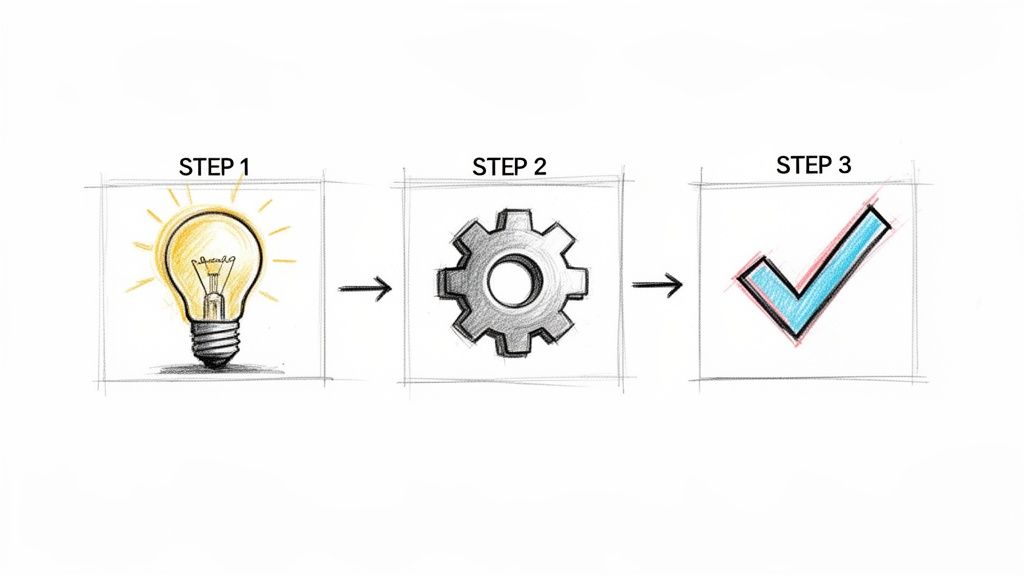
    A three-step diagram showing a lightbulb for an idea, a gear for process, and a checkmark for success.

    This strategy is about empowerment, not just exposure. Think of how a financial advisor might create a simple carousel post on "3 Ways to Improve Your Credit Score This Month." They aren't just promoting a service; they are equipping their audience with knowledge. This generosity creates a loyal following that is more likely to turn to you when they are ready to buy because you've already proven your expertise.

    How to Implement Educational Content

    • Create bite-sized tutorials: Use Instagram Reels or TikTok to create quick, 60-second videos that solve one specific problem. Example: A graphic designer could show "How to choose a color palette in Canva in under 60 seconds," demonstrating the screen recording on their phone.
    • Develop a "Tip of the Week" series: Dedicate a specific day each week to share a valuable tip related to your industry. Workflow: Create a simple branded graphic template in Canva. Each week, just swap out the text for the new tip. This takes 10 minutes but builds consistency.
    • Host a Q&A session: Go live on Instagram or Facebook and answer your audience's most pressing questions. Productivity Tip: Use the "Questions" sticker on Instagram Stories the day before to collect questions, ensuring you have content ready for the live session.

    Key Insight: The best educational content answers the questions your audience is already asking. Use tools like AnswerThePublic or simply review your DMs and comment sections to identify common pain points and craft content that provides the solution.

    Quick Tips for Effective Educational Posts

    • Follow the 80/20 rule: Aim for 80% pure value and only 20% promotion. The primary goal is to teach, not to sell.
    • Repurpose your knowledge: Turn a single blog post into a carousel, a series of tweets, a short video, and an infographic. This maximizes your effort and reaches different audience segments.
    • Use clear visuals: Incorporate diagrams, charts, or step-by-step screenshots to simplify complex topics and make your content easier to understand and save.

    3. User-Generated Content (UGC) & Customer Testimonials

    User-Generated Content (UGC) and customer testimonials involve showcasing content created by your audience. This is one of the most effective social media post ideas for business because it leverages the authentic voices of your satisfied customers to build trust and credibility. Instead of you telling everyone how great your product is, your customers do it for you, creating powerful social proof that resonates with potential buyers.

    Hand-drawn sketch of a smartphone displaying a social media feed with customer profile avatars.

    This strategy turns customers into brand advocates. Think of a local coffee shop resharing a customer's Instagram story of their latte art, or a software company featuring a glowing tweet from a happy user. These brands built communities by celebrating their customers, which not only provides a steady stream of content but also strengthens customer loyalty. Sharing a positive review or a photo of a customer enjoying your service makes them feel seen and appreciated.

    How to Implement UGC & Testimonials

    • Launch a branded hashtag campaign: Create a unique, memorable hashtag and encourage customers to use it. Example: A sustainable fashion brand could launch #MyEthicalStyle and ask customers to post photos of their outfits for a chance to be featured.
    • Systematize testimonial collection: Workflow: Use a tool like Zapier to create an automated workflow. When a project is marked "complete" in your project management tool, it triggers an email asking the client for a testimonial. This puts collection on autopilot.
    • Feature customer stories: Go beyond a simple quote. Share a short case study or story. Example: Post a photo of a client's newly designed website with a caption that says, "Before working with us, Sarah struggled with low traffic. Now, her leads have increased by 300%. Swipe to see the transformation!"

    Key Insight: The most compelling UGC often comes unprompted. Monitor your brand mentions and tags vigilantly. A genuine, spontaneous post from a happy customer can be more valuable than a hundred planned marketing messages. Always ask for permission before resharing.

    Quick Tips for Effective UGC Posts

    • Always give credit: Tag and mention the original creator in both the image and the caption. It shows respect and encourages others to share.
    • Productivity Tip: Create a folder or album on your phone or computer called "UGC to Share." When you see a great post or get permission to use one, save it there so you have a bank of content ready to go.
    • Engage with every submission: Thank users who post about your brand, even if you don't feature their content. A simple "Thanks for sharing!" goes a long way. Read more about the power of social proof on postful.ai.

    4. Trending Topic/Newsjacking Posts

    Trending topic and newsjacking posts insert your brand into ongoing, popular conversations to gain immediate visibility. This is a highly effective social media post idea for business because it leverages existing audience interest and algorithmic preferences for timely content. By aligning your message with what people are already talking about, you can reach a much broader audience beyond your existing followers.

    This strategy involves tapping into everything from viral memes and pop culture moments to industry news. Think of how Duolingo uses its owl mascot in hilarious TikToks that reference trending audio and memes. The goal is to add your unique perspective, not just echo the noise, making your brand appear relevant, agile, and culturally aware.

    How to Implement Trending Topic Posts

    • Monitor relevant trends: Workflow: Spend 15 minutes each morning scrolling the "Explore" tab on Instagram, the "For You" page on TikTok, and industry news sites. Look for recurring themes, sounds, or news items.
    • Create a meme response: Use a popular meme format to comment on an industry-specific problem. Example: A project manager could use the "distracted boyfriend" meme to show a client being tempted by scope creep while the original project brief looks on.
    • Provide real-time commentary: During a major industry conference, awards show, or sporting event, share your hot takes, insights, or funny observations using the event’s official hashtag.

    Key Insight: Speed and relevance are critical, but not at the expense of your brand’s integrity. Know when to sit a trend out. If a topic is sensitive, controversial, or completely irrelevant to your audience, participating can do more harm than good. Have a quick internal review process to avoid missteps.

    Quick Tips for Effective Newsjacking Posts

    • Act fast: The lifespan of a trend can be a few hours. Productivity Tip: Have simple meme templates (like a screenshot of a tweet or a basic image macro) saved in Canva so you can add text and post within minutes.
    • Add value or humor: Don't just report the news. Offer a unique perspective, a helpful tip related to the topic, or a humorous take that entertains your audience.
    • Ensure brand alignment: The trend should make sense for your brand to talk about. A B2B software company jumping on a celebrity gossip trend might feel forced and inauthentic. Learn more about what it means for a topic to be trending to make better choices.

    5. Value-Driven/Problem-Solution Posts

    Value-driven content directly addresses a specific pain point your target audience faces and positions your product or service as the clear solution. This is one of the most effective social media post ideas for business because it cuts through the noise and speaks directly to a user's needs. Instead of just showcasing features, you're demonstrating empathy and providing immediate value, establishing your brand as an expert authority.

    This approach is about framing your offering as the answer to a pressing question. Think of an accounting software’s message: "Tired of spending hours on invoicing?" They clearly articulate the problem and present their tool as the solution. By leading with the pain point, you make the audience feel understood and are more likely to capture their attention.

    How to Implement Problem-Solution Posts

    • Use a "Stop Doing This, Start Doing That" format: Create a simple graphic or a short Reel that highlights a common, inefficient industry practice. Example: "Stop: Manually tracking expenses in a spreadsheet. Start: Using our app to auto-scan receipts in 5 seconds."
    • Frame the problem with a question: Start your post with a relatable question. Example: "Struggling to get engagement on your posts? It might be your hooks. Try these 3 proven opening lines…" Then, provide actionable tips.
    • Show the transformation: Use a before-and-after format. Example: A cleaning service could post a side-by-side photo of a cluttered room and the same room looking pristine, with the caption, "We turn chaos into calm."

    Key Insight: The more specific the problem you identify, the stronger the connection you'll build. Instead of saying "save time," say "cut your weekly social media scheduling time from 5 hours to 30 minutes." Specificity makes the promised benefit feel real and attainable.

    Quick Tips for Effective Problem-Solution Posts

    • Lead with the pain point: Grab attention immediately by starting your caption with phrases like "Common mistake:" or "The real reason you're not…"
    • Productivity Tip: Keep a running list of customer questions from emails and DMs. Each question is a potential problem-solution post. This workflow turns customer service into a content-generation engine.
    • End with a soft Call-to-Action (CTA): Guide your audience to a helpful resource rather than a hard sell. Suggest they "read our blog post for 5 more tips" or "download our free checklist" to learn more.

    6. Milestone & Growth Celebration Posts

    Milestone and growth celebration posts share your business's journey and achievements with your audience. This is a crucial type of social media post ideas for business because it builds social proof and makes your audience feel invested in your success. By celebrating wins like hitting a follower count, a revenue goal, or a product launch anniversary, you humanize your brand and showcase the progress that your supporters helped create.

    This strategy turns passive observers into active cheerleaders. Think of an indie author sharing a screenshot of their book hitting a bestseller list or a small business celebrating their one-year anniversary. It’s not about bragging; it's about sharing the journey. These posts inspire your followers by demonstrating that growth is attainable, fostering a community that genuinely roots for your brand's success.

    How to Implement Milestone & Growth Posts

    • Celebrate follower and subscriber growth: When you hit a new threshold, create a post thanking your community. Example: Create a simple graphic that says "10,000 Strong! Thank you for being part of our journey."
    • Announce business achievements: Share when you get your first sale, reach $1,000 in monthly recurring revenue, or ship your 100th order. Example: A SaaS founder could post a chart showing their MRR growth from $0 to $1,000 with a caption detailing the three biggest lessons learned along the way.
    • Mark anniversaries and launches: Celebrate the anniversary of your business launch. Example: Post a photo from your first day of business next to a current one with a caption like, "3 years ago, it was just an idea. Today, we've served over 500 clients. Thank YOU."

    Key Insight: The most impactful milestone posts aren't just about the number; they're about the story. Frame your achievement by sharing the "before," the challenges you overcame, and most importantly, express sincere gratitude to the customers and followers who made it possible.

    Quick Tips for Effective Milestone Posts

    • Make your audience the hero: Always frame the celebration around your community. Use phrases like "We couldn't have done it without you" or "Thank you to our first 500 customers."
    • Productivity Tip: Set calendar reminders for key dates like your business launch anniversary. This ensures you never miss an opportunity to create easy, high-engagement content.
    • Ask for engagement: Prompt your audience to share their own wins in the comments. This creates a positive, supportive environment and boosts your post's visibility.

    7. Carousel/Multi-Slide Posts

    Carousel posts, or multi-slide posts, are a sequential series of swipeable images or videos that tell a cohesive story or break down complex information. This is a top-tier social media post idea for business because it dramatically increases engagement by encouraging users to actively swipe through your content, extending the time they spend on your post and signaling value to platform algorithms. From Instagram tutorials to insightful LinkedIn thought leadership, carousels package information in a highly digestible format.

    This format thrives on storytelling and education. Think of a marketing agency sharing a "5-Step Guide to Writing Better Ad Copy" where each slide details one step. By guiding your audience through a narrative or a step-by-step process, you establish authority and provide tangible value that keeps them coming back for more.

    How to Implement Carousel/Multi-Slide Posts

    • Create listicle-style carousels: Turn a blog post or idea into a "Top 10 Ways to Improve Productivity" or "5 Tools We Can't Live Without" carousel. Example: Slide 1 is the title, Slides 2-6 each detail one tool, and Slide 7 is a call-to-action asking, "What's your favorite tool?"
    • Develop step-by-step tutorials: Visually break down a process. Example: A SaaS company can show how to use a new feature with a screenshot on each slide, numbered 1 through 5, guiding the user visually.
    • Repurpose content into a micro-lesson: Summarize a key concept from a podcast episode, webinar, or blog into 5-7 educational slides. Workflow: Take the key bullet points from a blog post outline and make each bullet point a slide. This efficiently creates a new piece of content in minutes.

    Key Insight: The first slide is your hook; its only job is to get the swipe. Use a bold statement, a compelling question, or a surprising statistic to create curiosity. Save the core value for slides 2, 3, and 4 to reward those who engage.

    Quick Tips for Effective Carousel Posts

    • Keep text minimal: Aim for 3-5 lines of text per slide maximum. Use visuals to do the heavy lifting and keep the information scannable.
    • Productivity Tip: Use tools like Canva or Figma to create carousel templates. Once you have a branded design, you can simply duplicate the file and swap out the text and images for each new post, cutting design time by over 80%.
    • End with a strong CTA: The final slide is prime real estate. Ask a question to spark comments, prompt users to save the post for later, or direct them to a link in your bio. You can learn more about crafting the perfect carousel post on postful.ai.

    8. Quote Posts & Inspirational Content

    Quote posts and inspirational content tap into universal emotions and values, making them one of the most shareable social media post ideas for business. This strategy involves sharing resonant quotes, affirmations, or motivational messages that align with your brand’s ethos. It works by creating an emotional connection, offering followers a quick dose of encouragement or a moment of reflection they’ll want to share with their own networks.

    This type of content is incredibly effective for building a community around shared values. Think of a business coach sharing a quote about perseverance on Monday morning, or a wellness brand posting a message about self-care. These posts are low-effort to create but have a high potential for engagement and virality, helping you reach new audiences who are drawn to your message and mission.

    How to Implement Quote Posts

    • Create Branded Templates: Workflow: Use a tool like Canva to design 3-5 consistent, visually appealing templates for quotes. Include your logo or website URL subtly. When you need a quick post, just drop a new quote into one of your pre-made templates.
    • Mix in Original Insights: Don't just rely on famous quotes. Share your own business philosophy or a lesson you've learned. Example: Post a text-based graphic that says, "My biggest productivity hack: The '2-Minute Rule.' If a task takes less than two minutes, do it now."
    • Tie Quotes to Your Niche: Select quotes that directly relate to the challenges of your target audience. Example: A real estate agent could share a quote about the meaning of "home" to connect with potential buyers on an emotional level.

    Key Insight: The power of a quote post lies in its context. Instead of just posting the quote, use the caption to explain why it resonates with you or your brand. Share a brief personal story or ask your audience how the message applies to their own lives to spark a meaningful conversation.

    Quick Tips for Effective Quote Posts

    • Balance is key: Limit quote posts to one or two times per week to avoid oversaturating your feed and keep your content mix diverse.
    • Credit the source: Always attribute quotes to their original author. This builds trust and shows integrity.
    • Productivity Tip: Keep a running document or spreadsheet of quotes you come across that align with your brand. When it's time to batch content, you'll have a pre-vetted list ready to go.

    9. Controversial/Hot Take Posts

    Controversial or "hot take" posts respectfully challenge conventional wisdom, disagree with an industry consensus, or present a well-reasoned but unpopular opinion. This is one of the boldest social media post ideas for business because it cuts through the noise and positions you as a critical, independent thinker. When done right, it sparks genuine conversation and attracts an audience that values depth and authenticity over safe, generic content.

    This strategy is not about being inflammatory; it’s about taking a genuine, defensible stance that makes people think. Think of a marketing expert on LinkedIn posting, "Unpopular opinion: SEO is a waste of time for early-stage startups." This immediately grabs attention and invites debate from those who agree and disagree, driving massive engagement.

    How to Implement Hot Take Posts

    • Challenge an industry "best practice": Write a post titled, "Why 'The Customer Is Always Right' Is Bad Advice for Startups." Explain your reasoning with examples from your own business experience.
    • Debunk a common myth: Create a short video or carousel post addressing a widespread misconception in your field. Example: A financial advisor could post, "Myth: You need $1 million to retire. Here’s why that number is misleading for most people."
    • Present a counter-intuitive observation: Share a personal insight that goes against the grain. Example: A productivity expert might post, "I argue that multitasking is not the enemy. Here's a simple framework for doing it effectively without burning out."

    Key Insight: The goal is to start a productive dialogue, not a fight. Acknowledge valid counterpoints directly in your post. Stating, "I know many people believe X, and for good reason, but I've found that Y leads to better results because…" shows respect and strengthens your argument.

    Quick Tips for Effective Hot Take Posts

    • Back it up: Ground your opinion in data, personal experience, or a strong logical argument. A take without evidence is just an unsubstantiated claim.
    • Workflow: Before posting, write down 2-3 potential counterarguments and your response to them. This prepares you to engage thoughtfully in the comments, turning potential conflict into a productive discussion.
    • Invite respectful debate: End your caption with an open-ended question like, "This is my perspective, but I'm curious to hear yours. What do you think?" or "Where do you disagree?"

    10. Engagement/Interactive Posts (Polls, Q&As, Challenges)

    Interactive content transforms your social media from a monologue into a dynamic conversation. These posts, including polls, Q&As, and challenges, are specifically designed to solicit audience participation. As one of the most effective social media post ideas for business, this strategy directly boosts engagement metrics while gathering invaluable feedback on your audience's preferences, pain points, and opinions.

    A hand selects option 'A' on a digital voting interface with 'Tell us' and 'Why?' speech bubbles.

    This approach is powerful because it lowers the barrier to interaction. A simple tap on a poll or a quick answer to a question feels less demanding than crafting a thoughtful comment from scratch. For example, a software company could run a LinkedIn poll asking, "Which new feature should we build next: A) Dark Mode or B) Google Calendar Integration?" to directly involve users in their product roadmap.

    How to Implement Interactive Posts

    • Launch a Poll: Use Instagram Stories, LinkedIn, or X to ask a direct, multiple-choice question. Example: A coffee brand could ask, "What's your go-to morning brew: Hot Coffee or Iced Coffee?"
    • Host a Q&A or AMA (Ask Me Anything): Use Instagram's "Questions" sticker in Stories or schedule a live session. Workflow: Dedicate 30 minutes every Friday to an "Ask Me Anything" session. Announce it on Thursday to build anticipation and collect questions in advance.
    • Create a "This or That" series: Post a graphic with two options and ask your audience to choose in the comments. Example: A web designer could post "Website Style: Minimalist or Maximalist? Vote below!" to understand audience aesthetic preferences.

    Key Insight: The data you collect from interactive posts is a goldmine for content strategy. If a poll reveals 80% of your audience prefers video tutorials over blog posts, that's a clear signal on where to invest your content creation efforts next.

    Quick Tips for Effective Interactive Posts

    • Ask genuine questions: Only ask questions you truly want the answers to. Your authenticity will encourage more thoughtful responses.
    • Productivity Tip: Turn the answers from your Q&A sessions into future content. Each question is a topic that you know your audience cares about. One AMA can generate ideas for 5-10 future posts.
    • Follow up on the results: Share the poll results in a subsequent post or story. This closes the loop and shows your audience you're listening.
    • Engage with every response: Make an effort to reply to comments and DMs from your Q&A sessions. This reinforces the sense of community.

    10 Social Media Post Ideas Comparison

    Content Type 🔄 Implementation Complexity ⚡ Resources & Speed ⭐ Expected Effectiveness 📊 Expected Impact / Outcomes 💡 Ideal Use Cases & Tips
    Behind-the-Scenes (BTS) Content 🔄 Low — unscripted, consistent cadence required ⚡ Low resources; fast turnaround (phone + natural light) ⭐⭐⭐ — builds authenticity & trust 📊 High engagement & loyalty; moderate direct conversions 💡 Solo founders, team culture; post weekly, show “messy middle”, tag team
    Educational / How‑To Content 🔄 Medium — research, structure, clarity needed ⚡ Medium time investment; evergreen payoff ⭐⭐⭐⭐⭐ — positions authority 📊 High shareability, sustained traffic & lead gen 💡 Tutorials, lead magnets; solve specific problems, repurpose across formats
    User‑Generated Content (UGC) & Testimonials 🔄 Low process but needs collection/permission systems ⚡ Low cost; depends on customer activity ⭐⭐⭐⭐⭐ — strong social proof & credibility 📊 Boosts conversion rates; reduces creation workload 💡 E‑commerce/SaaS; create hashtags, ask for permission, credit creators
    Trending Topic / Newsjacking 🔄 High — real‑time monitoring and fast approvals ⚡ Very fast turnaround required; low production ⭐⭐⭐⭐ — can greatly amplify reach when timely 📊 Short‑term virality; unpredictable long‑term value 💡 Use for awareness bursts; align with brand values, move quickly or skip
    Value‑Driven / Problem‑Solution Posts 🔄 Medium — needs customer insight & evidence ⚡ Medium; research‑heavy but reusable ⭐⭐⭐⭐⭐ — attracts ideal customers 📊 Strong lead generation and clear positioning 💡 Start with a clear pain point, include data, end with soft CTA
    Milestone & Growth Celebration Posts 🔄 Low — occasional planning around events ⚡ Low; event‑driven and quick to produce ⭐⭐⭐ — builds community investment 📊 Engagement spikes; reinforces social proof 💡 Share journey and gratitude, celebrate small wins, invite followers to share
    Carousel / Multi‑Slide Posts 🔄 Medium–High — design, sequencing, cohesion required ⚡ Medium; time‑consuming design per slide ⭐⭐⭐⭐ — high engagement & information retention 📊 Longer time‑on‑post; strong educational delivery 💡 Hook on slide 1, keep text minimal, use consistent templates
    Quote Posts & Inspirational Content 🔄 Low — simple creation process ⚡ Very fast; minimal resources ⭐⭐⭐ — high emotional resonance but low direct ROI 📊 High shares/visibility; limited conversion impact 💡 Mix originals with attributed quotes, add context, limit frequency
    Controversial / Hot Take Posts 🔄 Medium — needs research and careful framing ⚡ Fast to produce but requires readiness to respond ⭐⭐⭐⭐ — sparks debate and strong engagement 📊 Drives comments and reach; carries reputational risk 💡 Ground claims in evidence, acknowledge counterpoints, pick battles wisely
    Engagement / Interactive Posts (Polls, Q&As, Challenges) 🔄 Low–Medium — setup plus moderation ⚡ Fast to deploy; requires active follow‑up ⭐⭐⭐⭐ — drives comments and audience signals 📊 Improves algorithmic visibility; yields audience insights 💡 Ask genuine questions, respond, follow up with results, vary formats

    From Ideas to Impact: Building Your Content System

    You've just navigated a comprehensive list of social media post ideas for business, from pulling back the curtain with behind-the-scenes content to sparking conversation with interactive polls. Having this arsenal of concepts is a powerful first step, but the true challenge lies in transforming this inspiration into a consistent, high-performing social media presence. The goal isn't just to post; it's to build a sustainable content engine that attracts, engages, and converts your audience without causing burnout.

    This transition from a reactive posting schedule to a strategic one is where many small business owners get stuck. The secret isn't finding more hours in the day. It's about building a smarter, more efficient workflow. Instead of staring at a blank screen wondering what to create, you can now build a system that turns these ideas into a predictable and effective content pipeline.

    Turning Ideas into Actionable Workflow

    A great list of social media post ideas for business is only as valuable as your ability to execute them. The key is to move from a "one-off" creation mindset to a systemized approach. Here's how to build your content machine:

    1. Embrace Content Batching: Dedicate a specific block of time each week or month solely to content creation. This focus prevents context switching and significantly boosts productivity. Practical Workflow: Block 3 hours on your calendar every second Friday. Hour 1: Plan your content mix for the next two weeks. Hour 2: Write all captions. Hour 3: Create all visuals using your pre-made templates.

    2. Build a Strategic Content Calendar: Your content calendar is your roadmap. Use a simple spreadsheet or a dedicated tool to plan which post types you'll use on which days. A balanced mix is crucial. Example Schedule:

      • Monday: Educational Carousel
      • Tuesday: Behind-the-Scenes Reel
      • Wednesday: User-Generated Content Feature
      • Thursday: Value-Driven/Problem-Solution Post
      • Friday: Engagement Poll in Stories
    3. Create Reusable Templates: You don't need to reinvent the wheel for every post. Create simple, branded templates for different post types. Tool Suggestion: Use Canva to develop a template for your Quote Posts, another for your How-To carousels, and one for your Testimonial highlights. This not only saves immense time but also creates a cohesive and professional brand aesthetic.

    Leveraging Tools and Optimizing for Platforms

    Building a system also means leveraging the right tools and understanding platform nuances. An AI brainstorming partner like Postful can take a core idea, such as "showcasing a new product," and instantly generate multiple angles: a BTS video of its creation, a carousel detailing its top three benefits, and a Q&A post addressing common questions. This transforms one idea into a week's worth of content.

    Furthermore, as you develop your content system, understanding platform-specific formats is crucial; for instance, consider optimizing your Instagram strategy with Reels or traditional posts to maximize reach and engagement based on your goals. What works as a detailed carousel on Instagram might be better suited as a short, punchy video on TikTok or a threaded discussion on X (formerly Twitter). Repurposing isn't just copy-pasting; it's adapting your core message for the unique culture and format of each platform.

    By combining the diverse social media post ideas from this article with a structured workflow, you shift from a state of content anxiety to one of content confidence. You will have a clear plan, a system for execution, and the creative fuel to build a thriving online community that supports your business goals.


    Ready to stop brainstorming and start creating? Postful turns these ideas into polished drafts in seconds. Use our AI-powered tools to generate endless unique angles, write compelling captions, and build your content calendar faster than ever. Try Postful today and build your social media engine.
  • How to grow social media for business: 7 proven growth strategies

    How to grow social media for business: 7 proven growth strategies

    Before you even think about chasing follower counts or viral trends, you have to pour the foundation. This is where so many businesses get it wrong. They jump straight into posting, throwing content at the wall to see what sticks, and end up wasting time on things that don't move the needle.

    A strong foundation makes sure every post, every comment, and every dollar spent has a purpose. It’s the difference between guessing and growing.

    Get to Know Your Audience (Really Know Them)

    Most businesses stop at basic demographics. "Women aged 25-40" isn't a strategy; it's a starting point. To make content that truly connects, you need to build a detailed customer persona.

    Practical Example: A boutique fitness studio isn't just targeting women. They’re targeting "Jessica," a 32-year-old project manager who listens to wellness podcasts on her commute, follows her favorite instructors on Instagram, and needs a high-energy morning class she can squeeze in before her first meeting.

    That level of detail changes everything. It tells you what to post (behind-the-scenes class clips), what to say (captions about morning motivation), and where to say it (Instagram Reels and Stories).

    Set Goals That Actually Mean Something

    With a clear picture of "Jessica" in your mind, you can finally set meaningful goals. Forget vague ambitions like "get more followers." It's time to get specific with the S.M.A.R.T. framework (Specific, Measurable, Achievable, Relevant, Time-bound).

    Practical Example:

    • Vague Goal: "Get more engagement."
    • S.M.A.R.T. Goal: "Increase Instagram Reels views by 20% among our 'Jessica' persona within the next quarter by posting three behind-the-scenes videos of our morning classes each week."

    This goal gives you a clear target and a way to measure success. After all, a primary objective is often turning followers into customers, and that's where social media for lead generation comes in. Clear goals make that entire process trackable and something you can actually improve over time.

    Choose Your Platforms Wisely

    You don't need to be everywhere. In fact, you shouldn't be. Spreading your efforts too thin is a classic mistake that leads to burnout and mediocre content on every channel.

    The key is to show up where your ideal customers already are.

    Practical Example: A B2B software company selling to enterprise clients will find its audience on LinkedIn, not TikTok. On the other hand, a local bakery's mouth-watering visuals are a perfect match for Instagram and Facebook.

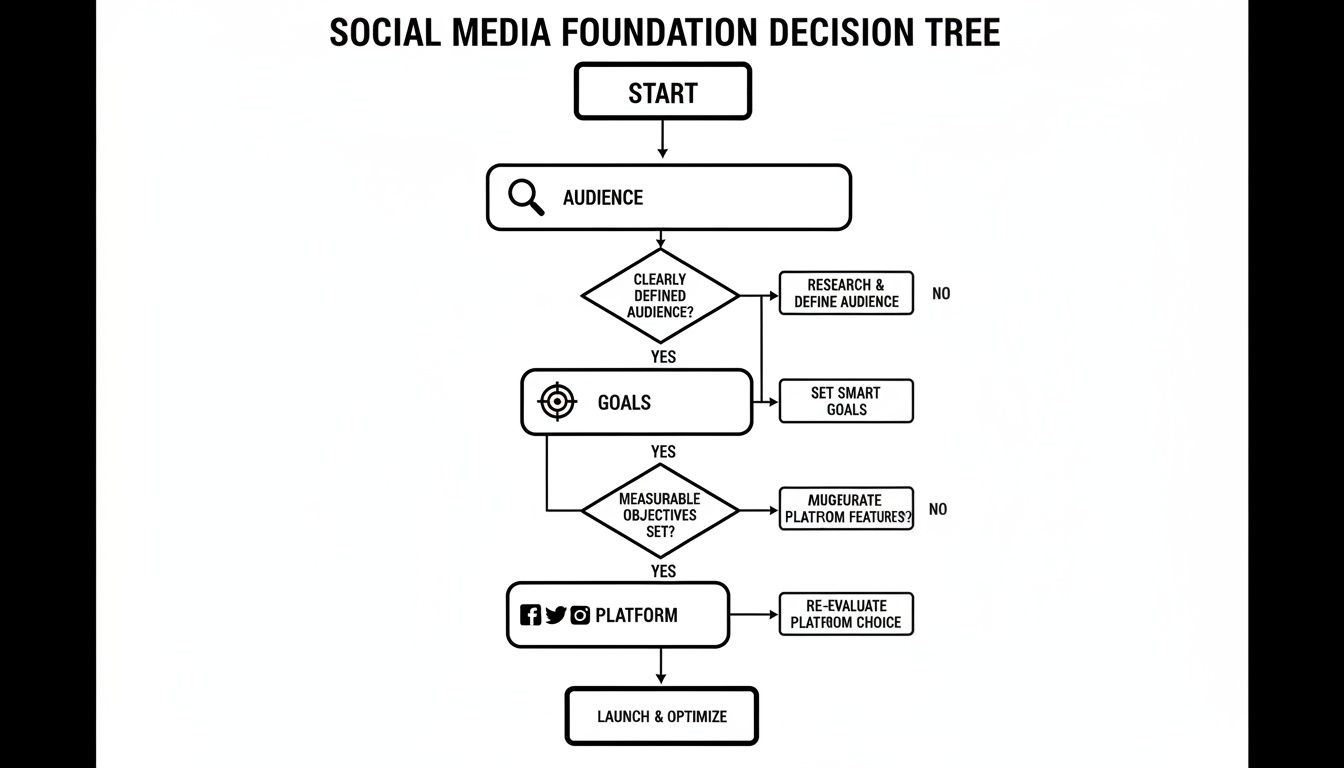
    This decision tree breaks down how these foundational pieces fit together. It all starts with your audience.

    Flowchart detailing social media foundation decisions: audience, goals, platform selection, and optimization process.

    As you can see, understanding your audience informs your goals, and your goals dictate which platforms are worth your time.

    To make this even easier, here’s a quick-glance table to help you match your business to the right channels.

    Platform Selection Guide for Your Business

    Platform Best For Primary Audience Key Content Format
    LinkedIn B2B, professional networking, industry leadership Professionals, B2B decision-makers, job seekers Articles, text posts, professional videos, polls
    Instagram B2C, e-commerce, lifestyle, visual brands Gen Z, Millennials (18-34) Reels, Stories, high-quality images, carousels
    Facebook B2C, community building, local businesses Broad, strong in Millennial & Gen X demographics Videos, images, community posts, events, ads
    X (Twitter) Real-time news, customer service, brand voice Journalists, tech, politics, engaged communities Short text, memes, threads, quick video clips
    TikTok B2C, brand awareness, user-generated content Primarily Gen Z (16-24) Short-form vertical video, trends, challenges
    Pinterest E-commerce, inspiration, visual discovery Predominantly female, homeowners, hobbyists High-quality vertical images (Pins), Idea Pins

    Choosing the right one or two platforms to dominate is far more effective than trying to be active on all of them. Once you have these foundational elements locked in, you’re ready to build a content strategy that works.

    Developing a High-Performing Content Strategy

    Alright, so you’ve figured out who you’re talking to and where they hang out online. Now for the big question: what are you actually going to say to them? This is where a rock-solid content strategy comes in. It’s the engine that powers your social media growth, turning random posts into a cohesive plan that builds real connections and drives action.

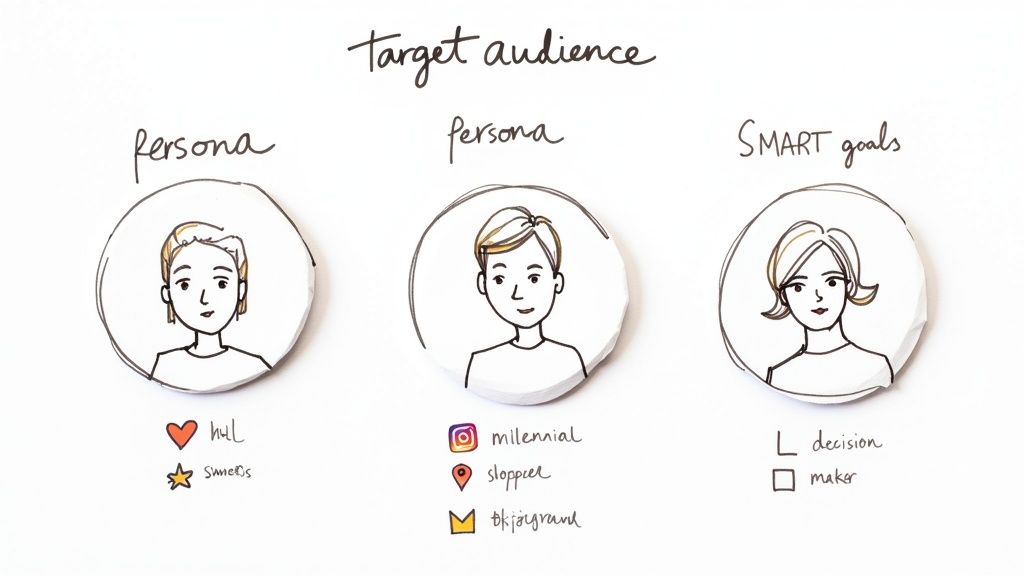
    Hand-drawn illustration defining target audience personas and SMART goals for business strategy.

    Without a clear plan, you end up scrambling for ideas. That leads to sporadic posting and, even worse, a feed that feels disjointed and uninteresting to your audience. A strategic approach ensures every single post has a purpose.

    The Four Pillars of Great Content

    To keep your feed from feeling like one long sales pitch, I always recommend building your content around four core pillars. This simple framework keeps things balanced, valuable, and genuinely interesting for your followers.

    • Educate: Teach your audience something they didn't know. Practical Example: A SaaS company could create a slick LinkedIn carousel that breaks down a complex new feature into a few simple, easy-to-understand steps.
    • Entertain: Make them laugh, smile, or feel something. Practical Example: A local coffee shop could post a funny, behind-the-scenes Reel of a barista’s disastrous (but hilarious) attempt at latte art.
    • Inspire: Share success stories, powerful quotes, or user-generated content (UGC). Practical Example: A fitness coach could showcase a client's incredible transformation story (with their permission, of course) to motivate others.
    • Convert: Gently guide your audience toward taking action. Practical Example: Think posts about special promotions, new product drops, or invites to an upcoming webinar.

    A good rule of thumb here is the 80/20 rule. Aim for 80% of your content to be pure value (educating, entertaining, inspiring) and only 20% to be promotional. It's a game of give-and-take that builds trust, making your audience far more receptive when you finally ask for the sale.

    Building a Practical Content Calendar

    A content calendar is your secret weapon for consistency. It completely removes the daily "what on earth do I post today?" panic and lets you plan out campaigns, holidays, and content themes well in advance. And you don't need fancy, expensive software to get it done.

    Productivity Tip: A simple content calendar is a game-changer. It transforms your strategy from a reactive scramble into a proactive, organized workflow, ensuring you stay on message and on schedule.

    Tools like Trello, Asana, or even a well-organized Google Sheet can be incredibly effective. The real key is finding a workflow you'll actually stick with.

    A Simple Trello Workflow That Just Works

    1. Start with a Board: Create a new board and call it something straightforward, like "Social Media Content."
    2. Create Your Lists: I like to use columns like "Content Ideas," "To Create," "Ready to Schedule," and "Published."
    3. Make Each Post a Card: Every card represents one social media post. Inside the card, drop the post copy, attach the visual, and add details like the platform and publish date.
    4. Drag and Drop: As you work on a post, just drag its card across the lists. It's a super visual way to see your entire pipeline at a glance and stay organized.

    This kind of structured approach is the backbone of any effective social media content strategy, giving you the clarity you need to execute your plan without the daily chaos.

    Brainstorming Ideas Your Audience Will Love

    The secret to avoiding burnout? Never start from a blank page. If you're feeling stuck, here are a few proven techniques to keep the ideas flowing.

    • Answer the Public: Jump on a free tool like AnswerThePublic. It shows you the actual questions people are searching for related to your industry. Boom—instant educational post ideas.
    • Dig into Customer Feedback: Your emails, DMs, and reviews are a goldmine. What questions pop up over and over? What problems are your customers trying to solve? Answer them publicly.
    • Spy on Your Competitors (Ethically!): See what’s working for others in your space. Don't just copy them, but look for trends. What topics and formats are getting a ton of engagement? Let that inspire your own unique take.

    Practical Example: A local restaurant could create a branded hashtag (like #MyLocalEats) and repost the best photos from customers. This not only fills their content calendar with authentic, high-quality visuals but also builds an amazing community by turning happy diners into your biggest fans.

    Using Short-Form Video to Skyrocket Engagement

    Short-form video isn't just a trend anymore; it's the heartbeat of modern social media. Platforms like Instagram Reels, TikTok, and YouTube Shorts have completely rewired how people consume content, and they’re all hungry for quick, captivating videos. If you're trying to grow your social media presence, ignoring this format is like showing up to a concert without a ticket—you're missing the main event.

    What makes these little videos so powerful is that they’re built for discovery. The algorithms are designed to push compelling content to brand-new audiences, giving you a direct line to potential followers who’ve never even heard of you. I’ve seen a single, well-made Reel reach thousands of non-followers, delivering the kind of organic reach that’s getting harder and harder to achieve with static posts.

    Simple Frameworks for Creating Compelling Videos

    You don't need a fancy production studio to make videos that work. Honestly, some of the most viral content out there is shot on a smartphone. The real secret is having a few simple, repeatable frameworks you can turn to again and again.

    Here are three dead-simple video ideas any business can use:

    • The Quick Tip or Hack: Share one valuable piece of advice related to your industry. Practical Example: A financial advisor could film a 30-second video on "One common money mistake to avoid in your 20s." It's fast, genuinely useful, and instantly positions you as an expert.
    • A Behind-the-Scenes Glimpse: Show the human side of your business. Practical Example: A local restaurant could post a quick clip of chefs prepping for the dinner rush. A software company could show a fun moment from a team meeting. This stuff builds authenticity and trust like nothing else.
    • The Before-and-After Transformation: This one is just so satisfying for viewers. Practical Example: A home organizer showing a cluttered space becoming a tidy one, or a marketing agency revealing a client's slick website redesign.

    The goal is to grab attention within the first three seconds. Always start with a strong hook, get straight to the point, and wrap it up with a clear call-to-action, like "Follow for more tips!"

    Trending Audio and Repurposing Your Content

    One of the fastest ways to get more eyes on your video is by using trending audio. Sounds that are climbing the charts on TikTok or Reels often get an extra push from the algorithm, giving your content an instant boost.

    Productivity Tip: Don’t overthink it. Often, the simplest videos paired with a popular sound perform the best. The key is to find a clever or relatable way to connect the audio to what you do.

    Tools like CapCut make it incredibly easy to find and edit videos with trending sounds. A great little workflow is to spend 15 minutes each week just scrolling your feed to see what’s popular. Save the audio clips that could fit your brand. Practical Example: A real estate agent could use a trending sound about "dream homes" to create a quick property tour Reel.

    To get the most bang for your buck, always repurpose your content. A video you create for TikTok can easily be posted as an Instagram Reel and a YouTube Short. This move triples your output with almost no extra work. If you want to dive deeper into that last platform, check out our guide on what are YouTube Shorts.

    The data is clear: a video-first approach is non-negotiable. With 5.42 billion social media users globally, businesses have to focus on what actually works. A remarkable 78% of consumers prefer learning about new products through short videos, and video campaigns pull in 34% higher conversion rates than static ads. It’s no surprise that 93% of marketers plan to increase their social video efforts next year. You can dig into more of these numbers in the latest social media marketing statistics on dreamgrow.com.

    Key Video Metrics to Track for Growth

    To know if your video strategy is actually working, you have to track the right metrics. Forget the vanity numbers and focus on the data that signals real engagement and audience interest.

    Here are the essential KPIs you should be watching:

    1. Watch Time & Retention Rate: How long are people actually sticking around? A high retention rate tells the algorithm your content is engaging, which can lead to it being shown to more people.
    2. Shares: When someone shares your video, it’s a massive endorsement. This is a powerful signal that your content truly connected with them.
    3. Saves: A save means your content was so valuable that someone wants to come back to it later. This is a huge win for educational or inspirational content.
    4. Reach (vs. Impressions): Impressions just count how many times your video was seen, but reach tells you how many unique people it got in front of. Tracking reach is how you know if you're successfully growing your audience.

    Amplifying Reach with Paid Ads and Collaborations

    Organic content is your foundation. It’s how you build trust and a real community around your brand. But when you’re ready to really step on the gas, paid ads and collaborations are your rocket fuel.

    Think of your organic strategy as planting seeds one by one. Paid amplification is like turning on the sprinkler system to water the whole garden at once. It’s how you get in front of the thousands of ideal customers who don’t even know you exist yet.

    This isn’t just a nice-to-have; it's essential for any business serious about growth. Social media ad spend is projected to hit $276.7 billion globally in 2025 for a reason. Done right, businesses see an average of $5.20 back for every $1 they put in. Combine smart ad spending with authentic collaborations, and you've got a powerful engine for scaling your business.

    Getting Started with Social Media Ads

    Diving into paid ads can feel like a lot, but the core idea is pretty straightforward. Platforms like Meta (for Facebook and Instagram) have made it surprisingly accessible for businesses of any size to jump in, even with a small budget.

    A great place to start is with a simple campaign in Meta Ads Manager. This dashboard is your command center, giving you precise control over who sees your ads, how much you spend, and what you want to achieve.

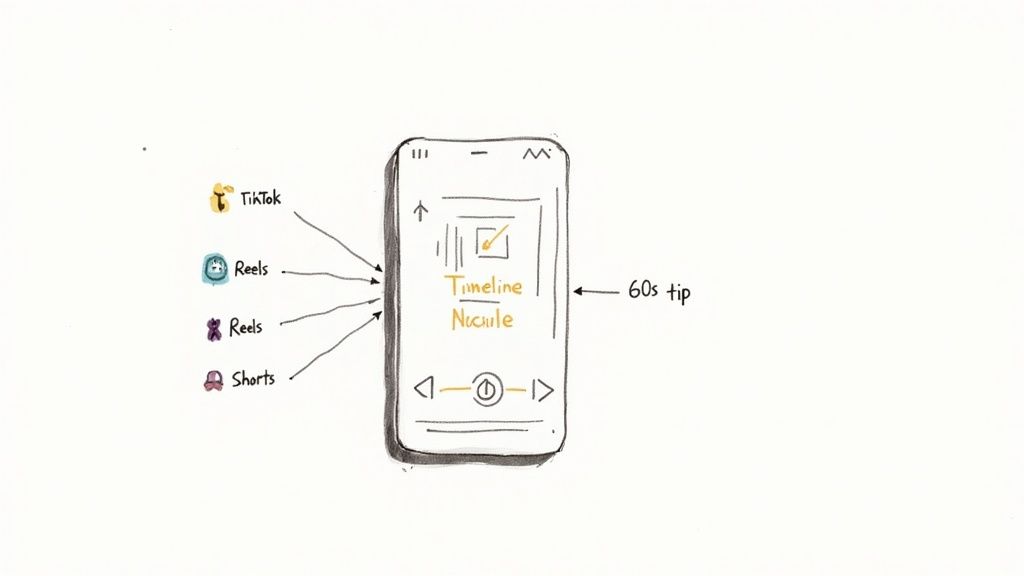
    A sketch of a smartphone receiving content from TikTok, Reels, and Shorts, labeled 'Timeline Nucleus' with a '60s tip'.

    The first step in setting up a campaign is choosing your main goal—this is a critical choice that tells the algorithm exactly what you want to accomplish.

    You can break your first campaign down into three simple parts:

    1. Choose Your Objective: Are you trying to get more website clicks, introduce your brand to new people, or capture leads? Picking the right objective (like "Traffic" or "Engagement") is crucial. Meta will then optimize your ad delivery to find people most likely to take that specific action.
    2. Define Your Audience: This is where the magic happens. You can target people based on their demographics, what they're interested in, and even their online behaviors. Productivity Tip: Create a Lookalike Audience by uploading your customer list, and Meta will find new users who are just like your best customers, saving you hours of guesswork.
    3. Set Your Budget: You don’t need a massive budget to get results. Start small. A budget of $10-$20 a day is more than enough to start testing and see what resonates. As you run campaigns, it's key to learn how to optimize Facebook Ads for better ROI so every dollar works harder for you.

    Finding the Right Influencers for Your Brand

    Influencer marketing isn't just for huge brands with celebrity-sized budgets. For most businesses, the real opportunity is with micro-influencers—creators with smaller, highly engaged followings, usually between 10,000 and 100,000 followers. Their audience genuinely trusts them, so a recommendation feels more like a tip from a friend than a corporate ad.

    Finding them takes a little detective work. Start by searching hashtags in your niche or just look at who your ideal customers are already following and talking to.

    Productivity Tip: The best collaborations come from genuine alignment, not just follower counts. Look for creators whose values and vibe match your own. That’s what makes a partnership feel authentic to their audience.

    When you're vetting a potential partner, look past the follower number. Here are the metrics that actually matter:

    • Engagement Rate: Do the math. Add up the likes and comments on their recent posts, divide by their follower count, and multiply by 100. A rate between 3-6% is generally considered pretty solid.
    • Comment Quality: Are the comments real conversations or just a string of emojis and spam bots? Real chatter is a sign of a healthy, active community.
    • Audience Demographics: Don't be afraid to ask the influencer for a screenshot of their audience analytics. You need to confirm their followers are actually your target customers.

    Once you find someone who feels right, reach out with a personal and direct message. Ditch the generic templates. Mention a specific post you loved and explain clearly why you think a partnership would be a great fit for their audience. A simple, human message will always cut through the noise.

    Building a Community to Drive Loyalty and Growth

    Let's be real: growing on social media isn't about the follower count. That number is just a vanity metric if nobody actually cares what you have to say. The real goal is to shift from just broadcasting messages to building a genuine community.

    When you pull that off, passive followers turn into your biggest advocates—the people who drive organic growth and stick around for the long haul. This happens when you start treating your social channels like a conversation, not a billboard.

    The good news? You don't need to dedicate hours every day to make this happen. A simple, structured workflow is all it takes to build a powerful engagement habit.

    Implement a Daily Engagement Routine

    Consistency is everything. I've found that just 15-20 minutes of focused, proactive engagement each day makes a massive difference in how people connect with a brand. It's way more effective than random, half-hearted efforts when you have a spare moment.

    Here’s a practical workflow you can steal and start using tomorrow:

    • First 5 Minutes (Respond): Jump into your notifications and reply to every single new comment and DM. It's non-negotiable. Use their name, answer their question, and show you actually appreciate them taking the time to write.
    • Next 5 Minutes (Engage Outward): Find 5-10 accounts in your niche or that your ideal customer follows. Drop a thoughtful, non-spammy comment on their posts. The idea is to add to the conversation, not just post a generic "Great post!"
    • Final 5 Minutes (Connect with Your Fans): Look at who recently followed you or engages with your content often. Pop over to their profile and interact with one of their recent posts. This tiny act shows them you see them as a person, not just another number.

    This short, daily habit does more than just signal to the algorithm that your account is active. More importantly, it shows your followers there’s a real human on the other side of the screen.

    Spark Meaningful Conversations

    If you want to unlock real engagement, you have to stop posting statements and start asking questions. Think of your captions as conversation starters that invite people to share their own experiences. Instead of just showing off your product, ask how your followers use it or what problem it solved for them.

    A great post doesn't just get a "like"; it gets a response. Aim to create content that makes your followers pause their scroll and feel compelled to type out a reply.

    Practical Example: A local coffee shop could post a photo of its new latte with a caption like, "Our new Toasted Marshmallow Latte is here! What's your all-time favorite seasonal drink?" That simple question flips a promo post into a fun, interactive chat.

    You can also lean on the platform's built-in tools to make it easy for people to join in:

    • Polls: Use Instagram or X (formerly Twitter) polls to let your audience vote on new product features, color options, or even what content they want you to create next.
    • Quizzes: A fun, lighthearted quiz in your Stories works wonders. A fitness brand could do something like, "What's your workout style?"
    • "This or That" Posts: So simple, but so effective for getting quick engagement. A bookstore could post a split image asking, "Physical books or e-readers?"

    These tactics lower the barrier to entry, making it incredibly easy for anyone to engage with your brand in a way that feels natural and fun.

    Measuring Success and Optimizing Your Strategy

    Putting out great content and chatting with your community is a huge part of the puzzle, but it’s only half the battle. If you aren't measuring what’s working, you're flying blind.

    This is the part of the process that separates businesses that are just on social media from those that are actually growing with social media. It’s how you stop guessing and start building a system that gets predictable results.

    The first step? Stop obsessing over vanity metrics. A big follower count looks impressive, but it doesn't mean much if those followers aren't engaging, clicking, or buying. Real success is buried in the data that shows genuine audience interest and, ultimately, an impact on your bottom line.

    A simple sketch depicting three speech bubbles with hearts, a 'VOTE' banner, and a paper with '#YourBrand', symbolizing social media engagement.

    Key Metrics That Actually Matter

    To get a real feel for your performance, you need to zero in on Key Performance Indicators (KPIs) that connect directly to your business goals. The good news is you can find most of this data right inside the native analytics tools on platforms like Instagram and Facebook.

    Here are the core metrics I always keep an eye on:

    • Engagement Rate: This is the big one. It’s the percentage of your audience that actually interacts with your content. You calculate it by adding up your likes, comments, shares, and saves, dividing that by your follower count, and multiplying by 100. A healthy engagement rate is a direct sign that your content is hitting the mark.
    • Click-Through Rate (CTR): This tells you how many people clicked a link in your post, bio, or ad. If your goal is to get people to your website, this metric is your best friend. A low CTR is usually a red flag that your call-to-action isn't strong enough or your offer isn't quite right.
    • Conversion Rate: This is where the rubber meets the road. It tracks the percentage of people who take a specific action after clicking your link, like signing up for your email list or buying a product. This is the ultimate measure of whether your social media efforts are actually driving business.

    Creating a Simple Monthly Performance Report

    You don't need a fancy dashboard. Just set aside an hour at the end of each month to pull your data into a simple spreadsheet. This quick check-in is all you need to spot trends, see what’s resonating, and start making decisions based on data instead of a gut feeling.

    Productivity Tip: Your monthly report is your strategic map. It shows you where you've been and, more importantly, gives you the insights needed to navigate where you're going next.

    Practical Example: Let's say a local boutique notices their Instagram Reels showing "outfit of the day" videos get a 30% higher engagement rate than their polished product photos. Boom. That’s a crystal-clear signal from your data to make more of those videos.

    This kind of simple analysis is how you learn, adapt, and get better over time. We dive deeper into this in our guide on how to measure social media ROI.

    This regular check-in turns your social media from a constant guessing game into a system of continuous improvement. You'll know what to do more of, what to stop doing, and you’ll finally be able to prove that all your effort is paying off.

    A Few Common Questions

    Jumping into social media can feel like you're trying to solve a puzzle. Here are some of the most common questions that pop up, along with some straightforward, practical answers.

    How Often Should I Post on Social Media?

    Honestly, consistency is so much more important than frequency. It's easy to get caught up in chasing some magic number of posts, but the real goal is to find a rhythm you can stick with without burning out.

    For platforms like Instagram and Facebook, a great place to start is 3-5 high-quality posts a week. If you're on a faster-paced channel like X (the platform formerly known as Twitter), you might find yourself posting daily. The main thing is to avoid the trap of posting just to post. One thoughtful, well-crafted piece that truly connects is worth more than five rushed updates that fall flat.

    Productivity Tip: Check your platform’s analytics to see when your audience is most active. Scheduling your posts for those peak hours using a free tool like Meta Business Suite can give you a nice little boost in visibility right from the start.

    What Are the Best Free Tools for Social Media Management?

    You absolutely don't need a huge budget to build an effective workflow. There are some fantastic free tools out there that can help you stay organized and create professional-looking content.

    Here’s a simple, powerful stack that won't cost you a penny:

    • Scheduling: Meta Business Suite is a surprisingly robust—and completely free—tool for scheduling posts and Stories across Facebook and Instagram.
    • Design: The free version of Canva is a creative powerhouse. You can whip up beautiful graphics and video templates without any prior design experience.
    • Organization: Don't underestimate the power of a simple Trello board or Google Sheet. It's a free and incredibly effective way to map out your content calendar, jot down ideas, and keep track of your posts from draft to publish.

    How Long Does It Take to See Real Growth?

    Think of social media growth as a marathon, not a sprint. With consistent effort, you can definitely start seeing a bump in engagement within the first 3 months. But building real, sustainable growth takes a bit more time.

    Generally, the more significant results—like a noticeable lift in followers, leads, and actual sales—start to show up around the 6 to 12-month mark. It all comes down to building momentum. You do that by consistently providing value, engaging with your community, and paying close attention to what's working. Just stay persistent and be ready to adapt based on what your audience responds to.


    Ready to build a more consistent and effective social media presence with less effort? Postful provides ready-to-use templates and AI-powered brainstorming tools to help you grow your reach quickly and confidently. Join the waitlist today to secure early access.

  • What is a Sponsored Post?

    What is a Sponsored Post?

    This article was assisted with AI. We may include links to partners.

    A sponsored post is paid content created to promote a brand, product, or service on a digital platform. Unlike traditional ads, sponsored posts are designed to blend naturally into the user experience, appearing as regular articles, videos, or social updates that offer value while subtly promoting a message.

    For small businesses and creators, sponsored posts are a powerful way to reach new audiences, test messaging, and increase visibility without relying solely on organic growth.

    Why Sponsored Posts Matter

    • Extend reach beyond followers. Paid promotion ensures your content appears in front of the right audience, not just those who already follow you.
    • Enhance brand credibility. When done authentically, sponsored content feels informative or entertaining, not salesy.
    • Drive measurable outcomes. With precise targeting and analytics, businesses can directly track clicks, engagement, and conversions.
    • Compete with algorithm limits. Sponsored posts cut through declining organic reach on social platforms.
    • Support faster audience growth. Paid exposure helps SMBs build awareness and recognition more efficiently.

    How Sponsored Posts Work

    1. Create valuable content. Start with a story, insight, or offer that aligns with your audience’s interests, not just a sales pitch.
    2. Choose the right platform. Facebook, Instagram, LinkedIn, and TikTok all support sponsored content, but their audiences behave differently.
    3. Target strategically. Use demographic, interest, and behavior filters to reach potential customers most likely to engage.
    4. Set a goal. Decide whether your campaign is about awareness, engagement, traffic, or conversions.
    5. Test and adjust. Run A/B tests on visuals, headlines, and calls to action to optimize performance.
    6. Track results. Review analytics regularly to refine your spend and messaging for future campaigns.

    Common Challenges

    • Overly promotional tone. Users quickly skip posts that read like ads. Keep the message informative and authentic.
    • Poor targeting. Wasting spend on the wrong audience can make campaigns costly and ineffective.
    • Inconsistent branding. Mixing styles or messages across paid and organic posts weakens trust.

    How Sponsored Posts Support Audience Growth

    Sponsored posts help small businesses amplify visibility, drive engagement, and build credibility faster than organic methods alone.

    By pairing paid promotion with consistent organic posting, SMBs can grow followings that last, not just short-term traffic spikes.

    Key Takeaways

    • Sponsored posts are paid content designed to blend seamlessly with organic posts.
    • They offer targeted reach, measurable impact, and brand-building opportunities.
    • Success depends on authentic messaging, clear goals, and smart targeting.
    • Combining sponsored and organic content creates sustainable audience growth.

    Try Postful today and create scroll-stopping sponsored posts that match your brand and connect with the audiences who matter most.

  • Proven Ways to Turn Every Job Into Free Marketing

    Proven Ways to Turn Every Job Into Free Marketing

    This article was assisted with AI. We may include links to partners.

    When you finish a job, the work doesn’t have to stop there. Each project completed is a golden opportunity to market your business without spending extra on ads. In fact, 92% of consumers trust recommendations more than traditional advertising, making your everyday work one of the most powerful marketing tools you have (WIFI Talents).

    For independent professionals and small service providers, turning jobs into marketing content can feel overwhelming. Social media might seem confusing or time-consuming, and marketing isn’t always a skill that comes naturally. However, with practical strategies and a bit of planning, you can transform your daily work into a steady stream of free marketing that builds your brand, attracts new clients, and grows your business.

    Document Your Work Visually and Authentically

    Photos and videos are the most straightforward way to showcase your skills and results. Before-and-after shots, progress updates, and behind-the-scenes glimpses give potential clients a real sense of what you do and the quality you deliver.

    Section Image

    Many service pros already take photos for client proof or platform listings but don’t repurpose them elsewhere. Sharing these images on social media or your website can multiply your exposure without extra effort. Content shared by employees or service providers like you receives eight times more engagement than content posted by official brand channels (Social Media Today), so your genuine posts will resonate more than polished ads.

    To make this easier, consider using tools that help you organize and schedule posts directly from your job documentation. For example, platforms that connect job photos with social media scheduling can save time and keep your marketing consistent. This approach also helps build a brand beyond lead platforms like Thumbtack or Angi, giving you more control over your client pipeline.

    Tips for Effective Visual Content

    • Take clear, well-lit photos that highlight the transformation your work provides.
    • Use captions to tell the story behind each job, focusing on client benefits.
    • Share short videos or time-lapses to showcase your process.
    • Encourage clients to share their own photos and tag your business.

    In addition to the visual content you create, consider the power of storytelling. Each project has its own narrative, and sharing these stories can create a deeper connection with your audience. For instance, explain the challenges you faced during a project and how you overcame them, or highlight a particularly satisfied client and their experience working with you. This not only showcases your expertise but also humanizes your brand, making it more relatable and trustworthy.

    Furthermore, don’t underestimate the impact of user-generated content. When clients share their own photos and experiences, it provides authentic testimonials that can influence potential customers. Encourage your clients to post about their projects and tag you, perhaps even offering a small incentive for doing so. This not only expands your reach but also builds a community around your brand, fostering loyalty and encouraging repeat business.

    Leverage Employee Advocacy to Amplify Your Reach

    Employee advocacy isn’t just for big corporations. When you share your work and positive experiences as a professional, you become a trusted ambassador for your brand. Studies show that companies with active employee advocacy programs see 58% more brand awareness and up to 561% increase in social media reach (WIFI Talents).

    This means that simply sharing your daily work, client reviews, or project highlights on your personal social channels can dramatically expand your visibility. Since 78% of consumers say employee advocacy influences their purchasing decisions (Sociabble), your authentic voice can be the nudge that turns prospects into customers.

    To make the most of employee advocacy, focus on consistency and authenticity. Share regularly but keep your posts natural and relatable. Highlight how your work solves problems or improves clients’ lives rather than just promoting services. This approach not only builds credibility but also fosters a sense of community around your brand, encouraging others to engage with your content and share their own experiences.

    Moreover, consider the power of storytelling in your advocacy efforts. By weaving narratives around your projects or client interactions, you can create a deeper emotional connection with your audience. For instance, sharing a behind-the-scenes look at a challenging project can illustrate your problem-solving skills and dedication, making your contributions more memorable. This storytelling element can transform mundane updates into compelling content that resonates with both your peers and potential clients.

    How to Build Your Advocacy Habits

    • Post updates about completed jobs and client feedback.- Share tips or insights related to your trade.
    • Engage with comments and questions to build trust.
    • Use hashtags and tag relevant local or industry accounts to increase discoverability.

    Additionally, consider collaborating with colleagues to amplify your efforts. By cross-promoting each other’s posts, you can tap into each other’s networks, further extending your reach. This collaborative approach not only strengthens workplace relationships but also creates a unified front that showcases the collective expertise of your team. Encourage your coworkers to share their own stories and insights, creating a rich tapestry of content that highlights the diverse talents within your organization.

    Repurpose Client Reviews and Testimonials

    Positive reviews are marketing gold. They provide social proof that builds trust and credibility. Yet many service providers only leave these reviews on lead platforms, missing out on wider exposure.

    Section Image

    Repurposing client testimonials into social media posts, website highlights, or even email newsletters can multiply their impact. Since content shared by employees generates significantly more engagement than brand channels, your personal sharing of reviews can reach more potential clients (Social Media Today).

    Visual formats work best here too. Turn written reviews into eye-catching graphics or short video clips featuring client quotes. This approach makes testimonials more shareable and memorable.

    Making Reviews Work Harder

    • Ask clients for permission to share their feedback publicly.
    • Combine reviews with photos or videos from the job.
    • Highlight specific benefits or results mentioned by clients.
    • Share testimonials at key moments, like after project completion or during seasonal promotions.

    Use AI and Automation to Save Time

    Marketing can feel like a full-time job, especially when you’re busy with clients. That’s where AI-assisted content creation and scheduling tools come in. These technologies help you turn your job documentation into polished social media posts quickly and consistently.

    For example, AI can generate captions for before-and-after photos, suggest hashtags, or even rewrite content to fit different platforms. Scheduling tools then automate posting, so your marketing runs in the background while you focus on your work.

    This approach aligns perfectly with the needs of independent service providers who want low-effort marketing solutions that actually get results. It also supports building a brand beyond lead platforms, giving you more control over your audience growth.

    Getting Started with AI Tools

    • Capture photos and notes during or immediately after each job.
    • Use AI-powered apps to create engaging posts from your content.
    • Schedule posts for optimal times to reach your target audience.
    • Monitor engagement and adjust your content strategy accordingly.

    Build a Consistent Posting Routine for Long-Term Growth

    One-off posts won’t build a brand. Consistency is key. Companies with strong employee advocacy programs report around 20% higher revenue growth, showing that sustained efforts pay off (Sociabble).

    Set a manageable posting schedule that fits your workflow. Even a few posts per week can significantly increase your brand impressions-employee advocacy can generate five times more impressions than traditional brand marketing (ZipDo Education Reports).

    Regular posting keeps your business top of mind for past and potential clients. It also helps capture organic traffic from search engines when you use relevant keywords and SEO-friendly content. For example, writing about “how to get more clients on Thumbtack” or “best before-and-after photo tips” can attract professionals searching for marketing advice while positioning you as an expert.

    Tips for Maintaining Momentum

    • Plan content themes or series to stay organized.- Repurpose blog posts into multiple social posts for efficiency.
    • Use client stories and job highlights as recurring content.
    • Track engagement metrics to refine your approach.

    Encourage Client Referrals Through Your Marketing

    Word-of-mouth remains one of the most effective marketing channels. When your clients see your work showcased and shared, they’re more likely to refer you to friends and family. Since 78% of consumers say employee advocacy influences their purchasing decisions, your active sharing can indirectly boost referrals (Sociabble).

    Incorporate calls to action in your posts that encourage satisfied clients to spread the word. Highlight referral incentives or simply thank clients publicly for their trust. This not only strengthens relationships but also signals to prospects that your business is reliable and well-regarded.

    Referral-Friendly Marketing Ideas

    • Share stories of how referrals helped grow your business.
    • Post client shout-outs and thank-yous.
    • Create simple referral programs promoted through your social channels.
    • Use testimonials to reinforce the value clients get from your services.

    Conclusion: Make Every Job a Marketing Opportunity

    Turning your daily work into free marketing isn’t about complicated campaigns or big budgets. It’s about capturing the value in what you already do-documenting your jobs, sharing authentically, and engaging consistently.

    Section Image

    By using visual content, leveraging employee advocacy, repurposing reviews, and embracing AI tools, you can build brand awareness, increase engagement, and grow revenue without hiring a marketing team. Remember, 84% of marketers agree that employee advocacy is an effective way to expand reach, so your voice matters (Sociabble).

    Start small. Capture your next job with a photo. Share a client’s positive feedback. Schedule a post. Over time, these simple actions add up to a powerful, low-cost marketing engine that works for you every day.

    Ready to Amplify Your Marketing Efforts with Postful?

    Transform every job into a marketing success story with Postful. Our AI-powered tool is designed to streamline your social media strategy, saving you time and boosting your online presence. With Postful, you can easily generate engaging content, tailor your messages for different audiences, and maintain a consistent posting schedule. Start harnessing the power of your work with less effort and more impact. Sign up for Postful today and make every job a stepping stone to greater brand awareness and growth.

  • Build a Winning Social Media Content Strategy

    Build a Winning Social Media Content Strategy

    Think of a social media content strategy as the detailed blueprint that guides everything you do online. It's your plan for what you'll say, who you'll say it to, and why any of it matters for your business. Flying without one is just posting into the void and hoping something sticks. A solid strategy is the key to improving your productivity and getting real results.

    Why You Need a Blueprint, Not Just Bricks

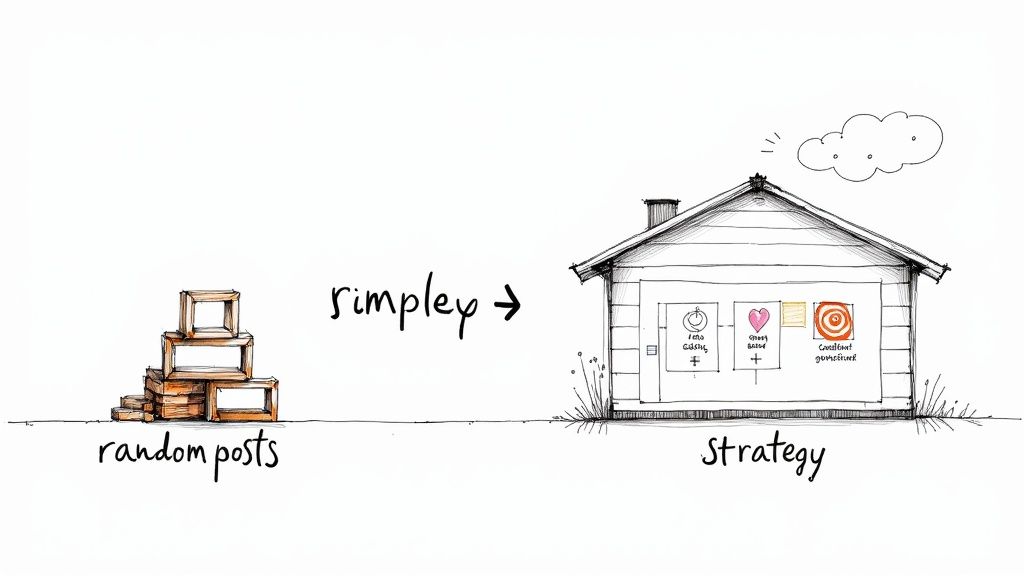
    Illustration showing random social media posts transforming into a house representing a content strategy.

    Imagine trying to build a house by just piling up bricks wherever you feel like it. You'd end up with a chaotic mess, not a sturdy home. The same goes for your social media presence. Posting without a plan is just piling up random content; a social media content strategy is the architectural plan that ensures every single post intentionally builds your brand.

    For busy founders and side-hustlers, time is everything. A real strategy moves you from that reactive, soul-crushing cycle of "what on earth should I post today?" to a proactive, efficient workflow. That shift is a game-changer when you're juggling a million other things. You stop guessing and start executing with a clear guide that can save you hours every week.

    The Core Benefits of a Strategic Approach

    Having a documented plan does more than just organize your content—it drives real business results. It turns your social channels from a simple megaphone into a powerful engine for growth.

    Here’s what a solid strategy actually gets you:

    • Saving Precious Time: A clear plan kills the daily decision fatigue. Practical suggestion: Use a content calendar template in a tool like Notion or Google Sheets to plan a month's worth of content in one afternoon.
    • Building a Loyal Community: Consistent, valuable content acts like a magnet for the right audience, turning passive followers into genuine fans who actually trust your brand.
    • Hitting Tangible Business Goals: Your content finally gets tied directly to objectives that matter, like driving website traffic, generating qualified leads, or making sales.
    • Maintaining a Consistent Brand: A strategy ensures your brand’s voice, tone, and look are unmistakable, no matter which platform you're on.

    A common mistake is confusing long-term strategy with short-term tactics. Strategy is your overarching vision and game plan. Tactics are the specific moves you make to execute it, like running a contest or posting a behind-the-scenes video.

    To make this crystal clear, let's break down the difference.

    Strategy vs Tactics At a Glance

    Element Strategic Approach (The Blueprint) Tactical Approach (Random Acts)
    Timeframe Long-term (quarters, years) Short-term (days, weeks)
    Focus "Why" we are doing this "What" we are doing right now
    Goals Big-picture objectives (e.g., brand awareness) Specific actions (e.g., get 50 contest entries)
    Example Build a community of engaged founders. Post a poll asking about their biggest challenge.

    See the difference? The tactical poll serves the bigger strategy of building community. Without the strategy, the poll is just a random post.

    Understanding the Modern Social Landscape

    The need for a strategy is even more critical when you look at how people use social media today. As of 2025, an estimated 5.42 billion people are active social media users—that's 65.7% of the entire global population.

    What's really telling is that the average person uses about 6.84 different social platforms every month. This explodes the myth that you can just copy and paste the same content everywhere.

    This multi-platform world means a "one-size-fits-all" approach is dead on arrival. Your strategy has to account for the unique audience and format of each channel, making sure your message actually lands wherever it appears. This is where a clear plan becomes non-negotiable, guiding not just what you create but also how you manage and distribute it. If you want to go deeper on this, check out our guide on what social media management truly involves.

    Laying the Foundation of Your Strategy

    A great social media strategy isn’t built on luck. It’s built on a few core components that work together to make sure every single post has a purpose. Getting these basics right is the difference between shouting into the void and actually connecting with people who will become customers.

    Think of it like building a house. You wouldn't start putting up walls without a solid foundation. These components are your foundation, ensuring everything you do is stable, intentional, and actually contributes to your business goals.

    Let's break down exactly what you need.

    Define Your Ideal Audience

    Before you write a single word, you have to know who you’re talking to. And I don’t just mean their age or where they live. To create content that genuinely connects, you need to go deeper and build an Audience Persona—a clear, detailed picture of your ideal customer.

    This isn’t just a marketing exercise; it’s about giving your data a human face. A persona captures what drives your audience, what they struggle with every day, and what problems they’re desperately trying to solve. When you know what keeps them up at night, you can create content that feels like you’re reading their mind.

    Practical Prompts to Build Your Persona:

    • What are their biggest professional or personal challenges right now? Practical Example: A side-hustling graphic designer is struggling to find high-paying clients and feels burnt out from managing projects and marketing simultaneously.
    • Where do they hang out online? Practical Example: They scroll Instagram for design inspiration but use LinkedIn to find professional opportunities and connect with potential clients.
    • What kind of content would genuinely make their life easier? Practical Example: A quick tutorial on pricing design work, a simple client proposal template, or a guide on using Trello for project management would be a game-changer for them.

    Set Your SMART Goals

    Posting just to post is a waste of time. Your social media efforts have to be tied to real business outcomes. "Getting more followers" is a wish, not a goal. To give your strategy some teeth, you need to use the SMART framework.

    SMART goals are Specific, Measurable, Attainable, Relevant, and Time-bound. This simple structure turns a vague idea into a concrete action plan. It’s the difference between saying "I want to grow" and saying, "I will increase qualified leads from LinkedIn by 15% over the next 90 days by posting three educational carousels per week." See the difference? One is a dream, the other is a plan.

    Setting clear, measurable goals is the most critical step in proving social media is worth your time. It’s how you track what’s working, justify the effort, and show exactly how your content is helping the bottom line.

    Practical Examples of SMART Goals in Action:

    • Brand Awareness: Increase Instagram post reach by 20% and impressions by 15% in Q3 by collaborating with two micro-influencers in our niche.
    • Lead Generation: Generate 50 new email subscribers in the next 30 days by promoting a free downloadable guide on Facebook and LinkedIn with a clear link in bio.
    • Community Engagement: Boost the average number of comments per post from 5 to 15 by the end of the quarter by asking open-ended questions and replying to every comment within two hours.

    Establish Your Content Pillars

    You can’t be an expert on everything. Content pillars are the 3-5 core themes your brand will own, talk about, and become known for. They’re the backbone of your content, making sure everything you publish is focused and reinforces why people should listen to you.

    Think of your pillars like the main sections in a bookstore. You know exactly what you'll find in each one. Your audience should have that same clarity about your content. This consistency builds authority and makes you the go-to resource for a few specific topics.

    Practical Example: A productivity coach for founders might build their strategy on these pillars:

    1. Time Management Systems: Breaking down frameworks like Pomodoro or time blocking. Content Idea: A carousel showing "How to Time Block Your Week in 30 Minutes."
    2. Founder Mindset: Talking through burnout, focus, and overcoming procrastination. Content Idea: A short video on "3 Ways to Beat Procrastination When You're Overwhelmed."
    3. Productivity Tools & Tech: Reviewing apps and software that actually save time. Content Idea: A Reel showcasing "My Top 5 Favorite AI Tools for Founders."

    Determine Your Posting Cadence and KPIs

    Finally, you need a realistic plan for how you’ll execute and measure all this. Your posting cadence is simply the rhythm of your content—how often you'll post on each platform. Consistency beats frequency every time. It’s far better to post three amazing pieces of content a week than seven rushed, low-effort ones that nobody engages with. Pick a schedule you can actually stick to without burning out.

    To see if that schedule is working, you need to track the right Key Performance Indicators (KPIs). Your KPIs should tie directly back to the SMART goals you already set. They’re the specific numbers that tell you if your strategy is on the right track or if it’s time to adjust.

    Goal Category Corresponding KPI to Track Why It Matters
    Brand Awareness Reach and Impressions Shows how many unique people see your content and how often it's displayed.
    Engagement Likes, Comments, Shares, Saves Tells you if your content is actually resonating and starting conversations.
    Lead Generation Click-Through Rate (CTR) and Conversion Rate Measures if people are taking the action you want them to, like clicking a link.

    When you take the time to define your audience, goals, pillars, and metrics, you stop throwing content at the wall and hoping it sticks. You build a predictable engine for growth.

    How to Build Your Strategy from Scratch

    Okay, the foundation is set. Now it’s time to get your hands dirty.

    Building a social media content strategy from scratch can feel like a massive task, but it really doesn't have to be. I've designed this workflow specifically for busy founders who need to turn ideas into action—and fast.

    We'll go from a quick health check of what you're doing now to a complete content plan you can start using this week. Think of this as your cheat sheet for creating a structured, efficient process that actually gets results.

    Start with a Quick Social Media Audit

    Before you can figure out where you're going, you have to know where you are right now. A quick audit isn’t about getting lost in spreadsheets; it’s about getting a clear snapshot of your current efforts. This simple exercise will help you spot what's working, what's not, and where the biggest opportunities are hiding.

    Productivity Suggestion: Spend just one hour on this. Set a timer and answer these questions for each platform you're on:

    • What are my top 3 performing posts from the last 90 days? Look for themes. Were they carousels? Videos? Did a certain topic or call-to-action get all the love?
    • Which platform is driving the most engagement or website traffic? This tells you where your audience is most active and where you should probably double down.
    • Is my profile complete and consistent across all channels? Check for a clear bio, a high-quality profile picture, and an up-to-date link. Seriously, you'd be surprised how many people skip this.

    This quick once-over gives you a baseline. It stops you from repeating mistakes and helps you build on what your audience has already told you they like.

    Define Your Audience and Set a Primary Goal

    Now that you know what's working, it's time to get laser-focused on who you're talking to and what you want to achieve. Instead of trying to do everything at once, just pick one primary goal for the next quarter. For a founder with limited time, this singular focus is a superpower.

    A common mistake is setting a bunch of competing goals. By choosing one primary objective—like 'increase brand awareness' or 'generate leads'—you give every single piece of content a clear job to do. It makes your whole strategy far more effective.

    Once your goal is set, get specific about your audience with that goal in mind. For instance, if your goal is generating leads for a new software tool, your persona might be "Sarah, the Side-Hustling Founder."

    Practical Example Persona Snapshot: Sarah, the Side-Hustling Founder

    • Main Goal: Find tools that save her time and automate repetitive tasks.
    • Biggest Pain Point: Juggling her day job with her growing business; feels completely overwhelmed by marketing.
    • Where She Hangs Out: LinkedIn for industry news, Instagram for quick tips and inspiration.

    This level of clarity means your content will speak directly to the person most likely to care about what you're selling.

    Icons of a target, pillars, and growth chart above 'STRATEGY FOUNDATION' text.

    This is how these foundational pieces—your Goals, your Pillars, and your KPIs—all work together. It’s a simple system that connects everything you do.

    Brainstorm Pillars and Map Your Content Calendar

    With your goal and audience locked in, you can now brainstorm your content pillars—the core topics you'll talk about over and over again. From there, you can map out a simple content calendar for the next month. This isn’t about filling every single day; it’s about creating a rhythm you can actually stick to.

    Step-by-Step Workflow for Content Planning:

    1. Brainstorm 3-5 Content Pillars: Based on your persona's needs, what are the key themes you can own? For Sarah, pillars could be "Productivity Hacks," "Automation Tools," and "Side-Hustle Growth Stories."
    2. Select Your Primary Platforms: Don't try to be everywhere. Based on Sarah's habits, you'd focus your energy on LinkedIn and Instagram. That's it.
    3. Map Your First Month: Assign one pillar to each week. For "Productivity Hacks" week, you could plan a carousel on LinkedIn and a short video Reel on Instagram.
    4. Create a Simple Content Brief: For each post, fill out a quick brief. This keeps your quality high and your message consistent, even when you're rushing.

    Productivity Tool: Fill-in-the-Blank Content Brief Template

    • Topic: [e.g., 5 Time-Saving Email Templates]
    • Pillar: [e.g., Productivity Hacks]
    • Platform: [e.g., LinkedIn]
    • Format: [e.g., Carousel Post]
    • Key Message: [e.g., Stop writing emails from scratch; use these templates to save 30 minutes a day.]
    • Call to Action (CTA): [e.g., "Which template will you use first? Let me know in the comments!"]

    This structured approach turns your strategy from a vague idea into a concrete, actionable plan you can start executing today.

    Choosing Your Content Mix and Platforms

    A hand-drawn diagram illustrating content mix balance on a seesaw with different content types and metrics.

    Alright, you've got your plan. Now for the two questions that trip everyone up: what should you actually post, and where? This is where most founders get stuck. They either fall into the trap of promoting way too much or just copy-pasting the same content across every single platform.

    A great social media content strategy is all about finding the right balance and tailoring your message to the environment you're in. Let's break down how to create a content mix that actually attracts your audience and how to pick the platforms where your work will pay off.

    Mastering the 80/20 Rule for Content Creation

    The most effective social media accounts I've seen all run on a simple but powerful principle: the 80/20 rule. Think of it as your secret weapon for building a community that genuinely trusts you, instead of just tolerating your sales pitches.

    Here’s the breakdown:

    • 80% of your content should provide value. This means it educates, entertains, or inspires your audience. Practical Example: Sharing a free checklist, a quick video tutorial, or a behind-the-scenes look at your process. You’re solving a problem for them without asking for anything in return.
    • 20% of your content can be promotional. This is where you finally get to talk about your product, share a killer customer testimonial, or announce a sale. Practical Example: A post announcing a new feature, a case study video, or a limited-time offer.

    Because you’ve spent the vast majority of your time giving, your audience is far more open to listening when it's time to ask. This balance prevents people from tuning you out and positions your brand as a helpful guide, not just a walking billboard.

    Choosing Powerful Content Formats

    Not all content is created equal. The format you choose can completely change how well your message lands. Video is an absolute cornerstone of any effective social media strategy in 2025, consistently crushing static posts in engagement on pretty much every platform. To dig deeper, check out these social media strategies that drive business growth.

    Beyond video, here are a few other high-impact formats to mix in:

    • Carousels: These multi-slide posts are perfect for breaking down complex topics into simple, digestible steps. Practical Example: A 10-slide carousel on "How to Onboard Your First Client" for a freelance consultant.
    • User-Generated Content (UGC): Sharing posts from your customers is one of the most powerful forms of social proof out there. Practical Example: Reposting an Instagram story from a customer unboxing your product. It builds community and gives you authentic content. It’s a win-win.
    • Behind-the-Scenes Stories: People connect with people, not logos. Use Stories on Instagram or Facebook to show the human side of your brand—your workspace, your creative process, or just a day in your life.

    Productivity Suggestion: Match the format to the message. A quick tip is perfect for a short-form video, while a step-by-step guide is much better suited for a carousel. Don't try to force your ideas into a format that just doesn't fit.

    Tailoring Your Content for Each Platform

    The single biggest mistake I see founders make is creating one post and blasting it across every single channel. That one-size-fits-all approach ignores a fundamental truth: each social media platform has its own culture, its own audience expectations, and its own algorithm.

    What kills it on LinkedIn will almost certainly fall flat on TikTok.

    To get real results, you have to adapt your core message for each platform's unique vibe.

    Practical, Platform-Specific Content Examples:

    Let's say you're the founder of a project management app, and one of your content pillars is "Team Productivity." Here’s how you could adapt one core idea for different channels:

    • LinkedIn: The audience here is professional and career-focused. You could post a text-based article or a carousel titled, "5 Project Management Mistakes That Are Killing Your Team's Momentum." The tone should be educational and authoritative.
    • Instagram: This platform is all about visuals and community. You could create an engaging Reel showing a "before and after" of a chaotic workflow transformed by your app, all set to some trending audio.
    • TikTok: Here, authenticity and entertainment are king. A great post would be a short, relatable video with on-screen text like, "My face when the team closes a project two days early using one simple trick."

    By tailoring your approach, you show respect for each platform's community and massively increase your chances of engagement. This thoughtful adaptation is what separates a good social media strategy from a great one.

    Tools and Workflows to Boost Your Productivity

    https://www.youtube.com/embed/BHtqSrNnXws

    Look, a brilliant social media content strategy is only as good as your ability to actually execute it. Without solid systems, even the best plans fall apart under the crush of daily tasks. This section is all about implementation—giving you the tools and workflows to save time, stay organized, and keep your content quality high.

    For founders and side-hustlers, a lean, powerful tech stack is everything. You don't need a dozen expensive tools. What you need are a few smart ones that do the heavy lifting for you. The goal is to build a well-oiled machine that lets you focus on growing your business, not just feeding the content monster.

    Building Your Lean Tech Stack

    The right tools can automate the grunt work and give you creative superpowers. Instead of juggling a bunch of complex platforms, focus on a simple stack that covers the three core functions: creation, scheduling, and listening.

    • AI-Powered Content Creation: Tools like Postful are built to crush writer's block. They can help you brainstorm ideas, tighten up your messaging, and generate post drafts from simple prompts. It turns hours of work into minutes.
    • Smart Scheduling and Automation: A reliable scheduler is non-negotiable. It lets you batch-create your content and then "set it and forget it," making sure you have a consistent presence even on your busiest days.
    • Social Listening Tools: These tools are your eyes and ears. They help you monitor conversations about your brand and industry. Practical Example: Set up alerts for your brand name and key industry terms to find real-time content ideas and opportunities to engage.

    A great workflow transforms social media management from a chaotic scramble into a predictable, low-stress process. By systemizing your tasks, you reclaim mental energy and ensure high-quality output every single week.

    Essential Social Media Tool Stack for Founders

    Here’s a quick look at the kind of lean tool stack that can keep your social media strategy humming without breaking the bank.

    Tool Category Example Tool(s) Primary Function
    AI-Powered Content Creation Postful Brainstorms ideas, drafts posts, and refines messaging from simple prompts.
    Scheduling & Automation Buffer, Hootsuite Schedules posts in advance to maintain a consistent publishing cadence.
    Design & Visuals Canva, Figma Creates professional-looking graphics, videos, and visual assets quickly.
    Social Listening Brand24, Mention Tracks brand mentions, keywords, and industry conversations in real-time.
    Analytics & Reporting Native Platform Analytics Provides data on post performance, audience growth, and engagement KPIs.

    This combination covers your bases, letting you create, schedule, and analyze your content without getting bogged down by overly complicated software.

    A Sample Weekly Workflow for Maximum Efficiency

    Having the tools is one thing; using them effectively is another. A structured weekly workflow is what brings your social media content strategy to life. Here’s a simple but powerful schedule you can adapt for yourself.

    1. Monday (1 Hour) Brainstorming and Briefing: Start the week by planning your content. Look at your content pillars and KPIs, then brainstorm post ideas for the week ahead. Create simple content briefs for each one.
    2. Tuesday (2 Hours) Content Creation: This is your dedicated creation block. Using your briefs, write captions, design graphics, or record videos. Batch-create everything for the entire week in this one session.
    3. Wednesday (30 Mins) Scheduling: Load all your finished content into your scheduling tool. Set the posts to go live at the best times throughout the week. Once it’s done, you don't have to think about posting again.
    4. Friday (30 Mins) Performance Review and Engagement: Check your analytics. Which posts did well? What can you learn for next week? Spend the rest of the time replying to comments and engaging with your community.

    The social media world is getting louder, which means you need more content to stay visible. Some research shows that successful brands now post between 48 and 72 times per week across different platforms to keep their audience engaged. That kind of frequency makes efficient, AI-assisted production a necessity, not a luxury. For more on this, Hootsuite's latest social media trends report is a great read.

    If you want to go deeper on streamlining your production, you can explore some of the best social media content creation tools out there. And since picking the right automation platform is so important, check out our guide on the best social media scheduling tools to find one that fits your workflow.

    Your Path to Consistent Social Media Growth

    A social media content strategy isn't something you create once and then shove in a drawer. Think of it as a living blueprint—one that needs constant attention to actually work. The founders who really succeed on social media treat their strategy not as a one-off task, but as a continuous process of tweaking and refining.

    This is where sustainable growth comes from—from a commitment to planning, not from just randomly posting and hoping for the best. The frameworks and templates in this guide are your starting point, designed to get you from guessing what might work to building a predictable engine for success. It’s all about creating a system that delivers results, week after week.

    Make Quarterly Reviews Non-Negotiable

    A powerful habit to get into is the quarterly strategy review. Every 90 days, block off some time to dive into your analytics, look back at your goals, and ask yourself what’s changed. This regular check-in is what keeps your content sharp and relevant.

    Your social media strategy is your compass, not a rigid map. If the terrain changes—like a new platform trend or a shift in audience behavior—you need to adjust your course to keep moving toward your goals.

    Use this simple checklist to guide your review:

    • Performance vs. KPIs: Are you actually hitting the numbers you set out to achieve?
    • Audience Feedback: What are your comments and DMs telling you? What’s the real vibe?
    • Pillar Relevance: Are your main content themes still landing with your audience, or are they getting stale?
    • Platform Shifts: Have any new features or algorithm changes opened up new opportunities you should be jumping on?

    Your Next Step Starts Now

    This guide has given you the tools; now it's time to put them into action. Don't wait for the "perfect" moment to get started. Use the checklists and templates we've shared to map out your first social media content strategy this week. Taking that first step is the single most important thing you can do to transform how you grow your social media presence.

    For more ideas and to stay on top of what's working, keep an eye on industry resources like Branditok's blog for ongoing tips. It’s time to stop guessing and start building.

    Frequently Asked Questions

    Even the best social media strategy comes with questions. As you start putting your plan into action, you're going to hit a few snags. It's totally normal. Here are some clear, straight-to-the-point answers to the most common questions I hear from founders and side-hustlers.

    How Often Should I Post on Social Media?

    There’s no magic number here. The right frequency really depends on the platform and what your audience has come to expect. A solid starting point is 3-5 times per week for platforms like Instagram and LinkedIn, and maybe 1-3 times a day on faster-moving feeds like X (formerly Twitter).

    But here's what really matters: consistency over sheer frequency. It’s so much better to publish three high-quality, genuinely helpful posts every week than to blast out seven rushed, low-effort ones just to hit a quota. Productivity suggestion: Use a scheduling tool to batch-create your weekly content in one session. This ensures consistency without daily stress.

    What Are Content Pillars and How Do I Choose Them?

    Think of content pillars as the 3-5 core themes your brand will own. They're the foundational topics you'll talk about again and again. This keeps all your content focused, relevant, and helps build your reputation as the go-to expert in your niche.

    To nail them down, find where these three things overlap:

    • Your unique expertise (what you know better than anyone).
    • Your audience’s biggest problems and passions.
    • Your business goals (what you're trying to achieve).

    Practical Example: A financial advisor for tech startups might build their content around pillars like "Startup Funding Strategies," "Founder Wealth Management," and "Scaling Financial Operations." These pillars act as guardrails, keeping your message sharp and reinforcing what your brand is all about.

    How Long Until I See Results From a New Strategy?

    You might get some early wins with engagement, but seeing the results that really move the needle—like steady follower growth, more website traffic, or qualified leads—usually takes 3-6 months of consistent, dedicated effort. Social media is a long game. You're building a community and earning trust, and that doesn't happen overnight.

    Be patient and stick with your plan. It’s critical. Track things like engagement and reach in the short term, but measure the big stuff like leads and sales over a longer period to see the real return on your effort.

    It’s like planting a tree. You won’t see much growth on day one, but if you keep nurturing it, you’ll end up with something strong and lasting. Stay the course, trust the process, and use the data you gather to make smart tweaks along the way.


    Ready to stop guessing and start growing? Postful is the AI-powered tool built for founders who need to create high-quality social media content, fast. Get ready-to-use templates and brainstorming tools to build a consistent presence without the grind. Join the waitlist to secure your early access today!

  • How to Repurpose Reviews, Messages, and Photos Into Weekly Social Content

    How to Repurpose Reviews, Messages, and Photos Into Weekly Social Content

    This article was assisted with AI. We may include links to partners.

    Every day, service professionals collect a wealth of content-from glowing customer reviews and heartfelt messages to before-and-after photos of their work. Yet, many struggle to turn these valuable assets into consistent social media content that builds their brand and attracts new clients. If you’re using platforms like Thumbtack or Angi for leads but want to grow your presence beyond them, repurposing what you already have is a smart, low-effort strategy.

    Social proof plays a huge role in purchasing decisions. In fact, 90% of buyers say social proof influences their research. Leveraging your existing reviews, messages, and photos not only saves time but also builds trust with your audience. Here’s how to turn your everyday work into engaging weekly social content that feels authentic and drives results.

    Why Repurposing Content Matters for Service Pros

    Marketing often feels like a full-time job, especially for independent contractors and small service providers who are experts in their trade but not necessarily in social media. The good news is you don’t need to create content from scratch every time. Your client interactions and project documentation are a goldmine waiting to be shared.

    Consumers trust user-generated content more than polished brand materials. According to 85% of consumers who see user-generated content find it more trustworthy than brand-created photos or videos. This means that your real customer reviews and genuine job photos hold more weight than staged marketing shots.

    Plus, positive social media experiences lead to recommendations. Over 70% of people who have a good experience with a business on social media will recommend it to their networks. Repurposing content consistently keeps your business top of mind and encourages word-of-mouth referrals.

    Additionally, repurposing content allows service professionals to showcase their expertise in a variety of formats, catering to different audience preferences. For instance, a detailed blog post about a recent project can be distilled into a series of engaging social media posts, infographics, or even short video clips. This not only maximizes the reach of your original content but also provides opportunities for engagement across multiple platforms, enhancing your visibility and authority in your field.

    Moreover, by sharing insights and experiences from past projects, you can create a narrative that resonates with potential clients. Storytelling is a powerful tool in marketing; when you share the challenges you faced and how you overcame them, it humanizes your brand and builds a connection with your audience. This approach not only fosters trust but also positions you as a knowledgeable resource, encouraging potential clients to turn to you for their service needs.

    Step 1: Collect and Organize Your Content

    Start by gathering all the reviews, messages, and photos you’ve received from clients. This includes:

    Section Image

    • Online reviews from platforms like Thumbtack, Angi, or Houzz
    • Direct messages or emails praising your work
    • Before-and-after photos or snapshots taken during jobs

    Organize these assets in a simple folder or spreadsheet system. Label photos by project type and date, and categorize reviews by service or client type. This makes it easier to find relevant content when planning your posts. Consider creating subfolders for different types of projects, such as renovations, landscaping, or installations, to streamline your search process even further. This level of organization not only saves time but also allows you to quickly showcase your expertise in specific areas when potential clients inquire about your services.

    Using a tool that connects your job documentation to your social media can save hours. For example, platforms that let you turn job photos directly into scheduled posts automate much of the process. This approach fits perfectly with the busy schedules of service pros who want practical solutions without hiring a marketing team. Additionally, some tools offer analytics features that can help you track engagement, allowing you to refine your content strategy based on what resonates most with your audience.

    Why Documentation Is Your Best Marketing Asset

    Documenting your work isn’t just for client proof-it’s the foundation for your content strategy. Each photo or message tells a story that can resonate with potential customers. Sharing these stories regularly builds credibility and shows the quality of your work in a way that generic ads can’t. Furthermore, incorporating client testimonials alongside your visuals can create a powerful narrative that highlights the impact of your services. When prospective clients see real-life examples of your work paired with enthusiastic endorsements, they are more likely to trust your brand and envision themselves as satisfied customers.

    Moreover, consider the power of storytelling in your documentation. Instead of merely posting a picture of a completed project, share the journey behind it. Discuss the challenges faced, the solutions implemented, and the satisfaction of the client upon completion. This not only humanizes your brand but also engages your audience on a deeper level, making them more likely to interact with your content and share it within their networks. By weaving these narratives into your marketing strategy, you can create a compelling portfolio that speaks volumes about your expertise and dedication to quality service.

    Step 2: Craft Engaging Social Posts from Reviews and Messages

    Customer reviews and messages are powerful social proof. But simply reposting them verbatim can feel flat. Instead, turn these into engaging posts by:

    • Highlighting key phrases: Pull out the most impactful parts of a review and create a quote graphic or caption.
    • Adding context: Briefly explain the project or challenge you solved to give the review more meaning.
    • Using visuals: Pair reviews with photos from the job or a friendly image of your team.

    This approach not only showcases your happy customers but also tells a story that potential clients can relate to. Remember, 91% of 18–34-year-olds trust online reviews as much as personal recommendations, making this content especially valuable for reaching younger audiences.

    Turn Messages Into Testimonials

    Sometimes, clients send you heartfelt thank-you messages or quick compliments. Don’t let these go unused. With permission, transform these messages into short testimonials or social media shout-outs. A simple “Thank you, [Client Name], for your kind words!” post paired with a project photo humanizes your brand and encourages more positive feedback.

    Step 3: Use Before-and-After Photos to Tell Visual Stories

    Visual content grabs attention and drives engagement. Before-and-after photos are especially effective because they demonstrate your skills in a clear, compelling way. Here’s how to maximize their impact:

    Section Image

    • Show the transformation: Use side-by-side images or swipe posts to highlight the difference your work made.
    • Add captions that explain: Describe the problem, your solution, and the client’s reaction.
    • Incorporate client quotes: Combine photos with snippets from reviews or messages for a richer story.

    Since 85% of consumers rely on user-generated videos before trusting a product or brand, consider turning your photos into short video slideshows or reels. This dynamic content performs well on platforms like Instagram and TikTok.

    Scheduling and Consistency Are Key

    Posting once in a while won’t build momentum. Aim to share at least one piece of repurposed content weekly. Scheduling tools can help you maintain this consistency without extra daily effort. For example, automate posting from your job documentation system to social media to keep your audience engaged regularly.

    Step 4: Mix Content Types for a Balanced Feed

    Variety keeps your audience interested. Rotate between:

    • Review highlights
    • Client messages/testimonials
    • Before-and-after photos or videos
    • Tips or behind-the-scenes glimpses of your work process

    Curated content like this is preferred by most consumers. In fact, 78% of consumers prefer curated content over brand-produced content. By sharing authentic, client-centered posts, you build trust and show the real value of your services.

    Engage Your Audience

    Don’t just post and ghost. Respond to comments, thank clients publicly, and encourage followers to share their own experiences. Engagement boosts your visibility and turns followers into advocates.

    Step 5: Use AI Tools to Streamline Content Creation

    AI-powered platforms can help turn your raw content into polished social posts quickly. For example, AI can generate captions for before-and-after photos or rephrase client messages into attention-grabbing testimonials. This saves time and ensures your posts stay professional and consistent.

    For service pros juggling multiple projects, this kind of automation is a game-changer. It bridges the gap between your day-to-day work and your marketing efforts, making it easier to build an audience organically without extra stress.

    Final Thoughts: Turn Your Work Into Your Best Marketing

    Repurposing reviews, messages, and photos into weekly social content isn’t just about filling a calendar. It’s about telling authentic stories that build trust and attract new clients. With 90% of buyers influenced by social proof and 85% trusting user-generated content more than brand-created materials, your existing assets are more powerful than you think.

    Section Image

    By organizing your content, crafting engaging posts, showcasing transformations visually, mixing content types, and using AI tools to streamline the process, you can create a sustainable social media presence that works for your business. This approach gives you control over your marketing, saves time, and helps you grow beyond lead platforms like Thumbtack and Angi.

    Ready to start turning your everyday work into social content? Tools like Postful can help you capture your next job and share it effortlessly, making social media marketing one less thing to worry about.

    Start Sharing Your Story with Postful

    Transform your customer reviews, messages, and project photos into compelling social media narratives with ease using Postful. As an AI-powered tool designed for busy individuals and small businesses, Postful streamlines your social media efforts by generating ideas, refining content, and ensuring consistency in your posts. Say goodbye to the confusion and time drain of social media management. Sign up for Postful today and start growing your audience with authentic, engaging content that resonates.

  • What is a Target Audience?

    What is a Target Audience?

    This article was assisted with AI. We may include links to partners.

    A target audience is the specific group of people you want to reach with your content, product, or service. Understanding who they are, and what motivates them, is one of the most important foundations of effective marketing.

    When you define your target audience clearly, every message, campaign, and post becomes more focused and impactful. Without that clarity, marketing efforts often become generic, wasting time and resources while failing to connect.

    Why Knowing Your Target Audience Matters

    • Improves engagement: Tailored messages attract more likes, shares, and responses.
    • Builds loyalty: Content that feels personal creates lasting relationships.
    • Saves resources: Focused targeting prevents wasted effort on disinterested audiences.
    • Boosts conversions: When messaging aligns with needs, people act faster.
    • Enhances consistency: Keeps brand voice and content aligned across channels.

    How to Define Your Audience

    Start by collecting key information about the people you want to reach. A complete audience profile typically includes three layers of insight:

    1. Demographics: Basic data like age, gender, income, location, and occupation.
    2. Psychographics: Deeper understanding of interests, values, motivations, and lifestyles.
    3. Behaviors: Insights into purchasing habits, content preferences, and online behavior.

    Together, these insights help you craft posts that speak directly to what matters most to your audience, not just who they are, but why they care.

    Segmenting Your Audience

    Once you understand your audience, break it into smaller segments with shared traits. This approach allows for precise targeting and more relevant messaging.

    Example:
    A skincare brand might create segments such as “eco-conscious buyers,” “first-time users,” and “loyal advocates.” Each segment receives different content that fits their goals and familiarity with the brand.

    Creating Audience Personas

    An audience persona is a detailed, fictional profile that represents one segment of your audience.
    A good persona includes:

    • Name and short background
    • Goals and challenges
    • Buying motivations
    • Preferred content types or platforms

    Creating personas helps you write as if you’re speaking directly to a real person. These personas can inform how to make posts that feel personal and relevant to each audience type.

    Tools to Research and Understand Your Audience

    Analytics Tools

    • Google Analytics: Understand website visitors’ demographics, locations, and on-site behavior.
    • Meta Business Suite / Instagram Insights / X Analytics: Track post engagement, impressions, and follower demographics.
    • LinkedIn Analytics: Identify industries, job titles, and engagement patterns for B2B audiences.

    Survey and Feedback Tools

    • Typeform and Google Forms: Collect qualitative feedback and learn audience preferences.
    • Hotjar: Visualize how users interact with your site or landing pages.

    Social Listening Tools

    • Brandwatch and Mention: Monitor online conversations and sentiment around your brand or industry.
    • Google Alerts: Track brand mentions and emerging trends.

    Competitor Analysis Tools

    • SEMrush and Ahrefs: Analyze competitors’ audience behavior, keywords, and traffic sources.
    • SparkToro: Identify what your audience reads, watches, and follows online.

    Refining Your Messaging

    Once your target audience is defined, refine your messaging so it feels personalized and relatable.

    • Use the language and tone your audience uses.
    • Focus on pain points and how your product solves them.
    • Match your content style to each platform: short videos on TikTok, insights on LinkedIn, visuals on Instagram.

    With Postful, you can use your audience profiles to automatically adjust tone and message during AI generation, saving time while maintaining precision and authenticity.

    Testing and Iteration

    Audience preferences evolve. Regularly test what works and adapt.

    • Run A/B tests on messaging and creative formats.
    • Measure engagement and conversion metrics.
    • Refine your personas and segments based on performance data.

    How Understanding Your Target Audience Supports Growth

    When you know exactly who you’re speaking to, your marketing becomes strategic instead of scattershot. Every post, ad, and interaction becomes an opportunity to connect more deeply with your ideal customers.

    Key Takeaways

    • A target audience is the group most likely to engage with your content or buy your product.
    • Use demographics, psychographics, and behavior to define and segment your audience.
    • Build audience personas to personalize communication.
    • Continuously test and refine messaging based on engagement data.

    Try Postful today and create audience profiles and craft posts that connect directly with the people who matter most to your business.

  • Why Every Contractor Needs an Online Portfolio — and How to Share It

    Why Every Contractor Needs an Online Portfolio — and How to Share It

    This article was assisted with AI. We may include links to partners.

    Imagine a potential client searching online for a contractor to renovate their kitchen or build an addition. What will they find? If your work isn’t showcased clearly and professionally online, you might not even make the shortlist. With 65% of homeowners finding new contractors through online searches, having an online portfolio isn’t just a nice-to-have – it’s essential for growing your business and standing out in a crowded market. Research shows that 78% of home improvement customers start their projects with online research, making your digital presence the first impression you make.

    But an online portfolio is more than just a gallery of photos. It’s a dynamic tool that can build trust, demonstrate your skills, and keep clients engaged throughout the project lifecycle. This article breaks down why every contractor needs one and offers practical tips for sharing it effectively to attract and retain clients.

    The Power of an Online Portfolio for Contractors

    Contracting is a highly visual and trust-driven business. Potential clients want to see proof that you can deliver quality work before they commit. An online portfolio does exactly that by showcasing your past projects, highlighting your expertise, and providing social proof through client reviews and testimonials.

    Section Image

    Nearly half of clients find construction companies through online review platforms like Google or Yelp, which means your portfolio should integrate or link to these reviews to reinforce credibility. A strong online presence, including a well-maintained portfolio, can significantly impact lead generation. In fact, 68% of construction firms report that a strong brand presence positively affects their ability to attract new clients according to industry reports.

    Additionally, an online portfolio allows you to control your narrative. Instead of relying solely on word-of-mouth or third-party platforms, you can present your work the way you want, emphasizing your unique strengths and specialties. This autonomy is especially important for independent professionals and small service providers who often depend on lead platforms but want more control over their marketing efforts.

    Building Trust Through Visual Proof

    Photos and videos of completed projects give potential clients a tangible sense of your capabilities. Including before-and-after photos, 3D walkthroughs, or virtual tours can make your portfolio even more compelling. Nearly half of construction contractors now include virtual tours and 3D walkthroughs on their websites to engage visitors more deeply.

    These visual elements not only showcase your craftsmanship but also help clients visualize the possibilities for their own projects. When paired with positive client reviews, your portfolio becomes a powerful trust-building tool that can convert curious visitors into paying customers.

    Moreover, the use of high-quality images and engaging video content can significantly enhance the user experience. Clients are more likely to spend time on a website that offers rich media, which can lead to higher engagement rates. By incorporating detailed project descriptions alongside your visuals, you can provide context and insight into your work process, materials used, and the challenges overcome during each project. This not only informs potential clients but also demonstrates your professionalism and attention to detail, further solidifying their trust in your abilities.

    In addition to showcasing your work, an online portfolio can serve as a platform for sharing valuable content related to your industry. Consider adding a blog section where you discuss trends in construction, tips for homeowners, or insights into sustainable building practices. This not only positions you as an expert in your field but also helps to create a connection with your audience, fostering a community around your brand. Engaging content can encourage visitors to return to your site, increasing the likelihood of them choosing your services when they are ready to start their projects.

    How to Create an Effective Online Portfolio

    Creating an online portfolio doesn’t have to be complicated or expensive. The key is to focus on clarity, professionalism, and relevance to your target audience.

    Section Image

    Choose the Right Platform

    Many contractors start with simple website builders that offer portfolio templates tailored for construction and home improvement businesses. Platforms like Houzz, Thumbtack, and Angi are popular for lead generation, but having your own website where you control the content is crucial for long-term growth. A personal website not only showcases your work but also allows you to establish your brand identity, making it easier for clients to remember you and your services. Website builders like Solo, Wix, and Squarespace provide easy to use templates to get you started.

    Consider integrating your portfolio with social media channels where 82% of construction companies actively promote their projects and services. Sharing your portfolio content on platforms like Instagram, LinkedIn, and Facebook can expand your reach and attract new clients organically. Engaging with your audience through comments and direct messages can also foster relationships and build trust, which is essential in the construction industry where word-of-mouth referrals are invaluable.

    Showcase Your Best Work

    Select projects that highlight a range of skills and services you offer. Quality trumps quantity – it’s better to have a few outstanding projects with detailed descriptions, photos, and client testimonials than many mediocre ones. Explain the challenges you faced and how you solved them. This storytelling approach helps potential clients connect with your work on a deeper level. Including before-and-after photos can be particularly impactful, as they visually demonstrate your capabilities and the transformation you can achieve.

    Additionally, consider including a section for case studies that delve deeper into specific projects. This could involve outlining your project management process, the materials used, and any innovative techniques you employed. Such detailed insights not only showcase your expertise but also position you as a knowledgeable professional in your field, making clients more likely to trust you with their projects.

    Keep Content Fresh and Engaging

    Regularly update your portfolio with new projects and client feedback. Content marketing is a proven strategy in the construction industry, with 65% of firms using it to attract new clients. Adding blog posts about recent projects, tips for homeowners, or industry trends can also boost your website’s SEO and drive more traffic. Consider creating video content as well; a short video tour of a completed project can provide a dynamic view that static images cannot, allowing potential clients to experience your work in a more engaging way.

    Repurposing your project photos and reviews into social media posts can save time and increase engagement. Tools that automate social media posting from your job documentation can make this process seamless, helping you maintain a consistent online presence without extra effort. Furthermore, engaging with local community groups or forums can enhance your visibility and position you as a go-to expert in your area. By sharing insights and participating in discussions, you can build a network that may lead to future projects and collaborations.

    Sharing Your Online Portfolio to Maximize Impact

    Having an online portfolio is only half the battle. You need to actively share it where your potential clients are looking.

    Section Image

    Leverage Digital Channels

    Digital channels generate 40% of construction leads, outperforming referrals and other sources combined. Email marketing, for example, has a 25% higher open rate in the construction sector compared to other industries, making it a valuable tool to share portfolio updates and keep your audience engaged.

    Regular newsletters featuring recent projects, client testimonials, and helpful tips can nurture leads and encourage repeat business. Including clear calls to action, like inviting recipients to view your portfolio or schedule a consultation, boosts conversion rates.

    Utilize Online Review Platforms

    Since 48% of clients find contractors through review platforms, make sure your portfolio links to your profiles on Google, Yelp, or Angi. Encourage satisfied clients to leave reviews and showcase these testimonials prominently within your portfolio. Positive reviews build trust and improve your search rankings, making it easier for new clients to discover you.

    Engage on Social Media

    Social media is a powerful way to share your portfolio and interact with potential clients. Posting before-and-after photos, project walk-throughs, and client shout-outs can attract followers and generate leads. With 60% of clients preferring digital updates, social media also serves as an effective channel to keep existing clients informed and engaged throughout their projects.

    Attending industry conferences and trade shows, where 60% of construction marketers participate annually, can also help you network and promote your portfolio offline, driving traffic to your online presence.

    Measuring Success and Growing Your Portfolio

    Tracking how your portfolio performs helps you understand what resonates with your audience and where to improve.

    Use website analytics to monitor traffic, engagement, and conversion rates from your portfolio pages. Aim to increase organic traffic by 40% month-over-month through SEO-driven content and consistent updates. Pay attention to which projects get the most views and inquiries, and tailor future content accordingly.

    Strong branding combined with a well-maintained portfolio can generate a higher return on investment. The average ROI for digital marketing in the building industry is estimated at 4.5x, underscoring the value of investing in your online presence.

    Continuous Improvement

    Keep experimenting with different content formats like videos, virtual tours, and blog posts. Gather feedback from clients about what they found most helpful in your portfolio. This ongoing refinement will make your portfolio more effective over time and help you stay ahead of competitors.

    Remember, your portfolio is a living asset – it grows and evolves with your business. Use it to tell your story, celebrate your successes, and build lasting relationships with clients.

    Ready to turn your everyday work into a powerful marketing tool? Tools like Postful can help you document your projects and automate social media posting, making it easier than ever to build and share your online portfolio effectively.

    Take Your Portfolio Further with Postful

    Ready to elevate your online portfolio and harness the power of social media with ease? Discover how Postful can transform your digital marketing efforts. Our AI-powered tool is designed to streamline your social media strategy, allowing you to generate, refine, and syndicate content effortlessly. With Postful, you can stay authentic, engage your audience, and maintain a consistent online presence, all while saving time. Sign up for Postful today and start sharing your portfolio like a pro.

  • How to Start Social Media Marketing: A Practical Guide

    How to Start Social Media Marketing: A Practical Guide

    This article was assisted with AI. We may include links to partners.

    Getting your social media off the ground is about having a solid game plan before you even think about posting. It really comes down to three things: setting clear business goals, knowing what your competitors are up to, and getting crystal clear on who you’re talking to. Get these right, and you’ll build a strategy that actually moves the needle.

    Build Your Social Media Foundation

    So many small business owners make the same mistake: they jump straight into creating content without a plan. A strong foundation is what makes your efforts strategic and efficient. You stop posting randomly and hoping for engagement, and start creating content with a real purpose for the right people.

    This early work is what turns social media from a daily chore into a genuine business asset. It’s the difference between shouting into a void and having a real conversation with potential customers who are actually listening.

    Let’s break down how to build that essential groundwork.

    Define Your Business Objectives

    Before you get caught up in likes or follower counts, take a step back and ask: what business outcome am I trying to achieve here? Vague goals like “increase brand awareness” are nearly impossible to measure and don’t lead anywhere productive.

    Instead, tie your social media efforts to tangible business results. The classic SMART framework is perfect for this—make your goals Specific, Measurable, Attainable, Relevant, and Time-bound.

    Take a local coffee shop, for instance. Their goal isn’t just to get more followers. A much better goal would be something like this:

    • Goal: Increase in-store foot traffic from our Instagram account.
    • Metric: We’ll track how many people redeem an Instagram-exclusive offer.
    • Target: Aim for 25 redemptions per month for the next quarter.

    See the difference? This approach gives your social media marketing a clear purpose and makes it incredibly easy to see if what you’re doing is actually working.

    Analyze Your Competitors

    You don’t need to commission a massive, time-sucking report. A quick 30-minute review of 3-5 of your main competitors can give you some amazing insights. Just look for the patterns. What platforms are they on? What kind of content seems to get the most traction for them? And, most importantly, where are they dropping the ball?

    A competitive analysis isn’t about copying what everyone else is doing. It’s about finding the gaps in the market—the opportunities where your brand can stand out and offer something unique to an audience that isn’t being served well.

    This infographic gives a great overview of the whole process, from setting your own goals to really digging into who your audience is.

    Infographic about how to start social media marketing

    As you can see, a winning strategy always starts with your internal goals, moves on to what’s happening around you, and lands on a deep understanding of your customer.

    Create Your Ideal Customer Persona

    This is the final—and honestly, the most critical—piece of the puzzle: defining who you’re talking to. A customer persona is basically a detailed profile of your ideal buyer. Going through this exercise ensures every single post, caption, and reply you write will hit home with the people you want to reach. If you want to dive deeper into this, our guide on what is a user persona is a great place to start.

    When you have a persona, you stop guessing. You’ll know their pain points, what motivates them, and what kind of content they actually find valuable.

    For a freelance graphic designer, a persona might look something like this:

    • Name: “Startup Sarah”
    • Role: Founder of a new tech startup.
    • Challenges: She has a tiny budget, needs a professional brand identity yesterday, and is completely overwhelmed by all the marketing tasks on her plate.
    • Goals: Secure her first round of funding, launch her product successfully, and attract her first batch of paying customers.

    Armed with this persona, our designer knows exactly what to post. She can create content about affordable branding packages, share productivity tips for founders, and show off case studies of other startups she’s helped launch. This is how you turn followers into loyal, paying customers.

    Choose the Right Social Media Platforms

    Social media logos for various platforms displayed on a smartphone screen.

    One of the biggest mistakes small business owners make is feeling like they have to be on every social media platform. It’s a classic productivity drain. Spreading your efforts too thin is a surefire recipe for burnout and, frankly, mediocre results.

    The smarter way to go is to focus your energy where your ideal customers are already hanging out.

    Each social network has its own unwritten rules, user expectations, and content style. A post that gets tons of love on one platform can fall completely flat on another. Matching your brand’s voice and content to the right environment is everything if you want to make a real connection.

    Find Your People, Then Pick the Platform

    Your decision should be based on data, not just a gut feeling. Knowing that there are over 5.66 billion social media users is interesting, but it doesn’t help you. What you need to know is which of the 6.83 networks the average person uses are the right ones for your business.

    Think about your ideal customer. Where do they go for information, for entertainment, or for professional advice?

    • A B2B tech company selling project management software will almost certainly find its best leads on LinkedIn. People are there to network, read industry news, and find solutions to business problems.
    • A local bakery, on the other hand, will probably build a much more loyal following on Instagram. Its customers are there for drool-worthy photos, behind-the-scenes stories, and a sense of community.

    The goal isn’t just to find your audience. It’s to meet them in a context where they’re actually open to hearing from you. It’s all about showing up in the right place at the right time.

    Get the Vibe of Each Platform

    Beyond just demographics, every platform has a distinct personality. A polished corporate video might do great on LinkedIn, but that same video would feel completely out of place on TikTok, where raw, unfiltered content is king.

    You wouldn’t wear a tuxedo to a backyard BBQ, right? Same idea.

    To help you decide where to focus your efforts, here’s a quick guide comparing the major platforms.

    Platform Selection Guide for Small Businesses

    PlatformPrimary AudienceBest For Content TypeKey Business Goal
    InstagramMillennials & Gen ZHigh-quality photos, Reels, StoriesBuild brand aesthetic, drive e-commerce sales
    LinkedInB2B professionals, job seekersIndustry articles, company news, case studiesGenerate leads, establish thought leadership
    TikTokGen Z & young millennialsShort-form, trend-driven videos, tutorialsIncrease brand awareness, drive viral engagement
    FacebookGen X & Baby BoomersCommunity posts, events, live video, adsBuild local community, run targeted ads

    This table should give you a starting point. Your own audience research will fill in the rest of the picture.

    To make it even clearer, let’s break down the personality of a few key players:

    • Instagram: It’s all about visuals. This is the place for brands with a strong aesthetic, like e-commerce, food, fashion, and lifestyle businesses. Think stunning photos, creative Reels, and engaging Stories.
    • LinkedIn: The professional network. This is where B2B companies shine. Share industry insights, celebrate company milestones, and position yourself as an expert. The content here should be polished and genuinely valuable to a professional crowd.
    • TikTok: The hub for short, fast, and fun video. It favors creativity and authenticity over big production budgets. If your brand can tap into trends with humor and personality, you can see explosive growth here.
    • Facebook: A bit of a jack-of-all-trades with a slightly older user base. It’s fantastic for building communities through Facebook Groups and is still a powerhouse for local businesses using targeted ads and event promotion.

    Choosing the right platforms from the get-go is a massive productivity hack. Instead of struggling to create five different types of content, you can focus on mastering one or two channels where your time and effort will actually pay off.

    Develop a Content Strategy That Connects

    A person at a desk planning out their social media content strategy with sticky notes and a laptop.

    Alright, you’ve set your goals and picked your platforms. Now for the fun part: building the engine of your entire social media presence—your content strategy.

    Put simply, this is your game plan for what you’ll post and when. A solid strategy eliminates that daily “what do I even share today?” panic and makes sure everything you create actually pushes you toward your business goals.

    The idea is to stop posting random, one-off updates and start building a structured, purposeful flow. That consistency builds trust with your followers and, honestly, just makes your own life a whole lot easier.

    Build Around Your Content Pillars

    The smartest way to organize your ideas is by using content pillars. Just think of these as three to five core topics or themes your brand will talk about over and over again. They become your guideposts, keeping every single post relevant to your audience and cementing your brand’s expertise.

    We’ve got a full guide on content pillars for your social media if you want to go deeper.

    For instance, a fitness coach probably shouldn’t only post about workouts. That gets old fast. A better approach uses pillars to add some variety:

    • Educate: Short video tutorials showing proper exercise form.
    • Inspire: Client success stories and transformation photos (always get permission!).
    • Entertain: Relatable gym humor or a behind-the-scenes peek at their own fitness journey.

    This mix keeps the feed fresh and hits on different motivations, turning a flat, one-dimensional profile into a resource people actually want to follow.

    A strong content strategy is built on giving value first. Before you ask for a sale, you need to offer your audience something that helps, entertains, or inspires them. This is how you turn passive followers into a loyal community.

    Choose Your Content Formats

    Different ideas shine in different formats. There’s a reason video content continues to dominate our feeds. In fact, a whopping 78% of people prefer learning about new products through short videos, and 87.5% of adults watch them every week.

    But that doesn’t mean you need a Hollywood budget for every post. The trick to a sustainable workflow is mixing it up.

    • Static Images: Perfect for quotes, announcements, or sharp product shots.
    • Carousels: Ideal for telling a story, breaking down a step-by-step guide, or showing off a product collection.
    • Short-Form Video (Reels/TikToks): Excellent for tutorials, quick tips, and hopping on trends.
    • Stories: Great for informal, behind-the-scenes content, quick polls, and Q&As.

    By mixing these up, you can repurpose a single great idea in multiple ways, which is a massive time-saver.

    Create a Simple Content Calendar

    A content calendar doesn’t need to be some complex, color-coded beast. The real goal is just to plan your posts at least a week or two ahead so you aren’t scrambling at the last minute. You can get started with tools you already use.

    And if you’re ever stuck, you can always explore these top social media content ideas to boost engagement for a little inspiration.

    Productivity Tools for Your Calendar:

    1. Google Calendar: Just create a new calendar for “Social Media.” Schedule each post as an “event” and drop your caption, hashtags, and links right in the description. You can even color-code by content pillar for a quick visual overview.
    2. Trello: This is my personal favorite for visualizing workflow. Set up a board with lists like “Ideas,” “To Film/Design,” “Ready to Post,” and “Published.” Each post becomes a card that you can drag and drop as it moves through the process.

    This kind of structured approach turns content creation from a reactive chore into a proactive, organized system. That frees you up to spend more time actually engaging with your community—which is the whole point, right?

    Engage Your Community and Build Real Relationships

    People interacting and engaging within a social media community interface.

    A solid content plan gets you in the game, but social media is a two-way street. The real magic happens after you post—in the comments, DMs, and shared stories. This is your chance to stop broadcasting and start building a real community around what you do.

    Engagement isn’t just about damage control or answering a question here and there. It’s about starting conversations and creating a space where your followers feel seen and heard. That’s how you turn passive scrollers into loyal fans who genuinely trust your brand.

    Manage Interactions Without the Overwhelm

    Keeping up with every comment and message can feel like a full-time job. I get it. The trick is to create a simple workflow so you can be responsive without letting it hijack your entire day.

    I’ve found the best way to do this is by batching engagement into specific time blocks.

    Try setting aside 15-20 minutes in the morning and another 15-20 minutes in the afternoon just for responding. In those windows, your only job is to answer questions, thank people for feedback, and reply to comments. This approach keeps you from being constantly pulled away from other critical tasks by notifications.

    A quick tip: Don’t just “like” a comment. Leave a real reply, even if it’s short. A simple, “So glad you enjoyed it!” shows there’s a real person listening. It makes your audience feel valued.

    Turn Customers into Your Best Marketers

    One of the most powerful things you can do is encourage user-generated content (UGC). This is when your own customers create and share photos or videos featuring your products. In a flash, they become your most authentic marketing team.

    You don’t need a huge, complicated campaign to get this going.

    A simple, memorable branded hashtag is often all it takes. For example, a local plant shop could use #MyLeafyLook and ask customers to share photos of their new plants at home. It’s that easy.

    To get more people involved, you could offer a small incentive:

    • Feature top posts: Share the best UGC on your own feed and give the original creator a shout-out. People love the recognition.
    • Run a simple contest: Offer a monthly prize, like a gift card or a free product, for the best photo shared with your hashtag.

    This strategy does more than just fill your content calendar. It builds powerful social proof and a genuine sense of community.

    Start Conversations Proactively

    Don’t just sit back and wait for your audience to talk to you—go to them. Proactive engagement means jumping into conversations where your audience is already hanging out. It shows you’re part of the community, not just a business trying to make a sale.

    Here are a few easy ways to do this:

    1. Use Interactive Story Features: Run polls on Instagram Stories asking followers to vote on a new product color. Use the “Ask Me Anything” sticker for a quick Q&A session. These features are built for engagement.
    2. Join Relevant Groups: If you’re a B2B business, get active in relevant groups on LinkedIn or Facebook. Answer questions and offer helpful advice without pitching your services. Just be useful.

    These small, consistent interactions build the kind of trust and loyalty that turns followers into customers for life.

    Measure What Matters and Optimize Your Strategy

    So, you’re posting content consistently. That’s a great start, but how do you actually know if it’s working? A solid social media strategy runs on data, not just good vibes and guesswork. This is the part where you shift from being a content creator to a smart marketer who makes informed decisions that actually grow the business.

    Tracking the right numbers shows you what your audience loves, what they scroll right past, and where you should be putting your energy. It’s this cycle of measuring and tweaking that turns a flat social media presence into a real marketing engine.
    Identify Your Key Performance Indicators

    Before you get lost in a sea of data, you need to zero in on the metrics that tie directly back to the goals you set earlier. Not all numbers are created equal. A giant follower count might feel good, but it’s just a vanity metric if none of those people are engaging with your posts or clicking over to your website.

    For most small businesses, these are the metrics that truly matter:

    • Engagement Rate: This is the percentage of your audience that actually interacts with your content—think likes, comments, shares, and saves. It’s a dead-simple way to see if your content is actually resonating with people.
    • Reach and Impressions: Reach tells you how many unique people saw your post. Impressions count the total number of times it was seen (one person could see it multiple times). Together, they show you how far your message is spreading.
    • Click-Through Rate (CTR): This is gold. It measures how many people clicked the link in your post, bio, or ad. If your goal is to get people to your website or a landing page, this is your north star.

    Don’t get distracted by shiny numbers that don’t mean anything for your bottom line. Focus on the data that tells a story about your business goals. A post with a huge engagement rate that drives zero website clicks is far less valuable than one with modest engagement but a killer CTR.

    Create a Simple Monthly Review Workflow

    You don’t need a fancy, expensive analytics platform to get started. The built-in tools like Instagram Insights or Facebook Business Suite offer a ton of actionable information. The real trick is building a consistent habit of actually looking at it.

    Set aside just one hour at the end of each month and run through this simple process:

    1. Pull the Numbers: Open up your platform’s analytics. Jot down your key metrics for the month: average engagement rate, total reach, and total link clicks.
    2. Find Your Winners: Identify your top three posts based on engagement or reach. Now, play detective. Why did they do so well? Was it the format (video vs. image)? The topic? The style of the caption?
    3. Spot the Duds: Look at your bottom three posts. What do they have in common? Knowing what doesn’t work is just as powerful as knowing what does.
    4. Make a Plan: Based on what you found, create one simple action item for next month. For example: “We’re making more behind-the-scenes video content because it got the highest engagement.”

    This straightforward routine turns raw data into a clear plan for getting better. It’s a game-changer. And with the rise of generative AI, this is getting even easier. More than three-quarters of social strategy leaders are now using AI for everything from analytics to campaign planning. You can see more on how AI is shaping social media on Sproutsocial.com. A data-driven approach like this is non-negotiable for anyone serious about how to start social media marketing the right way.

    Common Questions (and Straight Answers) About Social Media Marketing

    Diving into social media for your business can feel like you’re opening a can of worms. It’s totally normal to have a ton of questions and wonder if you’re even focusing on the right things. Let’s cut through the noise and tackle some of the most common hurdles you’ll face.

    How Much Should I Actually Spend?

    This is the big one, right? While there’s no single magic number, a solid rule of thumb is to set aside 5-15% of your total marketing budget for social media.

    That budget doesn’t just mean ads. It can cover the tools you need for creating content, scheduling software that saves you a headache, and, of course, any paid promotions you decide to run. A freelance designer might just need a Canva Pro subscription to get started, whereas a growing e-commerce shop will probably want to earmark more for targeted Instagram ads.

    What Do I Do About Negative Comments?

    Whatever you do, don’t ignore them. Hitting ‘delete’ or pretending you didn’t see it is the fastest way to lose trust.

    The best move is to reply publicly and professionally first. Acknowledge their concern so everyone sees you’re paying attention. Then, immediately offer to take the conversation private—via DM or email—to actually solve their problem. This simple two-step process shows your other followers that you care and are committed to making things right, which can turn a negative into a positive.

    How Long Until I See Real Results?

    This is a marathon, not a sprint. You aren’t going to see a flood of sales on day one. Building a real community and genuine trust takes time and consistency.

    Most small businesses should expect to see meaningful traction—like a steady flow of leads or a real bump in website traffic—within six to twelve months. But you’ll see early wins much sooner. Keep an eye on things like your engagement rate; a consistent climb there tells you you’re on the right path.

    Is Social Media Still Good for Reaching Younger People?

    Absolutely, and the data is crystal clear on this. A recent Deloitte study found that 63% of Gen Z and 49% of millennials say social media ads and reviews are the biggest influences on what they buy. They spend a whole lot more time on these platforms than the average person.

    You can dig into the full findings on Deloitte.com to get a better feel for these trends yourself. The short answer? If you want to reach them, you need to be where they are.


    Ready to take the guesswork out of your content workflow? Postful is the AI-powered social media tool that helps you show up consistently and confidently. Get ready-to-use templates and curated ideas to jumpstart your content creation. Join the waitlist today at https://postful.ai and build a social media presence that works for you.

  • How to Increase Brand Awareness a Practical Guide

    How to Increase Brand Awareness a Practical Guide

    Trying to build brand awareness without first defining your brand is like setting off on a road trip with no map. You’ll burn a lot of fuel and time, but you probably won’t end up anywhere meaningful. Before you spend a single dollar on ads or an hour creating content, you have to get clear on who you are and who you’re talking to.

    Defining Your Brand Before You Build Awareness

    Hand-drawn concepts of brand motivators, brand voice, and visual consistency with charts and icons.

    This foundational work isn’t just a "nice-to-have"—it's the core of any successful campaign. It’s what separates brands that make a real connection from those that just shout into the void.

    Putting in the effort here ensures every tweet, blog post, and ad feels cohesive and intentional. It’s how you turn random viewers into loyal followers who actually get what you’re about.

    To get this right, you need to nail three key areas: who you're talking to, how you sound, and what you look like.

    Before diving into the specifics, here's a quick look at the core pillars that will support all your brand awareness efforts.

    Pillar Objective Key Action
    Customer Personas To deeply understand your audience's needs and behaviors. Create semi-fictional profiles based on real data and research.
    Brand Voice To establish a consistent and relatable personality. Define 3-5 core personality traits with clear "do's" and "don'ts."
    Visual Identity To create instant recognition across all platforms. Standardize your logo, color palette, and typography.

    These three elements work together to build a brand that people not only recognize but also trust.

    Build Detailed Customer Personas

    Knowing your audience goes way beyond basic demographics. "Males, 25-40" is too generic to be useful. You need to get specific and build out detailed customer personas. Think of these as semi-fictional characters that represent your ideal customer, pieced together from real data and research.

    Practical Example: Instead of a vague demographic, you get "Alex, the 32-year-old startup founder."

    • His Goals: Alex wants to grow his company’s social media presence without hiring a full-time manager.
    • His Challenges: He’s swamped with work, struggles to come up with content ideas, and finds most scheduling tools clunky.
    • His Digital Habits: He’s listening to business podcasts on his commute, scrolling LinkedIn for industry news, and using Instagram for a bit of personal inspiration.

    Suddenly, everything becomes clear. You know exactly where to find Alex, what problems you can solve for him, and how to talk to him in a way that actually connects. If you're just getting started, our guide on what is a user persona can walk you through the process.

    Define Your Unique Brand Voice

    Your brand voice is your brand's personality in written form. Are you witty and informal like Wendy's? Or are you more authoritative and professional, like IBM? Whatever it is, it needs to be consistent.

    Your voice isn't just what you say, but how you say it. It should be authentic to your brand's values and consistent across every tweet, email, and blog post.

    Productivity Tip: Create a one-page "Brand Voice Guide" in a shared document (like Google Docs or Notion). This makes it easy for your entire team, including freelancers, to stay consistent.

    For a "Playful" voice, it might look like this:

    • Do: Use emojis and relevant pop culture references.
    • Don't: Make jokes at a customer's expense or use unprofessional slang.

    This turns an abstract idea into a practical tool your whole team can use.

    Maintain Visual Consistency

    Finally, there’s your visual identity—how your brand looks. Consistent use of logos, color palettes, and fonts is what makes a brand instantly recognizable. Think of Coca-Cola’s iconic red or the signature blue of Tiffany & Co. That kind of recognition is built through relentless visual consistency.

    It’s all about building trust. A staggering 81% of consumers say they need to trust a brand before buying from them. Visual consistency is a huge part of that; it signals professionalism and reliability every single time someone sees your content. It tells them you've got your act together.

    Creating Content That People Actually Want to Share

    Hand-drawn diagram of a central information kiosk interacting with various data sources.

    If your brand definition is the foundation, then your content is the engine. But just publishing generic blog posts and calling it a day won’t get you very far. To really move the needle on brand awareness, you need to create stuff people find so genuinely useful they can’t help but share it.

    This is where the focus shifts from quantity to quality. The real goal is to produce assets that don't just chase search rankings but actually start conversations. You want to create the go-to resource in your niche.

    Adopt a Pillar Content Strategy

    Instead of churning out dozens of short, disconnected articles, pour that energy into creating "pillar content." Think of this as one massive, incredibly informative piece that acts as the central hub for a whole content campaign.

    A pillar piece is more than just a long blog post; it's a comprehensive resource.

    • Practical Example: A marketing agency could create an "Ultimate Guide to Local SEO" that covers everything from Google Business Profile optimization to local link building.
    • Original Research Reports: Survey your audience or dig into industry data to find unique insights nobody else has.
    • Data-Heavy Whitepapers: Take on a complex problem, back it up with hard data, and offer a clear, actionable solution.

    When you create a single, high-value pillar piece, you give yourself an anchor for months of marketing efforts. It instantly positions your brand as an expert.

    The Power of Repurposing a Single Asset

    Here’s the real productivity hack in content marketing: repurposing. That one pillar post can be sliced and diced into dozens of smaller content assets. It saves you from the endless cycle of brainstorming and lets you show up consistently across different channels without starting from scratch.

    A single well-researched report can fuel your entire content calendar for a quarter. The initial investment is high, but the return in terms of reach, engagement, and saved time is enormous.

    Let's imagine a B2B SaaS company just published a whitepaper called "The State of Remote Work Productivity in 2025." Here's how they could spin that one asset into a month's worth of content:

    1. Blog Post Series: Each chapter of the whitepaper becomes its own SEO-optimized blog post. Easy.
    2. Infographic: Pull out the most surprising stats and create a sharp, shareable visual using a tool like Canva.
    3. LinkedIn Carousels: Design a few slide decks, each focused on one key takeaway from the report.
    4. Short-Form Video Clips: Have a team member film a few quick videos for TikTok or Reels, breaking down a single statistic.
    5. Webinar: Host a live discussion with a guest expert to dive deeper into what the report’s findings actually mean for businesses.

    This workflow ensures your core message hits different parts of your audience right where they are. It’s the key to making your content efforts both productive and impactful.

    Find Keywords People Are Actually Searching For

    Of course, even the most amazing content is useless if no one ever finds it. That's where keyword research comes in. Your goal is to find topics your ideal customers are searching for that aren't already saturated by huge competitors.

    Tools like Ahrefs or Semrush are your best friends here. Look for keywords with a decent search volume but a low "keyword difficulty" score. This gives your content a real shot at getting discovered through organic search.

    This is a non-negotiable step. In fact, building brand awareness serves as the primary goal of content distribution for 47% of companies. It’s clear that businesses see the direct line between high-quality, discoverable content and real growth.

    By combining a pillar content strategy with smart repurposing and targeted keyword research, you build a powerful system. It’s a machine that not only answers your audience’s questions but makes them want to share your brand with their own networks—which is how you create truly shareable, and sometimes even viral, content. For a closer look at what makes content take off, check out our guide on what is viral content and the mechanics behind it.

    Building a Community on Social Media

    Forget thinking of social media as just a digital billboard for your brand. It's the modern town square—the place where real relationships get built. The shift from a broadcasting mindset to a community-building one is what turns passive followers into genuine advocates who do the marketing for you.

    This isn't a numbers game about being on every single platform. It’s about being smart, figuring out where your people actually spend their time, and then showing up there with something valuable to say. Trust me, a focused presence on one or two key channels will always beat a scattered, inconsistent effort across five.

    Pick Your Platforms Wisely

    Before you even think about writing a post, you need to know where your audience is hanging out online. If you did the work upfront to build out detailed customer personas, this part is a breeze. Remember "Alex, the 32-year-old startup founder"? He's probably scrolling LinkedIn for industry insights, not browsing Pinterest for home decor ideas.

    A few quick pointers from what I've seen work:

    • B2B or service-based brands: LinkedIn is non-negotiable. It's the perfect spot to position founders as thought leaders through sharp articles and insightful commentary.
    • Visually-driven DTC brands: Instagram and TikTok are your playgrounds. Use Instagram Stories for that raw, behind-the-scenes stuff that builds trust, and hop on TikTok to get creative with video that captures current trends.
    • Niche interests: Don't sleep on places like Reddit or dedicated Facebook Groups. These are absolute goldmines for unfiltered conversation and direct feedback from super-passionate users.

    Sticking to fewer, more relevant platforms lets you pour your energy into creating content that actually connects, instead of stretching yourself thin trying to be everywhere at once.

    Create an Engaging Content Calendar

    Consistency is the absolute bedrock of community. A content calendar is your roadmap to showing up regularly without that last-minute "what do I post?!" panic. This isn't just about scheduling; it’s about creating a workflow for planning meaningful, human interactions.

    Tools like Postful are built to make this whole process smoother. They help you go from a blank page to a full calendar with smart templates and curated ideas, freeing you up to focus on the stuff that matters—the actual conversations.

    Here's a simple workflow that works wonders:

    1. Theme Your Days: Give each day a loose theme. Think "Motivational Monday," "Tech Tip Tuesday," or "Founder Friday." It kills the guesswork.
    2. Batch Your Creation: Block out a few hours one day a week to write and design everything for the week ahead. It’s way more efficient than creating on the fly.
    3. Schedule in Advance: Use a scheduling tool to get your posts in the queue. This keeps your presence consistent even when you’re swamped.

    Building a community is a long-term investment, not a short-term campaign. It takes patience, authenticity, and a genuine desire to connect with your audience.

    Foster Genuine Conversations

    The real magic happens in the comments and DMs. Social media engagement has become a huge driver for brand awareness. In fact, 77% of consumers say they'd rather buy from brands they follow on social. That's a fundamental shift in how people connect with businesses. You can dig into more stats on this at amraandelma.com.

    Your job is to spark and jump into those conversations. Ask open-ended questions in your captions. Reply to every single comment, even if it’s just an emoji. Thank people who share your stuff. These small interactions really compound over time, making your followers feel seen and valued. As you build this out, exploring different social selling strategies can help turn those interactions into real growth.

    Run a User-Generated Content Campaign

    One of the most powerful ways to build community and get authentic marketing material for free is through user-generated content (UGC). A UGC campaign is simple: you encourage your audience to create and share content that features your brand.

    Practical Example: A Small Coffee Roaster

    Let's say a local coffee roaster wants to build some buzz online. They could run a campaign called #MyMorningBrew.

    • The Ask: "Share a photo of your morning coffee ritual with our beans! Tag us and use #MyMorningBrew for a chance to be featured and win a free month of coffee."
    • The Execution: They'd promote the campaign on Instagram and Facebook. Then, they’d share the best submissions on their Stories and feed every day, always giving credit to the original creator.
    • The Result: Suddenly, they have dozens of authentic, high-quality photos from actual customers. Not only does this give them a ton of content to use, but it also builds a real community around their brand. When followers see real people enjoying the product, it’s infinitely more persuasive than any polished ad could ever be.

    Amplifying Growth with Strategic Partnerships

    Trying to build a brand all on your own is a slow, painful grind. Think of strategic partnerships as a powerful shortcut—a way to get in front of new, relevant audiences that would otherwise take you months or years to build from scratch. You're essentially borrowing the trust that another brand or creator has already worked hard to earn.

    The whole thing hinges on authenticity. A poorly matched partnership can do more harm than good, coming across as a desperate cash grab to both your audience and theirs. But when you find the right fit? The results can be explosive.

    Choosing the Right Collaboration Model

    Not all partnerships are built the same. The right approach for you will depend entirely on your goals, your budget, and the kind of audience you're trying to reach.

    Most of the time, you'll be looking at one of three models:

    • Influencer Marketing: This is all about working with creators who have an engaged following. And no, it’s not just about mega-influencers with millions of followers. Partnering with micro-influencers (those with smaller, super-dedicated audiences) often drives way higher engagement and more genuine reviews.
    • Co-Branded Content: Here, two non-competing brands team up to create something valuable together. Think webinars, research reports, or in-depth guides. You get to split the workload, and both brands benefit from cross-promotion to each other's audiences. It's a classic win-win.
    • Affiliate Programs: This is a pure performance-based model. You give partners (your affiliates) a commission for every sale or lead they send your way. It’s a lower-risk way to drive both awareness and direct revenue since you only pay for results.

    These partnerships can seriously fast-track your community-building efforts by introducing your brand to an already engaged group of people.

    Three white cards with blue icons: Content (calendar), Engage (chat bubble), and Advocate (megaphone).

    This really boils community growth down to its core elements: creating content, engaging with people, and turning followers into advocates. A good partnership supercharges all three.

    To help you decide which path makes the most sense, I've put together a quick comparison of the most common partnership strategies.

    Partnership Strategy Comparison

    Partnership Type Best For Typical Budget Key Metric
    Influencer Marketing Reaching niche, highly-engaged audiences quickly. $100 – $10,000+ per creator, based on follower count. Engagement Rate, Reach, Referral Traffic
    Co-Branded Content Building authority and generating high-quality leads. $500 – $20,000+ (can be offset by shared costs). Lead Generation, Downloads, Brand Mentions
    Affiliate Programs Driving direct sales with a performance-based model. 10-30% commission on sales. Low upfront cost. Conversion Rate, Revenue, Customer Lifetime Value (CLV)
    Brand-to-Brand Collabs Creating unique products or experiences. Highly variable, often involves shared revenue/costs. Co-branded Sales, Media Buzz, Social Shares

    Each model offers a unique way to tap into a new audience. Affiliate programs are great for bootstrapped brands focused on sales, while co-branded content is perfect for B2B companies looking to establish thought leadership.

    Finding and Vetting Potential Partners

    Finding the right partner feels more like an art than a science, but having a solid process makes all the difference. Your goal is to find a perfect match in values, audience demographics, and content style.

    The best partnerships feel natural because they are. Never force a collaboration just for the reach. Your audience can spot an inauthentic endorsement from a mile away, and it's one of the fastest ways to erode the trust you've built.

    Before you even think about sending that first email, run every potential partner through this simple checklist:

    1. Audience Alignment: Do their followers look like your ideal customer? Dig deeper than just the follower count—read the comments and see who is actually engaging.
    2. Value Congruence: Do their mission and values line up with yours? A brand focused on sustainability probably shouldn't partner with one known for fast fashion. It just feels off.
    3. Engagement Rate: A huge follower count with barely any likes or comments is a major red flag. You want partners whose audience genuinely listens to what they have to say.
    4. Content Quality: Is their content professional, well-made, and something you'd be proud to have your brand associated with?

    Crafting Outreach That Actually Gets a Reply

    Creators and brands get absolutely buried in partnership pitches every day. Most are generic, copy-pasted emails that get deleted on sight. If you want to stand out, your outreach has to be personal, to the point, and focused on what's in it for them.

    Here’s a practical email template that breaks through the noise:

    Subject: Collab idea: [Your Brand] x [Partner's Brand]

    Hi [Partner's Name],

    I've been following your work on [Platform] for a while and loved your recent [mention a specific piece of content, e.g., 'post on productivity hacks']. The way you explained [specific detail] really hit home.

    My name is [Your Name], and I'm with [Your Brand], where we [one-sentence pitch of your brand's mission]. I’m seeing a ton of overlap in our audiences—both are full of [describe shared audience, e.g., 'ambitious startup founders'].

    I have an idea for a collaboration that I think your audience would get a lot of value from: [briefly state the collaboration idea, e.g., 'a co-hosted webinar on scaling social media'].

    Are you open to a quick 15-minute chat next week to talk it over?

    Best,
    [Your Name]

    This works because it proves you've done your homework, immediately shows the mutual value, and makes it incredibly easy for them to say "yes." It's the first step toward building a real relationship, not just a transaction.

    Using Paid Ads to Accelerate Your Reach

    A stylized illustration showing a map with location pins, a megaphone, and digital advertisement banners, representing location-based marketing.

    While organic growth builds a solid foundation, paid media is the accelerator. Think of it as putting rocket fuel in your brand's engine. Paid advertising lets you bypass the slow burn of organic reach and get your message directly in front of the right people, right now.

    The trick is to approach paid ads with a brand-building mindset, not just a sales-driven one. Your main goal here is awareness and familiarity—getting your brand known at the top of the funnel. You're not necessarily gunning for an immediate click-to-buy; you're trying to earn a spot in your audience's mind.

    Choosing Your Platform and Objective

    Before you spend a dime, you have to match your platform to your audience and your goals. Just like with organic social, trying to be everywhere at once is a recipe for a wasted budget. Focus your efforts where they'll actually make an impact.

    • Meta (Facebook & Instagram): Perfect for B2C brands or local service businesses. The visual nature of these platforms, combined with their deep demographic and interest-based targeting, makes them ideal for telling compelling brand stories.
    • LinkedIn: The undisputed king for B2B. If you need to reach specific job titles, industries, or company sizes, LinkedIn's targeting is second to none. It’s the place to share your expertise and build professional credibility.

    Once you’ve picked your platform, you need to select the right campaign objective. Most ad platforms will ask what you want to achieve. For brand building, you’ll want to focus on objectives like "Brand Awareness" or "Reach." These are optimized to show your ad to as many relevant people as possible for the lowest cost.

    When you're running awareness campaigns, your most important metric isn't conversions; it's cost per 1,000 impressions (CPM). The goal is to get your brand seen by the right people as efficiently as possible, building that crucial recognition over time.

    Smart Budgeting and Precise Targeting

    You don't need a massive budget to get results from paid ads, but you do need to be smart about how you spend it. I always recommend starting small. Test different audiences and creative, see what sticks, and then scale up what's working.

    The real magic of paid ads is in precise audience targeting. This is where those customer personas you built come back into play. Instead of guessing, you can build audiences based on actual data.

    Practical Example: A Local Service Business

    Let's imagine a high-end landscaping company in Denver. They want to get their name out there among homeowners in affluent neighborhoods.

    • Platform: Facebook & Instagram.
    • Targeting: They can create an audience of users who live in specific zip codes (think Cherry Creek or Washington Park), are homeowners, and have shown interest in "gardening," "home improvement," or even luxury brands like "Restoration Hardware."
    • Ad Creative: A beautiful video carousel showing off their best garden transformations in those exact neighborhoods. The copy isn't a hard sell; it focuses on creating a "personal backyard oasis."

    This hyper-local approach means every single ad dollar is spent reaching a potential customer, helping them effectively own their target service area. The screenshot below shows the kind of platform you'd use to manage these campaigns.

    A stylized illustration showing a map with location pins, a megaphone, and digital advertisement banners, representing location-based marketing.

    This interface gives you the tools to reach customers with precision, whether they're across the street or across the country.

    Creating Ad Creative That Tells a Story

    For brand awareness, your ad creative needs to do more than just announce a product—it needs to tell a story and create an emotional connection. Forget the sterile product shots. Think bigger.

    Practical Example: A B2B Tech Startup

    A new project management SaaS startup wants to get on the radar of decision-makers at mid-sized tech companies.

    • Platform: LinkedIn.
    • Targeting: They target users with job titles like "Project Manager," "Head of Operations," or "CTO" at software companies with 50-500 employees.
    • Ad Creative: Instead of a dry feature list, they run a short video ad. It starts with a frazzled manager buried in spreadsheets, then cuts to a calm, organized team collaborating seamlessly with their software. The final shot? The manager leaving work on time, smiling. The copy is simple: "Give your team their time back."

    This ad doesn't sell features; it sells a feeling and a solution to a common pain point. This is how you build a memorable brand identity that stands for something more than just its software. By focusing on storytelling and sharp targeting, you turn paid ads from a simple sales tool into a powerful engine for brand awareness.

    How to Measure Brand Awareness Effectively

    You’re putting in the work to get your brand out there, which is awesome. But if you aren’t measuring what’s happening, you’re basically flying blind. Tracking your progress is the only way you’ll ever know what’s actually working, justify the time and money you’re spending, and make smarter bets down the road.

    https://www.youtube.com/embed/KXDfv7N91jo

    Truly effective measurement isn't about staring at a single vanity metric. It’s about mixing hard data with real human feedback to get a complete picture of your brand's footprint.

    Tracking the Quantitative Metrics

    Let's start with the numbers. Quantitative data gives you the objective proof you need to track growth. These are the metrics you can pull straight from your analytics tools to see if more people are discovering and talking about you.

    • Direct Website Traffic: This is a huge one. When someone takes the time to type your URL directly into their browser, it’s a powerful signal that they know your brand by name. Keep an eye on this in Google Analytics; a steady climb is a great sign that your brand recall is improving.
    • Social Media Reach & Impressions: These metrics show you how many unique people saw your content (reach) and the total number of times it was shown (impressions). While they don't directly prove awareness on their own, growing numbers mean your content is successfully breaking out to new audiences.
    • Share of Voice (SoV): This is all about context. SoV tells you how much of the conversation in your industry belongs to you compared to your competitors. To really get a handle on your market presence, you need to understand metrics like Share of Voice marketing. Tools like Mention or Brand24 can automate this for you so you're not stuck crunching numbers manually.

    Measuring brand awareness isn’t just about proving ROI. It’s about building a feedback loop that sharpens your strategy. It shows you what’s hitting the mark so you can do more of it, and what’s falling flat so you can cut it loose.

    Gathering Qualitative Insights

    Numbers are essential, but they don't paint the whole picture. Qualitative feedback is where you learn how people feel about your brand—which is just as important as knowing that they see it.

    This is where you graduate from basic analytics to understanding genuine brand sentiment.

    Monitor Brand Mentions and Sentiment

    You need to know what people are saying about you online, as it happens. Setting up alerts for your brand name is like having a real-time pulse on public perception.

    • Free Tools: A simple Google Alert is a fantastic, no-cost way to get email notifications whenever your brand gets mentioned. It's easy to set up and gets the job done.
    • Paid Tools: If you're ready to level up, platforms like Sprout Social or BuzzSumo offer much deeper tracking. They can even perform sentiment analysis to tell you if mentions are positive, negative, or neutral.

    Here’s a simple workflow: create alerts for your brand name, your main products, and even your founder’s name. Once a week, sit down and review what people are saying. You’ll spot trends, catch customer feedback before it snowballs, and even find potential brand advocates. This turns passive data into a proactive tool for shaping your brand's reputation.

    And if you want to go deeper on social metrics, our guide on how to measure social media engagement has a full framework to help you out.


    Ready to build a consistent social media presence without the grind? Postful provides AI-powered templates and brainstorming tools that help you create engaging content faster. Join the waitlist today and secure your spot to grow your reach with less effort.