
So, what exactly is a marketing automation workflow? Think of it as a series of connected actions that run on autopilot, triggered by something a user does. It’s the secret to getting your time back and scaling your marketing, making sure you’re consistently engaging people even when you're buried in other work. For example, a new blog post is published (the trigger), which automatically kicks off a series of social media posts promoting it over the next two weeks (the actions).
Why Automation Is Your Secret Growth Engine
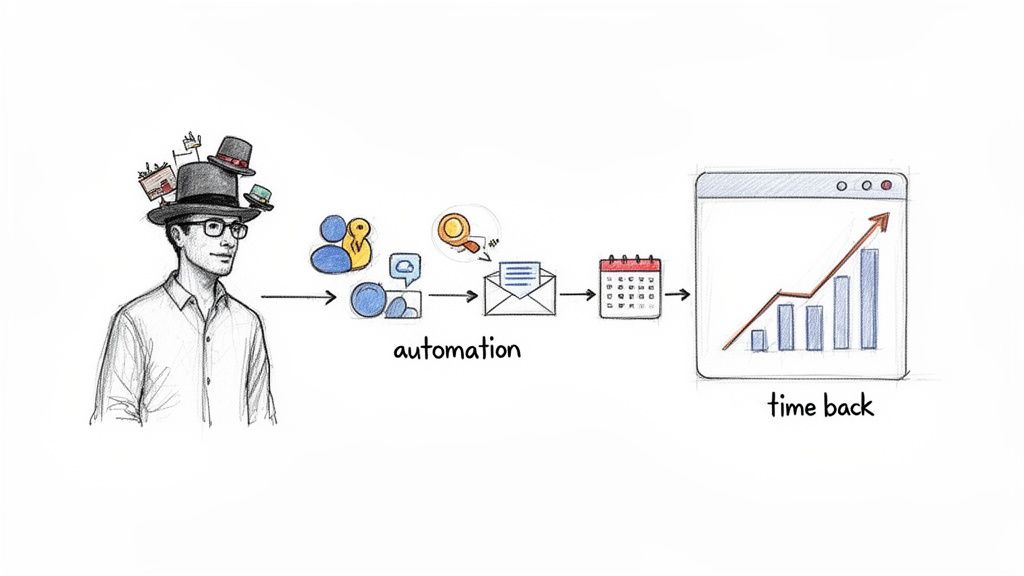
As a founder or solo entrepreneur, you’re already wearing too many hats. A marketing automation workflow isn't just another complicated system to manage; it's a powerful engine for growth that works for you 24/7. Instead of manually posting on social media or sending follow-up emails one by one, a workflow handles it for you, boosting your productivity.
This consistency is everything. It ensures you never miss a chance to connect with a potential customer, nurturing leads while you sleep and giving you the firepower to compete with larger teams.
Imagine a new user signs up for your newsletter. An automation can instantly send a welcome email, followed by a series of helpful tips over the next week. This hands-off approach builds trust and keeps your brand top-of-mind without you lifting a finger.
The Real Impact of Automated Workflows
The numbers don't lie. Imagine putting a dollar into a marketing tool and getting more than five back—that’s what’s happening right now. Recent reports show companies hitting an average ROI of $5.44 for every $1 spent, which is a massive 544% return.
High-performing teams are already using AI-powered automation for 85% of customer interactions, and they're seeing 500% more qualified leads because of it.
A well-designed workflow doesn't just save time; it creates a predictable, scalable system for lead generation and customer nurturing. It turns your marketing from a series of disjointed tasks into a cohesive strategy that delivers measurable results.
To really get it, you have to look at the wide-ranging workflow automation benefits that can grow your business. For founders, this is the key to moving from reactive marketing to a proactive growth model.
Manual Grind vs Automated Growth: A Quick Comparison
The difference between wrestling with manual tasks and letting a workflow run the show is night and day. For small teams, it's the difference between burnout and breakthrough.
Here’s a quick breakdown:
| Aspect | Manual Approach (The Grind) | Automated Workflow (The Growth Engine) |
|---|---|---|
| Effort | High-touch, daily scramble for content and engagement | Set it up once, then minor tweaks as you go |
| Consistency | Inconsistent posting, missed opportunities | Always-on, 24/7 engagement |
| Reach | Limited by your available time and energy | Scales effortlessly to reach new audiences |
| Lead Nurturing | Ad-hoc and easy to forget follow-ups | Systematic, personalized, and timely |
| Focus | Stuck in the weeds of execution | Free to focus on big-picture strategy |
Moving to an automated system isn't just about efficiency; it's a fundamental shift in how you build and scale your brand.
From Manual Grind to Automated Growth
For social media, a tool like Postful can become your command center. Instead of scrambling for ideas, you can set up workflows that automatically generate and schedule a whole campaign of posts from a single piece of content, like a blog article or case study. This is a huge productivity boost.
We cover the nuts and bolts of this in our guide on what content automation is and how it works.
This shift turns a complex, time-sucking process into a powerful asset. It frees you from the daily grind, letting you focus on high-level strategy, product development, and building real customer relationships—the things that truly move the needle. The goal isn't just to do more with less; it's to get better, more consistent results with the limited resources you have.
The Building Blocks of a Powerful Workflow
Every solid marketing workflow, whether it's dead simple or wildly complex, is built from the same handful of core components. Think of them as your blueprint. Once you get a feel for these five building blocks—Goals, Triggers, Segments, Actions, and Measurement—you'll be able to snap together logical, powerful systems that actually work for you.
Instead of getting bogged down in theory, let's break down what each one means in a practical sense. Get this framework down, and you’ll find that designing workflows that deliver real results feels much more intuitive.
Define Your Goal
Every single workflow needs to start with one clear objective. No exceptions. Without a specific goal, your automation is just busywork, and you'll have no idea if it’s even working. Vague ambitions like "increase engagement" just don't cut it; you need something you can actually measure.
Here are a few practical examples for a solo founder:
- Generate 25 new sign-ups for your weekly newsletter from that new blog post you just published.
- Drive 50 clicks to your new case study landing page from social media.
- Get 10 demo requests from your webinar promotion campaign.
See how each one is specific, measurable, and tied to an actual business outcome? That kind of clarity will guide every other decision you make.
Set the Trigger
A trigger is the specific event that kicks off your automated sequence. It’s the starting pistol. The trigger is what tells your system, "Okay, someone just did the thing—it's time to run the workflow." This is where the automation part really begins.
Practical examples of triggers are things like:
- A user downloads your free e-book.
- A visitor submits a form on your website.
- A new customer makes their first purchase.
- A contact clicks a specific link in an email.
So, the moment someone fills out the form for your "Ultimate SEO Checklist," that’s the action that triggers the whole sequence designed to nurture them as a new lead.
Segment Your Audience
Not everyone who interacts with your brand is at the same stage. Segmentation is just a fancy word for dividing your audience into smaller groups based on who they are or what they've done. This is how you send super-relevant messages instead of one-size-fits-all generic blasts.
Think of it this way: You wouldn't give the same sales pitch to a first-time visitor as you would to a loyal customer who has purchased from you five times. Segmentation ensures the right message reaches the right person at the right time.
You could create practical segments like:
- First-Time Visitors who have never engaged with your content before.
- Repeat Customers who have made multiple purchases.
- Inactive Subscribers who haven't opened an email in 90 days.
This level of personalization is a game-changer, especially for small teams. It makes your marketing feel a lot more human and boosts productivity by focusing your efforts.
Map Out the Actions
Actions are the specific tasks your workflow performs after that trigger is fired. This is the "work" part of the workflow—the series of steps your system executes all on its own. If you want to go deeper on structuring these processes, a good guide to marketing workflow management can help streamline how you think about your marketing operations.
Your sequence of actions might look something like this in practice:
- Wait 1 hour after the trigger.
- Send a welcome email with a link to their new resource.
- Wait 2 days.
- Send a follow-up email with a related blog post.
- Schedule 5 social media posts promoting key takeaways from the resource.
This sequence guarantees a consistent, timely follow-up, creating a great experience for the user without you having to lift a finger.
Measure Your Results
Finally, you need to know if any of this is actually working. Measurement is how you figure out if your workflow is hitting its goal. Tracking the right key performance indicators (KPIs) is the only way to see what's connecting and what’s falling flat.
For a workflow designed to promote a new case study, practical metrics to track are:
- Email Open Rate: Are your subject lines grabbing attention?
- Click-Through Rate (CTR): How many people are actually clicking the link to the case study?
- Conversion Rate: Of those who landed on the page, how many booked a demo?
By keeping an eye on these numbers, you can make smart, data-driven tweaks to your workflows over time, making your automation engine more effective with every cycle.
Alright, let's get down to business. Theory is one thing, but actually building your first workflow is where you'll feel the difference. I'll walk you through creating a social media automation workflow from scratch, using a scenario every founder knows well: promoting a new case study to get some solid leads.
This isn't about drawing complicated diagrams. It's about a simple, logical flow that takes one great piece of content and turns it into a steady promotional machine to improve your productivity. We’ll break it down into the core pieces: your goal, the trigger that kicks things off, and the actions that follow.
Setting a Clear, Measurable Objective
Every workflow needs a point. A vague goal like "get more leads" won't cut it. You need to define a specific, measurable outcome because that clarity will guide every single step and tell you if what you're doing is actually working.
For our case study promo, a strong objective looks like this: "Drive 50 qualified clicks to the case study landing page within the first two weeks of launch."
Why does this work? It's:
- Specific: It’s all about clicks to one particular page.
- Measurable: The target is 50 clicks. No guesswork.
- Time-Bound: There's a two-week deadline.
With a target that sharp, you know exactly what your marketing automation workflow needs to do. Every post, every headline, and every call-to-action is built to get that click.
Identifying the Trigger and Mapping the Actions
The trigger is just the event that starts your automated sequence. In this case, it’s simple: the moment your case study is published and the landing page goes live. That's the starting gun.
Once that trigger fires, the workflow runs a series of actions. These aren't just random posts; they're a planned sequence designed to build momentum and keep your case study in front of people over time.
This diagram nails how these simple building blocks—Goals, Triggers, and Actions—are the foundation of any good workflow.
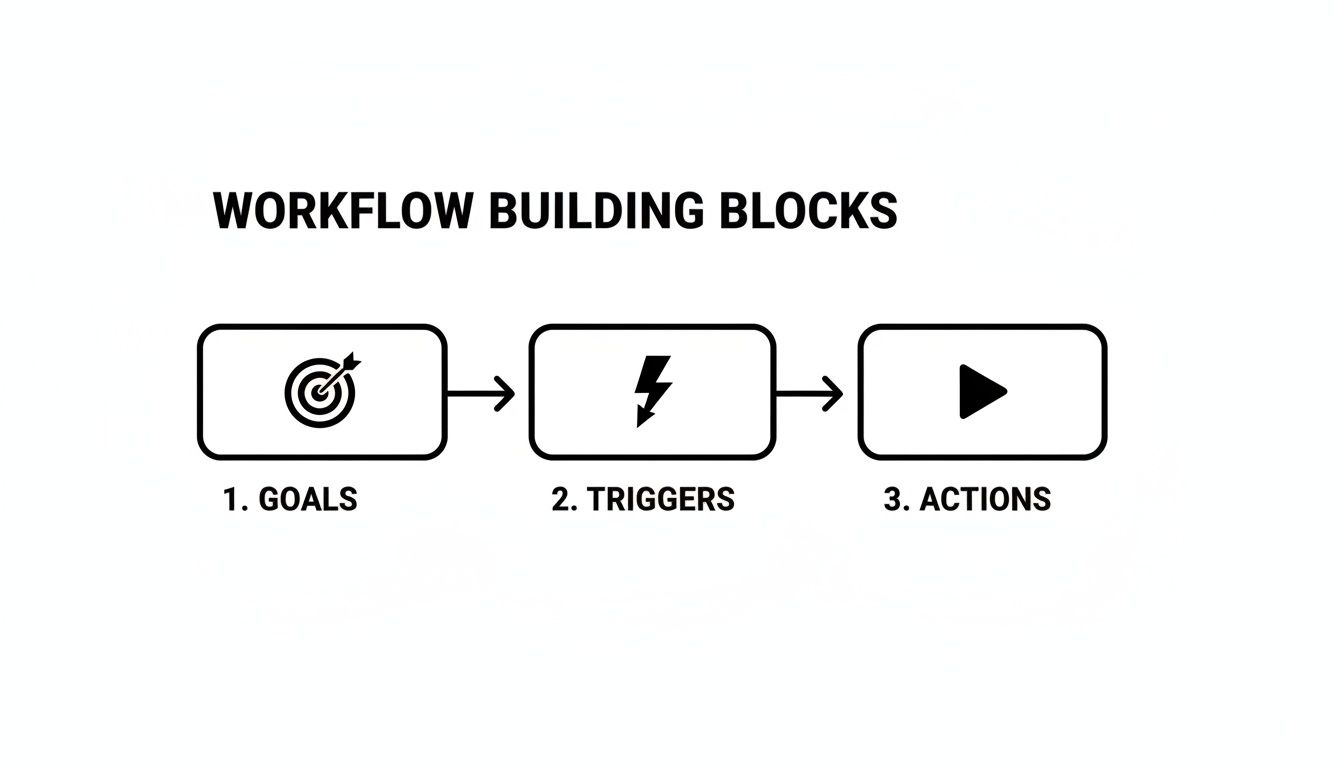
It’s a straightforward visual: every action you plan should directly push you toward that initial goal. That's how you build a focused and efficient machine.
Using AI to Fuel Your Content Pipeline
Now, the content. Manually writing a dozen different social media posts for one case study is exactly the kind of soul-crushing work that kills a founder's productivity. This is where a tool like Postful becomes your secret weapon.
Instead of staring at a blank page, you can feed its AI the link to your case study and let it generate a bunch of compelling post variations for you. It pulls out the key insights, stats, and hooks so you don't have to.
Here’s a practical example. You could give it a prompt like: "Generate 10 LinkedIn post variations from this case study URL, focusing on the client's main challenge, our solution, and the final ROI. Include a clear call-to-action to download the full story."
The AI will spin up a range of posts, each hitting a different angle:
- One might lead with a shocking statistic from the study.
- Another could feature a powerful quote from your happy client.
- A third might frame the case study as the answer to a common industry problem.
This keeps your promotion feeling fresh without you having to spend hours being creative. If you want to see this in action, our guide on how to automate social media posts digs deeper into the mechanics.
Building a Hands-Off Promotional Schedule
With a batch of content variations ready to go, the final step is plugging them into a schedule. A well-paced campaign maximizes visibility without annoying your audience. A great productivity tool will let you schedule these weeks in advance.
Here’s a practical two-week promotional workflow you can copy, all scheduled in advance:
Week 1: The Launch Blitz
- Day 1 (Launch Day): Post the main announcement across all channels (LinkedIn, X).
- Day 2: Share a post highlighting a key statistic or data point from the study.
- Day 4: Post a graphic or short video clip summarizing the results.
- Day 6: Re-share the original launch post with a new comment for added context.
Productivity Tip: A "drip" campaign for social media keeps your content visible in feeds over time. Since only a small fraction of your audience sees any single post, spaced-out promotion is crucial for reaching more people.
Week 2: The Nurture and Reminder Phase
- Day 8: Share a behind-the-scenes tidbit about the project or a client testimonial.
- Day 10: Ask a question related to the problem the case study solves to get a conversation going.
- Day 12: Repurpose the core message into a different format, like a quick text-only post for X.
- Day 14: Post a "last chance" style message driving home the key takeaway.
By batching your content creation with AI and scheduling the whole sequence upfront, you’ve just built a complete marketing automation workflow for social media. It runs itself, driving traffic while you're already focused on the next thing. This is how solo founders and small teams punch way above their weight.
Practical Workflow Templates You Can Steal
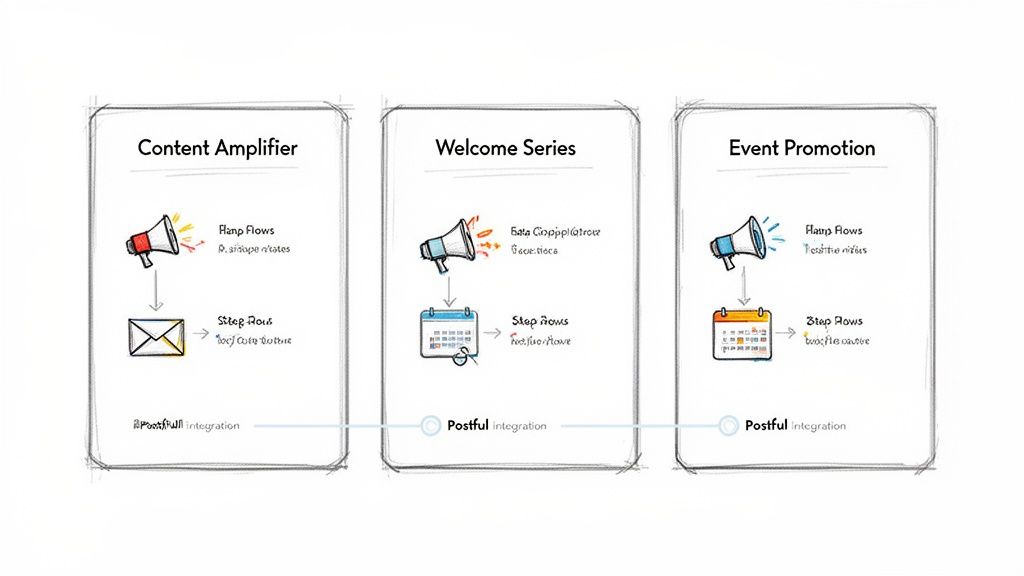
Theory is great, but seeing how it works in the real world is better. Let's get straight to it. Here are three plug-and-play workflow templates I've seen work time and again, especially for founders and small teams who are short on time and need a productivity boost.
These aren't just isolated social media automations. They're designed to connect different parts of your marketing machine. While email automation is the most common (58% of teams do it), the sharpest operators are branching out. Data shows 49% automate social media and 32% automate paid ads with connected workflows. For anyone juggling multiple roles, this kind of integration is how you compete. You can dig into more of these marketing automation statistics to see where things are headed.
Here are a few practical examples you can set up today.
Template 1: The Content Amplifier
This is the classic workflow for getting the most mileage out of every piece of content you create. You take one core asset—say, a new blog post—and turn it into a multi-channel campaign that practically runs itself. This is a massive productivity win.
- Objective: Drive consistent traffic to a new blog post for two weeks after it goes live.
- Trigger: The moment you hit "publish" on a new article.
Here’s a practical step-by-step example:
- Day 1 (Immediate Action): The second your post is live, an email goes out to your list announcing it. At the same time, your social media campaign kicks off.
- Week 1 (Social Media Blitz): A tool like Postful can automatically generate 5-7 post variations from the blog post's URL. These get dripped out over the first week, each one highlighting a different angle—a key stat, a provocative quote, or an interesting takeaway. This keeps the promotion from feeling stale.
- Day 7 (Mid-Point Nudge): Your email system sends a follow-up to anyone who didn't open the first announcement, maybe with a punchier subject line to grab their attention.
- Week 2 and Beyond (Evergreen Repurposing): The workflow adds the blog post to an evergreen content library. Postful can then periodically re-share the best-performing posts from that first week over the next few months, making sure your hard work keeps paying off long after the initial launch.
Template 2: The Welcome Series
When someone new gives you their email for a resource like an e-book or a checklist, that's a golden opportunity. This workflow is all about nurturing that new lead, building some trust, and gently introducing them to what you do without coming on too strong.
- Objective: Nurture new leads by providing value and getting them more engaged with your brand.
- Trigger: A user fills out a form to download a free resource.
The sequence looks like this in practice:
- Minute 1 (Instant Delivery): They immediately get an email with the download link. Simple, direct, and it delivers on your promise right away.
- Day 2 (Value-Add Follow-Up): An automated email sends them something else useful and related, like a popular blog post or a quick video that expands on the topic they're interested in.
- Day 4 (Social Connection): The workflow can add this user to a custom audience for social media ads, where you might show them relevant content or testimonials.
- Day 7 (The Soft Pitch): A final email in the series briefly introduces your product or service, framing it as the solution to the problem their downloaded resource addresses. The call-to-action is low-pressure, like "watch a quick demo" or "see how it works."
Productivity Tip: This staggered approach feels helpful, not desperate. You're building a relationship based on value first, which makes any future sales conversation feel much more natural and earned.
Template 3: The Event Promotion
Webinars and live events are amazing for connecting with your audience, but promoting them can be a grind. This workflow builds buzz and drives sign-ups with way less manual effort.
- Objective: Drive registrations for an upcoming webinar.
- Trigger: You create the registration page, usually 2-3 weeks before the event.
Here’s the practical game plan:
- 2 Weeks Out (Initial Announcement): An email goes out to your list announcing the event. Simultaneously, a social campaign kicks off using Postful to schedule a series of posts counting down to the date.
- 10 Days Out (Reminder for Non-Openers): The system automatically sends a reminder email just to the people who didn't open the first one.
- 1 Week Out (Value-Based Promotion): The social campaign pivots. Instead of just announcing the event, it starts sharing valuable teasers. Think posts like, "3 mistakes we'll cover in the webinar," or a compelling quote from a guest speaker.
- 48 & 24 Hours Out (The Final Push): Automated reminder emails create a sense of urgency for anyone who still hasn't registered. A final wave of social posts goes out the day before and the morning of the event.
- Post-Registration Nurturing: As soon as someone signs up, they're moved into a separate sequence. This one sends a confirmation, a calendar invite, and a "day before" reminder to make sure they actually show up.
How to Measure and Improve Your Workflows
A marketing automation workflow isn't a slow cooker; you can't just set it and forget it. I like to think of it as a living system, a marketing engine that needs regular tune-ups to run smoothly. The real magic happens when you start turning raw data into smart decisions, making those small, informed tweaks that lead to massive gains over time.
This whole process is about moving from "I think this is working" to "I know how well this is working and exactly how to make it better." It’s how you build confidence and turn your automation from a simple time-saver into a genuine growth driver for your business.
Focus on Metrics That Actually Matter
Let's be honest, vanity metrics like likes and impressions feel good, but they don't pay the bills. To really understand how your workflow is performing, you need to track the numbers that tie directly back to your business goals. It's time to ditch the noise and focus on the signals.
For a founder, here are practical metrics that truly matter:
- Conversion Rate per Channel: What percentage of people who clicked your automated LinkedIn post actually signed up for the webinar? This tells you which platforms are pulling their weight.
- Lead Quality: Are the leads from your welcome series actually booking demos? Or are they just grabbing the freebie and ghosting you? A huge volume of leads is useless if the quality is poor.
- Cost Per Acquisition (CPA): How much are you really spending—in time and tool subscriptions—to get one new customer through this specific workflow? This is your ultimate ROI.
- Drop-Off Points: Where are people bailing? If they get the first email but never open the second, you've just found a critical bottleneck that needs fixing.
Tracking these gives you a clear, unfiltered picture of your workflow’s health. And if you're using social media to drive traffic to your site, getting a handle on Google Analytics with UTM parameters is non-negotiable. It’s the only way to get this kind of granular data.
Spotting Bottlenecks and Finding Opportunities
Your data will tell you a story if you know how to listen. The key is to look for patterns—both the good and the bad. A high open rate but a terrible click-through rate on an email, for instance, points to a great subject line but weak or uninspired body copy.
A workflow is never truly "finished." It's an iterative process of testing, learning, and refining. Each piece of data is a clue that can lead you to your next big improvement.
Maybe your automated posts on X get tons of engagement but zero clicks back to your site. This could mean your call-to-action is too soft or the content just isn't compelling enough to make someone leave the platform. That's not a failure; it’s a valuable insight telling you exactly where to focus your energy next.
The Power of Simple A/B Testing
You don’t need a fancy lab or a data science degree to start optimizing. A/B testing is just a simple way of comparing two versions of something to see which one performs better. For a solo founder or small team, keeping these tests small and manageable is the key to doing them consistently.
Start with simple but high-impact practical tests:
- Test Headlines: In an automated social campaign, run two identical posts with different headlines. One could be question-based ("Struggling with productivity?") while the other is benefit-driven ("Boost Your Productivity by 50%").
- Test Timing: Does sending your welcome email immediately after signup work better than waiting 15 minutes? For social posts, does a morning schedule consistently outperform an evening one?
- Test Visuals: Use the exact same post copy but test a simple graphic against a short video clip. See which one actually stops the scroll and drives more clicks.
Even a 5% improvement in conversion from a single A/B test can compound into significant results over time. With a tool like Postful, you can easily schedule these variations and let the data show you what your audience truly responds to. This continuous loop of improvement is what separates a static, forgotten workflow from a dynamic, high-performing marketing machine.
Common Questions About Marketing Automation
Jumping into marketing automation can feel like a big step, especially when you're running the show solo. Let's walk through a few of the questions that come up most often for founders and small business owners. The answers are usually a lot more straightforward than you'd think.
How Much Time Does It Take to Set Up a Workflow?
This is probably the biggest question I hear, and it's what holds most people back. But the reality is much less daunting. You can get a simple, effective marketing automation workflow—like promoting a new blog post across your social channels—designed and running in just a few hours.
The trick is to not start from a blank page. When you use tools with built-in templates and a little AI help, like Postful, you cut that setup time way down. You put in a couple of hours upfront, and that initial work pays you back every single week in time saved and increased productivity.
Can I Use Marketing Automation on a Tight Budget?
Absolutely. It's a common myth that automation is some expensive luxury only big companies can afford. Many of the best tools out there have free or very affordable plans built specifically for small teams and solo founders.
The key is to build a lean, effective toolset. You don't need a dozen different subscriptions.
Productivity Tip: Focus on one high-return tool that solves your most time-consuming problem. For a lot of us, that’s social media. A single tool that automates content creation and scheduling can free up a huge chunk of your time without breaking the bank.
This approach lets you punch well above your weight, creating a professional, consistent presence on a budget that actually makes sense for a startup.
What Is the Biggest Mistake to Avoid When Starting Out?
The single biggest mistake I see people make is trying to automate everything at once. It’s a classic recipe for getting overwhelmed. This "all-or-nothing" approach usually ends with a bunch of half-finished, clunky systems that cause more headaches than they solve.
Don't try to boil the ocean. Start small. Find one repetitive, high-impact task and build your first workflow around just that.
Here’s a simple, practical path that works:
- Pick one goal. Something specific, like promoting your weekly newsletter on social media.
- Build a simple workflow. Create a short, focused sequence of automated posts for that single purpose.
- Master it. Let the workflow run, watch the results, and get a feel for how it all works.
- Expand slowly. Once that first workflow is humming along and getting you results, then you can confidently move on to the next one.
This methodical approach helps you build a solid, manageable foundation. You actually learn the process, see the benefits right away, and gain the confidence to scale up your efforts thoughtfully.
Ready to reclaim your time and build your first social media workflow? Postful is the AI-powered tool designed for founders and solo doers who need to grow their reach without the grind. Join the waitlist to get early access.