

To really measure social media ROI, you need a framework that ties your actions directly to business results. It’s not just about posting good content; it's about proving its financial worth.
This means setting clear business objectives, tracking the right KPIs, getting your attribution right, and using a consistent formula to calculate what you're getting back. This is how you move past just counting likes and shares and start proving the real, hard-cash value of your social media budget.
Moving Beyond Likes to True Social Media ROI

For years, social media success was a game of vanity metrics—likes, shares, and follower counts. Those numbers look great in a report, sure, but they don't pay the bills.
Today, executives and stakeholders want to see the bottom line. They’re asking the tough questions: How does our social media activity actually drive leads? How does it help us acquire new customers? How does it contribute to sales? Without a clear measurement strategy, you're just guessing, and that makes it almost impossible to justify your budget or figure out how to get better results.
The Shift to Revenue Attribution
The entire industry is making a huge mindset shift. Social media isn't just a "brand awareness" tool anymore. It’s a powerful revenue channel, and it needs to be held accountable just like any other.
The numbers back this up. A recent study found that 67% of marketers now say revenue attribution is their number one measurement goal. And leadership is on the same page—65% of marketing leaders want to see a direct line drawn between social campaigns and business goals.
To make this happen, you need a modern framework built on a few core pillars:
- Clear Objectives: Every campaign needs a specific, measurable business goal.
- Accurate Tracking: You have to use the right tools to connect what happens on social to what happens on your website and in your sales funnel.
- Consistent Calculation: Apply a standard ROI formula so you can fairly evaluate performance across all your campaigns and platforms.
- Actionable Reporting: Turn all that data into a simple story that shows your value and helps you make smarter decisions next time.
Key Takeaway: Measuring social media ROI isn't optional anymore. It’s the process that turns social media from a cost center into a proven revenue engine, securing your budget and earning you a seat at the strategic table.
To help you get started, here's a quick look at the core components of a solid social media ROI strategy.
Core Components of Social Media ROI Measurement
| Component | Description | Example |
|---|---|---|
| Business Objectives | The specific, high-level goals you want to achieve with social media. | Increase online sales by 15% in Q3. |
| Key Performance Indicators (KPIs) | The quantifiable metrics you track to measure progress toward your objectives. | Website conversion rate from social traffic, Cost Per Acquisition (CPA). |
| Tracking & Attribution | The technical methods used to connect social media activity to business outcomes. | UTM parameters on links, platform-native conversion pixels. |
| ROI Calculation | The formula used to determine the financial return on your investment. | (Profit – Investment) / Investment * 100 |
This table lays out the fundamental building blocks. Master these, and you'll be well on your way to proving the real value of your work.
Why Engagement Still Matters
Now, with all this talk about ROI, it's easy to think engagement doesn't matter. But that’s a mistake.
Metrics like comments, shares, and saves are still incredibly valuable as leading indicators. High engagement is a sign that your content is hitting the mark with your audience. That’s the first step to building a community that trusts your brand and, eventually, buys from you. The trick is to connect those early interactions to the final sale. If you want to dig deeper into this, check out our guide on how to measure social media engagement.
A winning strategy balances both. By understanding the why behind ROI and building a solid foundation for measurement, you can confidently prove the value of everything you do on social media.
Aligning Social Goals with Business Objectives
Before you can even think about measuring social media ROI, you have to know what you're aiming for. It's a simple idea, but one that gets missed all the time. Without clear goals, you're just throwing numbers into a spreadsheet and hoping they tell a good story.
The whole point is to tie your social media efforts directly to real business objectives. A campaign to build buzz for a new startup is going to look completely different from one driving sales for an established e-commerce brand. This connection is what turns social media from a daily chore into a strategic asset that actually moves the needle.
From Vague Ideas to S.M.A.R.T. Goals
"Increase engagement" is not a business goal. It's a wish. To get real results, you need to get specific, and the best way I've found to do that is with the S.M.A.R.T. framework. It’s a classic for a reason—it forces you to turn fuzzy ideas into concrete, trackable targets.
Here’s a practical workflow to implement this:
- Specific: Nail down exactly what you want to do. Instead of "get more leads," try "generate leads from our new LinkedIn e-book campaign."
- Measurable: How will you know you've hit your target? For the LinkedIn campaign, that’s easy: the number of form submissions from the landing page.
- Achievable: Be ambitious, but realistic. If you usually get 20 leads a month from organic social, aiming for 500 from one paid campaign next month is probably setting yourself up for failure. A better goal might be 75.
- Relevant: Does this goal actually matter to the business? Does generating leads from LinkedIn help grow the sales pipeline? If the answer is yes, you're on the right track.
- Time-bound: Give yourself a deadline. "Generate 75 qualified leads from our LinkedIn e-book campaign by the end of Q3."
See the difference? That's a goal you can build a plan around. "Increase engagement" becomes "Achieve a 5% average engagement rate on Instagram posts in Q3 to support community growth and brand loyalty." Now you have a clear target and a "why" behind it.
Matching KPIs to Your Business Model
Once you have your S.M.A.R.T. goals locked in, picking the right Key Performance Indicators (KPIs) becomes straightforward. And here’s the key: the right KPIs depend entirely on your business model. One company's vanity metric is another's most important number.
Let's take a B2B software company using LinkedIn for lead gen. They couldn't care less about likes. They're focused on metrics that map directly to their sales funnel.
- Marketing Qualified Leads (MQLs): How many people downloaded that whitepaper or signed up for the webinar?
- Cost Per Lead (CPL): What did it cost to get each one of those MQLs?
- Conversion Rate: Of all the people who clicked the ad, what percentage actually filled out the form?
Practical Example: A B2B tech firm spends $2,000 on a LinkedIn campaign promoting a new e-book and gets 100 downloads. Their CPL is $20. That single number is infinitely more valuable for calculating ROI than knowing the ad got 300 likes.
Now, flip that around for a B2C e-commerce brand on Instagram. Their world is all about shortening the path from discovery to purchase.
- Add-to-Cart Actions: How many people tapped a shoppable post and added a product to their cart?
- Website Purchases from Social: How many sales can we trace directly back to this specific campaign using our analytics?
- Return on Ad Spend (ROAS): For every dollar we put into ads, how many dollars in revenue did we get back?
By choosing metrics that actually reflect what you want to achieve, you create a straight line between your social media activity and your bottom line. This alignment is the absolute foundation of any credible ROI calculation and a key part of any solid small business social media strategy.
At the end of the day, this approach is what makes your reporting so much more powerful. When you can walk into a meeting and say, "Our Instagram campaign drove 250 sales with a 4x ROAS," you're speaking the language of business impact. That's how you prove your value and get the budget to do even more.
Setting Up Your Tracking and Attribution Workflow
This is where the rubber meets the road. All the theory about social media ROI is great, but it's useless without connecting the dots between a click on a post and an actual sale. Honestly, this is the hardest part of the whole process, but it’s also the most critical.
Get this wrong, and your ROI calculations will be nothing more than educated guesses. Let’s walk through the tools and techniques you need to build a clear, traceable path from a social media "like" to real business results.
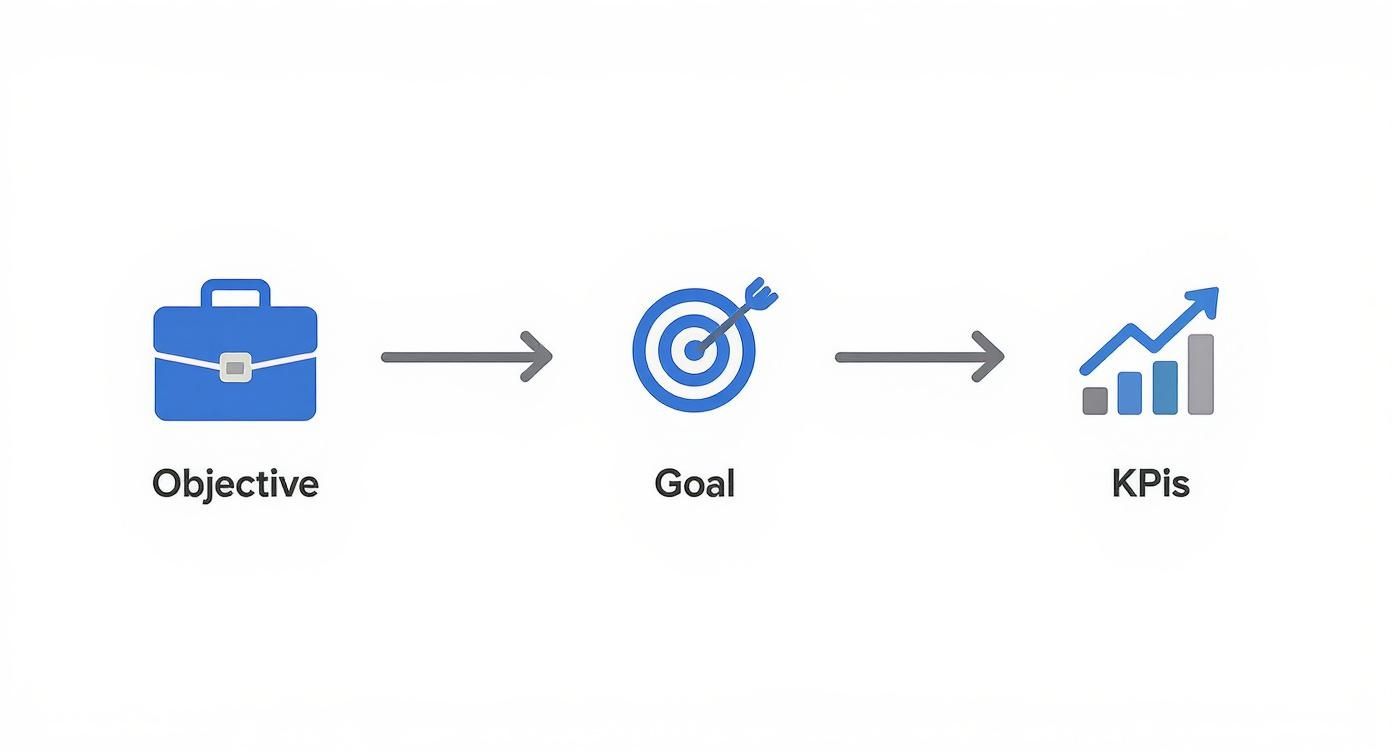
This whole process starts by making sure your social goals are directly tied to your bigger business objectives. The metrics you track should always serve a larger purpose.
Mastering Link Tracking with UTM Parameters
The absolute foundation of web attribution is the humble UTM parameter (Urchin Tracking Module). Think of them as little breadcrumbs you add to the end of your URLs. When someone clicks a link with these tags, that data gets fired over to your Google Analytics, telling you precisely where that visitor came from.
This isn't just a "nice-to-have"—it's essential. Without UTMs, your analytics will just show a big, messy bucket of "social referral traffic." With them, you can see that a specific LinkedIn post from your q3-product-launch campaign drove 25 sign-ups. See the difference?
You don't need to be a developer to make them. Google's free Campaign URL Builder is your best friend here. Just fill in a few fields, and it spits out a perfectly tagged link.
Here's a productivity-boosting workflow:
- utm_source: Which platform sent the traffic?
facebook,linkedin,tiktok. - utm_medium: What kind of traffic is it? For us, it’s almost always
social. - utm_campaign: What's the name of your campaign?
summer-sale-2024,q3-webinar-promo.
Productivity Tip: Keep a shared spreadsheet (like Google Sheets) to log all your team's UTMs. Create dropdown menus for
sourceandmediumto enforce consistency. This simple workflow prevents messy data from typos (likeFBvs.
Of course, these tagged URLs are long and ugly. Nobody wants to see that in a social post. Use a good URL shortener to keep your posts looking clean and professional. You can find plenty of great options for shortening your links that preserve all that valuable tracking data.
Setting Up Platform-Specific Conversion Tracking
UTMs are fantastic for tracking what happens on your website, but what about the actions that social media influences? For that, you need tracking pixels.
A pixel is just a tiny snippet of code you pop onto your website. It acts as a bridge, sending data back to the social platform whenever a user who saw your ad completes an action, like buying a product or signing up for a newsletter.
All the major players have their own version:
- Meta Pixel: The go-to for tracking conversions from Facebook and Instagram ads.
- TikTok Pixel: Absolutely crucial if you're running any paid campaigns on TikTok.
- LinkedIn Insight Tag: Your key to tracking leads and other valuable actions from LinkedIn.
If you're running any paid social campaigns, setting these up is non-negotiable. Most platforms offer integrations through Google Tag Manager or plugins for platforms like Shopify and WordPress, which can make installation a five-minute job instead of a coding project. This is what allows the platform’s algorithm to learn and optimize for conversions, and it gives you the hard data you need to calculate your Return on Ad Spend (ROAS).
Moving to More Advanced Attribution
The digital world doesn't stand still, and neither can our tracking methods. With more privacy restrictions and browser limitations popping up, relying only on client-side pixels isn't going to cut it for much longer.
Enter Conversion APIs (CAPI). Instead of sending data from the user's browser, CAPI sends it directly from your server to the social platform's server. This server-to-server connection is far more reliable and can't be derailed by ad blockers or browser settings. While more technical to set up, tools are emerging to make this easier for non-developers.
Finally, remember that the customer journey is almost never a straight line. Someone might see your ad on Instagram, search for your brand on Google a week later, and finally click an email link to make a purchase. In a simple last-click model, the email gets 100% of the credit.
This is why multi-touch attribution models are so important. They distribute credit across multiple touchpoints, painting a much more realistic picture of how social media contributes to a sale. While full multi-touch attribution can be complex, even looking at "assisted conversions" reports in Google Analytics can show you how many sales social media helped with, even if it wasn't the final click.
Calculating ROI and Other Key Financial Metrics
Okay, you've set your goals and have the tracking in place. Now for the fun part: crunching the numbers. This is where you connect your social media activity directly to business results, giving you the hard data needed to show leadership what's working.
We’ll kick things off with the classic ROI formula before digging into a few other financial metrics that paint a much richer picture of your performance.
The Classic Social Media ROI Formula
At its core, calculating your return is pretty straightforward. You're just comparing the profit you generated against what you spent to get it.
The formula looks like this: (Revenue – Investment) / Investment x 100% = ROI
Let's make this real. Imagine a small e-commerce brand that just ran a targeted Instagram ad campaign for a new product line.
- Total Investment: They dropped $2,000 on ad spend and put another $500 into creating the video creative. That's a total investment of $2,500.
- Revenue Generated: Thanks to their Meta Pixel and UTM-tagged links, they can attribute $9,500 in direct sales back to that campaign.
- Calculation: ($9,500 – $2,500) / $2,500 x 100% = 280% ROI.
Simple, right? For every single dollar they put in, they got that dollar back plus an extra $2.80 in profit. That one number speaks volumes.
Going Deeper with Customer Acquisition Cost
While a high-level ROI is great, you also need to know what it costs to get each new customer in the door. That's your Customer Acquisition Cost (CAC), and it's perfect for comparing how efficient your social channels are versus, say, your Google Ads.
Industry analysis shows that a simple formula—Total Social Spend / Number of New Customers Acquired—is all you need. For example, if you spend $30,000 on social in a quarter and bring in 1,000 new customers, your CAC is $30. If acquiring a customer through search ads costs $150, it's immediately obvious that social is the more efficient channel.
In fact, many top B2C brands are seeing a Return on Ad Spend (ROAS) between 3:1 and 5:1 on platforms like Facebook and Instagram. That means for every dollar they spend, they're pulling in three to five dollars in revenue.
Key Takeaway: A low CAC from social media is a powerful sign that your targeting, creative, and messaging are hitting the mark. It's a metric that every stakeholder, from marketing to finance, can easily understand.
Understanding Return on Ad Spend
When you're running paid campaigns, another metric you’ll live by is Return on Ad Spend (ROAS). Unlike ROI, which bundles in all your costs (like creative, tools, and team time), ROAS zeroes in exclusively on your ad spend. This makes it the go-to metric for judging the raw performance of a specific ad or campaign.
The formula is just: Revenue from Ads / Ad Spend = ROAS
Let's go back to our e-commerce brand. They brought in $9,500 in revenue from $2,000 in ad spend.
Their ROAS would be $9,500 / $2,000 = 4.75x.
You'll often hear this expressed as a ratio: 4.75:1. For every dollar they pumped into the ads, they got $4.75 back in revenue. It's a clean, direct measure of ad effectiveness.
The Long-Term View with Lifetime Value
Finally, let's talk about the most forward-looking metric of them all: Customer Lifetime Value (LTV). LTV is an estimate of the total revenue you can expect to earn from a single customer over the entire course of their relationship with your brand.
Why is this so critical for social media?
- It justifies a higher CAC: If you know the average customer you acquire from social media has an LTV of $500, you can feel a lot more comfortable spending $50 to get them.
- It reveals channel quality: You might discover that customers coming from LinkedIn have a much higher LTV than those from TikTok. That’s a huge insight, telling you where your most valuable audience spends their time.
Calculating LTV can get complicated, but a simple version is: (Average Purchase Value) x (Average Purchase Frequency) x (Average Customer Lifespan). This metric proves that social media isn't just about driving one-off sales—it's about acquiring valuable, loyal customers who fuel long-term growth.
Of course, these metrics are just the beginning. Diving into proven strategies to improve marketing ROI will give you a broader toolkit for turning your social media investment into a real business driver.
Building a Dashboard That Tells a Story
Raw data is just a bunch of numbers. A spreadsheet full of metrics isn't going to get your boss excited, but a sharp, well-designed dashboard that tells a clear story of growth? That gets attention. This is how you stop reporting on vanity metrics and start showing how your work impacts the bottom line.
Instead of spending hours manually pulling reports from five different places, a good dashboard brings all your key numbers into one spot. It’s about building a narrative—showing exactly how your efforts on social media are driving real business results.
Choosing Your Dashboard Tools
You don't need a data science degree to build a great dashboard. The key is to find a tool that can plug into all your different data sources without a ton of manual work.
Here are a few I've had success with:
- Looker Studio (what used to be Google Data Studio): This is my go-to, especially since it's free. It plays incredibly well with Google Analytics and Google Ads, and you can find third-party connectors to pull in data from Facebook, Instagram, LinkedIn, and pretty much anywhere else. It’s powerful and highly customizable.
- Databox: If you need something that just works right out of the box, check out Databox. It's known for its clean, pre-built templates. You can connect your social accounts, analytics, and CRM and have a pretty slick-looking dashboard up and running in minutes.
- Specialized Social Media Tools: Don't overlook the tools you might already be paying for. Platforms like Sprout Social or Hootsuite have some seriously powerful reporting features built-in. If you're already using one, dig into its analytics and dashboard capabilities first. It might be all you need.
The right tool does the boring data collection for you. That frees you up to do what really matters: analyzing what's working and figuring out what to do next. It's a massive time-saver.
Structuring Your Dashboard for Maximum Impact
A great dashboard doesn't just throw numbers on a screen; it guides you through a story. Start with the big picture and then let people drill down for more detail. Keep it clean and focused.
Here’s a productive workflow for structuring your dashboard:
- High-Level Business Impact: This is your executive summary, right at the top. It needs to immediately answer the question, "Is our social media making us money?" This is where you put the big numbers: Overall Social Media ROI, Revenue Attributed to Social, and Customer Acquisition Cost (CAC). Use big, bold visuals and trend lines to show progress.
- Channel-Specific Performance: Underneath the big-picture view, break it down by platform. This section shows which channels are pulling their weight. For each network (Instagram, LinkedIn, TikTok, etc.), highlight metrics like ROAS, Conversion Rate, and Cost per Lead. This is critical for deciding where to put your budget next quarter.
- Top-Performing Campaigns: Finally, have a section dedicated to individual campaigns. This is where you get granular. Highlight the specific ads and organic posts that are knocking it out of the park. Show the Ad Creative, the Total Spend, and the ROI for each. This gives you concrete examples of what messaging and visuals are actually connecting with your audience.
Key Takeaway: A well-structured dashboard doesn't just present data; it provides context. It tells a story that moves from the high-level "what" (our ROI is 250%) to the strategic "why" (because our LinkedIn video campaign was a huge hit).
This hand-drawn sketch gives you a good idea of how to lay out the key metrics in a clean, organized way.
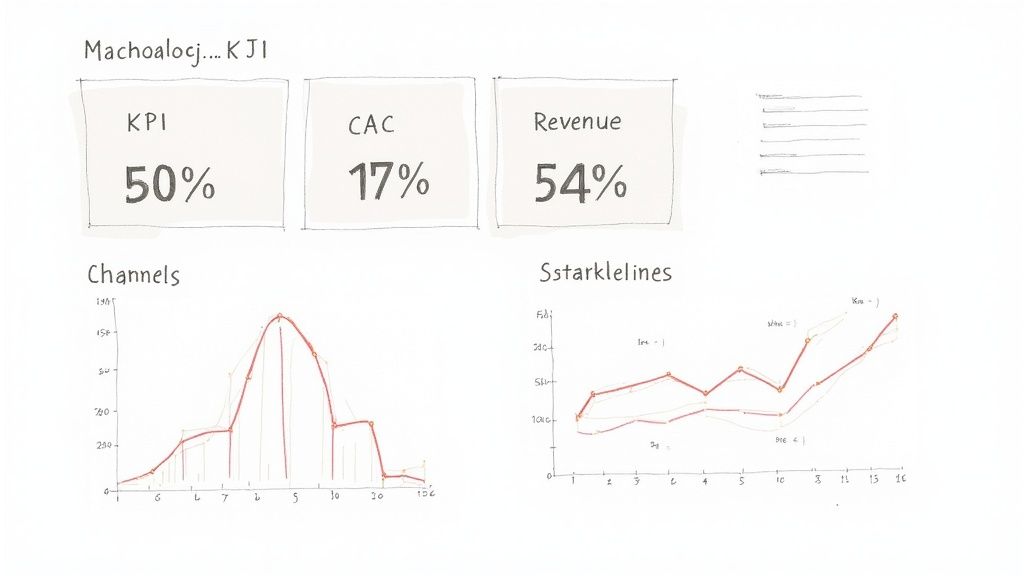
Visualizing your data like this makes it easy for anyone in the company to quickly see what's going on, without getting lost in a spreadsheet. When you turn your numbers into a clear visual story, your reports become more efficient, more impactful, and a whole lot more persuasive.
Common Questions We Hear About Social Media ROI
Even with a solid plan, a few questions always pop up when you start digging into social media ROI. The whole process can feel a bit messy, especially when you're dealing with unique campaigns and tricky data points.
Let's walk through some of the most common hurdles with practical solutions.
How Do I Measure ROI for Brand Awareness Campaigns?
This is a classic. Awareness doesn't come with a direct price tag, so how do you prove its value? The trick is to assign a monetary value to your top-of-funnel KPIs.
For instance, you can look up industry benchmarks for the cost of impressions in your niche. If the average Cost Per Mille (CPM) on paid channels is $10, and your organic campaign pulled in 100,000 impressions, you can reasonably assign an "earned media value" of $1,000 to that effort.
Another practical approach is to connect the dots between your awareness metrics and business results over time. Keep an eye on things like:
- Share of Voice: Use a tool like Brand24 or Mention to track how often your brand is mentioned versus your competitors.
- Branded Search Volume: Check Google Search Console to see if more people are typing your brand name into Google.
- Follower Growth & Reach: Is your audience size and the number of people seeing your content steadily climbing?
If you see these metrics ticking up alongside a gradual rise in inbound leads or direct traffic, you've got a pretty strong case that your awareness campaigns are helping the bottom line.
What Is a Good Social Media ROI?
Everyone wants a magic number, but there's no single "good" ROI that fits every business. A 300% ROI might be incredible for a software company with high margins, but completely unrealistic for an e-commerce store with tight costs.
The only benchmark that truly matters is profitability. If your ROI is positive, your social media is generating more value than it costs. That's a win.
Instead of chasing some universal number, focus on these practical benchmarks:
- Your Own Past Performance: The best goal is to beat your last quarter. If your ROI was 200% last time and it’s 250% this time, you’re on the right track.
- Channel-Specific Goals: A lead gen campaign on LinkedIn is going to have a very different ROI target than a flash sale on Instagram. Set goals that make sense for the platform and the campaign.
- Your Profitability Threshold: Figure out the minimum ROAS or ROI you need to just break even. Anything above that is a success.
How Can I Track ROI from 'Dark Social'?
"Dark social" is a real headache. It’s all that sharing that happens in private channels like DMs, emails, or WhatsApp. This traffic usually just shows up as "Direct" in Google Analytics, which doesn't help you much.
While you can't track every single share, you can get closer with these practical tactics.
One of the most effective methods is using unique, trackable links or discount codes for specific social campaigns. If a promo code you only shared on Instagram Stories gets used 50 times, you have a clear line back to that channel—even if someone copy-pasted the code into a text message.
You can also go low-tech and just ask people. Add a simple "How did you hear about us?" field to your checkout or sign-up forms. It’s surprisingly effective for catching the attribution data that your analytics tools inevitably miss.
Ready to build a more consistent and effective social media presence without the guesswork? Postful provides AI-powered tools and templates that help founders and doers create great content, automate workflows, and grow their reach. Join the waitlist to get early access at https://postful.ai.