

If you're a founder, creator, or marketer, you know that staying consistent on social media is a non-negotiable part of growth. But who has the time to manually post content across multiple platforms every single day? Manually posting is not just time-consuming; it's inefficient and prone to error. It breaks your focus, pulls you away from core business tasks, and makes it nearly impossible to maintain a strategic, consistent presence.
The good news is that you don't need a hefty budget to solve this problem. The right scheduler can transform your workflow from a frantic, last-minute scramble to a streamlined, automated process. This guide cuts through the noise to bring you the 12 best free social media schedulers available today. We'll go beyond generic feature lists to give you the practical details needed to make an informed choice.
In this resource, you will find:
- A detailed breakdown of each tool’s free plan, including post limits and user counts.
- Honest pros and cons based on real-world use cases for small businesses and creators.
- Screenshots and direct links to get you started quickly.
- A final comparison table to help you see how the top options stack up.
Our goal is to help you find the perfect free platform to reclaim your time and focus on what truly matters. While scheduling is a powerful first step, remember that it's just one piece of the efficiency puzzle. To truly revolutionize your social media strategy beyond just scheduling, consider exploring a wider range of dedicated social media automation tools that can handle engagement, reporting, and more. Let's dive in and find the right scheduler for your workflow.
1. Postful
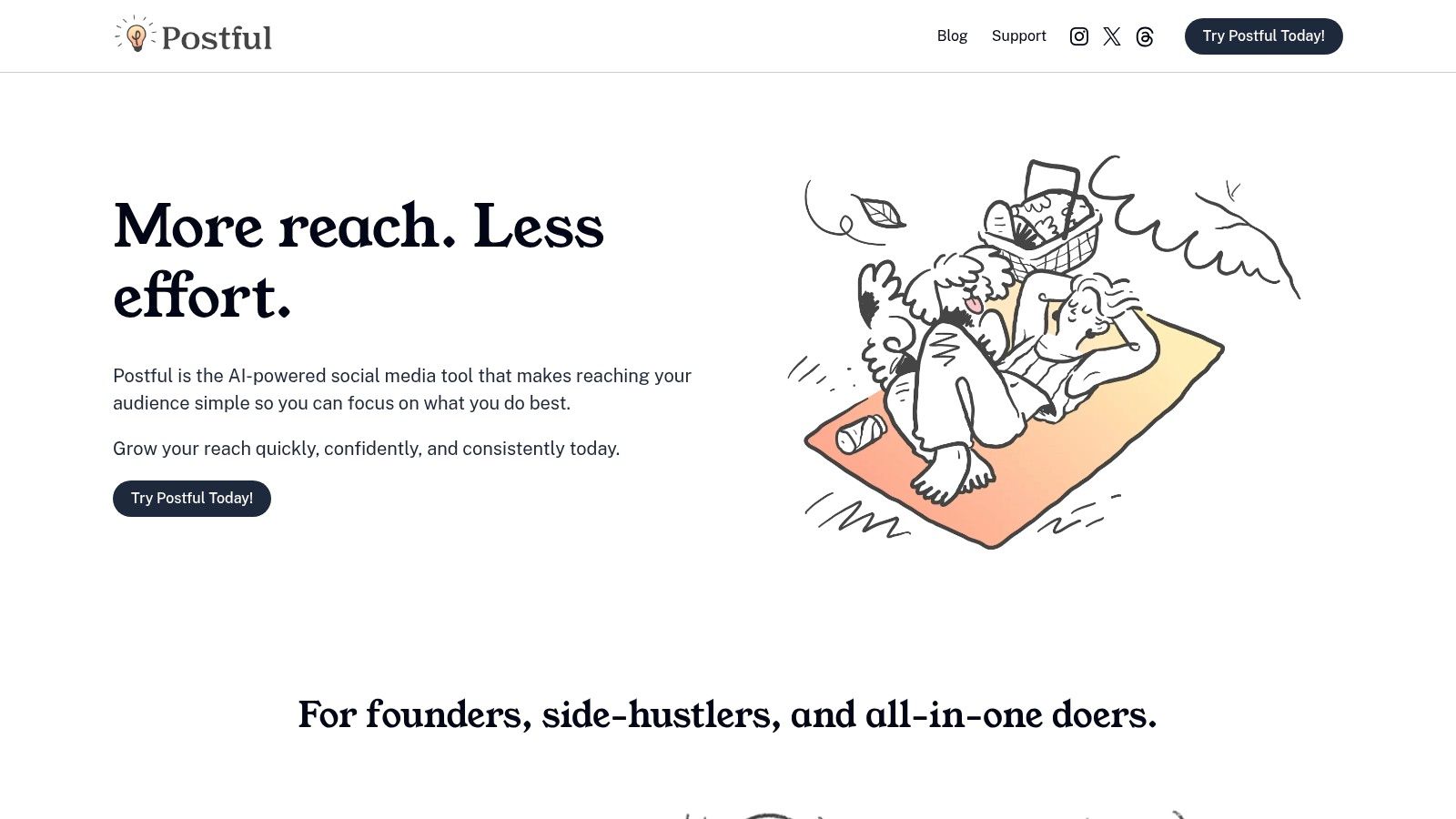
Postful emerges as a standout choice among the best free social media schedulers, specifically engineered for founders, side-hustlers, and small business operators who manage their own marketing. Its core strength lies in its AI-powered approach, which goes beyond simple scheduling to actively assist in content creation. This makes it an invaluable tool for time-strapped individuals looking to maintain a high-quality, consistent online presence without the typical content creation grind.
The platform is designed to eliminate "blank-page paralysis." Instead of struggling for ideas, users can leverage ready-to-use templates and curated post concepts tailored for business growth. A practical workflow would be to dedicate one hour on Monday morning, browse Postful's templates, select three relevant concepts, and use the AI to generate the copy for the entire week's posts. This batching process transforms a daily chore into a quick, weekly task.
Key Features & Use Cases
Postful’s feature set is intentionally lean and focused on efficiency. The on-demand AI brainstorming is a key differentiator; you can take a basic idea and ask the AI to expand upon it, refine the tone for a specific audience like investors or early customers, or sharpen the core message for maximum clarity.
- AI-Powered Content Generation: Jump-start your content with templates and AI-driven ideas. For example, a SaaS founder can use a "New Feature Announcement" template, and the AI can help flesh out the benefits and call to action.
- Workflow Automation: Automates repetitive tasks in the social media workflow, helping you schedule and publish content faster. This consistency is crucial for building algorithmic momentum on platforms like LinkedIn and X (formerly Twitter).
- Founder-Focused Design: The user interface is clean, lightweight, and avoids the bloated feature sets of enterprise-level tools. It prioritizes speed and simplicity, making it easy to get in, schedule content, and get back to running your business.
Currently, Postful is completely free and open to all users, providing an excellent opportunity to test its impact without any financial commitment.
Why It Stands Out
What makes Postful a top free social media scheduler is its unique blend of AI assistance and workflow automation tailored for solo operators. While other tools focus solely on scheduling, Postful addresses the entire content lifecycle from ideation to publication. This integrated approach helps users not only post consistently but also publish better, more relevant content with less effort.
- Pros:
- Reduces content creation time with AI templates and curated ideas.
- On-demand AI brainstorming helps refine and sharpen messaging.
- Automates scheduling to ensure a consistent publishing cadence.
- Lightweight and practical design built for solo founders and small teams.
- Completely free to use, offering significant value at no cost.
- Cons:
- Lacks social proof like customer testimonials or case studies on its site.
- May not have the advanced analytics or team collaboration features required by larger, growing businesses.
Website: https://postful.ai
2. Buffer
Buffer has been a leading name in social media management for years, and its free plan remains one of the best free social media schedulers for beginners. It offers a clean, intuitive interface that focuses on its core strength: queue-based publishing. This simplicity is its greatest advantage, allowing new users to connect accounts and start scheduling content in minutes without feeling overwhelmed.
The "Free forever" plan is ideal for individuals or small businesses just starting out. It provides a solid foundation for building a consistent online presence without any initial investment.
Buffer is best for: Solopreneurs, content creators, and small business owners who need a reliable, no-frills tool to schedule content across a few core channels. Its straightforward user experience makes it perfect for those new to social media automation.
Free Plan Features & Limitations
- Supported Platforms: Instagram, Facebook, X (formerly Twitter), LinkedIn, Pinterest, TikTok, Mastodon.
- User Limit: 1 user.
- Account Limit: Connect up to 3 social channels.
- Scheduling Limit: 10 scheduled posts per channel at any given time.
- Key Features: Content calendar view, basic post analytics, a browser extension for easy content curation, and mobile apps (iOS and Android).
The 10-post limit is a key constraint to be aware of; it means you can only have 10 posts "in the queue" for each channel. A practical workflow is to use Buffer's browser extension while reading industry news. When you find a shareable article, click the extension, write a quick caption, and add it to your queue for all three connected channels. This lets you fill your content calendar with curated content in just a few minutes each day.
- Pros: Extremely user-friendly interface, reliable and consistent publishing, helpful browser extension for quick scheduling.
- Cons: The 10-post queue limit can be restrictive for high-frequency posters, and advanced analytics are locked behind paid tiers.
Website: https://buffer.com/pricing
3. Zoho Social
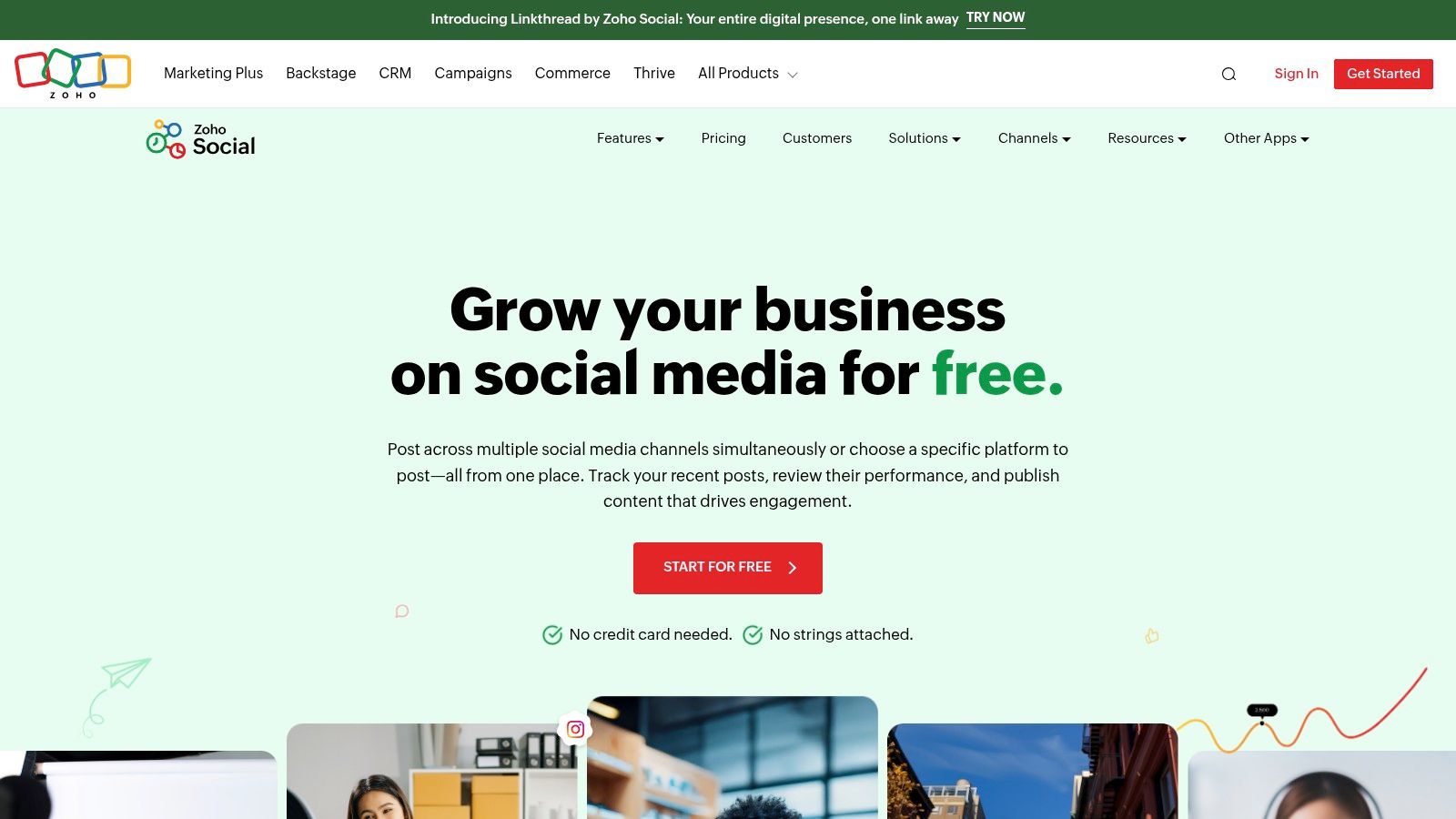
Zoho Social stands out in the crowded market of free social media schedulers by offering a generous free plan that is part of a much larger business software ecosystem. Its "Free Forever" edition is designed for a single brand, making it a powerful choice for businesses that may eventually want to integrate their social media efforts with other tools like CRM or analytics. It allows for unlimited posting, a rare feature in the free tier.
The platform provides a comprehensive dashboard that includes publishing tools and basic reporting, giving users a solid starting point for managing their social presence without feeling pressured to upgrade immediately.
Zoho Social is best for: Small businesses and solopreneurs already using or considering the Zoho suite of products. Its no-cap posting feature also makes it ideal for those who need to publish content frequently across a fixed set of channels without hitting a monthly limit.
Free Plan Features & Limitations
- Supported Platforms: Facebook Page, Instagram Business Profile, LinkedIn Profile, X (formerly Twitter), Google Business Profile.
- User Limit: 1 user.
- Account Limit: 1 of each of the 5 supported channels (for a single brand).
- Scheduling Limit: No monthly limit on the number of scheduled posts.
- Key Features: Unlimited post scheduling, content calendar, basic engagement tracking (recent posts overview), and a browser extension for curating content from the web.
The lack of a post limit is Zoho Social's key differentiator. A freelance social media manager could use this free plan to manage one client's core channels, scheduling dozens of posts in advance across Facebook, Instagram, and LinkedIn without cost. This allows for deep, long-term content planning, such as mapping out an entire quarter's worth of evergreen content, a significant productivity boost unavailable in many competing free tools.
- Pros: Truly unlimited post scheduling, seamless integration with the broader Zoho ecosystem, supports Google Business Profile which many free tools do not.
- Cons: Limited to one user and a fixed set of channels on the free tier, more advanced analytics and team features are locked behind paid plans.
Website: https://www.zoho.com/social/free-edition.html
4. Metricool
Metricool stands out by combining social media scheduling with robust analytics, making it an all-in-one suite even on its free plan. It’s built for users who not only want to plan their content but also immediately measure its performance and track competitors. This integrated approach saves time by eliminating the need to switch between different tools for planning and reporting.
The free plan is designed for a single brand, offering a powerful taste of its data-driven capabilities. It includes features like AI assistant credits and competitor tracking, which are rarely found in free-tier schedulers.
Metricool is best for: Data-savvy solopreneurs and small business marketers who want to connect their scheduling efforts directly to performance analytics without paying for a premium tool. Its competitor analysis feature is a significant bonus for those in competitive niches.
Free Plan Features & Limitations
- Supported Platforms: Instagram, Facebook, X (formerly Twitter), LinkedIn, Pinterest, TikTok, Google Business Profile, YouTube, Twitch.
- User Limit: 1 user.
- Account Limit: 1 brand (up to 8 social profiles).
- Scheduling Limit: 20 scheduled posts per month across all connected profiles.
- Key Features: Core planner with auto-publish, 30-day analytics history, competitor tracking (up to 5), AI assistant credits for content generation, and a unified inbox for managing messages.
The 20-post monthly cap is the primary constraint, requiring careful planning. A productive workflow is to schedule your 20 posts for the month, then use the built-in analytics at the end of the month to identify the top 3 performing posts. You can then use those insights—was it the topic, format, or time of day?—to inform your content strategy for the next 20 posts, creating a cycle of continuous improvement.
- Pros: Excellent analytics and competitor tracking for a free tool, AI assistant credits are a unique perk, supports a wide range of platforms including Google Business Profile.
- Cons: The 20-post monthly limit is restrictive for active brands, and access to longer data history requires an upgrade.
Website: https://metricool.com/metricool-premium/
5. Adobe Express (Content Scheduler)
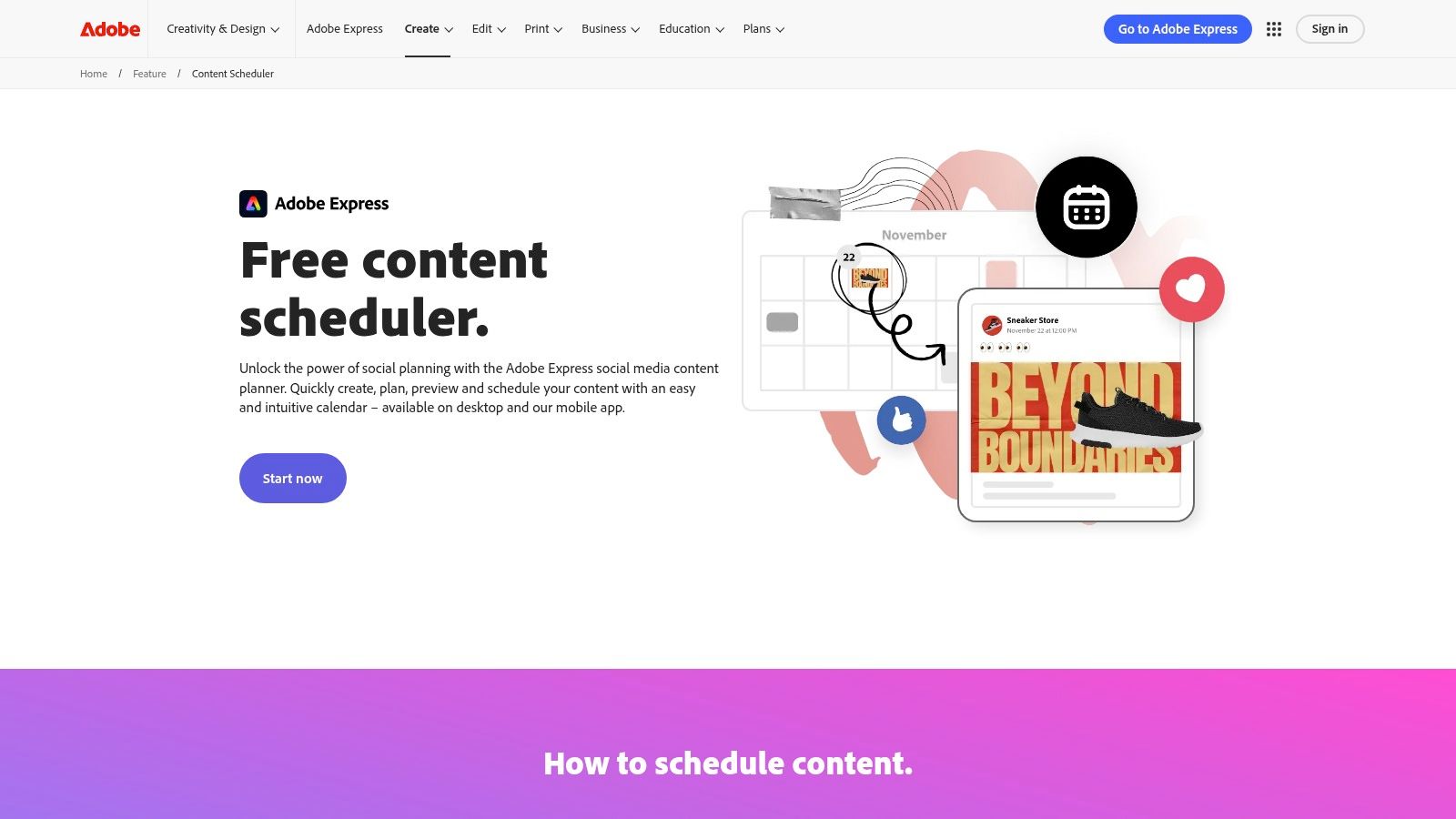
Adobe Express stands out by integrating a powerful creative suite directly with its Content Scheduler, making it one of the best free social media schedulers for those who design and publish in one place. Unlike tools focused solely on scheduling, Adobe’s free plan provides access to a vast library of templates, design assets, and stock photos, allowing you to create stunning visuals and schedule them without leaving the app.
This all-in-one approach streamlines the content creation workflow significantly. A practical example: a small e-commerce brand can find a "New Arrival" template, customize it with their product photo and brand colors, resize it for Instagram Stories and a Facebook post with one click, and then schedule both versions to publish, all within a single 15-minute session.
Adobe Express is best for: Content creators, solopreneurs, and small business marketers who want to combine high-quality content creation with social media scheduling in a single, unified platform.
Free Plan Features & Limitations
- Supported Platforms: Instagram, Facebook, X (formerly Twitter), LinkedIn, Pinterest, TikTok.
- User Limit: 1 user.
- Account Limit: Connect 1 social account per platform.
- Scheduling Limit: Up to 1,000 posts per month (a highly generous limit).
- Key Features: Integrated design tools, a massive library of templates and stock media, a basic brand kit, calendar and list views, and a robust mobile app for on-the-go creation and scheduling.
The 1,000-post monthly limit is virtually unlimited for the target user, and connecting one account per major network offers broad coverage. This makes it a true no-cost solution for managing a primary set of social profiles without worrying about hitting a restrictive queue cap.
- Pros: Powerful, integrated creative tools, a very generous post limit, and a true no-cost experience across multiple key networks.
- Cons: Managing multiple accounts for the same platform requires a Premium upgrade, and some advanced AI design features and assets are behind the paywall.
Website: https://www.adobe.com/express/feature/content-scheduler
6. Meta Business Suite
For those whose social media strategy is laser-focused on Facebook and Instagram, Meta Business Suite is the undisputed, first-party choice. As Meta's official tool, it offers the most reliable and deeply integrated scheduling experience for its own platforms, completely free of charge. It consolidates all your Page and Instagram account management tools, including a native content planner and scheduler.
This makes it one of the best free social media schedulers for businesses that live and breathe on Meta's ecosystem. It eliminates the need for a third-party tool if you aren't managing other networks, providing direct access to features like post-performance insights and audience engagement tools within the same environment you use for management.
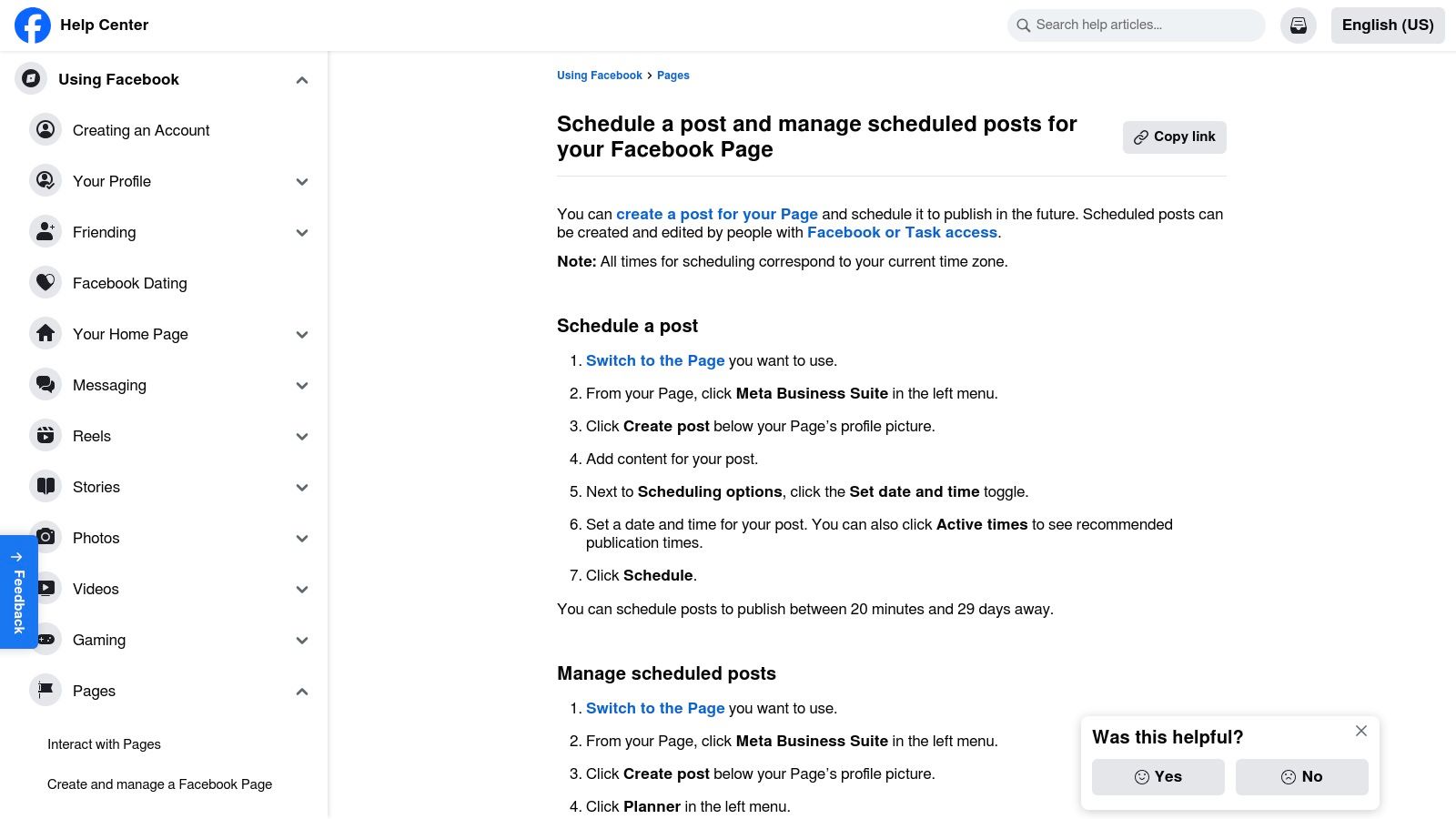
Meta Business Suite is best for: Small businesses, brands, and content creators who exclusively use Facebook and Instagram. It’s the perfect native solution for anyone who wants a free, reliable scheduler without connecting to an external service.
Free Plan Features & Limitations
- Supported Platforms: Facebook Pages, Instagram Business/Creator accounts.
- User Limit: Multiple users with different permission levels.
- Account Limit: Connect multiple Facebook Pages and Instagram accounts you manage.
- Scheduling Limit: Generous limits; you can schedule posts between 20 minutes and 75 days in advance.
- Key Features: Native post and Story scheduling, a comprehensive content planner with calendar and list views, inbox management for messages and comments, and performance analytics.
A standout productivity feature is the "Optimal times" suggestion, which recommends when your audience is most active based on your past engagement. A smart workflow is to schedule all your posts for the week using these recommended times to maximize visibility without having to guess. This native integration ensures your content is published reliably and leverages Meta's own data for optimization.
- Pros: Completely free with no hidden costs, unparalleled reliability for Facebook and Instagram publishing, direct integration with Meta's advertising and analytics tools.
- Cons: Strictly limited to Meta platforms (no X, LinkedIn, etc.), and some users report the interface can occasionally be buggy or slow to load.
Website: https://business.facebook.com/
7. LinkedIn (native scheduler)
While not a third-party tool, LinkedIn’s built-in scheduler is a powerful and often overlooked free social media scheduler for anyone prioritizing their professional network. It allows users to natively schedule posts directly from the LinkedIn desktop site or mobile app, ensuring perfect formatting and a seamless user experience. This first-party solution is ideal for professionals who want to maintain a consistent presence on the platform without adding another tool to their stack.
It’s a simple, effective way for founders, consultants, and B2B marketers to plan content up to three months ahead. A great productivity hack is to create a month's worth of posts—like weekly industry insights, company milestones, and thought leadership articles—and schedule them all in one session at the start of the month.
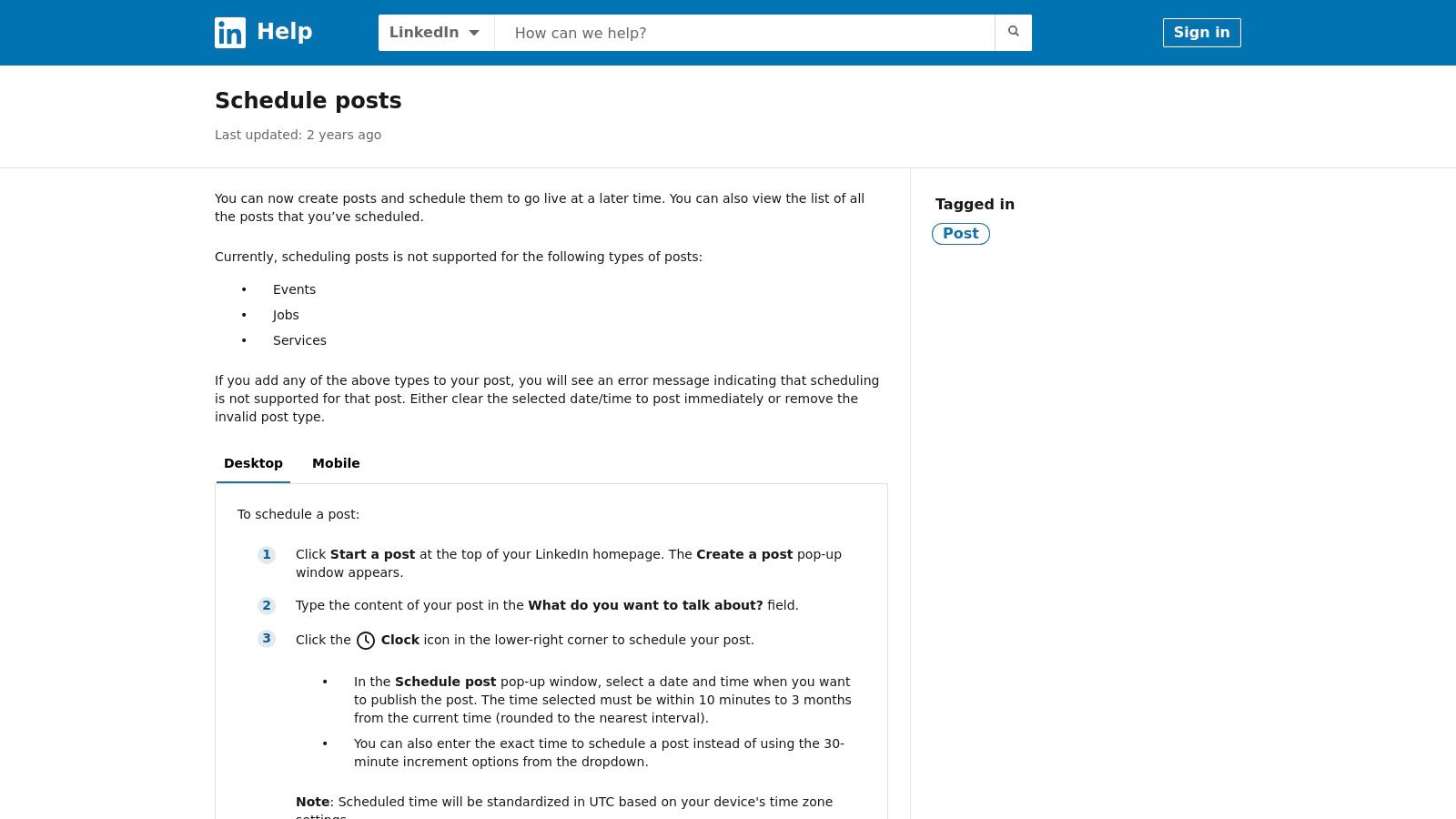
LinkedIn is best for: B2B professionals, founders, and anyone whose primary audience is on LinkedIn. If you don't need to manage multiple social platforms and prefer a direct, no-fuss approach, this is the most efficient option.
Free Plan Features & Limitations
- Supported Platforms: LinkedIn (Personal Profiles and Company Pages).
- User Limit: 1 user (the account holder).
- Account Limit: N/A (native to your account).
- Scheduling Limit: No official post limit, but you can schedule content from 10 minutes up to 3 months in advance.
- Key Features: Schedule standard posts (text, image, video, documents), manage, edit, and delete scheduled posts directly within the platform's interface.
The main limitation is that it only works for LinkedIn and doesn't support all post types, such as polls, events, or job listings. However, for core content like articles, industry insights, and company updates, it provides a reliable and completely free way to build a content calendar directly where your audience lives.
- Pros: Completely free and integrated into the platform, no extra software needed, extremely simple and intuitive to use.
- Cons: Only for LinkedIn, not all post types can be scheduled, and some users have reported occasional glitches.
Website: https://www.linkedin.com/help/linkedin/answer/a1347212
8. Pinterest (native Pin scheduling)
For businesses and creators heavily invested in visual marketing, sometimes the best free social media scheduler is the one built directly into the platform. Pinterest's native scheduler, available with a free Business account, is a prime example. It allows users to plan and publish Pins directly, ensuring a seamless workflow without needing to authorize a third-party application.
This first-party tool is perfect for those whose strategy revolves around consistent Pinning to drive traffic to blogs, e-commerce stores, or portfolios. The interface is integrated directly into the Pin creation process, making it incredibly straightforward to use.
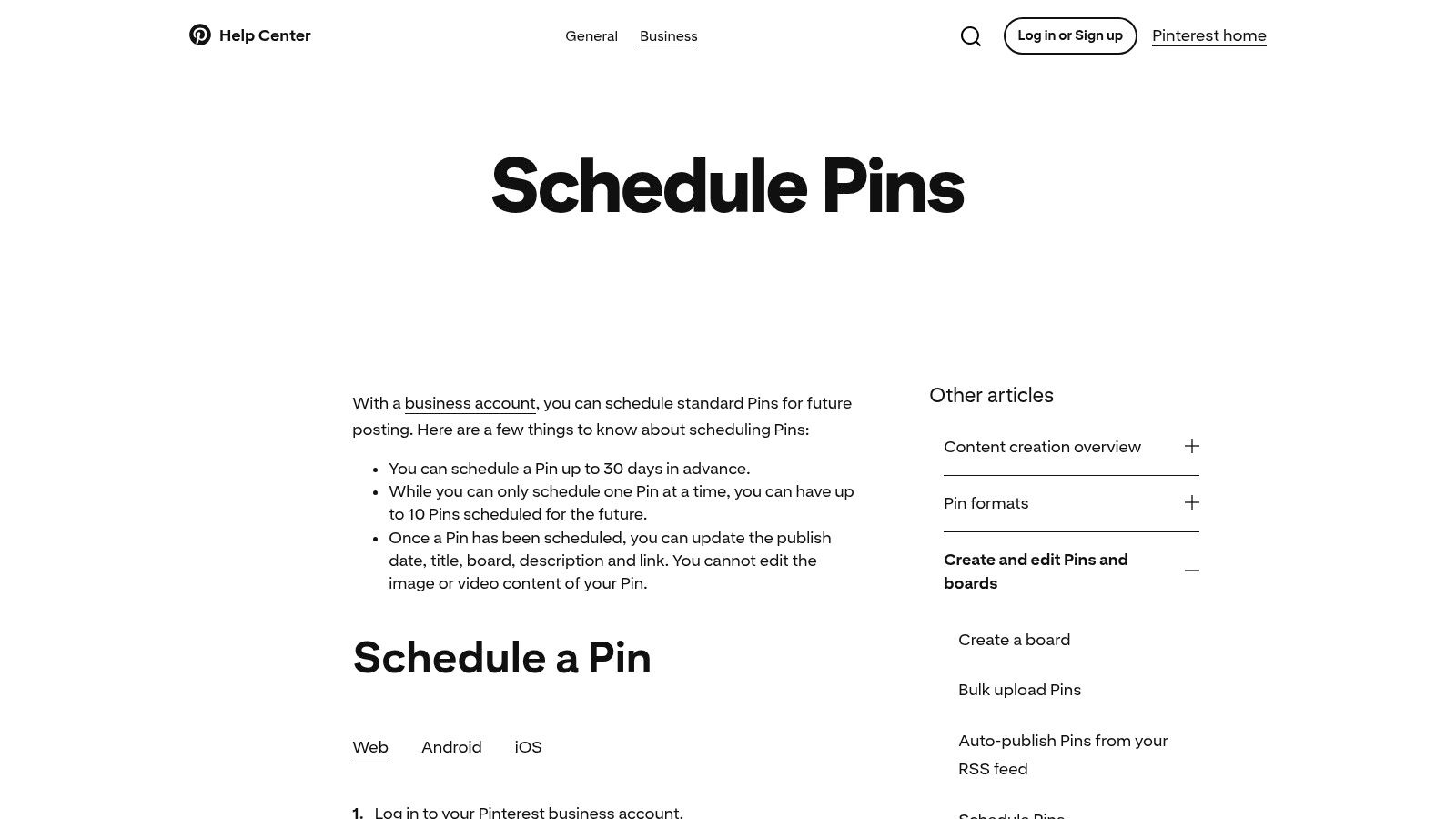
Pinterest is best for: E-commerce businesses, bloggers, artists, and anyone using a Pinterest-centric marketing strategy who needs a simple, integrated way to schedule content without external tools.
Free Plan Features & Limitations
- Supported Platforms: Pinterest only.
- User Limit: Tied to your Business account permissions.
- Account Limit: N/A (native to one account).
- Scheduling Limit: Schedule up to 10 Pins at once, up to 30 days in advance.
- Key Features: Schedule standard Pins, edit publish date and time before publishing, manage scheduled Pins in one view.
The 10-Pin simultaneous scheduling limit is the main constraint. This means a user can batch-create and schedule up to 10 Pins, but to schedule an 11th, one of the first 10 must be published. For maximum productivity, you could dedicate a small block of time each week to schedule 10 Pins for your most important boards, ensuring a steady flow of fresh content without needing another app.
- Pros: Completely free with a Business account, seamless integration with the Pinterest platform, extremely simple and quick workflow.
- Cons: Only for Pinterest, low scheduling cap (10 Pins at once), lacks advanced features like bulk scheduling or analytics found in third-party tools.
Website: https://help.pinterest.com/en/business/article/schedule-pins
9. YouTube Studio
While not a traditional cross-platform tool, YouTube Studio is an essential, native, and completely free social media scheduler for anyone focused on video content. It allows creators to manage their entire publishing workflow directly within the platform, scheduling video uploads and Premieres with precision. This first-party integration ensures maximum reliability and access to YouTube-specific features unavailable in third-party apps.
For video-centric creators, mastering YouTube’s native scheduling is a fundamental productivity hack, allowing them to batch-record and upload content, then set it to publish at optimal times for their audience without any external tools.
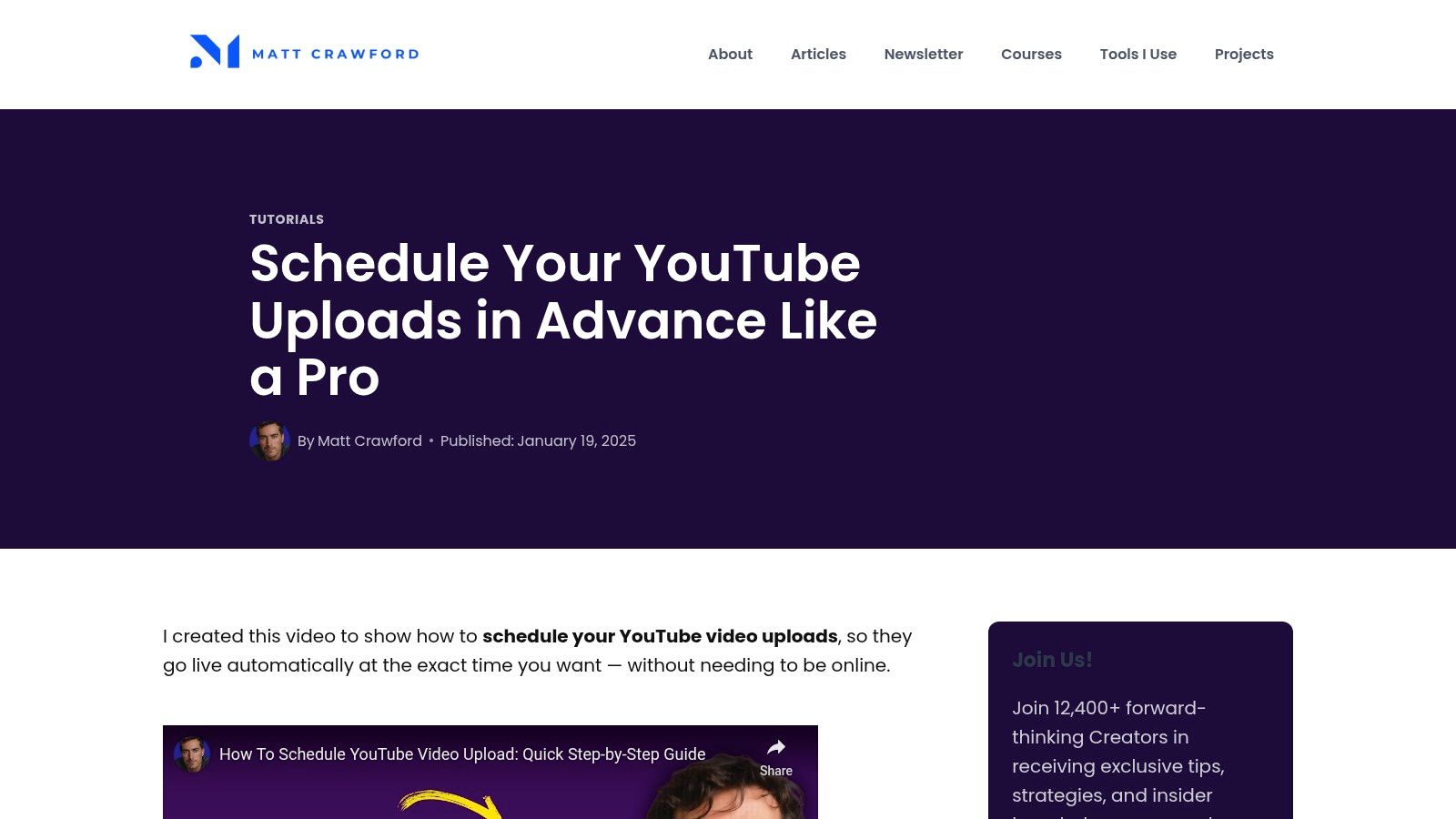
YouTube Studio is best for: Video creators, vloggers, and businesses whose primary content strategy revolves around YouTube. It is the definitive tool for scheduling long-form video, Shorts, and live Premieres reliably.
Free Plan Features & Limitations
- Supported Platforms: YouTube only (Videos, Shorts, Premieres).
- User Limit: Dependent on YouTube channel permissions (Owner, Manager, Editor, etc.).
- Account Limit: N/A (manages the connected YouTube channel).
- Scheduling Limit: No official limit on the number of videos you can schedule.
- Key Features: Schedule video uploads for a specific date and time, set videos as Premieres with a live countdown and chat, manage all scheduled content in a dedicated tab, and set timezone-specific publishing.
The ability to schedule content is built directly into the upload workflow, making it incredibly seamless. For example, a creator can upload an entire month's worth of videos over a weekend, scheduling each one to go live on specific days, such as every Tuesday and Thursday at 9 AM EST. This "set it and forget it" workflow ensures a consistent content pipeline, which is crucial for channel growth.
- Pros: Perfect first-party reliability and integration, granular control over publish times and Premiere settings, completely free with no hidden costs.
- Cons: Exclusively for YouTube (no ability to schedule posts for other social platforms), some users have occasionally reported minor interface glitches.
Website: https://mattbusiness.com/schedule-youtube-uploads/
10. CoSchedule (Free Calendar)
CoSchedule is widely known for its comprehensive marketing and content calendars, and its Free Calendar tier brings that organizational power to individuals. It stands out by focusing on the calendar itself as the central hub for planning, offering a clean, drag-and-drop interface that makes visualizing your content schedule incredibly simple. This approach makes it one of the best free social media schedulers for those who prioritize planning and organization.
The free forever plan is designed as a gateway to CoSchedule's more powerful tools, offering a taste of its acclaimed calendar-first workflow. It’s perfect for individuals who want to organize their ideas and publish them consistently to a single, primary social media profile.
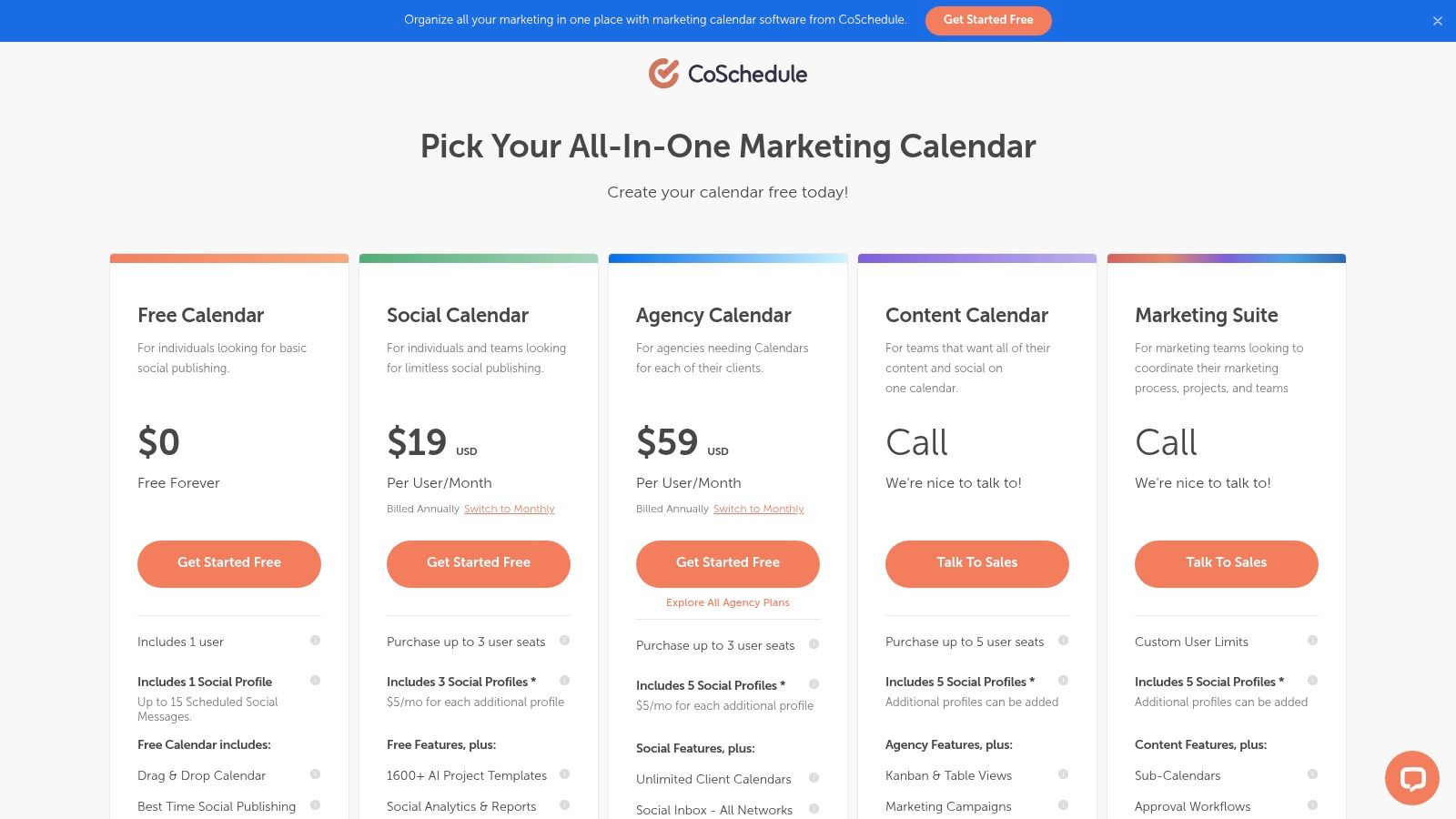
CoSchedule is best for: Solopreneurs and content creators who want a visually driven planning tool to organize their social media posts and are comfortable with a very limited number of scheduled posts on a single platform.
Free Plan Features & Limitations
- Supported Platforms: Facebook, X (formerly Twitter), Instagram, LinkedIn, and Pinterest.
- User Limit: 1 user.
- Account Limit: Connect up to 1 social profile.
- Scheduling Limit: Up to 15 scheduled social messages in total.
- Key Features: Drag-and-drop calendar interface, "Best Time Scheduling" recommendations to maximize engagement, and access to a basic AI assistant for content ideas.
The 15-message limit is the most significant constraint. An effective workflow is to use the calendar to plan out the next two weeks of content for your primary channel, such as LinkedIn. You can use the "Best Time Scheduling" feature to let the tool automatically pick the optimal publish times for those 15 posts, taking the guesswork out of your scheduling.
- Pros: Excellent, clean calendar user experience for planning and organization; straightforward upgrade path to more robust paid plans.
- Cons: Very restrictive with only one social profile and a 15-message cap; many platform-specific features are locked behind paid tiers.
Website: https://coschedule.com/pricing
11. Social Champ
Social Champ provides a well-documented free plan that stands out by supporting multiple networks with core scheduling and analytics features. It’s built for users who need to manage more than one social profile from day one without an immediate financial commitment. This makes it a great testing ground for establishing multi-platform workflows before considering a paid upgrade.
The interface is functional, offering a balance between features and ease of use, making it a competitive option among free social media schedulers.
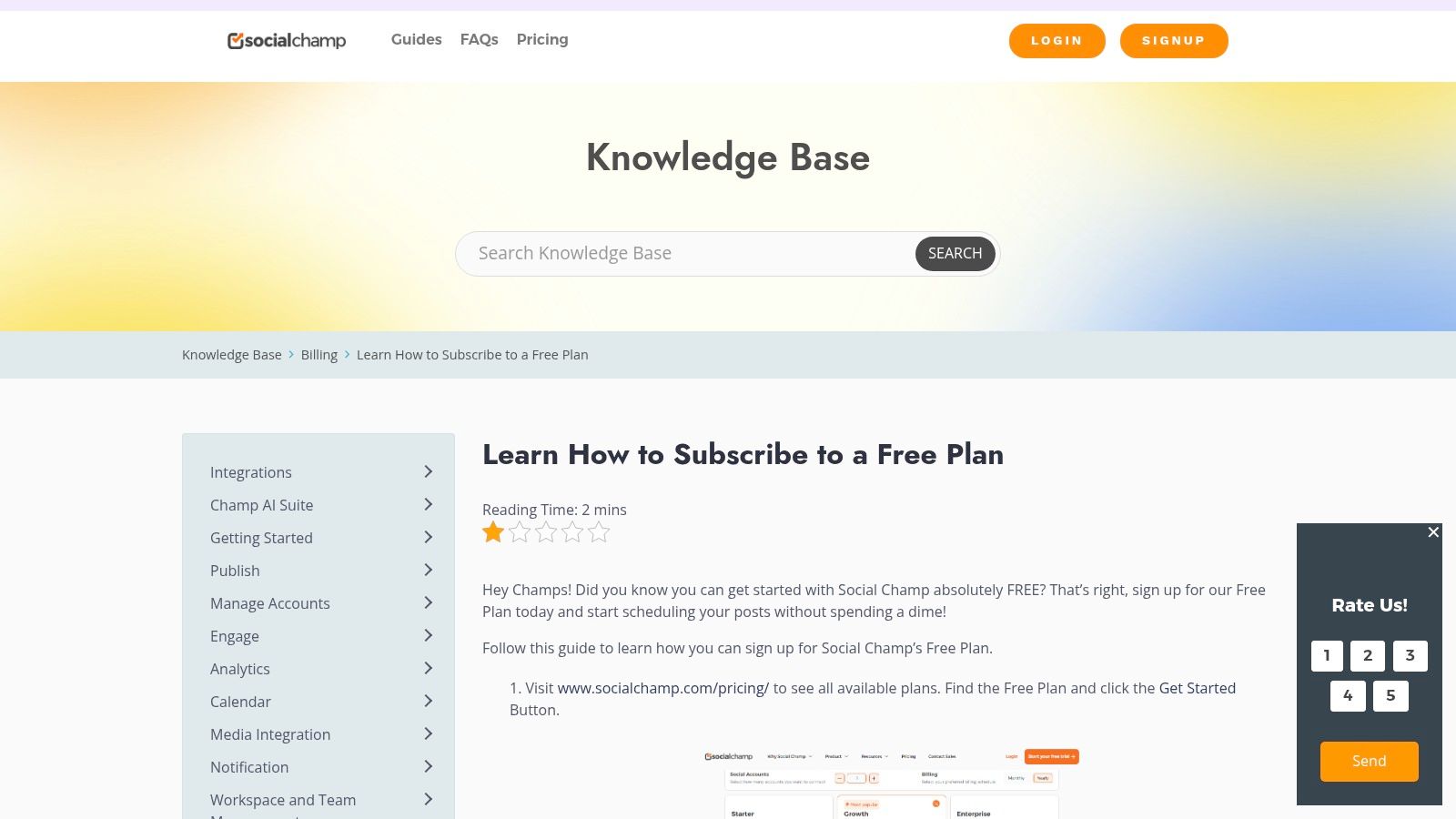
Social Champ is best for: Startups and small businesses managing a few key social media accounts who want a single dashboard to test scheduling, analytics, and content curation before committing to a paid tool.
Free Plan Features & Limitations
- Supported Platforms: Facebook, Instagram, X (formerly Twitter), LinkedIn, Pinterest, TikTok, Google Business Profile, YouTube.
- User Limit: 1 user.
- Account Limit: Connect up to 3 social accounts.
- Scheduling Limit: 15 scheduled posts in total at any given time (not per channel).
- Key Features: Content calendar view, basic post analytics, mobile apps (iOS and Android), and a content suggestion tool to help find relevant articles to share.
The 15-post total limit requires a focused workflow. For instance, a small business could connect its Facebook, Instagram, and Google Business Profile. Each Monday, they could schedule 5 posts for the upcoming week across these three platforms. This strategy keeps all channels active without exceeding the 15-post cap, though it requires weekly management to refill the queue.
- Pros: Generous multi-platform support on its free tier, competitive and scalable paid plans for future growth.
- Cons: The 15-post scheduling limit is shared across all connected accounts, and advanced features like a social inbox or in-depth analytics are reserved for paid tiers.
Website: https://help.socialchamp.com/guides/free-plan/
12. Publer
Publer is a surprisingly capable and one of the best free social media schedulers for users who need to manage a diverse set of platforms beyond the usual suspects. Its generous free plan supports an impressive range of networks, making it a standout choice for creators experimenting with newer channels like Mastodon, Threads, or Bluesky without needing to pay.
The platform provides a powerful set of features right out of the box, including network-specific post customization and direct Canva integration. This allows a small business owner to design a graphic in Canva, pull it into Publer, and then write unique captions for Facebook, LinkedIn, and Pinterest all within one streamlined workflow, saving significant time.
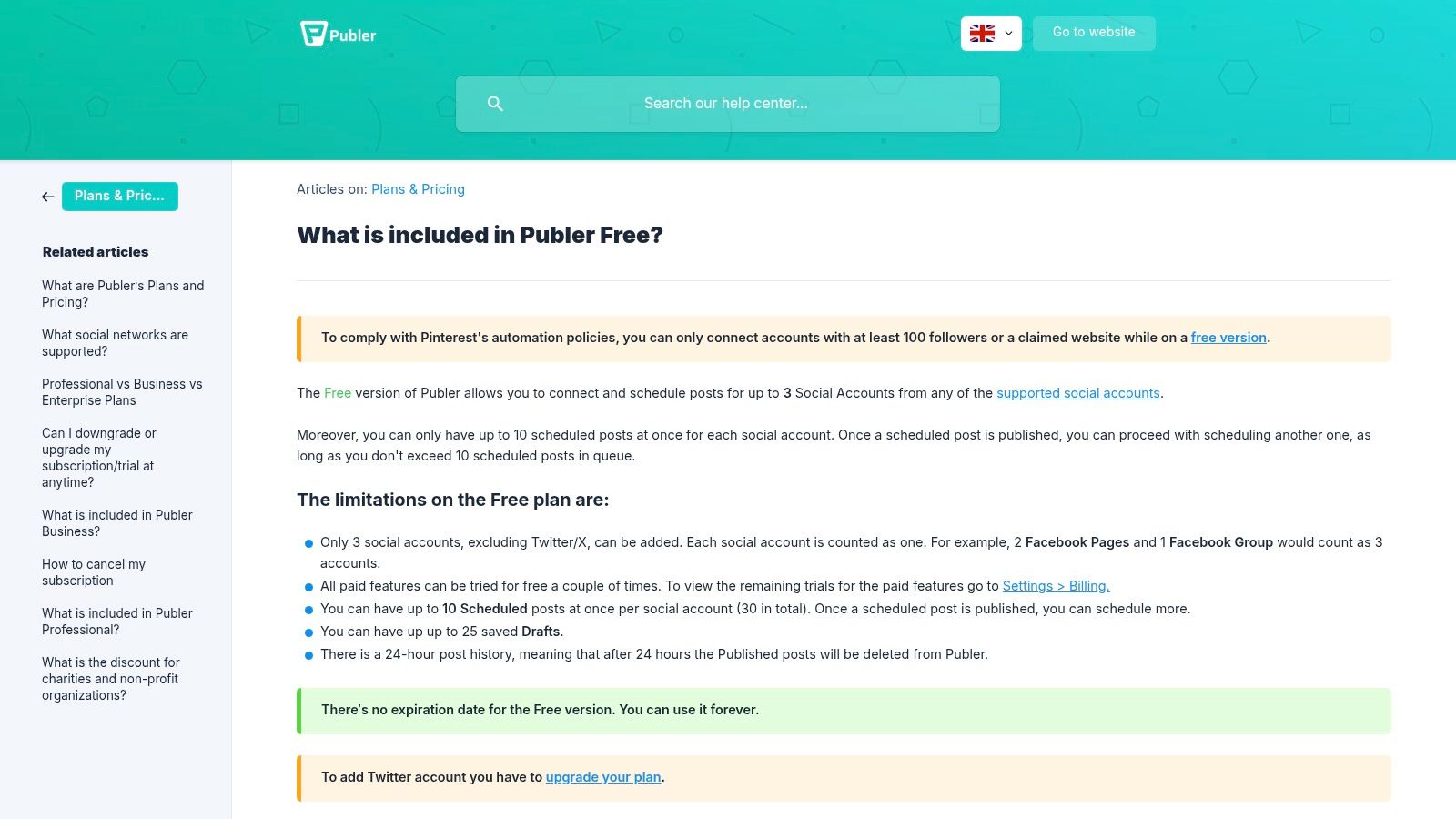
Publer is best for: Content creators and small businesses managing a wide array of social platforms (excluding X/Twitter) who want advanced features like drafts and network-specific customization without a subscription.
Free Plan Features & Limitations
- Supported Platforms: Facebook, Instagram, LinkedIn, TikTok, Pinterest, YouTube, Google Business Profile, Mastodon, Threads, Bluesky, and more (X/Twitter is a paid-only feature).
- User Limit: 1 user.
- Account Limit: Connect up to 3 social accounts.
- Scheduling Limit: 10 scheduled posts per account at any given time, plus a 25-draft limit.
- Key Features: Content calendar view, post customization for each network, Canva integration, link shorteners, auto-scheduling functionality, and a 'link in bio' feature.
The inclusion of up to 25 drafts is a practical benefit for productivity. You can spend an hour brainstorming and writing out 25 post ideas as drafts. Then, throughout the month, you can simply move polished drafts into the scheduling queue as needed, separating the creative process from the scheduling task and making both more efficient.
- Pros: Supports a huge range of social networks on the free tier, includes useful utilities like drafts and a link in bio tool, offers network-specific post customization.
- Cons: Access to X/Twitter requires a paid plan, free tier has caps on daily posts and bulk uploads, and post history is limited.
Website: https://publer.com/help/en/article/what-is-included-in-publer-free-dliovh/
Top 12 Free Social Media Schedulers — Feature Comparison
| Product | Core features | UX / Quality (★) | Pricing / Value (💰) | Target audience (👥) | Unique selling points (✨) |
|---|---|---|---|---|---|
| 🏆 Postful | Ready-made templates, on-demand AI brainstorming, scheduling automations | ★★★★ | 💰 Free — open to all | 👥 Founders, side‑hustlers, solo operators | ✨ Templates + AI ideation for fast, consistent posting |
| Buffer | Queue-based scheduling, calendar view, browser extension, basic analytics | ★★★ | 💰 Free forever (limits) | 👥 Beginners, small teams | ✨ Simple, reliable queue & calendar UX |
| Zoho Social | Free edition for 1 brand, multi-format posts, Zoho integrations | ★★★ | 💰 Free for 1 brand; paid upgrades | 👥 Single-brand businesses | ✨ Multi-format posting + Zoho ecosystem |
| Metricool | Planner/calendar, auto‑publish, 30‑day analytics, 20 posts/mo free | ★★★ | 💰 Free tier with monthly cap | 👥 Solo creators who want analytics | ✨ Strong analytics-to-free ratio |
| Adobe Express (Content Scheduler) | Design tools + scheduler, templates, stock assets, high monthly post allowance | ★★★★ | 💰 Free plan (generous post allowance) | 👥 Creators needing design + scheduling | ✨ Creative toolkit + stock media bundled |
| Meta Business Suite | Native FB/IG scheduling, week/month planner, native insights | ★★★★ | 💰 Free (first‑party) | 👥 Facebook & Instagram Page managers | ✨ First-party reliability for FB/IG workflows |
| LinkedIn (native scheduler) | Schedule posts up to 3 months, manage/edit scheduled posts | ★★★ | 💰 Free | 👥 Professionals and founders on LinkedIn | ✨ Simple, no‑cost native scheduling |
| Pinterest (native Pin scheduling) | Schedule Pins up to 30 days, batch up to 10 Pins | ★★★ | 💰 Free | 👥 Creators, e‑commerce, bloggers | ✨ Quick native Pin workflow |
| YouTube Studio | Schedule uploads & Premieres, manage scheduled videos, timezone control | ★★★★ | 💰 Free | 👥 Video creators | ✨ Premiere controls + native scheduling |
| CoSchedule (Free Calendar) | Drag‑and‑drop calendar, 1 profile, up to 15 scheduled messages | ★★★ | 💰 Free with caps; paid upgrades | 👥 Planners and individuals | ✨ Clean calendar UX for planning |
| Social Champ | Multi‑network scheduling (3 profiles free), calendar, basic analytics | ★★★ | 💰 Free tier (limits) | 👥 Users needing multi‑profile free tier | ✨ Multiplatform support on free plan |
| Publer | Support for many networks, 3 accounts free, queued posts, Canva integration | ★★★ | 💰 Free forever (limits) | 👥 Multi‑platform testers | ✨ Broad network coverage + Canva & draft tools |
Automate Your Growth, Not Just Your Posts
Navigating the landscape of the best free social media schedulers reveals a powerful truth: the right tool does more than just publish content for you. It serves as the foundation for a smarter, more sustainable social media strategy, freeing you from the constant pressure of manual posting and allowing you to focus on what truly matters: engaging with your audience and growing your business.
The goal isn't just to fill a content calendar; it's to reclaim your most valuable resources, your time and mental energy. By automating the repetitive mechanics of posting, you create the space needed for high-impact activities like analyzing performance data, refining your messaging, and building genuine community connections.
Making Your Final Decision
As we've explored, there is no single "best" tool for everyone. The ideal choice hinges entirely on your specific needs, workflow, and growth stage. Your next step is to move from analysis to action.
To select the right scheduler, consider these key questions:
- What is my primary platform? If you live on Instagram and Facebook, Meta Business Suite is an unbeatable, integrated solution. For Pinterest-heavy brands, its native scheduler is essential.
- How many accounts do I need to manage? If you're juggling three or fewer profiles, tools like Buffer or Publer offer generous free plans that can cover your needs perfectly.
- Do I need analytics? For data-driven creators who need to track performance, Metricool provides a robust suite of analytics that many other free tools lack.
- Is content creation my biggest bottleneck? If you struggle with creating visuals, the integrated design tools and scheduler in Adobe Express can streamline your entire workflow from concept to publication.
Once you’ve identified your top contender, commit to a one-week trial. Set it up, schedule a few days' worth of content using a batching method (e.g., dedicating one hour on Monday to schedule for the whole week), and see how it feels. The objective is to find a tool that seamlessly integrates into your existing processes, reducing friction rather than adding another layer of complexity.
Beyond Scheduling: The Bigger Picture of Automation
True automation is about building systems that scale with your ambitions. While a social media scheduler is a critical first step, it's part of a larger ecosystem of technologies designed to enhance efficiency. For businesses in specific niches, exploring broader automation can unlock even greater potential. For instance, a comprehensive guide to the best AI tools for fashion brands offers powerful insights into how AI can revolutionize everything from design and content creation to supply chain management.
This mindset, applying automation to solve core business challenges, is what separates stagnant brands from those that achieve exponential growth. Your social media scheduler is your entry point into this more strategic way of operating. It’s a practical tool that teaches a valuable lesson: by automating the predictable, you empower yourself to conquer the exceptional. Choose your tool, implement your system, and get back to building the business you envisioned.
Ready to move beyond basic scheduling and automate your content creation, too? Postful uses AI to turn your ideas, links, and even voice notes into ready-to-publish social media posts in seconds, helping you fill your calendar with high-quality content effortlessly. Stop staring at a blank screen and start automating your growth with Postful.