

Let’s start with the basics: what is a call to action in marketing? At its heart, a call to action (CTA) is a prompt nudging your audience toward the next step. It sparks engagement, steers decision-making, and drives conversions.
How a Call To Action Shapes User Journeys
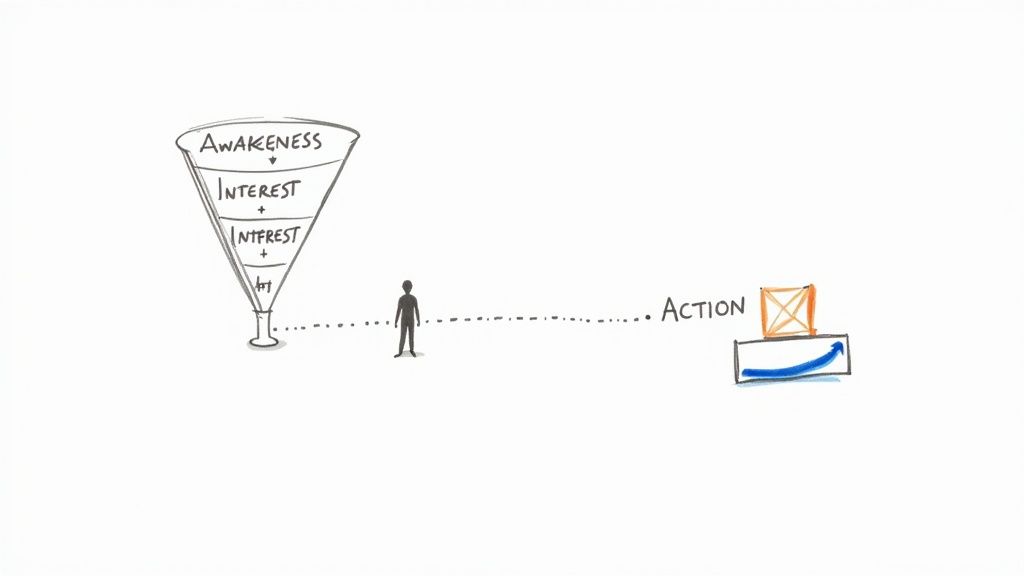
Think of every CTA as a signpost on a map—from a casual click to a final purchase. It appears in blog posts, landing pages, emails, or ads, always pointing people forward.
CTAs hinge on three core elements:
- Prompting Action uses strong verbs to encourage immediate clicks.
- Clear Value spells out exactly what’s in it for the user.
- Immediacy injects urgency or scarcity to motivate faster decisions.
“A well-timed CTA is like a friendly tap on the shoulder inviting readers to act.”
CTA Quick Reference Summary
Here’s a compact cheat sheet to keep these elements top and center:
| Element | Definition | Example | Placement |
|---|---|---|---|
| Prompting Action | A clear verb to nudge action | Click Here | Inline links or buttons |
| Clear Value | Benefit explained upfront | Get a Free Guide | End of article |
| Immediacy | Urgency or scarcity cue | Join Today | Popups or banners |
Use this table whenever you craft a new CTA—it keeps the essentials front and center.
Practical example: maintain a Notion database with all your CTA copy variants, tagging each with performance metrics. This single source of truth speeds up ideation and avoids reinventing the wheel.
For instance, a “Subscribe Now” button right after a key insight can lift sign-ups by around 30%.
Similarly, slipping in a “Download Whitepaper” link just after a compelling stat taps into curiosity and prompts immediate action.
Next, we’ll explore the psychology and design tactics that turn ordinary CTAs into irresistible invitations. Stay tuned for real-world examples coming up in this guide!
Purpose and Psychology of CTAs
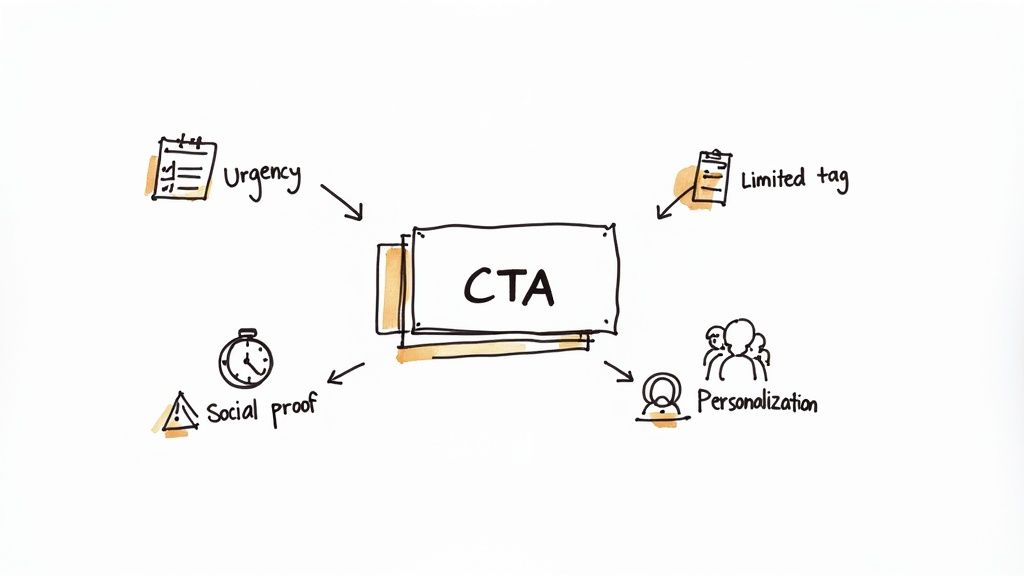
Call-to-action buttons borrow tricks from psychology. They play on urgency, scarcity, social proof, and personalization to nudge people forward.
- Urgency sets a ticking clock so users act before time runs out.
- Scarcity hints that supplies are low, tapping into FOMO.
- Social Proof shows that others are already on board.
- Personalization makes the message feel custom-built for you.
Just a slight tweak in wording can elevate a bland button into a magnetic signpost.
Psychological Triggers In Action
In a split test, changing “Download Now” to “Download in 24 Hours” lifted clicks by 33%. It proved that specifying timing reshapes expectations.
An e-commerce team ran two CTAs side by side:
- “Shop Now”
- “Only 2 Left – Shop Now”
The second version drove a 27% bump in purchases. And when a SaaS brand added “Trusted by over 5,000 businesses” above its signup button, trials climbed 18%.
“A tiny tweak in phrasing can yield a double-digit lift in engagement.”
- Pinpoint deadlines with exact dates or hours.
- Spell out low inventory to spark urgency.
- Show real user counts or quotes for credibility.
Practical productivity hack: track these test results in a shared Google Sheet that feeds into a Slack channel via Zapier. This automation keeps your team instantly updated and ready to iterate.
Using Personalization To Boost Engagement
Personalization tweaks your CTA based on who’s looking. A streaming service that greets each visitor by name saw clicks rise 22%.
Read our guide on audience segmentation for strategies that enhance relevance: Learn more about audience segmentation in our guide
- Use past purchase history to shape checkout offers.
- Tailor promotions to different interest groups.
- Swap in dynamic text that calls users by name.
In one fitness app experiment, “Join 10,000 Active Users” outperformed “Start Free Trial” with a 15% lift in sign-ups.
Test these triggers across channels to see what resonates best. When you layer urgency, scarcity, social proof, and personalization, your CTAs become genuine invitations—not just buttons.
Next, we’ll peel back the layers of an effective CTA and explore its core building blocks.
Every single word in your CTA matters. Understanding the mind behind the click is how you spark connections and spark action. Small adjustments can spark big wins. Indeed.
Anatomy Of An Effective CTA
When you pause and think of a CTA, don’t see it as just a button. It’s the moment you guide someone from “just browsing” to “taking action.” Good ones mix clear language, visual cues, and a spot on the page where they can’t be ignored.
First comes the verb. “Download” sets a different expectation than “Learn.” Next, you back it with a benefit—phrases like “Get our free guide” or “Start your trial now” spell out exactly why someone should click. Finally, design cues—color, shape, and whitespace—all work in harmony to catch the eye.
- Verbs that align with the action
- Value that speaks directly to the user
- Design Cues that draw attention
Swap “Click Here” for “Download Report,” and you’ve just turned a vague invitation into a clear promise.
Practical example: store your winning verbs and headlines in a shared Google Docs swipe file. When you need a quick refresh, you’ll have proven phrases ready to drop in.
Choosing The Right Verb
Your verb sets the tone. “Subscribe” suggests ongoing rewards. “Get” feels immediate. In one A/B test, a SaaS brand shifted from “Start Free Trial” to “Try It Free” and saw a 20% bump in sign-ups. Even tiny tweaks can pay off big.
- Begin with action words like “Join,” “Explore,” or “Save.”
- Match the verb to the outcome you want.
- Keep it concise and specific.
Check out our guide on discovering perfect verbs in practice: Copywriting Tips for Beginners
“A clear, single CTA can double conversion rates.”
Value framing makes your offer shine. It answers the reader’s key question: “What’s in it for me?” Multiple industry analyses show that swapping vague language for sharp, action-focused CTAs can boost conversions by 100%, with some case studies reporting uplifts averaging 161% when clarity takes center stage. Learn more about CTA uplift findings
Design And Placement Tips
Once your words are set, it’s time to think visually. Button shape, color contrast, and the right amount of whitespace all guide the eye to your CTA.
| Color | Emotion | Best Use Case |
|---|---|---|
| Red | Urgency | Limited-time offers |
| Green | Trust and Growth | Newsletter sign-ups |
| Blue | Calm and Safety | Resource downloads |
Where you place your CTA is just as important:
- Inline after a key insight
- At the end of a long-form article
- In email footers or sidebars
- As an exit-intent popup for a final nudge
Use whitespace to isolate your CTA and avoid competing elements.
Pair precise copy, a crystal-clear benefit, and thoughtful design, and you’ve transformed your CTA into an unmistakable signpost.
Postful helps you preview design variations, run A/B tests, and track performance—all in one place—so you can fine-tune your CTA without the guesswork.
Common CTA Types Across Platforms
When you’re asking “what is a call to action,” you’re really pinpointing the little prompts that nudge a user toward the next step. Think of CTAs as signposts on your digital journey, guiding readers, shoppers, or subscribers exactly where you want them to go.
Buttons, inline links, banners, and popups each carry their own strengths. A “Shop Now” button on mobile taps into impulse, while an inline link in a blog post encourages someone to dive deeper.
- Clickable buttons deliver focused prompts that stand out in crowded feeds.
- Inline links weave CTAs directly into articles or blog posts.
- Popups grab immediate attention—though they can disrupt the reading flow.
- Banners sit at headers or footers for consistent visibility.
Take a look at this chart to see how specificity influences engagement:
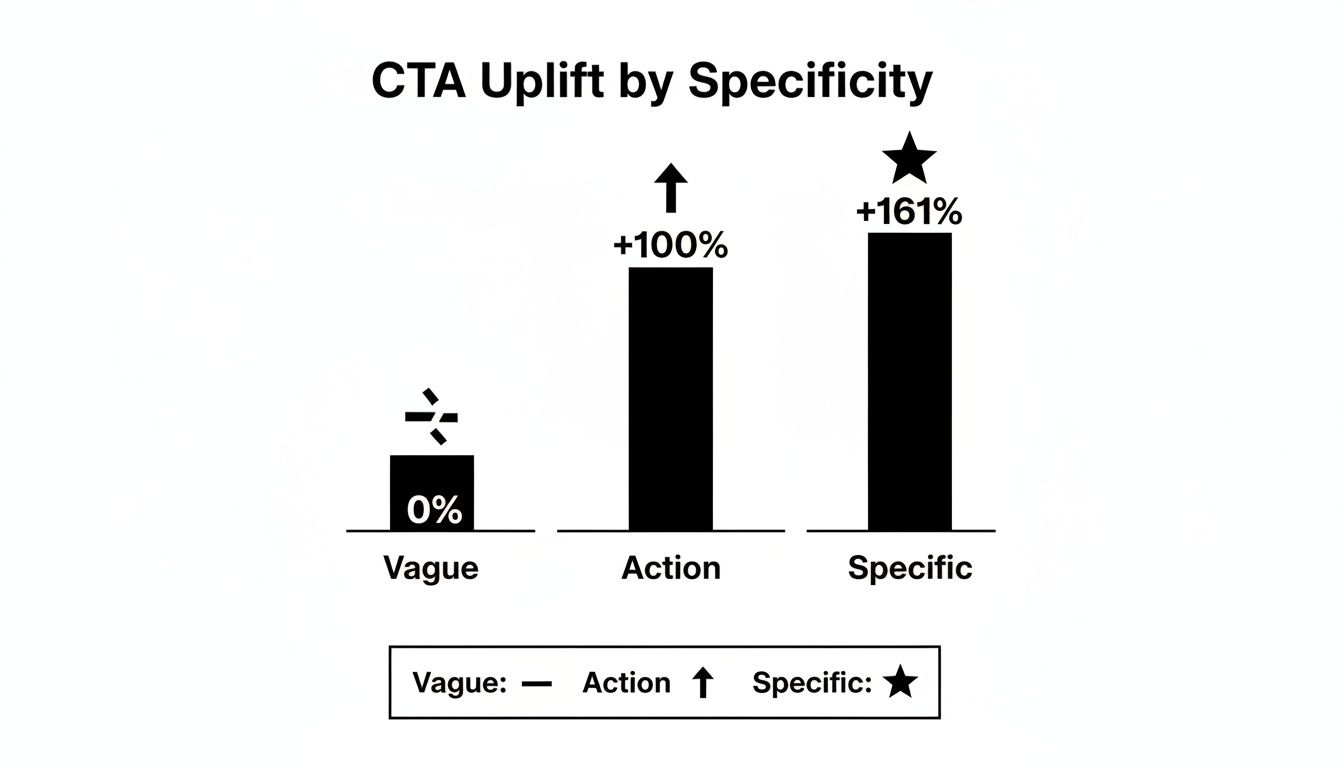
It demonstrates that specific CTAs outperform vague ones by over 161%, a clear reminder that crystal-clear language sparks more clicks.
Practical workflow tip: schedule a weekly 15-minute “CTA sync” in your team calendar to review performance across Facebook, email, and blog posts using Postful’s unified dashboard. This small habit surfaces insights fast and keeps your campaigns on track.
Facebook And Instagram Buttons
On Facebook Business ads, a concise button like “Shop Now” often hits 5-8% click rates on mobile campaigns. Over on Instagram Stories, link stickers reading “Swipe Up” or “Learn More” steal the show.
Brands should align CTA wording with visuals:
- Use “Shop Now” on product shots to tap into impulse buys.
- Try “Learn More” beneath service spotlights for curious prospects.
- Add countdown stickers in Stories to boost urgency by up to 20%.
On desktop news feeds, a side-panel button can lift visibility by 3%. And for Instagram carousel posts, embedding the CTA on the final slide often drives that crucial last click.
Remember: seamless ad-to-landing messaging is what really cuts drop-off rates.
Comparison Of CTA Types Across Platforms
Here’s a quick overview of where each CTA shines:
| CTA Type | Platform | Benchmark Rate | Best Use Case |
|---|---|---|---|
| Button | 6% | Mobile product ads | |
| Inline Link | Blog | 2-3% | Deeper content exploration |
| Popup | Website | 10-12% | Lead magnets and content downloads |
| Banner | 2-4% | Newsletter sign-ups and promotions | |
| Link Sticker | 3-5% | Story-driven product highlights |
This snapshot highlights average conversion benchmarks and shows each CTA type’s sweet spot.
Email And Blog Post Links
In email campaigns, swapping “Get Started” for “Sign Up Free” can lift response by 15%. And in blogs, a CTA like “Read the Full Guide” often drives around 3% of readers to click.
Follow these best practices:
- Place your primary CTA above the fold.
- Reinforce it with a secondary link at the end.
- Test different phrasing—compare “Download Now” vs. “Get Your Copy”.
- Insert personalization tokens (like a first name or role).
For instance, adding someone’s first name to a button boosted opens by 12%. Emails with header banners also see about 2% higher recall than footer placements. And within blog posts, sprinkling an inline CTA right after key statistics can lift engagement by 4%.
LinkedIn And Twitter Prompts
On LinkedIn, CTAs like “Register Today” for webinars or “Download Report” for whitepapers consistently perform well. Twitter, with its character limits, favors short, punchy prompts such as “Join the Conversation” or “Shop Now.”
-
Poll CTAs (e.g., “Vote Below”) can drive 9-11% higher replies.
-
Hashtag CTAs (e.g., “#StartYourChallenge”) boost share rates by 7%.
-
Inline CTAs in LinkedIn articles average about 4% click-through.
-
Twitter Cards paired with trending hashtags see roughly 3% more clicks.
-
InMail CTAs like “Claim Free Seat” can raise event sign-ups by up to 25%.
“Test every format until you find your platform’s winning combination.”
Platform Selection Tips
Choosing the right CTA type starts with knowing where your audience hangs out:
- Test bold buttons in feeds before weaving in inline links for context-driven actions.
- Reserve popups for pages with high-intent traffic to gather leads without causing fatigue.
- Rotate banner offers monthly to keep your creative fresh and sustain conversion momentum.
- Match your CTA design to brand colors to build recognition and trust.
Keep experimenting with different CTA formats. And remember, Postful can simplify the process by helping you set up, test, and optimize your calls to action in minutes.
Best Practices And How To Measure CTAs
Testing isn’t a one-off task—it’s an ongoing conversation with your audience. Start by sketching out a clear hypothesis, then let the data guide your next move. Over time, A/B testing, thoughtful personalization, and small design shifts can turn your calls to action into reliable growth engines.
A B Testing Workflow
Think of A/B testing like experimenting with two recipes in the kitchen. You tweak one ingredient, taste both, and pick the winner. In marketing, those “ingredients” are your headlines, button text, or colors.
Steps to run a solid A/B test:
- Define a bold hypothesis. What change do you expect, and why?
- Create two distinct variations. Keep everything else constant.
- Deploy your test using Google Optimize or Postful’s built-in tester.
- Collect data until you hit statistical significance.
- Analyze results, learn, and repeat.
Productivity tip: automate your test results summary with Zapier—push key metrics from Google Analytics into a Slack summary so your team can review wins without manual reporting.
Tracking Performance In Analytics
Accurate tracking is the backbone of any measurement plan. Tag your buttons with click events, then funnel those into Google Analytics as conversion goals.
Key metrics to watch:
- Click-Through Rate (CTR): Percentage of visitors who click your CTA.
- Conversion Rate: Share of clicks that complete your desired action.
- Bounce Rate: Portion of visitors who leave without engaging.
Personalization Tactics
Generic CTAs feel like mass mail—cold and forgettable. Instead, tailor each call to action based on user behavior or segment.
Practical ideas:
- Show related resources informed by a visitor’s browsing history.
- Trigger time-sensitive offers when someone abandons their cart.
- Swap button colors according to past click patterns for higher familiarity.
Placement And Performance Insights
Where you put your CTA and how it looks can have an outsized impact. In fact, a collection of studies found:
- Full-page popups convert at 13.6%
- Offer CTAs hit 12.1%
- Inline prompts often under 4%
- Moving a CTA to the bottom of a product page boosted conversions by 70%
- Enlarging buttons increased clicks by 90%
Read more about these conversion insights in the CTA conversion rates report on firstpagesage.com.
Iterating On Design And Copy
Iteration is at the heart of better CTAs. Set aside time each week to review click and conversion trends, then tweak one element at a time—color, size, wording—and run a fresh A/B cycle. Small adjustments can deliver up to 20% extra lift.
To measure social media CTA impact, integrate UTM tags and build custom dashboards. For a deeper dive, see our article How to Measure Social Media ROI.
“Small design adjustments or wording shifts can boost click-through rates by up to 90%.”
Using Postful For Faster Iteration
Postful cuts the legwork out of CTA testing. Jump into a library of templates, draft variations in seconds, and preview multiple designs without calling in a developer. As results come in, Postful’s dashboard highlights top performers and even suggests your next experiment.
Continuous Optimization For CTAs
A CTA that worked six months ago might feel stale today. Keep your calls fresh by:
- Rotating CTA language every quarter to capture evolving audience interests
- Maintaining a visual style guide for consistent button design
- Setting alerts for sudden dips in click metrics so you can troubleshoot fast
Measure often. Adapt quickly. Repeat. Continuous improvement turns vague invites into precise, action-driving prompts.
Streamline Your CTA Creation Process
Think of your CTA process like a kitchen line: when everyone knows their station, the final dish—your clickable button—arrives hot and on time. A consistent workflow turns scattered ideas into polished CTAs without that last-minute frenzy.
By mapping out planning, design, and launch phases in advance, you’ll always know who’s doing what—and when.
Plan Your CTA Workflow
Before you sketch a single button, gather the team for a quick kickoff. Decide on roles, set clear goals, and track every task on a central board.
Try tools like Trello or Asana to break down the work:
- Draft copy with strong, action-focused verbs
- Evaluate the core value proposition
- Review and approve design mockups
- Schedule your A/B test windows
“When roles are crystal clear and everyone follows the same style guide, late-stage rewrites disappear.”
Lock in deadlines for each step. Link your shared CTA style guide in Google Docs to keep button styles and link treatments uniform across every campaign.
Practical example: use Asana templates tagged “CTA Launch” to auto-generate tasks, assign owners, and set reminders—cutting planning time by up to 40%.
Choose Templates And Customize Copy
Tapping into a design library—whether in Figma or Postful—can shave mockup time by 50%. Once you’ve picked a base template, it’s time to make it yours.
- Replace generic phrasing with benefits that speak directly to your audience.
- Match your verbs to the action you want (for example, “Start Free Trial” vs. “Download Your Guide”).
- Weave in urgency or social proof if it fits your context.
Here’s a quick win: one SaaS team turned “Get Started” into “Join 10,000+ Users” and saw a 22% jump in clicks.
Coordinate Testing And Launch
With your assets ready, set up A/B tests in Postful or Google Optimize:
- Upload design and copy variants
- Split traffic evenly (a 50/50 split is a solid baseline)
- Choose clear start and end dates
- Keep an eye on live results via shared dashboards
When your test wraps up, retire the lower-performing variant and roll out the champion. A retailer, for instance, tested “Shop Now” against “Shop Today Only” and discovered an 18% lift with the latter.
Build a simple launch calendar in Google Sheets:
| Task | Owner | Date | Status |
|---|---|---|---|
| Copy draft | Content | 2024-07-01 | Complete |
| Design mockup | Designer | 2024-07-03 | In Review |
| A/B test setup | Marketing | 2024-07-05 | Scheduled |
| Launch primary CTA | Dev | 2024-07-10 | Pending |
This repeatable routine saves hours and keeps everyone moving in sync. Use Postful to centralize these steps—design, copy, testing—in one place and watch your CTA launches smooth out.
Here are a few extra productivity hacks:
- Set calendar reminders so launch dates don’t slip.
- Store all assets in Postful’s central library for instant access.
- Automate design handoffs with Figma links and version control.
- Log test outcomes in a shared spreadsheet for full team visibility.
Apply this framework across your campaigns to cut rework by up to 40% and accelerate every CTA rollout. Suddenly, launching CTAs won’t feel like climbing a mountain—it’ll feel like second nature.
FAQ
Got CTAs on your mind? Below you’ll find quick, no-fluff answers to the questions we see most often, backed by real-world examples.
What Makes a CTA Successful?
At its core, a strong CTA hooks you with an action verb and shows exactly what’s in it for the user. Toss in a dash of context and a visual pop, and you’ll start seeing higher click-through rates almost immediately.
How Often Should You Refresh Copy?
It really hinges on how your audience responds and where you are in the campaign cycle. Most teams see a refresh every 4–6 weeks keeps messaging lively and prevents fatigue.
- Monitor engagement dips versus peaks, then tweak underperforming variants
- Check mid-cycle A/B test results for fresh insights
Tools To Track CTAs
Which Tools Measure CTA Performance?
I lean on Google Analytics events and Postful’s built-in dashboard. Both surface vital stats like CTR, conversion rates, and click patterns so you never fly blind.
“Real-time dashboards transform raw numbers into clear next steps.”
How Can You Personalize CTAs At Scale?
Segment users and swap in dynamic text based on behavior, location, or referral source. This approach makes every prompt feel hand-crafted—even when you’re targeting thousands.
These bite-size tips should steer you clear of common pitfalls and dial up your ROI. Now, go ahead and start refining those CTAs—your next win is just a tweak away.
Eager to put these tactics into practice? Join the invite-only waitlist for Postful at postful.ai.