
You post a photo, check back an hour later, and Instagram is talking to you in symbols.
A heart turned red. A speech bubble has a number beside it. Someone tapped the paper plane. A few people saved the post with the bookmark. Then you open Stories and see circles, stickers, reply icons, and view counts. For a small business owner, that visual clutter can feel like work added on top of work.
The useful shift is this. Stop treating Instagram icons as decoration. Treat them as operating signals.
When people ask what do the symbols on instagram mean, they usually want definitions. That helps for a minute. What helps long term is knowing what each symbol tells you to do next. A save means your post may deserve a follow-up version. A comment means you should reply fast and keep the thread moving. A profile badge changes how people judge trust. An active-time chart should shape your posting schedule, not sit ignored in Insights.
If you run your business yourself, symbol literacy is a productivity skill. It shortens decision-making. It helps you spot what content to repeat, what to archive, and what to turn into a Story, Reel, or sales conversation.
If you want extra help organizing that work, Flaex offers Instagram tools that can support planning and execution. And if you need a broader playbook for positioning, offers, and content habits, this guide on Instagram for small businesses is a strong companion.
Navigating Instagram Beyond Just Scrolling
Most business owners do not struggle because Instagram is impossible. They struggle because every icon seems equally important.
It is not.
Some symbols are for navigation. Some are for engagement. Some are for analytics. Some are for trust. If you group them that way, the app gets easier fast.
Think about your weekly routine:
- You publish content and need to judge whether it worked
- You answer messages and want to do it quickly
- You check your profile to make sure it looks credible
- You review Insights to decide what to post next
Every one of those tasks depends on symbols. The problem is not that Instagram has too many icons. The problem is that many users never connect the icon to a business action.
Tip: When you see a symbol, ask one question first. “Is this helping me create, measure, reply, or sell?” That cuts through most confusion immediately.
Here is the mindset that works better than random tapping:
Sort symbols by job
Action symbols tell you to do something now. Like, comment, save, share, reply, record.
Signal symbols tell you what your audience just told you. A save signals usefulness. A share signals relevance. A DM icon with unread messages signals demand or support needs.
System symbols help you manage the account itself. Menu icons, settings, dashboard tools, and badges fall into this group.
Once you think in those buckets, Instagram stops feeling like an endless interface and starts feeling like a manageable workflow.
The Instagram Symbol Quick Reference Guide
Sometimes you do not need a long explanation. You just need the fast answer.
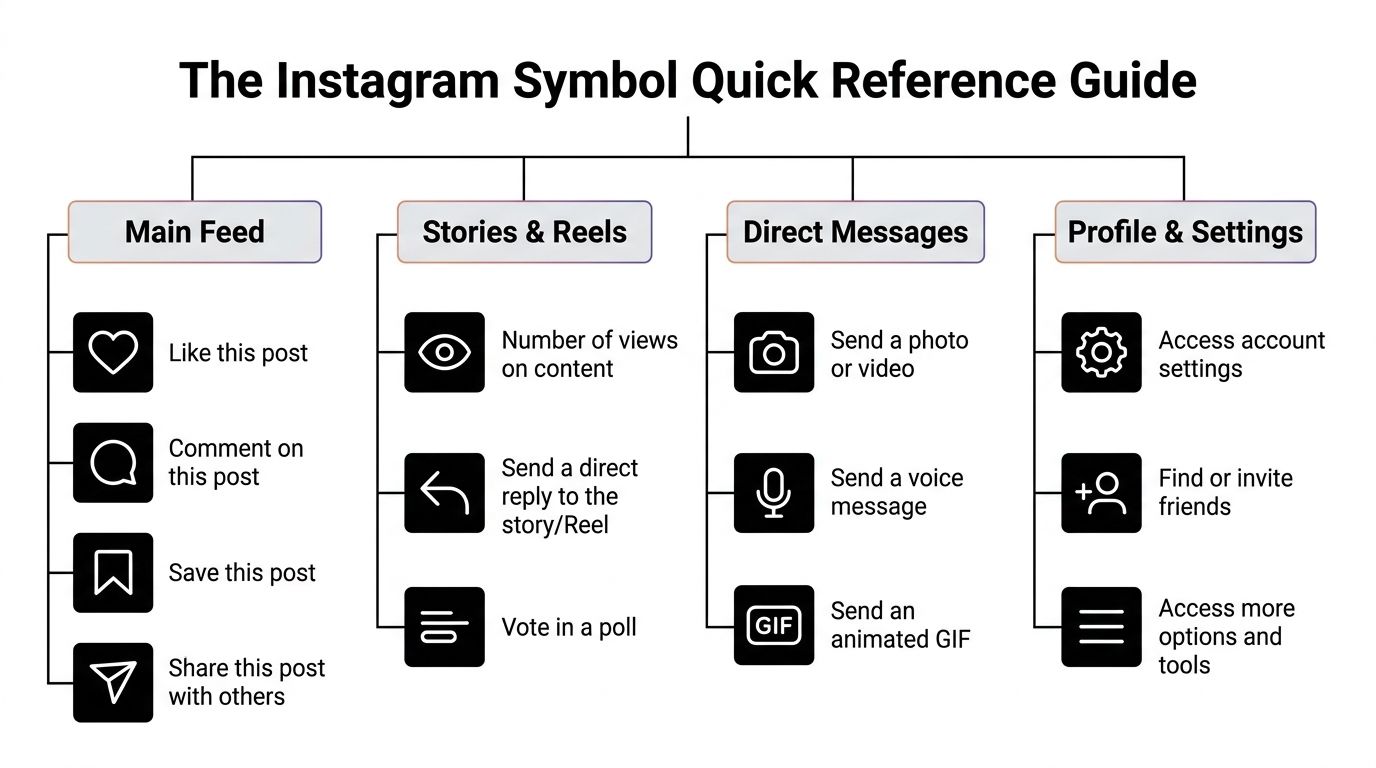
Use this as a quick mental map of the app.
| Area | Symbol | What it generally means |
|---|---|---|
| Main Feed | Heart | Like the post |
| Main Feed | Speech bubble | Open or leave comments |
| Main Feed | Bookmark | Save the post privately |
| Main Feed | Paper plane | Share the post |
| Stories and Reels | Eye | Views or viewers |
| Stories and Reels | Reply icon | Respond directly |
| Stories and Reels | Poll sticker | Collect audience input |
| Direct Messages | Camera | Send photo or video |
| Direct Messages | Microphone | Send voice note |
| Direct Messages | GIF or sticker icons | Add visual replies |
| Profile and Settings | Gear or settings icon | Account controls |
| Profile and Settings | Person with plus sign | Find or invite people |
| Profile and Settings | Three horizontal lines | Open account tools and menu |
The shortcut here is location. If a symbol appears under content, it usually measures or drives interaction. If it appears inside a menu or profile area, it usually helps you manage the account.
That distinction saves time. It also keeps you from reading every tap as a growth signal when some taps are just navigation.
Decoding Core Engagement The Heart Comment Save and Share
These four symbols matter more than most business owners realize. They are the clearest record of how people interact with a post once it is live.
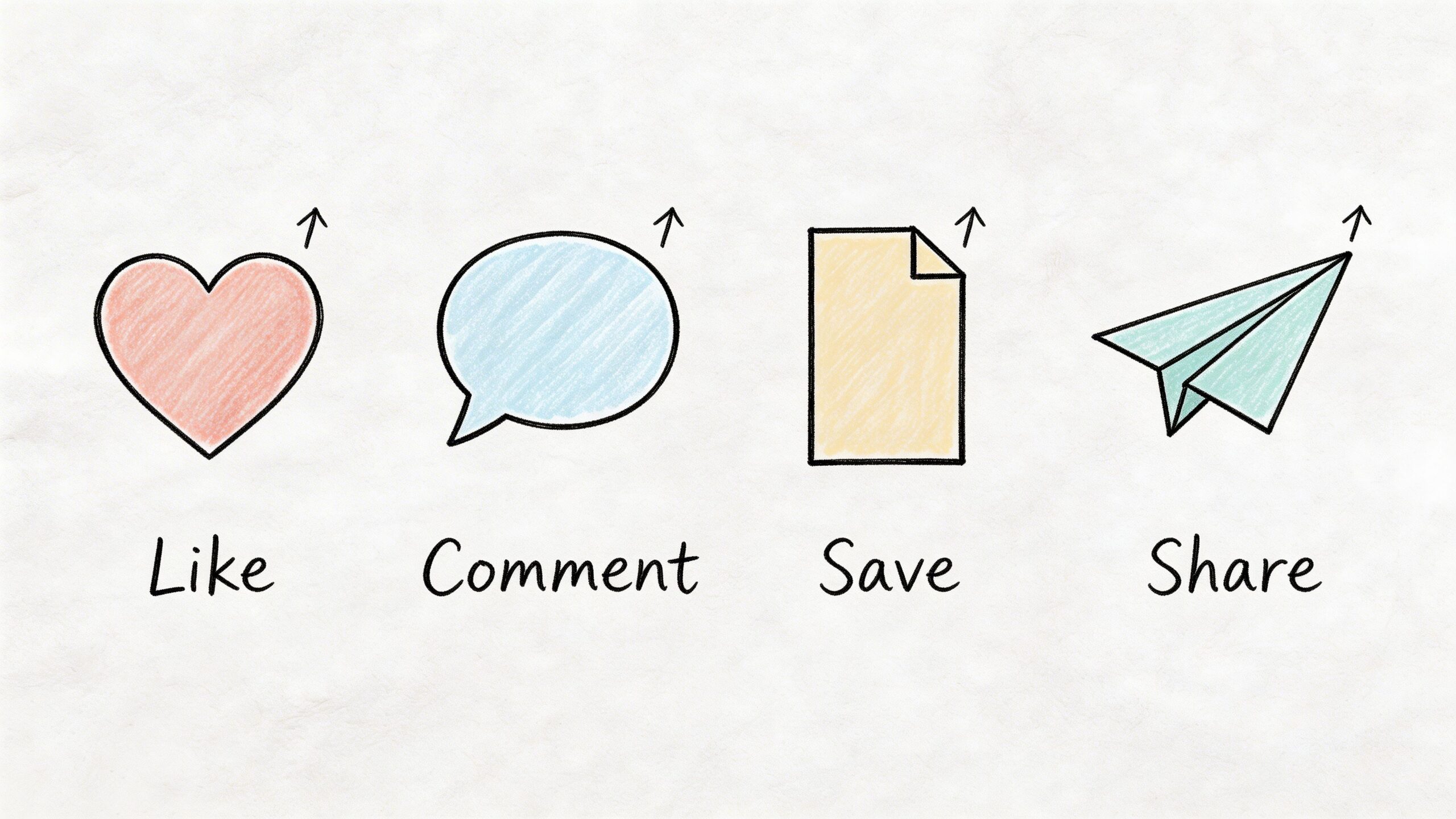
Instagram’s core engagement symbols are the heart, speech bubble, bookmark, and paper plane. They form the foundation of post insights. Likes are the most common but least weighted signal. Comments build conversation and boost reach. Saves often correlate with 20 to 30% higher long-term retention rates, and posts shared by 10% of viewers can double impressions, according to The Digital Dept’s explanation of Instagram insights.
The heart means approval, not depth
A like is easy. People can give it in a second.
That makes it useful, but limited. A lot of likes can tell you a post looked appealing or felt relatable. It does not always mean the content was useful enough to revisit or pass along.
For business content, likes are often strongest on:
- Short opinion posts
- Aesthetic photos
- Personal brand updates
- Quick wins that people agree with immediately
Use likes as a top-of-funnel signal. If a post gets likes but very few saves, shares, or comments, it probably attracted attention without creating much follow-through.
The speech bubble means conversation
Comments take effort. That is why they matter.
If someone comments, they are not just scrolling past. They are stopping, thinking, and responding. For a small business, that is your chance to turn content into relationship.
A practical move is to write captions that invite a specific response:
- “Which option would you choose?”
- “What is the hardest part of this process for you?”
- “Want part two?”
Then reply quickly. Each reply extends the life of the thread and gives the post another chance to stay visible.
Here is a useful visual breakdown before you audit your own posts.
The bookmark means usefulness
Saves are where a lot of small businesses miss the plot.
People save posts when they want to come back. That usually means the content solved a problem, explained a process, or packaged information clearly enough to keep.
Posts that earn saves often include:
- Checklists
- How-to carousels
- Step-by-step tutorials
- Templates
- Reference graphics
Key takeaway: If your audience saves a post, do not treat it like a one-time win. Turn it into a Reel, a Story recap, an email, or a pinned post.
The paper plane means distribution
Shares are your audience doing marketing for you.
This icon matters because it expands reach outside your own follower base. People share when a post feels helpful, funny, timely, or personally relevant to someone they know.
What works best for shares is usually one of two things. Either the post is highly practical, or it is highly recognizable. “Send this to a founder who needs it” works better when the content earns that ask.
Understanding Story and Reel Interaction Symbols
Stories and Reels run on participation. Feed posts can sit and gather signals over time. Stories and Reels ask for a quicker response.
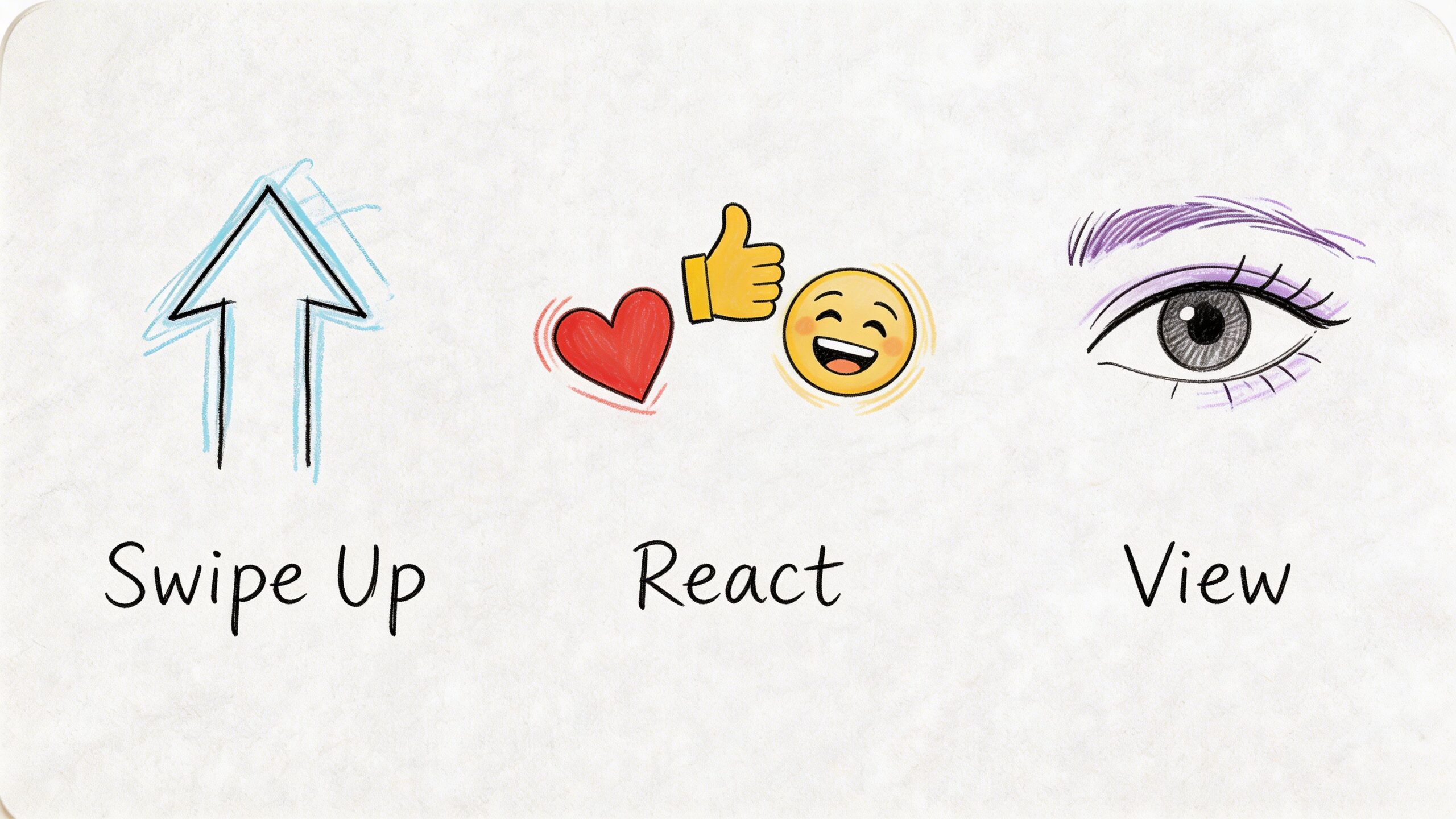
That changes how you should read their symbols. In this part of the app, the icons are less about permanent approval and more about active involvement.
Stickers are feedback tools
Polls, quizzes, question boxes, emoji sliders, and Add Yours prompts are not just engagement toys. They are fast research tools.
A poll can help you choose:
- Which offer to explain next
- What topic your audience wants
- Which product variation gets more interest
A question sticker is useful when you want raw language from your audience. If people repeatedly ask the same thing, you just found your next caption, FAQ, or lead magnet topic.
If you publish Stories often, this guide on how to share a story on Instagram is handy for the reposting side of the workflow.
Creation icons shape how fast you can produce content
The music note, effects stars, sticker tray, text tool, draw tool, and camera controls all affect production speed.
The mistake is trying to use every feature in every Story or Reel. That slows you down and often makes the content feel busy.
A lean creation setup works better:
- Music note when audio adds energy or context
- Text tool when the message must be understood without sound
- Sticker menu when you want one clear interaction
- Effects only when they support the content instead of distracting from it
For solopreneurs, simpler usually wins. A clean talking Reel with captions beats an over-edited Reel that takes too long to make and says less.
Viewing symbols tell you what to repeat
The eye icon signals views. Reply prompts signal direct response. Like icons on Stories show lightweight approval without opening a chat.
Those symbols matter because they show what kind of short-form content your audience will tolerate, finish, and act on.
Tip: If a Story gets replies, build on the same topic within a day or two. If it gets views but no replies, tighten the prompt. If people vote in polls, use them more often before launching a product or offer.
One practical example. A service business can post two Story slides asking, “Do you struggle more with pricing or finding leads?” Then use the winning response as the topic for the next Reel. That is content planning without guesswork.
Your Guide to Direct Message Icons
For many small businesses, DMs are where marketing turns into customer service, lead qualification, and sales.
The symbols in your inbox matter because they affect response time. They also determine how much energy you spend repeating the same answers.
The icons that keep your inbox moving
The paper plane sends a message or forwards content. The camera lets you reply visually. The microphone records a voice note. A green dot usually means a person is active now. Other management icons can help you pin important chats, mute noise, or sort ongoing conversations.
That sounds basic until volume rises. Then each symbol becomes part of your operating system.
A practical use case:
- A prospect asks how your service works
- You send a saved explanation by text
- You follow with a voice note if nuance helps
- You pin the thread if it is an active sales conversation
That sequence is faster than typing every answer from scratch.
What works in DMs and what wastes time
Works well
- Saved replies for repeat questions like turnaround times, booking steps, or delivery details
- Voice notes for warm leads when tone and clarity matter
- Quick visual replies when a screenshot or product image removes confusion
- Pinned conversations for active buyers, collaborators, or support issues
Usually wastes time
- Rewriting the same explanation daily
- Letting unread messages pile up until response quality drops
- Sending long paragraphs when a short answer plus a link would do
- Mixing personal chats and business leads without any system
Build a DM rhythm
Check DMs at set times instead of every few minutes. That protects focus.
A simple rhythm is enough:
- Morning check for urgent customer messages
- Midday check for sales replies and follow-ups
- End-of-day check for anything that needs tomorrow’s action
If a symbol tells you someone is waiting, treat that as operational work, not random social activity.
Making Sense of Profile and Account Symbols
Your profile is not just a page. It is a trust screen.
When someone lands there, Instagram shows them a cluster of account-level symbols that help them decide whether to follow, message, buy, or leave.
The symbols that shape credibility
The menu icon with three lines opens core account tools. Settings icons control your account behavior. Dashboard access points lead to business features and reporting tools. The QR code option helps with offline sharing. Highlight circles organize past Stories into something more durable than a disappearing post.
Then there is the verified checkmark.
The verified badge confirms account legitimacy and acts as a major trust signal. Accounts must be notable, complete, unique, and active to qualify. The process is strict, with an approval rate below 1% as cited in iGeeksBlog’s summary of Instagram verification criteria.
How to think about the verified badge
Most small businesses should not treat verification as the first milestone.
The stronger path is to build a complete, active profile first:
- Profile photo that matches your brand
- Bio that explains what you do clearly
- A consistent publishing habit
- Enough public evidence that the account represents a real business
A common best practice for small businesses is to focus on reaching 10k+ followers before applying, and benchmark data cited in the same source notes verified accounts see 30% higher engagement rates.
That does not mean the badge creates magic. It means trust compounds. People hesitate less when legitimacy is obvious.
Practical rule: Fix your storefront before chasing the badge. A polished profile with a clear offer does more daily work than a status symbol on an incomplete account.
Use your profile like a control panel
Business owners often overlook profile-level tools because they are not flashy.
Use them for simple jobs:
- Archive old content instead of deleting impulsively
- Highlights for FAQs, testimonials, process, and product education
- Dashboard tools for checking account health and performance
- Menu access for saved posts, account activity, and settings cleanup
If your feed is the showroom, your profile symbols are the back office.
Symbols for Shopping and Business Features
If you sell products, services, bundles, or collaborations, Instagram’s business symbols move people closer to a transaction.
These icons are less about conversation and more about reducing friction.
Shopping symbols shorten the path to purchase
The shopping bag, product tag, and shop-related buttons tell a user they can browse or buy without hunting through your bio or sending a message first.
That matters because every extra step loses people.
Use commerce-related symbols carefully:
- Tag products only when they are relevant to the post
- Keep product names clear and recognizable
- Match visuals to what the customer will receive
- Use shop surfaces as a convenience layer, not a substitute for good captions
A tagged product in a tutorial post can work well. A tagged product in every post can make the account feel like a catalog with no personality.
Partnership labels matter for trust
The Paid Partnership label is one of the most important business symbols for creator campaigns and brand collaborations.
It tells viewers the relationship is formal. That transparency protects credibility. It also helps keep your branded content cleaner from a compliance standpoint.
If you collaborate with creators, make the label part of the workflow:
- Confirm the deliverables
- Confirm whether the post needs branded content tagging
- Review the post before publishing if your agreement allows it
Use business symbols to reduce manual work
The best use of these features is operational, not cosmetic.
A good setup means:
- Fewer DMs asking where to buy
- Less time sending individual links
- Cleaner attribution on partnerships
- Easier movement from discovery to action
For service businesses, the same principle applies even if you do not use product tags. Keep profile buttons, contact options, and any booking paths obvious. Instagram symbols work best when they remove a question before the customer has to ask it.
Reading Your Instagram Insights Symbols
Most owners look at Insights too loosely. They remember a post “did well” and move on.
That wastes the data.
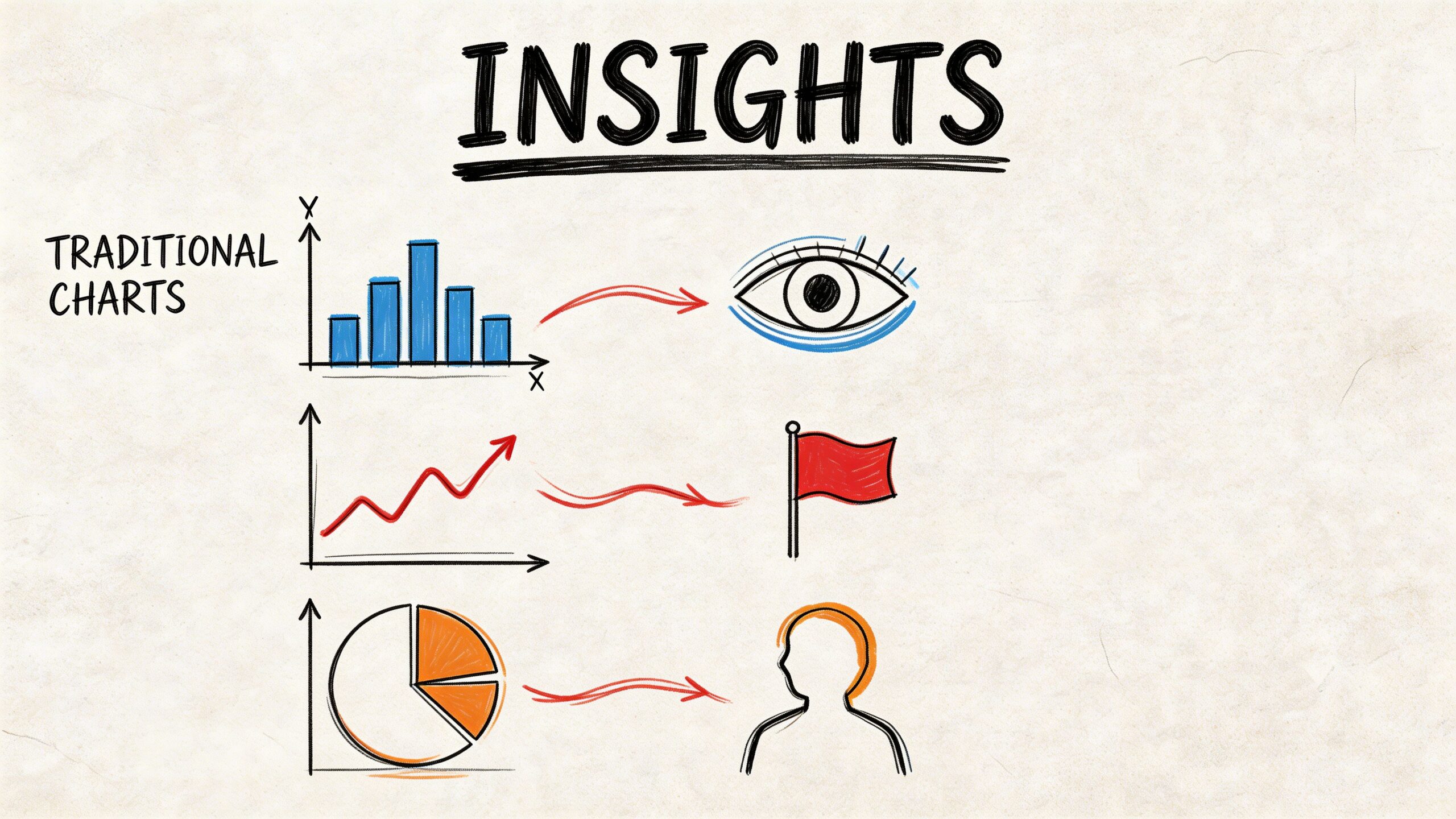
The symbols inside Instagram Insights tell you who saw your content, who acted on it, and when your audience is most likely to pay attention.
Instagram Insights audience symbols reveal demographic data and activity trends. Healthy accounts often see 5 to 10% monthly follower growth, active times such as Thursdays 9 to 11 AM in the US can yield 20% higher engagement, and benchmarks point to a 10 to 20% engagement-to-reach ratio as a useful target. The same glossary notes that Reels can boost reach by up to 2.5x over static posts and that these insights have been available for business accounts since 2016, with newer Reel-specific metrics added later, according to Iconosquare’s Instagram Insights glossary.
Read the difference between reached and engaged
A lot of people saw your post is not the same as a lot of people cared.
Accounts Reached tells you how many unique people saw the content. Engaged tells you how many people interacted.
That distinction matters. If reach is strong but engagement is weak, the hook worked but the content did not carry through. If engagement is high relative to reach, you may have a format worth repeating even if the audience was smaller.
For a deeper explanation of one of the most misunderstood metrics, this article on what impressions mean on Instagram is worth reading.
Use audience symbols to make scheduling decisions
The demographic symbols for age, gender, top locations, and active times are not there to look official. They should change what you do.
For example:
| Insight symbol area | What to look for | What to do next |
|---|---|---|
| Active times | When followers are online | Schedule key posts in those windows |
| Top locations | Cities or regions that dominate | Use local references, timing, or offers |
| Age ranges | Core audience band | Adjust examples and tone |
| Follower growth | Net progress over time | Audit content themes if growth stalls |
A simple way to review Insights weekly
Do not review every post equally. Start with outliers.
- Top reach post asks “What hook worked?”
- Top save post asks “What utility worked?”
- Top share post asks “What made people pass this on?”
- Top follower-driving post asks “What made new people care?”
Tip: Screenshots help. Keep a folder of winning posts and label each one by the signal it earned most strongly. That creates your own playbook faster than vague memory does.
A Simple Workflow for Using Instagram Symbols
The easiest way to use this knowledge is to turn it into a repeatable weekly process.
Most business owners do not need more content ideas. They need a cleaner loop between publish, observe, adapt, and reuse.
Here is a workable routine.
Monday review
Open Insights and scan for signal patterns, not vanity reactions.
Look for:
- Posts with strong saves
- Posts with unusual shares
- Stories that got replies
- Reels that reached beyond your usual audience
Choose one winner and one underperformer. That gives you a model to repeat and a mistake to avoid.
Midweek content production
Build new posts from the symbols people already gave you.
If people saved a checklist, make a sequel. If they shared a blunt opinion post, write another with the same angle. If Story polls got responses, use them to test your next topic before making a feed post.
Productivity improves here. You stop guessing.
Schedule with intent
Use active-time data to place stronger posts in better slots. Save lower-stakes updates for less critical windows.
Batch your replies too. Comments and DMs both benefit from quick response, but that does not mean constant interruption. Use short response windows and saved language where appropriate.
End-of-week remix
Turn one strong idea into multiple formats:
- Feed carousel
- Story recap
- Short Reel
- DM follow-up resource
That is how one useful symbol, especially a save or share, turns into a broader content system instead of a one-day result.
Frequently Asked Questions About Instagram Symbols
Why do some Instagram symbols change color?
Usually because Instagram updates the interface or because the icon reflects a state change. A heart turns red after a like. Notification dots often signal unread activity. Some visual changes are design updates rather than feature changes.
Do Instagram symbols mean the same thing on iPhone and Android?
In most cases, yes. Placement or styling may vary slightly, but the core functions are usually the same. If something looks different, tap behavior matters more than appearance.
What does the green dot on a profile picture mean?
It generally means the person is currently active on Instagram. For business owners, that can help with timing, but it should not drive your whole messaging strategy.
Why do I see symbols I did not see before?
Instagram changes layouts often. New tools, tests, or account types can affect what appears. If you run a professional account, you may also see business-specific icons that personal users do not.
Postful helps small business owners turn these signals into a practical publishing system. You can brainstorm posts, reuse strong ideas, schedule across networks, and keep your content moving without building a complicated workflow. If you want a simpler way to turn your work into more business, take a look at Postful.