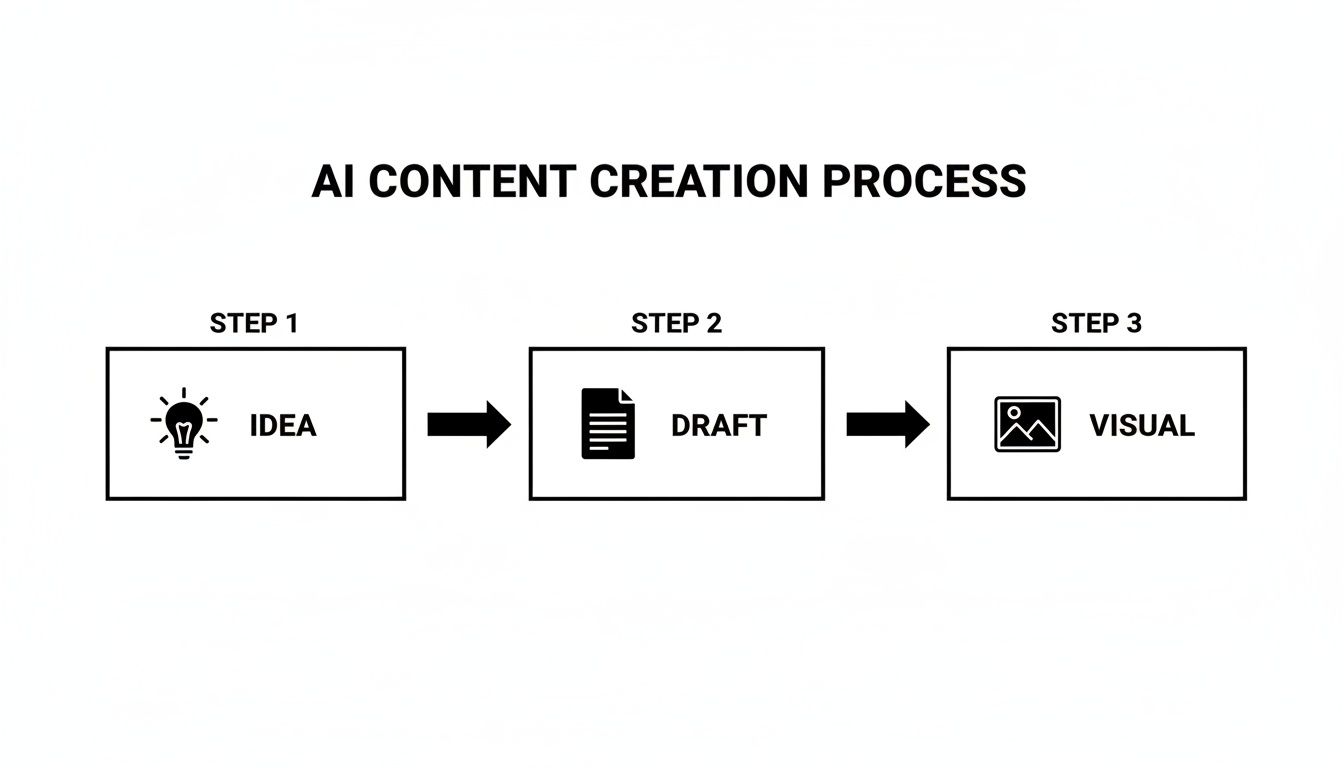
Let’s get one thing straight: content automation isn’t about firing your creative team and letting robots write your blog. It’s about hiring a tireless, lightning-fast assistant to handle all the boring, repetitive parts of content marketing so you can improve your productivity.
Think of it as amplifying your creativity, not replacing it. It frees you up to focus on big ideas and strategy, while the software handles the grunt work—the scheduling, the distributing, the analyzing.
Understanding Content Automation

Imagine you're the head chef at a popular restaurant. Your genius is in crafting new recipes and perfecting flavors. But what if you also had to personally wash every dish, chop every single onion, and run every plate out to the dining room?
You'd burn out fast. The quality of your food would tank.
That’s what running content manually feels like. Content automation is your kitchen crew. It takes over the predictable, time-sucking tasks so you can stay focused on being a brilliant chef.
Instead of manually logging in to post on social media every day, a tool like Buffer or Later does it for you. Instead of sending a welcome email to every new subscriber by hand, a system like Mailchimp or ConvertKit fires it off instantly. It's about swapping manual labor for smart, repeatable systems to reclaim your time.
How Does Content Automation Work in Practice?
At its core, content automation is about setting up simple "if this, then that" rules that connect your different tools. Think of it like setting up a line of digital dominoes. You just have to push the first one.
A classic productivity-boosting workflow you can set up with a tool like Zapier or Make could look like this:
- The Trigger: You hit "publish" on a new blog post in WordPress.
- Automated Action 1: Zapier detects the new post and automatically drafts an email newsletter in Mailchimp with the post’s title and a short summary, ready for you to review and send.
- Automated Action 2: A series of social media posts promoting the article are automatically scheduled for the next week using a tool like Postful. This is a classic example of what social media automation can do, saving you from the daily posting grind.
- Automated Action 3: The system starts tracking clicks and engagement, gathering data in a dashboard you can use to see what’s working.
This isn’t some futuristic concept; it's happening right now. The market for automation tools is booming. Recent industry reports show that by 2024, somewhere between 50% and 66% of businesses were already using some form of marketing automation. Email and social media tools are leading the charge.
To really see the difference, just look at how a founder's daily to-do list changes.
Manual vs. Automated Content Workflows at a Glance
| Content Task | Manual Approach (The Grind) | Automated Approach (The Advantage) |
|---|---|---|
| New Blog Post Promotion | Manually craft and schedule 5-10 social posts across LinkedIn, X, etc. (1-2 hours) | Your publishing tool automatically creates and schedules a week's worth of social posts. (5 minutes) |
| Welcoming New Subscribers | Check list daily, copy/paste welcome email template. (15 mins/day) | Your email provider instantly adds new subscribers to a pre-written welcome sequence. (0 minutes) |
| Content Repurposing | Spend an afternoon trying to turn a blog post into a carousel or video script. (2-4 hours) | An AI tool like Jasper drafts social snippets, a video script, and a newsletter blurb from the blog. (15 minutes) |
| Performance Tracking | Manually pull data from 3-4 different platforms into a spreadsheet. (1-2 hours/week) | A dashboard in a tool like Databox automatically updates with key metrics from all channels. (0 minutes) |
The contrast is stark. One path is a constant, time-draining slog. The other gives you back your day so you can focus on high-impact work.
It's More Than Just Scheduling
While scheduling posts is a massive time-saver, that’s just scratching the surface. True content automation dives deeper. We’re talking about using AI to generate first drafts, personalizing marketing messages based on what a user clicks on, and automatically repurposing a single blog post into a dozen different formats.
The goal of content automation is simple: to help you do more with less. It frees up your most valuable resource—time—and enables you to scale your content efforts in a way that’s simply not possible through manual work alone.
For a founder or a small team, this is a total game-changer. It’s the difference between always feeling behind and confidently running a content strategy that actually moves the needle.
The Real-World Payoff of Automating Your Content
It’s one thing to understand the mechanics of content automation, but it’s another to see how it actually impacts your business. We can talk all day about saving time, but the real question is: what do you get to do with that time? For founders and small teams juggling a dozen different roles, every hour you get back is an hour you can pour into sales, product development, or just thinking about the big picture.
This is about more than just being efficient. It’s a fundamental shift from being a content operator to becoming a business strategist. Instead of getting bogged down in the daily grind of posting and scheduling, you can focus your energy where it truly counts—on growing the business itself.
From Manual Grind to Measurable Growth
Think about a solo founder running an e-commerce shop. She was burning nearly 10 hours a week just trying to keep up: scheduling social media, answering the same DMs over and over, and trying to find time to write a blog post. Her core business—finding new products and talking to customers—was starting to slip because her content to-do list was never-ending.
So she set up a simple, productivity-focused automation workflow:
- A scheduler like Buffer to line up all her social media posts, planned out just once a month.
- An AI writing assistant like Jasper or Copy.ai to generate first drafts for blog posts based on trending topics in her niche.
- An automated email sequence in Mailchimp to welcome new subscribers and drip-feed them her best-performing content.
The result? She instantly reclaimed almost eight hours every single week. But more importantly, her consistent online presence started doing the work for her. With a steady stream of content going out on autopilot, her website traffic climbed, and she saw a 20% jump in qualified leads in just three months. She turned a resource-draining chore into a reliable, automated asset.
Scale Your Reach Without Scaling Your Team
One of the biggest roadblocks for a small business is feeling like you can't scale your marketing without a bigger team or a huge budget. Content automation is the answer to that problem. It lets one person achieve the output of a small team, building brand consistency and authority across every channel you're on.
By automating the nuts and bolts of content distribution, you make sure your brand is always active and professional, even when you're busy putting out fires elsewhere. That consistency is gold for building trust and staying top-of-mind with your audience.
This steady presence quietly establishes you as an expert and builds a library of assets that work for you 24/7. Your blog posts, social updates, and newsletters become a lead-gen engine that doesn’t need you to manually turn the crank every day.
The Tangible Returns You Can Expect
Let’s break down the concrete outcomes. This goes way beyond just checking a few tasks off your list.
- Real Productivity Gains: When you offload the repetitive stuff, your brain is freed up for creative problem-solving and strategic planning. That’s a shift that can have a massive impact on your entire business.
- Stronger Brand Authority: A consistent, high-quality content schedule just makes you look more professional and reliable. It builds credibility and starts positioning you as a go-to name in your space.
- Smarter Lead Nurturing: Automated email workflows mean no lead ever falls through the cracks. Every new subscriber gets a timely, relevant experience that gently guides them toward becoming a customer.
- Better Data, Better Decisions: Most automation tools come with analytics baked in, giving you a clear view of what’s actually working. You can stop guessing and start making data-driven tweaks to your content strategy.
At the end of the day, content automation is about building a system that delivers predictable results. It transforms your marketing from a chaotic, time-sucking mess into a streamlined engine for growth. It’s what gives you the leverage to compete with the big guys.
Practical Content Automation Workflows You Can Use Today
Theory is great, but seeing content automation in action is what makes the concept really click. The right workflow isn't about some complex, expensive software; it's about solving a real problem with a smart, repeatable system. For small teams, that means targeting your most time-sucking tasks and putting them on autopilot.
Let’s move past the abstract ideas and build three practical workflows you can set up this week. Each one is a mini-playbook designed to solve a common bottleneck: inconsistent social media, silent lead nurturing, and the struggle to get more mileage out of your best content.
This simple flow shows how automating these tasks frees you up for high-value work that actually drives growth.
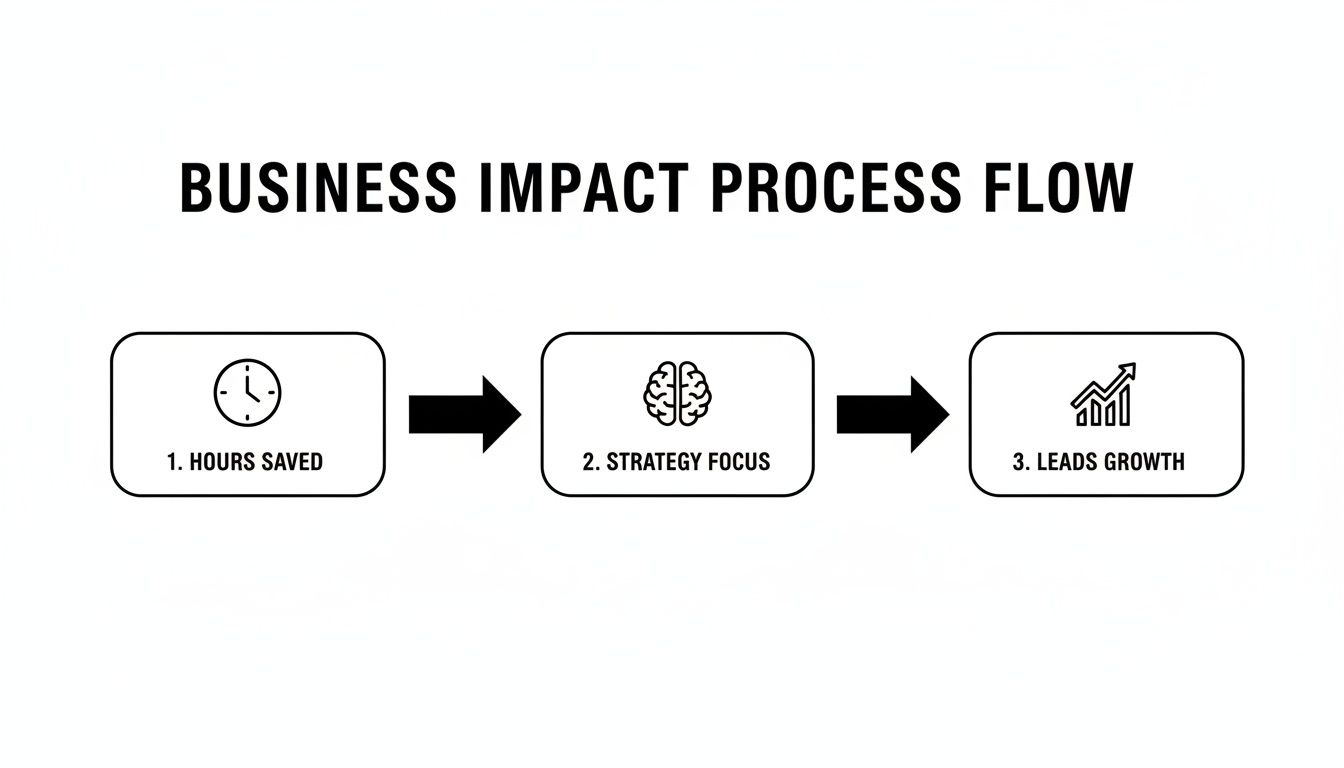
By automating the repetitive stuff, you reclaim hours. That extra time lets you focus on strategy, which ultimately leads to real, measurable business growth.
Workflow 1: Automate Your Social Media Calendar
Social media is the most common place to start with automation, and for good reason. It became a primary use case by the mid-2020s, with data showing that nearly 49% of companies automated at least some of their social media. This shift was fueled by cloud-based tools, which now account for roughly two-thirds of all marketing automation spending.
- The Problem: You know you need to post consistently, but the daily grind of logging in, writing captions, and hitting "schedule" is a massive time-drain. Your posting is sporadic at best.
- The Automated Solution: Create a "set it and forget it" system using a content library and a scheduling tool.
- The Steps:
- Build a Content Library: Block out one chunk of time to create 20-30 evergreen social media posts. Think tips, answers to common questions, or links to your best blog content. Pro Tip: Use a tool like Notion or a simple Google Sheet to organize these posts by theme or content pillar.
- Choose a Tool: Pick a scheduling platform that offers a "content queue" or "evergreen posting" feature, like Buffer, SocialBee, or MeetEdgar. For an overview of different platforms, check out our guide on the best social media scheduling tools.
- Set Your Schedule: In your tool, define your posting frequency (e.g., once daily on X, three times a week on LinkedIn).
- Load and Launch: Upload your spreadsheet of posts into the tool's library. The scheduler will now automatically pull from this library and publish posts based on your schedule, refilling the queue when it runs out.
- The Result: Your social channels stay active and engaging even when you’re busy with other things, giving you a consistent brand presence with minimal daily effort.
Workflow 2: Create an Onboarding Email Series
When someone subscribes to your newsletter, that initial period is a golden opportunity to build a relationship. Leaving them in silence is a huge missed opportunity.
- The Problem: New leads sign up but never hear from you again until the next random newsletter blast. There's no structured process to welcome them or introduce your brand.
- The Automated Solution: A simple, automated 3-part email welcome series that nurtures every new lead on autopilot using a tool like Mailchimp or ConvertKit.
- The Steps:
- Email 1 (Sent Immediately): The Welcome. Thank them for signing up and deliver whatever you promised (like a free guide). Productivity Tip: End with a question like "What's the biggest challenge you're facing with [your topic]?" to encourage replies and gather valuable customer insights automatically.
- Email 2 (Sent 2 Days Later): Your Best Stuff. Share a link to your most popular blog post, case study, or video. Give them immediate value and show them what you're all about.
- Email 3 (Sent 4 Days Later): The Connection. Tell a brief story about why you started your business or share a key insight. This is how you build a human connection.
- The Result: Every new subscriber gets a consistent, welcoming experience that builds trust and gently guides them deeper into your world—without you lifting a finger.
Workflow 3: Repurpose One Blog Post into a Week of Content
You just spent hours creating a single, high-quality blog post. The biggest mistake is to promote it once and then move on. Automation can multiply the value of that effort ten-fold.
Key Takeaway: The whole point of repurposing content is to maximize the reach and impact of your core ideas. Automation just makes this process efficient and scalable, turning one piece of content into many.
For a concrete example of this in action, look at how AI video generator tools are changing the game. These tools can take a script based on your blog post and pump out multiple video formats for different platforms. Practical workflow: Paste your blog post URL into a tool like Pictory or InVideo, which will then use AI to create a short, shareable video with text overlays and stock footage—perfect for social media. That's repurposing at its most powerful.
How to Measure Your Content Automation ROI
Setting up a content automation system feels productive, but how do you know if it's actually paying off? To justify the time and money, you need to look past vanity metrics like likes and shares. Measuring your return on investment (ROI) is all about connecting your automation efforts to real business outcomes.
It comes down to one simple question: "Is this system making my business stronger?" You don't need a massive analytics department to figure it out. By focusing on a few key performance indicators (KPIs), you can get a clear picture of what’s working and decide where to double down.
Start with Time Saved: The Most Immediate Return
The easiest place to start is with the time you get back. As a founder or small business owner, your time is your most precious resource. Every hour you reclaim from repetitive content tasks is an hour you can pour back into strategy, talking to customers, or closing deals.
First, track how long your manual content workflow used to take. Then, measure the time it takes to manage the new automated system. The difference is your net time savings.
Simple ROI Formula: (Hours Saved Per Month x Your Hourly Rate) – Monthly Cost of Automation Tool = Monthly ROI.
For example, if you save 10 hours a month by using an automated social media scheduler and value your time at $50/hour, that’s $500 in reclaimed value. If your automation tool costs $50/month, you're looking at a net return of $450. This simple math often justifies the investment on its own.
Track Key Business Growth Metrics
While saving time is a huge win, the ultimate goal is growth. Your automation should directly contribute to your bottom line by bringing in leads, boosting sales, and keeping your audience engaged. The trick is to connect the dots between your automated content and these results.
Here are the essential KPIs to keep an eye on:
- Lead Generation: Count the qualified leads coming from your automated channels. Are more people signing up for your newsletter after you automated your blog promotion? How many demo requests can you trace back to your automated social posts?
- Conversion Rate: Measure the percentage of people who take a specific action. This could be the conversion rate on a landing page you promoted through an automated email sequence or the sales recovered from an abandoned cart workflow.
- Website Traffic: Use a tool like Google Analytics to watch referral traffic from your automated social media and email campaigns. A steady climb shows your automated distribution is successfully pulling people to your site.
Focusing on these metrics shifts the conversation from "How many posts did we publish?" to "How much business did our content generate?" For a deeper look at this, the principles behind measuring social media ROI are highly transferable and worth a read.
Connecting Automation to Revenue
The financial return is where the power of content automation really clicks into place. Research consistently shows that businesses see significant gains from these systems. For instance, some studies have found that marketing automation can deliver an average return of $5.44 for every dollar spent. Automated email flows, like welcome series and abandoned cart reminders, are especially good at driving direct sales.
To see this in your own business, track revenue that can be directly attributed to your automated campaigns. Most email marketing platforms and analytics tools can show you exactly which sales came from a specific email or link. If you're a small team, it's also worth checking out our guide on how to measure social media ROI for more tracking ideas.
Your First Steps with Content Automation
Jumping into content automation can feel like a massive project, but it doesn't have to be. The real secret is to start small, score a quick win, and then build on that momentum. Don't try to automate your entire life at once. This simple five-step roadmap will get you from zero to your first successful workflow without the overwhelm.
Think of it like learning to cook. You wouldn't start by attempting a seven-course tasting menu. You’d pick one simple, delicious recipe to get your confidence up. Let’s nail that first recipe.
Step 1: Pinpoint a Single Repetitive Task
First things first: find your biggest time-suck. Forget what's "advanced" or "impressive." Just focus on the one task that makes you groan every time you have to do it.
A great way to find this is to do a quick "time audit" on yourself. For one week, just jot down every content-related task you do and roughly how long it takes. I promise you’ll find a pattern.
A prime candidate for automation will probably jump out at you, like:
- Manually posting the same update across three different social media accounts.
- Copying and pasting the same welcome DM to every new follower.
- Staring at a blank screen for an hour trying to invent daily post ideas.
Pick the one that’s both super repetitive and requires the least amount of creative brainpower. That’s your target.
Step 2: Select Just One Channel to Start
Once you’ve got your task, resist the urge to go big. If posting on social media is your time-drain, don't try to automate LinkedIn, X, and Instagram all at once. Just pick one. Choose the channel where you feel the most pressure to show up consistently.
By focusing on a single channel, you make everything dramatically simpler. You only have to learn the rules and quirks of one platform, which makes setup faster and troubleshooting a breeze. This tight focus gets you a tangible result quickly, and that's what builds the confidence to expand later.
Key Insight: The goal here is not to build a perfect, all-encompassing system on day one. It's to get a functional, time-saving workflow up and running as fast as possible.
For example, if LinkedIn is your bread and butter, make it your entire focus for this first experiment. Master it, see the results, and then apply what you've learned to the other platforms.
Step 3: Choose a Simple, User-Friendly Tool
The market is flooded with powerful automation tools, and it's easy to get lost comparing features. For your first go, ignore the beastly, enterprise-level platforms. Your only criteria should be simplicity and ease of use.
Look for something with a clean interface, clear instructions, and a focus on doing one thing really well. Many tools like Buffer, Later, or MailerLite offer free trials or generous free plans, so you can experiment without pulling out your credit card. The best tool is the one you'll actually use, not the one with the longest feature list.
Step 4: Outline a Basic Content Workflow
Now, let's map out the process. A "workflow" sounds formal, but it's really just a sequence of steps. Keep it simple.
For automating social media, your productivity-boosting workflow might look like this:
- Idea Generation: Block out one hour to brainstorm 15-20 post ideas. Write them in a simple Google Doc or Notion page.
- Scheduling: Log into your chosen tool (e.g., Buffer) and load up those posts to go out over the next two weeks.
- Review: Put a reminder in your calendar to check in two weeks, see which posts performed best, and use those insights for your next batch.
That's it. You’ve just turned a daily headache into a task you do twice a month.
Step 5: Launch and Track Your First Automation
With your plan in place, it's time to hit "go." Launch your workflow and let the tool do its thing. For the first few days, you might want to double-check that everything is posting correctly, but then the real test is to step back and let it run on its own.
After a week or two, check the results. Did you save time? Did your engagement hold steady, or maybe even improve? The goal of this first run isn't to shatter records. It's to prove the concept to yourself. Seeing that first post go live while you were busy with something else is an incredibly powerful feeling—and the best motivation to keep exploring what content automation can do for you.
Common Automation Mistakes (and How to Avoid Them)
Jumping into content automation is a great move, but it's easy to get tripped up if you go in with the wrong mindset. A few common pitfalls can turn a brilliant time-saver into a frustrating mess, leaving your brand feeling robotic and out of touch.
The good news? They're all completely avoidable with a little foresight.
The biggest trap is the "set it and forget it" mentality. Yes, automation handles the busywork, but it doesn't replace your brain. Loading up a scheduler with months of content and walking away is a recipe for disaster. You'll miss out on real-time trends, ignore audience feedback, and your content will quickly feel stale—or worse, totally tone-deaf.
Over-Relying on AI Without a Human Touch
Another classic blunder is treating AI-generated content like it's the finished product. AI is a fantastic brainstorming partner and an incredible first-draft assistant. What it lacks is your life experience, your stories, and a real feel for your brand’s unique voice.
Publishing raw AI output is the fastest way to create generic, soulless content that absolutely no one connects with.
The Fix: Treat AI as a starting point, never the final destination. Your job is to inject the draft with your personality, your expertise, and your stories. That human layer is what turns boring text into content that builds real trust.
Practical example: An AI might spit out a decent list of "5 marketing tips." Your job is to add the story about how you completely failed at tip #3 before you finally figured it out. That's the part your audience will actually remember and connect with.
Choosing Tools That Are Too Complicated
When you're starting out, it's tempting to grab the tool with all the bells and whistles. But diving into an overly complex platform usually leads to analysis paralysis. You end up spending more time fighting the software than you save by using it.
Your first goal should be simplicity. Solve one specific problem, and solve it well.
- Mistake: Buying an all-in-one enterprise suite like HubSpot just to automate your LinkedIn posts. That’s like buying a commercial kitchen just to make toast.
- The Fix: Start with a simple, user-friendly tool built for the one job you need done, like scheduling social posts with Buffer or creating an email sequence in MailerLite. Master it, get that quick win, and build momentum. Only upgrade or add new tools when you've genuinely outgrown what you have.
Have Questions About Content Automation?
Getting into content automation can bring up a few questions. It's a big shift in how you work, after all. Let's tackle the most common ones I hear from founders and small teams to give you the clarity you need to dive in.
Will Automation Make My Brand Sound Robotic?
That's a fair worry, but the short answer is no—not if you do it right. The trick is to automate the mechanics, not the personality.
Think of your automation tools as the delivery driver, not the chef. They handle the tedious stuff like scheduling posts, distributing content, and tracking data, but you're still the one crafting the core message. Your voice, your stories, your unique take—that's what people connect with. Automation just makes sure more people hear it, more often.
The Golden Rule: Use tools to handle the repetitive, manual tasks. Always keep a human (that's you!) in charge of the final creative edit to make sure your content feels authentic.
How Much Does Content Automation Cost?
The cost can be anything from free to hundreds of dollars a month. But for a small business or a side hustle, you can get started for next to nothing. Many of the best tools have generous free plans that are perfect for automating a single social media channel or setting up a simple email workflow.
Practical Examples:
- Buffer's free plan lets you connect 3 social channels.
- MailerLite's free plan allows you to build email automations for up to 1,000 subscribers.
- Zapier's free plan gives you 100 tasks per month to connect your apps.
As you grow, you might find yourself spending $20 to $50 a month for more powerful features. The right way to look at this isn't as a cost, but as an investment. If a $30 tool saves you five hours of work a month, you're already getting a massive return.
Can AI Completely Automate My Content Creation?
Not yet, and honestly, you probably wouldn’t want it to. AI is an incredibly powerful assistant. It can kickstart your workflow by generating first drafts, brainstorming ideas, and summarizing long articles in seconds.
But it doesn't have your human experience, your strategic gut feelings, or your brand's unique voice. The best approach is a partnership: let the AI do 80% of the initial heavy lifting, while you provide the final 20% of polish, personality, and strategic direction. This combo lets you create great content at scale without sounding like a machine.
What Is the Best First Task to Automate?
If you want the biggest and most immediate win, start with social media scheduling. The daily pressure to come up with something new and get it posted is a huge time-suck for most founders.
Try automating your social media calendar for just one platform. You can batch-create all your content in a single session each week (or even each month) using a tool like Postful or Later. This one change can free up hours and give you a consistent presence online. It’s a quick, tangible win that builds momentum for whatever you decide to automate next.
Ready to build a consistent, effective social media presence with less effort? Postful is an AI-powered tool designed for founders and doers. It helps you generate ideas, write better content, and automate your workflow so you can focus on growing your business. Join the waitlist to get early access.