
Ever feel like you’re just shouting into the social media void? It’s a common frustration. A real social media strategy for small businesses is what separates random posts that go nowhere from a repeatable system that actually saves you time and drives growth.
It’s not about being everywhere at once. It’s about showing up in the right places, with the right message, consistently.
Why Random Posting Is Costing Your Business
We’ve all been there. You realize you haven't posted in a while, so you scramble to "get something out there." But that kind of unplanned, inconsistent content usually leads to wasted time, minimal engagement, and zero impact on your bottom line.
It’s like driving without a map. You’re definitely moving, but you have no idea if you're getting any closer to your destination.
A solid strategy turns that guesswork into a predictable process. It transforms social media from a daily chore into a powerful business tool that builds genuine brand loyalty, generates leads, and ultimately, helps you make more sales.
The Core Components of a Winning Strategy
The foundation of a social media plan that actually works is surprisingly simple. It all boils down to a clear, repeatable workflow that prioritizes intentional action over last-minute posting. With this approach, every single piece of content you create has a purpose.
A goal without a plan is just a wish. Your social media strategy is the plan that turns your business wishes into measurable outcomes, transforming followers into loyal customers.
This infographic breaks down the essential flow of a winning strategy.
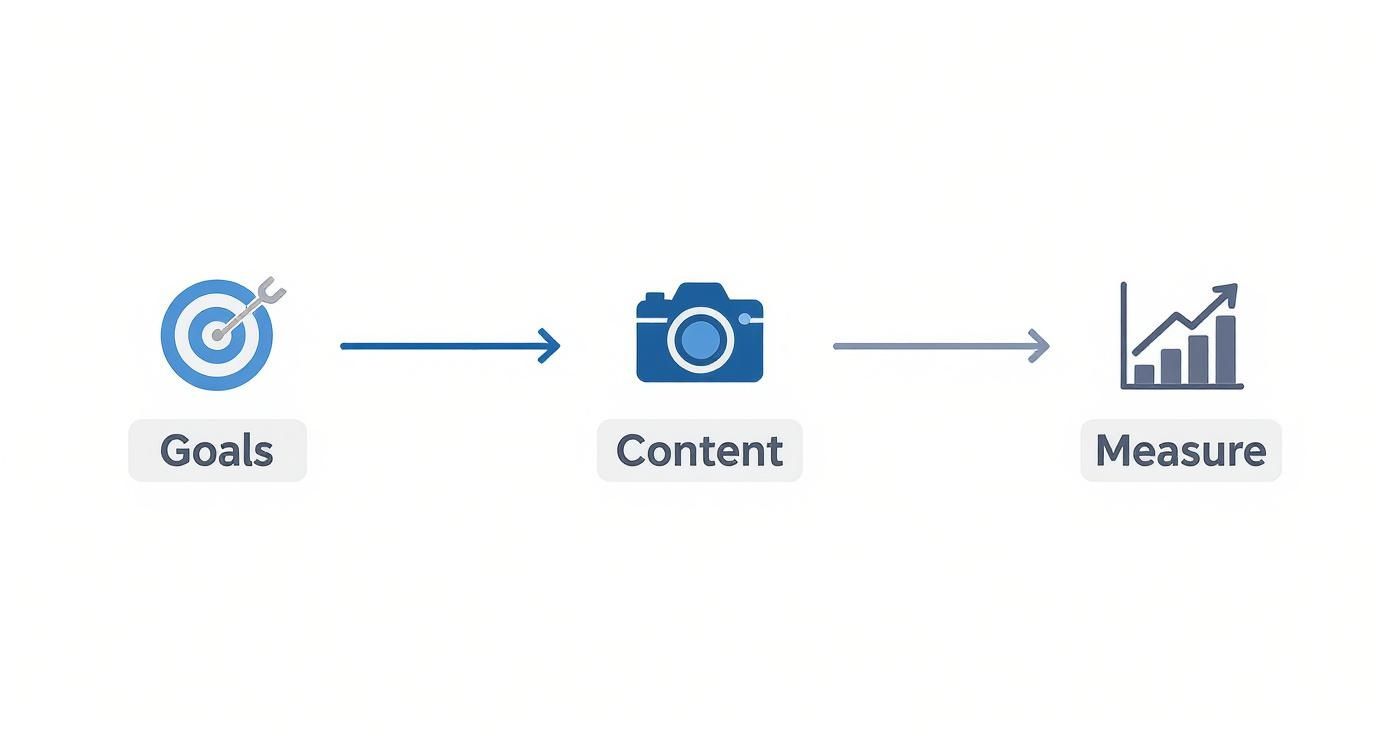
As you can see, it's a clear path: start with your goals, create content that supports them, and then measure your results to see what’s working. It’s a cycle, not a one-and-done task.
Here are the essential pillars for building a social media plan that actually works.
Quick Guide to a Winning Social Media Strategy
| Pillar | Key Action | Practical Example |
|---|---|---|
| Goals & Audience | Define what you want to achieve and who you're talking to. | A local gym wants to increase class sign-ups by 15% this quarter from Instagram. |
| Platform Choice | Pick channels where your ideal customers hang out. | A B2B software company focuses on LinkedIn; a wedding photographer dominates Instagram. |
| Content Pillars | Decide on 3-5 core topics you'll consistently post about. | For a coffee shop: behind-the-scenes, customer features, new drinks. |
| Cadence & System | Create a realistic posting schedule and a simple workflow. | Use a Trello board to plan posts and batch-create all Reels on the first Friday of the month. |
| Measure & Iterate | Track key metrics and adjust your plan based on data. | Notice carousel posts get more saves. Plan to create more educational carousels next month. |
This table isn't just a checklist; it's the framework for turning your social media efforts from a time-sink into a reliable growth engine for your business.
The good news? You're not starting from scratch. As of this year, a staggering 96% of small business owners report using social media to promote their companies. That massive adoption is fueled by the low cost and high reach these platforms offer, allowing smaller players to compete with big brands.
In fact, 83% of marketers globally use Facebook for their business, solidifying its place as a key channel for small business marketing. You can check out more fascinating social media marketing statistics to see the trends.
In this guide, we'll walk through each of these steps, giving you practical workflows and tools to build a system that finally works for you.
Set Goals That Actually Drive Business Growth
Posting on social media without a clear goal is a lot like driving without a map. Sure, you're busy, but you aren't actually getting anywhere. An effective social media strategy for small businesses starts by ditching vague targets like "increase awareness" and setting goals that have a real, tangible impact on your bottom line.
This is where the SMART goal framework is so valuable. It’s a simple but surprisingly powerful way to bring focus to your efforts, standing for Specific, Measurable, Achievable, Relevant, and Time-bound.
It’s the difference between a fuzzy objective and a clear roadmap.
Vague Goal: "I want to grow my Instagram account."
SMART Goal: "Increase Instagram followers by 15% in Q3 by posting 3 educational Reels per week, with the aim of driving 20% more traffic to our website's product pages."
See the difference? This new goal connects a specific social media activity (posting Reels) directly to a business outcome (website traffic). It gives you a concrete action plan and metrics to track, so you know exactly if what you're doing is working.
Another powerful goal is lead generation. For small businesses, this is huge. If you're interested in diving deeper, you can learn more about how to generate leads on social media with the right kind of content.
Understand Who You Are Talking To
Once you know what you want to achieve, you have to get crystal clear on who you're talking to. Trying to create content for "everyone" is a surefire recipe for connecting with no one. This is why building out customer personas—even simple, semi-fictional ones—is so critical.
You don't need expensive tools for this. Here’s a productive workflow to get this done quickly:
- Look at your existing customers: Dive into your sales data. Are they mostly local? What's the most common age range? What services do they buy most often?
- Use the free platform tools: Your social media platforms already give you a ton of analytics. Facebook Audience Insights, for example, is a goldmine of demographic data.
- Just ask them: This is a productivity goldmine. Run a simple poll in your Instagram Stories. Ask questions like, "What do you struggle with most when it comes to [your industry]?" A local landscaper could ask, "What's your biggest lawn care headache: weeds or pests?" The answers become your next content ideas.
Here’s a peek at the kind of data you can get for free, right inside Facebook's tools.

This data immediately shows you key information about age, gender, and location. With that knowledge, you can start tailoring your content's tone, topics, and even the visuals you use to really resonate with the people you want to reach.
When you pair clear goals with a deep understanding of your audience, every single post you make has a purpose.
Choose Your Platforms and Content Pillars Wisely
Stop trying to be everywhere at once. It’s a classic mistake. Spreading your small business thin across every social media app is a fast track to burnout and getting nowhere.
The key is to pick your battles. Figure out where your ideal customers are actually spending their time and go there. Be brilliant on one or two channels, not just average on five.
Practical Example: If you're a B2B consultant trying to connect with executives, LinkedIn is your digital conference room. It’s non-negotiable. But if you sell handmade jewelry, you need to be on visual powerhouses like Instagram and Pinterest, where beautiful images do all the talking.
The most effective social media strategy isn't about mastering ten platforms; it's about dominating the one or two that matter most to your specific audience. Focus always beats chaos.
Once you’ve nailed down your primary channels, it’s time to end the daily scramble for post ideas. This is where a simple but powerful concept comes in: content pillars.
Define Your Core Content Pillars
Content pillars are the 3-5 core topics you’ll own and talk about, week in and week out. They’re the foundation of your content plan, giving you focus and getting you out of the "what do I post today?" panic. This approach builds a predictable rhythm your audience will start to look forward to.
Practical Example: A local coffee shop could build its entire strategy around three simple pillars:
- Behind-the-Scenes Roasting: Showcasing the craft and quality that goes into every cup.
- Customer Spotlights: Featuring regulars and building a real sense of community.
- Coffee Brewing Tips: Giving away genuine value and education for coffee lovers at home.
This framework gives you instant direction. When you sit down to create, you're no longer staring at a blank screen. You’re just asking, "Which pillar am I talking about today?" To go deeper, check out our guide on how to develop powerful content pillars that really connect.
Prioritize High-Impact Video Content
As you start brainstorming ideas within your pillars, make one format a priority: short-form video. The rise of Reels and TikToks has completely reshaped the social media strategy for small businesses. It's just too effective to ignore.
For accounts with under 100,000 followers on TikTok, the average organic engagement rate can hit a massive 7.5%. That blows Instagram’s 3.65% out of the water. Plus, 78% of consumers say they’d rather learn about new products through a short video.
You don't need a film crew. Your smartphone is more than enough to create compelling Reels, TikToks, or Shorts that fit right into your content pillars.
- Practical Example (Realtor): A quick "3 things buyers miss during a home tour" video.
- Practical Example (Bakery): A satisfying time-lapse of a cake being frosted.
- Practical Example (Mechanic): A short clip explaining what a strange engine noise means.
As you get your pillars sorted, it’s always smart to explore some proven social media post ideas for fresh inspiration. By pairing the right platforms with focused content pillars, you create a sustainable system that actually works.
Create a Productive System to Get It All Done
Look, a brilliant social media strategy is useless without a system to actually do the work. This is where most small business owners I talk to get completely stuck. They spend way too much time every single day just staring at the screen, wondering what on earth to post.
An efficient workflow is what turns content creation from a daily, soul-crushing chore into a manageable, creative process that gives you hours back in your week.
The secret? Stop creating content in real-time. Seriously. You can reclaim your time and sanity by getting a bit more structured.
The Magic of Batching and Templates
One of the best productivity hacks I’ve ever learned is content batching. All it means is dedicating a specific block of time—say, a few hours—to creating all of your content for a week or even a month in one go. Instead of scrambling daily, you get into a creative flow state and just knock it all out.
Here’s a practical workflow for batching your content:
- First Monday of the month (2 hours): Plan your content. Using a simple spreadsheet or notebook, map out your posts for the month based on your content pillars.
- First Wednesday of the month (3 hours): Create your visuals. Film all your video clips and take all your photos. Don't worry about editing yet—just capture everything you need.
- First Friday of the month (2 hours): Write and design. Write all your captions in a Google Doc. Then open up a tool like Canva and use pre-made templates to design all your graphics in one session.
This system frees up so much mental energy for the rest of the month. Instead of constantly thinking about what to create, you can focus on engaging with your community and, you know, running your business.
By batching your content, you shift from being a reactive content creator to a proactive strategist. This consistency isn't just great for your own productivity; social media algorithms love it, too.
Schedule Everything in Advance
Once you've got all your amazing content created, the final piece of the puzzle is scheduling it. This is the absolute core of an efficient system. Using a scheduling tool ensures your content goes live consistently, even when you're busy, out sick, or taking a much-needed vacation.
This is where a tool like Postful becomes a non-negotiable part of a smart social media strategy for small businesses. You can upload all that content you batched, schedule it for the best times, and then just forget about it.
Here’s a look at a simple scheduling interface that helps you plan everything out visually.

Being able to see your entire week or month at a glance is a game-changer. You can immediately spot any gaps and make sure you have a balanced mix of content from all your different pillars. It keeps your brand active and present without you having to manually post every single day.
Put It All Together with a Content Calendar
A content calendar is the roadmap that ties your entire workflow together. It doesn’t need to be some fancy, complicated software—a simple spreadsheet or a free Trello board can work wonders. It’s just a way to organize your posts by platform, pillar, and date.
To help you get started, we've put together a complete guide on what is a content calendar and how to build one that works for you.
To give you a clearer picture, here’s a sample weekly calendar for a local bakery, showing how this whole system comes to life.
Sample Weekly Content Calendar for a Local Bakery
| Day | Platform | Content Pillar | Post Idea |
|---|---|---|---|
| Monday | Behind-the-Scenes | A Reel showing the early morning process of baking sourdough bread. | |
| Tuesday | Community Spotlight | Photo and short story featuring a regular customer and their favorite pastry. | |
| Wednesday | Educational | Carousel post with "3 Tips for Keeping Your Croissants Fresh." | |
| Thursday | Product Showcase | A high-quality photo of a new seasonal cake, asking for name suggestions. | |
| Friday | User-Generated Content | Resharing a customer's Story that tagged the bakery. |
See how that works? This structured approach completely removes the daily guesswork. You end up consistently delivering valuable content that actually aligns with your strategy, all while saving yourself a ton of precious time.
Master Community Engagement and Measure What Matters
Hitting "publish" on great content is a solid start, but it’s really only half the job. The real work—and the real results—of any solid social media strategy for small businesses happens after the post goes live. This is where you turn passive scrollers into a real community that actually cares about your brand.
It’s all about shifting from broadcasting to conversation. It’s about making people feel like you're actually listening.
Build a Thriving Community
You don't need a huge budget or some complicated flowchart to build a genuine connection. It's about small, consistent actions that show you're paying attention. Productivity Tip: Block 15 minutes in your calendar twice a day (morning and end of day) just for engagement. During this time, your only job is to reply to comments and DMs. This prevents you from getting sucked into the feed randomly throughout the day.
When someone takes a second to leave a comment, replying is non-negotiable. Even a quick emoji acknowledges their effort and makes them way more likely to engage with you again.
A great tactic is to actively invite conversation. Don't just post a picture of your new product and call it a day. Ask a real question in the caption.
Practical Example: A local bookstore could share a photo of a new fantasy novel and ask, "If you could live in any fictional world for a day, where would you go?" That simple prompt gets people talking and sharing something personal. It sparks a real dialogue.
Community isn't built by attracting a crowd; it's built by making each person in the crowd feel like they have a voice. Your engagement is the proof that you're actually listening.
Another thing that works wonders is putting your customers in the spotlight. Encourage them to share photos with your products using a unique hashtag. When you reshare that user-generated content (UGC), you’re doing more than just getting free marketing material. You’re celebrating your customers and making them the heroes of your brand’s story. It's incredibly powerful.
Measure the Metrics That Matter
Once you're consistently engaging, you need to know if it's actually working. It's so easy to get distracted by "vanity metrics" like follower counts and likes. They feel good, sure, but they don't tell you a thing about the health of your business.
Instead, you have to focus on the key performance indicators (KPIs) that tie directly back to your business goals. These are the numbers that actually move the needle.

Here's a productive workflow for tracking what matters:
- Engagement Rate: This is the big one. It's (likes + comments + shares + saves) ÷ followers. A high engagement rate is the clearest sign that your content is hitting the mark.
- Website Clicks: Is your social media actually driving people to your website or online store? Your Instagram bio link clicks or Facebook post link clicks tell you exactly that.
- Leads Generated: This is where the rubber meets the road. Practical example: If you're a coach, track how many people book a discovery call from the link in your bio. If you're an e-commerce store, track sales from a specific promo code you shared on Stories.
You don't need fancy, expensive software for this, either. The native analytics tools on platforms like Instagram and Facebook are surprisingly powerful and totally free. I’d suggest peeking at these insights weekly just to get a feel for what’s resonating.
Then, do a simple monthly review. A basic spreadsheet is all you need. At the end of each month, just log your key metrics. This quick check-in will immediately show you which content pillars are getting the most love and which posts are sending traffic to your site. It’s a simple, data-backed way to stop guessing and start doing more of what actually works.
Your Common Social Media Strategy Questions Answered
https://www.youtube.com/embed/5-sjA1VSjaA
Building a social media strategy for small businesses often feels like putting a puzzle together. Even when you think you have all the pieces, a few tricky questions always seem to pop up and stall your progress. Let's get them sorted out.
One of the biggest hurdles I hear about is just finding the time. Between running the day-to-day, managing inventory, and actually serving customers, social media can feel like another full-time job. This is where a smart, efficient workflow—and the right tools—can make all the difference.
How Often Should I Post on Social Media?
Here’s the thing: consistency always beats frequency.
It's so much better to share three high-quality, genuinely helpful posts a week than it is to scramble and put out seven rushed, low-impact ones. Your audience can tell the difference, and they value quality over quantity.
As a rule of thumb, aim for 3-5 strong posts per week on your main platform, whether that's Instagram, Facebook, or LinkedIn. For a deeper dive into building a growth-focused plan, this guide on small business social media strategy is a fantastic starting point.
Productivity Tip: Jump into your platform’s built-in analytics. Find out when your audience is actually online (most platforms show you peak days and hours) and schedule your batched content to go live during those peak times. It’s a simple way to maximize your reach without any extra effort.
What Are the Best Free Tools for Managing Social Media?
You can absolutely build an effective toolkit without spending a dime. Starting with free tools lets you build a professional presence while keeping your budget where it needs to be—on other parts of your business. Here is a practical, productive starter stack:
- Design & Templates: The free version of Canva is a powerhouse. Create a few core templates for your brand to speed up graphic creation for quotes, announcements, and carousels.
- Video Editing: For Reels and TikToks, CapCut is a free mobile app with surprisingly powerful features. You can add captions, trim clips, and find trending audio right from your phone.
- Planning & Organization: Use a free Trello or Asana board to create a visual content calendar. Have columns for "Ideas," "In Progress," "Ready to Schedule," and "Published."
- Analytics: Don’t sleep on the native tools. Instagram Insights and Facebook’s Creator Studio give you all the crucial data you need to figure out what’s working and what’s not.
These tools are perfect for streamlining your workflow and improving your content's quality without adding a line item to your expenses.
A common misconception is that you need an "exciting" business to succeed on social media. The truth is, connection is more important than flash. Your unique story and expertise are your greatest assets.
How Do I Create Engaging Content for a Boring Business?
First off, no business is truly "boring." Every single one has compelling stories to tell. The key is to shift your focus from selling your product to helping your audience. When you provide real value, you build a loyal community, no matter what industry you're in.
Practical Examples:
- An Accountant: Create a Reel on "3 Common Tax Deductions Small Businesses Miss."
- A Plumber: Post a carousel on "How to Prevent Frozen Pipes in Winter."
- An Insurance Agent: Share a story about how a client's claim was successfully handled, demonstrating peace of mind.
People connect with people, not just products. Try going behind the scenes, introducing your team, sharing testimonials, or filming tutorials that answer common questions. Your authenticity is what will make your content pop.
Ready to stop guessing and start growing? Postful gives you the templates, ideas, and automation to build a consistent, effective social media presence in less time. Join the waitlist today to reclaim your time and connect with your audience.