
Let's be honest, "social media automation" sounds a bit robotic, doesn't it? It conjures up images of soulless bots spamming comments sections. But that’s not what we’re talking about here.
What Is Social Media Automation, Really?
Think of social media automation as a highly-efficient digital assistant. It’s a way to use smart software to handle the repetitive, time-sucking parts of social media—like scheduling posts, gathering content, and pulling performance reports. This frees you up to focus on what actually matters: strategy and real conversations with your audience.
For a founder or a small business owner who’s already wearing a dozen hats, it’s the secret to keeping your brand active and consistent online without completely burning out. The whole point is to automate the mechanics of social media so you have more time for the human side of it.
The Coffee Shop Analogy
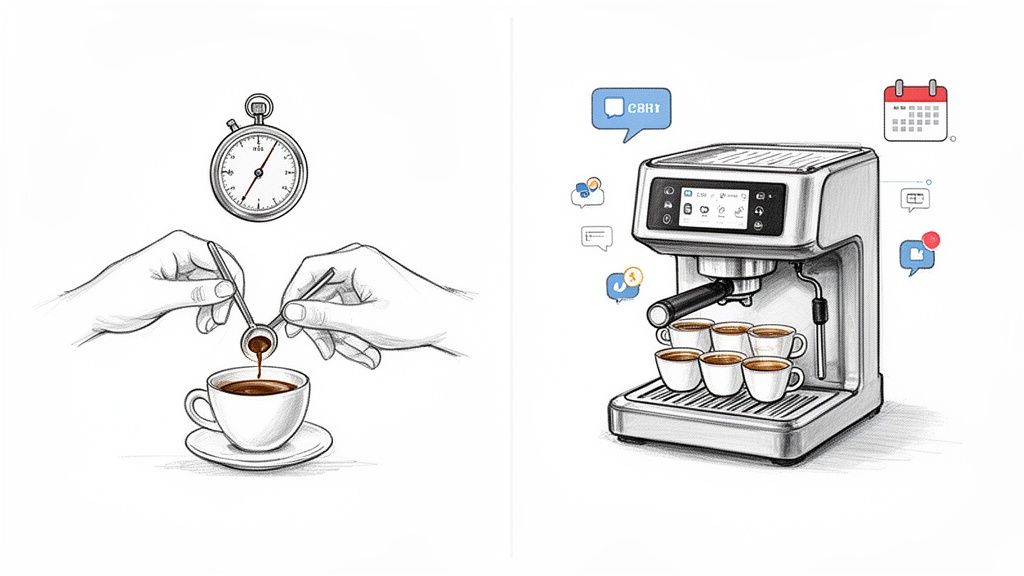
Imagine you own a popular little coffee shop. On day one, you're behind the counter, grinding beans, pulling shots, and frothing milk for every single customer, one by one. It's personal, but it’s painfully slow. You're so busy making coffee that you have zero time to chat with regulars, think up new menu items, or even plan your next location.
Now, fast forward a bit. You’ve invested in a high-end espresso machine. You program it to pull the perfect shot every time. The machine handles the repetitive "brewing," freeing you up to greet customers by name, get their feedback, and work on growing the business.
Social media automation is that espresso machine. It takes care of the scheduling and publishing grind so you can focus on the activities that build real relationships and drive growth. It’s a productivity multiplier, not an authenticity killer.
Getting this mindset right is key. You're not trying to remove yourself from the conversation; you're just removing the friction that stops you from showing up in the first place.
To see the difference in action, here’s a quick breakdown of the daily grind versus a smarter, automated approach.
Manual vs. Automated Social Media Management
| Aspect | Manual Approach (The Daily Grind) | Automated Approach (The Smart Strategy) |
|---|---|---|
| Time Investment | Hours per week logging in, posting, and monitoring across platforms. | Minutes to schedule a week's worth of content in one go. |
| Consistency | Inconsistent posting, often leading to "feast or famine" activity. | Consistent, reliable presence that builds audience trust and engagement. |
| Strategic Focus | Reactive and task-oriented, focused on just "getting a post out." | Proactive and strategic, with time freed up for planning and analysis. |
| Scalability | Difficult to manage more than one or two platforms effectively. | Easily manage multiple platforms and campaigns without adding headcount. |
This table really highlights the shift. It's not about doing less; it's about making the time you do spend count for more.
Why Automation Is No Longer Optional
This isn't just a nice-to-have anymore. The market for social media automation tools hit USD 4.5 billion in 2024 and is on track to reach an incredible USD 12.8 billion by 2033. This massive growth isn't just hype; it’s a clear sign that smart founders and marketers are moving away from manual drudgery and embracing more efficient systems. You can dig deeper into these social media marketing automation trends at Templated.io.
At the end of the day, automation turns social media from a daily chore into a powerful, manageable asset. It gives you the power to:
- Get Your Time Back: No more logging in and out of five different apps just to post the same update.
- Stay Consistent: Keep your brand visible and top-of-mind, even when you're swamped with other work.
- Scale Your Efforts: Grow your presence across multiple channels without needing to hire a huge team right away.
By leaning into automation, you transform a potential time-sink into a well-oiled machine for building your brand and connecting with your audience.
The Real Benefits of Automation for Founders
For founders, the most valuable thing you have isn't money—it's time. This is where social media automation really pays off. It changes your whole approach, turning social media from a daily grind into a strategic advantage that actually grows your business.
We're talking about more than just scheduling posts. It’s about creating a powerful cycle of productivity, consistency, and smart growth.
Imagine a founder spending over an hour every single day manually posting updates, digging for content to share, and checking stats. That's easily 5-10 hours a week gone, just on repetitive tasks. Automating the grunt work gives you those hours back. You can spend them talking to customers, improving your product, or building partnerships—the things that actually move the needle.
This isn't about setting your social media on autopilot and walking away. It’s about being smarter with where you put your energy.
Reclaim Your Most Valuable Asset: Your Time
The biggest and most immediate win from automation is getting your time back. Instead of the daily scramble to log in, think of something to say, and post it everywhere, you can block out a single chunk of time to plan and schedule content for the whole week. Batching your work like this is just a massively more efficient way to operate.
Think of it like this:
- Before Automation: You’re constantly switching gears. You stop working on your product to post on LinkedIn, then a customer email gets interrupted because you need to share something on X (formerly Twitter).
- After Automation: You set aside an hour on Monday morning to load up your content queue. For the rest of the week, your digital assistant handles the publishing while you stay focused on building your company.
Productivity Suggestion: Use a "content batching" workflow. Dedicate a 90-minute block in your calendar every Monday to all social media tasks for the week—idea generation, writing, and scheduling. This avoids daily context switching and preserves your deep work time.
Build Unwavering Brand Consistency
In the digital world, consistency is what builds trust. When your audience sees you showing up regularly with useful content, they start to see your brand as reliable and professional. But for a busy founder, keeping that rhythm going by hand is almost impossible. One urgent project or a couple of long meetings, and your posting schedule gets thrown off for days.
Automation solves this. It makes sure your brand stays active and visible, even when you're completely underwater with other work. It’s like having a marketing team that never sleeps, building brand recognition and keeping you top-of-mind.
Practical Example: A SaaS founder schedules a series of posts to go live during a major industry conference they're too busy to attend. While they're networking, their automated posts keep their brand in the online conversation, sharing insights and engaging with the conference hashtag. Their presence is felt, even when they're not manually posting.
Get Audience Insights You Can Actually Use
Great marketing isn't about guessing what your audience wants—it's about knowing. Most social media automation tools come with analytics dashboards that turn a flood of data into clear, simple insights. Instead of drowning in spreadsheets, you get a quick, clean look at what’s happening.
These tools help you answer critical questions without all the manual work:
- What content is actually landing? See instantly which posts are getting the most likes, comments, and shares.
- When is your audience online? Find the best times to post so your content gets seen by the most people.
- Which platforms are driving results? Figure out where to focus your energy for the biggest return.
Productivity Suggestion: Set a recurring calendar reminder for the first day of each month to spend 30 minutes reviewing your social media analytics. Look for the top-performing post and the worst-performing post. Ask yourself why one worked and the other didn't. This simple habit creates a powerful feedback loop for continuous improvement.
Building Your First Automation Workflow
Let’s be honest, turning the idea of social media automation into a real, working system can feel a bit daunting. But it's simpler than you think. This is all about creating a repeatable process that gives you back your time and delivers consistent results. Think of a good workflow as your blueprint for turning social media chaos into calm control.
As you build your first workflow, it helps to sketch it out. For more complex setups, you can get some great ideas from these essential examples of workflow diagrams to map out your own system.
For founders, a solid workflow boils down to a simple, powerful loop: save time, stay consistent, and get insights you can actually use.
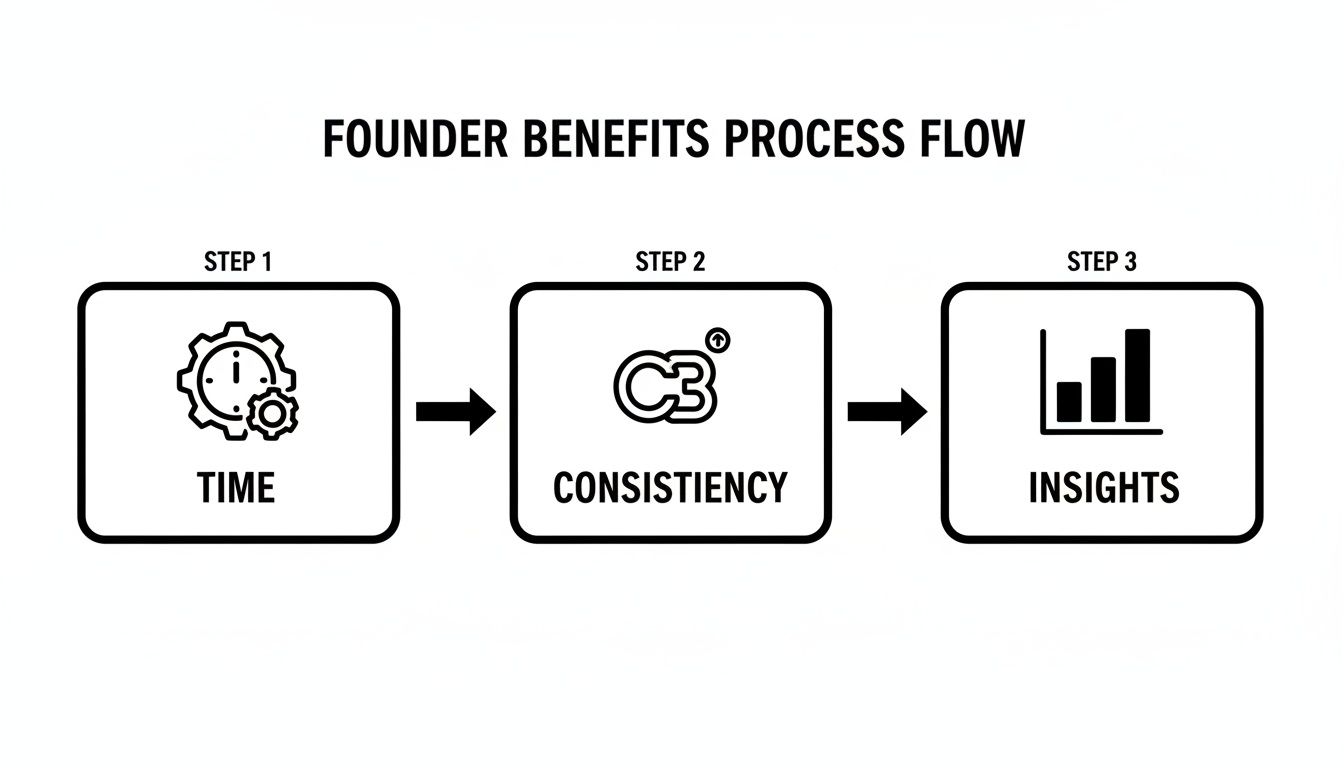
This flow is pretty straightforward. Automation frees up your hours, which lets you post consistently. Consistent posting gives you the data you need to make smarter decisions about what works.
We can break down the practical steps into three core stages: Curation, Creation, and Scheduling.
Stage 1: Content Curation
Your audience wants more than just posts about your product. They're looking for value—insights, interesting articles, and news from across your industry. Content curation is just the art of finding and sharing these gems.
Instead of doom-scrolling for articles every morning, you can automate the discovery process. This keeps a steady stream of high-quality, relevant content flowing to your audience, positioning you as a trusted source.
Here are a few smart ways to automate curation:
- RSS Feeds: Use a tool like Feedly or the RSS feature in platforms like Hootsuite to pull the latest articles from your favorite industry blogs and news sites right into a dashboard.
- Keyword Alerts: Set up Google Alerts for topics your audience cares about. You'll get an email digest of new articles, which you can quickly scan and schedule.
- User-Generated Content (UGC): Use your scheduling tool to monitor brand mentions or key hashtags. When a customer posts a positive review, you can easily reshare it to build social proof.
Stage 2: Content Creation
This is where your brand’s voice shines through. It's all about producing your original content—the posts that show off your expertise and what makes you unique. The key here isn't being a creative genius on demand; it's being efficient by batching your work and using the right tools.
Instead of staring at a blank screen every day, you can block off one chunk of time each week to create all your content at once. Modern tools, especially those with a little AI help, make this surprisingly fast.
The secret to fast content creation isn't being a creative genius every single day. It's about having a system—templates, prompts, and a batching process—that removes friction and lets your ideas flow.
Practical Workflow: Use an AI tool to brainstorm a week's worth of post ideas based on a single long-form blog post you've already written. Ask the AI to "create 5 social media posts from this article." Then, use a tool like Canva to quickly create simple graphics from pre-made templates for each post. This "content repurposing" workflow turns one piece of content into a week's worth of social media updates.
Stage 3: Automated Scheduling
Once you have your curated and created content ready to go, the final step is scheduling it. This is the "set it and let it run" part of the process, and it’s a game-changer.
Your content calendar is your command center. You’ll load up all your posts, assign them dates and times, and let the tool do the work. The best platforms will even suggest the optimal times to post based on when your audience is most active. For a deeper look at this, our guide on how to automate social media posts offers a step-by-step walkthrough.
Here’s what a simple weekly scheduling workflow could look like:
- Monday Morning (60 mins): Log into your automation tool.
- Review Curated Content: Scan the articles from your RSS feeds. Pick three to share throughout the week, adding your own commentary to each.
- Batch-Create Original Posts: Repurpose your latest blog post into four original social media updates (e.g., a key stat, a quote, a question, and a behind-the-scenes look).
- Load the Calendar: Schedule all seven posts across your platforms, using the tool's "optimal timing" feature.
- Review and Confirm: Give your weekly schedule one last look. That's it—you're set for the entire week.
This simple, three-stage workflow takes social media from a relentless daily chore to a manageable, strategic system that practically runs on its own.
Choosing the Right Automation Tools
Diving into social media automation can feel like walking into a massive electronics store—the options are overwhelming, and everything claims to be the next big thing. The trick is to tune out the noise and figure out what your business actually needs. Not all tools are built the same, and the best one for you comes down to your goals, your team (even if it's just you), and your budget.
Think of it like this: a professional chef, a home cook, and a college student all need to eat, but they use completely different kitchen gear. A solo founder doesn't need the same beast of a platform as a Fortune 500 company. Your job is to find the tool that fits your kitchen, not the one with the most bells and whistles.
To keep it simple, let's break down the tools by what they actually do. This will help you zero in on the problem you're trying to solve.
All-in-One Management Platforms
These are the Swiss Army knives of social media. They try to pull your entire workflow—scheduling, publishing, analytics, and team collaboration—into a single dashboard. For founders who want one place to see everything, an all-in-one is usually the perfect starting point.
They usually come packed with features like:
- A unified content calendar: Plan and see all your posts across every platform in one spot.
- A social inbox: Juggle comments and DMs from multiple accounts without constantly switching tabs.
- Performance analytics: Track what's working and what's not, so you can stop guessing.
Here’s how it works in practice: A small e-commerce owner uses a tool like Buffer or Hootsuite to schedule a week's worth of product posts for Instagram, Facebook, and Pinterest in one 45-minute session. They use the social inbox to quickly respond to customer questions about shipping, and the analytics show that their Pinterest posts are driving the most traffic to their store. For a full rundown, our guide on the best social media scheduling tools compares the top contenders.
Content Curation and Discovery Tools
Making original content is king, but it’s also a huge time-suck. Curation tools automate the hunt for relevant, high-quality articles, videos, and news to share with your audience. This helps position you as a go-to resource in your field without having to write every single word yourself.
These platforms do the digging for you, monitoring sources based on keywords you set and pulling fresh content right to your dashboard.
The best social media feeds are a mix of original content and curated value. Curation tools act as your personal research assistant, constantly finding interesting things to share so you don't have to.
Here’s how it works in practice: A marketing consultant sets up alerts in a tool like BuzzSumo for "B2B marketing trends." The platform surfaces the most-shared articles on that topic. The consultant then uses their scheduling tool's browser extension to instantly add the best articles to their content queue while adding their own expert commentary. This saves hours of manual searching.
AI Writing and Idea Generation Assistants
One of the biggest hurdles in social media is staring at a blank page. AI writing assistants are built to smash through writer's block by helping you brainstorm ideas, draft posts, and polish your messaging. These tools use AI to spin content from simple prompts, turning one idea into a dozen different posts.
They're perfect for batch-creating content without losing your mind. When building your toolkit, you'll want to check out the top AI tools for social media marketing to see which ones fit your workflow best.
Here’s how it works in practice: A startup founder can use Postful's AI to take a core idea, like "our new feature saves users 5 hours a week," and instantly get back multiple post variations. The AI might generate a question-based post for X ("What would you do with 5 extra hours a week?"), a short case study for LinkedIn, and a benefit-focused caption for Instagram—all from one simple prompt.
Common Automation Mistakes to Avoid
Social media automation is an incredible asset, but it’s not a magic button. Used carelessly, it can turn your brand’s voice from authentic to artificial overnight. The goal is always to automate the mechanics, not the meaning.
Steering clear of a few common pitfalls is the key to making sure your strategy stays human-centric and actually works.
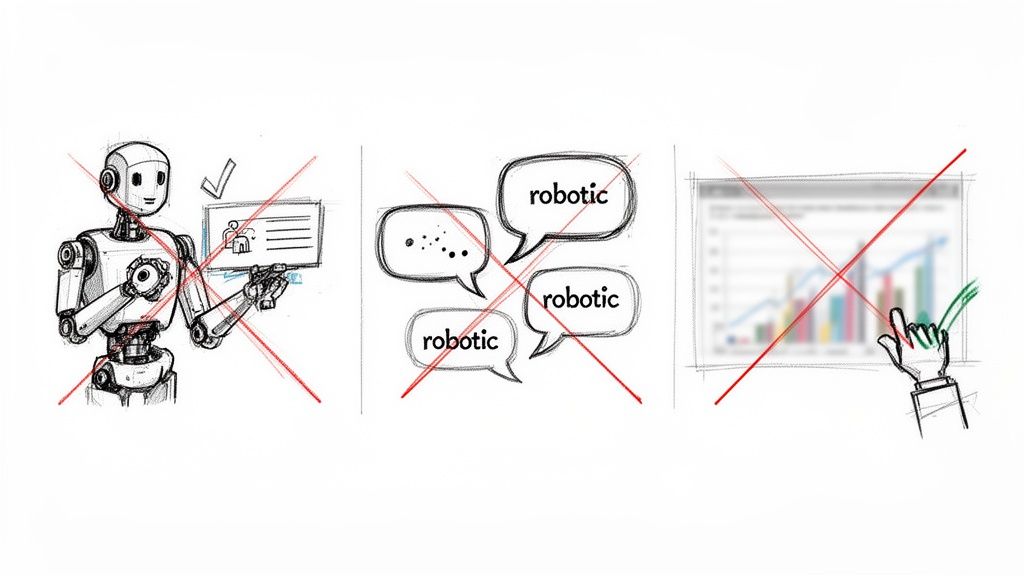
Real success with automation means striking a balance between efficiency and genuine connection. It requires a thoughtful approach, not a hands-off one. By sidestepping these three critical mistakes, you can make sure your tools work for you, not against you.
Mistake 1: The Set It and Forget It Mindset
The most tempting mistake is to load up a week's worth of content, hit "schedule," and then walk away. This approach treats social media like a broadcast channel, totally missing the "social" part of the equation. When you fail to engage, you miss out on real conversations and end up alienating your audience.
-
What Not To Do: You schedule posts for the next seven days and don’t check your accounts. In the meantime, a customer asks an urgent question in the comments, and it just sits there. Your brand looks unresponsive and, frankly, like you don't care.
-
What To Do Instead: Block out 15-20 minutes twice a day—once in the morning and once in the afternoon—just for manual engagement. Use this time to reply to comments, answer DMs, and thank people for sharing your stuff. It’s a small habit that keeps the human connection strong.
Mistake 2: Sounding Like a Robot
Relying too heavily on generic templates or recycling the exact same posts without any variation is a fast track to sounding robotic. Your audience is smart; they can spot a canned response from a mile away. Real connection comes from personality and having a point of view.
The whole point of automation is to save time on logistical tasks so you can spend more time crafting authentic, high-value content. It should free up your creativity, not replace it.
When every post follows the same formula, engagement tanks. People follow brands for their unique voice, not for predictable, cookie-cutter updates.
-
What Not To Do: You find a trending article and schedule it with a generic caption like, "Great read on industry trends!" across all your platforms, without adding any of your own thoughts.
-
What To Do Instead: When you share curated content, always add your own two cents. Start with a question like, "What's your take on this?" or pull out a key takeaway: "The section on customer retention is spot on—especially for startups." This tiny addition turns a generic share into a conversation starter.
Mistake 3: Ignoring Your Analytics
Publishing content without ever checking its performance is like driving with your eyes closed. You might be moving, but you have no idea if you're headed in the right direction. Your automation tools are sitting on a treasure trove of data that tells you what's working and what's falling flat. Ignoring it is a huge mistake.
Consistently posting content that gets zero engagement isn't just ineffective; it can actually hurt your reach. Most algorithms penalize accounts with low-performing content.
-
What Not To Do: You keep posting daily video tips, even though your analytics clearly show that text-based posts with a strong image get 3x more shares and clicks. You're working hard, but not smart.
-
What To Do Instead: Schedule a monthly "Analytics Check-In." Spend one hour reviewing key metrics like engagement rate, click-throughs, and top-performing posts. Find one or two key insights and use them to tweak your content strategy for the next month. If you notice your audience loves "behind-the-scenes" content, plan more of it. Simple as that.
How to Measure Your Automation Success
Putting social media automation to work without tracking its impact is like flying a plane without any instruments. Sure, you’re moving, but you have no idea if you’re gaining altitude or heading for a nosedive. To really know if your efforts are paying off, you have to measure what matters.
Forget obsessing over vanity metrics like follower count. It’s nice to see that number go up, but it doesn't tell you if your content is actually connecting with people or, more importantly, driving business. Instead, let's focus on actionable metrics that paint a clear picture of success.
Key Performance Metrics to Track
The best automation tools come with built-in analytics, so tracking these numbers is usually straightforward. You just need to know what to look for. These are the metrics that show you how your audience is responding and whether your automation is actually helping your bottom line.
Here are the core numbers every founder should have on their radar:
- Engagement Rate: This is the big one. It's a measure of how much your audience interacts with your content—think likes, comments, shares, and saves. A high engagement rate is a strong signal that your posts are resonating and building a real community.
- Click-Through Rate (CTR): This metric tells you how many people actually clicked a link in your post. A solid CTR shows that your content is compelling enough to pull people off the social platform and onto your website, blog, or landing page.
- Conversion Rate: This is the ultimate measure of success. It tracks how many of those clicks turned into a desired action, like a newsletter signup, a download, or a purchase. This is where you directly tie your social media activity to real business goals.
For a deeper dive into this, it's worth exploring how to measure social media ROI to connect your efforts directly to revenue.
The Most Important Productivity Metric
Beyond audience metrics, the whole point of automation is to make you more efficient. That’s why you absolutely have to track the one metric that shows the direct productivity payoff for you as a founder.
Time Saved Per Week: This is the simplest yet most powerful metric for any busy entrepreneur. It quantifies the hours you've reclaimed by automating your social media, time that can now be spent on product development, talking to customers, or strategic planning.
Calculating this is simple. Just estimate the hours you used to spend on manual social media tasks (like daily posting and content hunting) and subtract the time you spend now with your streamlined workflow (like a single weekly batching session).
For example:
Before Automation: 1 hour/day for 7 days = 7 hours/week
After Automation: One 2-hour session/week = 2 hours/week
Total Time Saved: 5 hours per week
Simple Formulas for Quick Calculation
You don't need a degree in data science to figure this out. Most platforms will do the math for you, but knowing the basic formulas helps you understand what the numbers actually mean.
| Metric | Simple Formula | What It Tells You |
|---|---|---|
| Engagement Rate | (Total Engagements ÷ Total Impressions) x 100 | The percentage of people who saw your post and decided to interact with it. |
| Click-Through Rate | (Total Clicks ÷ Total Impressions) x 100 | The percentage of viewers who were motivated enough to click your link and learn more. |
| Conversion Rate | (Total Conversions ÷ Total Clicks) x 100 | The percentage of people who clicked your link and then completed a valuable action on your site. |
By keeping an eye on these key metrics, you shift from guessing to knowing. You get the power to see what’s working, prove the value of your efforts, and make smart, data-driven decisions to keep improving your social media strategy.
Your Questions, Answered
Jumping into social media automation brings up some valid questions. It's smart to wonder how this all works, especially when you're trying to grow your brand without losing that human touch. Let's clear up a few of the most common concerns.
Will This Make My Brand Sound Like a Robot?
This is the biggest fear, and for good reason. But the answer is a firm no—as long as you do it right. The trick is to automate the task, not the relationship. You use automation to handle the scheduling and publishing, which frees you up to personally reply to comments, answer DMs, and actually talk to your audience.
Smart automation is about taking repetitive work off your plate. It gives you more time for genuine, human connection, not less. The voice behind the content is still yours.
Seriously, How Much Time Will I Save?
Most founders and small business owners find they get back between 6 to 10 hours every week. That time comes from batching your content creation, letting a tool handle the posting schedule across different platforms, and quickly curating great articles to share.
This isn't just about saving a few minutes here and there. It's about reclaiming a huge chunk of your workweek to pour back into the parts of your business that actually move the needle.
Isn't "Automation" Just a Fancy Word for Scheduling?
Not quite. Scheduling is a part of it, but it’s just one piece of a much bigger puzzle.
True social media automation is the whole system. It helps you brainstorm ideas with AI, pull in interesting content from other sources, and even analyze what's working so your next posts are even better.
Here’s a simple way to think about it:
- Scheduling is just telling a post when to go live.
- Automation is the entire engine that helps you create, publish, and analyze everything more efficiently.
Scheduling is the last step. A real automation strategy supports everything that comes before it.
Ready to stop the social media grind and start building a consistent, impactful presence? Postful uses AI to help you create better content, faster. Join our waitlist today to reclaim your time and grow your reach with confidence. Secure your spot on the Postful waitlist.