
Running a small business often feels like a constant juggling act. You’re the CEO, marketer, salesperson, and customer support team rolled into one. This relentless multitasking can lead to burnout, missed opportunities, and stalled growth. But what if you could put essential, repetitive marketing tasks on autopilot? This is where marketing automation tools for small business come in, allowing you to save precious time, nurture leads effectively, and drive sales without needing a large team.
This guide is designed to help you find the right platform for your specific needs. We’ll move beyond generic feature lists and marketing jargon to provide a comprehensive resource. For each tool, we offer an honest, in-depth analysis that includes:
- Core features and what they actually do for you.
- Practical use cases and sample workflows to inspire your strategy.
- Guidance on implementation complexity so you know what you’re getting into.
Our goal is to give you the clarity needed to choose the best marketing automation tool to improve your productivity. We’ll explore powerful platforms like HubSpot, Mailchimp, and ActiveCampaign, providing screenshots and direct links for each. This isn’t just a list; it’s a practical playbook to help you reclaim your time and focus on what truly matters: growing your business.
1. Postful
Postful emerges as a standout choice among marketing automation tools for small business by focusing on a critical, often time-consuming area: social media content. It’s designed specifically for founders and small teams who wear multiple hats and can’t afford to spend hours battling a blank page. The platform’s core strength lies in its ability to systematize creativity, transforming social media management from an unpredictable art into a repeatable, efficient process.

Unlike generic schedulers or broad marketing suites, Postful acts as a dedicated AI assistant for the entire content lifecycle. It automates both ideation and execution, helping you maintain a consistent, high-quality presence without the typical grind. This approach is a game-changer for operators who need to grow their reach but must prioritize their core business activities.
Key Features & Analysis
- AI-Powered Ideation: Instead of starting from scratch, you get curated post ideas and ready-to-use templates tailored to your goals. This immediately removes the biggest barrier to consistent posting.
- On-Demand Brainstorming: A standout capability is its AI brainstorming tool. If an idea feels underdeveloped, the AI can expand, refine, or rephrase it, ensuring your message is clear and resonant before it goes live. This is far more than simple text generation; it’s a collaborative content partner.
- Workflow Automation: Postful automates repetitive tasks like scheduling and content categorization, enabling you to build and execute a social media calendar in a fraction of the time. You can learn more about how this works by exploring what social media automation is on Postful’s blog.
Practical Use Case & Workflow
Imagine you’re a founder of a new SaaS product. Using Postful, your workflow could look like this:
- Ideate: Select the “Product Feature Highlight” template.
- Draft: Input a brief, one-sentence description of a new feature.
- Refine: Use the AI brainstorming tool to generate three different angles: one focused on the user benefit, another on the technical innovation, and a third comparing it to competitors.
- Schedule: Choose the most compelling version, make minor edits for brand voice, and schedule it to post across LinkedIn and X during peak engagement hours.
This entire process takes minutes, not hours, allowing you to maintain a professional and active social presence while focusing on product development and sales.
| Feature Analysis | Details |
|---|---|
| Best For | Founders, side-hustlers, and small business operators needing efficient, repeatable social media output. |
| Pricing | Free for early access |
| Setup Complexity | Low. The platform is designed for quick onboarding to get users creating content immediately. |
| Pros | Eliminates “blank page” syndrome with templates and ideas; AI brainstorming actively improves content quality; automates repetitive scheduling workflows to save time. |
| Cons | Invite-only access limits immediate availability; public feature set and integration details are not yet available; AI content still requires human oversight for brand voice and nuance. |
Website: https://postful.ai
2. HubSpot Marketing Hub
HubSpot Marketing Hub is an all-in-one marketing automation platform built on a powerful, native CRM. It’s a top contender for businesses that want a single source of truth for their customer data and marketing activities, eliminating the need to sync disparate tools. This tight integration is its key differentiator; every email, form submission, and ad click is automatically tied to a contact record.
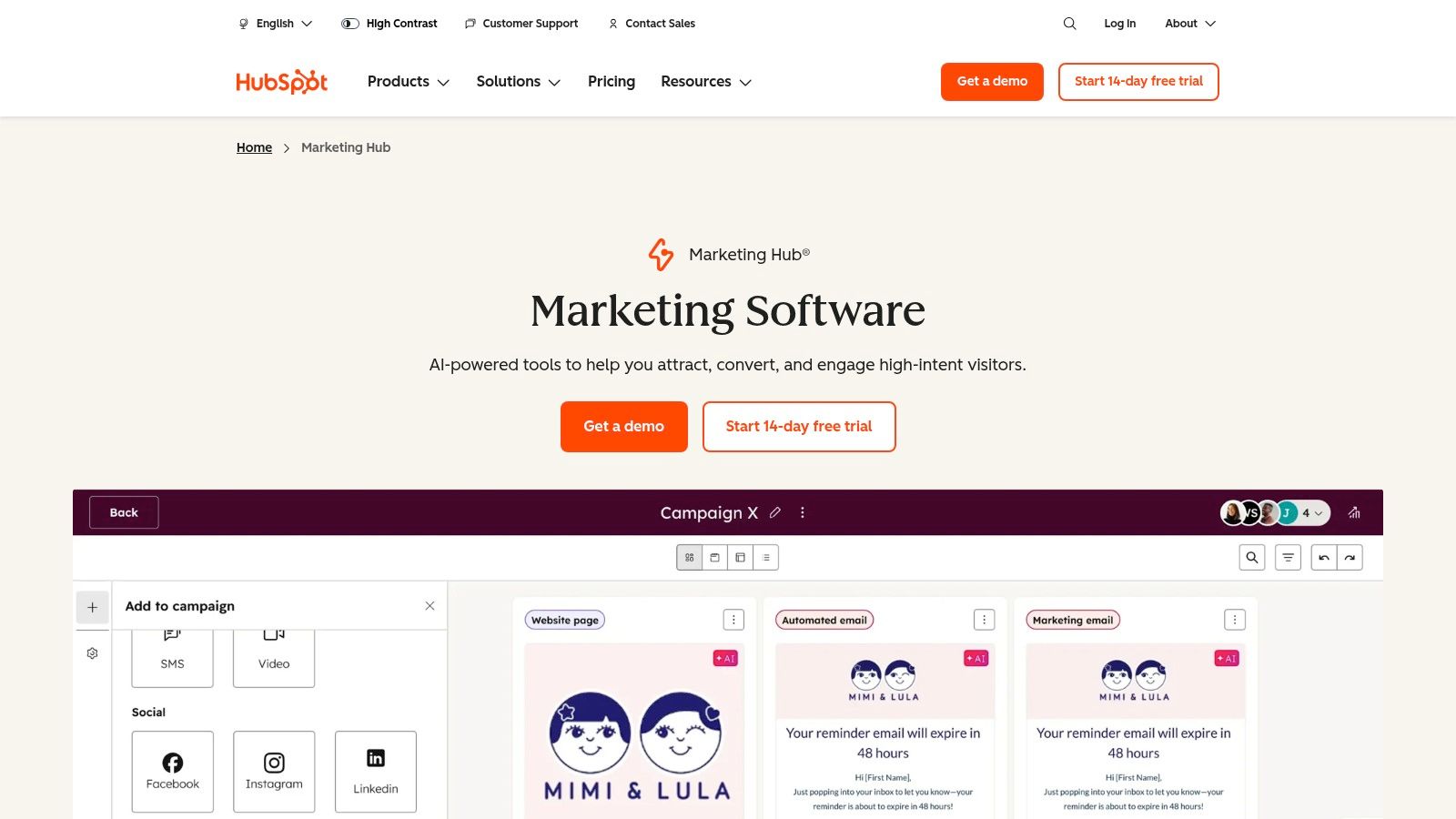
This platform excels at creating sophisticated, yet visually intuitive, automation workflows. For small businesses, this is a significant advantage, allowing you to build complex nurture sequences without needing a developer. A practical workflow example is creating a sequence that automatically sends a series of educational emails to a lead after they download an ebook. The workflow can then notify a sales rep via email or Slack once that lead visits the pricing page, signaling high intent. It’s a comprehensive solution among marketing automation tools for small business, especially for those planning to scale.
Key Details & Use Cases
- Best For: Businesses wanting a unified CRM and marketing platform from day one.
- Pricing: see website for details
- Complexity: The basic tools are user-friendly, but mastering the full Professional suite involves a learning curve. Paid onboarding is required for Professional/Enterprise tiers.
Productivity Tip: Start with HubSpot’s free tools to capture leads via forms and live chat. As you grow, you can upgrade to a paid plan to unlock automation features like email sequences without losing any of your existing contact data or history. This workflow ensures you build your contact database from day one.
| Feature Highlights | Pros |
|---|---|
| Visual Automation & Lead Scoring | Robust free tier is excellent for starting out |
| Native CRM & Contact Management | Deep integration reduces data silos |
| Forms & Landing Page Builder | Scales easily from startup to enterprise |
| Ad Management & Reporting | Comprehensive features in one ecosystem |
HubSpot’s approach to connecting every marketing touchpoint to its CRM provides unparalleled insight into the customer journey. You can explore how service professionals can benefit from this type of integration by checking out these marketing tasks to automate.
Website: https://www.hubspot.com/products/marketing
3. Mailchimp
Mailchimp is one of the most recognizable names in email marketing, renowned for its user-friendly interface that empowers small businesses to launch campaigns quickly. It has evolved beyond simple newsletters into a marketing automation platform offering pre-built customer journeys, segmentation, and landing pages. Its core strength lies in its accessibility; non-technical users can easily design beautiful emails and set up basic automations without a steep learning curve.
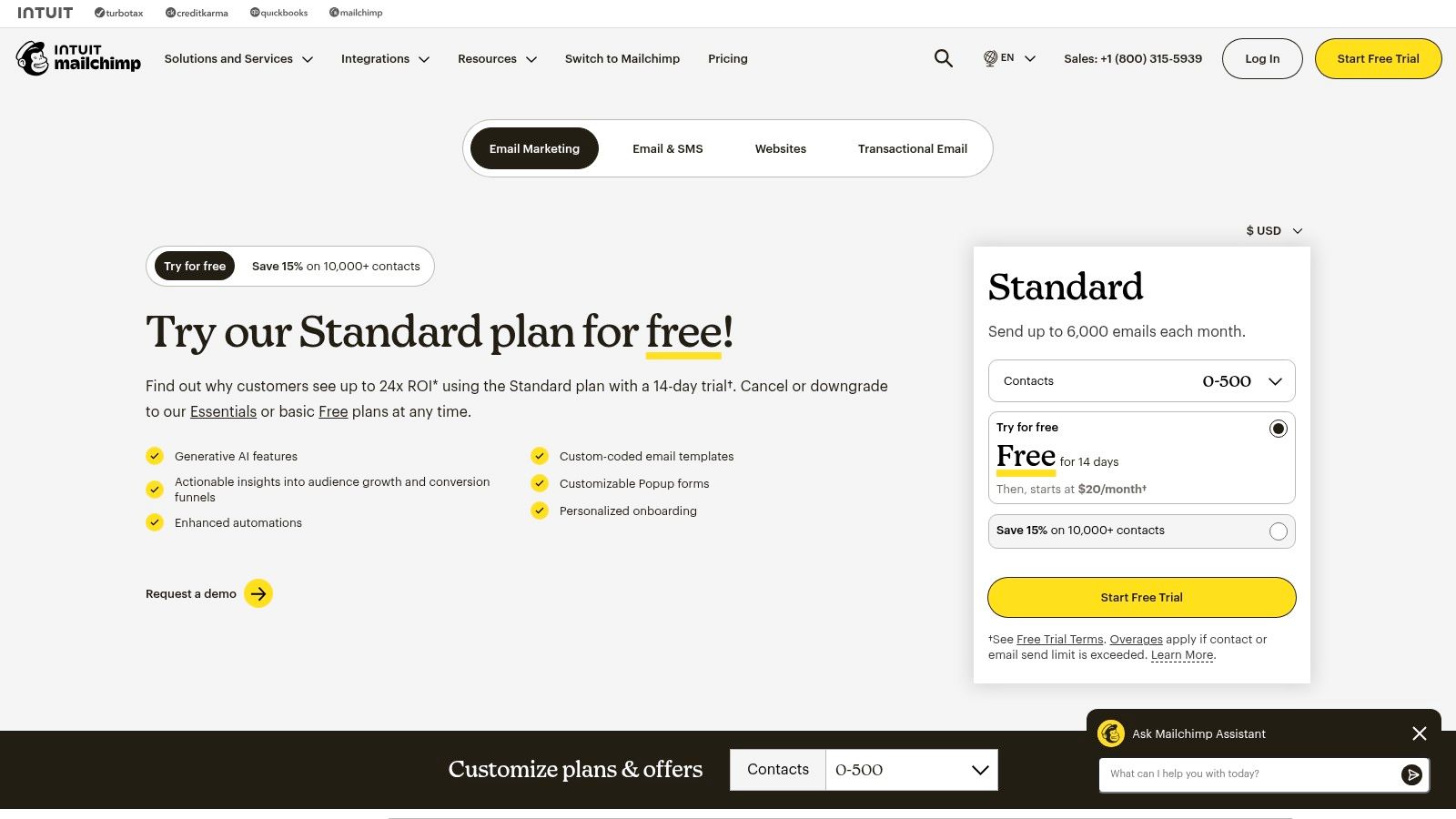
The platform is excellent at guiding users through setting up their first automations. A practical productivity workflow is creating a “welcome series” journey for new subscribers. You can set it up so a sequence of three emails is automatically sent over five days after someone signs up via a form on your website. This simple automation ensures every new lead is engaged immediately, saving you from manually sending follow-ups. This makes it a go-to choice among marketing automation tools for small business, particularly for those in e-commerce or content creation who need to get started without delay.
Key Details & Use Cases
- Best For: E-commerce stores, content creators, and service businesses needing a fast and intuitive email automation tool.
- Pricing: see website for details
- Complexity: Very low. The interface is clean and intuitive, making it one of the easiest platforms to master for basic automation.
Productivity Tip: Use Mailchimp’s segmentation tools to tag contacts based on their purchase history or engagement. You can then create an automated journey to re-engage customers who haven’t purchased in 90 days with a special offer. This “set it and forget it” workflow can win back customers while you focus on other tasks.
| Feature Highlights | Pros |
|---|---|
| Pre-built Customer Journeys | Very fast to launch for non-technical users |
| Email Templates & Landing Pages | Excellent for creating visually appealing campaigns |
| E-commerce & 3rd-Party Integrations | Large integration directory and extensive help guides |
| Add-on SMS Capabilities | Simple, clean user interface is easy to navigate |
Mailchimp’s focus on user-friendly design makes it a powerful tool for businesses just starting to explore automation and need effective ways for building their email list.
Website: https://mailchimp.com/pricing/marketing/
4. ActiveCampaign
ActiveCampaign is a powerful marketing automation platform known for its sophisticated visual workflow builder and deep integration capabilities. It’s a favorite among growing small businesses that have graduated from simpler email tools and need more granular control over the customer journey. Its core strength lies in enabling complex, multi-path automations that can combine email, SMS, and even on-site messages without being overly complicated.
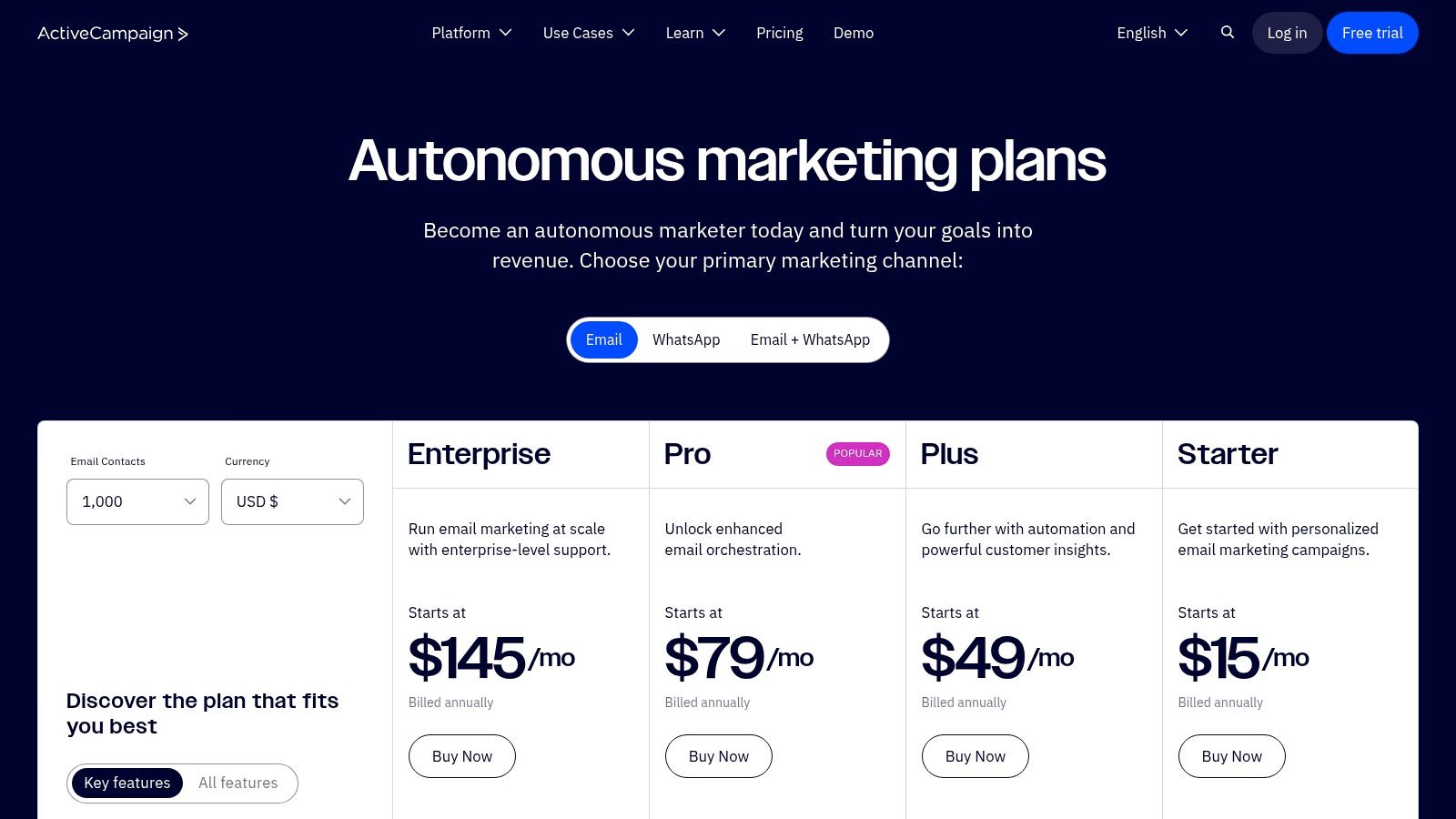
The platform empowers users to build intelligent automations that react to user behavior. For instance, a practical workflow could be: a contact clicks a link in your newsletter about a specific service. The automation then tags them with that interest and sends a targeted follow-up email a day later with a case study. Meanwhile, contacts who didn’t click receive a different, more general message next week. This “if/then” logic makes it one of the more advanced marketing automation tools for small business owners looking to personalize communication at scale.
Key Details & Use Cases
- Best For: Businesses needing mature, behavior-driven automation without an enterprise-level price tag.
- Pricing: see website for details
- Complexity: The interface is clean, but building advanced automations with multiple goals and split paths involves a learning curve. Extensive onboarding resources help.
Productivity Tip: Use ActiveCampaign’s “Site Tracking” feature early on. By installing its tracking code, you can trigger automations based on which pages a contact visits on your website. For example, automatically send a discount code for a product they viewed three times. This workflow automates personalized selling.
| Feature Highlights | Pros |
|---|---|
| Visual Automation Builder | Mature automation depth for the price |
| Multi-Channel (Email, SMS) | Excellent onboarding and migration assistance |
| Built-in CRM & Lead Scoring | Over 1,000 integrations with other tools |
| Advanced Segmentation & Tagging | Granular control over customer journeys |
ActiveCampaign excels at providing the tools for truly personalized marketing funnels, making it a strong choice for businesses ready to move beyond basic email blasts.
Website: https://www.activecampaign.com/pricing
5. Brevo (formerly Sendinblue)
Brevo, formerly known as Sendinblue, has carved out a niche as an incredibly budget-friendly, multi-channel marketing platform. It extends beyond just email to include SMS, WhatsApp, live chat, and push notifications, all managed from a single dashboard. Its core advantage for small businesses is its accessible pricing model, including a generous free plan and the option for prepaid credits, which is ideal for businesses with inconsistent sending schedules.
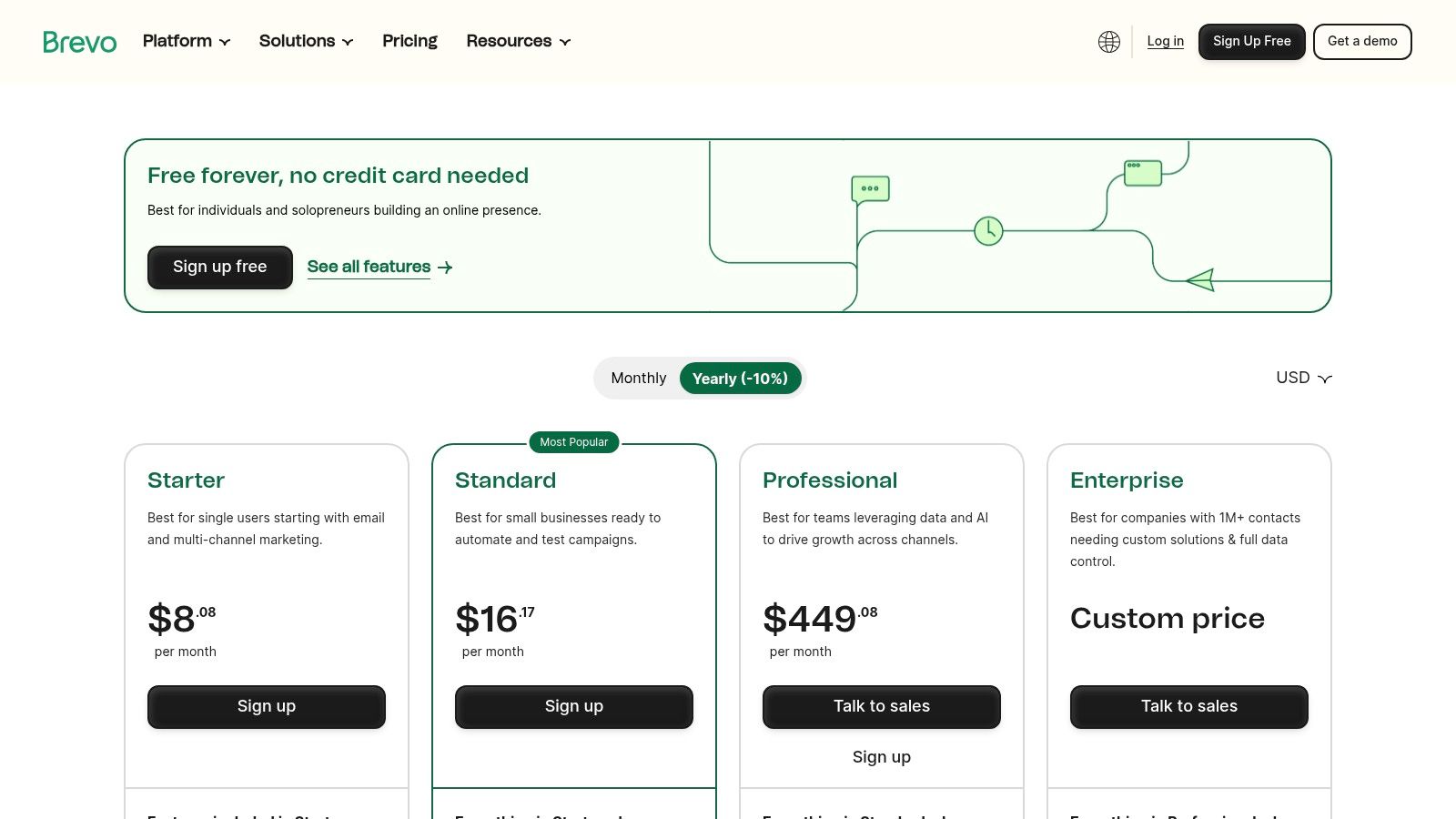
The platform’s automation capabilities are surprisingly robust for its price point. You can easily set up standard workflows, such as a welcome series for new subscribers or an abandoned cart reminder. A practical workflow for a service business is creating an automation where a user who signs up for a webinar receives an email confirmation, a reminder SMS one hour before the event, and a follow-up email with the recording the next day. This makes Brevo a powerful choice among marketing automation tools for small business owners focused on getting maximum value without a hefty initial investment.
Key Details & Use Cases
- Best For: Businesses needing an affordable, all-in-one tool for email, SMS, and chat automation.
- Pricing: see website for details
- Complexity: The interface is clean and straightforward, making it easy for beginners to launch their first campaigns and build basic automations.
Productivity Tip: Use Brevo’s free plan to handle all your transactional emails (like password resets and order confirmations) while also building your initial automated welcome series. This workflow lets you test its core functionality at no cost while immediately improving customer experience.
| Feature Highlights | Pros |
|---|---|
| Multi-Channel Campaigns (Email, SMS) | Low entry cost with a usable free plan |
| Automation & Transactional Email | Flexible prepaid credits for occasional senders |
| Built-in Chat & Lightweight CRM | Simple, clean user interface |
| Landing Pages & Signup Forms | All-in-one tool reduces need for multiple apps |
Brevo’s strength lies in its combination of affordability and multi-channel functionality, giving cash-conscious small businesses a scalable path to automate their marketing efforts.
Website: https://www.brevo.com/pricing
6. Klaviyo
Klaviyo is an ecommerce-first marketing automation platform designed for direct-to-consumer (DTC) brands. Its core strength lies in its deep, native integrations with platforms like Shopify and WooCommerce, allowing it to pull in rich customer data like purchase history, browsing behavior, and cart contents. This makes it an unparalleled tool for creating hyper-personalized email and SMS campaigns that drive sales.
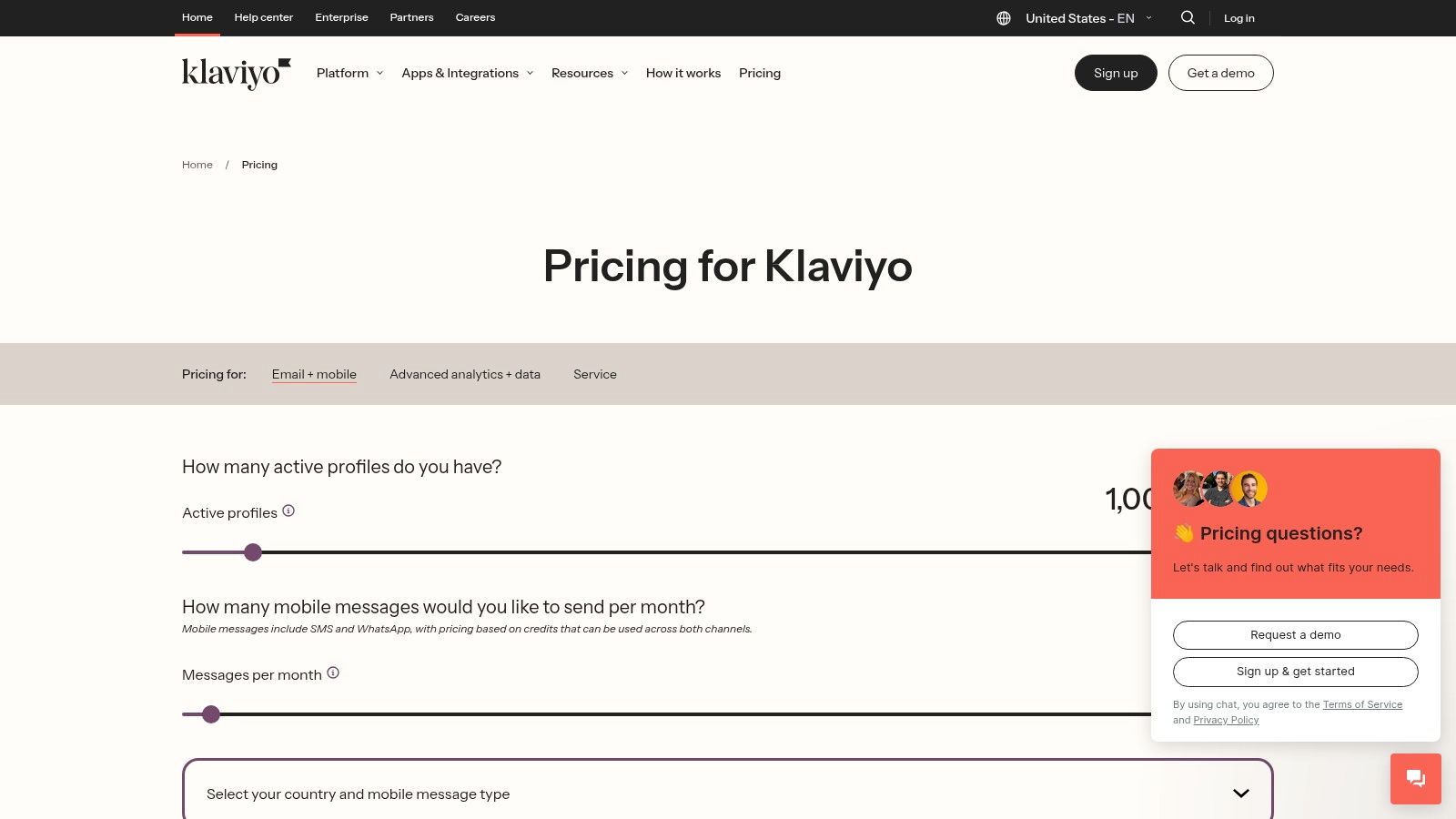
The platform enables sophisticated automation flows based on real-time commerce events. A practical workflow example for a small online store is setting up an abandoned cart sequence that not only reminds a customer but also includes images of the exact products they left behind. You can also create a “win-back” campaign that automatically targets customers who haven’t purchased in 90 days with a personalized coupon for their favorite product category. Klaviyo stands out among marketing automation tools for small business by turning store data into revenue-generating automations.
Key Details & Use Cases
- Best For: Ecommerce businesses, particularly DTC brands on Shopify or WooCommerce.
- Pricing: see website for details
- Complexity: The interface is intuitive for ecommerce users, but leveraging its advanced segmentation and data features requires a solid understanding of your store’s data.
Productivity Tip: Use Klaviyo’s pre-built automation templates (“Flows”) for “Abandoned Cart,” “Browse Abandonment,” and “Welcome Series” to get started quickly. Customize them by adding product recommendation blocks, which use AI to suggest items a customer is likely to buy. This automates upselling and cross-selling.
| Feature Highlights | Pros |
|---|---|
| Advanced Ecommerce Segmentation | Best-in-class data depth for personalization |
| Native Shopify & Woo Integration | Powerful pre-built templates for store triggers |
| Email & SMS Automation | Large ecosystem of app integrations |
| AI-Powered Product Recommendations | Unified platform for email, SMS, and reviews |
Klaviyo’s deep focus on commerce data provides a powerful engine for personalized marketing that directly impacts the bottom line. It’s a strategic choice for any online store looking to move beyond generic email blasts.
Website: https://www.klaviyo.com/pricing
7. Constant Contact
Constant Contact has long been a staple in email marketing for small businesses, and its evolution into a marketing automation platform keeps it relevant. It focuses on providing straightforward, pre-built automation sequences that are easy to deploy without a steep learning curve. This makes it an ideal choice for business owners who need effective automation without the complexity of building intricate workflows from scratch. Its strength lies in its simplicity and accessibility for the non-marketer.
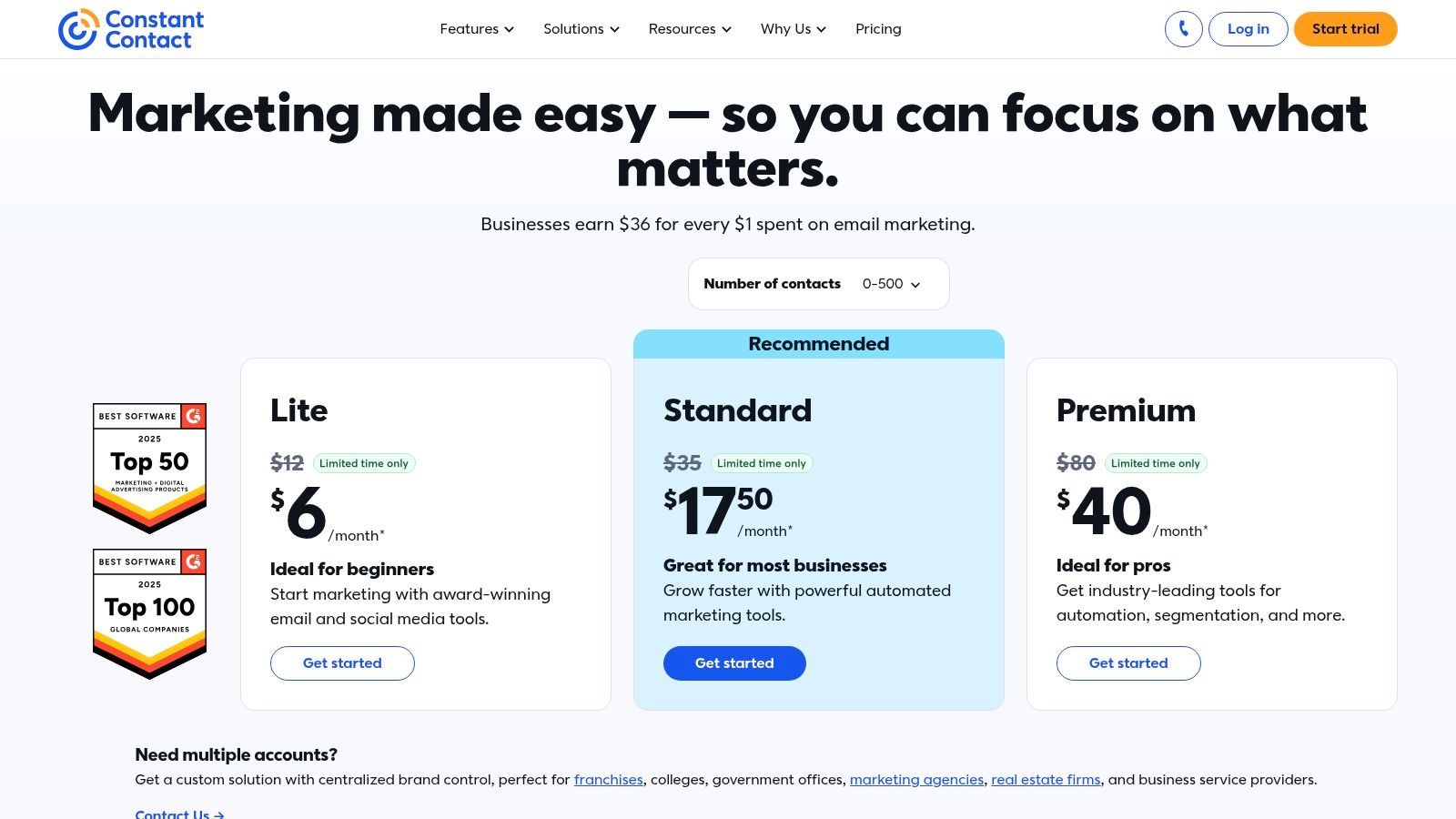
The platform shines with its easy-to-use list growth tools and automated welcome series. A practical workflow for a local bakery is using a Constant Contact pop-up form on their website to capture email sign-ups for a 10% discount. An automated workflow immediately sends the coupon code, followed by a series of three emails over two weeks showcasing their most popular items and weekly specials. This is a simple yet powerful example of using marketing automation tools for small business to deliver tangible results with minimal setup.
Key Details & Use Cases
- Best For: Small businesses and nonprofits needing simple, effective email automation and list management.
- Pricing: see website for details
- Complexity: Very user-friendly with a clean interface. Most users can set up basic automations within an hour without needing technical support.
Productivity Tip: Use the anniversary and birthday email automation features. By collecting this data at sign-up, you can create a workflow that automatically sends personalized offers that re-engage customers and drive repeat business with almost no ongoing effort.
| Feature Highlights | Pros |
|---|---|
| Prebuilt Automation Templates | Straightforward setup and US-centric support |
| List Growth & Management Tools | Nonprofit and annual prepay discounts available |
| Social Ads & Landing Pages | Excellent for event-based marketing (RSVPs) |
| Engagement Reporting | Very intuitive interface for beginners |
Constant Contact’s focus on core email marketing automation makes it a reliable and effective choice for businesses that want to master the fundamentals before moving on to more complex systems.
Website: https://www.constantcontact.com/pricing
8. Omnisend
Omnisend is an email and SMS marketing automation platform built specifically for ecommerce businesses. It stands out by deeply integrating with platforms like Shopify, WooCommerce, and BigCommerce, allowing it to pull product data directly into emails and automation triggers. This focus makes it one of the most effective marketing automation tools for small business owners running online stores.
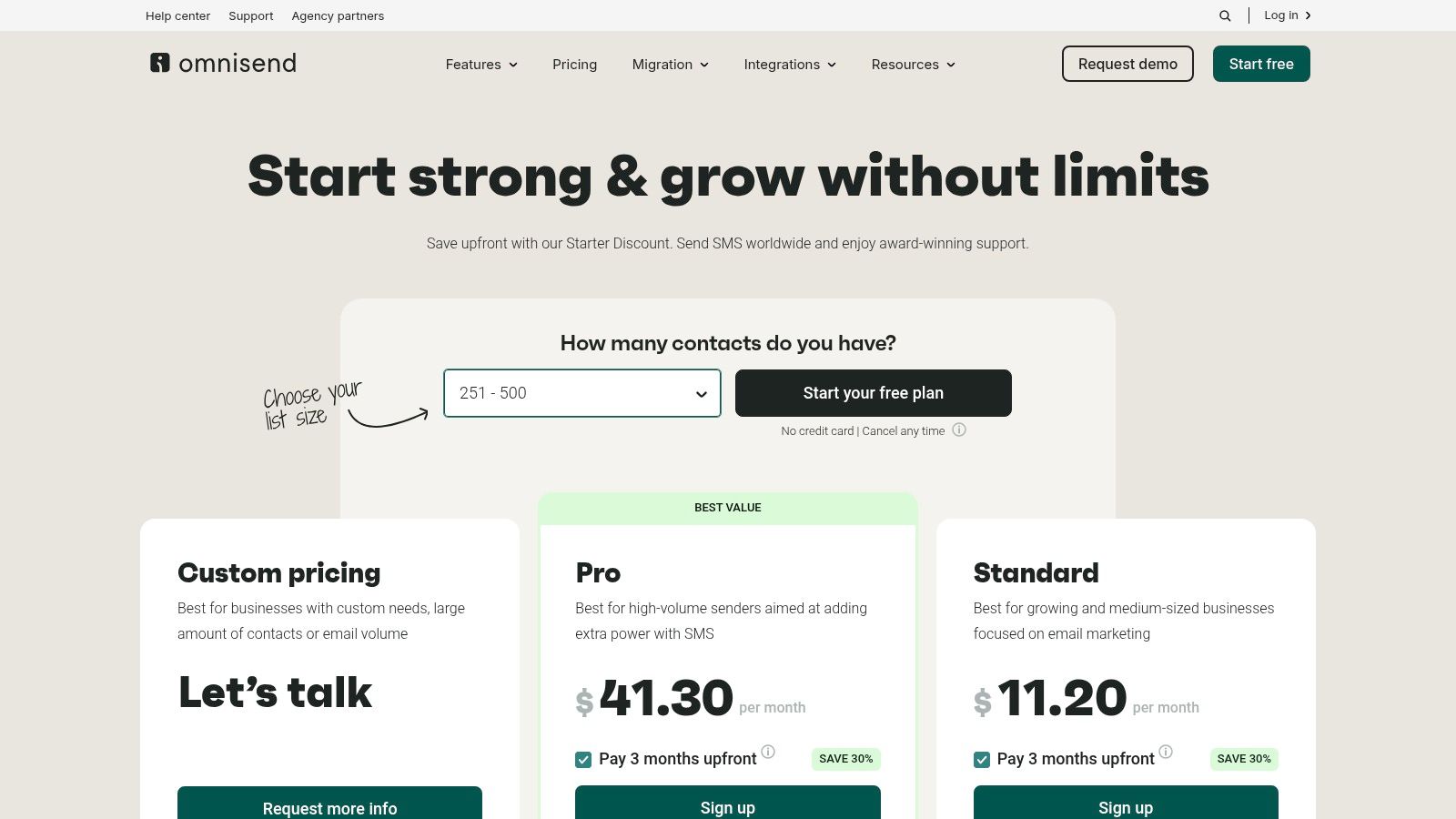
The platform excels with pre-built, commerce-centric automation workflows that are ready to go out of the box. A small business can instantly set up a sophisticated abandoned cart sequence that includes an email, followed by an SMS reminder an hour later, and then a push notification the next day. This multi-channel workflow is a powerful way to recover lost sales with minimal setup, making it ideal for busy entrepreneurs who need effective tools without a steep learning curve.
Key Details & Use Cases
- Best For: Ecommerce businesses using Shopify, WooCommerce, or BigCommerce.
- Pricing: see website for details
- Complexity: Very user-friendly, with pre-built templates and a simple drag-and-drop editor.
Productivity Tip: Use Omnisend’s free plan to immediately implement abandoned cart and welcome series automations. These two flows often provide the highest ROI and will help you prove the platform’s value before committing to a paid subscription, making your business more profitable from day one.
| Feature Highlights | Pros |
|---|---|
| Prebuilt Ecommerce Workflows | Generous free plan includes core automations |
| Email, SMS & Push Notifications | Value pricing is excellent for growing stores |
| Audience Sync for Ad Platforms | Tailored features directly boost online sales |
| Product Reviews Module | Simple and intuitive interface |
Omnisend’s singular focus on ecommerce allows it to offer highly relevant, easy-to-implement features that directly impact an online store’s bottom line. By combining email, SMS, and push notifications in unified workflows, it gives small retailers a powerful toolkit to compete with larger brands.
Website: https://www.omnisend.com/pricing
9. GetResponse
GetResponse positions itself as more than just an email marketing platform, offering a suite of inbound marketing tools that includes a webinar builder, conversion funnels, and website pop-ups. Its unique selling proposition is combining these traditionally separate tools into a single, cohesive ecosystem. This makes it an excellent choice for creators, coaches, and e-commerce businesses that rely heavily on lead magnets, webinars, and automated sales funnels to drive revenue.
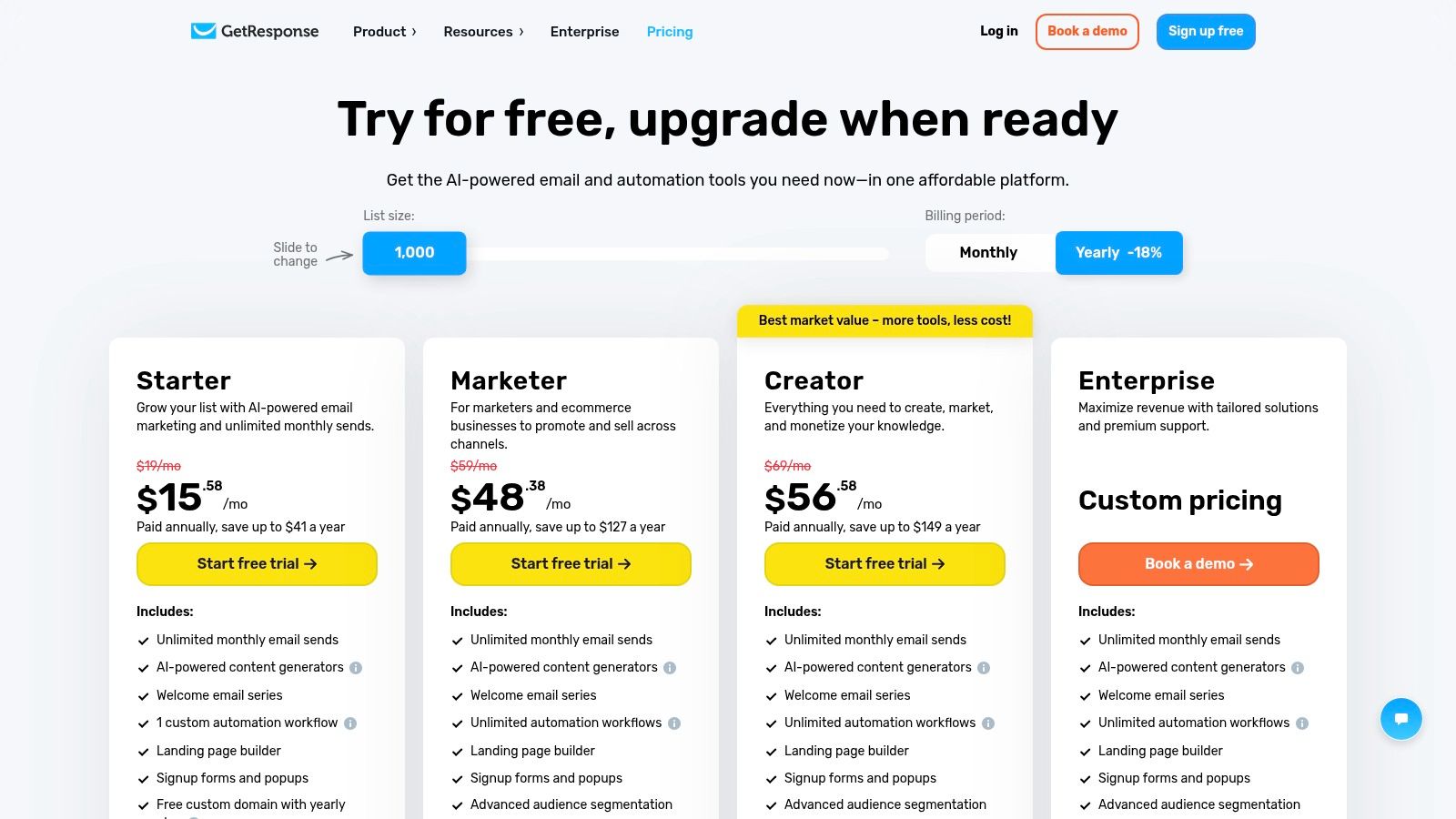
The platform’s visual workflow builder is powerful, allowing you to map out customer journeys with conditions, actions, and filters. A practical workflow for a business coach is building a funnel that starts with a social media ad, leads to a landing page to register for a webinar, and then automatically sends email reminders. After the webinar, the workflow can segment attendees from no-shows and send tailored follow-up sequences to each group—all within one tool. This integrated approach makes GetResponse a versatile option among marketing automation tools for small business.
Key Details & Use Cases
- Best For: Content creators, service businesses, and e-commerce stores needing integrated webinar and sales funnel automation.
- Pricing: see website for details
- Complexity: The interface is feature-rich, which can present a slight learning curve for absolute beginners, but the visual builders simplify complex tasks.
Productivity Tip: Use the “Conversion Funnel” feature to quickly build a complete lead magnet funnel. It pre-populates the required assets like a signup page, thank you page, and a starter email sequence. This workflow saves you significant setup time when launching a new offer.
| Feature Highlights | Pros |
|---|---|
| Visual Automation & Sales Funnels | Unlimited email sends on all paid plans |
| Built-in Webinars | Broad toolset reduces need for additional apps |
| Landing Pages & Forms/Popups | Great for webinar and lead generation funnels |
| Ecommerce Recovery Features | Combines email, funnels, and webinars natively |
GetResponse excels at providing an all-in-one solution for businesses whose marketing strategy revolves around content like webinars and structured funnels, reducing the need to stitch together multiple applications.
Website: https://www.getresponse.com/pricing
10. MailerLite
MailerLite is a simple and affordable email marketing platform that packs a surprising amount of automation power. It’s built for solo founders, creators, and lean teams who need a straightforward tool without a steep learning curve or complex pricing. Its key differentiator is combining core automation with a suite of creator tools like landing pages, websites, and digital product sales.
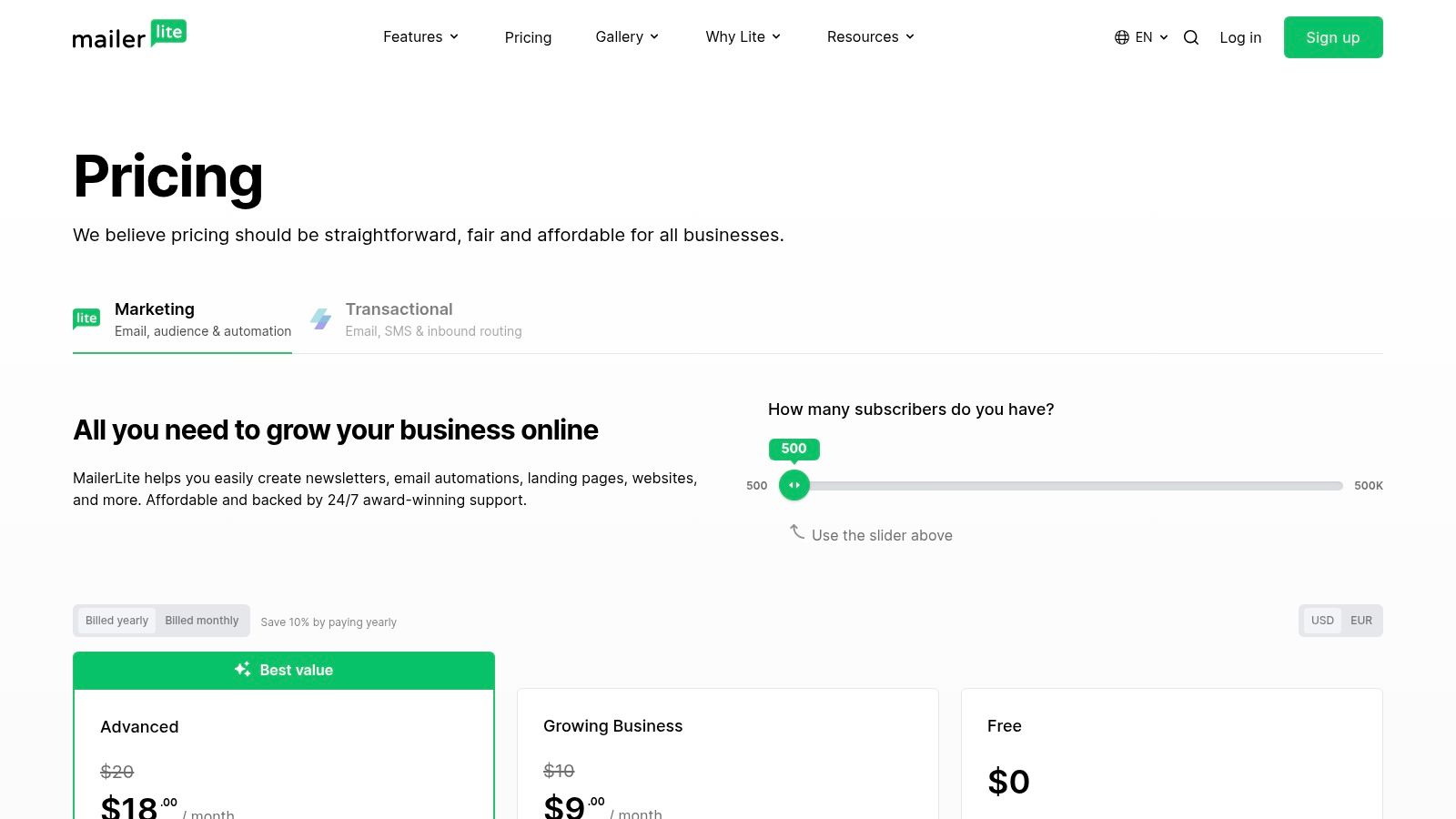
The platform excels at making automation accessible. A great practical workflow is creating a welcome series for new blog subscribers: a user signs up on a form, receives an immediate welcome email with a lead magnet (like a PDF guide), followed by a series of three emails over the next week introducing your brand and best content. This level of engagement is easy to build in MailerLite’s visual editor, making it one of the most user-friendly marketing automation tools for small business.
Key Details & Use Cases
- Best For: Solo entrepreneurs, content creators, and small businesses seeking an affordable, all-in-one solution for email, landing pages, and basic automation.
- Pricing: see website for details
- Complexity: Very low. The user interface is clean, intuitive, and designed for beginners to get started quickly.
Productivity Tip: Use MailerLite’s landing page builder to create a dedicated signup page for your lead magnet. Then, connect it to an automation that instantly delivers the file and tags the subscriber with the topic of the lead magnet. This simple workflow allows you to send targeted follow-up campaigns later.
| Feature Highlights | Pros |
|---|---|
| Automation Builder & Dynamic Emails | Very transparent and affordable pricing |
| Landing Pages & Website Builder | User-friendly interface ideal for beginners |
| Multivariate Testing & AI Assistant | Includes website and digital product features |
| Digital Product Sales Support | Excellent for creators and solopreneurs |
MailerLite’s focus on simplicity and affordability makes it a fantastic starting point for small businesses venturing into automation. It provides the essential tools to nurture leads and engage subscribers without the high costs or complexity of more advanced systems.
Website: https://www.mailerlite.com/
11. Shopify App Store (Marketing & Automation category)
For e-commerce businesses built on Shopify, the official App Store is less a single tool and more of a powerful ecosystem for extending automation capabilities. It acts as a curated marketplace where merchants can find, install, and manage specialized marketing apps that integrate directly into their store. The primary advantage is seamless one-click installation and centralized billing through your existing Shopify account, eliminating integration headaches.
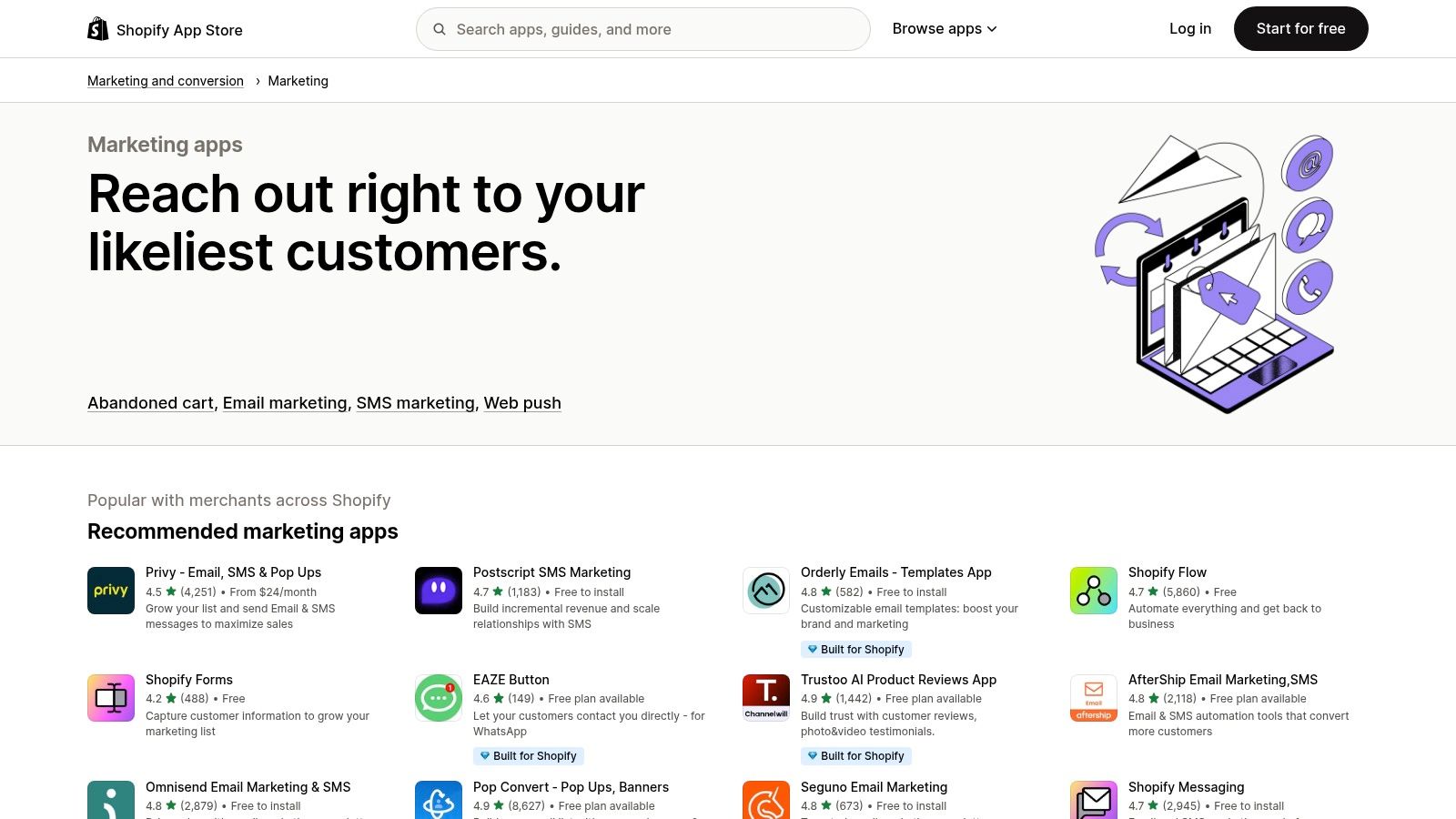
This platform allows store owners to handpick tools to solve specific problems. A practical workflow is installing an app dedicated solely to SMS marketing for abandoned carts, another for loyalty program rewards, and a third for creating shoppable user-generated content galleries. This modular approach makes it a flexible choice among marketing automation tools for small business. For businesses utilizing the Shopify platform, optimizing conversion through specific automated workflows is key. Learn from these powerful abandoned cart email examples for Shopify to see this in action.
Key Details & Use Cases
- Best For: Shopify-based e-commerce businesses looking to add specific, best-in-class automation features without leaving their native platform.
- Pricing: see website for details
- Complexity: Most apps are designed for easy, no-code installation. However, managing and coordinating multiple apps can introduce its own complexity.
Productivity Tip: Use the App Store’s filters to find tools with “Free plans available.” This workflow allows you to test multiple solutions for a specific need—like pop-up forms or customer reviews—before committing to a paid subscription, saving you both time and money.
| Feature Highlights | Pros |
|---|---|
| Direct Shopify Integration | Seamless app installation and unified billing |
| Curated App Categories & Reviews | Wide selection of vetted, specialized tools |
| Discovery by Use Case | Find solutions for specific e-commerce needs |
| Free Trials & Plan Options | Low-risk way to test functionality |
The Shopify App Store provides an unparalleled level of customization, enabling merchants to build a marketing automation stack tailored precisely to their business model and customer journey.
Website: https://apps.shopify.com/categories/marketing-and-conversion-marketing
12. G2
G2 is not a marketing automation tool itself but an essential B2B software marketplace where you can discover, compare, and read verified user reviews on them. For small businesses, it serves as a critical first step in the research process, helping to cut through marketing hype and find tools that genuinely fit specific needs and budgets. Its key differentiator is the volume of authentic, peer-driven reviews and its powerful filtering system.
This platform helps you create a shortlist of potential marketing automation tools for small business before committing to demos. A practical workflow is to use G2’s filters to see only tools with high “Ease of Use” ratings, and integrations with your existing email client. This workflow narrows down a vast market to a manageable list of contenders, saving you countless hours of research and demo calls.
Key Details & Use Cases
- Best For: Small businesses in the research phase, looking for unbiased user reviews to compare tools.
- Pricing: see website for details
- Complexity: The site is easy to navigate, though the sheer volume of information and reviews can feel overwhelming without using the filters effectively.
Productivity Tip: Use the G2 Grid® for Marketing Automation and filter it for “Small Business.” This instantly visualizes the landscape, showing you which tools are rated highest by peers in your segment for both performance and user satisfaction. This is the fastest way to build a high-quality shortlist.
| Feature Highlights | Pros |
|---|---|
| Verified User Reviews & Ratings | Excellent for creating a data-backed shortlist |
| Side-by-Side Vendor Comparison | Transparent review criteria and methodology |
| Small Business Specific Filters | Constantly updated with fresh reviews and data |
| “Best Of” Software Lists | Helps identify top-rated solutions quickly |
G2’s platform provides the social proof and detailed comparisons needed to make an informed decision without relying solely on a vendor’s website. It empowers you to see how different marketing automation tools perform in real-world scenarios for businesses just like yours.
Website: https://www.g2.com/categories/marketing-automation
Top 12 Marketing Automation Tools for Small Business — Features & Pricing
| Product | Core features ✨ | UX & quality ★ | Target audience & USP 👥 |
|---|---|---|---|
| Postful 🏆 | ✨ Ready-to-use post templates; AI on‑demand brainstorming; workflow automation | ★★★★☆ (productivity-first) | 👥 Founders, side-hustlers, solo & small teams — fast, consistent social growth |
| HubSpot Marketing Hub | ✨ Native CRM, visual automation, landing pages & ads | ★★★★★ (enterprise-grade) | 👥 SMB → Enterprise marketing teams needing CRM-aligned automation |
| Mailchimp | ✨ Email templates, prebuilt journeys, landing pages, SMS add-on | ★★★★☆ (easy to launch) | 👥 Small businesses & non-technical users wanting quick setup |
| ActiveCampaign | ✨ Visual automation builder, email/SMS/WhatsApp, built-in CRM | ★★★★☆ (deep automations) | 👥 Growing SMBs that need mature customer journeys |
| Brevo (Sendinblue) | ✨ Email/SMS/WhatsApp, transactional email, prepaid credits | ★★★☆☆ (budget-first) | 👥 Cost-conscious small senders and startups |
| Klaviyo | ✨ Ecommerce events, advanced segmentation, product recommendations | ★★★★★ (ecommerce best-in-class) | 👥 DTC brands & stores focused on personalization |
| Constant Contact | ✨ Prebuilt automations, event tools, social ads | ★★★☆☆ (straightforward) | 👥 Small businesses, nonprofits needing simple email tools |
| Omnisend | ✨ Ecommerce workflows (abandoned cart, post-purchase), push & SMS | ★★★★☆ (ecommerce-tailored) | 👥 Ecommerce stores on Shopify/WooCommerce |
| GetResponse | ✨ Funnels + webinars, visual automation, ecommerce recovery | ★★★★☆ (feature-rich) | 👥 Creators, service businesses & online stores wanting funnels |
| MailerLite | ✨ Automation, landing pages, simple websites, AI writing assist | ★★★★☆ (friendly UI) | 👥 Solo founders and lean teams seeking budget simplicity |
| Shopify App Store (Marketing) | ✨ Curated marketing & automation apps, one-click install | ★★★★☆ (convenient marketplace) | 👥 Shopify merchants wanting modular extensions |
| G2 | ✨ Verified reviews, filterable comparisons, Best Of lists | ★★★★☆ (research-focused) | 👥 Buyers shortlisting marketing automation tools |
Choosing the Right Tool to Fuel Your Growth
Navigating the landscape of marketing automation tools for small business can feel overwhelming. You’ve seen a dozen options, from all-in-one powerhouses like HubSpot to e-commerce specialists like Klaviyo and focused content solutions like Postful. The single most important takeaway is this: the “best” tool does not exist. The only thing that matters is finding the right tool for your specific stage of growth, your budget, and most importantly, your most pressing operational bottlenecks.
Chasing the platform with the longest feature list is a common mistake that leads to paying for functionality you never use. Instead, the path to successful automation begins with a simple, honest audit of your own workflow. Where do you spend the most manual effort for the least return? Is it drafting social media posts, sending follow-up emails, or trying to segment your customer list? The answer to that question is your starting point.
A Practical Framework for Your Decision
Making a confident choice requires moving beyond feature comparisons and thinking strategically about your business needs. Before you commit to a subscription, use this framework to guide your evaluation and ensure you select a tool that will truly act as a growth partner.
Identify Your Core Automation Priority: Don’t try to automate everything at once. Pinpoint the single biggest marketing time-sink in your business right now.
- Is it content creation? If your primary goal is to consistently publish high-quality social media content without spending hours brainstorming, a tool like Postful is designed specifically for this pain point.
- Is it lead nurturing? If you need to manage a sales pipeline and automate email sequences for potential customers, platforms like ActiveCampaign or HubSpot excel here.
- Is it e-commerce sales? For online stores, automating abandoned cart reminders and post-purchase follow-ups is crucial. Klaviyo and Omnisend are built for this world.
Assess Your Technical Comfort Level: Be realistic about the time you can dedicate to setup and learning. A powerful tool is useless if it’s too complex to implement.
- Plug-and-Play: Tools like Postful and MailerLite are known for their intuitive interfaces, allowing you to get started in minutes.
- Moderate Learning Curve: Platforms like Mailchimp and Brevo offer more features but may require a few hours of exploration to master.
- Requires Dedication: Comprehensive systems like HubSpot and ActiveCampaign offer immense power but demand a significant time investment for proper setup and training.
Map Out Your Growth Trajectory: Consider where your business will be in six months or a year. The ideal tool should not only solve today’s problems but also have the capacity to handle tomorrow’s needs. Look for scalable pricing tiers and features that you can grow into, not out of.
Implementation: Start Small, Win Big
Once you’ve selected a tool, resist the urge to build complex, multi-stage workflows on day one. Your goal is to get a quick win that saves you time and proves the tool’s value.
For example, if you choose an email marketing platform, don’t start by building a 10-part welcome series. Instead, just automate a single welcome email. When evaluating various platforms, you might find an external comparison of the top email marketing tools specifically for small businesses helpful in your decision-making process. If you choose a social media tool, automate just one week’s worth of posts.
This “start small” approach accomplishes two things: it helps you learn the platform without feeling overwhelmed, and it delivers an immediate productivity boost that motivates you to explore deeper automation possibilities. The right marketing automation tool will feel less like another piece of software to manage and more like a dedicated, 24/7 assistant, freeing you up to focus on the strategic work that truly grows your business.
Ready to automate the most time-consuming part of your marketing? Postful uses AI to turn your ideas, links, and even voice notes into ready-to-publish social media content, complete with scheduling and analytics. Stop staring at a blank screen and start building your brand presence effortlessly with Postful.