
Think of LinkedIn articles as more than just a place to blog. For founders and side-hustlers, they're a secret weapon for building authority and pulling in high-quality leads.
When you're ready to jump in, just head to your LinkedIn homepage. You'll see a 'Write article' button right at the top of your feed. Clicking that opens up the publisher tool where you can drop in your content, craft a headline, and add images. It's a straightforward process that turns your profile from a static resume into a hub for your expertise.
Why LinkedIn Articles Are Your Secret Weapon for Growth
Unlike a feed post that gets buried in a matter of hours, a LinkedIn article is a permanent, searchable piece of content. It lives on your profile indefinitely and, crucially, gets indexed by Google. This isn't just another post; it's a long-term strategic asset.
Imagine you're gearing up to launch a new SaaS product. Instead of just posting quick updates, you could publish an in-depth article that solves a major pain point for your ideal customer. That single piece of content becomes a magnet, drawing in early adopters and building a community around your solution before you even go live.
Turn One Article into a Content Machine
Here's the real productivity hack: repurposing. One well-researched article can fuel your entire content strategy for a week or more.
- Break it down: Pull out compelling stats, quotes, or key takeaways and turn them into a series of short, text-only posts. For example, a quote like "The best feedback comes from the customers who almost bought" can become a standalone post asking, "What's the best piece of 'almost-customer' feedback you've ever received?"
- Visualize the concepts: Transform the main ideas into a simple but effective carousel or record a quick Loom video walking through a key concept. If your article explains a 5-step process, each step becomes a slide in your carousel, making it easy to digest.
- Spark conversation: Grab a question from your article's conclusion and use it as a poll or a prompt for a status update to get people talking. An article ending with "How do you balance growth and profitability?" can be turned into a poll with options like "Growth at all costs," "Profitability first," or "Steady, balanced approach."
This completely changes your workflow. Instead of scrambling for content daily, you're building a sustainable growth engine. You create one high-value asset and then slice and dice it into multiple formats, getting maximum reach with minimal extra effort. To really master this, it's worth digging into established LinkedIn article best practices.
A powerful LinkedIn article is not just about sharing what you know; it's about building a library of expertise that works for you 24/7. It attracts your ideal audience, answers their biggest questions, and positions you as the go-to authority in your space.
By focusing your energy on creating one foundational article at a time, you can build a consistent and impactful presence. If you're looking for more ways to build your brand, you can check out our guide on creating a strong professional presence on https://blog.postful.ai/linkedin/. This strategy ensures you're not just posting content but building a genuine, influential voice.
Publishing Your First LinkedIn Article The Right Way
Getting your first article live on LinkedIn is pretty straightforward, but there's a big difference between just hitting "publish" and publishing it the right way. The goal is to create something that’s not just words on a page, but an experience that showcases your expertise and builds your brand.
Let’s get into the practical side of things.
You’ll start by clicking "Write article" on your LinkedIn homepage. This brings up a clean, minimalist editor. Here's a productivity tip: don't write directly in the LinkedIn editor. Draft your content in a distraction-free app like Google Docs, Notion, or Ulysses. This lets you focus on the writing and editing process. Once it's polished, you can just paste it into LinkedIn and focus solely on formatting.
To really make this process work for you, it’s worth taking the time to master your content creation workflow from the initial spark of an idea to the final review.
Crafting a Compelling First Impression
The first two things anyone sees are your headline and your cover image. They have to be good enough to stop the scroll.
Think of your headline as the gatekeeper. It needs to be clear and spark curiosity. A great headline doesn't just describe the topic; it promises a solution or a valuable insight.
- Weak Headline: "My Thoughts on Project Management"
- Strong Headline: "The 5-Minute Project Management System That Saved My Startup 10 Hours a Week"
See the difference? The second one is specific, offers a clear benefit, and makes you want to know more.
Your cover image is just as important. It should be high-quality and relevant. You don’t need to be a graphic designer—sites like Unsplash and Pels are goldmines for professional, royalty-free photos. For the best results, make sure your image is 744 x 400 pixels. This ensures it looks sharp on both desktop and mobile.
Formatting for Readability and Engagement
Once your text is in the editor, it's time to think about formatting. Nobody wants to face a solid wall of text, especially when you consider that over 60% of LinkedIn engagement happens on a mobile device.
Use the built-in formatting tools to make your article easy to scan and digest.
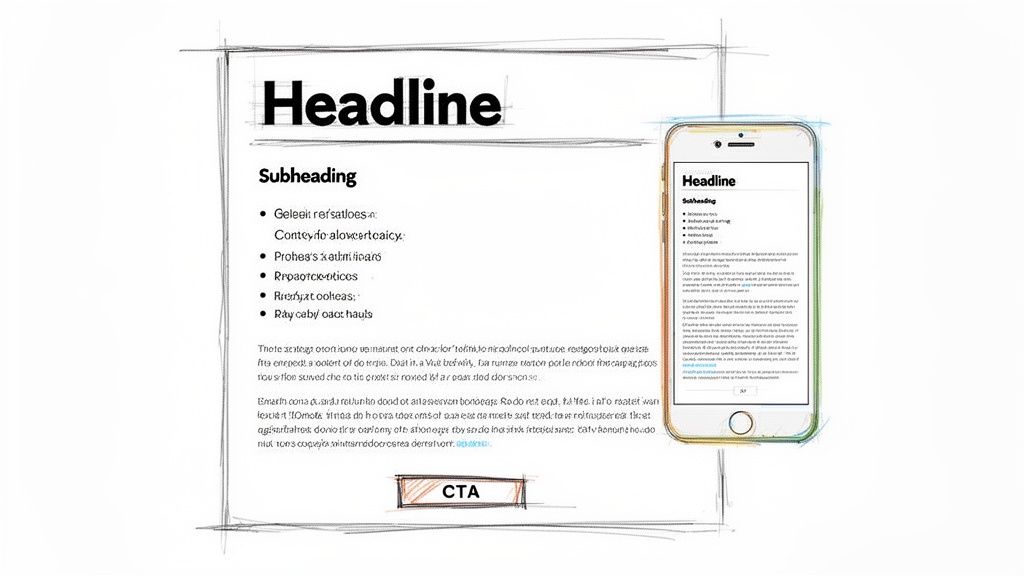
- Subheadings (H2, H3): Use these to break your article into logical, bite-sized sections. They act like signposts, guiding your reader through the content. For example, an article on marketing could have H2s like "Understanding Your Audience" and "Choosing Your Channels."
- Bold and Italics: Make key terms, stats, or important takeaways pop with bold text. Use italics for a lighter touch, like when referencing a book title or adding emphasis.
- Lists: Bulleted and numbered lists are perfect for breaking down complex ideas or steps into something much easier to follow, like a list of tools or a step-by-step process.
Formatting isn’t just about aesthetics; it’s about reducing reader friction. The easier your content is to consume, the longer people will stick around.
Before you hit publish, running through a quick checklist can make all the difference. It ensures you’ve covered all the bases for creating a piece that actually gets read and shared.
Checklist for a High-Impact LinkedIn Article
| Component | Best Practice | Why It Matters |
|---|---|---|
| Headline | Specific, benefit-driven, and under 70 characters. | Grabs attention in a crowded feed and clearly states the article's value. |
| Cover Image | High-quality, relevant, and sized at 744×400 pixels. | Creates a professional first impression and entices users to click. |
| Introduction | Hook the reader in the first 2-3 sentences. | You have seconds to convince someone your article is worth their time. |
| Formatting | Use subheadings, bolding, and bullet points. | Breaks up text, improves scannability, and keeps readers engaged. |
| Multimedia | Embed at least one relevant video, image, or slide deck. | Increases "dwell time" and makes your content more dynamic. |
| Call-to-Action | End with a clear question or next step. | Encourages comments, shares, and audience interaction. |
| Hashtags | Include 3-5 relevant hashtags in the final post. | Helps your article get discovered by people outside your immediate network. |
This table serves as a final quality check. If you can tick off every box, you're in great shape to publish something that will resonate with your audience.
Boosting Dwell Time with Embedded Media
LinkedIn's editor lets you embed different kinds of media right into your article, which is a powerful way to increase "dwell time"—the amount of time people spend on your content. The algorithm loves this.
Just click the little [+] icon that appears on a new line. From there, you can easily embed:
- Videos: Paste a link from YouTube or Vimeo. This is ideal for showing a quick product demo, a tutorial, or a highlight from a recent webinar.
- Slides: Add a presentation from SlideShare to give your points more visual depth and context.
- Images: Don't just rely on the cover photo. Add relevant screenshots, charts, or images throughout the article to illustrate your ideas.
For example, a founder launching a new feature could embed a Loom video walkthrough directly in the announcement article. It adds immediate value and keeps the reader right there on the page.
And if you’re still working out how to present your company on the platform, our guide on how to create a business profile on LinkedIn can help you get started on the right foot.
This simple workflow shows how one article can become the centerpiece of your content strategy, fueling posts for days or even a week.
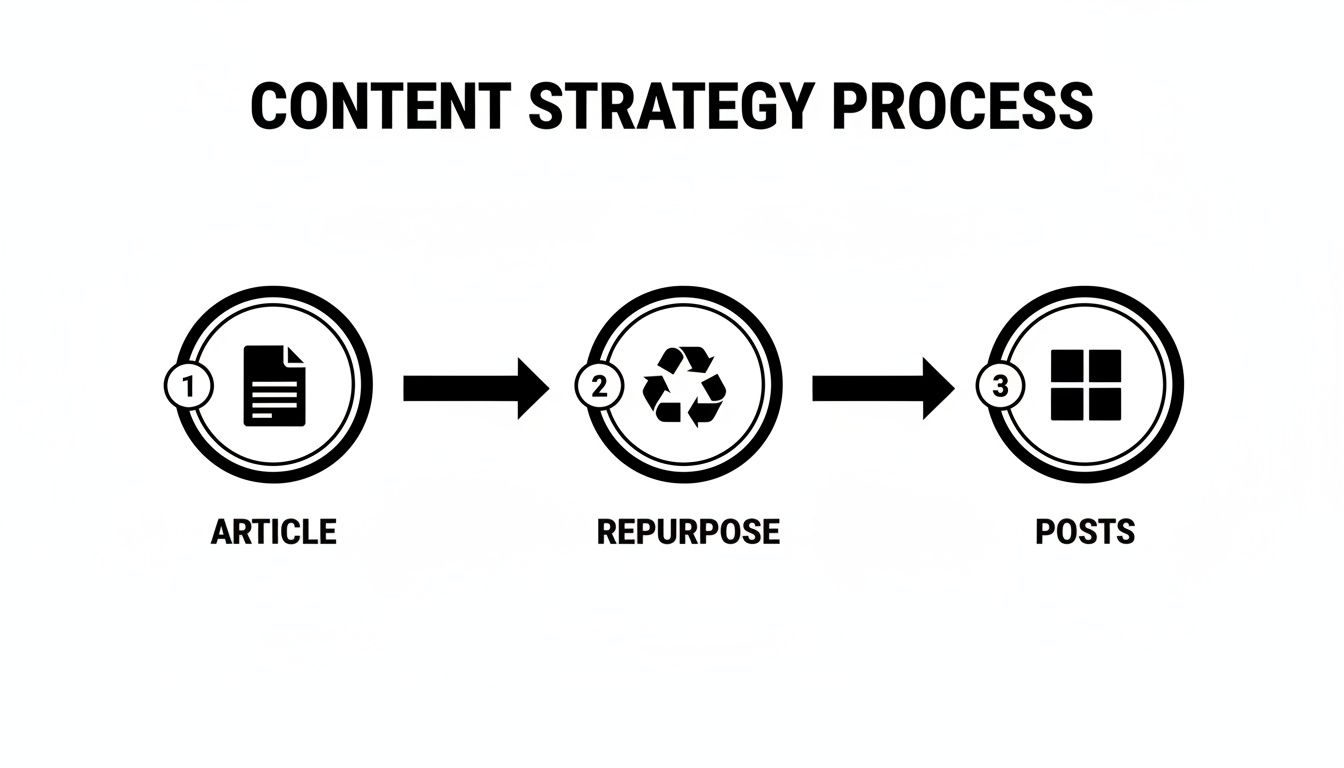
It’s a smart way to work. By creating one high-value article, you’ve actually created the foundation for an entire week's worth of content.
Writing Articles That People Actually Want to Read
Anyone can publish an article on LinkedIn. That part's easy. The real challenge is writing something that grabs attention, starts a conversation, and actually builds your authority. It’s a completely different ballgame, and it starts way before you type a single word.
It all begins with a headline that’s too good to ignore. A magnetic headline hits that sweet spot between solving a real problem and sparking genuine curiosity. It’s specific, promises a clear benefit, and makes it impossible for your ideal reader to just scroll past.
Think about the difference here:
- Vague Headline: "How We Improved Our Onboarding"
- Magnetic Headline: "The One Change We Made to Our Onboarding That Cut Churn by 27%"
See what happened? The second one uses a hard number and a clear outcome. It instantly signals its value to other founders who are wrestling with the exact same problem. That’s how you stop the scroll.
Structuring Content For Scanners
Here's a tough pill to swallow: most people don't read articles online. They scan them. Your job is to make your content incredibly easy to digest, especially on mobile, where attention spans are practically non-existent.
Break up those huge walls of text. Use subheadings like signposts to guide readers through your key points. Bulleted and numbered lists are perfect for busy entrepreneurs because they transform dense info into a quick, skimmable checklist.
Your article's structure should invite the reader in, not intimidate them. Think of formatting as a conversation with your reader, making it easy for them to find exactly what they need without getting lost.
When you make your content scannable, you dramatically increase the chances that people will stick around and read the whole thing—a huge positive signal to the LinkedIn algorithm.
Proven Frameworks For Founders
Don't just stare at a blank page. Lean on a proven content framework to structure your thoughts and make sure your message lands with maximum impact. These models give you a narrative path that really connects with an entrepreneurial audience.
Here are two of my favorite frameworks for founders:
- Problem-Agitate-Solve (PAS): Kick things off by clearly defining a pain point your audience knows all too well (Problem). For instance, "Managing remote team projects is chaotic." Then, twist the knife a bit by digging into the frustrations (Agitate): "Missed deadlines, endless Slack threads, and zero accountability." Finally, you swoop in with your unique insight as the Solution: "Here's the 3-step async workflow that restored sanity." It's incredibly effective for building empathy and proving your value.
- The Founder's Journey: This one is all about storytelling. Share a raw, behind-the-scenes look at a challenge you faced. Detail the struggle, what you learned the hard way, and the breakthrough you eventually had. For example, an article titled "How I Burned Through $50k in Bad Marketing Spend (And the #1 Lesson I Learned)" is far more compelling than "Tips for a Better Marketing Budget." This approach builds a ton of trust and humanizes your brand.
Crafting a Call-to-Action That Works
Every article you write should have a clear purpose. A powerful call-to-action (CTA) tells your reader what to do next without sounding like a sleazy sales pitch. The goal is to keep the conversation going.
Ditch the generic "Contact Us" and try something more engaging:
- To start a discussion: "What’s the biggest challenge you’re facing with [topic]? Share your thoughts in the comments below."
- To generate leads: "I created a free checklist based on this framework. If you want a copy, just comment 'Checklist' and I'll send it over."
- To drive traffic: "If you found this helpful, you might also like my deep-dive on [related topic] right here on my profile."
A well-crafted CTA turns passive readers into an active community. It's also a fantastic way to extend the life of your content. For example, you can repurpose an article's key points into a carousel post. The data shows carousels have an average engagement rate of 6.60%. Why? Because the LinkedIn algorithm loves "dwell time," and interactive formats like carousels are brilliant at keeping users hooked. You can dig into more of these LinkedIn engagement statistics to see what works.
Getting Found: Your Guide to LinkedIn SEO and Hashtags
Here’s a secret many founders completely overlook: your LinkedIn articles are public, and Google indexes them. This means your article isn't just a post that disappears in a day; it's a long-term asset that can show up in search results and pull in traffic for months, even years.
You don't need to be an SEO wizard to take advantage of this. It's really just about being smart with your keywords.
Start by putting yourself in your ideal client's shoes. What would they type into Google to solve a problem your business addresses? That simple phrase is your golden ticket—your target keyword. A tool like Google's Keyword Planner (free with a Google account) or a paid tool like Ahrefs can help you find what people are actually searching for.
Once you know your keyword (e.g., "SaaS pricing models"), weave it into the most important spots:
- Your headline
- At least one H2 or H3 subheading
- A couple of times naturally within the article's body text
This simple step is like giving both LinkedIn and Google a clear map to your content, drastically increasing the odds that the right people will find it.
Your Strategic Hashtag Mix
Hashtags are your article's best friend for discovery on LinkedIn. But just tossing in popular, generic tags like #business is like yelling into a hurricane. A strategic mix of broad, niche, and branded hashtags is what truly gets you noticed.
Stop guessing and start planning. Here's a simple workflow I use.
- Go Broad: These are the big-tent, high-volume tags that get your article into the mainstream conversation. Think
#SaaS,#Marketing, or#Fintech. - Get Niche: This is where you connect with your real audience. These tags are hyper-specific and attract a much more engaged group. Examples might be
#B2BMarketing,#Bootstrapped, or#WealthManagementTips. - Build a Brand: Create a custom hashtag just for you or your company, like
#AskPostfulor#FounderFridays. This organizes your content in one place and helps build a loyal following around your brand.
Pro Tip: Think of your hashtags like a funnel. A broad tag grabs general attention, a niche tag pulls in your target audience, and a branded tag helps build your own community. This triple-threat approach gives people multiple ways to find you.
The magic number? Aim for 3 to 5 hashtags per article. From my experience, this seems to be the sweet spot for LinkedIn's algorithm. It gives you enough reach without looking like you're spamming for attention.
Putting It All Together: A Hashtag Workflow
Let's walk through a real-world example. Say you're the founder of a project management tool, and you just wrote an article about improving client communication for small agencies.
Your primary keyword is pretty clear: "client communication for agencies."
Now, you need to find the right hashtags. A productive workflow is to build a small hashtag library in a spreadsheet. List potential hashtags, check their follower counts on LinkedIn, and categorize them as broad, niche, or branded. This saves you from having to research them every single time you post.
Here’s what your final hashtag selection might look like from your library:
| Tag Type | Example Hashtag | Follower Count | Its Job |
|---|---|---|---|
| Broad | #ProjectManagement |
20M+ | Reaches a massive, general audience interested in the topic. |
| Niche | #AgencyLife |
300k+ | Connects you with your specific target market of agency pros. |
| Niche | #ClientCommunication |
50k+ | Targets people actively looking for solutions to this exact problem. |
| Branded | #YourBrandTips |
Varies | Groups your content together and builds brand recognition. |
This isn't about just posting and praying. This is a deliberate strategy to put your expertise right in front of the people who need it most, turning your articles into a reliable source of leads.
Don't Just Publish—Promote: Your Post-Publish Workflow for Maximum Reach
That feeling of hitting the 'publish' button is fantastic, but your work isn't done. Far from it. An article without a promotion plan is like a billboard in a basement—packed with potential but seen by absolutely no one. The key to turning your hard work into a genuine asset is to have a simple, repeatable workflow for what you do after you post.
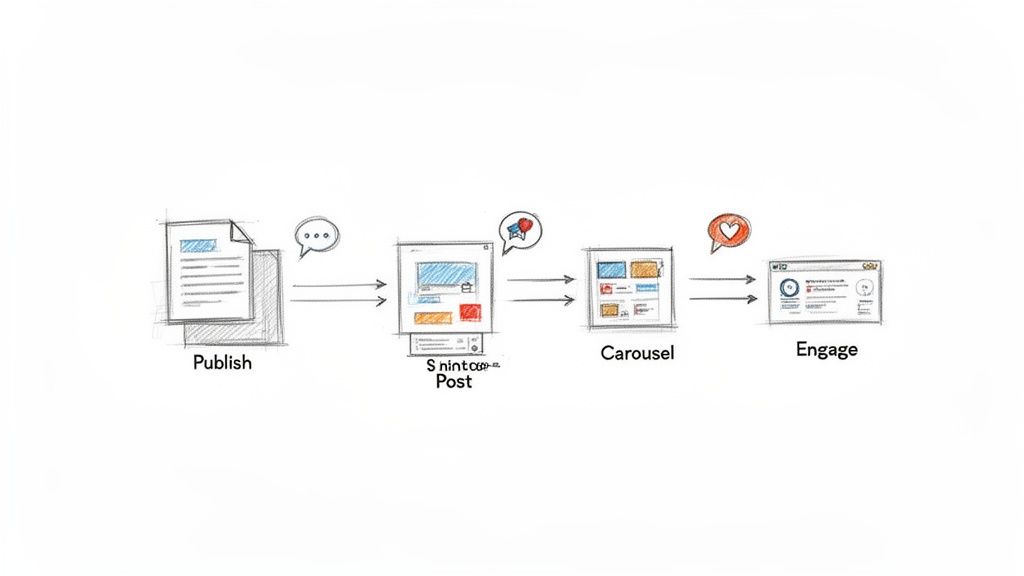
The first hour after your article goes live is absolutely critical. Your very first move should be to create a separate, standard LinkedIn post announcing it. This is where you write a killer hook that teases the article's value and makes people need to click.
For instance, don't just post, "I wrote a new article on productivity." That's a snooze-fest.
Instead, try something that sparks curiosity: "I spent 50+ hours testing productivity apps last month. Here’s the one framework that actually saved me 10 hours a week (and the three that were a total waste of time). Full breakdown in my latest article." See the difference? You've created an immediate reason for them to click and get that initial wave of traffic rolling.
Turn One Article into a Week of Content
The most successful founders I know are masters of repurposing. They don't just create content; they multiply it. Think of your article as a goldmine of insights that can fuel your content calendar for days, not just an hour. One of the most effective ways to do this is by creating a carousel post.
Your best ideas deserve more than one chance to be seen. Repurposing isn't about being lazy; it's about being strategic with your time and ensuring your message reaches the widest possible audience.
Here’s a simple, productive workflow you can steal for yourself:
- Pull Out 3-5 Key Takeaways: Find the most impactful tips, stats, or quotes from your article. These will become the individual slides in your carousel.
- Whip Up Some Simple Visuals: You don't need to be a designer. Use a free tool like Canva which has pre-made carousel templates. Each slide should focus on one core idea with a bold headline and minimal text.
- End with a Strong CTA: Your last slide should always point people back to the main event. A simple "Want the full deep dive? Check out the original article (link in the comments)" does the trick.
With just a little extra effort, you’ve turned one piece of content into two powerful assets. For even more ideas, check out our complete guide on content repurposing strategies.
Engage with Every Single Comment
This last part is non-negotiable. When someone takes the time to comment on your post or article, you need to respond. Every. Single. Time. A productivity hack for this is to block out two 15-minute "engagement sessions" in your calendar each day—one in the morning, one in the afternoon—to reply to all comments across your platforms.
Responding doesn't just boost your post's visibility; it builds a community around you and your expertise. Each comment signals to the LinkedIn algorithm that your content is sparking a real conversation. In fact, consistent posting and engagement pay off—businesses that post 1-2 times per week on LinkedIn see 2x higher engagement and achieve 7x faster follower growth than those who post randomly.
This whole workflow—the announcement post, the repurposed content, and the constant engagement—isn't about being glued to your screen 24/7. It's about being strategic. It’s about making sure every single article you write works as hard as possible to build your authority.
Answering Your Top Questions About LinkedIn Articles
Even after you've got a plan, a few nagging questions can pop up when you're about to hit 'publish'. I get these all the time from founders and side-hustlers, so let's clear them up right now. Think of this as your go-to FAQ for posting articles with confidence.
How Long Should My LinkedIn Article Be?
Forget about a magic word count. Seriously. The goal is to be helpful, not to fill a quota.
That said, you're probably looking for a ballpark number. Most high-performing articles fall somewhere between 800 and 2,000 words. An 800-word piece is great for a sharp, tactical guide (e.g., "5 Steps to Set Up Your First LinkedIn Ad Campaign"), while a 2,000-word deep dive lets you really unpack a complex topic (e.g., "The Ultimate Guide to Bootstrapping a SaaS Company"). Just remember to be thorough and stop when you've said what you need to say.
What’s the Real Difference Between an Article and a Post?
This one trips a lot of people up, but it's simple when you think about it in terms of purpose. A post is a status update; an article is a permanent asset.
- A post is for the here and now. It's a quick thought, a behind-the-scenes look, or a question for your network. It's short (up to 3,000 characters) and designed for immediate feedback in the feed. For example, a post might be a quick tip on productivity.
- An article is your flagship content. It’s the kind of in-depth, evergreen piece you'd put on a blog. It lives on your profile forever and can even show up in Google search results, establishing you as an authority. For example, an article might be a comprehensive guide to building a productive remote team.
Use posts for daily engagement and articles for your big ideas.
Can I Edit an Article After It’s Published?
Yes, and you absolutely should! This is one of the best features of LinkedIn Articles. You can go back anytime to update stats, fix a typo you missed, or add a new section. Just find the article on your profile, click the menu icon, and hit 'Edit'.
This isn't just about fixing mistakes; it's a productivity strategy. Set a quarterly reminder to review your top-performing articles. Spending 30 minutes updating data or adding a new insight keeps your best content fresh, ensuring it continues to work for you long-term.
It’s a simple way to show you’re on top of your game and committed to providing real, lasting value.
Ready to create compelling social media content without the guesswork? Postful provides AI-powered tools and templates designed for busy founders and creators. Join the waitlist to get early access and start growing your reach consistently at https://postful.ai.