
A content calendar shouldn't be about just filling in boxes on a spreadsheet. It's a productivity system designed to turn your chaotic, last-minute content efforts into a smooth workflow that actually helps you grow. It's your strategic plan for defining goals, setting content pillars, picking a tool you'll actually use, and building a workflow that favors consistency over burnout. A good calendar is your single source of truth, making your online presence feel professional and reliable, not random.
Why Most Content Calendars Fail and How Yours Will Succeed
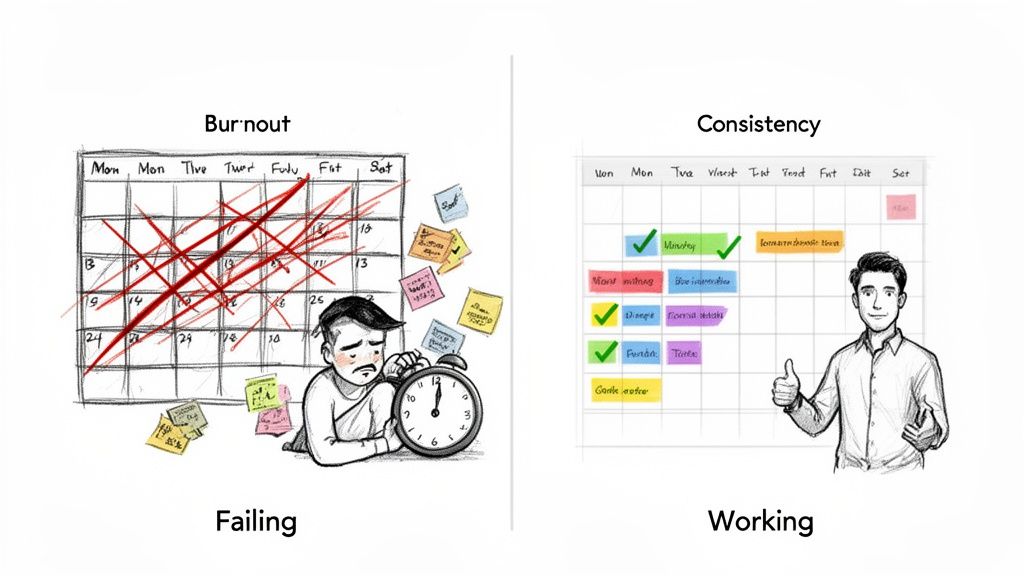
We’ve all been there. Staring at a blank calendar, that feeling of dread creeping in. You spend a few hours setting up a beautiful template, convinced this time it will stick, only to abandon it by week three.
So why does this happen over and over again? It’s not the tool. It's not the template. It's the approach.
Most calendars fail because we treat them like simple to-do lists instead of strategic assets. They quickly become a source of pressure, which leads directly to inconsistent posting, creative burnout, and that constant, draining scramble for ideas. We're going to avoid that trap.
Shifting from Chore to Strategic Asset
Instead of more generic advice, I'm going to give you a practical framework to build a calendar that works for you. It shouldn't feel like another chore. It should be the very system that gets rid of decision fatigue and frees up your headspace to focus on what really matters: growing your business.
The goal is to move from a reactive state ("Oh no, what do I post today?") to a proactive one ("I know exactly what's going out this week and why"). A well-built calendar delivers:
- Clarity: Everyone on your team knows what’s needed, when it’s due, and where it’s going live. No more guesswork.
- Consistency: It guarantees a steady flow of valuable content, which is how you build trust and authority with your audience.
- Efficiency: Planning ahead lets you batch-create content, saving you a ton of time every single week.
This shift in mindset is everything. The content marketing industry is growing like crazy—it’s projected to hit $107.5 billion by 2026. That explosive growth means more opportunity, but also a lot more noise. For founders and side-hustlers, an organized content system is non-negotiable if you want to stand out. If you're curious, you can discover more insights about the content market's trajectory and what it means for your business.
A great content calendar isn't just about filling empty slots. It's about building a reliable system that consistently delivers value to your audience and drives your business goals forward, even when you're short on time.
This guide will show you how to create a calendar that's not just sustainable but is a powerful engine for your brand's growth. We'll focus on actionable steps tailored for busy operators, making sure your plan is practical, effective, and built to last.
Build Your Strategic Foundation Before You Plan
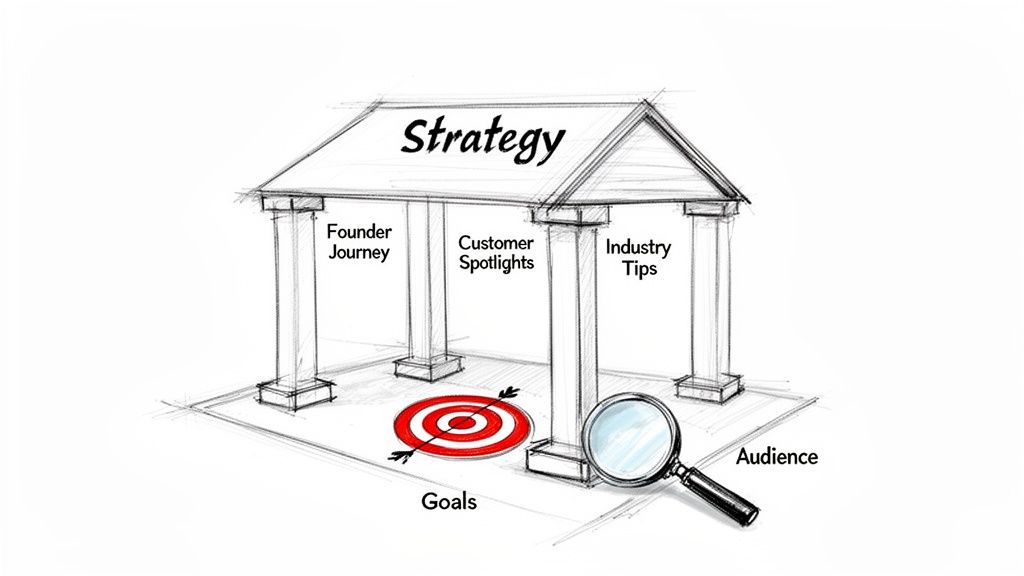
It’s tempting to grab a shiny new template and start plugging in post ideas. Resist that urge. A great content calendar starts with strategy, not scheduling.
Pouring effort into a calendar without a clear purpose is like building a house without a blueprint. It’s guaranteed to feel disjointed, and you’ll burn out trying to keep up. Before you plan a single post, you need to lay the groundwork. This is the difference between posting randomly and publishing with intention.
Connect Content to Your Business Goals
First, ask yourself the most important question: "What do I actually want my content to do for my business?"
The answer can't just be "get more followers." It needs to be tied to a real business outcome. Is your content supposed to:
- Build Brand Awareness? This means getting your name in front of people who don't know you exist. Content should be shareable, entertaining, or relatable. Example: Creating viral-style Reels that tap into industry humor.
- Generate Leads? Here, the goal is capturing contact info. You'll offer high-value downloads—guides, checklists, webinar access—in exchange for an email. Example: A LinkedIn post promoting a free "Ultimate SEO Checklist" PDF.
- Drive Community Engagement? This is all about fostering loyalty. Your posts should spark conversations, ask questions, and make your audience feel heard. Example: An Instagram post asking, "What's the one tool you can't live without?"
Pick one primary goal. It gives your content a job to do. With 46% of businesses planning to increase their content creation budgets, just "posting stuff" isn't enough anymore. You need a goal-oriented plan to stand out.
Establish Your Core Content Pillars
Once you have your goal, it's time to define your content pillars. These are 3-5 core themes your brand will own and talk about consistently. Think of them as the main sections of your own little magazine—they create consistency and teach your audience what to expect from you.
Pillars are a lifesaver for idea generation. Instead of staring at a blank page, you just ask, "What can I create for my 'Founder Journey' pillar this week?"
For a B2B SaaS founder, it could look like this:
- Pillar 1: Productivity Hacks – Quick, actionable tips for getting more done.
- Pillar 2: Founder Journey – Behind-the-scenes stories of building the business.
- Pillar 3: Customer Spotlights – Real stories of how customers use the tool.
- Pillar 4: Industry News – Your unique take on the latest project management trends.
For a freelance graphic designer, it might be:
- Pillar 1: Design Teardowns – Analyzing what makes a great logo or website.
- Pillar 2: Client Success Stories – Showcasing a project from brief to final product.
- Pillar 3: Quick Canva Tips – Simple tricks non-designers can use.
- Pillar 4: Freelance Life – Insights on pricing, finding clients, and work-life balance.
Your content pillars are the guardrails of your strategy. They keep you focused, make sure every post is relevant, and make brainstorming 10x easier.
To make sure your pillars are working for you, it helps to map them directly to your business goals. This simple exercise ensures every theme you choose has a clear purpose.
Matching Content Pillars to Business Goals
| Business Goal | Example Content Pillar | Sample Post Idea | Key Metric to Track |
|---|---|---|---|
| Brand Awareness | Founder Journey | "Here's the biggest mistake I made in my first year of business." | Reach, Impressions, Shares |
| Lead Generation | Productivity Hacks | "Download our free 5-step checklist for a more productive week." | Email Sign-ups, Downloads |
| Community Engagement | Customer Spotlights | "What's the one feature you couldn't live without? Tag a fellow user!" | Comments, Replies, User-Generated Content |
| Establish Authority | Industry News | "My take on the new AI tools and what they really mean for small teams." | Website Clicks, Mention Volume |
This simple alignment turns your calendar from a to-do list into a strategic asset that actively grows your business.
Understand Your Audience Deeply
Finally, none of this works if you don't truly get your audience. Who are you talking to? What are their biggest headaches, fears, and hopes when it comes to your industry?
Don't guess. Go find out where they're already talking.
- Scroll through Reddit or Quora in your niche. What questions pop up over and over? Example: Search "small business marketing" on r/smallbusiness to find real-world problems.
- Read the comments on your competitors' social media posts. What are people confused or excited about?
- Talk to your actual customers. Ask them what they struggled with before they found you.
Doing this homework turns your content from generic advice into a genuinely helpful resource. If you want to build a solid framework from the start, a comprehensive social media strategy template can be a huge help.
Answering your audience’s specific questions is the fastest way to build trust. For a deeper look at this process, check out our guide on https://blog.postful.ai/what-is-content-marketing-strategy/.
Choosing the Right Tools for Your Workflow
The best content calendar isn't the one with the most bells and whistles. It's the one you actually use. For busy founders, simple and functional beats complex and aspirational every single time. Don't fall into the trap of searching for the "perfect" system—focus on finding one that slots right into how you already work.
Your choice really just comes down to your team size, budget, and whether you're a spreadsheet person or a visual kanban person. The whole point is to create a single source of truth that makes your life easier, not to add another administrative headache to your to-do list.
Starting Simple with Spreadsheets and Boards
You really don't need to spend a dime to get organized. I've seen incredibly successful content machines run on free, flexible tools you're probably already using every day.
Google Sheets or Airtable:
A simple spreadsheet is the easiest place to start. It’s free, you can customize it endlessly, and sharing it is a breeze. You can build out columns for every bit of information you need, turning a basic grid into a surprisingly powerful command center for your content.
Trello or Asana (Free Tiers):
If you think in a more visual way, a Kanban-style board is perfect. Tools like Trello let you create a card for each piece of content and drag it through the stages of your workflow—like ‘Idea,’ ‘Drafting,’ and ‘Scheduled.’ It's a fantastic way to see the status of everything at a glance.
The tool is just a container for your strategy. A well-organized Google Sheet that you use daily is infinitely more valuable than a sophisticated software subscription you never open.
No matter which tool you land on, the structure is what really counts. A clean, adaptable template will work on any platform.
A Universal Template Structure
Start with these core columns or lists in whatever tool you pick. This simple setup brings clarity and makes sure you capture the critical details for every single post.
- Publish Date: The exact date and time it’s going live.
- Platform: Which channel this is for (e.g., LinkedIn, Instagram).
- Content Pillar: The strategic theme this post connects to (e.g., Founder Journey, Customer Spotlight).
- Status: Where it is in the workflow (e.g., Idea, Drafting, Needs Visuals, Scheduled).
- Copy: The final text for the post.
- Visual Asset: A link to the image, video, or graphic.
- Link: The URL you're including in the post, if there is one.
This is your foundation. You can always add more complexity later, but starting here keeps things manageable and focused on what matters.
When to Upgrade to a Dedicated Platform
While free tools are fantastic starting points, you'll likely hit a ceiling. A dedicated social media platform can be a huge time-saver by combining planning, scheduling, and analytics all in one place.
It might be time to upgrade if you're constantly:
- Wasting time manually copying and pasting content to get it scheduled.
- Struggling to figure out which posts are actually performing well.
- Needing more advanced team features, like approval workflows.
Platforms like Postful are built to solve these exact problems, integrating AI-powered idea generation and scheduling right into your process. If you're curious about the options out there, we put together a guide on the best social media scheduling tools to help you see what fits your needs.
Don't Forget Your Idea Bank
Inspiration rarely strikes when you're sitting at your desk. It happens in the shower, on a walk, or right as you're about to fall asleep. If you don't have a place to capture those ideas immediately, they're gone. That's why an "idea bank" is a non-negotiable part of your content system.
It doesn't have to be anything fancy. It can be:
- A dedicated Slack channel.
- A note in your phone's notes app.
- A separate tab in your content calendar spreadsheet.
- A "Brainstorm" list on your Trello board.
The only rule is that it has to be fast and frictionless. Any time a thought, customer question, or interesting article pops into your head, drop it in your idea bank. When you sit down for a content batching session, you'll have a deep well of ideas to pull from—and you'll never have to stare at a blank page again.
Design an Efficient Content Creation Workflow
A perfect content calendar is just a pretty document until you build a real-world workflow around it. This is where your strategy gets its hands dirty. An effective workflow is what turns that calendar into a production line, moving ideas from a spark of inspiration to a published post with as little friction as possible.
The goal isn't just to pump out more content; it's to create a sustainable system that prioritizes quality over a punishing schedule. For a busy founder, that's everything. The best way I've found to do this is with a simple, visual workflow that shows the status of every single piece of content at a glance.
This process flow shows how a simple idea can evolve, moving from a basic spreadsheet entry to a kanban-style board, and finally out into the world via a dedicated platform.
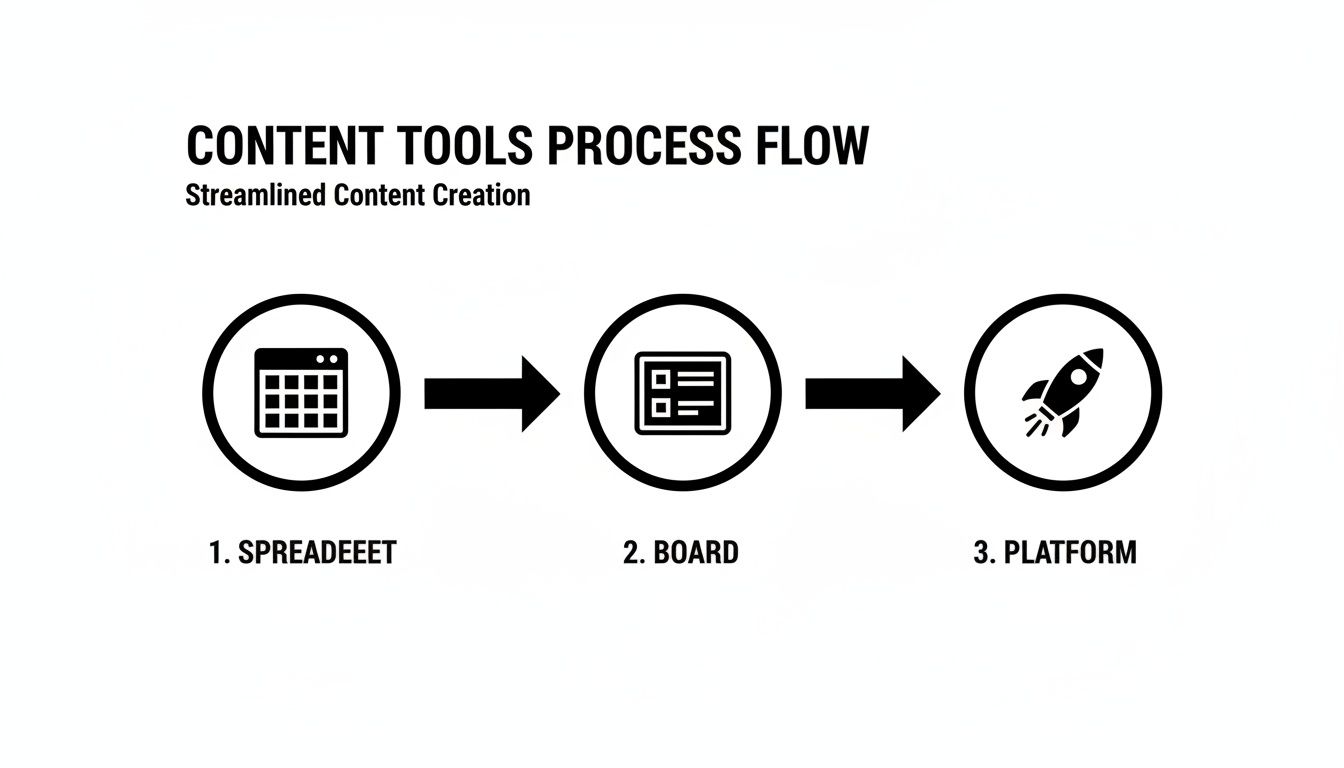
You can see how layering in a little structure and automation over time builds a more powerful and efficient system.
Master the Art of Content Batching
If there's one productivity hack that will completely change how you create content, it's content batching.
Instead of context-switching every single day—writing a post here, creating a graphic there, scheduling it later—you dedicate one focused block of time to do similar tasks all at once. This approach drastically cuts down on the mental energy you waste jumping between different types of work.
Think of it like meal prepping. You don't cook one meal at a time, three times a day. You spend a few hours on Sunday chopping vegetables and cooking proteins for the whole week. Batching applies that exact same logic to your marketing, saving you hours and giving you a steady stream of high-quality posts ready to go.
A Founder's 4-Hour Batching Session
So, what does this actually look like? Here’s a sample workflow that shows how you can knock out an entire week's worth of content in just one 4-hour session. Block this time on your calendar, turn off notifications, and get ready to focus.
Here's how I break down a typical session, designed to be repeatable and efficient.
| Time Block | Task | Goal | Pro Tip |
|---|---|---|---|
| First 30 Mins | Strategy & Idea Selection | Pull 5-7 post ideas from your idea bank that hit this week's content pillars. | Check last week's analytics. What resonated? Let that data guide your picks. Don't stare at a blank page. |
| Next 90 Mins | Write All The Copy | Write the full copy for all posts in a single document. Focus only on the words. | Create a simple caption template: Hook, Value, and Call-to-Action. Use it every time for consistency. |
| Next 60 Mins | Create All The Visuals | Open Canva and create all graphics, images, or simple videos for the week. | Use a handful of pre-made templates with your brand's fonts and colors. You're customizing, not designing from scratch. |
| Final 60 Mins | Schedule & Final Review | Load everything into your scheduling tool, like Postful, and schedule each post. | Do a final proofread. Double-check that links work, you've tagged the right accounts, and your hashtags are solid. |
By the end of those four hours, your entire week of content is done. You’ve just reclaimed countless hours and killed the daily stress of figuring out what to post. This kind of repeatable system is the key to consistency and sanity for any founder juggling a dozen other roles.
Automate and Optimize Your Calendar for Growth
Having a content calendar is a great start, but a static plan only gets you so far. The real magic happens when your calendar becomes a dynamic, living system that learns and improves over time.
Once you’ve got a good workflow humming, it's time to layer in some smart automation and a simple feedback loop. This is how you transform your calendar from a to-do list into a growth engine. The point isn’t to make things more complicated. It’s about strategically cutting out the friction so you can spend less time on repetitive tasks and more time on high-level strategy.
Let AI Handle the Heavy Lifting
AI isn’t some far-off concept anymore; it's a practical sidekick for busy founders. Instead of staring at a blank page, you can use AI to kickstart your entire creative process.
Modern tools are built to help at every single stage. Take a single customer question you get all the time. With a little help from AI, you can:
- Brainstorm different post angles: Figure out the best way to frame your answer for LinkedIn versus how you’d tackle it on Instagram or X.
- Polish your writing: Turn a few rough bullet points into a clean, engaging caption that sounds just like you.
- Repurpose content intelligently: Break down a big blog post into a whole series of bite-sized social media updates.
This dramatically cuts down the time spent on those tough early stages of creation. It's not about replacing your ideas but amplifying them, letting you produce better content, faster. If you want to see how this works in practice, check out our guide on how to automate social media posts.
Maximize Every Piece of Content You Create
One of the biggest productivity hacks I’ve ever found is content repurposing. You put in the hard work to create a great blog post, a podcast episode, or a webinar. Don't let all that effort die after a single share.
Think of it this way: one piece of long-form content can be sliced, diced, and repackaged into a dozen smaller assets.
Example Repurposing Workflow
- Start with one core asset: A 1,500-word blog post on "5 Time-Management Tips for Founders."
- Break it down: Each of those five tips can become its own standalone piece of content.
- Spin it into multiple formats:
- Five LinkedIn posts: A detailed post for each tip, dripped out over two weeks.
- One Instagram Carousel: A visual summary of all five tips in a single, swipeable post.
- Five short-form videos: A 30-second Reel or TikTok for each tip, with you talking directly to the camera.
- A series of X (Twitter) threads: Go deep on the nuances of each time-management technique.
Your best-performing content is a goldmine. Repurposing it into new formats extends its life, reaches different audience segments, and maximizes your return on creative energy.
For a deeper dive, there are some excellent webinar content repurposing strategies that show how to turn a single session into more than ten marketing assets.
Conduct a Quick Monthly Performance Review
Your content calendar should never be set in stone. The most valuable feedback you can get comes directly from your own analytics. A quick, 30-minute review at the end of each month is all it takes to keep your strategy sharp.
Don't get lost in the weeds. Just ask yourself three straightforward questions:
- What worked? Find your top 2-3 performing posts. Was it the topic? The format (video vs. carousel)? A specific hook that really grabbed people?
- What didn't? Look at the posts that fell flat. Is there a common theme? Maybe one of your content pillars just isn't resonating like you thought it would.
- What will we do differently next month? Based on what you found, make one or two small tweaks. Do more of what worked and try something new for what didn't. Practical Example: "Our 'Founder Journey' carousels got 50% more saves than our text-only posts. Next month, we'll convert two text-post ideas into carousels instead."
This simple feedback loop prevents your content from getting stale. It ensures your plan evolves right along with your audience, leading to steady, continuous improvement.
Your Content Calendar Questions, Answered
Even the best-laid plans run into hiccups. That’s just part of the process. But knowing how to handle the common questions that pop up is what makes a content calendar stick—turning it from a chore you abandon into a tool you can’t live without.
Here are some quick, practical answers to the questions I hear most from founders and small business operators. These are designed to keep you consistent and help your content engine run smoothly, minus the stress.
How Far in Advance Should I Plan My Content?
For most founders and small teams, the sweet spot is 2-4 weeks in advance.
This gives you enough runway to batch your work and stay consistent, which is how you build trust with an audience. But it also leaves you agile enough to jump on a timely trend or a sudden opportunity without blowing up your entire schedule.
I find that planning on a monthly basis hits the mark for productivity. You can knock out the entire month in one or two dedicated batching sessions, freeing up a ton of mental space. Planning more than a quarter out, though, can get too rigid for a growing business where priorities can shift on a dime. The goal is to find that balance—reduce the daily grind of what to post without losing your ability to adapt.
What Should I Do When I Run Out of Content Ideas?
First, don't panic. Take a breath and go straight back to your content pillars. They're your North Star and the fastest way to get back on track when you're feeling lost. Your pillars are a constant reminder of the core topics your audience actually wants to hear from you about.
Next, tap into these goldmines for a nearly endless stream of ideas:
- Customer FAQs: Seriously, turn every single question you've ever been asked into a post. If one person took the time to ask, you can bet plenty of others are wondering the same thing.
- Industry News: Don’t just report what’s happening. Give your unique take on it. What does this new update really mean for your specific audience? That’s where the value is.
- Behind-the-Scenes: Show the process. The mess-ups. The wins. This is what makes your brand feel human and builds a real connection with people.
I keep a running "idea bank" in my notes app. It’s nothing fancy, just a simple list. Anytime an idea strikes—no matter how small or half-baked—I jot it down immediately. It becomes an incredible resource to pull from when it's time to batch content.
How Can a Team of One Manage a Content Calendar?
As a solo founder, your guiding principle has to be ruthless efficiency. You simply can't be everywhere at once. Trying will just lead to burnout. Instead, you have to simplify.
Start by focusing on just one or two platforms where your ideal customers actually hang out. It's so much better to be consistent and valuable on one channel than to be scattered and mediocre across five. Then, embrace content batching. Block off a non-negotiable chunk of time each week to create and schedule everything.
To speed things up, create simple graphic templates and caption frameworks you can quickly adapt. And finally, lean on scheduling tools to automate the actual publishing. Your goal isn't to be everywhere; it's to be consistently valuable where it counts.
How Do I Know if My Content Calendar Is Working?
Success isn't about vanity metrics like follower counts. It’s measured against the business goals you set from the very beginning. If your goal is brand awareness, you should be tracking reach and engagement. If it's lead generation, you need to be watching link clicks and sign-ups.
Just spend 30 minutes at the end of each month looking at your analytics. Find your top-performing posts, but more importantly, ask why they worked. Was it the format? The topic? The call-to-action? Use those insights to make smarter, data-backed decisions for next month's calendar. Real success is about making small, consistent improvements, not chasing one-off viral hits.
Ready to stop staring at a blank page and start building a consistent, powerful social media presence? Postful is the AI-powered tool built for busy founders like you. Get ready-to-use templates, brainstorm ideas instantly, and automate your workflow to save hours every week. Join the waitlist today to secure your early access.