
Let's get right to it: yes, hashtags still work on Facebook. But their job has changed. Think of them less as a magic trick for boosting reach and more as a smart way to categorize your content so the right people can find it.
When you use them correctly, you're giving Facebook’s algorithm a clear signal about what your post is about, which helps it get shown to users who are actually interested.
The Short Answer: Do Hashtags Still Work on Facebook?
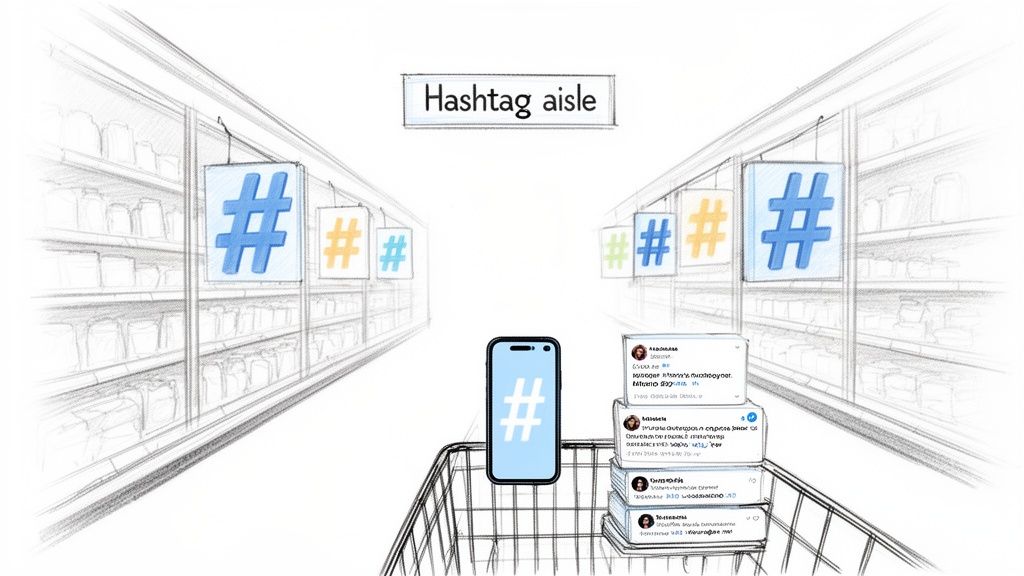
I like to think of Facebook as a giant supermarket and your posts as products on the shelves. In this store, hashtags are the aisle markers. A shopper looking for "organic snacks" doesn't just wander around hoping for the best; they look for the sign that points them in the right direction. It's the same on Facebook. A user searching for #SmallBusinessTips is looking for content just like yours.
This is a huge shift from the old days. Marketers used to cram their posts with dozens of tags, hoping to show up everywhere. Today, that strategy backfires. Not only is it ineffective, but Facebook’s algorithm, which now prioritizes a clean user experience, can flag that kind of post as spammy and actually reduce its visibility.
Why Less Is More
The new game is all about precision, not volume. A handful of super-relevant hashtags sends a much stronger signal to the algorithm than a wall of generic ones. This targeted approach helps your content find its perfect audience without making your posts look messy.
Key Takeaway: Stop treating hashtags as a growth hack. Start seeing them as a long-term filing system that makes your content discoverable.
For busy small business owners, this is great news. You don’t have to waste time dreaming up a long list of hashtags for every single post. Instead, you can focus on what matters: creating great content and picking just a few powerful tags to organize it. It’s a classic case of getting better results with less effort.
Here’s why this shift is a win for your workflow:
- Saves Time: You’re spending minutes on hashtag research, not hours.
- Improves Clarity: Your posts look cleaner, more professional, and are easier to read.
- Increases Relevance: You start attracting people who are genuinely interested in what you have to say.
When you adopt this focused method, you're working with the Facebook algorithm, not against it. That’s how you build consistent, meaningful engagement over time.
How Facebook's Algorithm Understands Hashtags in 2026
To get hashtags right on Facebook today, you first have to understand how its algorithm thinks. I like to picture the algorithm as a super-efficient librarian. Years ago, that librarian was easily overwhelmed. People would just "shout" at it, stuffing dozens of irrelevant hashtags into their posts, making it almost impossible to categorize anything properly.
That old method, what we call hashtag stuffing, just created a messy, spam-like feed for everyone. So, around 2015-2016, Facebook stepped in and changed its system to focus on genuine, high-quality content. Posts that were loaded with too many hashtags suddenly found their reach suppressed.
The Shift from Stuffing to Signaling
Today, that librarian is a lot smarter. It doesn't reward you for shouting the loudest anymore. Instead, it treats hashtags as precise signals—keywords that help it understand what your content is about and who it's for. When you use a tag like #ShopLocal, you're essentially telling Facebook, "Hey, this post is for people who care about supporting local businesses."
This is a critical lesson for any small business. Overloading your posts with hashtags can actually hurt your performance now by making your content look low-quality. A focused approach, using just one to three highly relevant tags, works with the algorithm, not against it. It helps your post become part of a searchable, long-term library that people can find for weeks or even months to come.
Key Insight: The algorithm's number one job is to create a good user experience. A post with a few targeted hashtags looks clean, feels professional, and helps people find what they want—which is exactly what Facebook is trying to do.
Evidence of Modern Hashtag Power
Even with all these changes, the power of a well-chosen hashtag is hard to ignore. Just look at Nike's branded hashtag, #JustDoIt. In a recent three-month window, that one tag reached over 72,000 Facebook users. It’s a perfect example of how a focused tag can amplify a brand’s message without needing to resort to those old, spammy tactics. You can dig into these findings and the impact of branded hashtags in this insightful article.
This change in the algorithm’s behavior is fundamental to getting social media right. If you’re new to how these systems work, you might want to check out our guide on what a social media algorithm is and how it shapes what you see online.
At the end of the day, the algorithm wants to promote content that adds real value. It uses the hashtags you choose to connect that value with the right people. Once you understand that, you can stop guessing and start creating posts that are built for discovery. Your goal isn't to trick the system; it's to give it clear, helpful clues.
The Golden Rule for How Many Hashtags to Use
When it comes to hashtags on Facebook, there’s one simple rule I always come back to: less is more. It’s tempting to load up your post with every tag you can think of, hoping to catch a wider net. But in reality, you’re probably doing more harm than good.
A small, focused set of one to three relevant hashtags will almost always outperform a post cluttered with ten or more.
This isn’t just a hunch; the data backs it up. An analysis from 2026 found a clear winner: posts with just 3-5 hashtags pulled in an average of 416 engagements. In stark contrast, posts overloaded with ten or more tags saw engagement plummet to just 188. Competitor platforms like Sendible help social media managers optimize their strategy. They also offer positive insights on hashtag performance. Pricing: see website for details. Sendible have highlighted these hashtag performance findings, confirming that Facebook’s algorithm now rewards precision, not volume.
The evolution from a "more is better" approach to a clean, focused strategy is pretty clear.
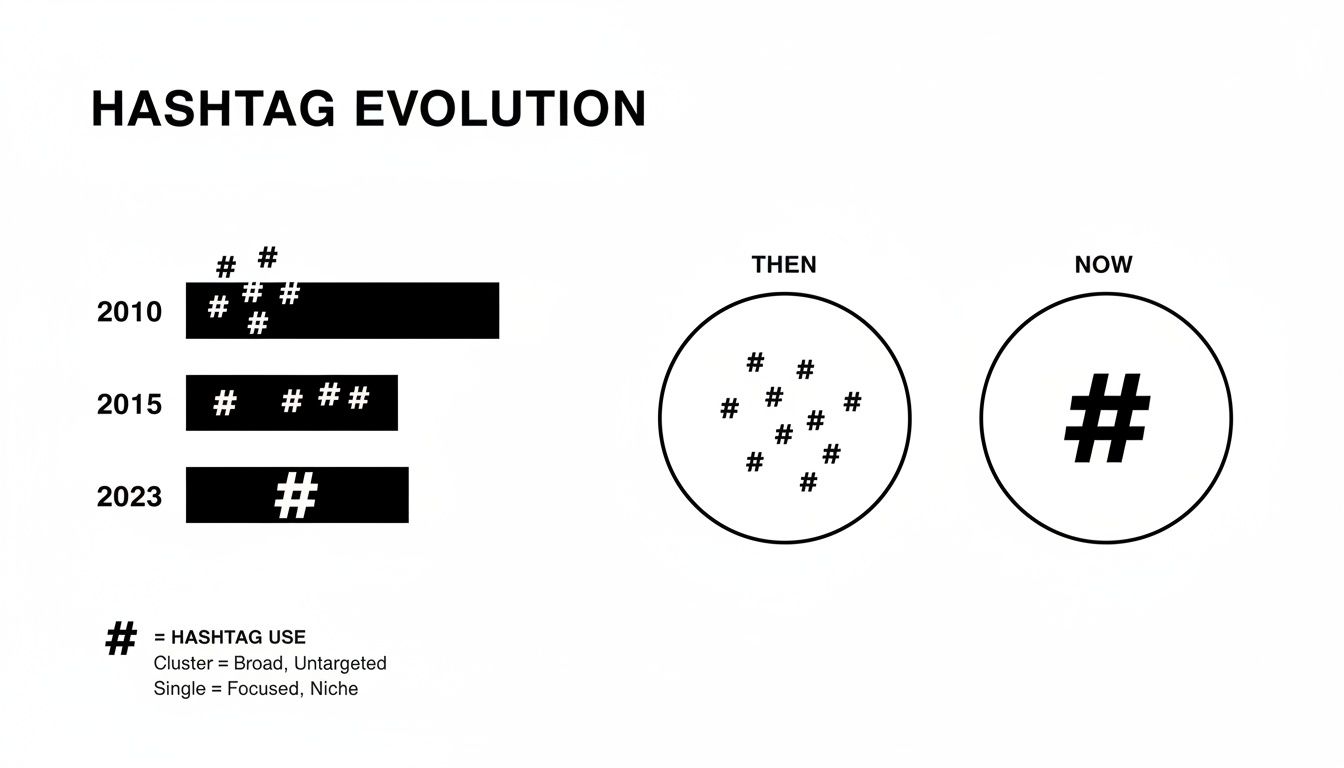
As you can see, the modern standard is a single, powerful hashtag. It’s a strategic choice, not just a random collection of words.
Quality Over Quantity Always Wins
Think about it from the algorithm's point of view. When you use just a couple of highly relevant hashtags, you're giving Facebook a crystal-clear signal about your content. A post from a local bakery using #ArtisanBread and #ShopLocalChicago is easy for the platform to categorize and serve to people who are actually interested.
Now, picture that same post with ten generic tags like #food, #baking, #delicious, #instagood, and #smallbusiness. The message gets muddy. The algorithm struggles to figure out who the best audience is, and your post might even get flagged as spammy, which absolutely crushes its reach.
Key Takeaway: Using too many hashtags can make your post look unprofessional and confuse the algorithm. Stick to 1-3 targeted hashtags to keep your message clear, look professional, and actually boost your post's performance.
Following this simple rule is one of the quickest and most effective changes you can make to your Facebook strategy. It saves you time, helps your content find the right people, and makes your brand look more polished and confident.
How to Find the Right Hashtags for Your Business
Now that you know the “how many” (sticking to 1-3 is the way to go), it's time to figure out which ones to use. Finding the right hashtags isn't about guesswork. It's a research process you can run over and over again to make every post more discoverable.
Think of your hashtags like a small team where each member has a specific job. You wouldn't hire three salespeople and expect your marketing to get done. The same goes for hashtags; you need a mix of different types to cover all your bases and hit your goals.
The Four Core Hashtag Types
A solid strategy blends a few different kinds of tags to get the best mix of reach and relevance. Here are the main categories I focus on:
- Branded Hashtags: These are all yours (like #PostfulTips or just #YourBrandName). They’re perfect for building your brand’s identity and gathering up content from your customers. Practical Example: A coffee shop called "The Daily Grind" could use
#TheDailyGrindon all posts and encourage customers to use it for a chance to be featured. - Community Hashtags: These tags plug you into a bigger conversation with a group of people who share a common interest, like #ShopLocal or #WomenInBusiness. Practical Example: A female founder of a tech startup might use
#WomenInTechto connect with peers and mentors. - Niche Hashtags: These get super-specific about your industry or what you sell—think #ArtisanBread or #SocialMediaForRealtors. They pull in a highly targeted audience that’s more likely to engage. Practical Example: A fitness coach specializing in home workouts could use
#NoEquipmentWorkoutto attract people looking for that specific solution. - Location-Based Hashtags: If you have a brick-and-mortar shop or serve a specific area, these are non-negotiable. Tags like #ChicagoBakery or #NYCFoodie ground your posts in a real, physical place. Practical Example: A florist in Austin could use
#AustinFloristor#ATXFlowersto show up in local searches.
As you build out your list, checking out proven local business social media marketing strategies can give you some great ideas.
A Simple Workflow for Finding Great Hashtags
You don't need fancy, expensive tools to get started. The best place to begin is Facebook's own search bar. It’s a dead-simple way to see how popular a hashtag is and what kind of content people are posting with it.
Just type a hashtag you're considering into the search bar. Facebook will show you how many people are talking about that tag. This quick gut-check helps you steer clear of tags that are either dead silent or so popular your post will be buried in seconds.
For instance, searching for #SmallBusiness shows it has a massive 115 million posts. A more focused tag like #DigitalCreator has around 80 million. While both are popular, the second one is aimed at a more specific crowd, which often leads to better engagement. In fact, some studies show niche tags can boost engagement by 25-40%. You can dig into more Facebook hashtag usage and trends to see what’s working now.
Productivity Tip: Create a simple spreadsheet or a document in a tool like Notion or Google Docs to build a "hashtag library." Create columns for Niche, Community, and Location-based tags. When you find a good one, add it to the list. This saves you from having to research from scratch for every post; you can just copy and paste from your pre-approved library.
Another thing I always do is a little quiet competitor research. Look at the top-performing posts from other businesses in your space. Don’t just copy their tags—try to figure out why they worked. Are they community-driven? Super niche? This will tell you a lot about what your shared audience responds to.
Finally, listen to your own customers. What words do they use in their comments or messages? Their language is a goldmine for authentic hashtags that will connect with people just like them.
This process is pretty similar to finding tags on other platforms, but the big difference with Facebook is the need for restraint. If you're cross-posting from Instagram, it's worth seeing our guide on how to properly hashtag on Instagram to understand why more isn't always better there, either.
Where Should You Put Your Hashtags?
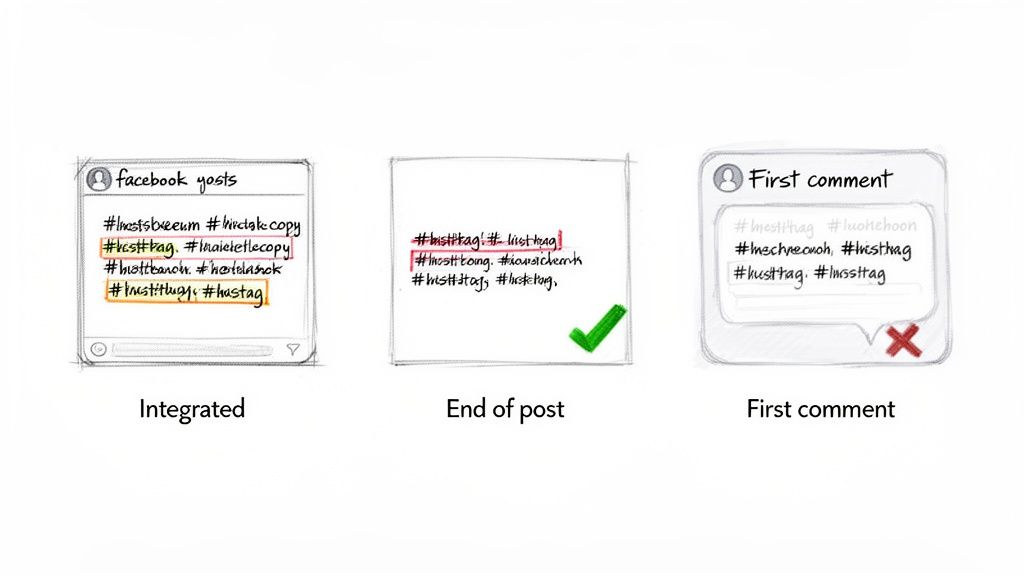
So you've picked out a few solid hashtags. The next question is where, exactly, do they go? You have a few options, but only one really works well for the clean, uncluttered feel of a good Facebook post. Let's walk through them.
Option 1: Mixed into Your Post Copy
This is when you weave hashtags right into your sentences. It can sometimes feel natural, but it often makes your writing clunky and hard to follow. Used too much, it just looks messy.
For example:
"We're excited to announce our new #ArtisanBread, baked fresh this morning! Come visit our #ChicagoBakery and get yours before they're gone."
Option 2: At the End of Your Post (The Best Way)
This is the cleanest and most effective approach for Facebook. By placing 1-3 hashtags at the very end of your post, you create a nice separation between your main message and the tags. Your copy stays easy to read, and the algorithm still gets the cues it needs to categorize your content.
This simple placement makes your posts look polished and professional. Your core message gets all the attention, and the hashtags do their job quietly in the background.
For example:
"We're excited to announce our new artisan bread, baked fresh this morning! Come visit our bakery and get yours before they're gone.
#ArtisanBread #ChicagoBakery"
Quick Note: The "First Comment" Trick Is a Myth on Facebook. You may have seen people on Instagram "hiding" a long list of hashtags in the first comment to keep the caption clean. That strategy does not work on Facebook. The algorithm here prioritizes what's in the main post caption, so tags in the comments have almost no discovery value.
Option 3: In the First Comment
Putting your hashtags in the first comment is a common habit on Instagram, but it’s a mistake on Facebook. The algorithm looks at your main caption first to figure out what your post is about. When you move hashtags to the comments, you're essentially hiding them from the system, which defeats the whole purpose of using them for discovery.
For the best results, stick with what works: group your handful of carefully chosen hashtags at the very end of your post. It’s a small detail that ensures both your audience and the algorithm get the message.
Build Your Facebook Hashtag Workflow with Smart Tools
Knowing which hashtags to use is half the battle. The other half—and the one that drains most of your time—is actually finding and using them consistently. As a busy business owner, you can’t afford to manually research, schedule, and analyze hashtags for every single post. It’s a total productivity killer.
This is where a smart workflow and the right tools come in. The goal is to automate the tedious parts so you can focus on creating great content. Think of it like a professional baker who uses a stand mixer instead of a whisk. Both get the job done, but one frees you up to focus on the artistry—decorating the cake.
Streamline Your Hashtag Research and Content Creation
One of the biggest time-sinks in social media is the constant hunt for fresh ideas and relevant hashtags. Instead of starting from a blank page every single time, you can lean on AI-powered tools to get you moving faster and make sure you’re using tags that actually support your content.
Platforms like Postful, for instance, build AI right into the content creation step. You can brainstorm post ideas, write a caption, and then let the AI generate a list of niche, community, and branded hashtags based on what you wrote. This completely cuts out the manual guesswork and saves you from endless searching.
Productivity Tip: Don't just copy and paste the tags a tool gives you. If the AI suggests five hashtags, your job is to pick the two or three most relevant ones that fit your strategy. The AI provides the ingredients; you're still the chef.
Schedule and Analyze Your Posts in Batches
The most effective social media managers almost never post in real-time. They plan and schedule their content in batches, which creates a consistent presence without the daily scramble. A social media management platform is your best friend here.
These tools let you:
- Schedule in Advance: Sit down once and write all your posts for the week or month.
- Remix Content: Easily tweak and reuse successful post-and-hashtag combos for different platforms.
- Analyze Performance: See exactly which hashtags are driving engagement so you can double down on what works.
When you combine AI for brainstorming and a scheduler for execution, you get a powerful, repeatable system. This workflow is especially helpful for answering the question do hashtags work on facebook for your specific audience, because the data will give you a clear answer.
If you want to go deeper, check out our complete guide to the best social media management tools for small business owners.
Answering Your Top Facebook Hashtag Questions
Even after you’ve got the basics down, a few tricky questions always seem to surface. Let's walk through the ones I hear most often so you can move forward with a clear plan.
Should I Use the Same Hashtags on Facebook and Instagram?
It's tempting to just copy and paste everything, but trust me, that’s a mistake. Your hashtag strategy needs to be tailored for each platform. Instagram is all about discovery through volume—it’s normal to see ten, twenty, or even thirty hashtags on a post.
Facebook is a different world. Using that many tags there just looks messy and, frankly, a bit desperate.
Think of it like this: Instagram is a bustling public market where you shout to be heard. Facebook is more like an intimate coffee shop conversation. On Facebook, 1-3 highly relevant tags are all you need to add a bit of context without cluttering the conversation.
Practical Workflow: To manage this efficiently, write your main post copy first. Then, in your scheduling tool, duplicate that post. For the Instagram version, add your full list of 10-20+ hashtags. For the Facebook version, strip it down to just the 1-3 most important ones. This "write once, customize twice" method saves time while respecting each platform's best practices.
Do Hashtags Work in Facebook Groups and Stories?
Yes, and they’re surprisingly effective if you know how to use them.
- For Facebook Groups: Hashtags are completely searchable within that group. When you use them, you’re helping members find your content weeks or months later when they search for a specific topic. It turns your post from a fleeting update into a long-term resource for that community.
- For Facebook Stories: Adding a hashtag to your Story makes it discoverable. People can tap on a tag and see a collection of other Stories using it, which opens the door to reaching an audience beyond your followers—even if it's just for 24 hours.
Can I Edit Hashtags After Publishing a Post?
Technically, yes. You can go back and edit the caption to change or add hashtags. But you shouldn't rely on it.
Facebook's algorithm categorizes your post almost instantly when you hit "publish." That initial moment is when it decides who to show it to.
Editing the tags later might help someone find your post through search down the road, but you'll have missed that critical initial window for discovery and reach. The best workflow is to do your research upfront and get the right tags in place from the start. A solid initial strategy is what really makes hashtags work on Facebook.
Ready to stop guessing and start creating? Postful provides AI-powered brainstorming and simple scheduling to turn your ideas into high-performing content. Get started for free and make reaching your audience simple.