

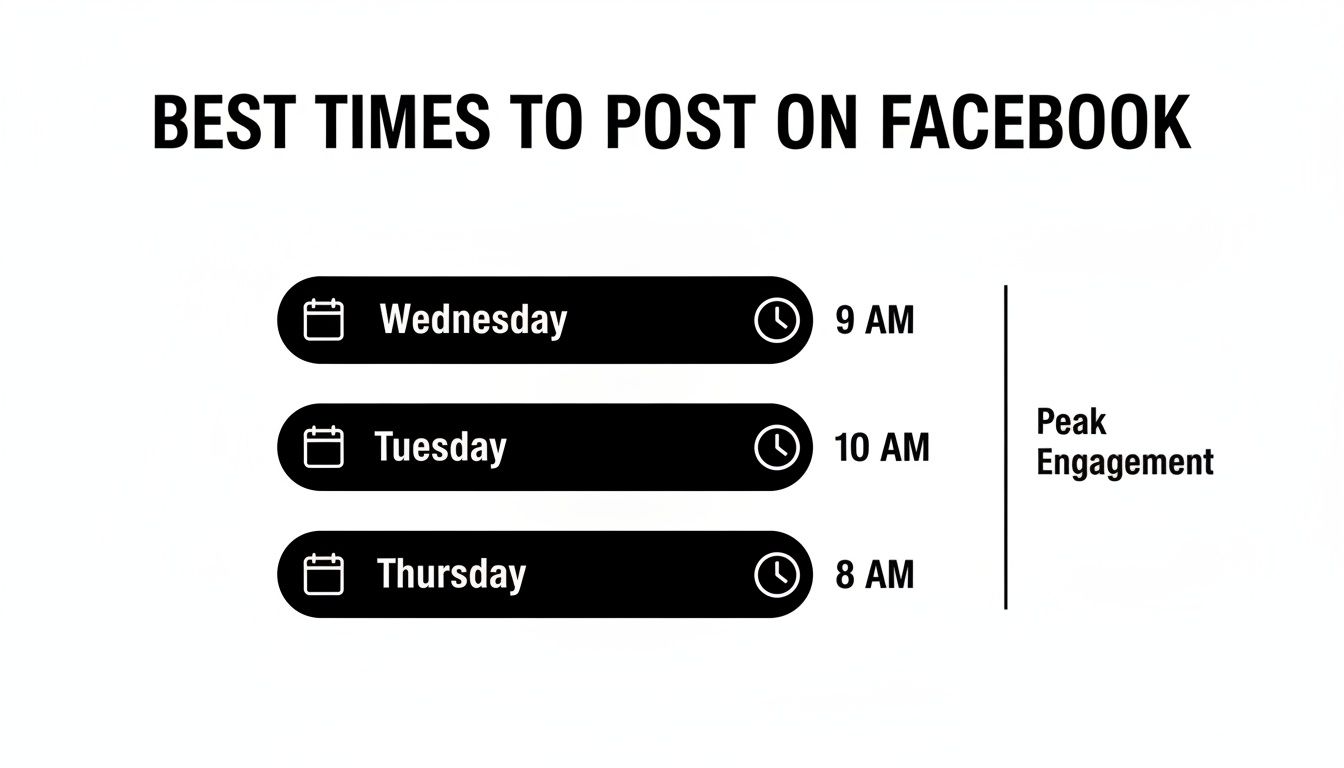
If you've been searching for the best time to post on fb, you're not alone. The good news is, data from millions of posts gives us a pretty clear starting point: mid-week mornings. Specifically, Wednesday around 9 a.m. consistently comes out on top as the single best time to get your content seen.
Finding the Best General Times to Post on Facebook
Knowing the generally accepted "best times" gives you a solid foundation. Think of it like finding the busiest intersection in town—it’s where the most traffic is, which gives you the highest chance of being seen before you have your own specific data to work with. These peak times are based on broad patterns of user behavior that hold true across a ton of different industries.
For instance, why do mid-week mornings work so well? It’s simple. Most people are scrolling through their feeds during their morning commute, while grabbing their first coffee, or just as they settle in at their desk. Posting right then means your content is fresh when the largest number of users are actively looking for something to engage with.
The Mid-Week Morning Advantage
When you dig into the data, one time slot stands out above all the rest. Wednesday mornings, especially around 9 a.m., have proven to be the absolute peak for Facebook engagement. This isn't just a hunch; it's backed by multiple large-scale studies that have analyzed millions of posts.
The timing is perfect. It catches audiences across major time zones as they hit their mid-week stride, feeling productive but still open to a quick break.
Key Insight: Posting on Wednesday at 9 a.m. can drive engagement spikes up to 20-30% higher than the average post. That’s not a small adjustment—it’s a strategic move that puts your content right in front of the largest active audience.
This simple infographic drives the point home, showing how the most active day and the peak morning hour create a golden opportunity for engagement.
While Wednesday morning is a fantastic starting point, it's not the only game in town. Different studies often find slightly different, but related, peak windows.
2026 Peak Facebook Engagement Times at a Glance
To give you a broader view, we've pulled together findings from several leading social media studies. This table summarizes the high-opportunity windows, helping you see the patterns for yourself.
| Study/Platform | Best Day(s) | Peak Time Window |
|---|---|---|
| Sprout Social | Monday, Tuesday, Wednesday | 8 AM – 12 PM |
| HubSpot | Wednesday, Friday, Saturday | 6 AM – 9 AM & 12 PM – 3 PM |
| Hootsuite | Tuesday, Wednesday | 9 AM – 11 AM |
| Buffer | Wednesday, Friday | 9 AM |
As you can see, the consensus points squarely to mid-week mornings (8 AM to 12 PM), but there are also strong secondary windows, like midday, that are worth testing.
For a more comprehensive look at how these times vary across platforms, this guide on the best time to post on social media is a great resource. And if you’re curious about why some other days perform so well, check out our deep dive into the best time to post on Facebook on Tuesday.
Why Posting Time Is Crucial for the Facebook Algorithm
Have you ever spent hours on a Facebook post, only for it to get a handful of likes and then just… disappear? It’s a frustrating feeling, and it’s not just in your head. More often than not, the culprit is timing.
Think of it this way: you could have the best market stall in the world, but if you set it up at 3 AM, no one will be there to see it. Posting on Facebook works the same way. You need to show up when the town square is bustling, not when it’s empty.
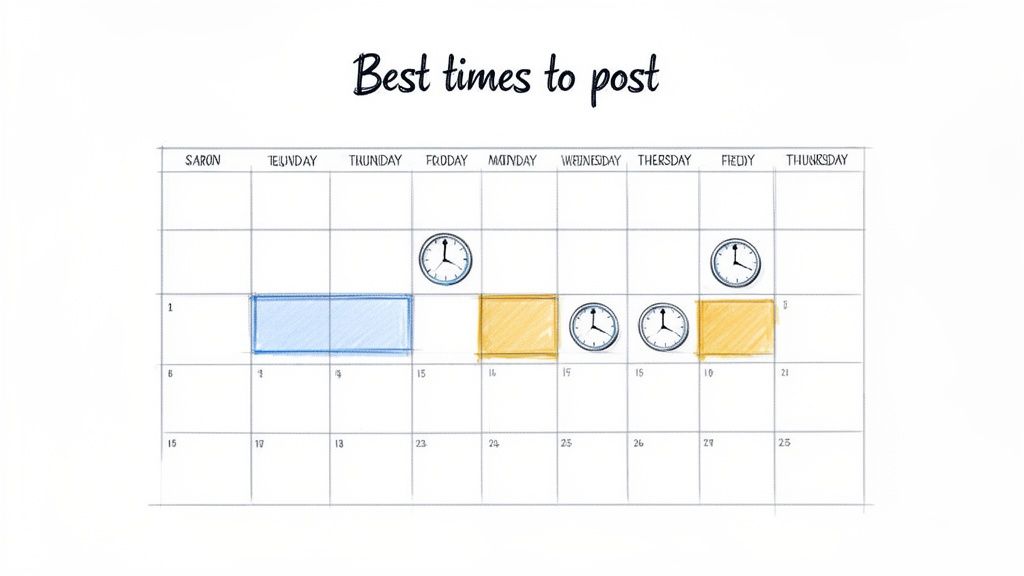
The First Hour Is Everything
Facebook's algorithm gives a massive boost to fresh content that gets people talking right away. When you post during a peak window, more of your followers see it immediately. This is your one shot to signal to the algorithm that you’ve posted something good.
If your followers start liking, commenting, and sharing within minutes, Facebook takes notice. That initial flurry of activity is like a vote of confidence, telling the platform your content is worth showing to more people.
The algorithm sees that early engagement as a sign of quality. It then rewards you by pushing your post to a wider audience, even beyond your own followers. A post that gets 100 likes in its first hour has a much better chance of going viral than one that takes all day to get the same number.
This means finding the best time to post on fb isn't just a small adjustment—it’s a fundamental piece of your content strategy.
From Engagement to Monetization
Getting your timing right is about more than just a quick vanity boost. It directly fuels the reach and engagement that can turn your social media presence into a real business asset. Before you can build a community or drive traffic, you have to get their attention first.
A well-timed post gives you the best possible chance to connect with your audience.
This is the groundwork you need if your end goal is to get paid for social media posts. When you start treating timing as seriously as the content itself, you shift from just posting online to strategically building an audience that listens.
How to Find Your Audience's Peak Active Hours
While those general posting times are a great place to start, your audience is your audience. The best time to post on Facebook for a local bakery is going to be completely different from a B2B consultant's. To really see your engagement climb, you have to stop guessing and start listening to what your own data is telling you.
The good news? You don't need a data science degree or fancy software. Facebook gives you everything you need right inside its own tools. You just need to know where to look. Meta Business Suite is your home base for figuring out exactly when your followers are online and ready to engage.
Think of it like having a security camera for your digital storefront. Instead of wondering when customers might be walking by, you can see the exact hours they show up, letting you open your doors at the perfect moment.
Your Step-by-Step Guide to Using Meta Business Suite
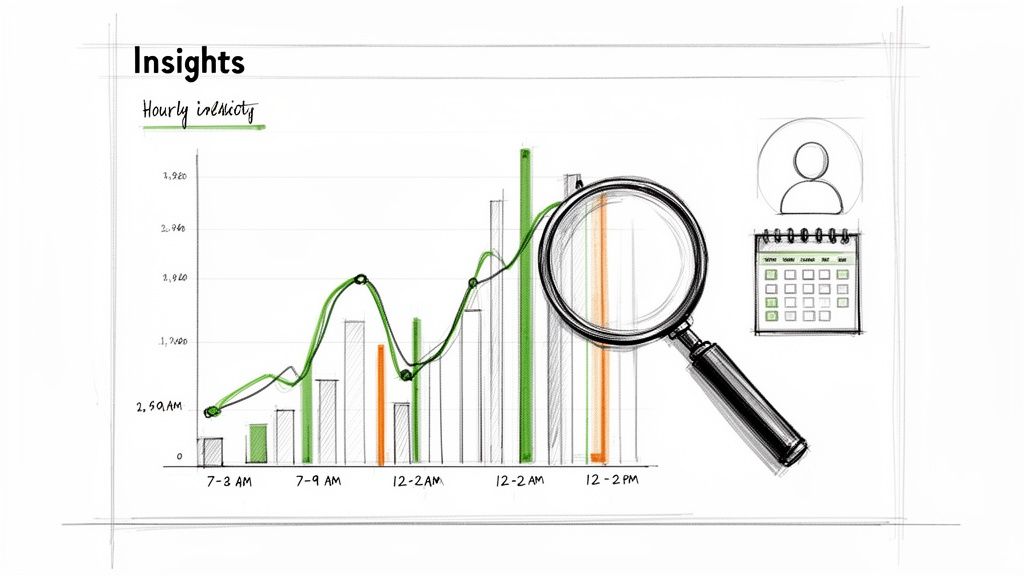
Finding your audience’s peak activity is surprisingly simple. Buried inside the Insights tab of Meta Business Suite are charts that show you, day by day, when your followers are most active.
Here’s a quick walkthrough to find your own "golden hours" for posting:
- Head over to Meta Business Suite: Log in and find the "Insights" tab on the left-hand menu.
- Click on "Audience": Once you're in Insights, select the "Audience" section. This is where all the data on your followers lives.
- Find the "Active Times" Chart: Scroll down until you see the graph showing when your Facebook Page followers are most active. This chart breaks down activity by day and hour.
This chart is your treasure map. The darker the color or the higher the bar, the more people are online. These are your best opportunities to post and get that crucial initial reach.
Practical Example: A local bakery might check this chart and see their audience is buzzing from 7-9 AM as people scroll for breakfast ideas. A B2B consultant, on the other hand, could find their clients are most active during the 12-2 PM lunch break.
Turning Data into a Smart Posting Schedule
Once you've spotted these peak times, the next step is to build a real posting schedule around them. Don't just look at one day—scan the whole week to find consistent patterns.
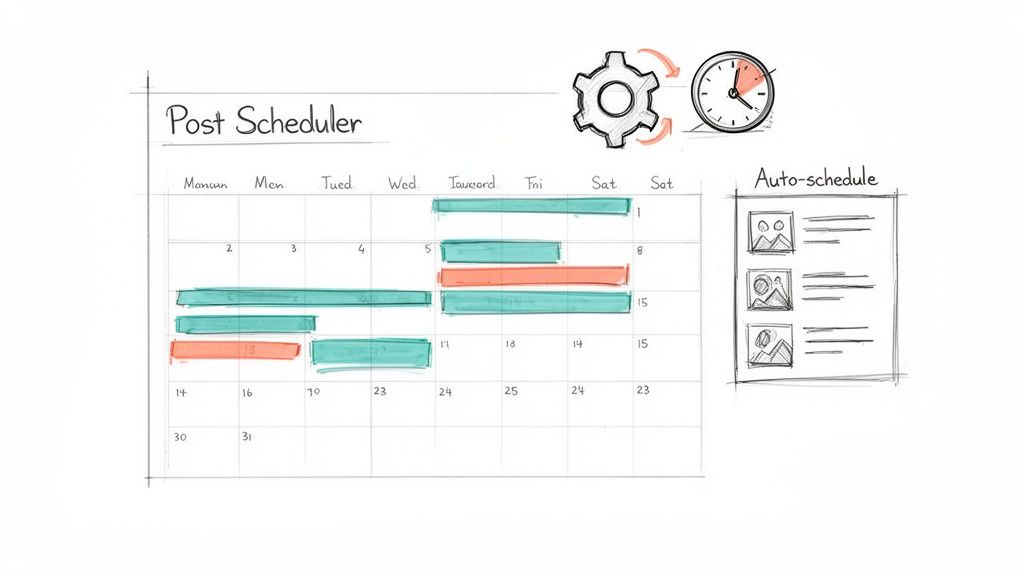
Productivity Tip: Open a spreadsheet and create a simple weekly calendar. Block out the top two or three most active time slots for each day. This gives you a visual guide for planning your content and scheduling posts in advance with a tool like Postful, so you can hit your golden hours without being glued to your screen.
Start by testing your most important posts during these high-traffic windows. If your data points to Wednesday at 10 AM as a hot spot, schedule your best content for that exact time. This simple process takes you from following generic advice to building a strategy that's all your own—one that connects with your audience when they're actually listening.
Alright, you know when your audience is online. The next logical question is, how often should you be posting?
This is where things get tricky. It's a real balancing act. If you post too little, you risk fading into the background. But post too much, and you can actually annoy your followers right out of your feed.
The goal isn't just to post something every day for the sake of it. The real secret is shifting your focus from sheer quantity to undeniable quality. Think of it like a conversation with a friend. If you text them constantly with stuff they don't care about, they’ll start ignoring you. But if you only pop up a few times a week with something genuinely interesting, they’re going to pay attention.
The Quality Over Quantity Sweet Spot
For most small businesses, the sweet spot is somewhere between three and five times per week. This cadence respects your audience’s time and makes sure every single thing you share is actually valuable. That's how you keep engagement high and prevent people from tuning you out.
The data backs this up. Recent analyses show that timing just a few high-quality posts during peak hours, like weekday mornings, blows a scattergun approach out of the water. For small businesses, posting 3-5 times per week during optimal windows like 8 a.m. to 11 a.m. can drive a significant engagement lift. You can dig into more data on social media posting frequency to see this trend for yourself.
This measured pace also protects your most precious resource: your time. As a busy entrepreneur, you don't have time to be stuck on a content hamster wheel.
A Practical Workflow That Actually Works
Let's put this into a real-world scenario. Imagine you’re a solopreneur running a small e-commerce shop. Instead of frantically trying to come up with a post every single day, you can build a much smarter workflow.
Practical Example: Block out 90 minutes on your calendar Monday morning. Use that time to brainstorm and create three great posts for the entire week—maybe one announcing a new product, another sharing a killer customer review, and a third offering a helpful tip your audience will love.
Once your posts are ready, you can use a tool like Postful to schedule them to go live automatically during your peak times—say, Tuesday at 9 a.m., Thursday at 10 a.m., and Friday at 8 a.m.
This "batch-and-schedule" method is a game-changer for productivity. It accomplishes a few key things:
- Frees up your week: You knock out your social media in one focused session, leaving you free to run the rest of your business.
- Improves your content: When you batch your work, you can be more creative and thoughtful. No more rushing to post something just to fill the space.
- Keeps you consistent: Your audience starts to see you as a reliable, valuable voice in their feed, not just another source of noise.
By adopting a strategy like this, social media goes from being a daily chore to a manageable, effective system for growing your business. It’s all about working smarter, not harder.
How to Build an Efficient Scheduling Workflow
Figuring out the best time to post on Facebook is one thing. Actually hitting that perfect window every single day? That's a whole different ballgame. This is where you move from having a strategy to building an efficient, automated workflow.
Scheduling tools let you "set it and forget it." You can make sure your best content goes live at the perfect moment, even when you’re swamped with a dozen other tasks. For a busy entrepreneur, this isn't about convenience—it's about staying consistent without derailing your entire day.
From Data to Done: A Simple Workflow
The best systems are the simplest. When you turn your social media insights into a repeatable process, it stops being a reactive chore and starts becoming a real asset for your business.
Here’s a simple workflow you can start using today:
- Find Your Golden Hours: Use Facebook Insights, like we talked about, to pinpoint when your audience is most active. These are your data-backed posting times.
- Batch Your Content: Set aside one block of time each week just to create all your posts. This helps you get into a creative flow and produces much better content.
- Schedule Everything: Load all your finished posts into a scheduling tool and set them to go live automatically during your peak hours.
Using Postful to Automate Your Success
For solopreneurs and small business owners, tools like Postful are built to make this exact workflow feel effortless. Postful bundles an easy-to-use scheduler with a built-in AI content assistant, which is a lifesaver when you're staring at a blank screen. It can help you turn a vague idea into a full week of ready-to-go content.
This screenshot shows just how simple it is to brainstorm and schedule in Postful.
The clean layout makes it easy to drop in your ideas, get some AI-powered suggestions, and queue up your posts to publish at the exact times your audience is online and paying attention.
The real power is in the combination of features. You can go from a rough idea to a fully written, scheduled post in minutes. For a small business owner, that means less time managing social media and more time running your business.
If you want to check out other options, we've put together a guide on some of the best free social media schedulers available.
Great Alternative Scheduling Tools
While we designed Postful specifically for entrepreneurs, a few other fantastic tools have been helping marketers for years.
- Buffer: Buffer is a popular tool known for its clean interface and straightforward scheduling. It helps users plan content across various platforms and provides analytics to measure performance. Pricing: see website for details.
- Hootsuite: Hootsuite is a comprehensive platform offering powerful scheduling, social listening, and in-depth analytics. It's a great option for managing all social media activities from a single dashboard. Pricing: see website for details.
Using any of these tools will finally help you close the gap between knowing your best times to post and actually using them to grow your business.
How to Test and Optimize Your Facebook Schedule
So you’ve got some data-backed starting points. Now what? Your audience's habits aren't set in stone, and neither is the Facebook algorithm. Finding your real best time to post isn't a one-and-done task; it’s something you’ll want to check in on and adjust over time.
The best way to figure this out is with a simple test. Don't worry, this isn't a pop quiz. It’s a straightforward method called A/B testing, which just means comparing two different options to see which one performs better. You can start doing this right away.
A Simple A/B Testing Workflow
To nail down what truly works for you, you need to experiment. The key is to test one thing at a time. In this case, that one thing is your posting time.
Here’s a simple, practical way to set this up:
- Week 1: Post on Monday, Wednesday, and Friday at 9 AM.
- Week 2: Post on the same days—Monday, Wednesday, and Friday—but this time at 1 PM.
The trick here is to keep your content similar in quality and type across both weeks. That way, you know you’re testing the time slot, not just whether one post was a banger and another was a dud.
Which Metrics to Track and How to Interpret Them
Once your test is done, how do you know which time won? You need to look at the right numbers. Don't just glance at the likes. Dig into your Facebook Insights to get the full story.
Focus on these key metrics for each post:
- Reach: How many unique people actually saw your post? Higher reach is a great sign that you picked a time when people were scrolling.
- Engagement Rate: This is the mix of likes, comments, and shares relative to your reach. A high engagement rate tells you people weren't just seeing your post—they were stopping to interact with it.
- Comments: This is gold. More comments suggest you posted when your audience had a moment to think and type out a response, not just quickly tap "like."
Practical Example: After your test, compare the average reach and engagement for your 9 AM posts versus your 1 PM posts. If the 1 PM posts consistently received 20% higher reach and more comments, that’s your winning time slot. You've just optimized your schedule with real data.
This simple, data-driven approach takes the guesswork out of your strategy. By testing and tweaking your schedule every so often, you make sure you’re adapting right alongside your audience. If you want to get a better handle on what to measure, you can learn more about the most important social media metrics to track.
Got Questions About Facebook Posting Times?
We get it. Finding the right time to post can feel like a guessing game. Here are a few quick answers to the questions we hear most often.
Are Reels Different From Regular Posts?
They can be, yes. While your general peak times are a great starting point for any post, Reels often do really well in the evenings—think 6 PM to 9 PM—and on weekends. That’s when most people are kicking back and scrolling for a bit of entertainment.
A good approach is to test your standard morning slots for more informational content, then try these evening windows specifically for your Reels. See what drives the most engagement and adjust from there.
How Long Does It Take to Find My Best Time?
You should start seeing some clear patterns emerge within 2-4 weeks of consistent testing. The goal is to track your engagement for posts at different times and watch for those reliable spikes in reach and interaction.
Don't make a big decision based on one or two posts. You’re looking for trends over a month to really nail down your best time slots. A little patience here goes a long way.
Should I Bother Posting on Weekends?
This one really depends on your business and your audience. For a lot of B2C brands, like a coffee shop or a retail store, weekends can be goldmines for engagement. But if you’re a B2B company, you’ll probably see a big drop-off after Friday afternoon.
The best way to know for sure? Pop open your Facebook Insights and see when your specific audience is online over the weekend. The data will give you a straight answer and take the guesswork out of your weekend strategy.
Ready to put these ideas into practice? Postful can help you schedule your posts for the perfect time and even brainstorm what to share next with its AI assistant. Get started for free on Postful.ai and turn your hard work into more business.