
Most small business owners do not struggle with content ideas. They struggle with content logistics.
A post starts as a simple thought. Then it turns into five tabs, three drafts, one forgotten comment thread, and a vague feeling that you are always behind. You publish on LinkedIn, remember Instagram needs a different visual, realize X needs a shorter version, and then leave Facebook for later. Later often means never.
That is why the idea of all social media on one app keeps coming up. Not because people want one more tool, but because they want their attention back. The win is not just fewer clicks. The primary win is a system that helps you publish consistently without letting social media run your workday.
The Constant Juggle of Social Media Management
The hard part is not posting once. The hard part is doing it again tomorrow, and the day after that, across every platform where customers might find you.
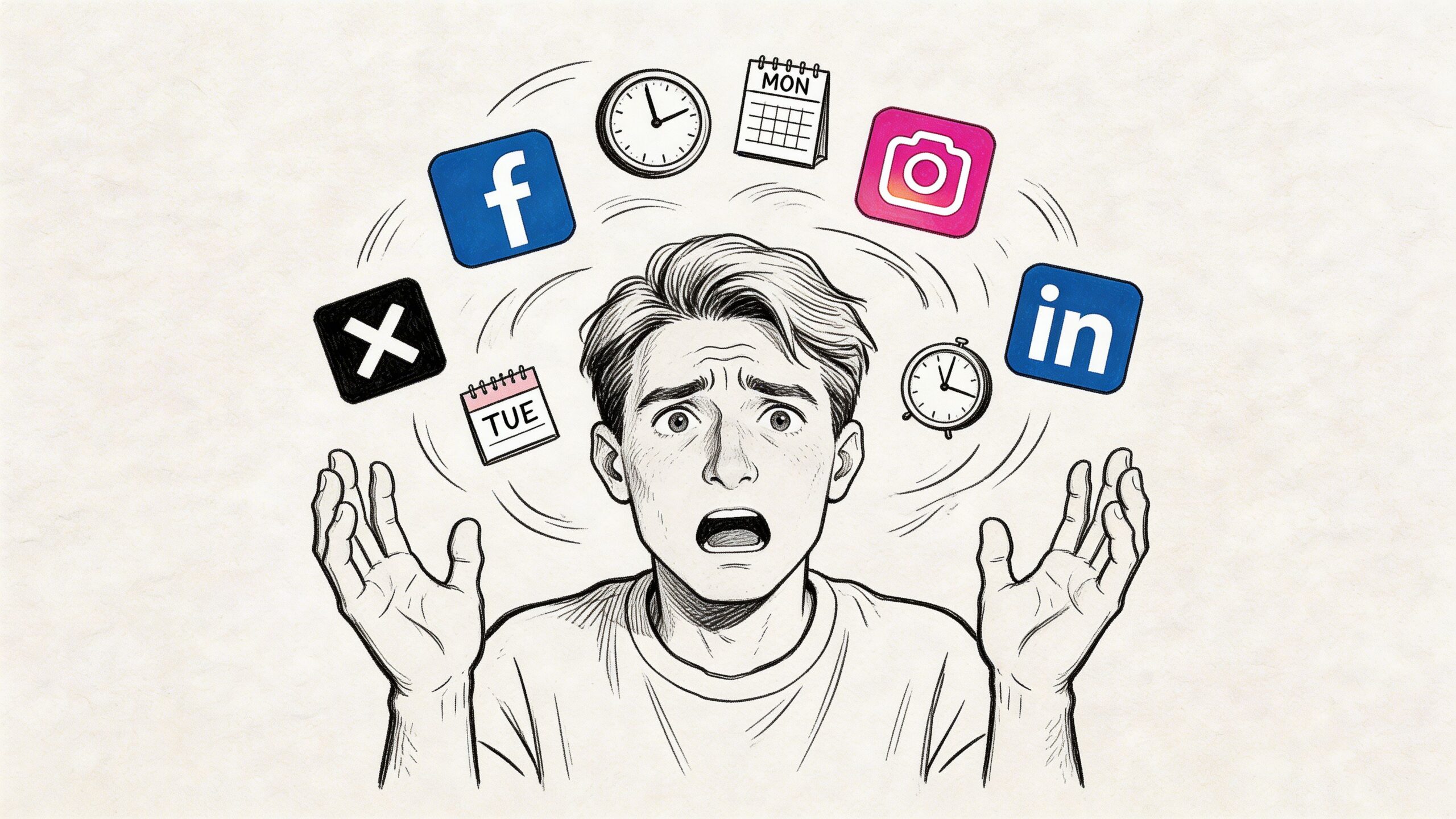
A typical solo workflow looks messy fast. You write a service update for LinkedIn. You copy part of it into Instagram. You shorten it for X. You open your camera roll to find the right image. You forget where the final version lives. Then a customer replies on one platform and sends a DM on another.
By the end of the week, you have spent more energy on switching contexts than on saying something useful.
Why the chaos feels bigger than it should
The numbers explain why this feels so heavy. By 2025, the average person used 6 to 7 social media platforms every month, and global users spent around 2.5 hours daily on social media according to Hootsuite's social media statistics. For a small business, that means your audience is scattered, and your attention gets scattered with them.
That fragmentation creates a few common problems:
- Inconsistent messaging because each platform gets handled at a different time, in a different mood.
- Missed follow-up because comments and replies live in separate apps.
- Repeated work because one idea gets rebuilt from scratch instead of adapted well.
- Decision fatigue because every platform asks for a slightly different format.
If this feels familiar, it helps to see that the problem is operational, not personal. You are not bad at social media. You are trying to run a multi-channel publishing system by hand.
What usually breaks first
For most solopreneurs, the first thing that slips is consistency. The second is quality.
You either post everywhere with the same generic caption, or you customize everything and burn too much time. Neither option holds up for long. That is why practical systems for managing multiple social media accounts matter. They reduce the friction between having an idea and getting it published.
A useful social workflow should remove app-switching, not add another layer of busywork.
The appeal of all social media on one app starts there. It is not about doing more social media. It is about making the work small enough to repeat.
Understanding All-in-One Social Media Apps
There is no magic app that replaces Facebook, Instagram, X, LinkedIn, TikTok, and YouTube.
That expectation causes a lot of disappointment. An all-in-one tool is not a new social network. It is a management layer that helps you plan, create, schedule, and sometimes reply across existing networks.
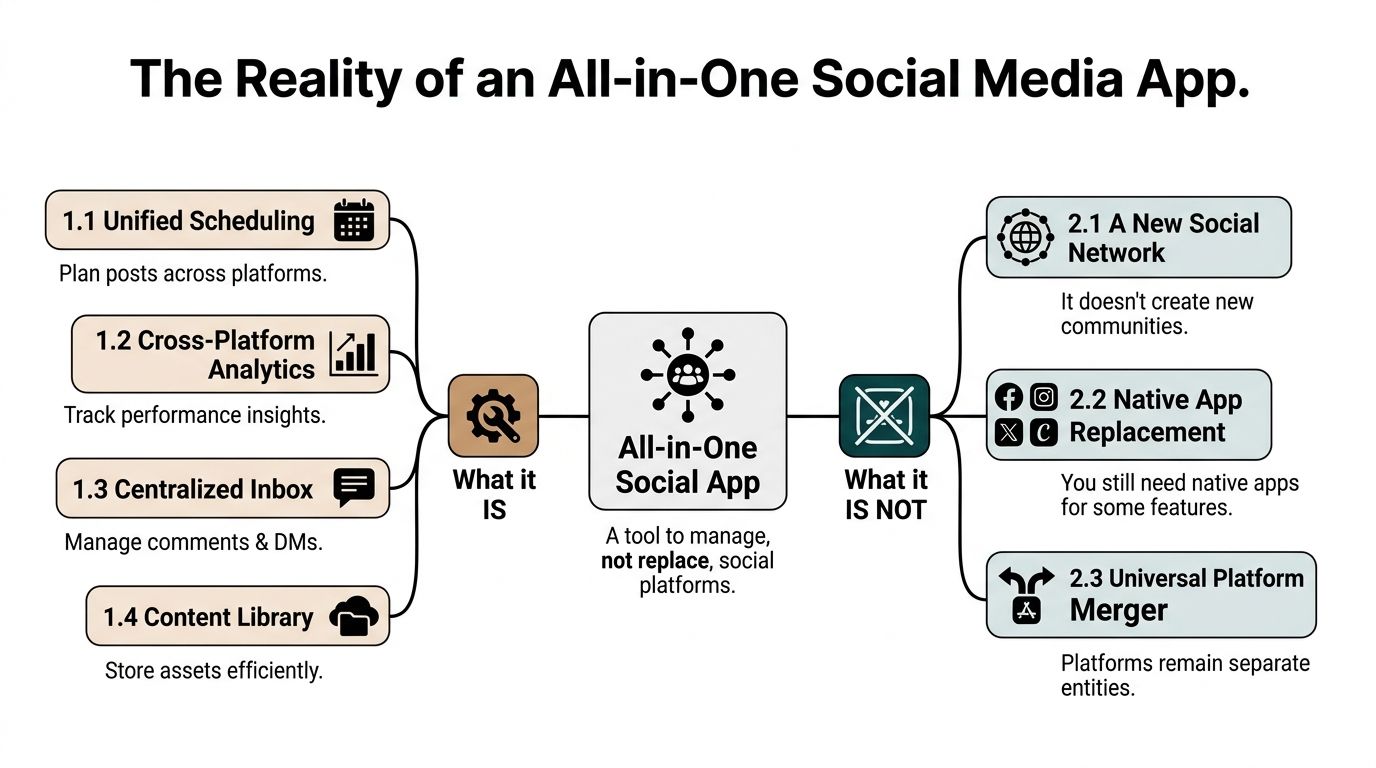
Consider it a universal remote. It gives you one control surface, but the TVs and speakers still exist as separate devices with their own settings and limits.
What these tools do
A good all-in-one app usually handles the operational side of social media:
| Function | What it helps with |
|---|---|
| Scheduling | Queue posts across several platforms |
| Content storage | Keep captions, images, and drafts in one place |
| Calendar view | Spot gaps, overlaps, and campaign timing |
| Inbox features | Reply where platform APIs allow it |
| Analytics | Review post performance across channels |
That setup is enough to change your week. You move from “what should I post right now?” to “what is already planned, and what needs a platform-specific version?”
Why they cannot replace native apps
The technical reason matters because it sets expectations. Platforms run on an event-driven microservices model, which is part of how they can push a single post out to massive audiences quickly. Tools like Postful interact with those platforms through APIs, but they do not recreate the platforms themselves, which is why a central dashboard works as a management approach rather than a full replacement, as described by GetStream's overview of building a social media app.
That has practical consequences:
- Some features stay native-only because the platform keeps them inside its own app.
- Publishing flows vary because each API allows different actions.
- Inbox access differs by network so one platform may support replies while another is more limited.
- Formatting options are uneven especially for Stories, short-form video, and certain profile types.
This is normal, not a flaw.
What works and what does not
What works is using one app as your operating system for content. Draft there. store assets there. schedule there. review your week there.
What does not work is expecting one app to erase every platform rule.
The right mental model is central control, not total replacement.
When people use all social media on one app successfully, they usually keep a simple split. Strategy, drafting, scheduling, and reuse happen in the dashboard. Final checks and edge-case features happen in native apps when needed.
That is a realistic setup. It also keeps you from chasing a fantasy tool instead of building a better workflow.
Compounding Benefits of a Centralized System
The first benefit of centralization is obvious. You save time.
The bigger benefit shows up later. A centralized system helps you make better decisions because you can finally see your content operation in one place.
Consistency gets easier
When your drafts, visuals, post history, and upcoming schedule live together, your brand voice gets steadier. You stop writing every post from a cold start.
That matters because your audience does not experience your business one platform at a time. They see a mix. Someone might find you on Instagram, check your LinkedIn, then look up your Google Business Profile. If those channels feel disconnected, your business feels smaller than it is.
A centralized tool helps you keep your message aligned across that fragmented environment. That matters in a world with 4.8 to 5.66 billion global social media users, where 96.9% of internet users in major economies are active monthly, and the average customer uses 6.8 platforms according to Statista's global social network data.
Planning improves because overlap becomes visible
Most small operators do not need more content. They need fewer accidental duplicates.
When your week is visible in one calendar, you can catch problems before you publish:
- Message overlap when the same promotion lands too close together
- Content gaps when one service or offer has gone quiet
- Format imbalance when every post is educational and none invite action
- Seasonal timing issues when a campaign starts too late
A content calendar is more than a scheduling screen. It is a decision-making tool.
Reuse becomes a strength instead of a shortcut
The smartest small business content systems reuse ideas aggressively. One customer question can become a LinkedIn post, a short X thread, an Instagram carousel caption, and a quick Google Business update.
That is not laziness. That is effective application of effort.
If you want a broader primer on what this looks like in practice, this overview of social media automation is worth bookmarking: https://blog.postful.ai/what-is-social-media-automation/
Reuse the idea. Rewrite the expression.
That distinction matters. Centralization lets you keep a library of ideas, examples, hooks, and offers. Over time, that library compounds. You stop treating every post as a one-off task and start treating your content like business inventory.
Essential Features for Your All-in-One Social App
Not every social media tool solves the core problem. Some give you a posting button and call it a day. For a solopreneur, that is not enough.
You need features that reduce effort and improve output.
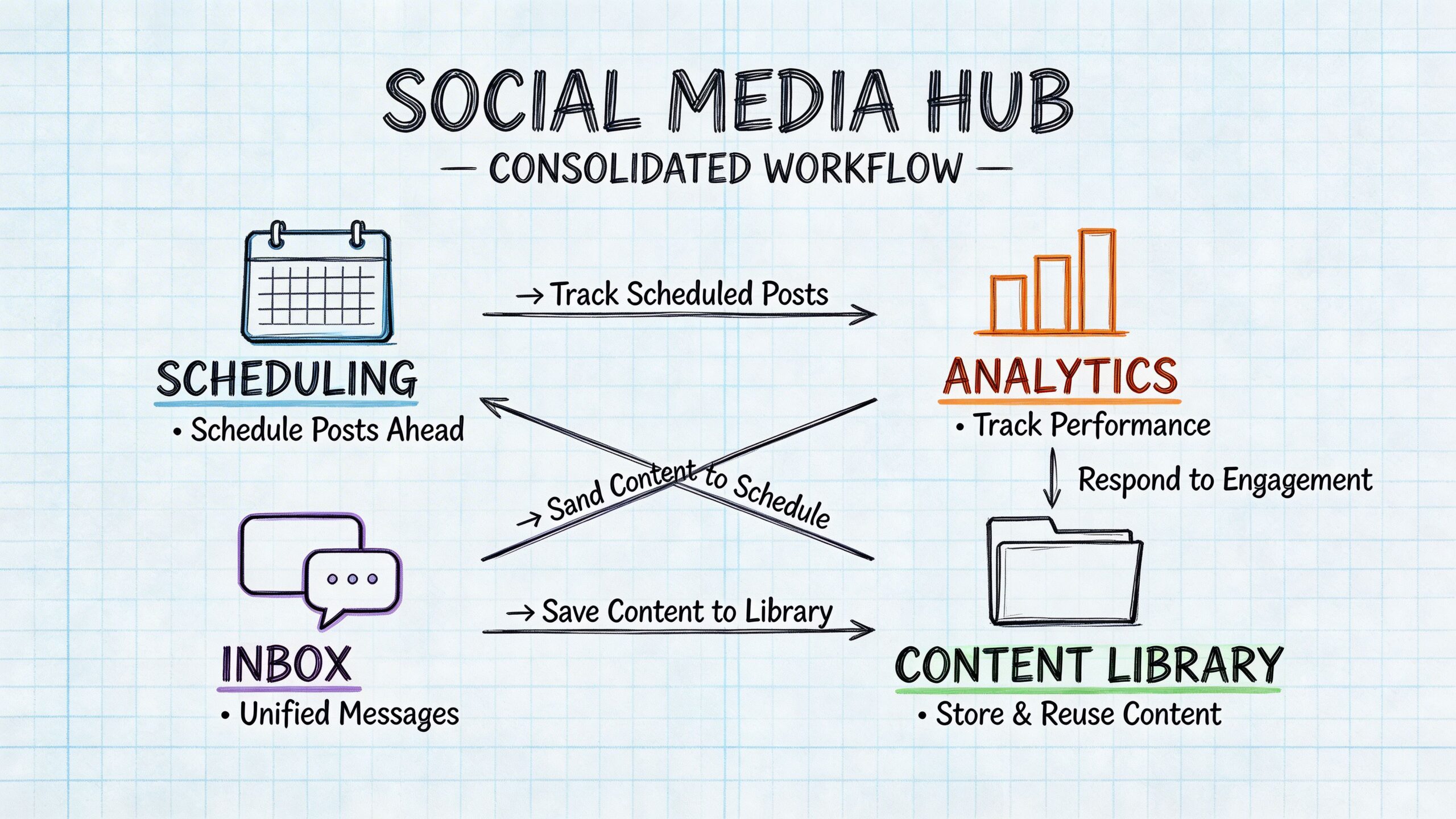
Smart scheduling
Scheduling is the baseline feature. It should let you batch work when you have energy instead of forcing you to post live every time.
Good scheduling gives you breathing room. You can write on Monday, queue the week, and spend the rest of your time on client work, delivery, and sales.
Look for a tool that makes it easy to:
- Queue posts in batches instead of one at a time
- Edit scheduled items quickly when priorities change
- Reuse old posts without copying from old notes manually
A real content calendar
A calendar is useful when it helps you think, not just when it stores dates.
You want a visual layer that shows campaigns, promotions, educational posts, and gaps. If the interface makes it hard to scan your week, the feature exists on paper but not in practice.
A simple calendar often beats a bloated one.
AI for brainstorming and first drafts
AI is most useful at the awkward middle stage. You know what you want to say, but you do not want to spend half an hour finding the angle.
Useful AI features help with:
- turning rough notes into a starting caption
- generating variations on a hook
- adapting tone from formal to conversational
- turning bullet points into something publishable
It should support your thinking, not replace it.
Platform-specific remixing
This is the feature many tools still treat as optional. It is not optional.
Generic cross-posting often leads to 30% to 50% lower engagement because platforms like Instagram and LinkedIn reward content that fits native expectations, as noted in Android Police's discussion of the remixing gap.
That means the same core message should not look identical everywhere.
A strong tool helps you remix one source post into variations such as:
| Platform | Better adaptation |
|---|---|
| More context, clearer business lesson | |
| X | Tighter phrasing, faster lead, shorter CTA |
| Visual-first caption with simpler structure | |
| Google Business Profile | Direct, local, action-oriented copy |
The workflow matters as much as the feature list. If remixing takes too many clicks, you will stop doing it.
For a concrete example of scheduling support inside a product workflow, see https://blog.postful.ai/postful-v0-6-5-release-scheduling-social-media-posts/
A centralized inbox where available
Inbox features are easy to underestimate until you are busy.
If your tool can pull comments, mentions, or DMs into one place for supported networks, that reduces the chance that a customer gets ignored. It also shortens the mental distance between publishing and responding.
The best feature set is the one you will still use on a tired Thursday afternoon.
That is the ultimate filter. Fancy features do not matter if the tool makes daily execution harder.
A Simple Workflow to Turn Ideas into Posts
The easiest content system to maintain is one you can run in a single sitting each week.
The workflow below is built for that. It is simple enough for one person, but structured enough to keep your posts from sounding random.
Stage 1. Capture ideas before they disappear
Do not wait for “content time” to have ideas. Catch them when they show up.
Good raw material usually comes from:
- customer questions
- objections you hear on calls
- things you explained in email this week
- a result, lesson, or mistake from current work
Keep these in one running list. A notes app works. A workspace tool works. A voice memo works if that is how you think best.
At this stage, do not polish. Save fragments like:
- “why clients delay redesign decisions”
- “3 signs your website copy is too vague”
- “what I ask before starting a new campaign”
Messy is fine. Lost is not.
Stage 2. Draft one core post
Pick one idea and write the clearest version first.
Example: you run a bookkeeping service and want to promote monthly reporting.
Your core post might be:
- business owners do not need more spreadsheets
- they need one clear monthly snapshot
- explain what changed, what needs attention, and what to do next
- invite people to ask for your reporting checklist
That is enough to become a strong source asset. If you use AI to help shape the draft, run it through your own voice before it gets scheduled. Tools like a Social Media Humanizer can help smooth robotic phrasing when a draft sounds too synthetic.
Stage 3. Remix for the platform
Most workflows either become effective or fall apart at this stage.
The source idea stays the same. The expression changes.
For the bookkeeping example:
LinkedIn version
Lead with the business pain. Explain that owners often get buried in numbers but still cannot answer whether the month was healthy. End with a professional CTA.
X version
Open faster. Cut explanation. Make it punchier. Focus on the main contrast between “more spreadsheets” and “clear decisions.”
Instagram version
Build around a visual or carousel concept. Keep the caption easier to scan. Use the first line to support the graphic, not repeat it.
A practical remixing workflow often looks like this:
- Keep the same core promise so the message stays aligned.
- Change the opening line to match reading habits on that platform.
- Adjust length and pacing instead of just trimming words.
- Swap the CTA based on what the platform supports well.
If you want examples of AI-assisted adaptation, this product update shows the kind of write-and-remix workflow that is useful in practice: https://blog.postful.ai/whats-new-write-and-remix/
Stage 4. Schedule and get out
Once the versions are ready, schedule them and move on.
Do a quick check before publishing:
- Is the image right for the platform?
- Does the first line fit the channel?
- Is the CTA clear?
- Are you repeating the exact same post too closely elsewhere?
Then stop touching it.
One reason solopreneurs get trapped in social media is that they keep half-finishing posts. A batch workflow solves that. You give each idea one focused session, adapt it properly, schedule it, and return to real work.
One strong idea, adapted well, beats five rushed posts published everywhere unchanged.
That is the system. Capture. Draft. Remix. Schedule. Repeat weekly.
Putting It All Together with Postful
A practical all-in-one workflow becomes easier when the tool is built around idea generation, adaptation, and scheduling in the same place.
Say you are launching a new offer. You start with the rough idea, not a finished caption. Inside Postful, you can use templates and AI prompting to turn that rough idea into a working draft, then create alternate versions for different networks without bouncing between separate writing docs and scheduler tabs.
That matters for the workflow described above because it keeps the whole chain connected:
- Ideate with prompts and suggestions based on what you want to promote
- Draft the core message while the idea is still fresh
- Remix into versions for channels like LinkedIn, X, Instagram, Facebook, Google Business Profile, TikTok, YouTube, or Pinterest
- Schedule those versions from the same interface
For a solopreneur, that is the primary value. Less handoff between tools. Less copy-paste. Fewer unfinished posts.
If you want alternatives, established tools like Buffer and Hootsuite are also useful references for scheduling and analytics. Pricing: see each product website for details. Different tools fit different operating styles, and it is worth testing the one that matches how you work.
The important part is not which logo you choose. It is whether the tool helps you do the one thing that generic cross-posting fails at: remix a strong idea so it feels native on each platform.
When that piece is in place, all social media on one app stops being a slogan. It becomes a calm weekly system.
If you want to try that system in practice, Postful is open in early access and free to use during early access. It is built for small business owners, side-hustlers, and solopreneurs who want to turn one idea into polished, platform-specific posts without spending their week inside social apps.