Tag: social media tools

  • 12 Best Free Social Media Management Tools for Founders in 2026

    12 Best Free Social Media Management Tools for Founders in 2026

    Juggling content creation, post scheduling, performance tracking, and community engagement across multiple social media platforms can quickly consume your most valuable resource: time. For startup founders, side-hustlers, and small business owners, this operational drain can pull focus from core business growth. The solution isn't necessarily a bigger budget, but smarter tools. This is where the best free social media management tools become essential, offering a way to automate, organize, and analyze your social presence without impacting your bottom line.

    This guide is designed to be your definitive resource for finding the right free platform for your specific needs. We’ve moved beyond generic feature lists to provide a practical, in-depth analysis of each tool. You won't find marketing fluff here. Instead, you'll get a clear breakdown of standout free-tier features, honest assessments of their limitations, and specific use-case scenarios to help you visualize how each tool fits into your workflow. We'll show you exactly what's possible, from scheduling a week's worth of Instagram posts with Planoly to creating a workflow that automatically shares your blog posts across channels with IFTTT.

    Each entry includes screenshots and direct links to get you started immediately. Our goal is to help you reclaim hours in your week by choosing a tool that streamlines your process, not complicates it. Beyond just social media, if you're looking to explore other ways to enhance your workflow without spending, discover more powerful free software alternatives to equip your entire business stack. Now, let's find the perfect free tool to level up your social media game.

    1. Buffer

    Buffer is a long-standing and respected name in social media management, renowned for its clean interface and dependable scheduling. It’s an ideal starting point for founders and small business owners who need a no-fuss tool to establish a consistent online presence without a steep learning curve. The platform excels at its core function: straightforward content planning and publishing.

    Its free plan is one of the most generous and user-friendly options available, making it a top contender among the best free social media management tools. While some platforms offer complex features that can be overwhelming, Buffer focuses on simplicity and efficiency.

    Standout Free Features

    The free tier provides genuine, long-term value for those with modest needs.

    • Platform Connections: Connect up to 3 social channels from a list including Instagram, Facebook, X (formerly Twitter), LinkedIn, and TikTok.
    • Scheduling Queue: Plan and schedule up to 10 posts per channel in advance. This is perfect for batching a week or two of content at a time. For example, you can sit down on Monday morning and schedule your key posts for X, Instagram, and LinkedIn for the entire week, freeing up your daily schedule.
    • Core Tools: Access to a basic landing page builder (Start Page) and an AI Assistant to help brainstorm ideas or rephrase copy.

    Limitations to Consider

    The primary limitation is scale. The 10-post queue per channel can feel restrictive for high-frequency posting strategies, and the free plan lacks an engagement inbox or advanced analytics. To monitor comments or track detailed performance metrics, you'll need a paid plan.

    Ideal User: The solo founder or side-hustler managing a handful of core social media accounts. It’s perfect if your main goal is to automate posting and maintain a consistent presence without getting bogged down in complex analytics.

    Productivity Workflow: Use Buffer’s browser extension to build a content curation habit. As you read articles related to your industry, click the extension to instantly add a link to your queue. For example, if you find a great industry report, you can add it to your LinkedIn and X queues in seconds, complete with a pre-written comment, without ever leaving the article page. Understanding the fundamentals of this process is key, and you can learn more about effective social media scheduling on the Postful blog.

    Website: buffer.com

    2. Zoho Social (Free Edition)

    Zoho Social is a powerful component of the broader Zoho business suite, but its free edition stands strong as a comprehensive tool for single-brand management. It’s an excellent choice for a small business owner who needs robust publishing capabilities without an immediate budget for software. The platform offers a surprisingly generous feature set, moving beyond simple scheduling.

    Its free plan is one of the most functional available, particularly for those who need to publish frequently without hitting a monthly cap, positioning it as a leading option among the best free social media management tools. While some tools lock essential features behind a paywall, Zoho Social provides a genuinely useful long-term solution.

    Zoho Social (Free Edition)

    Standout Free Features

    The free tier delivers significant value, especially with its unlimited publishing volume.

    • Platform Connections: Publish to 6 key channels including Facebook, Instagram, LinkedIn, X (formerly Twitter), and Google Business Profile.
    • Unlimited Publishing: There is no monthly post limit, a major advantage for active brands that want to post multiple times per day.
    • Core Tools: Includes a URL shortener, a browser extension (zShare) for easy content curation, and access to basic reports on recent post-performance.

    Limitations to Consider

    The free plan is strictly for one user and one brand, making it unsuitable for agencies or businesses with multiple social media profiles. More advanced features like a content calendar, bulk scheduler, and in-depth analytics are reserved for paid tiers. The interface, while powerful, can feel more complex than minimalist alternatives like Buffer.

    Ideal User: The sole operator or single-brand founder who needs to manage multiple channels with a high posting frequency. It's a perfect fit if you already use other Zoho products or plan to scale into a more integrated business ecosystem.

    Productivity Workflow: Leverage the zShare browser extension for efficient content curation. Create a workflow where you dedicate 20 minutes each morning to browsing industry news sites. When you find a share-worthy article, use zShare to open a composer window. From there, write a unique caption for Facebook, a shorter one for X, and a professional take for LinkedIn, then schedule them all at once without ever logging into the Zoho Social dashboard. This technique turns curation from a chore into a quick, productive daily habit.

    Website: zoho.com/social/free-edition.html

    3. Publer

    Publer is a powerful and modern social media scheduler that stands out for its extensive platform support, even on its free plan. It’s designed for creators and businesses who need to manage a diverse set of social channels beyond the usual suspects, including visual platforms like Pinterest and local-focused ones like Google Business Profile.
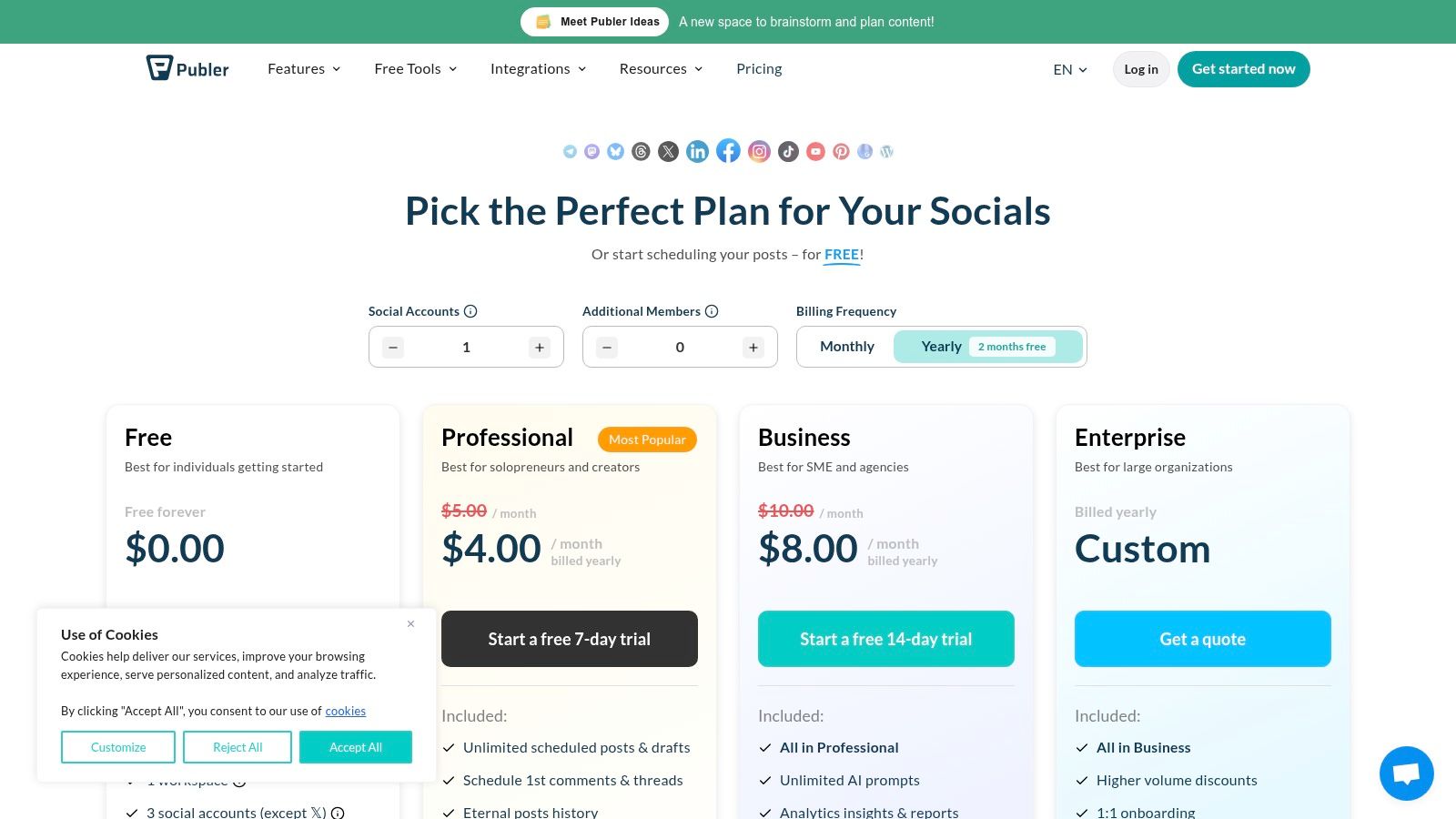
    Publer

    The platform offers a surprising amount of functionality without a subscription, making it one of the best free social media management tools for those managing a multi-platform strategy. Its interface is clean, and the ability to test-drive paid features without a credit card is a significant user-friendly perk.

    Standout Free Features

    Publer’s free offering is robust, focusing on broad platform compatibility and core scheduling tools.

    • Platform Connections: Link up to 3 social accounts. Supported platforms include Facebook, Instagram, TikTok, LinkedIn, Pinterest, YouTube, and Google Business Profile.
    • Scheduling & Drafts: Schedule up to 10 posts at a time and save up to 25 posts as drafts, which is great for planning future content ideas.
    • Extra Tools: Access to a link-in-bio page and a content calendar view helps organize your strategy visually.

    Limitations to Consider

    The free plan's main drawback is the exclusion of X (formerly Twitter). Additionally, advanced features like a media library, analytics, and bulk scheduling are reserved for paid tiers. The 10-post active queue can also be a bottleneck for users posting daily across multiple networks.

    Ideal User: The content creator or small business owner active on visual or niche platforms like Pinterest, YouTube, or Google Business Profile. It's a great fit if you need to manage more than just the "big four" social networks.

    Productivity Workflow: Use the drafts feature to create a content "idea bank." Whenever an idea for a post strikes, open Publer and create a draft with a quick note or a link—don't worry about perfecting it. For example, you might create drafts like "Share Q3 update on LinkedIn," "Post new product photo to Pinterest," or "Create a TikTok about [industry trend]." When it's time to schedule content, you'll have a ready-made list of 25 ideas to choose from, eliminating writer's block.

    Website: publer.io/plans

    4. Metricool

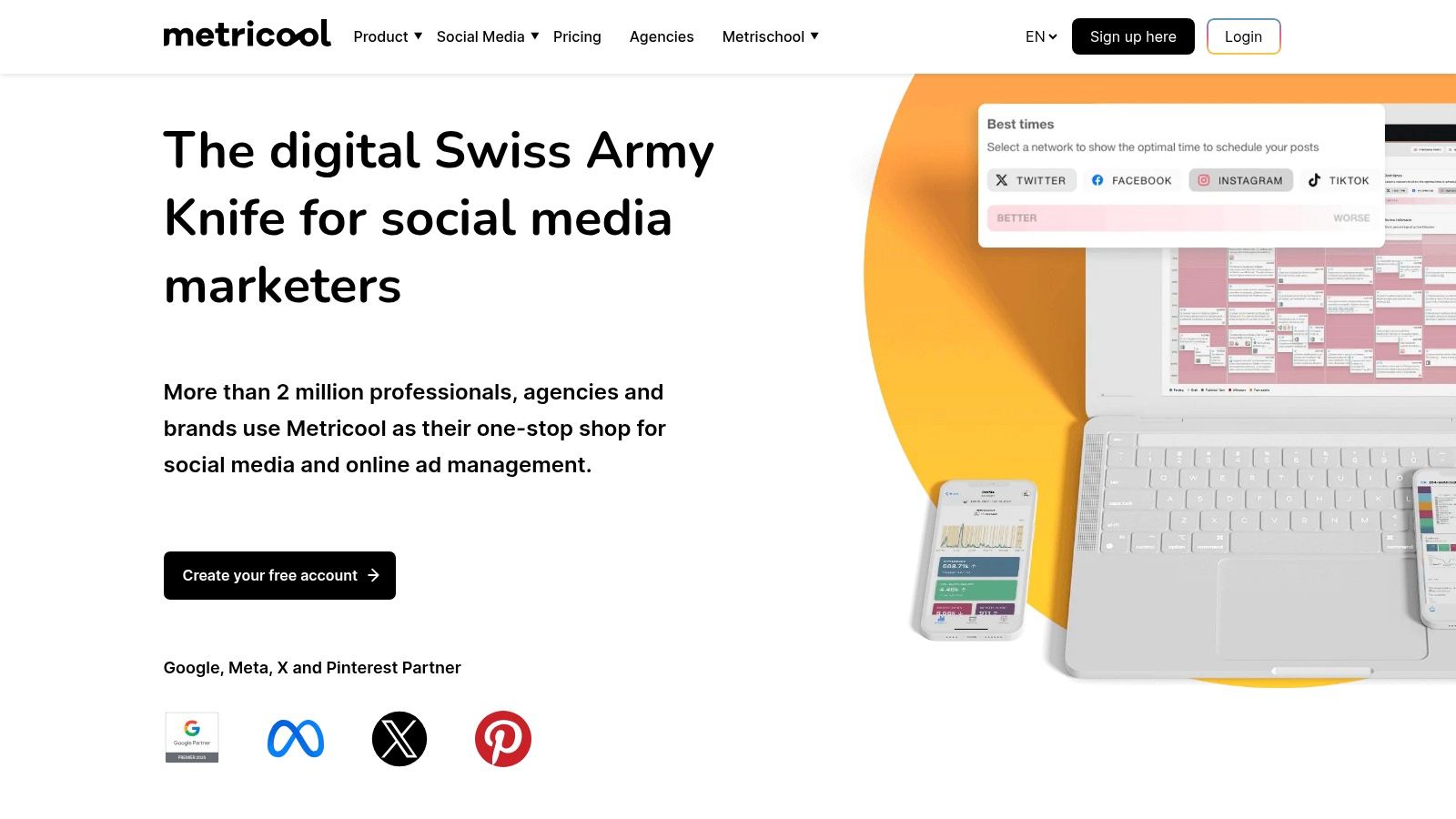
    Metricool is a versatile, all-in-one social media management tool that combines scheduling with robust analytics, even on its free plan. It’s designed for users who want to move beyond simple posting to understand performance and track competitors without an immediate financial commitment. The platform provides a comprehensive dashboard that consolidates key metrics in one place.

    As one of the best free social media management tools, Metricool stands out by offering a broader analytical lens than many competitors. It’s built for those who appreciate data and want to make informed decisions about their social media strategy from day one.
    Metricool

    Standout Free Features

    The free plan is surprisingly functional for managing a single brand’s core online presence.

    • Platform Connections: Manage 1 brand, which includes connecting to Facebook, Instagram, X (formerly Twitter), LinkedIn, Pinterest, TikTok, and more.
    • Scheduling & Analytics: Schedule up to 50 posts per month and access basic analytics with a 30-day data retention window.
    • Competitor Tracking: Add 1 competitor per social network to monitor their performance, a feature rarely found in free tools. You can also analyze up to 5 hashtags.

    Limitations to Consider

    The free plan's primary constraints are the 50-post monthly limit and the single-brand restriction. Advanced features like a unified inbox for messages, downloadable reports, and integrations with tools like Canva are reserved for paid tiers. The 30-day data lookback for analytics also limits long-term performance analysis.

    Ideal User: The data-curious small business owner or marketer managing a single brand. It’s perfect if you need not only to schedule content but also to get a basic understanding of your performance and a glimpse into your competition’s strategy.

    Productivity Workflow: Use the "Best Times to Post" feature to create a hyper-efficient scheduling workflow. At the start of each week, check the color-coded heatmaps for Instagram and Facebook. Identify your top 3-5 engagement slots for the week. Then, focus your content creation efforts on filling only those high-impact slots. This data-driven approach ensures your limited posts get maximum visibility and prevents you from wasting time posting during low-traffic periods.

    Website: metricool.com/pricing

    5. Planoly

    Planoly is a visual-first social media planner, making it a go-to tool for creators, e-commerce shops, and brands where aesthetics are paramount. Its design is centered around perfecting the Instagram grid, allowing users to drag and drop images to see exactly how their profile will look before posting. This visual-centric approach is its key differentiator.

    The platform has maintained a “Personal” free plan that serves as an excellent entry point for those dipping their toes into visual content strategy. While other tools focus broadly on scheduling, Planoly excels at the specific task of crafting a cohesive and visually appealing feed, making it one of the best free social media management tools for Instagram-focused users.

    Standout Free Features

    The free tier is built to help you master your visual branding without a financial commitment.

    • Platform Connections: Connect 1 social profile, including Instagram, Pinterest, Facebook, X (formerly Twitter), or TikTok.
    • Visual Grid Planning: See your Instagram grid layout in advance and rearrange scheduled posts with an intuitive drag-and-drop interface.
    • Upload Limits: You get 30 uploads per month, which reset on the first of each month. This is sufficient for a daily posting strategy on one channel.
    • Basic Engagement: Access basic analytics for your connected profile and manage comments on your most recent 5 posts.

    Limitations to Consider

    The free plan is quite restrictive, especially on upload limits. The 30-upload cap applies to all media types (images, videos, carousels), and exceeding it requires a paid upgrade. Advanced features like First Comment scheduling, the Best Time to Post feature, and multi-user collaboration are also locked behind a paywall.

    Ideal User: The Instagram-centric content creator, boutique owner, or brand manager who prioritizes a visually curated grid above all else. It's perfect if your primary goal is to plan and perfect your feed's aesthetic.

    Productivity Workflow: Use Planoly as a visual sandbox before committing to a post. Upload 10-15 potential photos for the upcoming month. Use the drag-and-drop grid planner to experiment with different layouts and color flows. For instance, you could try alternating between product shots and lifestyle images to see how it looks. This workflow allows you to perfect your brand's visual story without the pressure of writing captions or scheduling, separating the creative planning phase from the execution phase.

    Website: planoly.com

    6. Plann

    Plann is a visually-focused social media scheduler designed for creators and brands who prioritize aesthetics, especially on platforms like Instagram and TikTok. Its strength lies in its intuitive drag-and-drop grid planner and media organization tools, making it one of the best free social media management tools for anyone whose strategy is built on strong visual storytelling. The seamless integration with Canva allows for a streamlined creative workflow, from design to scheduling.
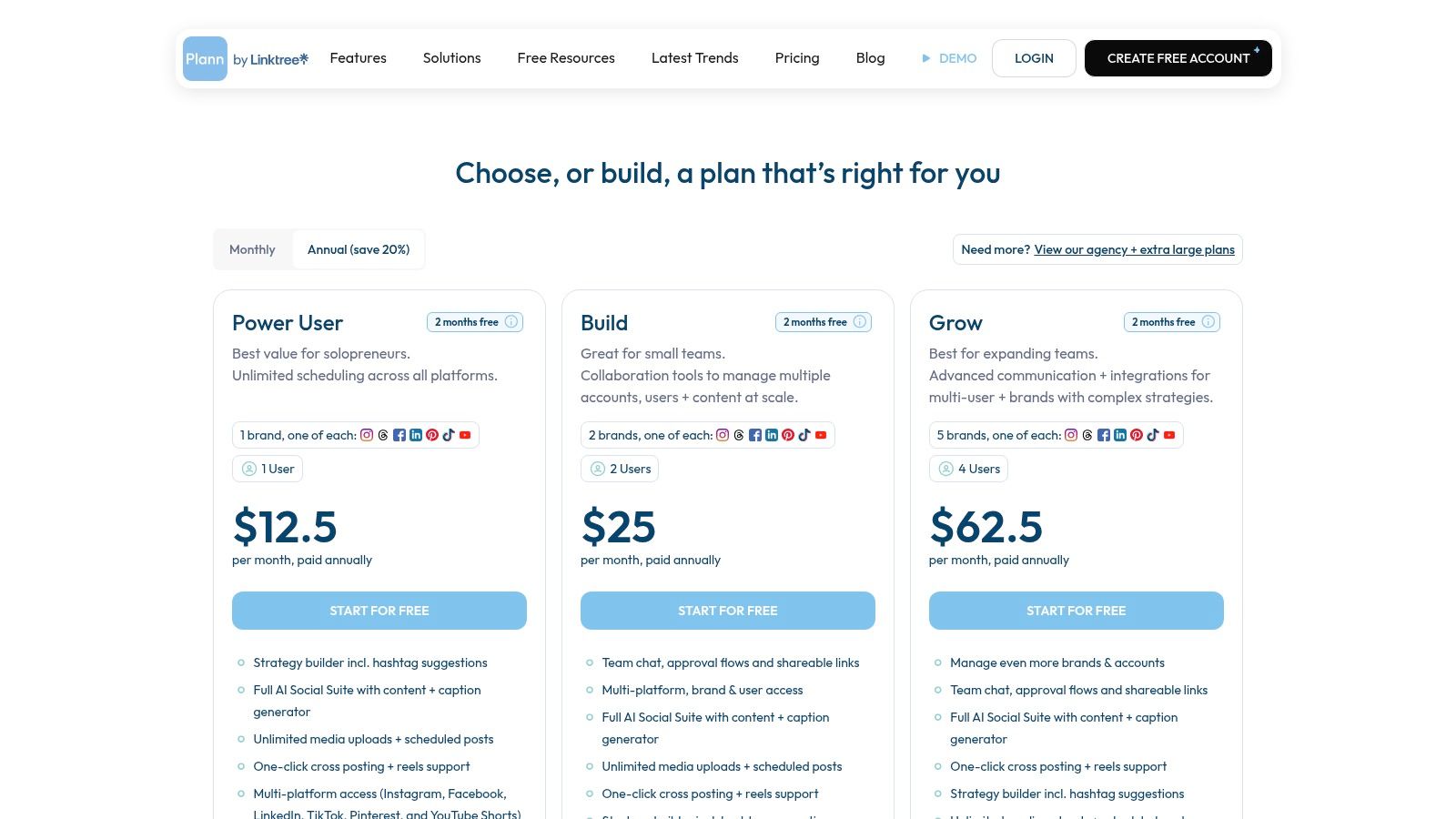
    Plann

    Its "Free Forever" plan offers a great entry point into this visual-first approach, allowing users to experience the core planning environment before committing to a paid tier that unlocks more channels and advanced AI features.

    Standout Free Features

    The free plan is built to give you a genuine feel for Plann’s visual-first workflow.

    • Platform Connections: Manage 1 social account, with a clear focus on Instagram, but options for TikTok, Facebook, or LinkedIn.
    • Media & Posting: Get 30 media uploads per month and schedule up to 10 posts or 5 videos monthly.
    • Core Tools: Access to the visual grid planner, media collections for organizing assets, and the direct Canva integration.

    Limitations to Consider

    The free plan is quite constrained, primarily serving as a trial for its Instagram-centric features. The limits on media uploads and posts per month are low, and essential features like auto-posting for Stories, Reels, or Carousels, as well as AI captions and team collaboration, are reserved for paid plans.

    Ideal User: The Instagram-focused content creator, solopreneur, or small business owner who needs to meticulously plan their visual feed. It’s perfect if your primary goal is to design a beautiful, cohesive grid and organize your creative assets efficiently.

    Productivity Workflow: Streamline your content creation using the Canva integration. Instead of designing in Canva, downloading, and then uploading to your scheduler, do it all in one place. From within Plann, click to create a new design in Canva. Once finished, the design is automatically imported back into your Plann media library. You can then drag it onto your grid and add a caption. This workflow eliminates several steps and keeps all your visual assets organized within Plann's media collections.

    Website: plannthat.com/pricing/

    7. Social Champ

    Social Champ is a robust scheduler that offers a legitimate free plan, standing out with its transparent per-profile pricing model for paid tiers. This makes it an excellent choice for lean teams and agencies who need a clear, predictable way to scale their social media management as they grow, without hitting ambiguous "unlimited" usage walls.

    Its free offering is a solid entry point into more structured social media planning, making it a worthy contender among the best free social media management tools for those who anticipate needing to add more profiles affordably in the future.
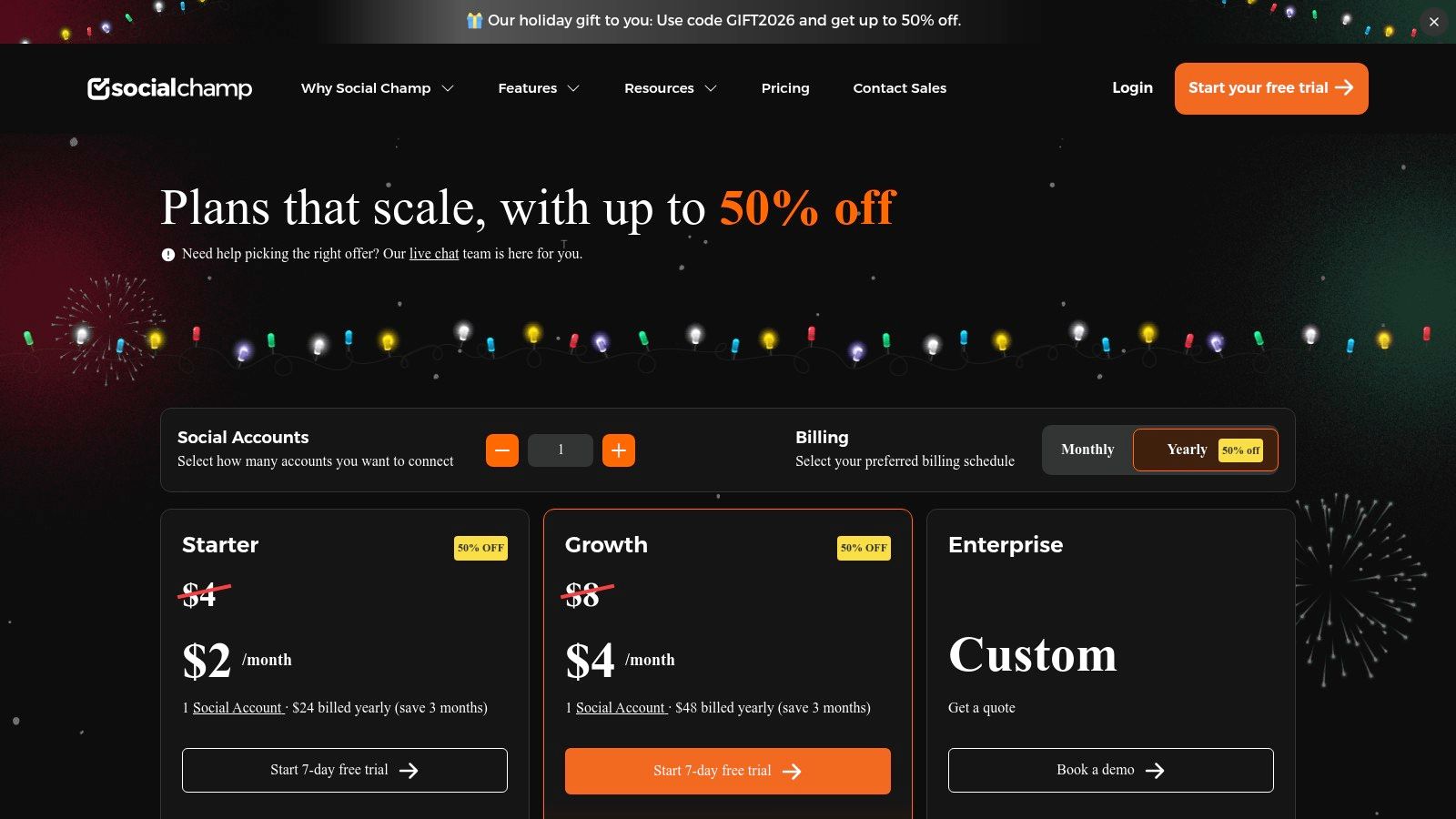
    Social Champ

    Standout Free Features

    The free plan provides a practical foundation for scheduling and organization.

    • Platform Connections: Manage up to 3 social profiles from a selection that includes Facebook, Instagram, X, LinkedIn, Pinterest, and Google Business Profile.
    • Scheduling Queue: Plan and schedule up to 15 posts per profile in advance. This slightly larger queue allows for more content batching compared to some competitors.
    • Core Tools: Access to a publishing calendar and bulk scheduling via CSV upload, a feature often reserved for paid plans.

    Limitations to Consider

    The free plan is strictly for publishing. Key features like a unified social inbox for engagement and any form of analytics are gated behind paid tiers. The 15-post queue, while decent, can still be a bottleneck for brands with an aggressive content strategy.

    Ideal User: The small business owner or marketer who manages a few core accounts and wants to test out more advanced scheduling features like bulk uploads without a financial commitment. It’s also great for those planning to scale, as the pricing is very clear.

    Productivity Workflow: Dedicate one hour at the start of each month to use the bulk scheduling feature. Create a simple CSV file with three columns: "Content," "Date," and "Time." Plan out all your recurring posts, like weekly tips or monthly announcements. For example, you can schedule a "#TipTuesday" post for every Tuesday of the month in just a few minutes. Uploading this single file populates your calendar instantly, saving you from manually creating each post.

    Website: https://www.socialchamp.io/pricing/

    8. RecurPost

    RecurPost specializes in a unique and powerful niche: evergreen content recycling. It’s built for businesses and creators whose content library has a long shelf life, allowing them to create recurring post schedules that automatically pull from content libraries. This "set-it-and-forget-it" approach ensures social channels remain active with valuable content without constant manual effort.

    While RecurPost does not offer a permanent free plan, its 14-day free trial provides a solid window to test its core functionality, earning it a spot for those evaluating different workflows. It excels at turning a finite amount of content into a continuous stream of posts, a strategy particularly useful for promoting blog posts, timeless tips, or foundational brand messaging.
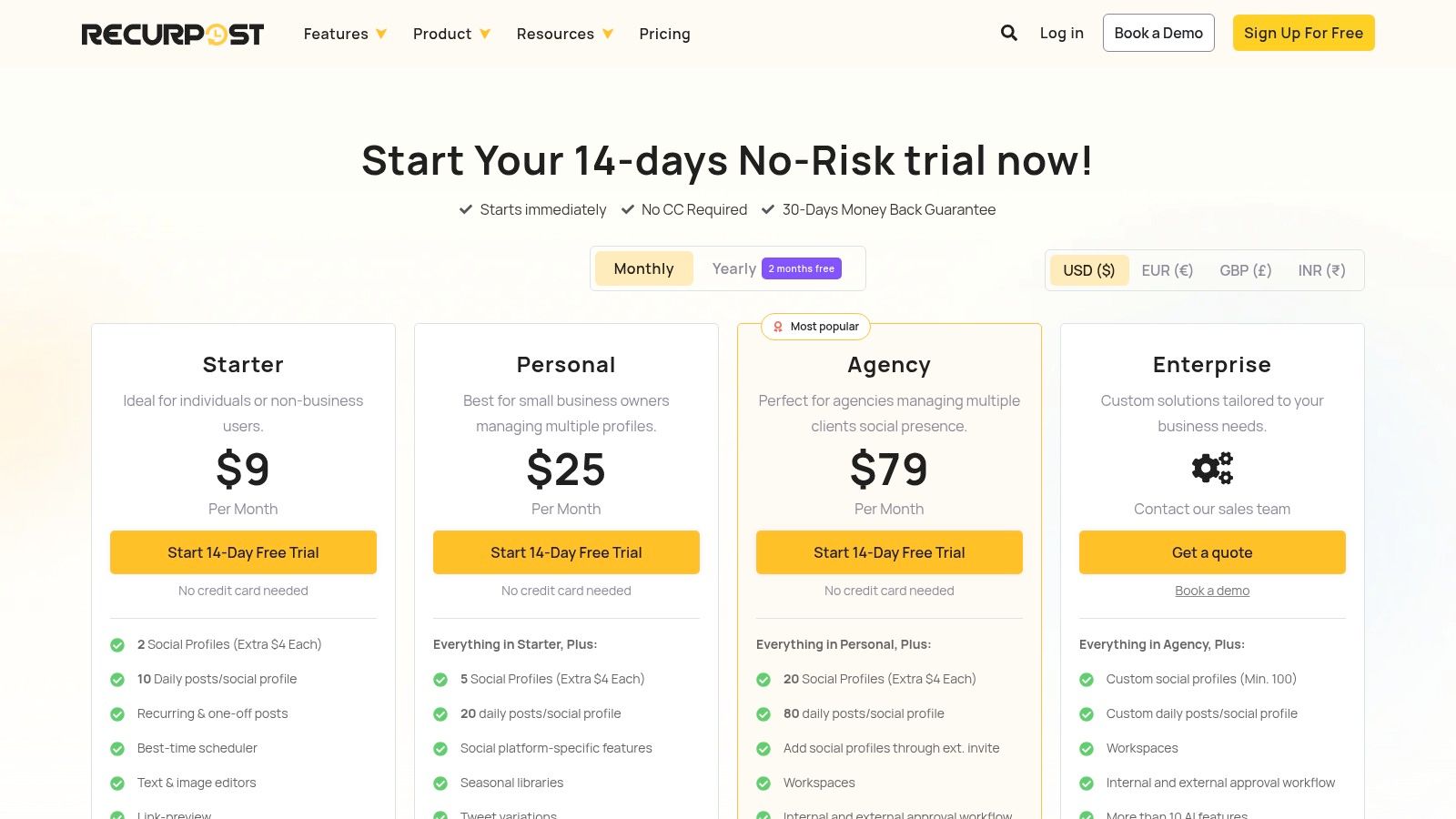
    RecurPost pricing plans

    Standout Free Features

    The value of RecurPost is best assessed during its 14-day free trial of a paid plan, which gives you access to its signature features.

    • Content Libraries: Organize your evergreen posts into distinct libraries (e.g., "Blog Posts," "Motivational Quotes," "Product Features").
    • Recurring Schedules: Set a schedule to automatically publish a post from a specific library at a set time and frequency. The platform will cycle through the content for you.
    • Smart Scheduler: The tool can analyze your audience's engagement patterns to suggest the best times to post for maximum visibility.

    Limitations to Consider

    The most significant limitation is the absence of a permanent free plan. After the 14-day trial, you must upgrade to a paid subscription to continue using the service. The entry-level paid plan is also limited to just two social accounts, which may be insufficient for some users.

    Ideal User: The content creator or niche blogger with a substantial archive of evergreen articles and resources. If your goal is to continuously resurface your best work to new audiences with minimal daily management, RecurPost's automation is a perfect fit.

    Productivity Workflow: Create a "Content Pillar" workflow. For each major blog post or guide you've written, create a dedicated content library in RecurPost. Populate it with 5-10 different social media posts that link to that article, each with a unique caption, question, or quote. Then, set a recurring schedule to post from that library once every two weeks. This automated system ensures your most valuable content gets continuous promotion without you ever having to manually schedule it again.

    Website: recurpost.com/plans-and-pricing/

    9. IFTTT

    IFTTT (If This, Then That) isn't a traditional social media management tool but rather a powerful automation engine that connects different apps and services. It excels at creating simple, automated workflows that can handle specific, repetitive social media tasks without manual intervention, acting as the "glue" in a lean marketing stack.

    For those looking to streamline content distribution across platforms, IFTTT is one of the most flexible free social media management tools available. It operates on a simple principle: if a trigger event happens in one service, it automatically causes an action in another.
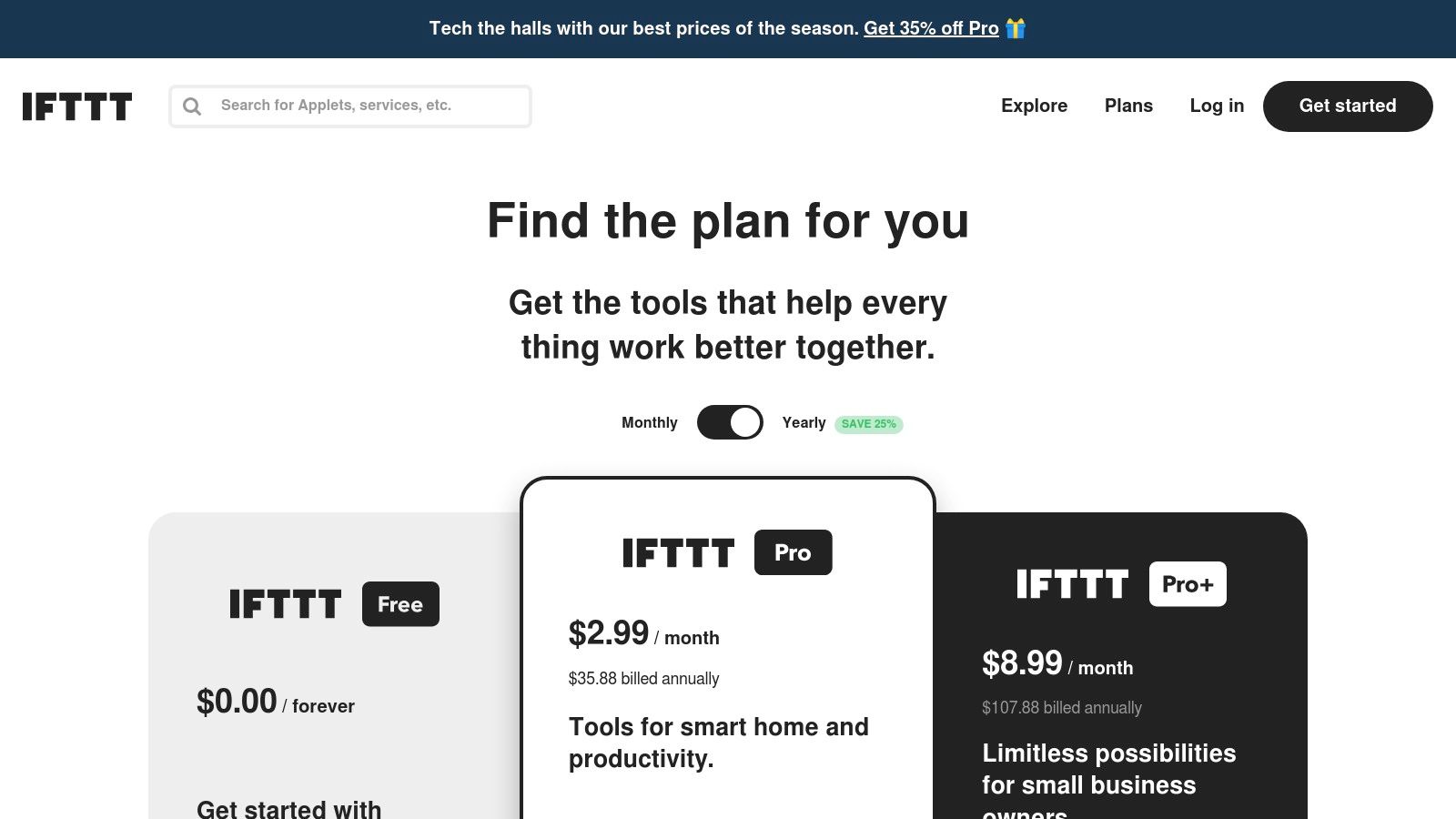
    IFTTT pricing plans showing the Free, Pro, and Pro+ tiers

    Standout Free Features

    The free plan empowers users to build simple yet effective automations.

    • Applets: Create up to 2 Applets (automations) to connect your social accounts with hundreds of other services.
    • Cross-Posting: Automatically share new Instagram posts to an X (formerly Twitter) feed or a Facebook Page.
    • Content Curation: Set up an Applet to automatically post articles from an RSS feed of your favorite blog directly to a LinkedIn page.
    • Mobile App: Access and manage your Applets on the go with the free mobile app for iOS and Android.

    Limitations to Consider

    The free plan is quite restrictive, allowing only two active Applets. More complex, multi-step automations with conditional logic and faster execution speeds require a paid subscription. It's an automation tool, not a management suite, so it lacks a content calendar, analytics, or an engagement inbox.

    Ideal User: The tech-savvy solopreneur or content creator who wants to automate very specific, high-frequency tasks, like cross-posting from one primary platform to others or syncing content from sources like RSS feeds or Pocket.

    Productivity Workflow: Build a content distribution engine with one Applet. Set up a workflow: "If new item in [Your Blog's] RSS feed, then create a post on [Your Facebook Page]." This single automation ensures that every time you publish a new article on your website, it's immediately shared with your Facebook audience, driving traffic back to your site with zero manual effort. To dive deeper into this type of workflow, you can explore the fundamentals of effective social media automation on the Postful blog.

    Website: ifttt.com/plans

    10. Meta Business Suite (Facebook + Instagram)

    For businesses heavily focused on Facebook and Instagram, Meta Business Suite is the official, native solution. As the platform’s own tool, it offers the most direct and integrated way to manage your presence across these two networks. It consolidates content planning, messaging, and basic analytics into a single, completely free dashboard.

    While third-party tools offer broader network support, Meta Business Suite provides unparalleled integration for its own ecosystem. It's an essential, no-cost starting point for any business whose primary audience resides on Facebook or Instagram, making it a powerful contender among the best free social media management tools for this specific use case.

    Standout Free Features

    Because it's a native tool, there are no artificial limits on core functions, providing significant value.

    • Unlimited Scheduling: Plan and schedule an unlimited number of posts, Stories, and Reels for your Facebook Pages and Instagram accounts using the visual Planner calendar.
    • Unified Inbox: Manage all your comments and direct messages from both Facebook Messenger and Instagram Direct in one consolidated inbox, streamlining community management.
    • Basic Native Insights: Access fundamental analytics on reach, engagement, and audience demographics, including data on when your followers are most active online.

    Limitations to Consider

    The primary drawback is its exclusivity to Meta's platforms. If your strategy includes X, LinkedIn, or Pinterest, you will need another tool. Users also frequently report reliability issues, such as scheduling bugs or a confusing user interface on desktop, which can disrupt workflows.

    Ideal User: The small business owner or content creator whose marketing efforts are almost entirely concentrated on Facebook and Instagram. It's perfect for managing a high volume of content on these platforms without any cost.

    Productivity Workflow: Implement a "comment-to-DM" auto-reply for specific posts to streamline lead generation. For example, create a Facebook post promoting a free guide and instruct users to comment "Guide" to receive it. In Business Suite's "Automations" tab, set up a rule that automatically sends a direct message with the download link to anyone who comments with that specific keyword. This workflow captures leads instantly and saves you from manually messaging every person.

    Website: business.facebook.com

    11. Planable

    Planable is a collaboration-first social media management tool designed for teams and agencies that need seamless approval workflows. Its interface mimics the look and feel of actual social media feeds, allowing stakeholders and clients to visualize exactly how a post will appear before it goes live. This focus on visual planning and feedback makes it stand out among other free social media management tools.

    The platform excels at creating a frictionless review process, eliminating the need for confusing spreadsheets or lengthy email chains for content sign-off. Its free plan provides a generous taste of this core functionality, making it ideal for those who manage content for others.
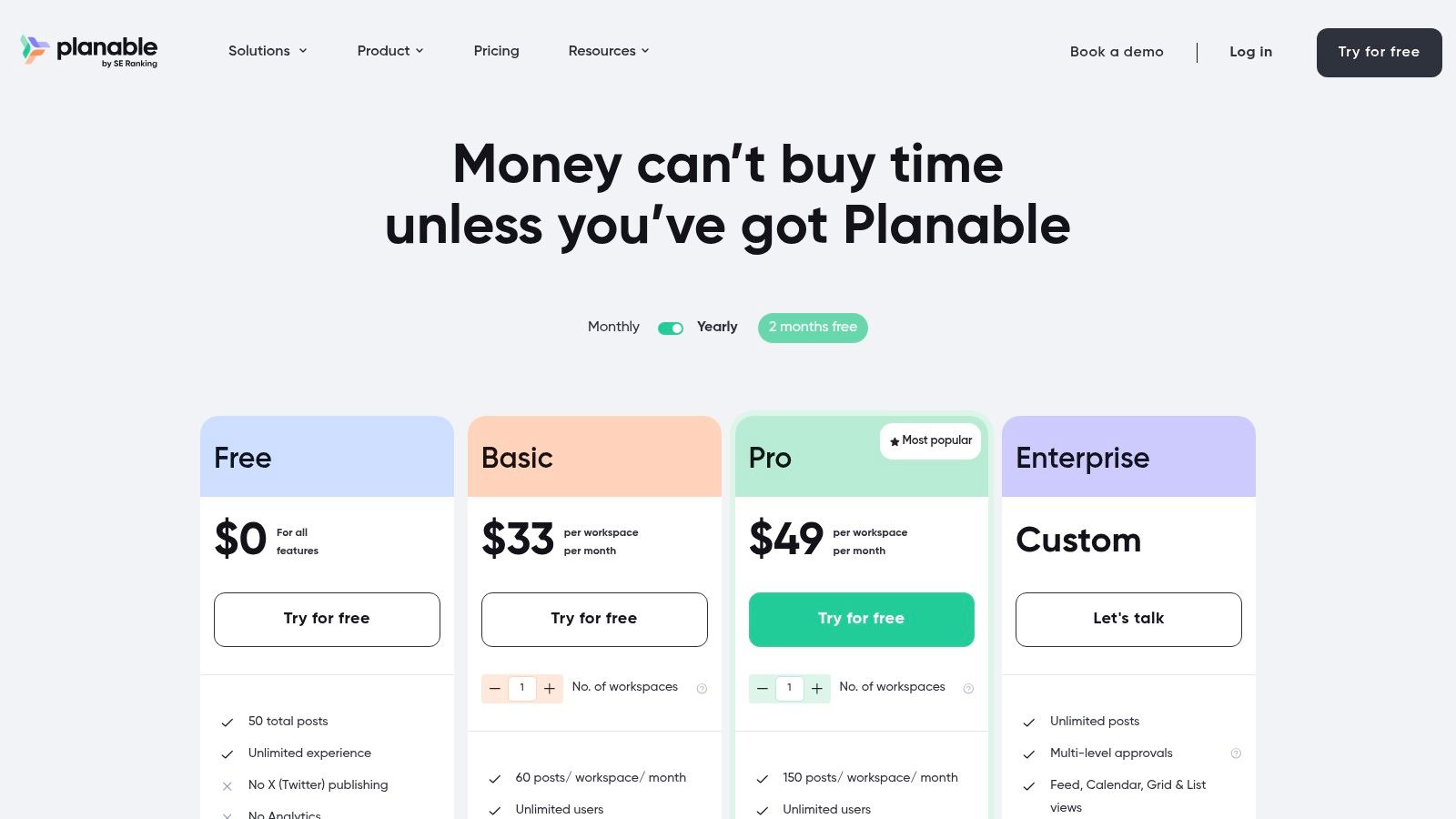
    Planable pricing plans

    Standout Free Features

    The free tier is built to let you experience the platform's unique workflow with a small project or client.

    • Total Posts: Create and schedule up to 50 total posts. This is a one-time allowance, not a monthly refresh, so it's best suited for testing or a single campaign.
    • Collaboration Tools: Access core features like internal comments, feedback requests, and multi-level approval workflows.
    • Visual Planning: Use the calendar, grid, and feed mockups to plan content visually across platforms like Instagram, Facebook, and LinkedIn.

    Limitations to Consider

    The primary limitation is the 50-post cap on the free plan, which makes it unsustainable for long-term management. The free tier also excludes publishing to X (formerly Twitter) and lacks any analytics features, which are reserved for paid plans.

    Ideal User: The freelance social media manager or a small agency that needs a professional way to get client feedback and approvals. It’s perfect for demonstrating your workflow and managing a single, short-term project before committing to a paid plan.

    Productivity Workflow: Use Planable to streamline client feedback and eliminate endless email threads. Create a workspace for a client and schedule a week of content. Instead of emailing screenshots, send them a single shareable link to the workspace. They can view the posts exactly as they'll appear live and leave comments directly on each post for revisions. For example, a client could comment "Can we change this image?" on a specific Instagram post, keeping all feedback contextual and organized in one place. You can get inspiration by checking out these social media post ideas for businesses on the Postful blog.

    Website: planable.io

    12. G2 (Free Social Media Management Tools directory)

    G2 is not a management tool itself but a crucial discovery platform for finding them. It’s an expansive software marketplace where you can find curated directories, read verified user reviews, and compare tools side-by-side. For anyone overwhelmed by options, G2 provides the data needed to create a shortlist of potential platforms.

    Its value lies in aggregating real-world feedback, helping you look beyond marketing claims. Instead of signing up for a dozen trials, you can use G2’s filters and comparison features to identify the two or three best free social media management tools that genuinely match your specific business needs and workflow.

    Standout Free Features

    G2 is a free resource for research and discovery, not a SaaS tool with a feature tier.

    • Dedicated "Free" Filter: Quickly isolate social media management suites that offer a legitimate free-forever plan, not just a free trial.
    • Verified User Reviews: Access thousands of in-depth reviews from real users, detailing pros, cons, and specific use cases.
    • Side-by-Side Comparisons: Select multiple tools and compare their features, pricing, and user satisfaction ratings in an easy-to-read grid format.

    Limitations to Consider

    The main caveat is that the "Free" filter can sometimes include tools that only offer a free trial, so you must verify pricing on the vendor’s website. Additionally, be aware that sponsored placements may appear alongside organic search results, so it's wise to cross-reference your findings.

    Ideal User: The meticulous planner or small business owner who wants to conduct thorough research before committing to a tool. It's perfect for anyone looking to validate a platform's reputation and confirm its free plan is still available.

    Productivity Workflow: Create a "feature-first" shortlist to save hours of research. Before browsing, list the three "must-have" features you absolutely need (e.g., "Free Instagram scheduling," "Bulk upload," "Competitor tracking"). Use G2's detailed feature comparison grids to instantly disqualify any tools that don't meet your core requirements on their free plan. This focused approach prevents you from wasting time signing up for trials of tools that will never fit your workflow.

    Website: g2.com/categories/social-media-mgmt/free

    Top 12 Free Social Media Tools: Feature Comparison

    Tool Core features ✨ UX / Quality ★ Value & Pricing 💰 Target Audience 👥 Unique Selling Point 🏆
    Buffer ✨ Schedule across platforms, queues, basic analytics, browser & mobile ★★★★ minimal, dependable 💰 Free (3 ch, 10 posts/ch); paid upgrades 👥 Early founders, side-hustlers 🏆 Reliable, simple scheduler
    Zoho Social (Free) ✨ Publish to 6 major channels, no monthly cap on Free, basic metrics ★★★★ generous free offering 💰 Free for 1 brand; upgrades for multi-brand 👥 Single-brand founders/sole operators 🏆 Unusually generous free volume
    Publer ✨ Wide network support, calendar, drafts, bulk, link-in-bio ★★★ modern UI, broad coverage 💰 Free tier; paid features & trials w/o card 👥 Solo creators scaling to teams 🏆 Broad channel coverage for price
    Metricool ✨ Scheduling, competitor tracking, basic analytics, link-in-bio ★★★★ practical free plan, clear upgrades 💰 Free (20 posts/mo, 30d analytics); paid for deeper reports 👥 One-brand users wanting analytics 🏆 Clear analytics upgrade path
    Planoly ✨ Visual grid planning (IG), multi-channel workspace, comment mgmt ★★★ visual-first, creator-friendly 💰 Free personal plan (tight limits) 👥 IG-centric creators & small shops 🏆 Visual Instagram workflow
    Plann ✨ Visual calendar, media collections, Canva integration, AI (paid) ★★★ simple visual workflow 💰 Free forever (limited); paid tiers add AI & cross-post 👥 IG/TikTok-focused founders 🏆 Canva + media organization
    Social Champ ✨ Publishing calendar, bulk scheduling, social inbox (paid) ★★★ practical, profile-based scaling 💰 Free (3 profiles, 15 queued); per-profile paid plans 👥 Lean teams scaling by profile 🏆 Transparent fair-use & per-profile pricing
    RecurPost ✨ Evergreen recycling libraries, best-time scheduler, multi-image ★★★ volume/evergreen optimized 💰 No permanent free (trial only); low-cost paid tiers 👥 Brands with evergreen content strategies 🏆 Evergreen recycling & high posting ceilings
    IFTTT ✨ No-code automations, hundreds of connectors, RSS/cross-posting ★★★ flexible but limited free applets 💰 Free limited applets; paid for advanced logic & faster runs 👥 Solopreneurs automating workflows 🏆 Flexible glue across tools
    Meta Business Suite ✨ Native FB/IG planner, unified inbox, basic insights, apps ★★★ native but occasional reliability/UI issues 💰 100% free for Facebook & Instagram 👥 Pages focused on FB/IG only 🏆 Native, no-subscription FB/IG solution
    Planable ✨ Feed & calendar views, post mockups, multi-level approvals ★★★★ collaboration-first, review-friendly 💰 Free (50 posts total); paid workspaces & analytics add-on 👥 Small teams, agencies, clients 🏆 Best for approvals & feedback loops
    G2 (Directory) ✨ “Free” filter, user ratings, side-by-side comparisons, editorial roundups ★★★ research utility; verify free vs trial 💰 Free to browse; links to vendor pricing 👥 Researchers shortlisting tools 🏆 Curated reviews & free-tier discovery

    Choosing Your Free Tool and Building a Productive Workflow

    Navigating the landscape of the best free social media management tools can feel overwhelming, but the journey to finding your perfect fit is about clarity, not complexity. As we've explored, the ideal tool isn't necessarily the one with the most features; it's the one that solves your most significant operational bottleneck and integrates smoothly into your daily routine.

    The key takeaway is to diagnose your primary challenge before you select your solution. Are you a solo creator struggling with consistent posting? A tool like Buffer or Publer might be your best starting point. Do you run a visually driven business, like an e-commerce store or a design portfolio? Planoly or Plann’s grid-planning capabilities will be invaluable.

    Ultimately, the goal is to build a system that saves you time and mental energy, allowing you to focus on creating great content and engaging with your audience.

    A Practical Framework for Making Your Choice

    Making a decision can be the hardest part. Instead of getting stuck in "analysis paralysis," use this simple, action-oriented framework to select and implement your new tool today.

    1. Identify Your #1 Bottleneck: Be honest about your biggest time-sink. Is it scheduling posts across platforms, analyzing performance, or planning your content calendar? Write it down. This is your primary problem to solve. For example, if your bottleneck is simply remembering to post daily on three different platforms, your priority is a reliable scheduler.

    2. Select Your Top Two Contenders: Based on our deep dive, pick two tools that directly address your bottleneck. If visual planning is key, your contenders might be Planoly and Plann. If you need a solid, all-around scheduler with some analytics, you might compare Zoho Social and Metricool.

    3. Run a One-Week Test: Don't commit long-term. Dedicate one week to using your chosen tool. Schedule your posts, check the analytics, and see how it feels. Does it simplify your workflow or add unnecessary steps? This short trial period provides real-world data on how the tool works for you.

    Building a Lean, Effective Social Media Stack

    Remember, you don't have to rely on a single platform. One of the most productive strategies for founders and side-hustlers is to create a "tool stack" where different free tools handle specific jobs. This modular approach keeps you agile and prevents you from paying for features you don't need.

    Here are a few examples of simple, powerful stacks you can build using the tools from this list:

    • The Content Automator Stack: Combine RecurPost for evergreen content libraries with IFTTT to automatically share your new blog posts to Twitter. This setup puts your core content distribution on autopilot.
    • The Visual Planner Stack: Use Planoly to design and schedule your Instagram grid and Reels, and pair it with Meta Business Suite to handle Facebook scheduling and community management in one place.
    • The All-In-One Starter Stack: Start with Zoho Social or Metricool for a robust, all-in-one platform that covers scheduling, basic analytics, and a social inbox to manage conversations.

    Making an informed choice requires a clear understanding of the broader market and user experiences. To further inform your decision-making and stay updated on the broader landscape of social media management, you might want to consult resources that explore general ratings for social media management.

    The most important step is to simply begin. By choosing one of the best free social media management tools discussed here, you are building a foundation for sustainable growth. Start small, master the basics, and build a workflow that empowers you to connect with your audience authentically and consistently.


    Ready to move beyond manual scheduling and unlock AI-powered content creation? While the tools on this list are fantastic for management, Postful is designed for founders and creators who need high-quality content ideas and drafts in seconds. Try Postful to see how our AI templates can revolutionize your content strategy and save you hours every week.

  • Social Media Management for Small Businesses, Not Marketing Teams

    Social Media Management for Small Businesses, Not Marketing Teams

    What Makes Postful Different From Buffer, Later, and Other Social Media Tools

    Postful is built for people who run their business—not people whose job is social media.

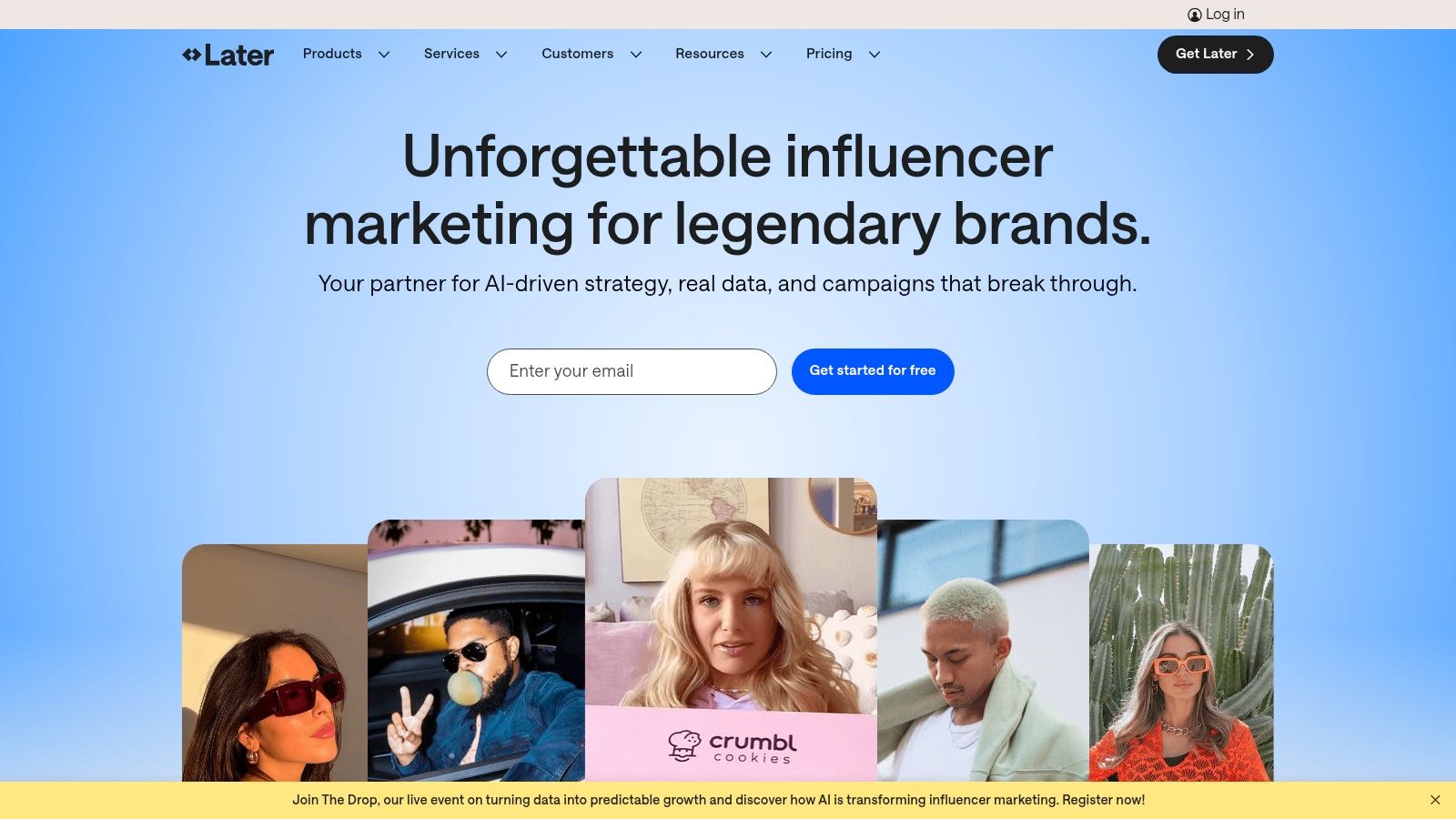
    Many popular tools in this category, including Buffer and Later, are powerful platforms designed around scheduling, analytics, and team workflows. They work well for marketing teams, agencies, and influencers. But for small business owners and solopreneurs, they can feel complex, fragmented, or overly focused on management instead of creation.

    Postful takes a different approach: it focuses on helping all-in-one doers turn what they already know—their work, services, and expertise—into clear, authentic posts they can publish consistently.

    Who Postful Is Built For

    Postful is designed for small business owners, solopreneurs, and founders who:

    • Run their own marketing alongside everything else
    • Want to post more consistently but don’t know what to say
    • Don’t want to switch between 3–5 tools just to publish a post
    • Care more about growing their business than mastering social media tactics

    If you’re looking for advanced analytics, approval workflows, or influencer-style content planning, other tools may be a better fit. If you want help creating posts and getting them out the door, Postful is built for you.

    What Makes Postful Different (In General)

    Creation Comes First

    Most social media tools emphasize scheduling and analytics. Postful emphasizes creation. The product is designed to help you go from idea → draft → publish in one place.

    AI Built Into the Workflow

    Postful integrates generative AI directly into the Composer and Brainstorm features. You don’t need to open another tool to come up with ideas or rewrite copy—everything happens where you publish.

    Personalized, Not Generic

    Postful uses your business details and audience information to generate posts that reflect what you actually do. This avoids the “soulless” or overly generic AI content common in many tools.

    Fewer Distractions, Fewer Decisions

    The interface is intentionally straightforward. No crowded dashboards, no unnecessary features—just what you need to write, refine, and publish posts.

    Help When You Need It

    Postful offers human support and guidance, including hands-on help for getting started. You’re not expected to figure everything out on your own.

    Postful vs Buffer

    Buffer is a scheduling-first tool. Postful is a creation-first tool.

    Buffer is one of the most well-known social media management platforms, and it works well for users who already know what they want to post. Postful is built for users who need help figuring that part out.

    Key differences:

    • More generous free tier
      Buffer limits free users to 3 connected networks. Postful allows 5, giving small businesses broader reach without upgrading.
    • Built-in brainstorming
      Buffer assumes you bring finished content. Postful helps you generate post ideas and drafts based on your business and audience.
    • Less tool switching
      Many Buffer users rely on external AI tools, docs, or spreadsheets before scheduling. Postful combines ideation, drafting, and publishing in one workflow.
    • Designed for non-marketers
      Buffer is optimized for consistency and management. Postful is optimized for getting unstuck and getting started.

    Postful vs Later

    Later is influencer- and campaign-oriented. Postful is business-oriented.

    Later is popular with creators and brands focused on visual planning and campaigns. Postful focuses on helping small businesses communicate clearly and consistently.

    Key differences:

    • Ongoing free usage vs short trial
      Later offers a 14-day free trial, after which a paid plan is required. Postful offers a free tier with meaningful functionality so you can build a habit over time.
    • Deeper AI support
      Later’s AI features are limited. Postful integrates AI throughout the writing and refinement process, not just as an add-on.
    • Less emphasis on aesthetics, more on clarity
      Postful prioritizes helping you say the right thing to the right audience, not managing influencer calendars or visual grids.

    A Simpler Workflow

    With Traditional Social Media Tools

    You might:

    1. Open ChatGPT or another AI tool to brainstorm ideas
    2. Draft posts in a doc or spreadsheet
    3. Create or edit media in a separate tool
    4. Copy everything into a scheduler like Buffer or Later

    With Postful

    You can:

    1. Brainstorm ideas directly in the app
    2. Generate and refine posts using your business and audience context
    3. Upload or find media quickly
    4. Publish to multiple networks—without leaving Postful

    Choosing the Right Tool

    • Choose Buffer or Later if you already have content ready, need advanced analytics, or manage social media as a dedicated role.
    • Choose Postful if you run your own business, want help turning your work into posts, and need a simpler way to stay consistent.

    Postful isn’t trying to be everything. It’s built to help small businesses show up, sound like themselves, and grow—without becoming social media experts.

  • How to Schedule Social Media Posts and Save Time

    How to Schedule Social Media Posts and Save Time

    This article was assisted with AI. We may include links to partners.

    Learning how to schedule social media posts is all about using the right tools to plan, create, and get your content out there ahead of time. It’s a shift that turns social media from a reactive, time-sucking chore into a strategic, efficient marketing channel. It’s how you maintain a consistent presence and connect with your audience when it matters most, without being glued to your phone.

    Why Smart Social Media Scheduling Matters

    An overhead shot of a person's hands using a laptop, with a smartphone and a cup of coffee on the desk, illustrating social media management.

    Let’s be real: trying to manually post content every single day is a recipe for burnout. It’s just not efficient, and it becomes a massive barrier to actual growth.

    When you’re constantly scrambling to think of something new to post, you have zero time left for the activities that actually move the needle—like jumping into conversations, building real relationships, and figuring out what’s resonating with your audience. This is where a smart scheduling strategy completely changes the game.

    It’s about more than just setting it and forgetting it. It’s about building consistency, which is the bedrock of audience trust. When your followers know they can count on you for regular, valuable content, they stick around. To really dial this in, mastering automated social media posting can give you a serious leg up on the competition.

    Connect With Your Audience on Their Time

    Your audience isn’t online 24/7, and neither are you. Scheduling lets you drop your message right when your followers are most active and ready to engage, even if that’s 10 PM on a Saturday. That simple tweak can maximize your visibility and send your likes, shares, and comments through the roof.

    And this isn’t just a hunch. Globally, people’s lives revolve around social media. By 2025, an estimated 65.7% of the world’s population will be active on social platforms. On top of that, 58% of consumers find new businesses through social media. Suddenly, scheduling isn’t just a nice-to-have; it’s a core part of how people discover your brand. Sprinklr.com has some great deep dives on these kinds of stats if you want to dig in.

    Key Takeaway: Scheduling frees up so much mental energy. Instead of the constant, nagging thought of “What do I post next?” you can batch your content creation for the week or month. Then you can spend your time on genuine community interaction, which is where the real magic happens.

    A Real-World Scheduling Scenario

    Imagine you’re a small e-commerce brand about to launch a new product line. That launch week is pure chaos—you’re buried in fulfilling orders and answering customer questions.

    Without a schedule, your social media feeds would probably go dark. But if you planned and scheduled your posts a week in advance, you could keep the buzz going strong. Here’s what that could look like:

    • Monday: A slick teaser video drops, hinting at what’s coming.
    • Tuesday (Launch Day): The official product announcement goes live at 9 AM sharp, right when people are starting their day.
    • Wednesday & Thursday: Scheduled posts show off different product features and share some glowing early customer testimonials.
    • Friday: A post goes out promoting a limited-time launch discount to drive sales.

    This is a perfect example of effective social media management (https://blog.postful.ai/glossary/what-is-social-media-management/). It’s about being strategic, not just busy, ensuring your brand stays top-of-mind even when you’re swamped.

    Choosing Your Social Media Scheduling Tool

    The Buffer homepage showing its clean interface, which is an example of a popular social media scheduling tool.

    The dashboard above for Buffer shows just how clean and approachable modern scheduling tools can be. A lot of platforms are designed to feel intuitive, letting you plan your content visually without a huge learning curve.

    But with a sea of options out there, picking the right one can feel like a chore. The secret is to ignore the noise and focus on what your specific workflow actually demands. Are you a solo creator managing one brand, or a growing agency juggling multiple clients? Your answer completely changes which features matter most.

    Instead of just chasing the longest feature list, let’s walk through what really counts. This will help you find a platform that not only schedules posts but actually makes you more productive.

    Core Features to Look For

    Your top priority should be finding a tool that fits your daily grind and supports where you want to go. A platform that’s too simple will hold you back, while one that’s overly complicated will just become a time-sink.

    Start by focusing on these essentials:

    • Platform Integrations: Does the tool reliably connect to the social networks where your audience actually hangs out? Don’t pay for a tool that covers ten platforms if you only use Instagram and LinkedIn.
    • Ease of Use: A clunky interface is a productivity killer. You want a tool with a clean visual calendar and a post composer that just makes sense. Most offer free trials—use them to see what feels natural.
    • Analytics and Reporting: Just posting content isn’t enough; you need data to see what’s working. A good tool gives you clear, actionable insights on engagement and reach without needing a data science degree to figure it out.
    • Budget: Free tools are great for getting started, but paid plans often unlock crucial time-savers like bulk scheduling or AI assistance. Figure out what your time is worth.

    To help you get a better sense of what’s out there, here’s a quick comparison of some popular options.

    Comparing Popular Social Media Scheduling Tools

    This table breaks down a few leading tools to give you an idea of how they stack up. Think about your scale—are you a one-person shop or a multi-client agency?—and use this as a starting point for your research.

    ToolBest ForKey FeaturesPricing Model
    BufferSolopreneurs & Small TeamsClean UI, simple scheduling, basic analytics, free plan available.Freemium with tiered paid plans.
    LaterInstagram-focused CreatorsVisual planner, Linkin.bio feature, user-generated content tools.Freemium with paid plans for more features.
    PlanableAgencies & TeamsCollaboration workflows, client approvals, universal content calendar.Per-user pricing, starts with a free trial.
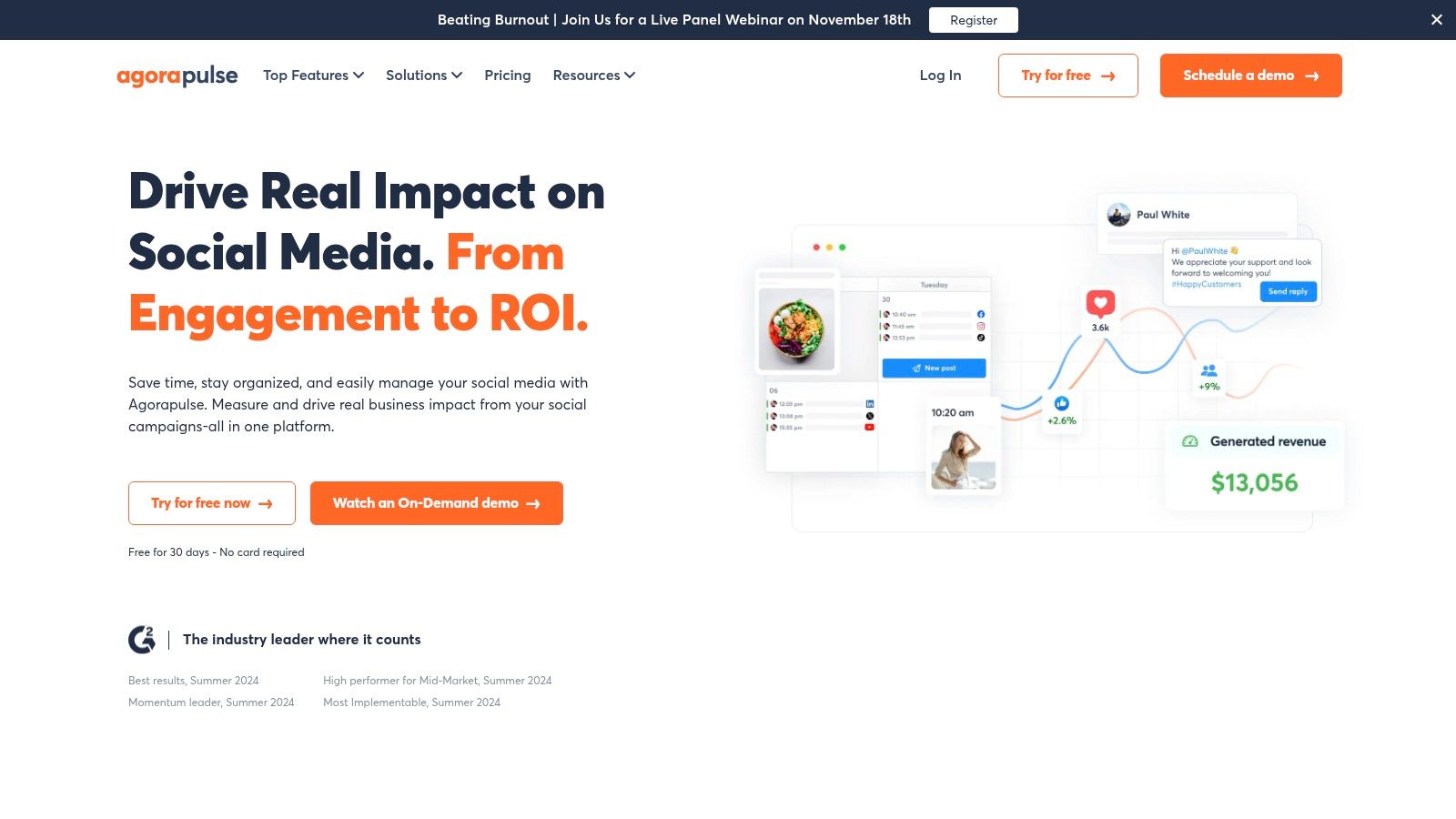
    AgorapulseMid-to-Large BusinessesAdvanced reporting, social inbox, team management, CRM tools.Higher-tier subscription, no free plan.

    Each of these platforms excels in a different area. The key is finding the one that aligns with your specific goals, not just the one with the most buzz.

    Finding the Right Fit for Your Scale

    The “best” tool is completely relative. A freelance content creator has vastly different needs than a marketing agency managing a dozen clients.

    Let’s look at two common scenarios to see how this plays out.

    Scenario 1: The Solopreneur

    A freelance graphic designer wants to post to Instagram and LinkedIn three times a week. Their main goals are consistency and efficiency.

    • Needs: A simple, visual calendar, a free or low-cost plan, and basic performance analytics.
    • Example Workflow: They spend one hour every Monday morning creating graphics and captions for the week. They upload everything into their scheduling tool, set the publish times, and they’re done.
    • Example Tool Choice: A tool like Later or Buffer on a free plan is perfect here. It lets them schedule their portfolio pieces and articles without any unnecessary complexity or cost.

    Scenario 2: The Growing Agency

    A small marketing agency handles social media for five clients, each with different brand guidelines and content needs.

    • Needs: Team collaboration features, client approval workflows, multi-account management, and detailed reports they can brand and send to clients.
    • Example Workflow: The content creator drafts all posts for a client and assigns them to the account manager for review. The manager makes edits and sends a shareable link to the client for final approval. Once approved, the posts are automatically scheduled.
    • Example Tool Choice: A more robust platform like Planable or Agorapulse makes more sense. These tools are built for teamwork, letting the agency assign tasks, get client sign-offs, and prove their value with in-depth analytics.

    When you’re weighing your options, it’s also smart to check out resources that pinpoint the best social media tools for digital product sales. This can give you a better sense of which platforms excel at driving real business results beyond just likes and shares.

    Building Your First Content Calendar

    A fancy scheduling tool is great, but it’s pretty useless without a solid plan. This is where a content calendar comes in. It’s the single most valuable asset for turning random social media updates into a smart, strategic narrative. Think of it as your roadmap—what you’ll say, where you’ll say it, and when.

    The heart of any good calendar is built on content pillars. These are just the main themes or topics your brand consistently talks about. They’re the foundational categories that support your brand’s story and give your audience real value.

    For most businesses, this all comes down to a healthy content mix. I’ve always found the 80/20 rule to be a great starting point: 80% of your content should entertain, educate, or inspire, while only 20% is directly promotional. This balance is key to building a genuine community, not just a feed full of ads.

    A content calendar isn’t just about filling empty slots on a schedule. It’s a strategic document that brings order to your creative chaos, ensuring you always have high-quality, relevant posts ready to go.

    Defining Your Content Pillars

    First things first, you need to identify three to five core pillars that feel true to your brand. These pillars will be your guide, making sure you never run out of things to talk about. For a small business, getting this right is everything. If you’re stuck, you can find a ton of inspiration by checking out these social media post ideas for small businesses.

    Let’s make this real. Imagine a local coffee shop trying to build a loyal following and get more people through the door. Here’s what their pillars might look like:

    • Pillar 1: Educational Content. This is all about sharing your expertise.

      • Example: A short video explaining the difference between a flat white and a latte.
      • Example: A carousel post walking through their single-origin bean sourcing process.
    • Pillar 2: Behind-the-Scenes. Show the human side of your brand. People love this stuff.

      • Example: An Instagram Story of a barista practicing their latte art.
      • Example: A “Meet the Team” post introducing a staff member and their favorite drink.
    • Pillar 3: Community & User-Generated Content (UGC). Celebrate your customers and make them feel seen.

      • Example: Resharing a customer’s photo of their coffee and tagging them.
      • Example: A fun post asking followers to help name a new seasonal drink.
    • Pillar 4: Promotional Posts. The content that directly drives sales.

      • Example: Announcing a “two-for-one” espresso special on a slow Tuesday morning.
      • Example: A mouth-watering photo highlighting a brand-new pastry on the menu.

    From Pillars to a Practical Schedule

    Once those pillars are defined, planning out a month of content suddenly feels much easier. You don’t need a complicated tool to get started—a simple spreadsheet or even a note-taking app works perfectly fine.

    Here’s how a week might look on that coffee shop’s calendar:

    • Monday: (Pillar 2) “Meet our baker, Sarah!” post.
    • Tuesday: (Pillar 4) Announce the weekly drink special.
    • Wednesday: (Pillar 1) Quick tip on brewing better coffee at home.
    • Thursday: (Pillar 3) Share a customer’s photo (UGC).
    • Friday: (Pillar 4) Promote a new weekend pastry.

    See? This simple workflow completely removes the daily “what should I post?” panic. When you plan ahead, you end up with a balanced, engaging feed that keeps your audience coming back. It makes the whole process of scheduling social media posts feel manageable instead of overwhelming.

    Mastering Platform-Specific Scheduling

    A one-size-fits-all schedule is a recipe for low engagement. I’ve seen it time and time again: what works on X (formerly Twitter) will almost certainly fall flat on LinkedIn. Every social platform has its own algorithm, audience, and rhythm.

    Learning how to schedule posts effectively means tailoring your approach to each network’s unique personality. This goes way beyond just timing—it involves adjusting your content format, frequency, and even your tone to match what users on that platform expect.

    Think of it like this: LinkedIn is a professional networking event, while TikTok is a high-energy party. You wouldn’t show up to both wearing the same outfit or starting the same conversations. Your content strategy needs that same level of adaptability.

    Tailoring Your Schedule for Major Platforms

    To really get this right, you have to understand the natural cadence of each platform. High-frequency networks like X reward quick, conversational updates. Others, like Instagram, favor more polished, less frequent posts.

    Let’s break down some practical strategies for the big players:

    • Instagram: It’s all about high-quality visuals. I recommend scheduling 3-5 feed posts per week, but aim for daily engagement using Stories. Productivity Tip: Schedule your feed posts in advance, but use your free time each morning to create spontaneous Stories with polls or Q&As. This keeps your account active without requiring a full content plan for every single story.
    • LinkedIn: This is your professional stage. Schedule 1-2 posts per day during the workweek, focusing on industry insights, company news, and career-related content. Practical Example: Schedule a long-form article for Tuesday at 8 AM and a shorter, text-only question for Thursday at noon to spark conversation.
    • Facebook & X (Twitter): These platforms thrive on timely, conversational content. For Facebook, aim for 1-2 quality posts daily. On X, a higher frequency of 2-3 posts per day often works better because of the platform’s fast-moving feed. Workflow Idea: Schedule your core content, but leave gaps in your X schedule to manually retweet industry news or jump into trending conversations.

    A common mistake I see is simply duplicating content across all channels without any changes. A better approach is to adapt the core message for each platform. You can explore our guide that explains in detail what cross-posting is (https://blog.postful.ai/glossary/what-is-cross-posting/) to learn how to do this well.

    Optimizing Frequency and Timing

    Strategic scheduling is what separates the pros from the amateurs. Recommended posting frequencies vary a lot across platforms. For instance, data from Slate Teams shows Facebook pages perform best with 1-2 posts per day, prioritizing quality over quantity. The best times to post are typically between 12 PM and 3 PM.

    In contrast, the rapid cycle of X encourages more frequent posting. An average of 2-3 tweets daily is usually ideal, and you’ll want to aim for the 9 AM to 11 AM weekday window.

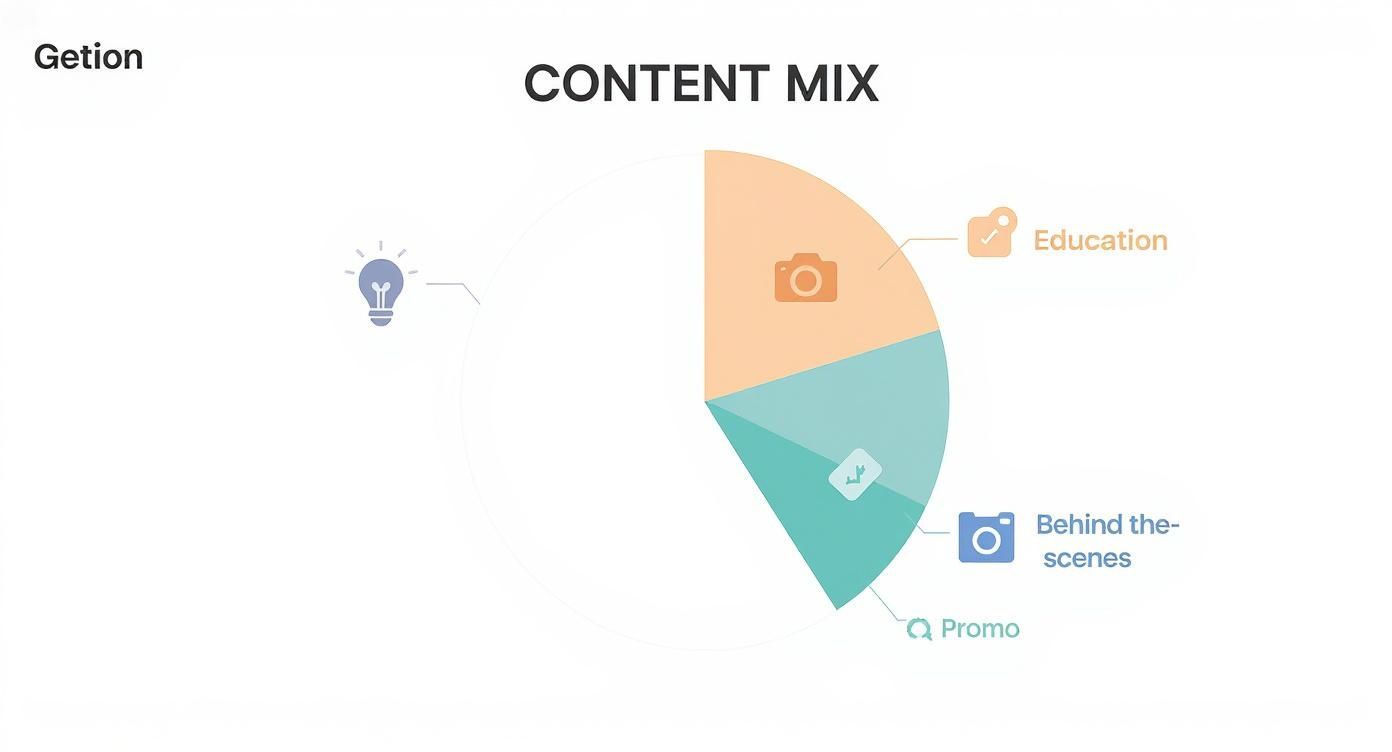
    This chart gives you a sense of how to create a balanced content mix, splitting your posts into educational, behind-the-scenes, and promotional categories to keep your audience from tuning out.

    Infographic about how to schedule social media posts

    As you can see, a successful strategy relies heavily on providing value through educational and authentic content, rather than just hitting people with promotional posts all day.

    When you align your schedule with these platform-specific behaviors, you make sure your content reaches the right people at the moment they are most likely to interact. This thoughtful approach transforms scheduling from a simple chore into a powerful tool for growing your audience.

    How to Analyze and Optimize Your Schedule

    A person at a desk analyzing charts and graphs on a laptop screen, representing data-driven social media optimization.

    Learning how to schedule posts is really just the starting line. The real growth happens when you treat your schedule less like a fixed calendar and more like a living, breathing thing—something you constantly tweak based on what the data is telling you. A “set it and forget it” approach is just a shot in the dark, but a data-driven one gives you a clear roadmap.

    Most good scheduling tools have a built-in analytics dashboard. This is your command center. Instead of getting hung up on vanity metrics, you want to focus on the numbers that signal a real connection with your audience and a real impact on your goals.

    Key Metrics to Track

    When you dig into your performance, don’t just glance at the follower count. You need to look at the metrics that show which content—and which timing—is actually grabbing people’s attention.

    • Engagement Rate: Honestly, this is the big one. It measures the likes, comments, and shares you get as a percentage of your reach. It tells you, point-blank, how much your content resonated with the people who saw it.
    • Reach and Impressions: Reach is the number of unique people who saw your post, while impressions are the total number of times it was seen. Spikes in reach on certain days can be a huge clue about when your audience is most active.
    • Link Clicks: If your goal is driving traffic, this metric is non-negotiable. It’s the clearest indicator of which posts are successfully getting people off social media and onto your website or product page.

    This data-driven approach is becoming the standard. For example, a massive analysis of over 1 million posts found that 8 AM on Wednesdays was a globally optimal time for engagement. That same research highlighted platform-specific sweet spots, like 9 AM to 11 AM on Wednesdays through Fridays for X. You can discover more insights about social media timing from Hootsuite to get a feel for these benchmarks.

    Conducting a Monthly Performance Review

    Set aside a little time once a month to look at your analytics. This isn’t about getting lost in spreadsheets; it’s a quick, purposeful check-in to spot trends and make smart adjustments before your strategy gets stale.

    Key Takeaway: Think of your social media data as direct feedback from your audience. Listening to it is the fastest way to improve your schedule and create content people actually want to see.

    Let’s walk through a real-world scenario. Say you do your monthly review and notice that your posts on Wednesday mornings are consistently bombing—low reach, low engagement, the works. That’s a clear signal to experiment.

    For the next month, you could try one of these simple adjustments:

    • Test a New Time Slot: Move that Wednesday content to the afternoon or evening. See if you can catch your audience during a different peak in their day.
    • Switch Up the Content: Maybe the time isn’t the problem, but the content is. If you’re always posting something promotional then, try an educational or behind-the-scenes post instead.

    By making one small, measurable change at a time, you can systematically figure out what works. This cycle of analyzing, testing, and optimizing is how you turn a decent social media schedule into a truly effective one.

    Common Questions About Scheduling Social Media Posts

    Even when you have the right tools and a solid plan, a few questions always come up as you get the hang of scheduling social media posts. Let’s walk through some of the most common ones I hear.

    What Is the Best Time to Schedule Social media Posts?

    You’ve probably seen those infographics suggesting midday on a Tuesday is the magic hour. Think of those as a starting point, not gospel. The real best time is completely unique to your audience.

    The most reliable way to figure this out is to look at your own data. Most scheduling tools have analytics that show when your followers were most active in the past. Use that as your guide, test out a few different time slots, and see what actually drives likes, comments, and shares for your brand.

    Will Scheduling Posts Hurt My Engagement?

    This is a stubborn myth, but the short answer is no. Scheduling your posts with a reputable tool that uses the official platform APIs won’t hurt your engagement one bit. The platforms themselves provide these connections for a reason.

    What really kills engagement is posting low-quality content or ignoring your community.

    Productivity Tip: Use the time you save by scheduling to have actual conversations with your followers. Block out 15-20 minutes each day specifically for community management. Responding to comments and DMs is what builds a loyal audience and signals to the algorithm that your account is worth showing to more people.

    How Far Ahead Should I Schedule My Content?

    Finding the right rhythm here is key. For most businesses, scheduling one to two weeks in advance is the sweet spot. It gives you a comfortable buffer so you’re never scrambling for something to post, but you’re still nimble enough to jump on a trending topic or share timely news.

    Of course, for big campaigns, product launches, or evergreen content, feel free to plan a month or more ahead. The goal is to build a workflow that avoids last-minute panic without making your feed feel out of touch with what’s happening right now.

    Can I Edit a Scheduled Post Before It Goes Live?

    Absolutely. Any good scheduling platform makes this easy. Whether it’s in a calendar view or a queue, you should be able to click on any scheduled post and edit, reschedule, or delete it right up until the moment it’s set to publish.

    This flexibility is a lifesaver. Maybe you spot a typo after the fact, need to update some information, or want to pause your content in response to a major world event. You have full control. It’s a simple process that gives you complete peace of mind.


    Ready to stop the guesswork and start scheduling with confidence? Postful is an AI-powered social media tool built for founders and doers. We give you curated post ideas and on-demand brainstorming tools to help you create better content, faster. Join the waitlist to secure your early access at https://postful.ai.

  • A Social Media Strategy for Small Businesses That Works

    A Social Media Strategy for Small Businesses That Works

    Ever feel like you’re just shouting into the social media void? It’s a common frustration. A real social media strategy for small businesses is what separates random posts that go nowhere from a repeatable system that actually saves you time and drives growth.

    It’s not about being everywhere at once. It’s about showing up in the right places, with the right message, consistently.

    Why Random Posting Is Costing Your Business

    We’ve all been there. You realize you haven't posted in a while, so you scramble to "get something out there." But that kind of unplanned, inconsistent content usually leads to wasted time, minimal engagement, and zero impact on your bottom line.

    It’s like driving without a map. You’re definitely moving, but you have no idea if you're getting any closer to your destination.

    A solid strategy turns that guesswork into a predictable process. It transforms social media from a daily chore into a powerful business tool that builds genuine brand loyalty, generates leads, and ultimately, helps you make more sales.

    The Core Components of a Winning Strategy

    The foundation of a social media plan that actually works is surprisingly simple. It all boils down to a clear, repeatable workflow that prioritizes intentional action over last-minute posting. With this approach, every single piece of content you create has a purpose.

    A goal without a plan is just a wish. Your social media strategy is the plan that turns your business wishes into measurable outcomes, transforming followers into loyal customers.

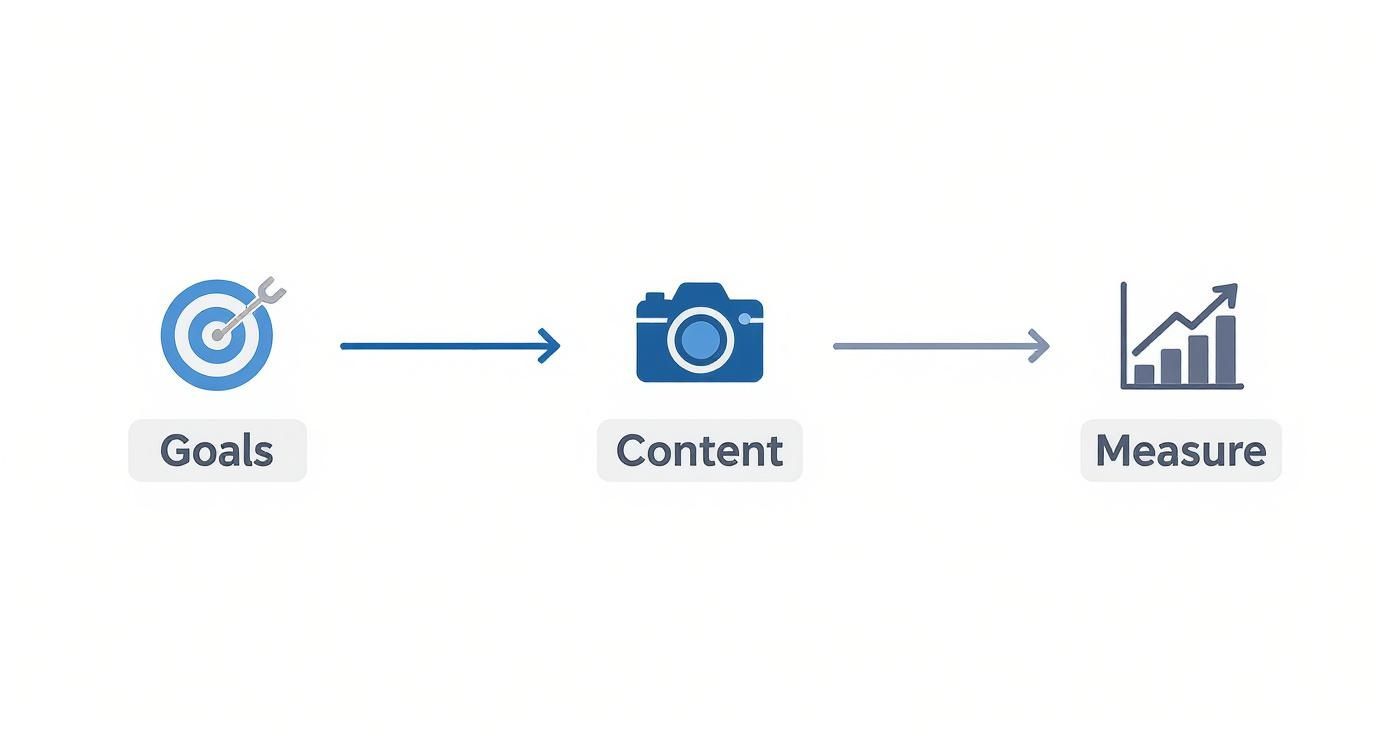
    This infographic breaks down the essential flow of a winning strategy.

    Infographic about social media strategy for small businesses

    As you can see, it's a clear path: start with your goals, create content that supports them, and then measure your results to see what’s working. It’s a cycle, not a one-and-done task.

    Here are the essential pillars for building a social media plan that actually works.

    Quick Guide to a Winning Social Media Strategy

    Pillar Key Action Practical Example
    Goals & Audience Define what you want to achieve and who you're talking to. A local gym wants to increase class sign-ups by 15% this quarter from Instagram.
    Platform Choice Pick channels where your ideal customers hang out. A B2B software company focuses on LinkedIn; a wedding photographer dominates Instagram.
    Content Pillars Decide on 3-5 core topics you'll consistently post about. For a coffee shop: behind-the-scenes, customer features, new drinks.
    Cadence & System Create a realistic posting schedule and a simple workflow. Use a Trello board to plan posts and batch-create all Reels on the first Friday of the month.
    Measure & Iterate Track key metrics and adjust your plan based on data. Notice carousel posts get more saves. Plan to create more educational carousels next month.

    This table isn't just a checklist; it's the framework for turning your social media efforts from a time-sink into a reliable growth engine for your business.

    The good news? You're not starting from scratch. As of this year, a staggering 96% of small business owners report using social media to promote their companies. That massive adoption is fueled by the low cost and high reach these platforms offer, allowing smaller players to compete with big brands.

    In fact, 83% of marketers globally use Facebook for their business, solidifying its place as a key channel for small business marketing. You can check out more fascinating social media marketing statistics to see the trends.

    In this guide, we'll walk through each of these steps, giving you practical workflows and tools to build a system that finally works for you.

    Set Goals That Actually Drive Business Growth

    Posting on social media without a clear goal is a lot like driving without a map. Sure, you're busy, but you aren't actually getting anywhere. An effective social media strategy for small businesses starts by ditching vague targets like "increase awareness" and setting goals that have a real, tangible impact on your bottom line.

    This is where the SMART goal framework is so valuable. It’s a simple but surprisingly powerful way to bring focus to your efforts, standing for Specific, Measurable, Achievable, Relevant, and Time-bound.

    It’s the difference between a fuzzy objective and a clear roadmap.

    Vague Goal: "I want to grow my Instagram account."
    SMART Goal: "Increase Instagram followers by 15% in Q3 by posting 3 educational Reels per week, with the aim of driving 20% more traffic to our website's product pages."

    See the difference? This new goal connects a specific social media activity (posting Reels) directly to a business outcome (website traffic). It gives you a concrete action plan and metrics to track, so you know exactly if what you're doing is working.

    Another powerful goal is lead generation. For small businesses, this is huge. If you're interested in diving deeper, you can learn more about how to generate leads on social media with the right kind of content.

    Understand Who You Are Talking To

    Once you know what you want to achieve, you have to get crystal clear on who you're talking to. Trying to create content for "everyone" is a surefire recipe for connecting with no one. This is why building out customer personas—even simple, semi-fictional ones—is so critical.

    You don't need expensive tools for this. Here’s a productive workflow to get this done quickly:

    • Look at your existing customers: Dive into your sales data. Are they mostly local? What's the most common age range? What services do they buy most often?
    • Use the free platform tools: Your social media platforms already give you a ton of analytics. Facebook Audience Insights, for example, is a goldmine of demographic data.
    • Just ask them: This is a productivity goldmine. Run a simple poll in your Instagram Stories. Ask questions like, "What do you struggle with most when it comes to [your industry]?" A local landscaper could ask, "What's your biggest lawn care headache: weeds or pests?" The answers become your next content ideas.

    Here’s a peek at the kind of data you can get for free, right inside Facebook's tools.

    Screenshot from Facebook Audience Insights showing audience demographics

    This data immediately shows you key information about age, gender, and location. With that knowledge, you can start tailoring your content's tone, topics, and even the visuals you use to really resonate with the people you want to reach.

    When you pair clear goals with a deep understanding of your audience, every single post you make has a purpose.

    Choose Your Platforms and Content Pillars Wisely

    Stop trying to be everywhere at once. It’s a classic mistake. Spreading your small business thin across every social media app is a fast track to burnout and getting nowhere.

    The key is to pick your battles. Figure out where your ideal customers are actually spending their time and go there. Be brilliant on one or two channels, not just average on five.

    Practical Example: If you're a B2B consultant trying to connect with executives, LinkedIn is your digital conference room. It’s non-negotiable. But if you sell handmade jewelry, you need to be on visual powerhouses like Instagram and Pinterest, where beautiful images do all the talking.

    The most effective social media strategy isn't about mastering ten platforms; it's about dominating the one or two that matter most to your specific audience. Focus always beats chaos.

    Once you’ve nailed down your primary channels, it’s time to end the daily scramble for post ideas. This is where a simple but powerful concept comes in: content pillars.

    Define Your Core Content Pillars

    Content pillars are the 3-5 core topics you’ll own and talk about, week in and week out. They’re the foundation of your content plan, giving you focus and getting you out of the "what do I post today?" panic. This approach builds a predictable rhythm your audience will start to look forward to.

    Practical Example: A local coffee shop could build its entire strategy around three simple pillars:

    • Behind-the-Scenes Roasting: Showcasing the craft and quality that goes into every cup.
    • Customer Spotlights: Featuring regulars and building a real sense of community.
    • Coffee Brewing Tips: Giving away genuine value and education for coffee lovers at home.

    This framework gives you instant direction. When you sit down to create, you're no longer staring at a blank screen. You’re just asking, "Which pillar am I talking about today?" To go deeper, check out our guide on how to develop powerful content pillars that really connect.

    Prioritize High-Impact Video Content

    As you start brainstorming ideas within your pillars, make one format a priority: short-form video. The rise of Reels and TikToks has completely reshaped the social media strategy for small businesses. It's just too effective to ignore.

    For accounts with under 100,000 followers on TikTok, the average organic engagement rate can hit a massive 7.5%. That blows Instagram’s 3.65% out of the water. Plus, 78% of consumers say they’d rather learn about new products through a short video.

    You don't need a film crew. Your smartphone is more than enough to create compelling Reels, TikToks, or Shorts that fit right into your content pillars.

    • Practical Example (Realtor): A quick "3 things buyers miss during a home tour" video.
    • Practical Example (Bakery): A satisfying time-lapse of a cake being frosted.
    • Practical Example (Mechanic): A short clip explaining what a strange engine noise means.

    As you get your pillars sorted, it’s always smart to explore some proven social media post ideas for fresh inspiration. By pairing the right platforms with focused content pillars, you create a sustainable system that actually works.

    Create a Productive System to Get It All Done

    Look, a brilliant social media strategy is useless without a system to actually do the work. This is where most small business owners I talk to get completely stuck. They spend way too much time every single day just staring at the screen, wondering what on earth to post.

    An efficient workflow is what turns content creation from a daily, soul-crushing chore into a manageable, creative process that gives you hours back in your week.

    The secret? Stop creating content in real-time. Seriously. You can reclaim your time and sanity by getting a bit more structured.

    The Magic of Batching and Templates

    One of the best productivity hacks I’ve ever learned is content batching. All it means is dedicating a specific block of time—say, a few hours—to creating all of your content for a week or even a month in one go. Instead of scrambling daily, you get into a creative flow state and just knock it all out.

    Here’s a practical workflow for batching your content:

    • First Monday of the month (2 hours): Plan your content. Using a simple spreadsheet or notebook, map out your posts for the month based on your content pillars.
    • First Wednesday of the month (3 hours): Create your visuals. Film all your video clips and take all your photos. Don't worry about editing yet—just capture everything you need.
    • First Friday of the month (2 hours): Write and design. Write all your captions in a Google Doc. Then open up a tool like Canva and use pre-made templates to design all your graphics in one session.

    This system frees up so much mental energy for the rest of the month. Instead of constantly thinking about what to create, you can focus on engaging with your community and, you know, running your business.

    By batching your content, you shift from being a reactive content creator to a proactive strategist. This consistency isn't just great for your own productivity; social media algorithms love it, too.

    Schedule Everything in Advance

    Once you've got all your amazing content created, the final piece of the puzzle is scheduling it. This is the absolute core of an efficient system. Using a scheduling tool ensures your content goes live consistently, even when you're busy, out sick, or taking a much-needed vacation.

    This is where a tool like Postful becomes a non-negotiable part of a smart social media strategy for small businesses. You can upload all that content you batched, schedule it for the best times, and then just forget about it.

    Here’s a look at a simple scheduling interface that helps you plan everything out visually.

    Screenshot from https://postful.io/

    Being able to see your entire week or month at a glance is a game-changer. You can immediately spot any gaps and make sure you have a balanced mix of content from all your different pillars. It keeps your brand active and present without you having to manually post every single day.

    Put It All Together with a Content Calendar

    A content calendar is the roadmap that ties your entire workflow together. It doesn’t need to be some fancy, complicated software—a simple spreadsheet or a free Trello board can work wonders. It’s just a way to organize your posts by platform, pillar, and date.

    To help you get started, we've put together a complete guide on what is a content calendar and how to build one that works for you.

    To give you a clearer picture, here’s a sample weekly calendar for a local bakery, showing how this whole system comes to life.

    Sample Weekly Content Calendar for a Local Bakery

    Day Platform Content Pillar Post Idea
    Monday Instagram Behind-the-Scenes A Reel showing the early morning process of baking sourdough bread.
    Tuesday Facebook Community Spotlight Photo and short story featuring a regular customer and their favorite pastry.
    Wednesday Instagram Educational Carousel post with "3 Tips for Keeping Your Croissants Fresh."
    Thursday Facebook Product Showcase A high-quality photo of a new seasonal cake, asking for name suggestions.
    Friday Instagram User-Generated Content Resharing a customer's Story that tagged the bakery.

    See how that works? This structured approach completely removes the daily guesswork. You end up consistently delivering valuable content that actually aligns with your strategy, all while saving yourself a ton of precious time.

    Master Community Engagement and Measure What Matters

    Hitting "publish" on great content is a solid start, but it’s really only half the job. The real work—and the real results—of any solid social media strategy for small businesses happens after the post goes live. This is where you turn passive scrollers into a real community that actually cares about your brand.

    It’s all about shifting from broadcasting to conversation. It’s about making people feel like you're actually listening.

    Build a Thriving Community

    You don't need a huge budget or some complicated flowchart to build a genuine connection. It's about small, consistent actions that show you're paying attention. Productivity Tip: Block 15 minutes in your calendar twice a day (morning and end of day) just for engagement. During this time, your only job is to reply to comments and DMs. This prevents you from getting sucked into the feed randomly throughout the day.

    When someone takes a second to leave a comment, replying is non-negotiable. Even a quick emoji acknowledges their effort and makes them way more likely to engage with you again.

    A great tactic is to actively invite conversation. Don't just post a picture of your new product and call it a day. Ask a real question in the caption.

    Practical Example: A local bookstore could share a photo of a new fantasy novel and ask, "If you could live in any fictional world for a day, where would you go?" That simple prompt gets people talking and sharing something personal. It sparks a real dialogue.

    Community isn't built by attracting a crowd; it's built by making each person in the crowd feel like they have a voice. Your engagement is the proof that you're actually listening.

    Another thing that works wonders is putting your customers in the spotlight. Encourage them to share photos with your products using a unique hashtag. When you reshare that user-generated content (UGC), you’re doing more than just getting free marketing material. You’re celebrating your customers and making them the heroes of your brand’s story. It's incredibly powerful.

    Measure the Metrics That Matter

    Once you're consistently engaging, you need to know if it's actually working. It's so easy to get distracted by "vanity metrics" like follower counts and likes. They feel good, sure, but they don't tell you a thing about the health of your business.

    Instead, you have to focus on the key performance indicators (KPIs) that tie directly back to your business goals. These are the numbers that actually move the needle.

    Image

    Here's a productive workflow for tracking what matters:

    • Engagement Rate: This is the big one. It's (likes + comments + shares + saves) ÷ followers. A high engagement rate is the clearest sign that your content is hitting the mark.
    • Website Clicks: Is your social media actually driving people to your website or online store? Your Instagram bio link clicks or Facebook post link clicks tell you exactly that.
    • Leads Generated: This is where the rubber meets the road. Practical example: If you're a coach, track how many people book a discovery call from the link in your bio. If you're an e-commerce store, track sales from a specific promo code you shared on Stories.

    You don't need fancy, expensive software for this, either. The native analytics tools on platforms like Instagram and Facebook are surprisingly powerful and totally free. I’d suggest peeking at these insights weekly just to get a feel for what’s resonating.

    Then, do a simple monthly review. A basic spreadsheet is all you need. At the end of each month, just log your key metrics. This quick check-in will immediately show you which content pillars are getting the most love and which posts are sending traffic to your site. It’s a simple, data-backed way to stop guessing and start doing more of what actually works.

    Your Common Social Media Strategy Questions Answered

    https://www.youtube.com/embed/5-sjA1VSjaA

    Building a social media strategy for small businesses often feels like putting a puzzle together. Even when you think you have all the pieces, a few tricky questions always seem to pop up and stall your progress. Let's get them sorted out.

    One of the biggest hurdles I hear about is just finding the time. Between running the day-to-day, managing inventory, and actually serving customers, social media can feel like another full-time job. This is where a smart, efficient workflow—and the right tools—can make all the difference.

    How Often Should I Post on Social Media?

    Here’s the thing: consistency always beats frequency.

    It's so much better to share three high-quality, genuinely helpful posts a week than it is to scramble and put out seven rushed, low-impact ones. Your audience can tell the difference, and they value quality over quantity.

    As a rule of thumb, aim for 3-5 strong posts per week on your main platform, whether that's Instagram, Facebook, or LinkedIn. For a deeper dive into building a growth-focused plan, this guide on small business social media strategy is a fantastic starting point.

    Productivity Tip: Jump into your platform’s built-in analytics. Find out when your audience is actually online (most platforms show you peak days and hours) and schedule your batched content to go live during those peak times. It’s a simple way to maximize your reach without any extra effort.

    What Are the Best Free Tools for Managing Social Media?

    You can absolutely build an effective toolkit without spending a dime. Starting with free tools lets you build a professional presence while keeping your budget where it needs to be—on other parts of your business. Here is a practical, productive starter stack:

    • Design & Templates: The free version of Canva is a powerhouse. Create a few core templates for your brand to speed up graphic creation for quotes, announcements, and carousels.
    • Video Editing: For Reels and TikToks, CapCut is a free mobile app with surprisingly powerful features. You can add captions, trim clips, and find trending audio right from your phone.
    • Planning & Organization: Use a free Trello or Asana board to create a visual content calendar. Have columns for "Ideas," "In Progress," "Ready to Schedule," and "Published."
    • Analytics: Don’t sleep on the native tools. Instagram Insights and Facebook’s Creator Studio give you all the crucial data you need to figure out what’s working and what’s not.

    These tools are perfect for streamlining your workflow and improving your content's quality without adding a line item to your expenses.

    A common misconception is that you need an "exciting" business to succeed on social media. The truth is, connection is more important than flash. Your unique story and expertise are your greatest assets.

    How Do I Create Engaging Content for a Boring Business?

    First off, no business is truly "boring." Every single one has compelling stories to tell. The key is to shift your focus from selling your product to helping your audience. When you provide real value, you build a loyal community, no matter what industry you're in.

    Practical Examples:

    • An Accountant: Create a Reel on "3 Common Tax Deductions Small Businesses Miss."
    • A Plumber: Post a carousel on "How to Prevent Frozen Pipes in Winter."
    • An Insurance Agent: Share a story about how a client's claim was successfully handled, demonstrating peace of mind.

    People connect with people, not just products. Try going behind the scenes, introducing your team, sharing testimonials, or filming tutorials that answer common questions. Your authenticity is what will make your content pop.


    Ready to stop guessing and start growing? Postful gives you the templates, ideas, and automation to build a consistent, effective social media presence in less time. Join the waitlist today to reclaim your time and connect with your audience.

  • 12 Best social media management tools for small business

    12 Best social media management tools for small business

    Juggling a small business means wearing multiple hats, and the 'social media manager' hat often feels the heaviest. Constant content creation, scheduling, and engagement across multiple platforms can quickly lead to burnout, pulling you away from core business operations. But what if you could reclaim hours each week while still growing your online presence consistently? The secret isn't working harder; it's working smarter with the right support system.

    This guide breaks down the best social media management tools for small business owners, focusing on practical features that genuinely boost productivity and streamline your workflow. We move past generic feature lists to dive into real-world use cases, honest limitations, and implementation advice for each platform. Our goal is to help you find a tool that fits your specific needs, budget, and growth goals. Many of these platforms also offer automation features to further enhance your efficiency; to explore this topic in more detail, check out these 12 social media automation tools.

    Each review below includes detailed analysis, screenshots, and direct links, so you can confidently select the right tool and get back to what you do best: running your business.

    1. Postful

    Best for: Founders and side-hustlers who need to create quality content quickly.

    Postful distinguishes itself as an AI-powered social media assistant designed specifically for the time-strapped small business operator. It's built to eliminate the "blank page" problem by providing ready-to-use templates and curated post ideas, making it one of the most practical social media management tools for small business owners who juggle multiple roles. This approach streamlines the content creation process, enabling users to maintain a consistent and professional online presence without the typical time investment.

    Postful

    Key Features and Use Cases

    The platform's strength lies in its intelligent, workflow-focused features. Its on-demand AI brainstorming tools are particularly effective for refining a raw idea into a clear, audience-focused message. For example, a founder could input a basic concept like "new product launch," and Postful will help expand it into a compelling announcement post, a behind-the-scenes look, and a customer-benefit highlight.

    Productivity Tip: A coffee shop owner can use Postful's templates to quickly generate posts for a "Drink of the Week" feature. The AI can help brainstorm catchy captions and suggest relevant hashtags, turning a routine task into a 5-minute activity instead of a 30-minute one. This workflow saves nearly two hours of creative work per month.

    Postful also automates repetitive scheduling tasks, which is critical for maintaining publishing momentum. By handling the operational grind, it frees up entrepreneurs to focus on core business activities.

    Pros and Cons

    • Pros:
      • Accelerated Content Creation: Ready-to-use templates and AI ideas dramatically reduce the time spent on content planning.
      • Refined Messaging: On-demand brainstorming tools help sharpen your message for greater impact.
      • Time-Saving Automation: Automates scheduling and other repetitive tasks to ensure consistent posting.
      • Founder-Focused: The lightweight workflow is perfectly suited for individuals managing all aspects of their business.
    • Cons:
      • Limited Access: Currently invite-only, which prevents immediate use.
      • Lack of Transparency: No public pricing or plan details make it difficult to budget and evaluate.
      • Manual Oversight Needed: AI-generated content may still require edits to perfectly match a unique brand voice.

    Current Status

    Postful is currently in a pre-launch phase, and interested users can join the waitlist at postful.ai for early access. Pricing and plan details have not yet been made public.

    2. Hootsuite

    Best for: Growing teams that need a scalable, all-in-one command center for publishing, engagement, and analytics.

    Hootsuite is one of the most established and comprehensive social media management tools for small business, acting as a robust, all-in-one command center. It excels for businesses that need a scalable solution with deep functionality across publishing, engagement, and analytics. Users can manage multiple social profiles from a single dashboard, schedule unlimited posts, and leverage AI to help generate captions and content ideas.

    Hootsuite

    The platform’s strength lies in its maturity and workflow features. For instance, a small marketing team can set up approval workflows directly within the central inbox, ensuring brand consistency before any reply goes live. This makes it a great choice for businesses with clear brand guidelines or those operating in regulated industries.

    Productivity Tip: Use the "Streams" feature to create custom feeds that monitor specific keywords, hashtags, or mentions related to your industry. A local bakery could set up a stream for "#YourCityBakeries" to track competitors and another for mentions of their brand name to engage with customers in real-time, all from one dashboard.

    Key Features & Considerations

    Feature Detail
    Unified Publishing Calendar Schedule unlimited posts with "Best Time to Post" suggestions. Includes a Canva integration and media library.
    Central Inbox Manage DMs and comments from all connected platforms in one place. Higher tiers add automation and workflows.
    Pricing Model Starts at $99/month. Pricing is per user, which can become costly for larger teams on a tight budget.
    Best Use Case Small businesses and marketing teams needing a single, powerful tool that can scale with enterprise-grade features.

    Pros:

    • Broad feature set covering all core social media tasks.
    • Scalable with advanced add-ons for social listening and employee advocacy.

    Cons:

    • Can be expensive for solopreneurs or very small teams.
    • The interface, while powerful, can feel complex for beginners.

    Website: https://www.hootsuite.com

    3. Buffer

    Best for: Solopreneurs and small teams who prioritize a clean, simple, and budget-friendly scheduling workflow.

    Buffer is a streamlined and intuitive social media management tool for small business, celebrated for its simplicity and transparent pricing. It excels at core publishing and scheduling tasks, making it an ideal starting point for solopreneurs, creators, and small teams who prioritize a clean, uncluttered workflow over a vast array of complex features. The user interface is famously easy to navigate, allowing new users to connect channels and schedule their first posts in minutes.

    The platform’s key differentiator is its "per-channel" pricing model, which is highly cost-effective for small teams that manage multiple accounts but don't need individual user seats. For example, a single marketer can manage 10 different social channels without paying extra for team members who only need to view the content calendar.

    Productivity Tip: Create a content queue for each social channel with a pre-set posting schedule (e.g., three times a day for Twitter, once a day for LinkedIn). As you browse the web and find interesting articles, use the Buffer browser extension to add them to your queue with one click. The tool automatically schedules them for the next available time slot, creating a "set it and forget it" content workflow.

    Key Features & Considerations

    Feature Detail
    Simple Scheduling A clean, visual calendar and content queue for planning and publishing. Includes a browser extension for easy sharing.
    AI Assistant Generates post ideas, rewrites copy, and helps repurpose content across different social media platforms.
    Pricing Model Offers a generous free plan for 3 channels. Paid plans start at $6/month per channel, scaling affordably.
    Best Use Case Solopreneurs and small businesses who need an easy-to-use, budget-friendly tool for content publishing and scheduling.

    Pros:

    • Extremely user-friendly interface and clear, low-entry pricing.
    • Scales affordably by the number of channels, not expensive per-user seats.

    Cons:

    • Lighter on deep social listening and complex approval workflows compared to enterprise tools.
    • The engagement and analytics features are more basic on lower-tier plans.

    Website: https://buffer.com

    4. Sprout Social

    Best for: Data-driven teams and agencies that require advanced analytics, collaboration, and customer care features.

    Sprout Social is a premium, team-ready social management suite designed for organizations that prioritize robust data, collaboration, and customer care. It stands out as one of the best social media management tools for small business teams that need sophisticated reporting and streamlined workflows to manage their online presence effectively. The platform integrates publishing, engagement, and analytics into a cohesive and user-friendly interface.

    Sprout Social

    The platform’s strength lies in its powerful analytics and team-based features. To get a deeper understanding of the core concepts, you can explore this guide on what is social media management.

    Productivity Tip: Use the message tagging feature in the Smart Inbox to categorize incoming customer inquiries. A small e-commerce business could create tags like "shipping issue," "positive feedback," or "product question." This allows you to quickly filter messages, assign them to the right person, and identify trends in customer communication, improving response times and service quality.

    Key Features & Considerations

    Feature Detail
    Robust Analytics & Reporting Generate presentation-ready reports with optimal send time suggestions to maximize post reach and engagement.
    Collaboration & Workflows Utilizes a Smart Inbox with message tagging and built-in approval workflows for seamless team collaboration.
    Pricing Model Starts at $249/month. The per-seat pricing model can become a significant expense as the team grows.
    Best Use Case Data-driven small businesses and agencies that require advanced analytics and collaborative tools for client work.

    Pros:

    • Highly regarded for its powerful data insights and consistent industry recognition.
    • Scales exceptionally well as a business adds more team members and social profiles.

    Cons:

    • Premium pricing makes it one of the more expensive options for solo operators.
    • The extensive feature set may have a steeper learning curve for complete beginners.

    Website: https://sproutsocial.com

    5. Later

    Best for: Visual-first brands and creators focused on Instagram, TikTok, and Pinterest.

    Later is a social media management tool that prioritizes a visual-first approach, making it an excellent choice for small businesses heavily focused on Instagram, TikTok, and Pinterest. Its core strength lies in its intuitive visual content calendar, which allows users to drag and drop media to plan and schedule posts, ensuring a cohesive and aesthetically pleasing feed. This focus on visual planning helps content creators and brand managers craft a compelling narrative across their most visual platforms.

    Later

    The platform has evolved beyond simple scheduling to include powerful features like a Link-in-Bio tool, AI-powered caption writing, and user-generated content (UGC) collection. This streamlined workflow makes it one of the most efficient social media management tools for small business teams where visual content is king.

    Productivity Tip: Dedicate one hour per week to "content batching." Upload all your photos and videos for the week into Later’s media library. Then, use the visual planner to drag and drop them into a visually appealing grid for Instagram. Write all your captions at once using the AI assistant for ideas. This workflow prevents daily decision fatigue and ensures a consistent posting schedule.

    Key Features & Considerations

    Feature Detail
    Visual Content Calendar A drag-and-drop interface for planning and previewing visual content, perfect for curating an Instagram grid.
    AI Content Tools Includes an AI Caption Writer and "Best Time to Post" suggestions to optimize engagement and save time.
    Link in Bio Tool Create a customizable, clickable landing page for your social bio, driving traffic to key content or products.
    Best Use Case Brands, creators, and small businesses where Instagram, TikTok, and visual storytelling are primary marketing channels.

    Pros:

    • User-friendly visual calendar and content workflow suited to lean teams.
    • Strong focus on Instagram and TikTok, including Reels and Stories scheduling.

    Cons:

    • Starter plans limit the number of posts per social profile.
    • Advanced analytics and collaboration features are locked behind higher-priced tiers.

    Website: https://later.com

    6. Loomly

    Best for: Small teams and agencies that need a structured content approval and collaboration workflow.

    Loomly is a brand success platform that shines in content planning and team collaboration, making it one of the best social media management tools for small business teams focused on process. It's designed for marketing professionals who need a structured workflow, from drafting ideas and storing assets to getting stakeholder approval before publishing. The platform provides post ideas based on trending topics, holidays, and social media best practices to kickstart creativity.

    Loomly

    The platform’s strength is its clean, calendar-centric interface and built-in approval system. This linear, step-by-step process helps prevent errors and ensures brand messaging is always consistent before it goes live.

    Productivity Tip: For a small marketing agency, establish a clear workflow within Loomly: a junior marketer drafts five posts for a client, changes the status to "Pending Approval," which notifies the account manager. The manager reviews, provides feedback or approves, and then changes the status to "Client Approval." This triggers a notification to the client for final sign-off, creating a seamless and trackable approval chain that eliminates confusing email threads.

    Key Features & Considerations

    Feature Detail
    Collaboration & Approval Define custom workflows for content creation, review, and approval. Team members receive notifications when action is needed.
    Content Library Centralized asset management to store, organize, and access photos, videos, notes, and post templates for your team.
    Pricing Model Starts at $32/month (billed annually). Offers a generous 50% lifetime discount for nonprofit organizations.
    Best Use Case Small businesses, agencies, and nonprofits that require a clear, collaborative workflow with approval stages.

    Pros:

    • Intuitive, clean user interface with built-in post previews.
    • Excellent collaboration features and straightforward approval process.

    Cons:

    • Analytics are less robust compared to more data-focused platforms.
    • Engagement features are present but not as advanced as dedicated tools.

    Website: https://www.loomly.com

    7. SocialPilot

    Best for: Agencies and businesses managing multiple client accounts on a budget.

    SocialPilot positions itself as one of the most cost-effective social media management tools for small business, particularly for agencies or teams managing multiple client accounts. It delivers a comprehensive suite of features, including scheduling, a social inbox, and analytics, without the premium price tag of many competitors. Its standout value comes from the generous limits on social accounts and users offered even on its lower-priced plans.

    SocialPilot

    The platform is built for workflow efficiency. A small agency can use the client management and approval features to prepare content, send it to a client for review, and schedule it upon approval, all within a single dashboard. This streamlined process, combined with bulk scheduling and white-label reporting on higher tiers, makes it an ideal solution for businesses that prioritize productivity and scalability on a budget.

    Productivity Tip: Use the bulk scheduling feature to plan an entire month of content at once. Create a CSV file with columns for date, text, and image URL. You can prepare up to 500 posts in a spreadsheet and upload them in one go. This is a massive time-saver for evergreen content, promotions, or recurring post series.

    Key Features & Considerations

    Feature Detail
    Generous Account Limits Connect a high number of social media profiles even on entry-level plans, with predictable add-on costs.
    Team & Client Collaboration Built-in approval workflows and client management tools make it ideal for agencies or collaborative teams.
    Pricing Model Starts at $30/month. The pricing structure provides exceptional value for the number of users and accounts.
    Best Use Case Small businesses, marketing agencies, and teams needing a robust, affordable tool to manage multiple accounts.

    Pros:

    • Very competitive pricing provides an excellent return on investment.
    • Easy to scale by adding users or accounts without a significant price jump.

    Cons:

    • Lacks the advanced social listening and advocacy features found in enterprise-level platforms.
    • The user interface is functional but can feel less modern than some competitors.

    Website: https://www.socialpilot.co

    8. Agorapulse

    Best for: Small teams and agencies that need strong collaborative features and ROI-focused reporting.

    Agorapulse is a complete social media management suite built with collaboration and return on investment (ROI) in mind. It stands out by combining a powerful unified inbox with robust publishing and reporting tools, making it an excellent choice for small businesses and agencies that prioritize team-based workflows and clear, measurable results from their social media efforts.

    Agorapulse

    The platform excels at making team collaboration seamless. Agorapulse is a fantastic social media management tool for small business teams needing to prove the value of their social strategy through detailed ROI reports.

    Productivity Tip: Use the "Inbox Assistant" to create automated moderation rules. For example, you can set up a rule to automatically hide or delete comments containing specific spammy keywords. You can also create a rule to assign any message containing the word "help" or "issue" directly to your customer support team member. This cleans your inbox so you can focus on meaningful engagement.

    Key Features & Considerations

    Feature Detail
    Unified Inbox & Engagement Manage comments, DMs, and ad comments in one place. Includes saved replies and team assignment features.
    Publishing Suite Unlimited post scheduling with a shared calendar, content queues, and team approval workflows on higher tiers.
    ROI & Reporting Track which posts and conversations are driving conversions, link clicks, and revenue to measure social impact.
    Best Use Case Small teams and agencies that require strong collaborative features and data-driven reporting to justify their social media spend.

    Pros:

    • Strong collaborative workflows are ideal for agencies and small teams.
    • Fast support responsiveness and available discounts for nonprofit organizations.

    Cons:

    • The per-user billing model means costs increase as the team grows.

    Website: https://www.agorapulse.com

    9. Metricool

    Best for: Data-driven freelancers and agencies who manage multiple brands and ad campaigns.

    Metricool stands out as a powerful, analytics-first social media management tool ideal for small businesses, freelancers, and agencies that need to manage multiple brands affordably. It combines robust scheduling and inbox management with deep analytics, competitor tracking, and advertising campaign integrations, offering a comprehensive view of digital performance in one place. Its pricing model, based on a per-brand structure, makes it exceptionally scalable for users managing client accounts.

    Metricool

    The platform’s strength lies in its data-driven approach. For more insights on leveraging such data, you can learn how to measure social media engagement to track your growth effectively.

    Productivity Tip: Connect your Google Business Profile to Metricool. You can schedule your weekly updates and offers directly from the platform instead of logging into Google separately. Furthermore, you can analyze your profile's performance (views, clicks, etc.) alongside your social media data, providing a complete picture of your local digital marketing efforts in one report.

    Key Features & Considerations

    Feature Detail
    Unified Analytics Dashboard Combines website, social media, and ad campaign data into one view. Offers competitor analysis and customizable reports.
    All-in-One Content Planner Features a content calendar with "Best Time to Post" suggestions and an AI assistant. Paid plans offer unlimited scheduling.
    Pricing Model Offers a generous free plan. Paid tiers are priced per brand, making it very cost-effective to scale and add new clients.
    Best Use Case Freelancers, small agencies, and data-driven small businesses needing a single tool for organic content, ads, and reporting.

    Pros:

    • Affordable and highly scalable pricing structure for multiple brands.
    • Excellent analytics and reporting features, including competitor tracking.

    Cons:

    • Full functionality for certain networks (like X/Twitter) may require a small add-on fee.
    • The interface can feel data-heavy for users who only need simple scheduling.

    Website: https://metricool.com

    10. Zoho Social

    Best for: Small businesses already using the Zoho suite of business applications.

    Zoho Social is an excellent choice for small businesses already invested in the Zoho ecosystem, offering seamless integration with tools like Zoho CRM and Zoho Desk. It provides a straightforward and practical set of social media management tools for small business owners who need efficiency and connectivity between their marketing and sales efforts. The platform focuses on core functionalities like scheduling, monitoring, and reporting without overwhelming users with complexity.

    A key differentiator is its integration with Zoho CRM. This creates a unified customer view that bridges the gap between social engagement and revenue generation, making it a powerful productivity tool for small teams.

    Productivity Tip: Leverage the Zoho CRM integration to identify and engage with leads. When someone from a target company engages with your LinkedIn post, you can view their CRM record directly within Zoho Social. This allows you to alert the sales team to a warm lead or tailor your social media response with valuable context about their business relationship, turning social interactions into sales opportunities.

    Key Features & Considerations

    Feature Detail
    SmartQ Publishing Schedules posts for when your audience is most active. Includes a content calendar and bulk scheduling options.
    CRM & Desk Integration Connects social media interactions directly to customer profiles in Zoho CRM and creates support tickets in Zoho Desk.
    Pricing Model Offers a generous "always-free" plan. Paid plans are affordable, though regional pricing can vary.
    Best Use Case Small businesses, especially those already using other Zoho applications, seeking an integrated and budget-friendly solution.

    Pros:

    • Excellent integration with the wider Zoho business suite.
    • Budget-friendly entry point with a functional free plan.

    Cons:

    • Advanced features are locked behind higher-priced tiers.
    • The interface, while clean, lacks the modern polish of some competitors.

    Website: https://www.zoho.com/social/

    11. Sendible

    Best for: Freelancers and agencies managing social media for multiple clients or brands.

    Sendible is a powerful social media management tool designed with agencies and teams in mind, but its scalability also makes it a strong contender for small businesses managing multiple brands. It provides a comprehensive suite of features, including direct posting, engagement tools, and detailed reporting, all within a clean, user-friendly interface. The platform excels at streamlining workflows for those handling various client accounts or distinct business profiles.

    Sendible

    The platform's standout feature is its client and team management capabilities. This structure prevents cross-posting errors and gives clients a clear view of their upcoming content strategy, making it an excellent productivity-boosting tool.

    Productivity Tip: Create "Content Libraries" for each client. Store their approved brand assets, evergreen content, and frequently used hashtags here. When you need to create a new post, you can pull these pre-approved elements directly from the library, saving time and ensuring brand consistency without having to search through old files or emails.

    Key Features & Considerations

    Feature Detail
    Client Workspaces Create separate, secure dashboards for each client or brand to manage calendars, reports, and team permissions.
    Unified Content Calendar Visually plan, schedule, and collaborate on content across all connected profiles from a single drag-and-drop calendar.
    Pricing Model Starts at $29/month. Advanced features like white-label reports are locked behind higher tiers or paid add-ons.
    Best Use Case Freelancers, agencies, and small businesses that manage social media for multiple clients or separate brands.

    Pros:

    • Strong client reporting and white-label capabilities for agencies.
    • Clear path to scale users and profiles with flexible bundles.

    Cons:

    • Most advanced and white-label features require higher-tier plans.
    • The pricing structure can become costly for small teams not utilizing bundles.

    Website: https://www.sendible.com

    12. AppSumo

    Best for: Budget-conscious founders and solopreneurs looking to build a custom, low-cost toolkit.

    AppSumo is not a traditional social media management tool but an essential deals marketplace where small businesses can find incredible, often lifetime, deals on various software. It's a goldmine for budget-conscious entrepreneurs looking to build a custom suite of social media tools without recurring monthly fees. You can discover everything from AI content generators and graphic design platforms to specialized schedulers, often for a one-time cost.

    AppSumo

    The platform's strength is its value proposition. This approach allows businesses to experiment with and augment their workflows by adding niche tools, like a video subtitle generator or a bio-link optimizer, without committing to long-term subscriptions. The key is to check the user reviews and act fast, as the best deals are temporary.

    Productivity Tip: Create a "productivity stack" on a budget. Instead of one expensive tool, you might find a lifetime deal on a scheduler for $59, an AI writer for $49, and a graphic design tool for $69. For a one-time cost of less than $200, you've built a custom suite of tools that could otherwise cost over $100 per month. Set alerts for keywords like "social media" or "scheduling" to be notified of new relevant deals.

    Key Features & Considerations

    Feature Detail
    Lifetime Deals (LTDs) The core offering is one-time purchase software licenses, providing significant savings over monthly subscriptions.
    Curated Collections AppSumo often bundles or highlights tools specifically for marketing and social media to simplify discovery.
    Pricing Model One-time payments for lifetime access. Each tool is sold separately, and prices vary per deal. Includes a refund window.
    Best Use Case Budget-conscious small businesses and solopreneurs looking to build a custom, low-cost toolkit with various specialized apps.

    Pros:

    • Massive cost savings on software through one-time lifetime purchases.
    • Excellent for discovering and testing new and niche tools without long-term financial commitment.

    Cons:

    • Tool availability is inconsistent and deals expire.
    • It's a marketplace, not an integrated suite, so you must manage multiple separate products.

    Website: https://appsumo.com

    Top 12 Social Media Management Tools for Small Businesses — Comparison

    Product Core features UX / Quality Value & Pricing Target audience Unique selling points
    Postful 🏆 Templates, AI brainstorming, automation, scheduling ✨ ★★★★☆ AI-first, simple workflow 💰 Invite-only; pricing TBA 👥 Founders & side‑hustlers ✨ Ready-to-use posts; saves time
    Hootsuite Publishing, analytics, inbox, listening, AI ★★★★☆ Mature, feature‑deep 💰 Per-user, premium 👥 Teams → Enterprise ✨ Advanced reporting & add‑ons
    Buffer Scheduling, AI assistant, analytics ★★★☆☆ Simple, easy to learn 💰 Free tier; budget plans 👥 Creators & small teams ✨ Clear pricing; per‑channel scale
    Sprout Social Robust analytics, collaboration, publishing ★★★★☆ Data-driven, team-ready 💰 Premium per-seat pricing 👥 SMBs & enterprises ✨ Strong reporting & customer care
    Later Visual calendar, smart scheduling, link-in-bio ★★★★☆ Visual-first planning 💰 Tiered; starter limits 👥 IG/TikTok-focused brands ✨ Visual planning & UGC tools
    Loomly Calendar, approvals, asset management ★★★☆☆ Clean UI, collaborative 💰 Mid-priced; monthly/annual 👥 SMBs & agencies ✨ Built-in approvals; nonprofit discount
    SocialPilot Scheduling, analytics, team features, bulk posting ★★★☆☆ Cost-effective, scalable 💰 Very competitive pricing 👥 SMBs & agencies ✨ Generous account/user limits
    Agorapulse Unified inbox, scheduling, reporting, approvals ★★★★☆ Strong collaboration & support 💰 Per-user pricing 👥 Agencies & small teams ✨ Fast support; ROI reporting
    Metricool Analytics, scheduling, competitor & ads tracking ★★★☆☆ Analytics-forward 💰 Affordable per-brand plans 👥 Freelancers & agencies ✨ Competitor tracking; Looker Studio
    Zoho Social Scheduling, monitoring, reporting, agency plans ★★★☆☆ Practical; Zoho integration 💰 Budget-friendly; free plan 👥 SMBs using Zoho apps ✨ Integrates with Zoho suite
    Sendible Calendars, client workspaces, reporting, white‑label ★★★☆☆ Agency-focused, clear scaling 💰 Scalable bundles; add-ons 👥 Agencies & multi-brand teams ✨ White‑label reporting & client tools
    AppSumo Curated SaaS deals for tools & templates ★★★☆☆ Variable by deal quality 💰 Big savings via lifetime deals 👥 Founders & bargain hunters ✨ Rotating lifetime offers for workflows

    Making Your Final Choice: Match the Tool to Your True Workflow

    We've explored a wide range of powerful social media management tools for small businesses, from comprehensive suites like Sprout Social to visually focused platforms like Later. The sheer number of options can feel overwhelming, but the goal isn't to find a flawless, all-powerful platform. The real objective is to find the tool that slots seamlessly into your existing workflow and solves your most significant challenges.

    The most advanced tool on the market is useless if its complexity creates more work than it saves. Conversely, a simple scheduler is insufficient if your biggest pain point is generating weekly performance reports for stakeholders. The key takeaway is this: your daily reality should dictate your choice. Before you pull out your credit card, take a moment to audit your own processes.

    A Practical Framework for Your Decision

    Instead of getting distracted by long feature lists, ask yourself these pointed questions to find your perfect match:

    • What is my biggest time sink? Is it brainstorming content ideas week after week? Is it the manual process of posting to five different platforms? Or is it compiling data to understand what's working? If it's ideation, an AI-powered tool like Postful might be your answer. If it's reporting, look closely at the analytics capabilities of Metricool or Agorapulse.
    • Who needs to use this tool? Are you a solopreneur who just needs speed and efficiency? Or do you manage a small team or require client approvals? Platforms like Sendible and SocialPilot are built with collaboration and agency workflows in mind, offering features that a solo operator might never touch.
    • What does my content workflow look like? If your strategy is heavily reliant on video, especially Instagram Reels and TikTok, a tool with a strong visual planner and mobile app like Later is essential. If you primarily share links and text-based updates, a more streamlined scheduler like Buffer might be all you need.
    • How will I justify the cost? Every dollar counts in a small business. Your chosen tool must provide a clear return on investment, whether through saved time, increased engagement, or lead generation. Selecting a platform with robust analytics is crucial to measure social media ROI and ensure your subscription is actively contributing to business growth.

    Your Actionable Next Steps

    Don't make a decision based on reviews alone. Your final step should be a hands-on test drive. Nearly every tool on this list offers a free trial or a freemium plan.

    1. Shortlist Your Top 2-3 Contenders: Based on your answers above, pick the platforms that seem most aligned with your needs.
    2. Sign Up for Free Trials: Dedicate a week to using each one for your actual social media tasks.
    3. Run a Real-World Test: Schedule a few posts, check the analytics, and explore the inbox management features. Pay attention to the user interface. Is it intuitive or frustrating? The best social media management tool is ultimately the one you don't dread logging into every day. It should feel like a helpful assistant, not another burdensome task on your to-do list.

    Ready to reclaim your time with AI-powered content creation and scheduling? Postful is designed specifically for busy founders and small business owners who need to generate high-quality content fast. Stop staring at a blank screen and let AI help you craft, schedule, and grow your social presence in minutes, not hours. Try Postful for free and see the difference.