
So, you’ve spent days, maybe even weeks, crafting the perfect blog post. It’s insightful, packed with value, and you’re proud of it. You hit publish, share it on your socials a couple of times, and then… you move on to the next blank page.
Sound familiar? This is the “one-and-done” content trap, and it leaves so much potential on the table. This guide will show you how to break that cycle with practical workflows, tools, and examples to improve your productivity.
What Is Content Repurposing Really?
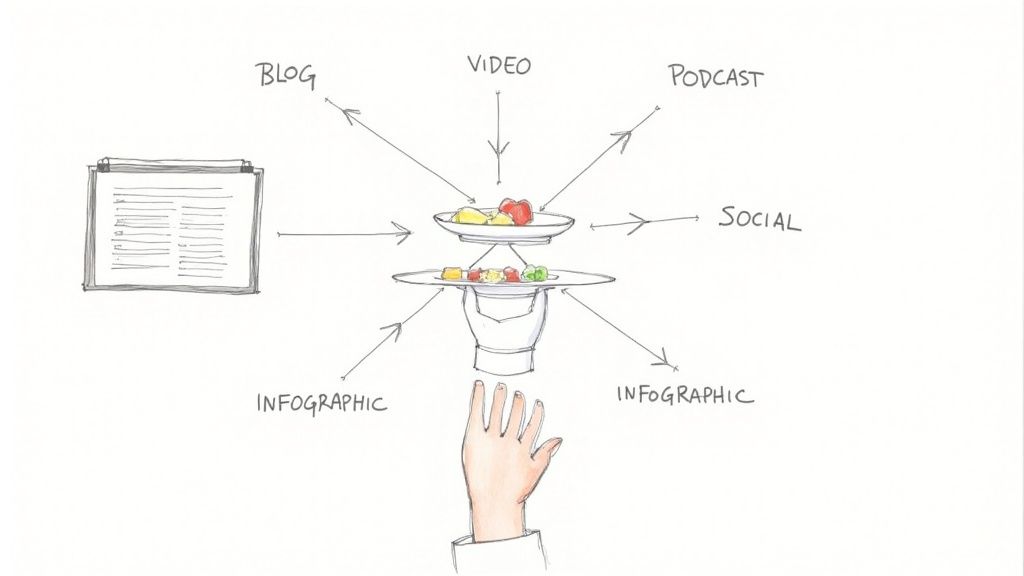
Content repurposing is about flipping that script entirely. Instead of seeing a big piece of content as the finish line, you see it as the starting block. It’s a system for taking that core idea and spinning it out into dozens of new formats, each one built for a different platform or a different type of person.
This isn't about being lazy or just spamming the same link everywhere. It’s a genuine productivity multiplier. Think about it:
- You reach completely new audiences. Not everyone has 15 minutes to read a blog post. Some people live on TikTok, others have podcasts playing during their commute, and many just want a quick, visual carousel on LinkedIn.
- You reinforce your message without being repetitive. When people see your core idea pop up in different ways across their favorite channels, it builds trust and cements your expertise in their minds.
- You save your most precious resource: time. For solo founders and small teams, the pressure to constantly create something new from scratch is draining. Repurposing lets you stay consistent and visible without burning out.
A Smarter Way to Work
The shift to a repurposing mindset is a game-changer for productivity. It stops you from measuring success by the number of new things you create and instead focuses you on getting the absolute most mileage out of your very best ideas.
And this isn't just a "nice-to-have." It’s becoming essential for getting real business results. In 2024, 58% of B2B marketers said their content directly boosted sales, a huge jump from just 42% the year before. That kind of success comes from meeting people where they are, with content they actually want to consume. You can dig into more B2B content repurposing statistics to see just how big the impact is.
When you treat one pillar piece of content as the kickoff for an entire campaign, you're no longer just publishing a blog post. You're launching an ecosystem of assets that work together to multiply your reach and impact.
This table really drives home the difference between the old way and the new, more productive workflow.
How Repurposing Transforms Your Content Workflow
| Metric | Traditional Workflow (One-and-Done) | Repurposing Workflow (Create Once, Distribute Forever) |
|---|---|---|
| Pillar Content Piece | 1 (e.g., 2,000-word blog post) | 1 (e.g., 2,000-word blog post) |
| Social Media Posts | 3-5 promotional posts | 20-30+ unique posts (quotes, carousels, threads, video clips) |
| Video/Audio Content | 0 | 1 short-form video, 1 audiogram, 1 podcast segment |
| Visual Assets | 1-2 images for the post | 5-10 infographics, quote cards, data visualizations |
| Email Content | 1 newsletter mention | 3-part email series diving deeper into key concepts |
| Total Assets Created | ~5-8 assets | ~30-50+ assets |
| Time Investment | High effort for a single burst of activity | High initial effort, followed by low-effort distribution over weeks |
| Audience Reach | Limited to your blog readers and initial social shares | Broadened across multiple platforms and content preferences |
As you can see, the output isn't just a little better—it's an order of magnitude greater. You're taking the same core research and effort and spinning it into a month's worth of content, not just a day's.
The Real Payoff: Why Repurposing Your Content Matters
Let’s be honest, just saving time isn’t enough. Content repurposing is a powerful engine for growth, especially if you’re a solo founder or running a small team. It takes a single piece of work and multiplies its impact, making every ounce of effort count. This isn't just about being efficient; it's about making your content work smarter and harder for you.
One of the biggest wins is a serious boost to your SEO. Instead of one lonely blog post trying to rank for a few keywords, repurposing creates a whole web of content. That video summary on YouTube, the infographic on Pinterest, and the detailed thread on X (formerly Twitter) all become new chances to show up in search results and pull in valuable backlinks.
Build Unshakeable Brand Authority
When people see your core message popping up everywhere—from a podcast interview to a LinkedIn carousel—it cements your expertise in their minds. Consistency is the bedrock of authority. You're not just a one-hit wonder; you become the go-to source because you’re consistently showing up where your audience spends their time.
This isn't just a nice-to-have; it's fundamental to sustainable growth. In fact, learning how to scale a business effectively often comes down to strategies like this, which expand your reach without burning out your team.
Repurposing lets you dominate a topic, not just a channel. It’s the difference between showing up to a party and hosting it. One makes a brief impression; the other makes you the center of the conversation.
Get an ROI You Can Actually See
This is where repurposing truly shines. Think about the time and money that goes into creating a comprehensive one-hour webinar. With the old "one-and-done" approach, its value pretty much dies after the live event. But with repurposing, that single webinar becomes the source for an entire month's worth of marketing.
Practical Example: A one-hour webinar on "Mastering SaaS Sales" can be productively repurposed into:
- 10-15 short video clips for social media, each highlighting a key insight. Use a tool like Descript to easily clip these.
- 5-7 quote graphics for visual platforms like Instagram. Create these in bulk using Canva's templates.
- A 3-part email newsletter series that dives deeper into the main topics.
- A concise blog post that summarizes the biggest takeaways, embedding the full webinar recording.
This isn't just about saving money; it’s about making a bigger, more strategic impact. The numbers back it up: conversion rates for companies that use content marketing (repurposing included) are nearly six times higher than for those that don't. You can explore more stats on this to see the full picture. It's how you turn one high-effort project into dozens of assets and compete with the big guys, even with a lean team and a tight budget.
Your Menu of Content Repurposing Ideas and Examples
Alright, the theory makes sense, but seeing content repurposing in action is where the lightbulb really goes on. Think of your best, most comprehensive piece of content—your "pillar" article—as the main ingredient in your kitchen. Now, let's look at the incredible menu of dishes you can cook up from it.
Each format you create serves a unique purpose. It connects with different segments of your audience on the platforms where they actually spend their time. This is how you multiply your impact without multiplying your workload.
From One Blog Post to a Full Campaign
Let’s say you just hit "publish" on a 2,000-word guide called "The Ultimate Guide to Remote Team Productivity." It’s a beast—packed with data, practical tips, and expert insights. Instead of just tweeting the link and calling it a day, you can break it down into a whole library of valuable assets.
This isn't just about making more "stuff." It's a strategic move that connects your content directly to business goals like boosting your SEO, building real authority, and getting a much higher return on your effort.
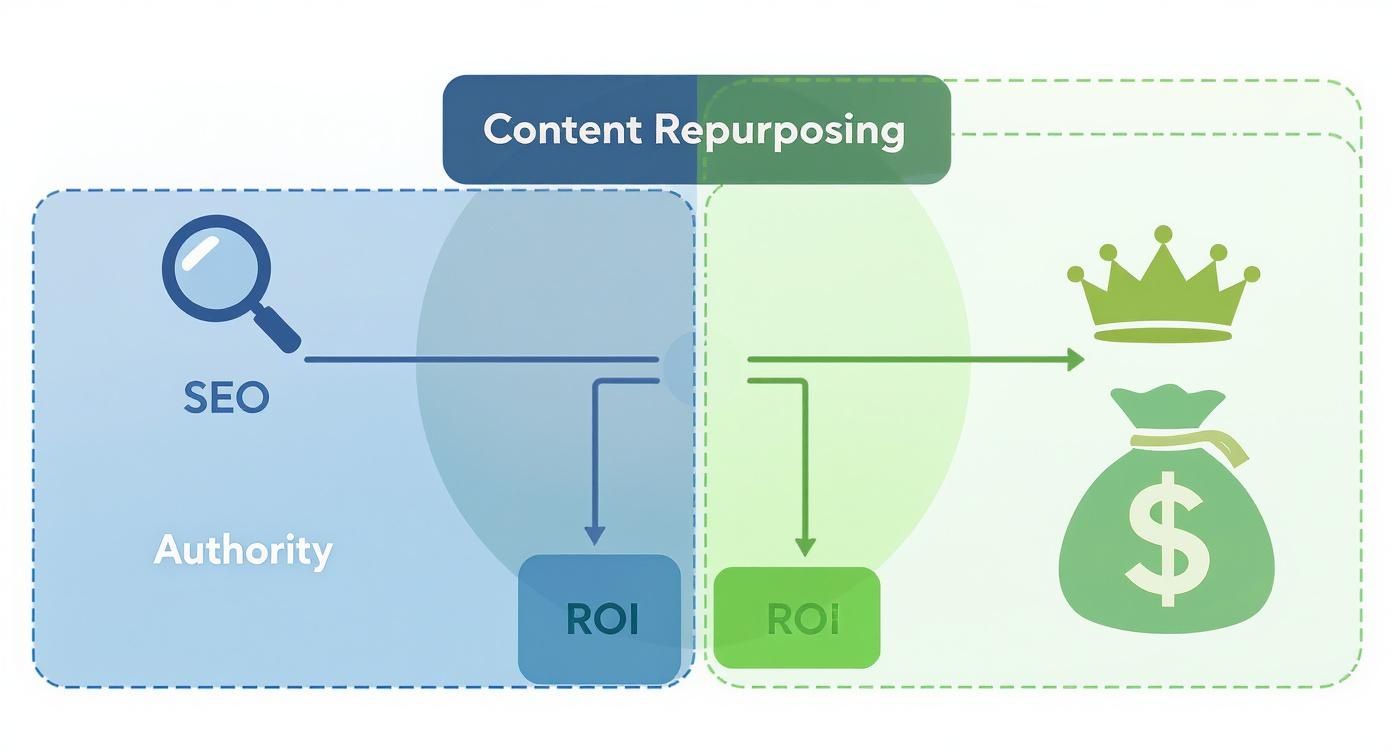
The key takeaway here is that every repurposed piece creates a new doorway for someone to find you. You’re strengthening your brand’s presence and driving results you can actually measure.
Here are a few practical ways you could transform that one guide:
- Create a LinkedIn Carousel: Pull out the 5 most impactful productivity tips from the article. Turn them into a slide deck, with one tip per slide, a bold headline, and a short explanation. It’s visual, skimmable, and perfect for busy professionals scrolling on LinkedIn.
- Produce a Short-Form Video for Instagram Reels or TikTok: Grab your phone and record a 60-second video explaining the single most surprising statistic from your guide. Add some text overlays and a trending audio track, and you’ve got a piece of content built to grab attention and spark curiosity.
- Design a Shareable Infographic: Take the core stats and workflow diagrams from the guide and use a tool like Canva to create a visually engaging infographic. This kind of asset is a magnet for Pinterest shares and can earn you valuable backlinks when other blogs feature it.
Expanding into Audio and Email
But your repurposing strategy doesn't have to stop with social media. You can also cater to the parts of your audience who prefer deeper, more intimate content. This is where you can squeeze even more value from all that initial research and writing.
For instance, you could:
- Record a Podcast Episode: Use the main sections of your blog post as a rough script for a solo podcast episode. You can elaborate on each point with personal stories or client examples that didn't quite fit into the original article, adding a whole new layer of depth.
- Develop an Email Mini-Course: Break down the guide into a three-part email series sent over a week. Each email can tackle one core theme (Day 1: The Best Communication Tools, Day 2: Nailing Asynchronous Workflows, Day 3: Building Remote Team Culture). This delivers incredible value straight to your subscribers' inboxes.
Pro-Tip: Remember, repurposing is all about adapting, not just copy-pasting. The core message stays the same, but the delivery has to feel native to each platform. This is totally different from just blasting the same post everywhere, a practice you can learn more about in our guide on what is cross-posting.
This table gives you a quick-reference guide for how one core piece of content can mushroom into a whole library of assets, each tailored for a different marketing channel.
From Pillar Content to a Library of Assets
| Original Content Type | Repurposed Format 1 | Repurposed Format 2 | Repurposed Format 3 |
|---|---|---|---|
| Long-Form Blog Post | LinkedIn Carousel (Key takeaways) | Short-Form Video (One powerful stat) | Email Series (Drip campaign) |
| Webinar/Live Event | Blog Post (Transcript & summary) | Audio Podcast (Full recording) | Quote Graphics (Speaker quotes) |
| Case Study | Infographic (Results & process) | Social Media Testimonial (Client quote) | Video Interview (With the client) |
| Podcast Episode | Short Video Clips (Audiograms for social) | Blog Post (Show notes & transcript) | Twitter/X Thread (Key insights) |
As you can see, the possibilities are nearly endless. By thinking of your content as a set of building blocks, you can create a diverse and powerful marketing engine from just a few core ideas.
How to Build a Content Repurposing Workflow
Great ideas are just the start; a solid system is what turns them into consistent results. When you create a repeatable workflow for repurposing, it stops being a random task you do when you have time and becomes a core part of your marketing engine.
This four-step process helps you work smarter, not harder, making sure every single piece of content you create pulls its weight.
Step 1: Identify and Audit Your Pillar Content
The whole thing kicks off with a simple question: What’s already working? Stop guessing what you should repurpose. Instead, dive into your analytics to find your high-performing “pillar” content.
These are the blog posts, videos, or podcast episodes that already get a ton of traffic, engagement, or shares. They are your goldmines.
Productivity Tip: Set a quarterly calendar reminder to review your Google Analytics or website dashboard. In 15 minutes, identify your top 3-5 performing blog posts from the last 90 days. These are your prime candidates for repurposing.
Step 2: Deconstruct It Into Core Building Blocks
Think of your pillar content like a set of LEGOs. Your job is to pull it apart and see all the individual bricks you can use to build something totally new.
Practical Workflow: Open your pillar article. Create a simple spreadsheet or document with columns for: "Key Idea," "Statistic," "Quote," and "Actionable Tip." Go through the article and populate these columns. In 30 minutes, you'll have an inventory of 20+ potential micro-content pieces.
Step 3: Match Assets to Formats and Channels
Now for the strategic part. You're going to pair each of those little building blocks with the perfect format for the right platform.
That powerful statistic? It becomes a shareable infographic for Pinterest. A series of actionable tips? A perfect LinkedIn carousel. A compelling quote? An eye-catching graphic for Instagram.
The goal is to adapt the message to fit the platform's native language. A tip shared in a professional tone on LinkedIn will feel completely different from the same tip delivered in a fast-paced, energetic Reel on Instagram.
Step 4: Batch Create and Schedule Your Content
Finally, to really make this efficient, you have to batch your work. Don’t create one repurposed asset at a time. Instead, block off time to create all the assets for one pillar piece at once. Learning how to batch social media content is a game-changer here.
Example Batching Session:
- Hour 1: Use Canva to create all 10 quote graphics for Instagram.
- Hour 2: Write the copy for all 10 of those Instagram posts.
- Hour 3: Load everything into a scheduler.
This focused approach cuts down on context switching and helps you build momentum. If you need help getting organized, you can check out our guide on what is a content calendar. This is how you turn one great idea into weeks of consistent marketing without the daily grind.
Essential Tools to Automate Your Repurposing Efforts
Executing a solid repurposing strategy doesn’t have to mean chaining yourself to your desk for hours of manual work. The right tech stack can automate the most soul-crushing parts of the process, turning what used to take a full day into just a few clicks. It’s all about working smarter, not harder.
Modern tools are your secret weapon for getting the most out of every piece of content. Instead of manually brainstorming social media hooks, designing graphics from scratch, and scheduling posts one by one, you can lean on specialized platforms to do the heavy lifting.
AI-Powered Content Generators
The biggest productivity jump you'll see comes from AI-powered platforms. These tools can swallow a long-form article, a video, or a podcast transcript and spit out dozens of unique social media posts in seconds. Each one is tailored to a specific platform's tone and format.
- Postful: Designed specifically for founders and creators, Postful takes your core content (like a blog post URL or YouTube link) and generates a variety of ready-to-use posts. This workflow reduces hours of brainstorming into minutes.
- HubSpot's Content Remix: This is another powerful example of how AI is changing the game. AI adoption has accelerated, letting marketers reshape content into different formats and personalize it for various social channels—a huge advantage when you're trying to be everywhere at once. You can find more on AI's impact on content strategies and how others are using it.
Here’s a quick look at how a tool like Postful turns a single idea into a bunch of ready-to-publish posts.

This just shows how a single input can generate multiple distinct social media posts, saving a massive amount of time in the creative slog.
Design and Transcription Tools
Visuals are a non-negotiable part of modern content, but you don't need to be a graphic designer to create stunning assets. And turning your audio and video into text is a foundational step for tons of repurposing workflows.
A great tool doesn't just make a task faster; it makes it possible. For small teams and solo founders, user-friendly tools are the bridge between a great idea and a polished, professional execution that can compete with larger brands.
Here’s a simple, productivity-focused tech stack to cover your bases:
- Canva: Use templates to create an entire month's worth of visual content (carousels, quote graphics, video thumbnails) in a single afternoon. No design background is required.
- Descript: This tool is a game-changer. It transcribes your video/audio and lets you edit by deleting text. A simple workflow: upload a webinar, delete all the text except for a 60-second key insight, and export it as a social media clip.
- Scheduling Platforms: Tools like Buffer or Later let you schedule all your repurposed content in advance. This ensures a consistent publishing rhythm across all your channels without you having to manually post every single day.
Measuring the ROI of Your Repurposing Strategy
Creating dozens of assets is great, but let's be honest: how do you prove any of it is actually moving the needle for your business? The real win isn't in vanity metrics like likes and shares. It's in connecting your content back to the KPIs that matter to your bottom line.
A data-driven approach does more than just justify the time you're spending. It shines a light on which formats and channels are your heavy hitters, letting you double down on what works and cut what doesn't.
Key Metrics to Track
To get a real sense of your return on investment, you have to connect your repurposed content directly to your business goals. That means looking at how every single asset contributes to things like traffic, leads, and genuine engagement.
Here are the essential metrics to track:
- Referral Traffic: How many people are actually clicking through to your website from each piece of repurposed content? Are those LinkedIn carousels outperforming your X threads? Tools like Google Analytics will tell you exactly which channels are sending you the most valuable visitors.
- Lead Generation: If you're linking a repurposed asset to a gated resource—like an ebook or a webinar signup—track how many new leads it brings in. This is a direct line from content to pipeline.
- Engagement Rates: Go deeper than just likes. For a video clip, track watch time. Are people sticking around or swiping away after three seconds? For a carousel, look at the completion rate. Are they engaged enough to swipe through all ten slides?
Using UTM Parameters to Pinpoint Success
To get this kind of granular data, UTM parameters are your best friend. They’re just simple tags you add to the end of a URL that tell your analytics tools exactly where a click came from.
Practical Example:
When promoting your blog post "Guide to Remote Work," create unique UTM links:
yourwebsite.com/blog?utm_source=linkedin&utm_medium=social&utm_campaign=remote-work-guidefor your LinkedIn post.yourwebsite.com/blog?utm_source=twitter&utm_medium=social&utm_campaign=remote-work-guidefor your X thread.yourwebsite.com/blog?utm_source=newsletter&utm_medium=email&utm_campaign=remote-work-guidefor your email.
Now you can see in Google Analytics which channel drove not just clicks, but actual sign-ups or sales. This precise attribution is what separates a creative exercise from a predictable growth engine. To learn more about connecting your social media efforts to real business outcomes, check out our guide on how to measure social media ROI.
Common Questions About Content Repurposing
Even when you’ve got a plan, a few questions always pop up once you start putting repurposing into practice. Let's tackle the most common ones so you can move forward with confidence.
How Often Should I Repurpose Content?
The simple answer is: as often as you can sustain. A productive workflow for a small team could be: create one new pillar piece of content every two weeks, and spend the time in between repurposing that piece and your older evergreen hits.
A good rhythm ties directly back to your goals and what you can realistically handle. Sustainability will always beat sporadic, all-out sprints.
Does Repurposing Content Hurt SEO?
Not at all. When you do it right, it actually gives your SEO a serious boost. This isn't about "duplicate content"—you're not just copying and pasting the same block of text everywhere. Content repurposing is about creating entirely new, unique assets like videos, infographics, or audio clips from a single core idea.
Search engines love this. These new formats appeal to different user behaviors and create more doorways for your brand to rank in search results. Even better, they open up new opportunities to earn valuable backlinks from other sites.
Repurposing isn't about duplicating your content; it's about diversifying your content's footprint. Each new asset is another doorway for audiences and search engines to find you.
What Is the Easiest Way to Start Repurposing?
Start small. Seriously. The key is to build momentum and see a quick win. Don't try to turn a single blog post into twenty different things on your first go.
Here's a simple, actionable workflow to start:
- Find your single best-performing blog post from the last year.
- Pull out three key takeaways from it.
- Open Canva and use a carousel template.
- Create a simple text-and-image carousel for LinkedIn or Instagram with those three takeaways.
This is a low-effort, high-impact move that will immediately show you the power of giving your best ideas a second life.
Ready to stop starting from a blank page and get the most out of every idea? Postful uses AI to help you repurpose your content into weeks' worth of high-quality social media posts in minutes. Join the waitlist today and make your content work smarter, not harder. Get early access to Postful.