

Juggling a small business means wearing multiple hats, and the 'social media manager' hat often feels the heaviest. Constant content creation, scheduling, and engagement across multiple platforms can quickly lead to burnout, pulling you away from core business operations. But what if you could reclaim hours each week while still growing your online presence consistently? The secret isn't working harder; it's working smarter with the right support system.
This guide breaks down the best social media management tools for small business owners, focusing on practical features that genuinely boost productivity and streamline your workflow. We move past generic feature lists to dive into real-world use cases, honest limitations, and implementation advice for each platform. Our goal is to help you find a tool that fits your specific needs, budget, and growth goals. Many of these platforms also offer automation features to further enhance your efficiency; to explore this topic in more detail, check out these 12 social media automation tools.
Each review below includes detailed analysis, screenshots, and direct links, so you can confidently select the right tool and get back to what you do best: running your business.
1. Postful
Best for: Founders and side-hustlers who need to create quality content quickly.
Postful distinguishes itself as an AI-powered social media assistant designed specifically for the time-strapped small business operator. It's built to eliminate the "blank page" problem by providing ready-to-use templates and curated post ideas, making it one of the most practical social media management tools for small business owners who juggle multiple roles. This approach streamlines the content creation process, enabling users to maintain a consistent and professional online presence without the typical time investment.
Key Features and Use Cases
The platform's strength lies in its intelligent, workflow-focused features. Its on-demand AI brainstorming tools are particularly effective for refining a raw idea into a clear, audience-focused message. For example, a founder could input a basic concept like "new product launch," and Postful will help expand it into a compelling announcement post, a behind-the-scenes look, and a customer-benefit highlight.
Productivity Tip: A coffee shop owner can use Postful's templates to quickly generate posts for a "Drink of the Week" feature. The AI can help brainstorm catchy captions and suggest relevant hashtags, turning a routine task into a 5-minute activity instead of a 30-minute one. This workflow saves nearly two hours of creative work per month.
Postful also automates repetitive scheduling tasks, which is critical for maintaining publishing momentum. By handling the operational grind, it frees up entrepreneurs to focus on core business activities.
Pros and Cons
- Pros:
- Accelerated Content Creation: Ready-to-use templates and AI ideas dramatically reduce the time spent on content planning.
- Refined Messaging: On-demand brainstorming tools help sharpen your message for greater impact.
- Time-Saving Automation: Automates scheduling and other repetitive tasks to ensure consistent posting.
- Founder-Focused: The lightweight workflow is perfectly suited for individuals managing all aspects of their business.
- Cons:
- Limited Access: Currently invite-only, which prevents immediate use.
- Lack of Transparency: No public pricing or plan details make it difficult to budget and evaluate.
- Manual Oversight Needed: AI-generated content may still require edits to perfectly match a unique brand voice.
Current Status
Postful is currently in a pre-launch phase, and interested users can join the waitlist at postful.ai for early access. Pricing and plan details have not yet been made public.
2. Hootsuite
Best for: Growing teams that need a scalable, all-in-one command center for publishing, engagement, and analytics.
Hootsuite is one of the most established and comprehensive social media management tools for small business, acting as a robust, all-in-one command center. It excels for businesses that need a scalable solution with deep functionality across publishing, engagement, and analytics. Users can manage multiple social profiles from a single dashboard, schedule unlimited posts, and leverage AI to help generate captions and content ideas.
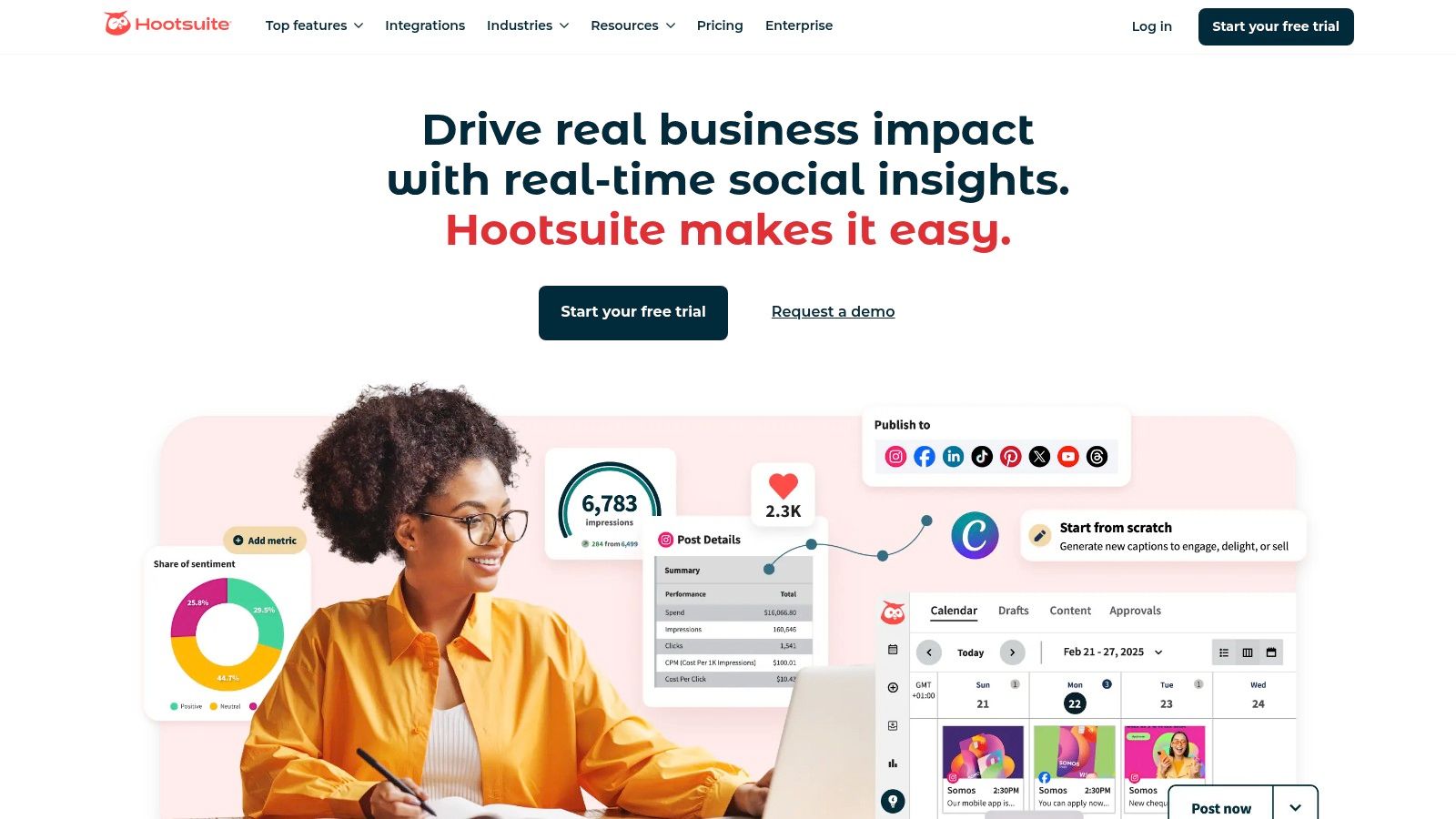
The platform’s strength lies in its maturity and workflow features. For instance, a small marketing team can set up approval workflows directly within the central inbox, ensuring brand consistency before any reply goes live. This makes it a great choice for businesses with clear brand guidelines or those operating in regulated industries.
Productivity Tip: Use the "Streams" feature to create custom feeds that monitor specific keywords, hashtags, or mentions related to your industry. A local bakery could set up a stream for "#YourCityBakeries" to track competitors and another for mentions of their brand name to engage with customers in real-time, all from one dashboard.
Key Features & Considerations
| Feature | Detail |
|---|---|
| Unified Publishing Calendar | Schedule unlimited posts with "Best Time to Post" suggestions. Includes a Canva integration and media library. |
| Central Inbox | Manage DMs and comments from all connected platforms in one place. Higher tiers add automation and workflows. |
| Pricing Model | Starts at $99/month. Pricing is per user, which can become costly for larger teams on a tight budget. |
| Best Use Case | Small businesses and marketing teams needing a single, powerful tool that can scale with enterprise-grade features. |
Pros:
- Broad feature set covering all core social media tasks.
- Scalable with advanced add-ons for social listening and employee advocacy.
Cons:
- Can be expensive for solopreneurs or very small teams.
- The interface, while powerful, can feel complex for beginners.
Website: https://www.hootsuite.com
3. Buffer
Best for: Solopreneurs and small teams who prioritize a clean, simple, and budget-friendly scheduling workflow.
Buffer is a streamlined and intuitive social media management tool for small business, celebrated for its simplicity and transparent pricing. It excels at core publishing and scheduling tasks, making it an ideal starting point for solopreneurs, creators, and small teams who prioritize a clean, uncluttered workflow over a vast array of complex features. The user interface is famously easy to navigate, allowing new users to connect channels and schedule their first posts in minutes.
The platform’s key differentiator is its "per-channel" pricing model, which is highly cost-effective for small teams that manage multiple accounts but don't need individual user seats. For example, a single marketer can manage 10 different social channels without paying extra for team members who only need to view the content calendar.
Productivity Tip: Create a content queue for each social channel with a pre-set posting schedule (e.g., three times a day for Twitter, once a day for LinkedIn). As you browse the web and find interesting articles, use the Buffer browser extension to add them to your queue with one click. The tool automatically schedules them for the next available time slot, creating a "set it and forget it" content workflow.
Key Features & Considerations
| Feature | Detail |
|---|---|
| Simple Scheduling | A clean, visual calendar and content queue for planning and publishing. Includes a browser extension for easy sharing. |
| AI Assistant | Generates post ideas, rewrites copy, and helps repurpose content across different social media platforms. |
| Pricing Model | Offers a generous free plan for 3 channels. Paid plans start at $6/month per channel, scaling affordably. |
| Best Use Case | Solopreneurs and small businesses who need an easy-to-use, budget-friendly tool for content publishing and scheduling. |
Pros:
- Extremely user-friendly interface and clear, low-entry pricing.
- Scales affordably by the number of channels, not expensive per-user seats.
Cons:
- Lighter on deep social listening and complex approval workflows compared to enterprise tools.
- The engagement and analytics features are more basic on lower-tier plans.
Website: https://buffer.com
4. Sprout Social
Best for: Data-driven teams and agencies that require advanced analytics, collaboration, and customer care features.
Sprout Social is a premium, team-ready social management suite designed for organizations that prioritize robust data, collaboration, and customer care. It stands out as one of the best social media management tools for small business teams that need sophisticated reporting and streamlined workflows to manage their online presence effectively. The platform integrates publishing, engagement, and analytics into a cohesive and user-friendly interface.
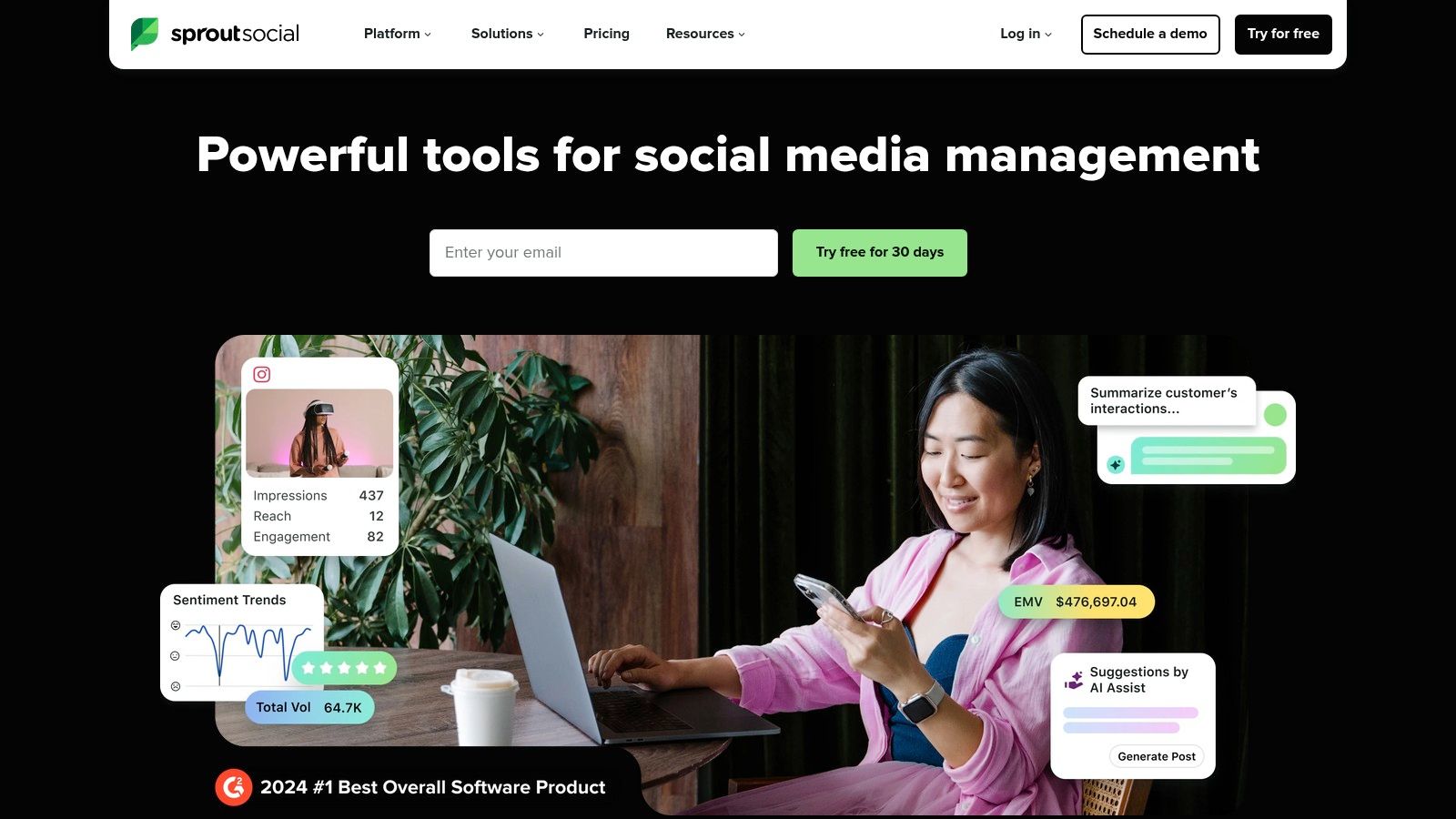
The platform’s strength lies in its powerful analytics and team-based features. To get a deeper understanding of the core concepts, you can explore this guide on what is social media management.
Productivity Tip: Use the message tagging feature in the Smart Inbox to categorize incoming customer inquiries. A small e-commerce business could create tags like "shipping issue," "positive feedback," or "product question." This allows you to quickly filter messages, assign them to the right person, and identify trends in customer communication, improving response times and service quality.
Key Features & Considerations
| Feature | Detail |
|---|---|
| Robust Analytics & Reporting | Generate presentation-ready reports with optimal send time suggestions to maximize post reach and engagement. |
| Collaboration & Workflows | Utilizes a Smart Inbox with message tagging and built-in approval workflows for seamless team collaboration. |
| Pricing Model | Starts at $249/month. The per-seat pricing model can become a significant expense as the team grows. |
| Best Use Case | Data-driven small businesses and agencies that require advanced analytics and collaborative tools for client work. |
Pros:
- Highly regarded for its powerful data insights and consistent industry recognition.
- Scales exceptionally well as a business adds more team members and social profiles.
Cons:
- Premium pricing makes it one of the more expensive options for solo operators.
- The extensive feature set may have a steeper learning curve for complete beginners.
Website: https://sproutsocial.com
5. Later
Best for: Visual-first brands and creators focused on Instagram, TikTok, and Pinterest.
Later is a social media management tool that prioritizes a visual-first approach, making it an excellent choice for small businesses heavily focused on Instagram, TikTok, and Pinterest. Its core strength lies in its intuitive visual content calendar, which allows users to drag and drop media to plan and schedule posts, ensuring a cohesive and aesthetically pleasing feed. This focus on visual planning helps content creators and brand managers craft a compelling narrative across their most visual platforms.

The platform has evolved beyond simple scheduling to include powerful features like a Link-in-Bio tool, AI-powered caption writing, and user-generated content (UGC) collection. This streamlined workflow makes it one of the most efficient social media management tools for small business teams where visual content is king.
Productivity Tip: Dedicate one hour per week to "content batching." Upload all your photos and videos for the week into Later’s media library. Then, use the visual planner to drag and drop them into a visually appealing grid for Instagram. Write all your captions at once using the AI assistant for ideas. This workflow prevents daily decision fatigue and ensures a consistent posting schedule.
Key Features & Considerations
| Feature | Detail |
|---|---|
| Visual Content Calendar | A drag-and-drop interface for planning and previewing visual content, perfect for curating an Instagram grid. |
| AI Content Tools | Includes an AI Caption Writer and "Best Time to Post" suggestions to optimize engagement and save time. |
| Link in Bio Tool | Create a customizable, clickable landing page for your social bio, driving traffic to key content or products. |
| Best Use Case | Brands, creators, and small businesses where Instagram, TikTok, and visual storytelling are primary marketing channels. |
Pros:
- User-friendly visual calendar and content workflow suited to lean teams.
- Strong focus on Instagram and TikTok, including Reels and Stories scheduling.
Cons:
- Starter plans limit the number of posts per social profile.
- Advanced analytics and collaboration features are locked behind higher-priced tiers.
Website: https://later.com
6. Loomly
Best for: Small teams and agencies that need a structured content approval and collaboration workflow.
Loomly is a brand success platform that shines in content planning and team collaboration, making it one of the best social media management tools for small business teams focused on process. It's designed for marketing professionals who need a structured workflow, from drafting ideas and storing assets to getting stakeholder approval before publishing. The platform provides post ideas based on trending topics, holidays, and social media best practices to kickstart creativity.
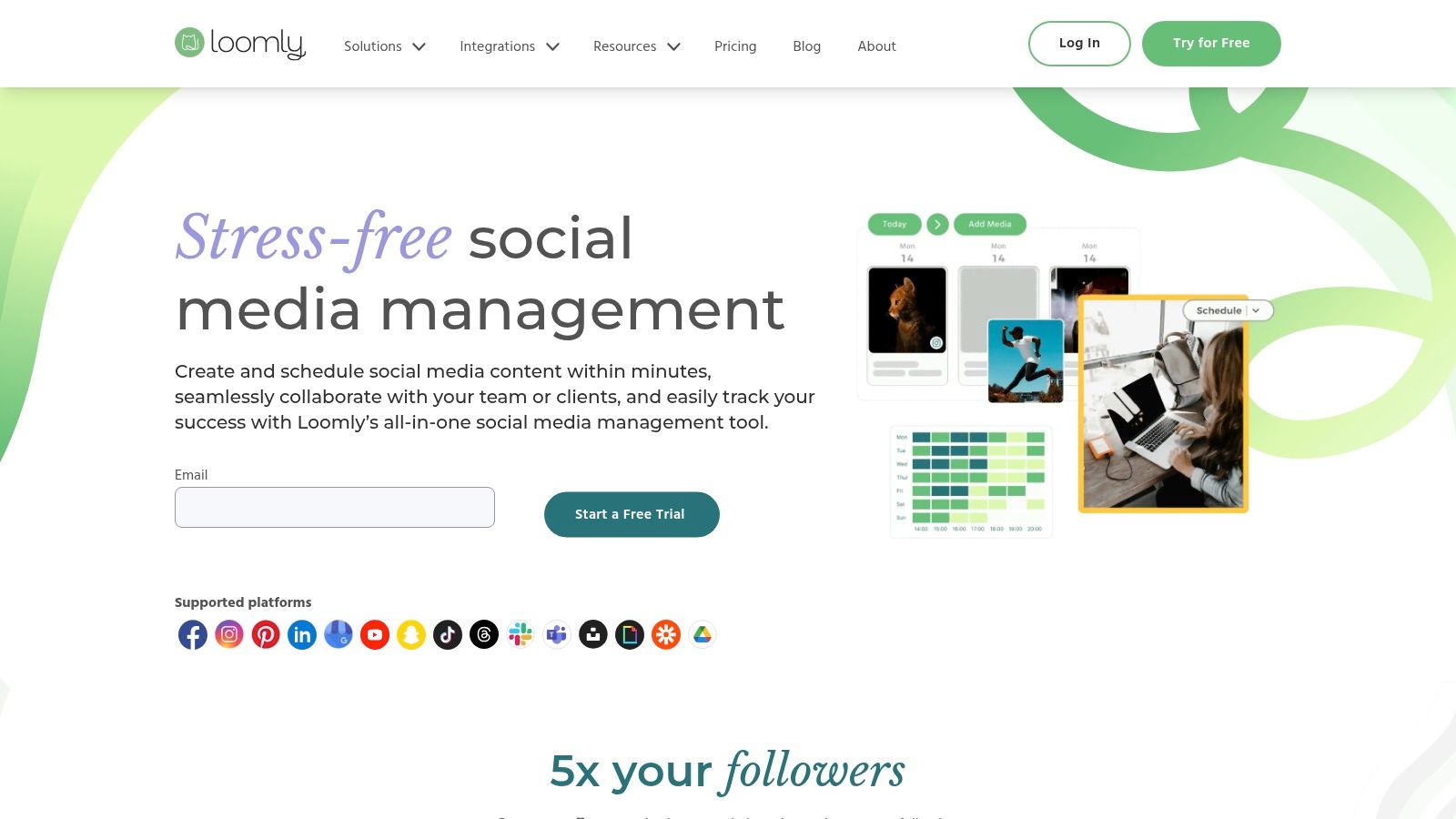
The platform’s strength is its clean, calendar-centric interface and built-in approval system. This linear, step-by-step process helps prevent errors and ensures brand messaging is always consistent before it goes live.
Productivity Tip: For a small marketing agency, establish a clear workflow within Loomly: a junior marketer drafts five posts for a client, changes the status to "Pending Approval," which notifies the account manager. The manager reviews, provides feedback or approves, and then changes the status to "Client Approval." This triggers a notification to the client for final sign-off, creating a seamless and trackable approval chain that eliminates confusing email threads.
Key Features & Considerations
| Feature | Detail |
|---|---|
| Collaboration & Approval | Define custom workflows for content creation, review, and approval. Team members receive notifications when action is needed. |
| Content Library | Centralized asset management to store, organize, and access photos, videos, notes, and post templates for your team. |
| Pricing Model | Starts at $32/month (billed annually). Offers a generous 50% lifetime discount for nonprofit organizations. |
| Best Use Case | Small businesses, agencies, and nonprofits that require a clear, collaborative workflow with approval stages. |
Pros:
- Intuitive, clean user interface with built-in post previews.
- Excellent collaboration features and straightforward approval process.
Cons:
- Analytics are less robust compared to more data-focused platforms.
- Engagement features are present but not as advanced as dedicated tools.
Website: https://www.loomly.com
7. SocialPilot
Best for: Agencies and businesses managing multiple client accounts on a budget.
SocialPilot positions itself as one of the most cost-effective social media management tools for small business, particularly for agencies or teams managing multiple client accounts. It delivers a comprehensive suite of features, including scheduling, a social inbox, and analytics, without the premium price tag of many competitors. Its standout value comes from the generous limits on social accounts and users offered even on its lower-priced plans.
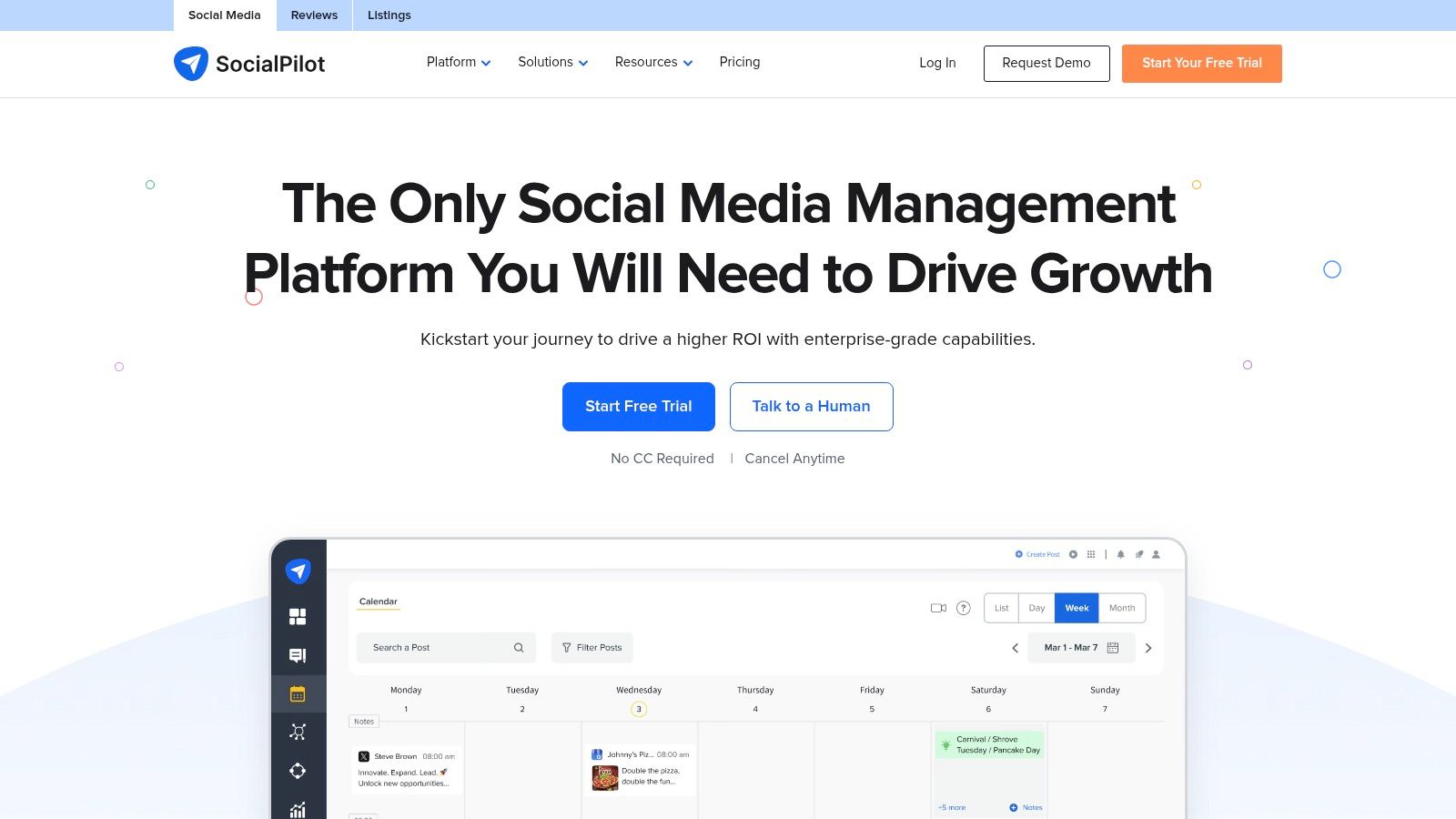
The platform is built for workflow efficiency. A small agency can use the client management and approval features to prepare content, send it to a client for review, and schedule it upon approval, all within a single dashboard. This streamlined process, combined with bulk scheduling and white-label reporting on higher tiers, makes it an ideal solution for businesses that prioritize productivity and scalability on a budget.
Productivity Tip: Use the bulk scheduling feature to plan an entire month of content at once. Create a CSV file with columns for date, text, and image URL. You can prepare up to 500 posts in a spreadsheet and upload them in one go. This is a massive time-saver for evergreen content, promotions, or recurring post series.
Key Features & Considerations
| Feature | Detail |
|---|---|
| Generous Account Limits | Connect a high number of social media profiles even on entry-level plans, with predictable add-on costs. |
| Team & Client Collaboration | Built-in approval workflows and client management tools make it ideal for agencies or collaborative teams. |
| Pricing Model | Starts at $30/month. The pricing structure provides exceptional value for the number of users and accounts. |
| Best Use Case | Small businesses, marketing agencies, and teams needing a robust, affordable tool to manage multiple accounts. |
Pros:
- Very competitive pricing provides an excellent return on investment.
- Easy to scale by adding users or accounts without a significant price jump.
Cons:
- Lacks the advanced social listening and advocacy features found in enterprise-level platforms.
- The user interface is functional but can feel less modern than some competitors.
Website: https://www.socialpilot.co
8. Agorapulse
Best for: Small teams and agencies that need strong collaborative features and ROI-focused reporting.
Agorapulse is a complete social media management suite built with collaboration and return on investment (ROI) in mind. It stands out by combining a powerful unified inbox with robust publishing and reporting tools, making it an excellent choice for small businesses and agencies that prioritize team-based workflows and clear, measurable results from their social media efforts.
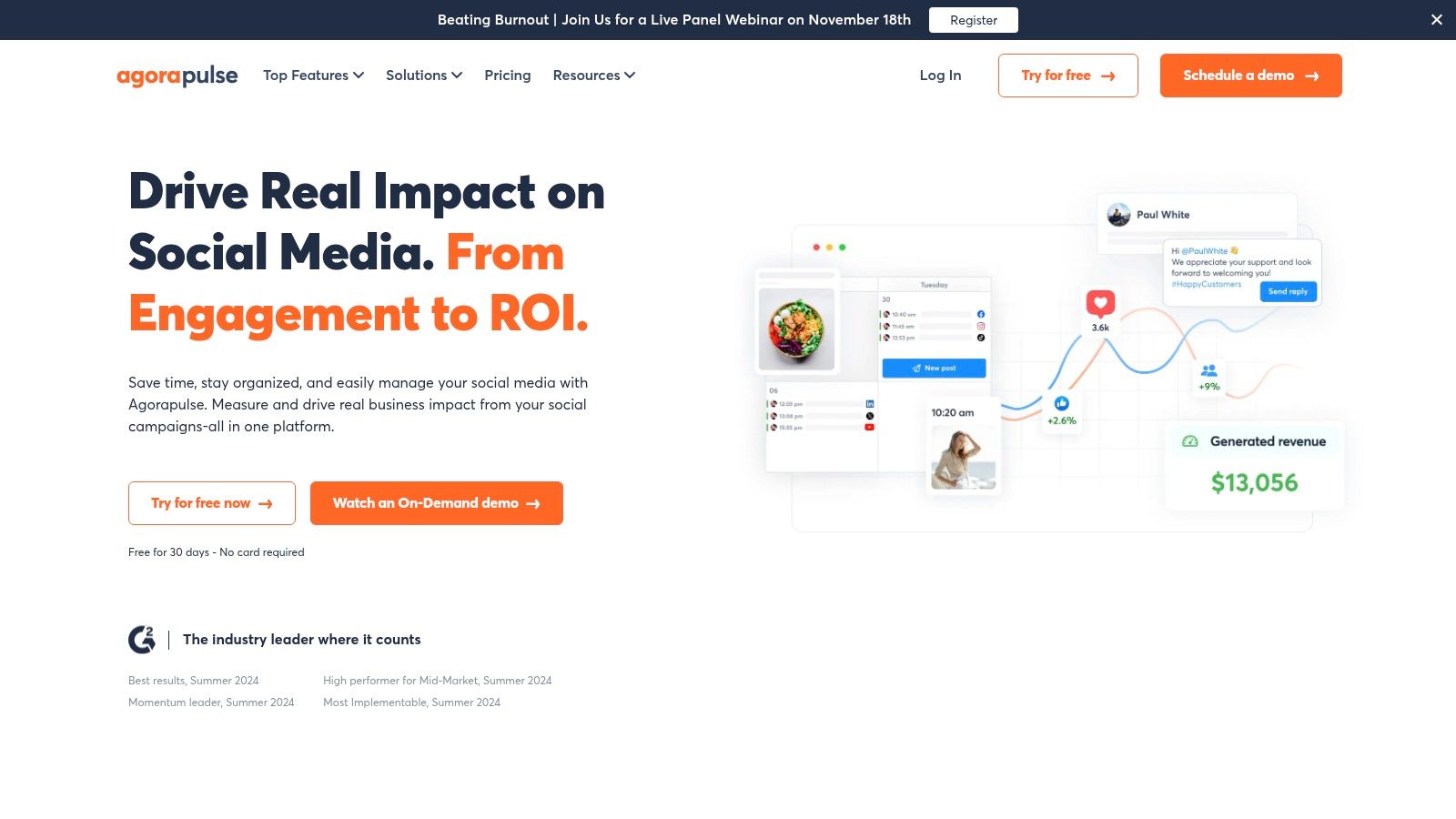
The platform excels at making team collaboration seamless. Agorapulse is a fantastic social media management tool for small business teams needing to prove the value of their social strategy through detailed ROI reports.
Productivity Tip: Use the "Inbox Assistant" to create automated moderation rules. For example, you can set up a rule to automatically hide or delete comments containing specific spammy keywords. You can also create a rule to assign any message containing the word "help" or "issue" directly to your customer support team member. This cleans your inbox so you can focus on meaningful engagement.
Key Features & Considerations
| Feature | Detail |
|---|---|
| Unified Inbox & Engagement | Manage comments, DMs, and ad comments in one place. Includes saved replies and team assignment features. |
| Publishing Suite | Unlimited post scheduling with a shared calendar, content queues, and team approval workflows on higher tiers. |
| ROI & Reporting | Track which posts and conversations are driving conversions, link clicks, and revenue to measure social impact. |
| Best Use Case | Small teams and agencies that require strong collaborative features and data-driven reporting to justify their social media spend. |
Pros:
- Strong collaborative workflows are ideal for agencies and small teams.
- Fast support responsiveness and available discounts for nonprofit organizations.
Cons:
- The per-user billing model means costs increase as the team grows.
Website: https://www.agorapulse.com
9. Metricool
Best for: Data-driven freelancers and agencies who manage multiple brands and ad campaigns.
Metricool stands out as a powerful, analytics-first social media management tool ideal for small businesses, freelancers, and agencies that need to manage multiple brands affordably. It combines robust scheduling and inbox management with deep analytics, competitor tracking, and advertising campaign integrations, offering a comprehensive view of digital performance in one place. Its pricing model, based on a per-brand structure, makes it exceptionally scalable for users managing client accounts.
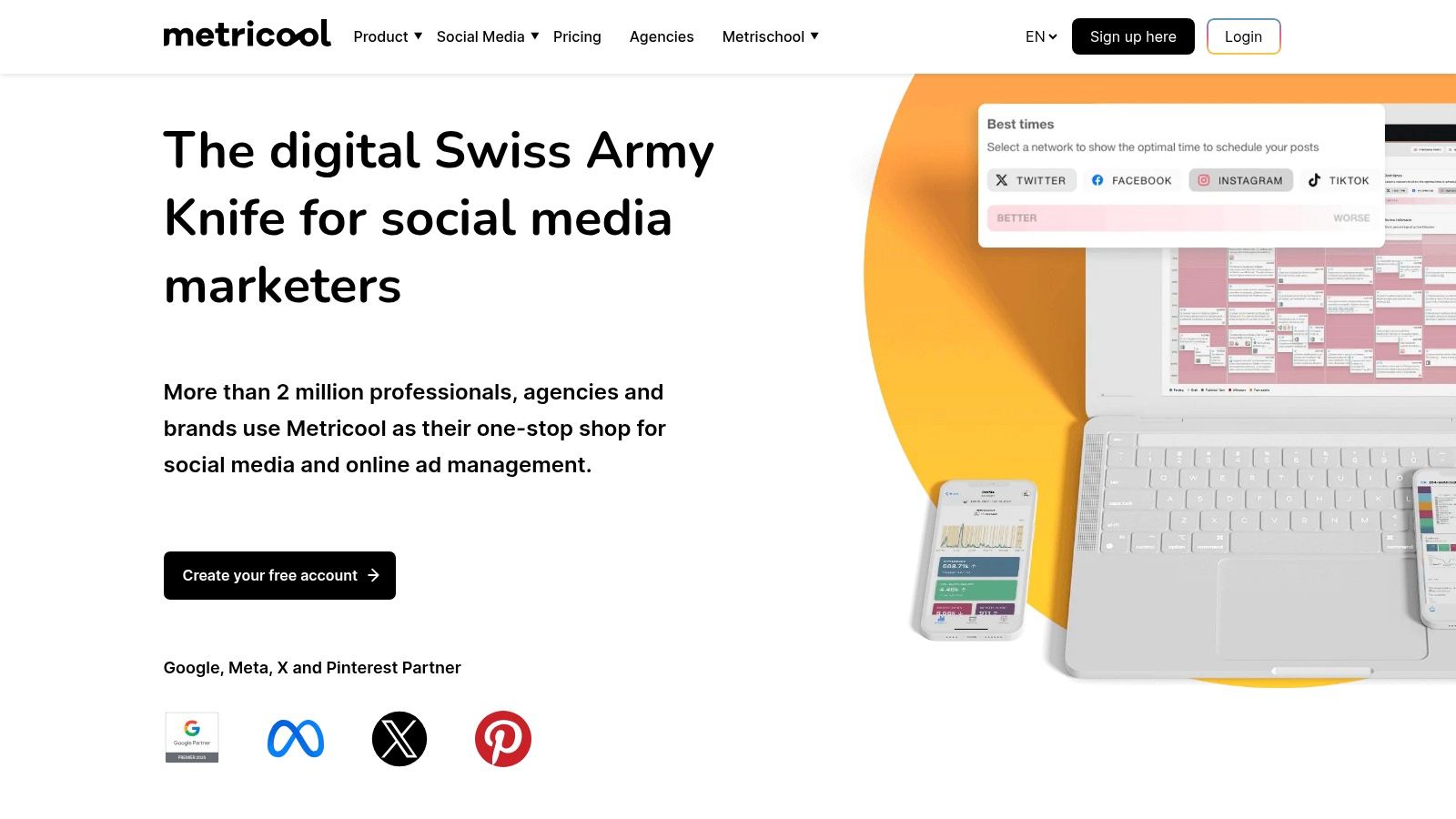
The platform’s strength lies in its data-driven approach. For more insights on leveraging such data, you can learn how to measure social media engagement to track your growth effectively.
Productivity Tip: Connect your Google Business Profile to Metricool. You can schedule your weekly updates and offers directly from the platform instead of logging into Google separately. Furthermore, you can analyze your profile's performance (views, clicks, etc.) alongside your social media data, providing a complete picture of your local digital marketing efforts in one report.
Key Features & Considerations
| Feature | Detail |
|---|---|
| Unified Analytics Dashboard | Combines website, social media, and ad campaign data into one view. Offers competitor analysis and customizable reports. |
| All-in-One Content Planner | Features a content calendar with "Best Time to Post" suggestions and an AI assistant. Paid plans offer unlimited scheduling. |
| Pricing Model | Offers a generous free plan. Paid tiers are priced per brand, making it very cost-effective to scale and add new clients. |
| Best Use Case | Freelancers, small agencies, and data-driven small businesses needing a single tool for organic content, ads, and reporting. |
Pros:
- Affordable and highly scalable pricing structure for multiple brands.
- Excellent analytics and reporting features, including competitor tracking.
Cons:
- Full functionality for certain networks (like X/Twitter) may require a small add-on fee.
- The interface can feel data-heavy for users who only need simple scheduling.
Website: https://metricool.com
10. Zoho Social
Best for: Small businesses already using the Zoho suite of business applications.
Zoho Social is an excellent choice for small businesses already invested in the Zoho ecosystem, offering seamless integration with tools like Zoho CRM and Zoho Desk. It provides a straightforward and practical set of social media management tools for small business owners who need efficiency and connectivity between their marketing and sales efforts. The platform focuses on core functionalities like scheduling, monitoring, and reporting without overwhelming users with complexity.
A key differentiator is its integration with Zoho CRM. This creates a unified customer view that bridges the gap between social engagement and revenue generation, making it a powerful productivity tool for small teams.
Productivity Tip: Leverage the Zoho CRM integration to identify and engage with leads. When someone from a target company engages with your LinkedIn post, you can view their CRM record directly within Zoho Social. This allows you to alert the sales team to a warm lead or tailor your social media response with valuable context about their business relationship, turning social interactions into sales opportunities.
Key Features & Considerations
| Feature | Detail |
|---|---|
| SmartQ Publishing | Schedules posts for when your audience is most active. Includes a content calendar and bulk scheduling options. |
| CRM & Desk Integration | Connects social media interactions directly to customer profiles in Zoho CRM and creates support tickets in Zoho Desk. |
| Pricing Model | Offers a generous "always-free" plan. Paid plans are affordable, though regional pricing can vary. |
| Best Use Case | Small businesses, especially those already using other Zoho applications, seeking an integrated and budget-friendly solution. |
Pros:
- Excellent integration with the wider Zoho business suite.
- Budget-friendly entry point with a functional free plan.
Cons:
- Advanced features are locked behind higher-priced tiers.
- The interface, while clean, lacks the modern polish of some competitors.
Website: https://www.zoho.com/social/
11. Sendible
Best for: Freelancers and agencies managing social media for multiple clients or brands.
Sendible is a powerful social media management tool designed with agencies and teams in mind, but its scalability also makes it a strong contender for small businesses managing multiple brands. It provides a comprehensive suite of features, including direct posting, engagement tools, and detailed reporting, all within a clean, user-friendly interface. The platform excels at streamlining workflows for those handling various client accounts or distinct business profiles.
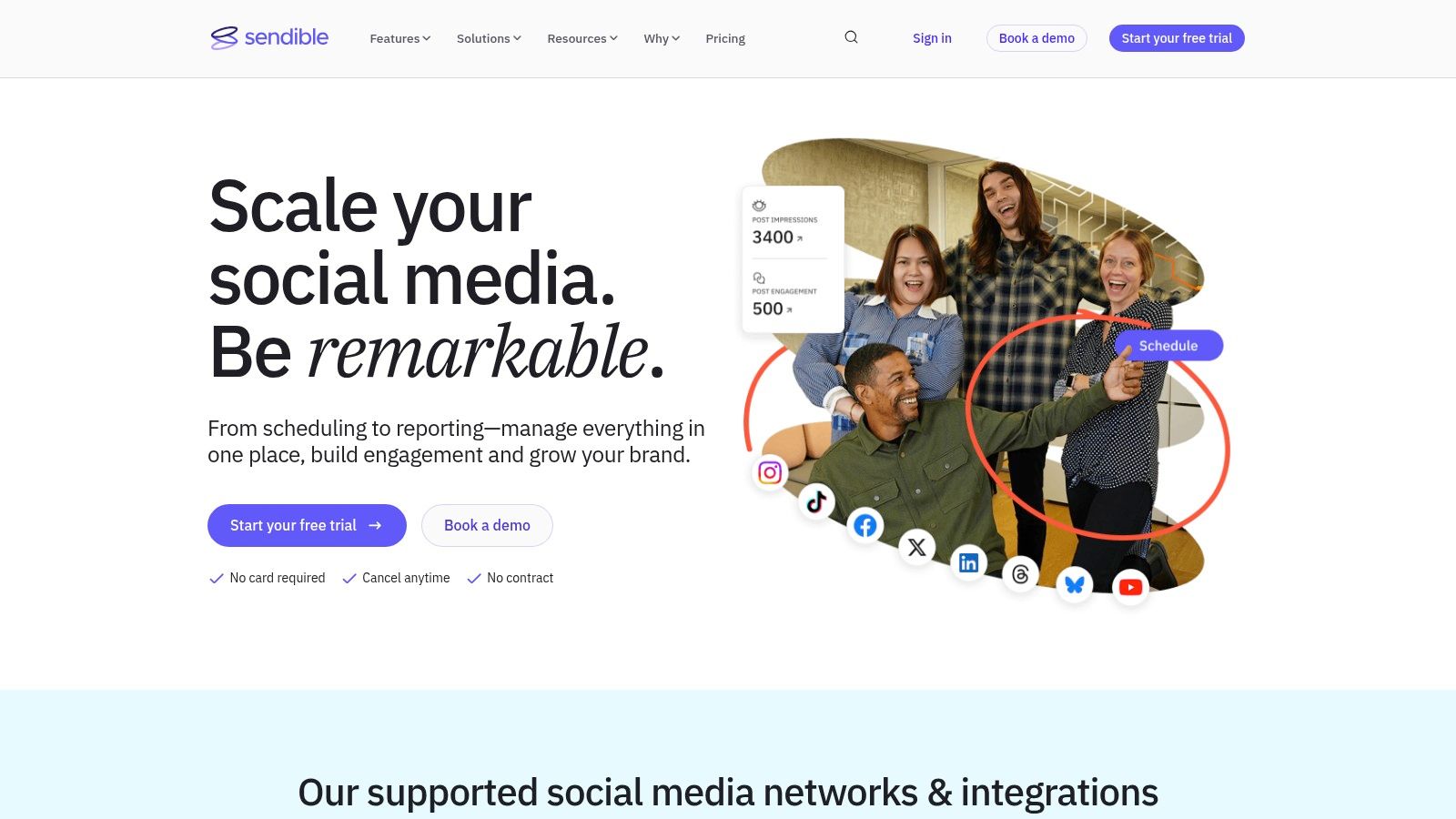
The platform's standout feature is its client and team management capabilities. This structure prevents cross-posting errors and gives clients a clear view of their upcoming content strategy, making it an excellent productivity-boosting tool.
Productivity Tip: Create "Content Libraries" for each client. Store their approved brand assets, evergreen content, and frequently used hashtags here. When you need to create a new post, you can pull these pre-approved elements directly from the library, saving time and ensuring brand consistency without having to search through old files or emails.
Key Features & Considerations
| Feature | Detail |
|---|---|
| Client Workspaces | Create separate, secure dashboards for each client or brand to manage calendars, reports, and team permissions. |
| Unified Content Calendar | Visually plan, schedule, and collaborate on content across all connected profiles from a single drag-and-drop calendar. |
| Pricing Model | Starts at $29/month. Advanced features like white-label reports are locked behind higher tiers or paid add-ons. |
| Best Use Case | Freelancers, agencies, and small businesses that manage social media for multiple clients or separate brands. |
Pros:
- Strong client reporting and white-label capabilities for agencies.
- Clear path to scale users and profiles with flexible bundles.
Cons:
- Most advanced and white-label features require higher-tier plans.
- The pricing structure can become costly for small teams not utilizing bundles.
Website: https://www.sendible.com
12. AppSumo
Best for: Budget-conscious founders and solopreneurs looking to build a custom, low-cost toolkit.
AppSumo is not a traditional social media management tool but an essential deals marketplace where small businesses can find incredible, often lifetime, deals on various software. It's a goldmine for budget-conscious entrepreneurs looking to build a custom suite of social media tools without recurring monthly fees. You can discover everything from AI content generators and graphic design platforms to specialized schedulers, often for a one-time cost.
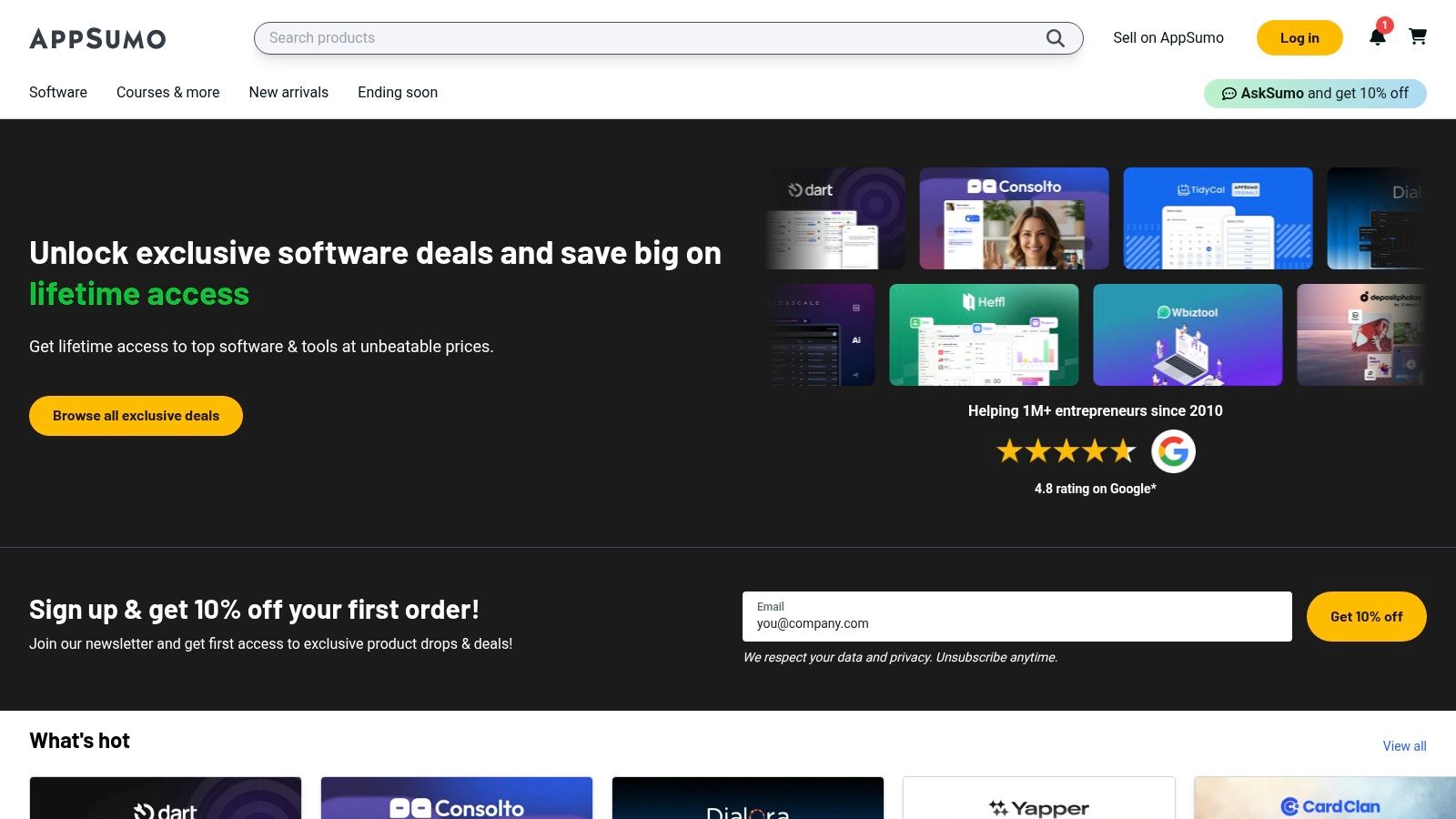
The platform's strength is its value proposition. This approach allows businesses to experiment with and augment their workflows by adding niche tools, like a video subtitle generator or a bio-link optimizer, without committing to long-term subscriptions. The key is to check the user reviews and act fast, as the best deals are temporary.
Productivity Tip: Create a "productivity stack" on a budget. Instead of one expensive tool, you might find a lifetime deal on a scheduler for $59, an AI writer for $49, and a graphic design tool for $69. For a one-time cost of less than $200, you've built a custom suite of tools that could otherwise cost over $100 per month. Set alerts for keywords like "social media" or "scheduling" to be notified of new relevant deals.
Key Features & Considerations
| Feature | Detail |
|---|---|
| Lifetime Deals (LTDs) | The core offering is one-time purchase software licenses, providing significant savings over monthly subscriptions. |
| Curated Collections | AppSumo often bundles or highlights tools specifically for marketing and social media to simplify discovery. |
| Pricing Model | One-time payments for lifetime access. Each tool is sold separately, and prices vary per deal. Includes a refund window. |
| Best Use Case | Budget-conscious small businesses and solopreneurs looking to build a custom, low-cost toolkit with various specialized apps. |
Pros:
- Massive cost savings on software through one-time lifetime purchases.
- Excellent for discovering and testing new and niche tools without long-term financial commitment.
Cons:
- Tool availability is inconsistent and deals expire.
- It's a marketplace, not an integrated suite, so you must manage multiple separate products.
Website: https://appsumo.com
Top 12 Social Media Management Tools for Small Businesses — Comparison
| Product | Core features | UX / Quality | Value & Pricing | Target audience | Unique selling points |
|---|---|---|---|---|---|
| Postful 🏆 | Templates, AI brainstorming, automation, scheduling ✨ | ★★★★☆ AI-first, simple workflow | 💰 Invite-only; pricing TBA | 👥 Founders & side‑hustlers | ✨ Ready-to-use posts; saves time |
| Hootsuite | Publishing, analytics, inbox, listening, AI | ★★★★☆ Mature, feature‑deep | 💰 Per-user, premium | 👥 Teams → Enterprise | ✨ Advanced reporting & add‑ons |
| Buffer | Scheduling, AI assistant, analytics | ★★★☆☆ Simple, easy to learn | 💰 Free tier; budget plans | 👥 Creators & small teams | ✨ Clear pricing; per‑channel scale |
| Sprout Social | Robust analytics, collaboration, publishing | ★★★★☆ Data-driven, team-ready | 💰 Premium per-seat pricing | 👥 SMBs & enterprises | ✨ Strong reporting & customer care |
| Later | Visual calendar, smart scheduling, link-in-bio | ★★★★☆ Visual-first planning | 💰 Tiered; starter limits | 👥 IG/TikTok-focused brands | ✨ Visual planning & UGC tools |
| Loomly | Calendar, approvals, asset management | ★★★☆☆ Clean UI, collaborative | 💰 Mid-priced; monthly/annual | 👥 SMBs & agencies | ✨ Built-in approvals; nonprofit discount |
| SocialPilot | Scheduling, analytics, team features, bulk posting | ★★★☆☆ Cost-effective, scalable | 💰 Very competitive pricing | 👥 SMBs & agencies | ✨ Generous account/user limits |
| Agorapulse | Unified inbox, scheduling, reporting, approvals | ★★★★☆ Strong collaboration & support | 💰 Per-user pricing | 👥 Agencies & small teams | ✨ Fast support; ROI reporting |
| Metricool | Analytics, scheduling, competitor & ads tracking | ★★★☆☆ Analytics-forward | 💰 Affordable per-brand plans | 👥 Freelancers & agencies | ✨ Competitor tracking; Looker Studio |
| Zoho Social | Scheduling, monitoring, reporting, agency plans | ★★★☆☆ Practical; Zoho integration | 💰 Budget-friendly; free plan | 👥 SMBs using Zoho apps | ✨ Integrates with Zoho suite |
| Sendible | Calendars, client workspaces, reporting, white‑label | ★★★☆☆ Agency-focused, clear scaling | 💰 Scalable bundles; add-ons | 👥 Agencies & multi-brand teams | ✨ White‑label reporting & client tools |
| AppSumo | Curated SaaS deals for tools & templates | ★★★☆☆ Variable by deal quality | 💰 Big savings via lifetime deals | 👥 Founders & bargain hunters | ✨ Rotating lifetime offers for workflows |
Making Your Final Choice: Match the Tool to Your True Workflow
We've explored a wide range of powerful social media management tools for small businesses, from comprehensive suites like Sprout Social to visually focused platforms like Later. The sheer number of options can feel overwhelming, but the goal isn't to find a flawless, all-powerful platform. The real objective is to find the tool that slots seamlessly into your existing workflow and solves your most significant challenges.
The most advanced tool on the market is useless if its complexity creates more work than it saves. Conversely, a simple scheduler is insufficient if your biggest pain point is generating weekly performance reports for stakeholders. The key takeaway is this: your daily reality should dictate your choice. Before you pull out your credit card, take a moment to audit your own processes.
A Practical Framework for Your Decision
Instead of getting distracted by long feature lists, ask yourself these pointed questions to find your perfect match:
- What is my biggest time sink? Is it brainstorming content ideas week after week? Is it the manual process of posting to five different platforms? Or is it compiling data to understand what's working? If it's ideation, an AI-powered tool like Postful might be your answer. If it's reporting, look closely at the analytics capabilities of Metricool or Agorapulse.
- Who needs to use this tool? Are you a solopreneur who just needs speed and efficiency? Or do you manage a small team or require client approvals? Platforms like Sendible and SocialPilot are built with collaboration and agency workflows in mind, offering features that a solo operator might never touch.
- What does my content workflow look like? If your strategy is heavily reliant on video, especially Instagram Reels and TikTok, a tool with a strong visual planner and mobile app like Later is essential. If you primarily share links and text-based updates, a more streamlined scheduler like Buffer might be all you need.
- How will I justify the cost? Every dollar counts in a small business. Your chosen tool must provide a clear return on investment, whether through saved time, increased engagement, or lead generation. Selecting a platform with robust analytics is crucial to measure social media ROI and ensure your subscription is actively contributing to business growth.
Your Actionable Next Steps
Don't make a decision based on reviews alone. Your final step should be a hands-on test drive. Nearly every tool on this list offers a free trial or a freemium plan.
- Shortlist Your Top 2-3 Contenders: Based on your answers above, pick the platforms that seem most aligned with your needs.
- Sign Up for Free Trials: Dedicate a week to using each one for your actual social media tasks.
- Run a Real-World Test: Schedule a few posts, check the analytics, and explore the inbox management features. Pay attention to the user interface. Is it intuitive or frustrating? The best social media management tool is ultimately the one you don't dread logging into every day. It should feel like a helpful assistant, not another burdensome task on your to-do list.
Ready to reclaim your time with AI-powered content creation and scheduling? Postful is designed specifically for busy founders and small business owners who need to generate high-quality content fast. Stop staring at a blank screen and let AI help you craft, schedule, and grow your social presence in minutes, not hours. Try Postful for free and see the difference.