
Think of a social media campaign template as your game plan. It’s a reusable guide that lays out everything you need for a marketing push, from your main goal and audience down to the specific content and how you'll measure success. It’s what takes you from posting randomly to running focused campaigns that actually help your business grow.
Why a Campaign Template Is Your Secret Weapon
Trying to manage social media without a plan is just chaotic. For small business owners, solopreneurs, and anyone with a side-hustle, a social media campaign template is the map that helps you focus on what really works. It turns the stressful guessing game of "what do I post today?" into a repeatable system.
What About Creativity?
I hear this a lot: "Won't a template just make my content boring?" It's actually the opposite. A good template handles all the structural stuff for you—the goals, the audience, the key messages. That frees up your brain to get more creative with your actual posts.
Instead of staring at a blank screen, you have a clear brief. That clarity lets you focus on nailing the hook, crafting better visuals, and telling stories that connect with your people.
The Payoff Is Immediate
When you start using a template, you'll see some clear wins right away. It's all about working smarter, not just harder.
Here’s what you can expect:
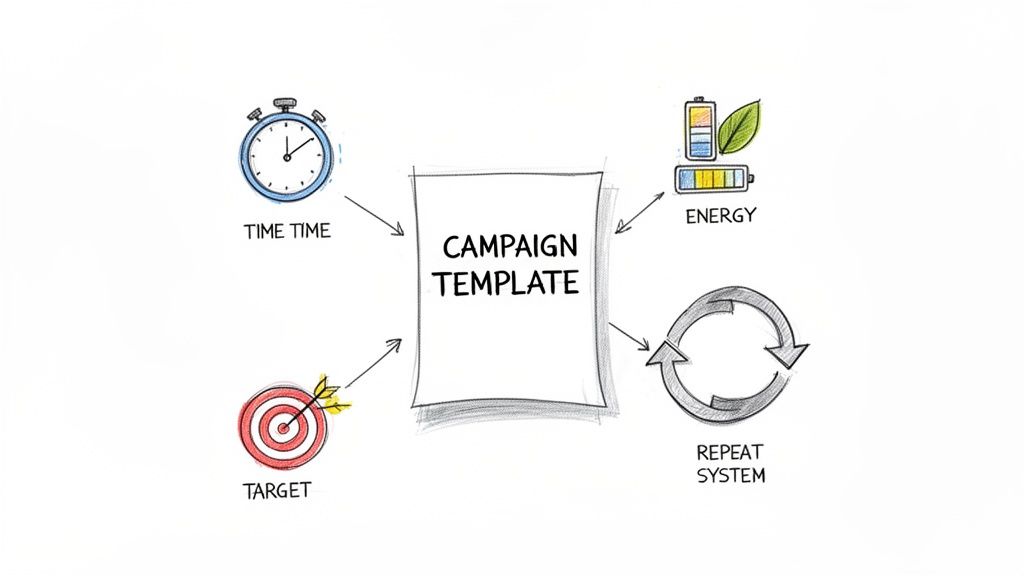
- You Save a Ton of Time: Planning your campaigns in batches is so much faster than scrambling for a post every single day. A structured template can slash your weekly social media time by up to 50%.
- You Avoid Burnout: Staying consistent on social media is a grind. A template builds a system around your efforts, which helps prevent the mental drain of making constant, last-minute decisions.
- Every Post Has a Point: With a template, your content is always tied to a specific business goal, whether that’s getting leads, making sales, or just building your brand.
Key Takeaway: A social media campaign template isn't just a document—it's a productivity system. It shifts your mindset from what to post today to how your posts will hit a bigger goal.
This template becomes your single source of truth for any marketing initiative. By outlining the whole process from the start, you create a clear workflow that anyone on your team can pick up and run with. If you want a better look at the big picture, check out our guide on what makes a social media campaign successful. Building this foundation is the first real step toward turning your social channels into a reliable engine for growth.
Before you write a single post, every great campaign boils down to two simple questions: Why are we doing this? And who are we talking to? Getting these right is the foundation for everything else, and it's exactly what a good social media campaign template is built to do.
Set SMART Goals That Drive Business Outcomes
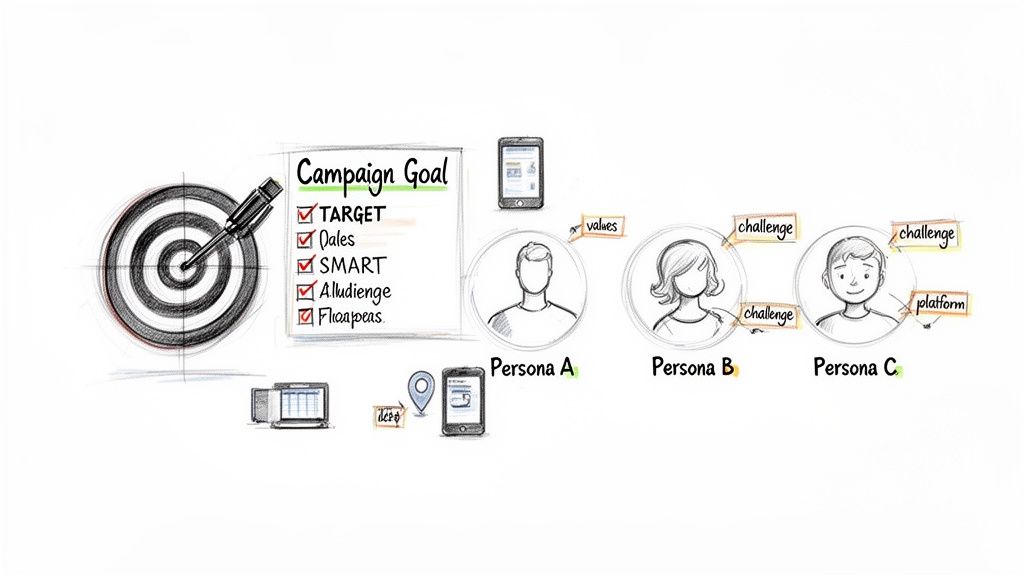
Vague goals like "get more followers" are the enemy of progress. They don't give you a clear direction or a way to measure what’s working. Instead, we need to focus on SMART goals: Specific, Measurable, Achievable, Relevant, and Time-bound. This turns fuzzy wishes into real, actionable targets.
So, what do you actually want to accomplish? Are you trying to drive more people to your website? Generate leads? Make more sales?
Let’s turn a vague idea into a sharp one.
- Vague Goal: Get more engagement.
- SMART Goal: Increase the average number of comments on Instagram posts by 20% over the next 30 days by asking more questions in captions.
This small shift forces you to connect your social media work directly to a business outcome. It makes it so much easier to prove the value of your efforts down the line. We’ve seen small business operators cut their weekly social media management time by up to 50% just by using a simple framework like this, all while boosting their results. You can explore more insights about social media strategy templates to see how they help entrepreneurs get organized.
Real-World Goal Examples
Here’s what this looks like in practice for a couple of different small businesses.
- For a local coffee shop: "Increase foot traffic by promoting our new seasonal latte, aiming for 50 coupon redemptions from our Instagram Stories campaign within two weeks."
- For a freelance graphic designer: "Generate 10 qualified leads for logo design services through a targeted LinkedIn campaign promoting my portfolio over the next quarter."
See how specific and measurable those are? They give you a clear finish line to run toward.
Pro Tip: Your goals should always align with your business's current priorities. If cash flow is tight, focus on a sales-driven goal. If you're a new brand, an awareness-focused goal might be more appropriate.
Get to Know Your Audience Deeply
Once you know your "why," it's time to nail down your "who." Trying to talk to everyone means you'll end up connecting with no one. The most effective campaigns feel like they're speaking directly to one specific person. The best way to do this is by building an audience persona.
This goes way beyond basic demographics like age and location. You need to dig into their psychographics—the values, interests, challenges, and motivations that make them tick.
Ask yourself a few key questions:
- What are their biggest challenges or goals (that you can help with)?
- What do they value most? (Think convenience, quality, sustainability, status.)
- Where do they actually spend their time online? (Is it Instagram, LinkedIn, or niche Facebook Groups?)
Answering these helps you find your people and craft messages that genuinely resonate. For instance, a persona for a freelance designer might be "Startup Sarah." She's a founder who values speed and expertise because she's swamped and needs to look professional, fast. You know you'll find her on LinkedIn during the day, not scrolling TikTok. That simple insight tells you exactly where to show up and what to say.
Alright, you’ve got your campaign goals and you know who you’re talking to. Now for the fun part: figuring out what to say and when to say it. This is where your social media campaign template starts to feel real. Think of it as your campaign’s roadmap, making sure every post you create is a step toward your goal.
The key to keeping your messaging focused (and not running out of ideas halfway through) is to build your plan around content pillars. These are just the main themes your campaign will touch on. For a busy small business owner, this approach is a lifesaver.
- Launching a new piece of software? One of your pillars could be "Product Education." You'd create posts showing off cool features, answering frequently asked questions, and sharing quick user tips.
- Promoting a local event? A great pillar would be "Community Stories." You could feature posts from past attendees, shout out local partners, or share some behind-the-scenes prep work.
Pillars give you a solid foundation to build from. If you want to dive deeper into creating your own, we've put together a full guide on how to define your brand's unique content pillars.
Structure Your Campaign From Teaser to Action
One of the most common mistakes I see is jumping straight to the "buy now" message. A truly effective campaign builds interest and trust first. It warms people up before asking for the sale. For most small business launches or promotions, a simple four-week structure is perfect.
Let's walk through an example. Imagine you're a small coffee roaster releasing a new blend.
Week 1 (Teaser & Intrigue): Your only job this week is to spark curiosity. Post some moody, behind-the-scenes shots of the roasting process or a quick video that just gives a glimpse of the new bag design. The call-to-action (CTA) is subtle: "Something new is brewing… 👀"
Week 2 (The Reveal): Time to officially announce the new coffee. Share beautiful, high-quality photos, reveal its name, and tell the story behind its unique flavor profile. The CTA gets a little more direct: "Discover the tasting notes on our site."
Week 3 (Social Proof & Education): Now you build desire. Share a testimonial from an early taster, run a live Q&A with your head roaster, or post a Reel showing the perfect way to brew a cup. Your CTA starts creating a little urgency: "Limited batch available next week!"
Week 4 (The Big Push): This is it. You're driving the final action. Announce that the blend is officially for sale and make it incredibly easy for people to buy. The CTA is a clear, strong command: "Shop the new blend now!"
To make this even clearer, here's how a basic four-week plan might look in your template:
Sample 4-Week Product Launch Campaign Calendar
This calendar shows how your content strategy can evolve week by week, guiding your audience from initial curiosity to making a purchase.
| Week | Focus | Sample Post Types | Primary Call-to-Action (CTA) |
|---|---|---|---|
| 1 | Intrigue & Awareness | Behind-the-scenes photos, vague video clips, interactive Story polls ("Guess what's coming?"). | "Stay tuned…" or "Sign up for updates." |
| 2 | The Big Reveal | High-quality product photos, blog post about the product's story, introductory video. | "Learn more on our website" or "Explore the new collection." |
| 3 | Education & Desire | User-generated content, testimonials, how-to videos, Q&A sessions, feature deep-dives. | "Get on the waitlist!" or "Pre-order starts soon." |
| 4 | Urgency & Action | "It's live!" announcement, direct shopping links, limited-time offer posts, final countdown reminders. | "Shop Now" or "Buy before it's gone!" |
Mapping it out like this ensures your campaign tells a coherent story, rather than just being a random collection of posts.
Adaptable Prompts for Different Channels
Your core message should stay the same, but how you deliver it needs to change for each social platform. You wouldn't post a formal LinkedIn article on TikTok, right?
Here are a few copy ideas you can grab and tweak for your own campaign:
Instagram Reel/TikTok Video:
- Kick it off with a hook: "3 reasons you'll love our new…" or "The secret to [achieving X] is finally here."
- Use bold on-screen text to call out the most important benefits.
- End with a CTA in the caption and as a text overlay, like "Link in bio to shop!"
LinkedIn Article or Post:
- Position your launch as a solution to a common business problem. For instance: "We created [Product] to solve this nagging challenge for small business owners…"
- Keep the tone professional but don't be afraid to be conversational.
- Stir up a discussion by asking a question: "What's the biggest hurdle you face with [problem]?"
Facebook/Instagram Story:
- Get interactive with stickers. Run a poll ("Are you a morning or afternoon coffee drinker?") or a quiz ("Guess our new flavor!").
- This is the place for authentic, unpolished behind-the-scenes clips.
- Slap a direct link sticker on your story to make it dead simple for people to get to your site.
A consistent brand voice is what makes your content instantly recognizable. Whether your tone is witty, inspiring, or informative, ensure it’s applied across every post to build a sense of familiarity and trust with your audience.
For small teams, getting the most out of every piece of content is a must. If you're looking for clever ways to turn one asset into many, checking out how experts use AI Podcasts for Marketing Content Repurposing can give you some great ideas for your own workflow.
Choose Your Channels and Schedule for Success
A great plan is one thing, but smart execution is what really makes it work. This is where we get into picking the right platforms and building a solid workflow for your social media campaign template. Forget trying to be everywhere at once—the goal is to find the 2-3 channels where you'll make the biggest impact.
Spreading yourself too thin is the fastest way to burn out. The secret is to focus your energy where your audience is already spending their time. If you run a visual business like a bakery, Instagram and Pinterest are no-brainers. But if you're a B2B consultant, you'll almost certainly get more mileage out of LinkedIn.
Find Your Most Powerful Platforms
So, how do you pinpoint your core channels? Start by asking a few simple questions:
- Where does my audience actually hang out? If you've already defined your audience persona, this should be pretty straightforward. Go where they are.
- Which platforms fit my content? If you’re a natural at short-form video, then Instagram Reels and TikTok are your playground. If you prefer writing in-depth articles, a blog and LinkedIn are a much better fit.
- What channels are working for my competitors? Take a quick look at their social profiles. It won’t take long to see where they're getting real engagement.
Once you’ve nailed down your top platforms, you can start thinking about your content plan. And here’s the best part: you don't need to create brand-new content for every single channel. The real secret to productivity is smart repurposing.
Productivity Workflow: One solid piece of content, like a detailed blog post, can be sliced and diced into a dozen different social posts. That one blog post can become an insightful LinkedIn article, a few shareable quote graphics for Instagram, a quick video clip for Reels, and a discussion starter for a Facebook Group.
This simple flow chart breaks down how your big ideas turn into a finished content calendar.
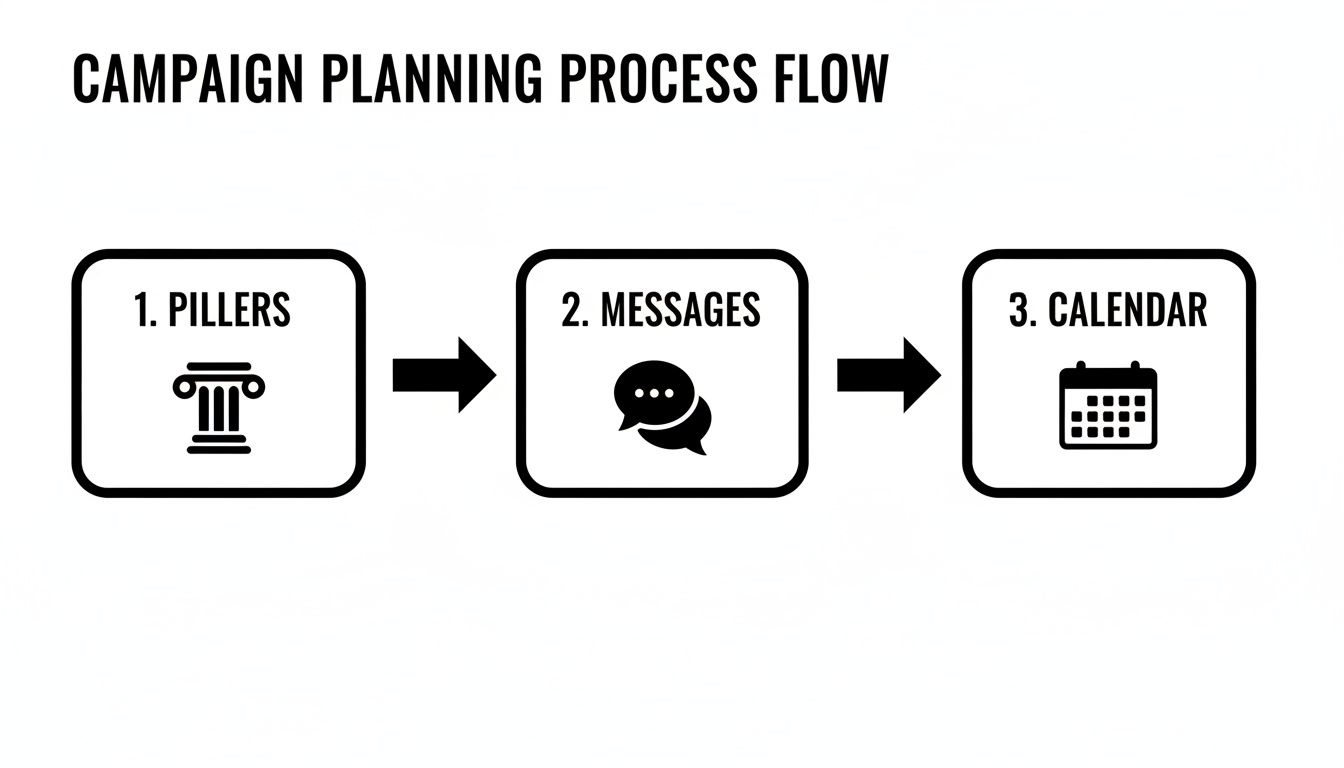
It’s all about starting with your high-level content pillars, turning those into core messages, and then slotting them into your calendar. This keeps your campaign feeling cohesive and, more importantly, keeps you organized.
Build an Efficient Scheduling Workflow
Consistency is everything on social media, but you shouldn't have to scramble every day to post something. This is where a reliable system and the right tools come into play. Using a scheduler allows you to batch-create your content and set it to post automatically.
The right tools make all the difference. Postful, for instance, not only lets you schedule posts across your networks but also includes AI-powered tools to help you brainstorm and turn rough ideas into polished content. You can find more of my thoughts on this in our guide to creating the best social media schedule for your business.
The numbers back this up, too. Global ad spending on social media is expected to grow 10.90% each year between 2026-2030, and social ads are on track to claim $3 of every $10 spent on digital advertising. For many small businesses, like dropshippers, mastering Facebook Ads for Dropshipping is a game-changer. And for solopreneurs, a good template helps you spend your budget—even if it's under $500 a month—with total confidence.
Measure What Matters and Track Your ROI
Once your campaign is live, the real work begins. It’s time to see what’s actually working. Let's be honest, getting a bunch of likes feels good, but it doesn't pay the bills. This is where we move past those vanity metrics and dig into the numbers that show a real impact on your business.
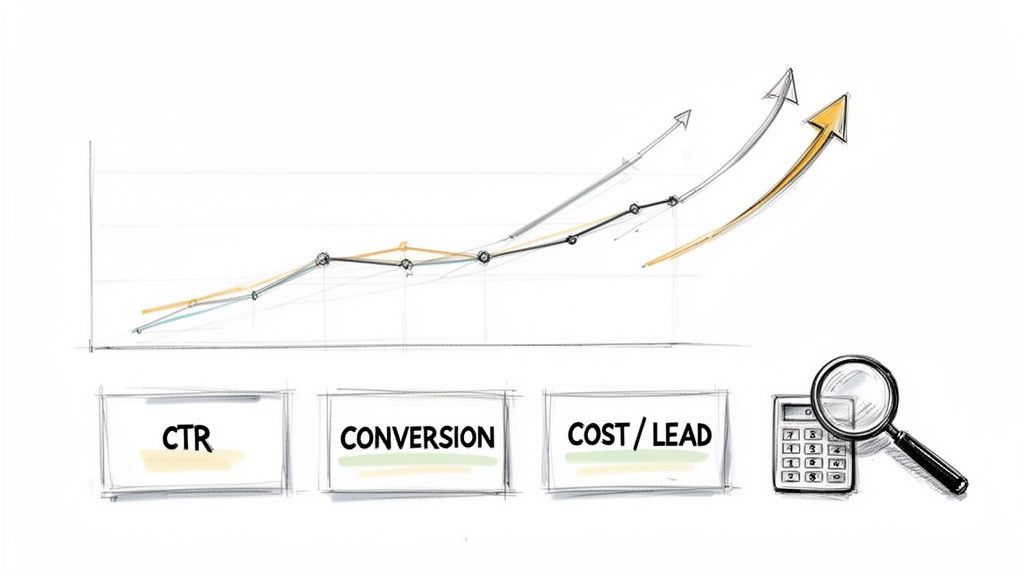
A good social media campaign template forces this conversation early. It makes you define what success looks like before you post anything, which means every piece of content has a purpose you can measure.
The KPIs That Actually Matter
Social media platforms throw a ton of data at you. Most of it is just noise. Instead of getting overwhelmed, I’ve learned to focus on a handful of Key Performance Indicators (KPIs) that connect directly back to the SMART goals we set.
These are the numbers that tell you if your campaign is driving real business outcomes:
- Click-Through Rate (CTR): This is the percentage of people who saw your post and cared enough to click the link. It’s your first signal that the message, visuals, and call-to-action are resonating.
- Conversion Rate: This tracks who completed the goal after clicking—whether it was signing up for a newsletter or buying a product. This is where you see the money. It's the ultimate proof your campaign is working.
- Cost Per Lead (CPL): If you're running paid ads, this one is non-negotiable. It tells you exactly what you paid to get one new lead, which is critical for figuring out if your ad spend is efficient.
These metrics tell a story that likes and shares simply can't. They connect your social media activity straight to your bottom line.
Calculating Your Return on Investment
At the end of the day, it all comes down to Return on Investment (ROI). It answers the simple, crucial question: "For every dollar I put into this, how many did I get back?" Even a quick calculation can be incredibly revealing.
Practical Example: You spend $100 on Instagram ads for your campaign and generate 5 sales at $50 profit each ($250 total profit). Your ROI formula is: (
$250 profit–$100 cost) /$100 cost= 1.5. Multiply by 100 to get a 150% ROI.
The data shows that planning pays off. In 2026, campaigns that used a structured template saw an average ROI of $5.20 for every $1 spent. For a small business or solopreneur, that’s a massive advantage. You can dive deeper into these kinds of powerful social media marketing statistics that really show why having a plan matters.
Review, Learn, and Do It Better Next Time
When the campaign wraps up, don't just archive it and move on. This is your chance to get smarter for the next round. Pull up your KPIs and get real about what happened.
I always ask myself these questions:
- What worked? Which posts drove the most clicks or sales? Was it a certain video style, a specific headline, or the time of day we posted? Find the winners and double down.
- What flopped? Which posts were crickets? Don't be afraid to look at what failed. Your misses often teach you way more than your hits.
- How can we improve? Take what you learned and build it into your next social media campaign template. Maybe you'll shift your budget to Reels or refine the audience you're targeting.
This cycle of measuring and iterating is what turns social media from a guessing game into a reliable growth engine for your business.
Answering Your Top Campaign Template Questions
Once you start using a social media campaign template, a few questions inevitably pop up. I've heard them all, so let's get them answered right now so you can get back to building with confidence.
How Often Should I Actually Run a Campaign?
Finding the right campaign rhythm is all about balancing your big pushes with your everyday content.
Think of your regular, "always-on" posts as the steady heartbeat of your brand. They keep your community engaged and show that you're active and listening. Campaigns are the sprints—short, focused bursts of energy tied to a specific goal like a product launch, a seasonal sale, or a big announcement.
For most small businesses, running a focused campaign once a quarter or around major business milestones is a great starting point. This cadence gives you enough time to plan, run the campaign, and see the results without completely burning out. Your daily or weekly posts will keep the conversation humming along in between.
What Do I Do About Negative Comments?
During a big campaign, a negative comment can feel like a punch to the gut. I get it. But how you respond is what really matters, and it says a ton about your brand.
The golden rule is to respond quickly, publicly, and professionally.
Here's a practical workflow to handle it:
- Acknowledge It in Public: A quick public reply like, "Thanks for letting us know. I've just sent you a DM to get some more details and help out," shows everyone else that you're on top of it.
- Take It Private: Move the conversation to direct messages. This avoids a public back-and-forth and lets you solve the problem one-on-one.
- Look for Patterns: Is this the first time you've heard this feedback, or is it a recurring theme? Use this insight to make your product, service, or even your messaging better.
Important Takeaway: Whatever you do, don't just delete negative comments (unless it's clear spam or hate speech). A study from Sprout Social found that 73% of social media users will jump to a competitor if a brand ignores them. A thoughtful response can genuinely turn a critic into a supporter.
Can I Reuse the Same Template for Different Campaigns?
Yes, absolutely! That’s the whole point. A good social media campaign template is built to be adaptable.
The core structure—your goals, audience, messaging, and KPIs—is a universal framework that works for nearly any objective. You shouldn’t have to reinvent your entire process every single time.
Your template is the skeleton; the campaign-specific details are what bring it to life.
- For a Brand Awareness Campaign: You'll fill the template with a "Reach" goal, focusing your content on brand stories and shareable visuals.
- For a Lead Generation Campaign: Your goal becomes "Conversions," so your content will have strong calls-to-action that point people to a signup or landing page.
The template gives you consistency. Your goals give you the creative direction. This repeatable system is what lets you launch effective campaigns efficiently, again and again.
Feeling ready to build your next campaign? Postful gives you the simple tools and AI-powered guidance to turn your work into more business. Start creating your own powerful campaigns for free during our early access period. Learn more at postful.ai.