
If you've ever found yourself staring at a blank content calendar, wondering what to post next, you're not alone. The pressure to constantly create fresh, engaging content is real. But what if the solution isn't creating more content, but getting more mileage out of the assets you already have?
This is where repurposing comes in. It’s not about mindlessly copy-pasting the same update across every platform. Instead, it’s about smartly reformatting a single, powerful idea into multiple pieces tailored for different networks. Think of it as taking a great blog post, video, or podcast and giving it a new life.
Why Repurposing Content Is a Growth Multiplier
The "always-on" nature of social media can feel like a content hamster wheel. But the truth is, your best work deserves more than a single day in the spotlight.
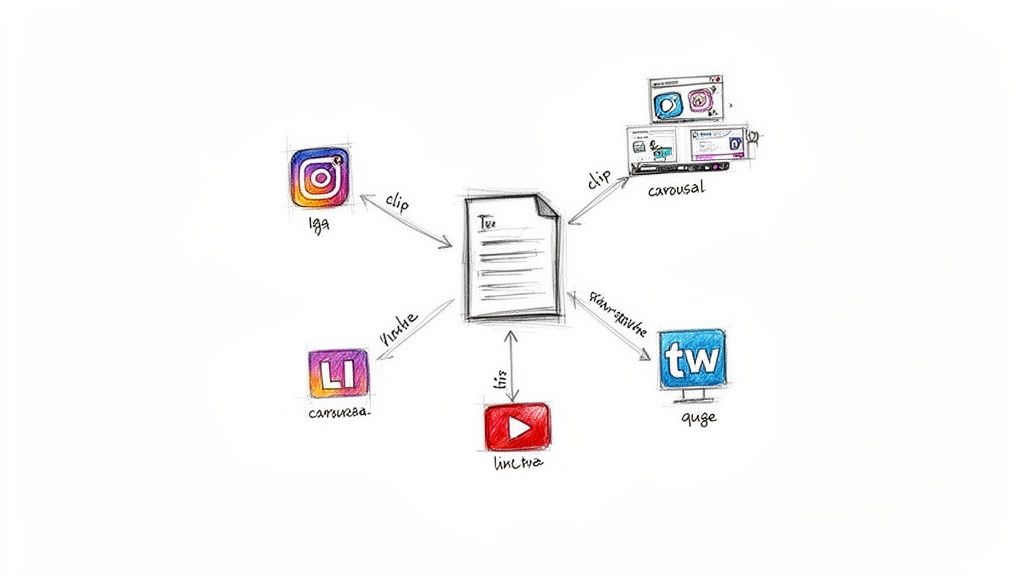
The real power of repurposing lies in shifting from a high-effort, "one-and-done" mindset to a sustainable "create once, distribute many" strategy. By deconstructing one pillar asset into a dozen smaller, native pieces, you can easily fill your social media schedule for weeks, not just days.
Boost Your Productivity and Consistency
Imagine you just finished a fantastic customer case study video. Instead of just posting the link, you could set up a productive workflow to turn it into a whole campaign:
- LinkedIn: A professional text post summarizing the key results and tagging the client (with permission).
- Instagram: A multi-slide carousel featuring powerful quote graphics from the customer.
- Reels/Shorts: A quick, punchy 30-second "before-and-after" video clip showing the transformation.
This approach doesn't just save a little time—it’s a game-changer for your productivity. Repurposing existing content can slash production time by an incredible 60%, freeing you up to focus on strategy and engagement. In fact, brands that embrace this often post three to four times more frequently without burning out their teams.
And with 76% of marketers now weaving AI-assisted tools into their workflows, this process is becoming faster and more intuitive than ever.
Amplify Your Message and Reach
Repurposing isn't just about being efficient; it's about being effective. Every social platform has its own culture and audience. A deep-dive blog post is perfect for SEO, but that same message needs a totally different package to stop the scroll on TikTok or to resonate with your professional network on LinkedIn.
Repurposing content allows you to meet your audience where they are, speaking their language and fitting into their preferred format. This multi-platform presence reinforces your expertise and keeps your brand top-of-mind.
This is how you turn your archives into a living, breathing engine for growth. To learn more about unlocking the hidden potential in your existing assets, exploring proven content repurposing strategies is the perfect next step. You’ll find that every piece of content you’ve ever created has the potential to deliver value again and again.
Finding and Auditing Your Hidden Content Gems
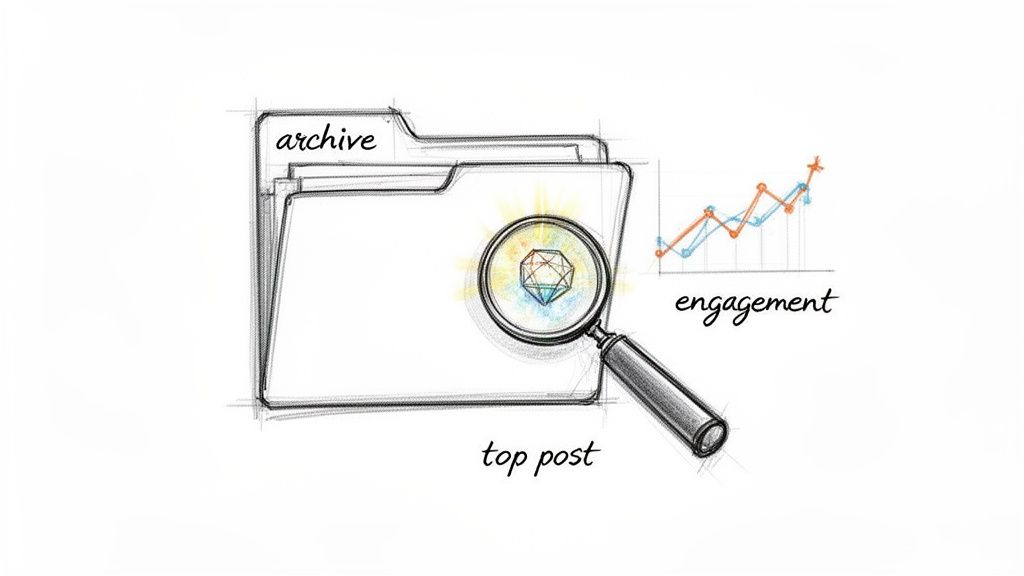
The secret to a great content repurposing strategy isn't always about creating something new. More often than not, your best-performing posts are just sitting in your archives, waiting for a second chance to shine.
Before you write a single new word, you need to know what you’re working with. This means diving into your analytics—whether that’s Google Analytics, YouTube Studio, or the native insights on Instagram or LinkedIn—to find your evergreen content. These are the pieces that people are still finding, sharing, and talking about months or even years after you first hit publish.
Uncovering Your Evergreen Winners
Identifying these proven winners is the first real step. It’s less about one-hit wonders and more about spotting the assets with staying power.
Look for a few key signals:
- High, Consistent Traffic: Is there a blog post that reliably pulls in hundreds or thousands of views every single month? That’s a winner.
- Sustained Watch Time: For video, a high average view duration tells you the content is holding people's attention because it's genuinely useful.
- High Shares and Saves: This is a huge vote of confidence. When someone saves or shares your content, they’re saying it's valuable enough to come back to.
If you want to go even deeper, you can run a full content review. We have a guide that walks you through conducting a comprehensive social media audit to find even more of these hidden gems.
A Real-World Repurposing Scenario
Let's make this practical. Say you're a solo consultant with a small business blog. You're digging through your analytics and spot a post from two years ago, "5 Common Client Onboarding Mistakes," that still gets over 500 organic visits a month.
That's your signal. The topic clearly resonates. Instead of just letting it sit there, you can spin that one proven asset into a whole new wave of content.
That single blog post can become a professional LinkedIn carousel breaking down each mistake, a series of short Instagram Reels with quick tips, and a multi-part Twitter thread designed to spark a conversation.
You've just validated your content ideas before you invested any more time, all by looking at what already works.
Building Your Content Library
Once you've identified these top performers, don't just leave them buried in your archives. Create a simple content library to keep track of them.
This doesn't have to be complicated—a basic spreadsheet or a Notion database works perfectly. For a productive workflow, create columns for the original content link, core topic, a key takeaway, and its "repurpose-ready" status.
For each piece of content gold, log the title, its original format (blog post, video, etc.), the core topic, and a few key stats like monthly views or engagement rate. This little library becomes your go-to resource for inspiration, giving you a backlog of proven ideas ready for their next act. You'll never have to stare at a blank page again.
Matching Your Content Format to Each Platform
One of the biggest mistakes you can make is just copy-pasting the same update across all your social channels. What works wonders on LinkedIn will almost certainly fall flat on Instagram or TikTok.
Effective repurposing isn’t about just shouting the same message everywhere. It’s about adapting your core idea to speak the native language of each platform.
Think about a single customer case study. That one story has so much potential. It can become a powerful quote graphic for Instagram, a professional summary for a LinkedIn article, and a quick “before and after” video for Reels. You’re telling the same success story, but in a way that feels right for the people on that network.
From Pillar Content to Platform-Specific Posts
The real magic happens when you learn to break down your big ideas. Your long-form "pillar" content—like a detailed blog post, a webinar recording, or a podcast episode—is your raw material. The goal is to slice it up into smaller, purpose-built assets.
A podcaster, for example, can get a ton of mileage out of a single recording session. Here's a practical workflow for how one episode can multiply its own reach:
- Instagram: Pull out 3-5 key takeaways and turn them into a simple, text-based carousel using a tool like Canva.
- LinkedIn: Write a thoughtful post that expands on just one specific point from the episode, adding your personal perspective.
- Twitter/X: Use a tool like Headliner or Audiogram to create audiograms (short audio clips with a waveform) and schedule a series to share the best soundbites throughout the week.
This approach keeps your feed fresh and maximizes the value you get from every piece of content you create.
Prioritize Formats That Drive Engagement
The data is pretty clear: some formats just work better than others. Video, in particular, is a powerhouse. Social posts with video grab 48% more views and get shared a whopping 1,200% more often than posts with just text and images.
If you’re going to make video, keep it short. For videos under 90 seconds, nearly 50% of viewers will watch them all the way through.
Carousels are another winner. Turning a blog post into an Instagram carousel can boost engagement rates by as much as 3.1 times compared to a standard image post. You can dig into more stats on how different formats perform by exploring detailed insights about content repurposing statistics on bit-social.com.
This doesn't mean you should only create short videos and carousels. But it does show where your effort will likely get the best return. As you plan, think about creating things like social media-ready highlight reels from existing event footage or presentations.
Pillar Content to Social Post Conversion Ideas
To help you get started, here’s a simple table showing how one piece of pillar content can be transformed for different social networks. Think of it as a cheat sheet for getting more out of your best ideas.
| Pillar Content Type | LinkedIn Post Idea | Instagram Post Idea | Twitter/X Thread Idea | TikTok/Reels Idea |
|---|---|---|---|---|
| Blog Post | A professional summary with key statistics and a link back to the full article. | A carousel highlighting the top 3-5 takeaways from the post. | A thread breaking down the main argument into a series of punchy tweets. | A quick "talking head" video summarizing the most important tip. |
| Webinar/Video | A short video clip of the most impactful moment, with a text overlay and native captions. | A quote graphic featuring a powerful statement from the speaker. | A GIF or short clip with a question to spark discussion about the topic. | A fast-paced "before and after" or "myth vs. fact" clip from the video. |
| Podcast Episode | A text post sharing a personal story related to the episode's theme. | An audiogram of a 30-60 second highlight from the conversation. | A thread of direct quotes and key insights from the guest. | A lip-sync or re-enactment of a funny or relatable moment. |
By strategically matching your format to the platform, you extend the life of your content and connect with your audience in a way that actually feels genuine.
Building an AI-Powered Repurposing Workflow
If you’re not using Artificial Intelligence to repurpose your social media content, you’re leaving a massive productivity boost on the table. For solo creators and small teams, folding AI into your process isn't just about moving faster—it's about finding new angles on your best ideas and turning hours of tedious work into a few focused minutes.
Think of AI as a brainstorming partner, not just a content-writing robot. The goal is to build a workflow that saves you time while also sparking your own creativity.
Prompting AI to Think Like an Expert
The secret to getting great output from AI is giving it great input. Vague prompts get you vague, generic content. To get something genuinely useful, you have to give the AI a clear role, plenty of context, and a specific job to do.
Here are a few practical prompt templates to improve your productivity:
For Video Transcripts: "Act as a social media expert. I'm giving you a video transcript. Pull out the 5 most surprising stats and actionable tips. Then, write a Twitter thread based on them. Make each tweet build curiosity for the next one."
For Blog Posts: "Take this blog post [paste text here] and turn it into a script for a 60-second Instagram Reel. I need specific visual ideas for each scene (e.g., 'B-roll of someone typing') and a strong call-to-action to put at the end."
For Customer Testimonials: "You are a marketing specialist for a small business. Read this customer testimonial transcript. From it, I need a concise summary for a LinkedIn post, three engaging quote graphics for Instagram, and two open-ended questions for a Facebook post that tie into the customer's success."
The real magic happens when you get specific. Tell the AI who to be, what to analyze, what format to create, and what platform it’s for. When you do that, the content it generates feels like it truly belongs on each channel.
A Practical AI Repurposing Workflow
Let's make this real. Imagine you’re a solopreneur and just got a fantastic video testimonial from a happy client. Manually chopping that up into a week's worth of content could easily eat up an afternoon.
But with an AI-assisted workflow, you can feed that one video transcript into an AI tool and almost instantly get a polished summary for LinkedIn, a handful of powerful quote graphics for Instagram, and a few thought-provoking questions to get a conversation going on Facebook. All in just a couple of minutes. If you’re hungry for more ideas like this, our guide on AI for social media marketing has a ton of other strategies.
Here’s a simple look at how that flow works in practice, turning one blog post into assets for multiple platforms.
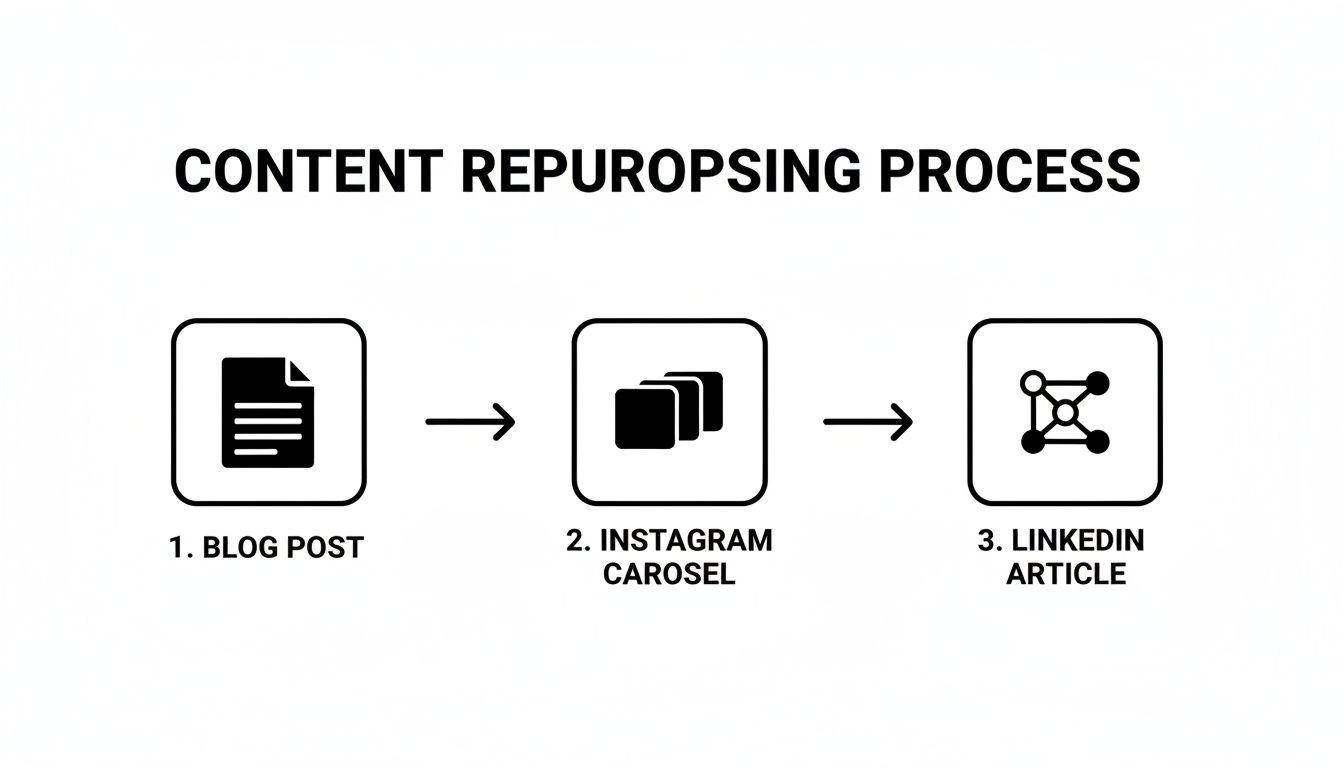
This is what a smart system looks like. AI acts as the engine, breaking down your long-form content and re-assembling the pieces into formats that are perfect for discovery and engagement across your different social channels. It’s the most efficient way to repurpose social media content I’ve found.
How to Schedule and Measure Your Repurposed Content
Turning one blog post into a dozen new assets feels like a huge win, but the job isn't done. All that great content delivers zero value just sitting in a folder on your computer.
Getting your work seen and figuring out what actually resonates is the final, most important part. This is where scheduling and measuring come in. A scattered, "post-when-I-remember" approach just won't work if you want to see real growth. You need a productive system.
Get Your Posts Out There with Scheduling Tools
Instead of manually posting every single day, you can block off one chunk of time to schedule everything for the week or even the month. This simple shift in workflow can turn hours of scattered daily tasks into a single, focused session, dramatically improving your productivity.
This is where social media management tools become essential. They let you upload all your repurposed content—the carousels, video clips, and quote graphics—and schedule them across different platforms from one place.
A couple of great options to look at are:
- Buffer: Buffer is known for its clean, user-friendly interface. It's a fantastic starting point for solopreneurs and small teams who need straightforward scheduling and analytics. Pricing: see website for details.
- Hootsuite: Hootsuite is a powerful, comprehensive platform with in-depth scheduling, monitoring, and analytics capabilities. This is a good fit if you're managing a more complex social presence across multiple accounts. Pricing: see website for details.
If you want to dig deeper into setting up an efficient workflow, we have more tips in our guide on how to schedule social media posts.
Measure What Matters to Sharpen Your Strategy
Once your content is live, the final piece of the puzzle is tracking its performance. But "measuring" doesn't mean drowning in a sea of data. The goal is to spot simple patterns that help you make better decisions next time.
The most valuable insights come from asking direct questions about your content's performance. It’s about comparing different formats and platforms to see what truly resonates with your audience.
Focus on answering practical questions that connect back to your goals. For example:
- Did the Instagram carousel version of my blog post get more saves than the Reel I made from the same content?
- Which platform drove more clicks to my website: the LinkedIn article summary or the Twitter thread?
- Did the audiogram clips on Twitter actually lead to more new podcast subscribers than the quote graphics I posted on Facebook?
Answering these kinds of questions shows you exactly what your audience wants to see from you. This feedback loop is what makes your content strategy smarter over time. You can double down on the formats that get real results, making sure every piece of repurposed content works that much harder for you.
A Few Common Questions I Hear About Repurposing
Whenever I talk about repurposing content, the same few questions always come up. They aren't just theoretical—they're the real hurdles people face when they're trying to make this strategy work.
Let's get straight to them, because the answers are a lot simpler than you might think.
How Often Can I Repurpose the Same Content?
This is the big one. My general rule of thumb is to give a major piece of content a rest for about 3-6 months before you bring it back for a full repurposing cycle.
For your absolute best, most evergreen work—the stuff that's always relevant—you can get away with a quarterly refresh. The key is to come at it with a fresh angle every single time. It’s all about reframing, not just reposting.
For example, that "Top 5 Industry Trends" blog post from last year? Don't just share the link again. A better, more productive approach is to turn it into a video titled, "A Look Back: Did These 5 Trends Actually Happen?" You're using the same core ideas but giving your audience a completely new, valuable takeaway.
On fast-moving platforms like X (formerly Twitter), the rules are more relaxed. You can share links to the same blog post more often, maybe even monthly, as long as you change up the hook and your commentary each time.
Will the Algorithms Penalize Me for Reusing Content?
Nope, not if you’re smart about it. Social media algorithms are built to flag low-effort spam—think posting the exact same image and caption across five platforms at the exact same time. That’s not what we’re doing here.
Smart repurposing is the total opposite. When you take one blog post and transform it into a native TikTok video, a detailed Instagram carousel, and a thoughtful LinkedIn thread, you're not duplicating content. You're creating unique assets tailored for each platform. The algorithms see this as high-value, platform-specific work and often reward it with better reach.
What If I Don’t Have Any Long-Form Content to Start With?
I promise you, you have more content than you think. If you aren't sitting on a library of blog posts or long videos, just shift your focus to your "micro-content."
Go back through your old social media posts. Find a tweet that got way more engagement than usual. That’s not just a fluke; it's a signal that the topic hit a nerve with your audience. That single tweet is your starting point.
Here's a practical workflow to expand that one idea:
- Create an Instagram carousel that breaks down the concept into a few visual slides.
- Write a short LinkedIn post where you add a personal story to flesh it out.
- Record a quick talking-head Reel where you explain the idea in 30 seconds.
And don't forget to look in other places. Answers you’ve written to customer emails (with permission, of course), FAQs, or even insightful comments you've left on other people's posts are all content goldmines. Your day-to-day expertise is the raw material.
Ready to stop staring at a blank calendar and start multiplying your reach? With Postful, you can turn your existing work into a powerful engine for business growth. Our AI-powered tools make it simple to brainstorm, schedule, and repurpose your best content across all your social channels. Get started for free during our early access period and see how Postful can transform your social media workflow.