
This article was assisted with AI. We may include links to partners.
If you want to get more engagement on Instagram, you need to stop chasing likes. Real engagement—the kind the algorithm rewards—comes from sparking actual conversations and creating content your audience finds genuinely valuable.
I’m talking about focusing on the metrics that matter: comments, shares, and saves. Getting these numbers up isn’t about luck; it’s about having a smart, data-informed strategy.
Laying Your Foundation for High Engagement

Before you can even think about boosting your engagement, you have to get the basics right. So many creators fall into the trap of posting randomly, hoping something will stick. A much better way is to understand why some content pops off while other posts fall flat.
Instagram’s algorithm is designed to push content that generates meaningful interaction. When a post gets a lot of action, it signals to Instagram that it’s high-value and should be shown to more people.
That’s why you need to shift your focus away from likes. A like is easy—it’s just a quick tap. The metrics that really move the needle require more effort from your audience.
- Comments: This shows your content was interesting enough to start a conversation.
- Shares: A share means your content was so good that someone wanted their own network to see it.
- Saves: This is the gold standard. A save tells the algorithm your post is a resource someone wants to come back to.
A huge part of building this foundation is growing a real, active community, which is where proven strategies to increase Instagram followers organically come into play.
Using Data to Understand Your Audience
Want to know the secret to creating content that resonates? Stop guessing. The data is right there in your Instagram Insights, and it’s a goldmine.
Insights will tell you who your followers are, where they live, and—critically—when they’re most active. You can find this by heading to your professional dashboard and tapping “Account Insights.”
Don’t just glance at the numbers. Dig in and look for patterns. Do your carousels explaining a process get way more saves? Do Reels where you show your face get more comments? For example, if you’re a fitness coach and notice your “3-step workout” carousels get double the saves of your single-image posts, that’s your cue to create more step-by-step educational content. This is how you go from throwing spaghetti at the wall to making calculated decisions that work.
Perform a Quick Content Audit
Set aside 30 minutes and pull up your last 12-15 posts. Open a simple spreadsheet or a note and jot down your top three performers for comments, shares, and saves.
Look for the common threads. Is there a certain topic, format, or visual style that keeps showing up in your top posts? These patterns are your roadmap. They tell you exactly what your audience loves so you can make more of it.
This quick audit gives you a baseline. It shows you what’s already working, so you can double down on those successful elements. For example, a food blogger might discover their top three saved posts were all quick, 30-minute recipes presented as carousels. The clear workflow is to prioritize creating more of this specific type of content. This foundational work is non-negotiable, especially when you’re just getting started. If that’s you, our guide on Instagram for small businesses can help you build from the ground up.
By analyzing what works, you create a powerful feedback loop that constantly sharpens your content strategy.
Creating Content That People Actually Want to See
Posting on a whim just doesn’t work. If you really want to get more engagement on Instagram, you need a content engine—a reliable system for putting out stuff your audience actually finds valuable. It’s about moving past random posts and getting strategic about which format to use for your message.
Think of it this way: every format has its own job. A killer photo can stop someone dead in their tracks mid-scroll. An educational carousel post gets them to hit that “save” button. The whole game is matching your goal to the format’s strengths.
And no, you don’t need a Hollywood budget. This is all about being smart with what you have and zeroing in on what your audience is hungry for.
Choosing the Right Content Format
The format you pick can literally make or break a post. It’s funny—while every format has a place, some just consistently pull in better numbers on average.
The data backs this up. A Statista analysis of business accounts found that simple photo posts actually get the highest average engagement rate at 2.69%. Videos are right behind them at 2.21%. What really surprised me was that carousels trailed at a 1.16% average interaction rate.
So what does that mean for your workflow? It means a simple, well-shot photo is still one of the most powerful tools you have for getting likes and comments. Don’t overthink it if a great image can get the job done.
Here’s a quick breakdown of when I use each one:
- Single Photos: Perfect for big announcements, showing off a new product, or sharing a really striking visual. A practical example: a bakery revealing a new seasonal pastry with a high-quality, mouth-watering photo. They’re quick to digest and fantastic for getting those instant reactions.
- Reels: This is your go-to for entertaining, educating, and letting your brand’s personality shine. For instance, a financial advisor could make a 30-second Reel debunking a common money myth. Reels are, hands down, the best way to get in front of new people since the algorithm absolutely loves them.
- Carousels: I use these for step-by-step guides, “how-to” content, or telling a short story. The multi-slide design is gold for encouraging saves and shares, which are huge signals to Instagram. For a deeper look, check out our guide on what a carousel post is.
To help you decide where to focus your energy, I’ve put together a quick comparison of how different formats typically perform.
Instagram Content Format Engagement Rates
A comparison of average engagement rates for different Instagram post types to help prioritize content creation efforts.
| Content Format | Average Engagement Rate | Best Used For | Productivity Tip |
|---|---|---|---|
| Photos | 2.69% | High-impact visuals, announcements, product shots | Use templates for quick creation. A strong single image is often more effective than an over-produced video. |
| Videos | 2.21% | Storytelling, tutorials, behind-the-scenes content | Batch-record several short videos in one session to save time on setup and editing. |
| Carousels | 1.16% | Educational guides, lists, data storytelling | Repurpose a single blog post or idea into a 10-slide carousel to maximize content value. |
| Reels | Varies (High Reach) | Reaching new audiences, trends, entertainment | Jump on trending audio but add your unique spin. Don’t aim for perfection—authenticity performs best. |
While photos might lead in traditional engagement rates, don’t sleep on Reels. Their strength lies in their massive reach potential, which is a different but equally valuable metric. A balanced strategy that mixes high-engagement photos with high-reach Reels is often the sweet spot.
A Simple and Efficient Creation Workflow
You don’t need a huge team or a subscription to a dozen expensive tools. I’ve found that a lean, efficient workflow built around a couple of accessible (and often free) tools is the key to staying consistent without burning out.
The goal isn’t to be perfect; it’s to be consistent. A simple, repeatable workflow is more valuable than a complex one you can’t stick to. Your audience values reliability over sporadic, high-production masterpieces.
Here’s a practical workflow you can steal today:
- Design with Canva: I use Canva for almost all my graphics, carousels, and Story templates. Its drag-and-drop editor is a lifesaver. My biggest productivity tip? Create a few branded templates upfront—one for quotes, one for carousel covers, and one for announcements. It saves a ton of time and keeps everything looking sharp and consistent.
- Edit Videos with CapCut: For Reels, CapCut is a powerhouse. It’s a free mobile editor that makes it insanely easy to add trending audio, captions, and effects right from your phone. My workflow: film several short clips, import them into CapCut, use the ‘Auto Captions’ feature, and find a trending sound directly in the app. You can knock out a high-energy Reel in minutes.
Organize Your Ideas with a Content Calendar
Consistency is everything on Instagram, and a content calendar is your best friend. It takes the chaos out of posting and ensures you’re never scrambling for an idea at the last minute.
You can build a perfectly functional calendar with tools you probably already use.
| Tool | Best For | Productivity Tip |
|---|---|---|
| Google Sheets | Basic planning and collaboration | I love using color-coding to see my content mix at a glance (e.g., green for Reels, blue for carousels). |
| Notion | Advanced planning and organization | Build a content database with properties for status (idea, drafting, scheduled), format, and publish date. It’s a game-changer. |
Try to map out your posts just one week ahead. That simple step alone will free up so much mental space and help you maintain a steady drumbeat of content—exactly what the Instagram algorithm wants to see.
The Power of Consistency and Smart Scheduling
Think of your Instagram posting schedule as a conversation with your followers. If you only show up sporadically, it’s like talking to someone only when you feel like it. You can’t build a real connection that way.
The algorithm actually rewards accounts that consistently bring value. It sees you as a reliable creator worth promoting to more people.
This isn’t about burning yourself out by posting multiple times a day. It’s about finding a sustainable rhythm that your audience can count on. The data backs this up, too. Creators who post at least once a week for 20 straight weeks can see engagement rates 4.5 times higher per post than those who are inconsistent. If you want to dive deeper into the numbers, you can discover more insights about social media marketing on Dreamgrow.com.
Ultimately, a steady drumbeat of content keeps you top-of-mind and signals to Instagram that your account is an active, valuable hub.
Find Your Audience’s Peak Active Hours
Posting amazing content at the wrong time is like throwing a party and forgetting to send out the invites. To get the most eyes on your posts, you need to share them when your audience is actually online and scrolling.
The good news? Instagram gives you this data directly. No guesswork needed.
Here’s a step-by-step workflow for this:
- Head to your Instagram profile and tap the “Professional dashboard” button.
- Go to “Account Insights,” then choose “Total Followers.”
- Scroll all the way down to find the “Most Active Times” section.
- Identify the top 2-3 time slots. For example, you might see your audience is most engaged on Wednesdays and Fridays between 6 PM and 9 PM. That’s your golden window.
- Plug these times directly into your content calendar or scheduling tool as your primary posting slots.
Your peak times are unique to your audience. Don’t just follow generic “best times to post” articles. Your own data is the most powerful tool you have for making sure your content lands with maximum impact.
Use Scheduling Tools for Maximum Productivity
Knowing when to post is only half the battle. Actually doing it consistently without losing your mind is the other half. This is where scheduling tools become a total game-changer. Instead of scrambling to create and publish something every single day, you can batch your work.
Content batching is a productivity superpower. Block out a couple of hours on a Sunday to create and schedule all of your posts for the week ahead. This simple workflow frees up so much mental energy and keeps your feed active even on your busiest days.
Tools like Buffer, Later, or Planoly are perfect for this. You just upload your photos, write your captions, pick your prime posting times, and let the tool do the heavy lifting.
This chart gives you a sense of how different post types on Instagram stack up in terms of engagement.
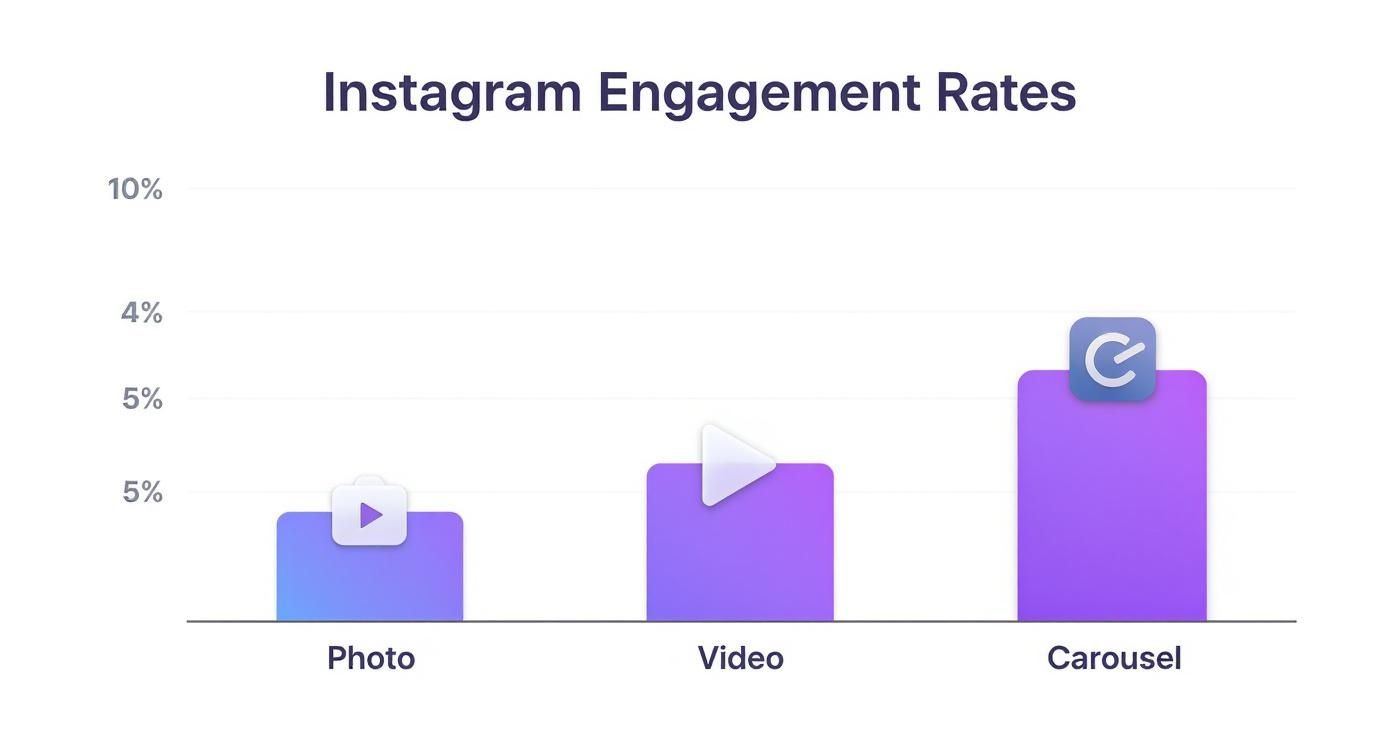
It’s pretty clear that while every format has its place, some consistently drive more interaction than others—something to keep in mind as you plan out your content schedule.
Turn Your Followers Into a Community
The accounts that really kill it on Instagram know something simple: engagement is a conversation, not a broadcast. You can’t just throw content out there and hope for the best. The real magic happens when you stop seeing your followers as a passive audience and start treating them like an invested community.
That whole shift starts in your captions. Stop using them as lazy descriptions for your photos. Instead, think of every single caption as an open door—an invitation to connect.
This isn’t just fluffy advice. Instagram has 2 billion monthly active users, and over 60% of them are between 18 and 34. This is a generation that grew up online and craves interaction. They’re spending almost 34 minutes a day on the app, giving you a huge window to build real relationships.
Write Captions That Actually Start a Conversation
A great caption doesn’t just talk at your audience; it pulls them in. You have to move past generic statements and give people a reason to stop scrolling and type out a response.
Here are a few practical examples you can adapt:
- The Open-Ended Question: Don’t just say, “Here’s our new coffee blend.” Ask, “What’s the one thing you need from your morning coffee to start the day right?”
- The “This or That” Prompt: Give people an easy choice. A home decor account could post two design styles and ask, “Minimalist or maximalist—which one is your vibe?” It’s low-effort and fun.
- The Story-Sharing CTA: Ask for a quick personal story. A travel blogger could post a photo and say, “This was my favorite spot in Paris. Tell me about a travel memory you’ll never forget!”
Build a Workflow for Responding to People
I can’t stress this enough: responding to comments and DMs is non-negotiable. When someone takes a minute out of their day to comment, they’re raising their hand. Ignoring them is like turning your back on a customer in a real-life store.
A prompt, thoughtful reply shows there’s a real person behind the account who actually cares. This simple act of acknowledgment makes that person way more likely to engage again—and it shows everyone else you’re building a real community.
Here’s a simple, productive workflow for this: just set aside 15-20 minutes twice a day (I like morning and evening) to go through your notifications. In Instagram, you can filter your notifications by “Comments” to focus your efforts. I always prioritize comments on my newest posts first to give them an early boost. If you want to go deeper, the principles in Mastering Social Media Community Management are a great resource.
Use Stories for Daily, Low-Effort Touchpoints
Instagram Stories are your secret weapon for staying top-of-mind. They’re perfect for quick, daily interactions that don’t require a ton of effort from you or your followers.
- Polls: Ask for quick feedback. A practical example for a business coach: “Which topic should our next Reel cover? A) Time Management or B) Client Acquisition?”
- Quizzes: Test your audience’s knowledge about your industry. Make it fun. A skincare brand could do a quick “True or False: You need SPF on a cloudy day.”
- Q&A Stickers: This is a goldmine. You get direct interaction and a ton of content ideas. Do a weekly “Ask Me Anything” session related to your niche.
By using these interactive features consistently, you create daily touchpoints that make your audience feel seen and heard. That’s how you build the kind of loyalty the algorithm can’t help but notice.
Getting Your Content Discovered

You can create the most amazing content in the world, but it doesn’t mean a thing if the right people never see it. Getting discovered is the other half of the battle, and it takes more than just posting and hoping for the best.
Your job is to make it incredibly easy for your ideal audience to stumble upon your profile.
This means you have to be intentional with every tool Instagram gives you—from the hashtags you choose to the keywords tucked into your bio. Each piece signals to both users and the Instagram algorithm what you’re all about. This is how you stop chasing followers and start attracting people who are genuinely fired up about what you do.
Building a Smart Hashtag Strategy
So many people treat hashtags as an afterthought, but they’re one of the most powerful discovery tools on the platform. They literally categorize your content and serve it up to new audiences. A classic mistake I see all the time is loading up on massive, generic tags like #interiordesign. Sure, it has huge volume, but your post will be buried in a sea of new content in seconds.
A much better approach is to use a tiered strategy that blends different types of tags.
- Broad Tags (1-2): Go ahead and use a couple of tags with millions of posts. Think of these as a quick, initial spark of visibility. Example:
#fitnessfor a workout Reel. - Niche Tags (5-7): This is where the magic happens. Get specific with tags like
#midcenturyhomeor#bohodecorideas. For our fitness example, this could be#HIITworkoutathome. The competition is lower, and the audience is way more targeted. - Community Tags (3-5): These are the tags used by real communities and subcultures, like
#apartmenttherapyor#myplantlovinghome. For fitness, this might be#sweatyselfieor#noexcuses. Using them helps you connect with the most engaged people in your space.
This mix gives you the best of both worlds: you cast a wide net while also homing in on the people who are most likely to stick around.
Your Go-To Hashtag Research Workflow
You don’t need to pay for a bunch of fancy tools to find good hashtags. Honestly, the best one is already on your phone: the Instagram app itself.
Here’s a simple workflow I use:
- Pop open the Instagram search bar and type in a core keyword related to your post. For example, “meal prep.”
- Tap over to the “Tags” tab. You’ll see a list of related hashtags and how many posts they have (e.g.,
#mealprepideashas 2M posts,#mealprepsundayhas 5M). - Pick a relevant, mid-sized tag and check out the “Top” posts. Pay attention to the other tags those high-performing posts are using. You might find a great niche tag like
#easymealprepping. - Rinse and repeat this process until you have a solid list of 10-15 well-researched tags.
Pro tip: Save your hashtag sets in a notes app on your phone. I have different groups for my main content pillars (“DIY Tips,” “Product Shots,” etc.). It saves a ton of time and lets you just copy, paste, and post.
More Ways to Boost Your Discoverability
Hashtags are a huge piece of the puzzle, but they aren’t the only way to get found. To really get more engagement on Instagram, you need to optimize other parts of your profile, too.
Start with your bio. Both your name field and your bio description are searchable. Instead of just putting “Jane Doe,” try something like “Jane Doe | Vintage Home Decor.” That one small tweak helps you show up when people search for those keywords. This is all about feeding the right signals to the platform, which you can learn more about by understanding what an algorithm is.
And finally, don’t sleep on location tags. If you’re a local business, this is non-negotiable. Tagging your city, your neighborhood, or even a specific coffee shop or landmark exposes your content to anyone searching for that location. It’s a dead-simple way to bring in a super-relevant local audience.
Answering Your Top Instagram Engagement Questions
Let’s be honest, figuring out Instagram engagement can feel like chasing a moving target. Just when you think you’ve cracked the code, a new feature pops up or some well-meaning but totally wrong advice starts making the rounds.
It’s time to cut through the noise. Here are the real answers to some of the most common questions I hear from creators and brands.
Do I Really Need a Business or Creator Account?
Short answer: yes. While flipping the switch to a Business or Creator account won’t magically flood your posts with likes overnight, trying to build an engagement strategy without one is like flying blind.
The real game-changer here is access to Instagram Insights. This is your data goldmine. It tells you who your audience is, when they’re online, and which content is actually resonating. Without it, you’re just guessing.
These accounts also unlock practical tools like contact buttons and the ability to run ads—both critical for anyone serious about growth. If you want to move from casual posting to strategic growth, making the switch isn’t optional. It’s step one.
How Often Should I Post to Keep My Engagement Up?
There isn’t a magic number that works for everyone, but I can tell you this: consistency will always beat frequency.
Posting three genuinely valuable, high-quality posts a week is a hundred times better than spamming your followers’ feeds with seven low-effort ones that get zero traction. Burnout is real, so find a schedule you can actually stick to without sacrificing quality.
For most, a good starting point is somewhere in the 3-5 times per week range. A practical workflow: dedicate one day a week to content creation (batching) and use a scheduling tool to spread those posts out. This rhythm keeps your account active and gets your audience used to seeing you in their feed.
The goal isn’t just to show up; it’s to show up with something worth your audience’s time. Meaningful engagement comes from quality and consistency, not just sheer volume.
Will Using a Ton of Hashtags Hurt My Engagement?
This is one of the most persistent myths out there. The truth is, using irrelevant or banned hashtags will definitely hurt you. But using the maximum number of relevant, well-researched tags (up to 30) is a smart move.
Think of each hashtag as a new door for people to find you. The more relevant doors you open, the more likely the right audience is to walk through and discover your content. It’s all about giving Instagram’s algorithm clues to help categorize your post and show it to people who will care.
A few quick tips for doing it right:
- Keep it relevant: Every single tag should directly relate to your post, your niche, or your target audience. A photo of a cat should not have
#dogsofinstagram. - Steer clear of banned tags: A quick search online for “banned Instagram hashtags 2024” can save you from using a tag that’s been flagged for spam or inappropriate content.
- Mix it up: Don’t just copy and paste the same block of 30 hashtags on every post. Curate different sets for different content pillars. For example, have a set for ‘product photos’ and another for ‘behind-the-scenes’ content.
When you get your hashtag strategy right, it’s not spammy—it’s smart.
Ready to stop guessing and start growing? Postful provides AI-powered tools and templates to help you create high-quality content consistently. Join the waitlist to build a powerful social media presence with less effort.