
Let's be honest, creating social media content that actually works starts long before you write a single caption. The secret isn't a magical hook or a viral trend. It’s about building a solid foundation first: defining your business goals, truly understanding your audience, and locking in your core content themes.
This is the framework that ensures every post has a purpose and drives real growth.
Build Your Content Foundation Before You Post
Stop wasting time throwing content at the wall to see what sticks. Before you even think about hooks or carousels, you need a plan. This is what separates random posting from a strategic growth engine that turns followers into actual customers. It’s the difference between shouting into a void and starting a real conversation.
Putting this foundation in place saves you from the daily panic of "what do I post today?" It shifts your social media from a reactive chore to a proactive asset that consistently works for you.
Define Your Goals and Know Your Audience
Your social media needs to serve a real business purpose. Likes and comments are nice, but engagement for its own sake is just a vanity metric. You need to focus on outcomes you can actually measure.
Practical Example: A new SaaS founder might set a goal to generate 50 qualified leads for their waitlist this quarter. A side-hustler selling handmade candles could aim to drive 20% more traffic to their Etsy shop month-over-month. Clear targets like these dictate the exact content you need to create.
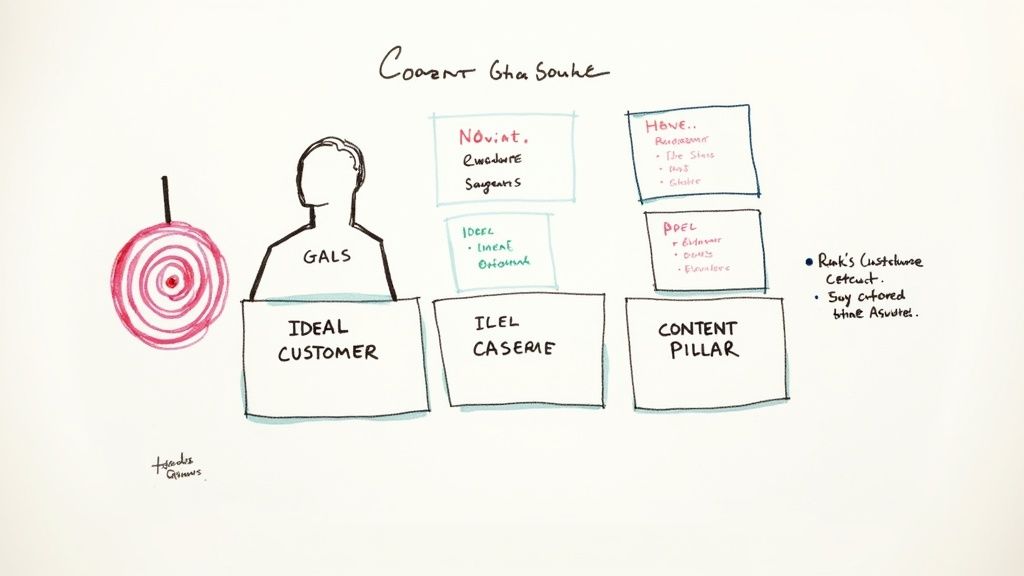
Once you know your goal, you have to know who you're talking to. A simple ideal customer profile (ICP) is your best friend here, but it needs to go deeper than just age and location.
A powerful ICP gets to the why behind your audience’s behavior. What are their biggest frustrations? What kind of content are they already saving and sharing? Where do they hang out online? Answering these questions is the key to creating content they can't scroll past.
Establish Your Core Content Pillars
With your goals and audience dialed in, it's time to establish your content pillars. Think of these as the 3-5 core themes your brand will own, day in and day out. They act as a filter for every idea, making sure every post is relevant and reinforces what you're all about.
This simple structure makes content planning a high-productivity task. Take a productivity coach, for example. Their pillars might look something like this:
- Time Management Systems: Breaking down frameworks like Pomodoro or time blocking.
- Founder Mindset: Talking through how to beat procrastination and build deep focus.
- Productivity Tools: Reviewing and comparing apps like Notion or Asana.
- Work-Life Balance: Sharing real tips to prevent burnout and disconnect.
These pillars become your creative sandbox. Whenever you need an idea, you just pull from one of these buckets. You can post with confidence, knowing it will hit home with your audience and move you closer to your business goals.
If you want to go deeper on this, we've got a whole guide on how to build effective content pillars. This strategic foundation is what turns creating engaging social media content into a repeatable, low-stress process.
Master the Art of the Scroll-Stopping Hook
You’ve got your content pillars locked in. Now for the hard part: actually stopping the scroll.
You get about three seconds, maybe less, to grab someone's attention in a feed that never stops moving. This is where the battle is won or lost, and it all boils down to a killer hook.
A hook is simply the first line of your caption or the first few seconds of your video. Its only job is to spark enough curiosity to make someone pause. Think of it as the headline for your post. If it’s weak, even the most brilliant content behind it goes completely unnoticed.
Hooks That Actually Work
You don’t have to be a master copywriter to write a good hook. I'm certainly not. Instead, I lean on a few proven formulas that are grounded in basic human psychology. Two of my go-tos are PAS and AIDA.
- PAS (Problem, Agitate, Solution): This formula is so effective because it hits on a real pain point your audience has. First, you state a Problem they know all too well. Then, you Agitate it by digging into the frustration it causes. Finally, you offer up your content as the Solution.
Practical Example for a project management tool:
- (P) Still juggling team tasks in endless email chains?
- (A) Deadlines get missed, nobody knows who’s doing what, and you’re drowning in notifications.
- (S) Here’s how a shared project board can get everyone on the same page in 10 minutes flat.
- AIDA (Attention, Interest, Desire, Action): This is a classic for a reason. It’s a mini-journey you take your reader on. Grab their Attention with a bold statement, build Interest with a surprising detail, create Desire by showing them the payoff, and then give them a clear Action to take.
Practical Example for a nutrition coach:
- (A) You can actually have more energy in the afternoon without a third cup of coffee.
- (I) Most of us blame bad sleep, but the real culprit is often the blood sugar crash from a carb-heavy lunch.
- (D) Imagine finishing your workday feeling focused, not foggy and ready for a nap.
- (A) Swipe to see three simple lunch swaps that make it happen.
Picking Formats People Can't Ignore
Your hook is critical, but the format you choose is just as important. Different formats work for different things and match how people like to consume content. A single-image post can work, sure, but formats that encourage interaction or tell a story almost always perform better.
An old analysis of over 800 million Facebook posts found something that still rings true today: keep it short. Posts with 80 characters or fewer saw a 66% higher engagement rate. Why? Our brains can process short, punchy messages faster, making them more satisfying to read and share.
Here are a few formats I find myself recommending over and over for maximum impact:
- Short-Form Video (Reels/TikToks/Shorts): Video is still king. It lets you mix visuals, sound, and text to tell a quick, compelling story. Productivity tip: Film 3-4 short videos in one session using different outfits to create a week's worth of content in under an hour.
- Carousel Posts: Carousels are fantastic for teaching something. You can break down a complex idea into simple, swipeable slides. This gets people to spend more time on your post, which is a great signal to the algorithm. If you want to go deeper, we have a complete guide on what a carousel post is and how to nail it.
- Interactive Polls and Quizzes: People love to give their opinion. Use the built-in features on platforms like Instagram Stories to ask questions, run polls, or create quizzes. Productivity tip: Use the answers as direct inspiration for your next piece of content—it’s free market research.
To keep your visuals consistent without spending hours, a tool like a bulk social media image generator can be a huge time-saver. It lets you create a batch of branded graphics at once, helping you maintain a professional look with far less manual work.
A Founder-Friendly Content Creation Workflow
Knowing what to post is one thing. Actually finding the time to create and publish it consistently is a whole different beast. As a founder, the last thing you want is to be scrambling every single day, trying to come up with a post on the fly. That path leads directly to burnout.
The secret isn't working harder—it's working smarter. And the smartest system I've found is content batching.
Instead of trying to be creative on demand every day, you block off a specific chunk of time—say, three hours on a Friday afternoon—to get an entire week's worth of content planned, created, and scheduled. It’s a simple shift, but it completely removes the daily decision fatigue and keeps your social channels active even when you're buried in other work.
Every post, no matter how simple, should guide your audience through a mini-journey: grabbing their attention, sparking some real interest, and finally, nudging them toward an action.
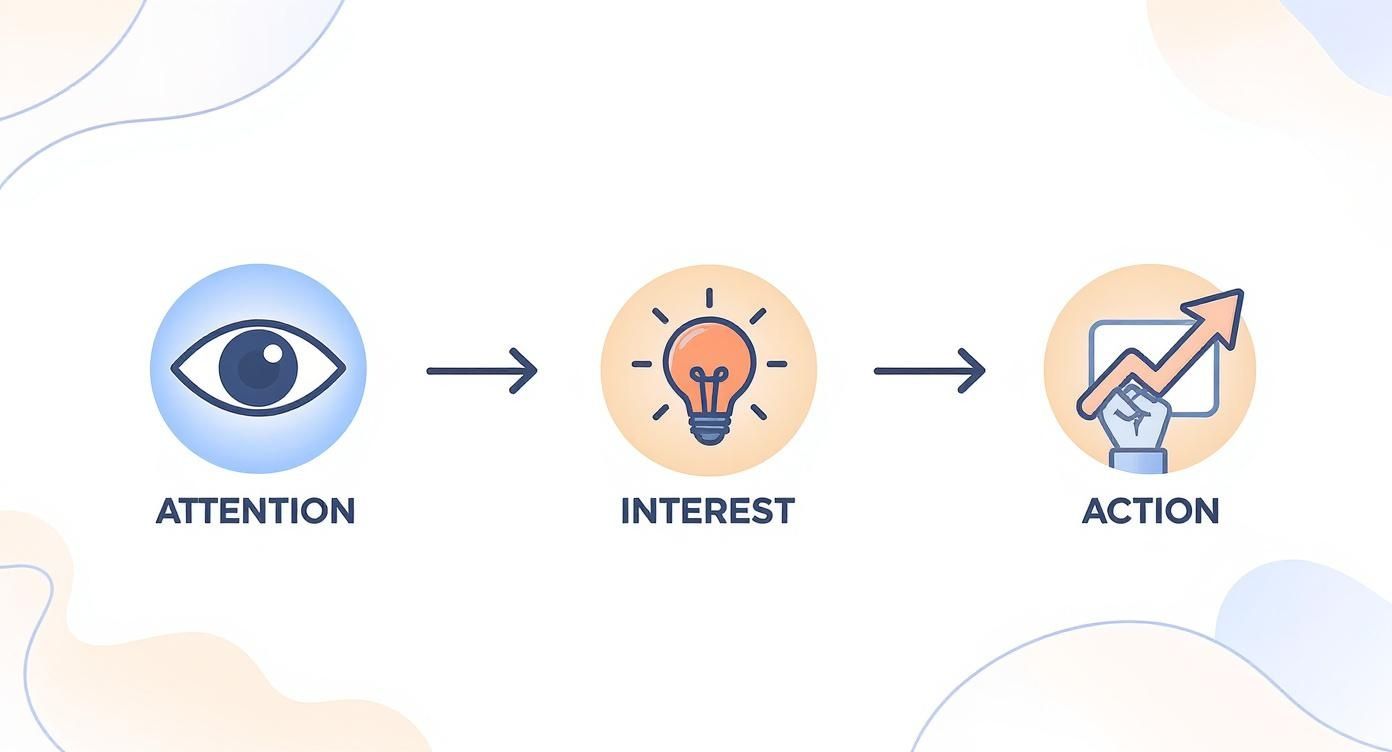
Think of this as the basic DNA of a good post. It ensures you’re not just shouting into the void but actually connecting with people at each step.
Your Go-To Productivity Tools
A smooth workflow is all about having the right tools in your corner. You don't need a huge, expensive tech stack. In fact, keeping it simple is better. The goal is a small but mighty toolkit that does the heavy lifting for you.
Here’s my minimalist setup for getting quality content out the door, fast:
- For Quick Design (Canva): Honestly, Canva is a non-negotiable for founders. Its template library is massive, letting you whip up professional-looking carousels, graphics, and Stories in minutes. Productivity Tip: Create a "Brand Kit" with your logos, fonts, and colors to apply your branding to any template in one click.
- For Easy Video Editing (CapCut): If you’re making Reels or TikToks, CapCut is a lifesaver. The mobile app is super intuitive for trimming clips, adding auto-captions (a must!), and finding trending audio to give your video a little extra reach.
- For Smart Scheduling (Buffer or Later): A scheduler is your best friend for staying consistent. Tools like Buffer or Later let you upload all your batched content, set it to post at the best times, and then forget about it. Your social media basically runs on autopilot.
The real magic of batching isn't just about saving time. It’s about getting into a creative flow state. By focusing on one task at a time—writing all your captions, then designing all your graphics—you work faster and produce higher-quality, more cohesive content.
A Repeatable Batching Session Workflow
So what does a batching session actually look like in practice? It's a focused sprint, broken down into clear stages. This structure helps you avoid multitasking and keeps the momentum going.
Here’s a practical workflow for turning what could be a chaotic process into a predictable, manageable task.
My Weekly Content Batching Workflow
| Time Allotment | Task | Tools & Focus |
|---|---|---|
| 30 Mins | Brainstorming & Outlining | Pull from your content pillars. List 5-7 raw ideas for the week. Workflow: Use a simple notepad or Trello board to dump ideas. What questions can you answer? What's a quick tip? Just get the concepts down. |
| 60 Mins | Copywriting | Flesh out those ideas into full captions. Workflow: Write your hooks first, then the body, and finally the call-to-action for each post. Focus on writing all at once to maintain a consistent voice. |
| 75 Mins | Visual Production | With copy done, jump into Canva or CapCut. Workflow: Create all the graphics or edit all the videos for the week. You're working methodically, not creatively scrambling. Use templates to speed this up. |
| 15 Mins | Scheduling & Final Check | The final step. Upload everything to your scheduler. Workflow: Add captions, tag accounts, and set the publish times. Close the laptop. You're done for the week. |
By following a system like this, you can reclaim countless hours and finally get ahead of your content calendar.
For a deeper dive into this process, check out our post on how to plan a month of social media content in just one afternoon. This workflow will turn social media from a daily headache into one of the easiest parts of your week.
How to Adapt Your Content for Each Social Platform (Without Starting from Scratch)
That killer content idea feels like a home run, right? But if you just blast the exact same post across every social platform, you’re fumbling at the one-yard line.
A data-heavy carousel that absolutely crushes it on LinkedIn will get scrolled past on Instagram. A viral TikTok trend will look totally awkward and out of place on your Facebook Page. The secret isn't creating ten different pieces of content. That’s a one-way ticket to burnout.
It’s about translation. You take your core idea and adapt it to speak the native language of each platform. A small tweak in format, a shift in tone—that’s often all it takes to go from ignored to engaging.
Instagram: Think Visuals and Community
Instagram is all about aesthetics. It’s a visual-first world where you win by telling compelling stories through great images, Reels, and interactive Stories. A stock photo with a bland caption just doesn't fly anymore.
The real goal here is to build a genuine connection. To do that, you have to play the whole field, not just the main feed.
- Reels for Reach: Use these for quick tips, behind-the-scenes clips, or sharing customer content. Practical Example: A software company could create a 15-second Reel showing a "hidden feature" that saves users time, using on-screen text and a trending audio track.
- Stories for Community: This is your brand's daily vlog. Use polls, quizzes, and question stickers to get people talking. Practical Example: A marketing agency could use the "Quiz" sticker to test followers' knowledge on a recent industry update, then share the correct answer and a brief explanation.
Here's something to keep in mind: Instagram still packs a bigger punch than Facebook, with an average reach rate of 3.50% compared to Facebook's 1.65%. But that reach is also down 12% year-over-year. The platform is getting more crowded. This means that while you can get in front of more people on Instagram, your content has to be that much better to actually get noticed. You can dig into more social media reach stats to see how things are shifting.
Facebook: The Community Hub
Okay, organic reach on Facebook isn't what it used to be. We all know that. But it’s still a powerhouse for building tight-knit communities, especially in Groups. Think of your brand's Page as the central hub, but the real magic often happens in the smaller, more focused side rooms.
Practical Example: A meal-prep service could launch a group for "Busy Professionals Sharing Healthy Lunch Hacks." This gives people a place to connect with each other, not just you, which builds a much deeper kind of loyalty. In the group, they could host a weekly thread asking "What's your go-to 5-minute lunch this week?" to spark conversation.
LinkedIn: Build Your Authority
LinkedIn is the office, not the party. People are here for valuable insights, industry knowledge, and things that will help their careers. The real goal is to build credibility and become the go-to person in your field.
Here’s what consistently works for me on LinkedIn:
- Insightful Text Posts: Share a strong opinion, a lesson you learned from a mistake, or a bold prediction for your industry. Practical Example: A founder could share a post starting with, "I hired the wrong person for a key role. Here are the 3 red flags I'll never ignore again…"
- Data-Driven Carousels: Simple, text-based carousels (just export a PDF from Canva) are perfect for breaking down complex ideas. Practical Example: A financial consultant could create a 5-slide carousel on "How to Read a P&L Statement in Under 60 Seconds."
- Meaningful Comments: Don't just post and ghost. The real networking happens in the comments. Productivity Workflow: Block 15 minutes in your calendar each morning to leave thoughtful comments on posts from 5-10 key people in your industry. It’s one of the best ways to grow visibility.
TikTok: Jump on the Trends
TikTok is all about authenticity and trends. Super polished, corporate-looking content feels alien here and almost never works. The algorithm rewards creators who are relatable, creative, and just willing to have a little fun.
You don't need a fancy camera—your smartphone is more than enough. The key is to be fast. Practical Example: I saw a financial advisor use a trending sound where someone is lip-syncing a funny line. The on-screen text read: "My client after I showed them how to save an extra $5k a year by automating their investments." It was smart, entertaining, and felt completely native to the platform. That’s how you win.
Building Community and Authentic Connections
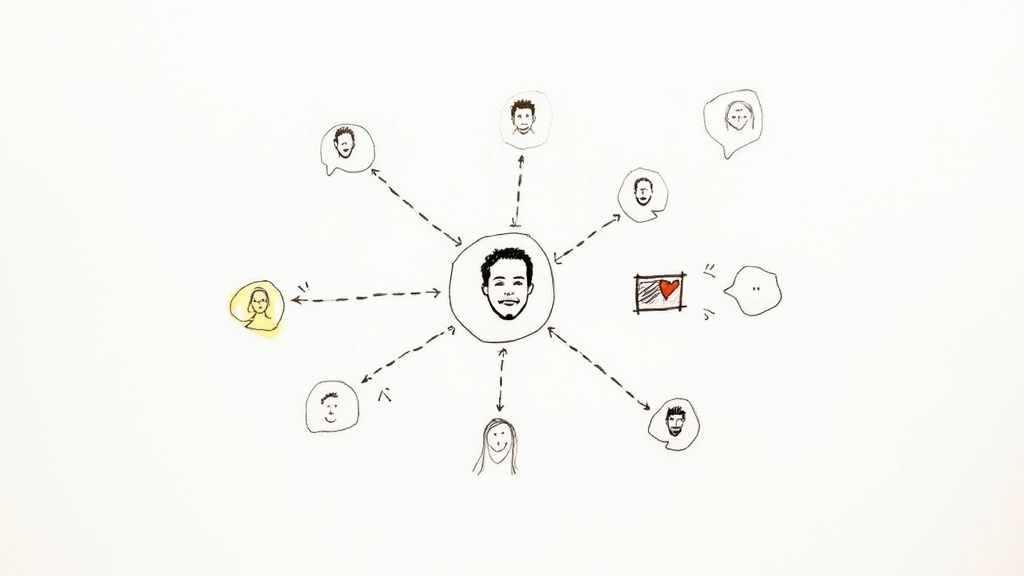
Here's the thing: the best engagement hack isn't some secret formula or a fleeting trend—it’s just genuine human connection. Once you’ve tailored your content for each platform, the real work starts. It’s time to stop broadcasting and start building a real community.
Your goal is to turn your social media channels from a megaphone into a hub where people feel seen and heard. This is how you build real relationships, and those relationships are what create a loyal audience that doesn't just see your content but actively roots for your brand.
Lean into User-Generated Content
Your happiest customers are often your best marketers. User-generated content (UGC) is any content your audience creates that features your brand. It's incredibly powerful because it’s authentic social proof.
The trick is making it easy and rewarding for them to share. Practical Example: A small coffee shop could put a small sign on their counter asking customers to post a photo of their latte with a unique hashtag like #MyMorningMug for a chance to be featured on their Instagram Story every Friday. It’s simple, but it works.
When you reshare a customer’s post and tag them, you're not just getting free content; you’re making that person feel valued. That single act builds incredible loyalty and encourages others to join in.
The numbers back this up. UGC drives 28% more engagement than standard branded posts and is seen as 2.4 times more authentic by consumers, particularly with Gen Z and Millennials. That authenticity is a huge driver for trust. You can find more stats on the power of authentic content from Sprinklr.
Show the Real People Behind the Brand
In a world filled with polished ads and faceless companies, people crave connection with other people. One of the best ways to do this is to pull back the curtain and show the human side of your business. This is where founders have a massive leg up on the big brands.
Don't just show the polished final product; share the journey.
- Founder Stories: Record a short video explaining the "why" behind your business. What problem got you so fired up that you had to solve it?
- Behind-the-Scenes (BTS): Practical Example: A candle maker could post a quick time-lapse video of them pouring a new batch of candles, showing the messy, real process. It’s far more engaging than just a photo of the final product.
- Team Spotlights: If you have a team, introduce them! A quick post about what your first hire actually does forges a way stronger connection than a generic corporate update.
This is the stuff that makes your brand relatable and trustworthy. It shows there are real, passionate people behind the logo, turning your brand into something people can actually connect with.
Master the Art of Community Management
Your job isn’t over when you hit "publish." The comment section is where the real community building happens, and how you show up there matters more than you might think.
Meaningful community management is more than just dropping a "thanks!" or a fire emoji. It’s about starting and sustaining real conversations.
- Ask Open-Ended Questions: Instead of a yes/no question, ask something that invites a story. Practical Example: A fitness coach could ask, "What’s one small win you’re proud of this week?" instead of "Did you work out today?"
- Reply with Substance: When someone leaves a thoughtful comment, acknowledge their point and add to the conversation. If they ask a question, give them a real answer.
- Productivity Workflow: Set a timer for 10 minutes twice a day (morning and end of day) to respond to all new comments. This keeps it manageable and ensures your community feels heard without letting it take over your entire day.
When you treat your comments section like a real conversation, you create a space where people feel comfortable sharing. That’s how you build a loyal community that shows up not just for your products, but for the connection you've built together.
How to Measure and Improve Your Content Performance
https://www.youtube.com/embed/NwZy0evRnZs
Creating content without looking at the data is like driving with your eyes closed. You might be moving, but you have no idea if you're headed in the right direction. When you finally understand what’s working, you stop guessing and start creating smarter, more engaging social media content.
This doesn’t need to be a complicated, time-sucking process. It’s really about focusing on a few key numbers that tell a clear story about what your audience truly cares about. This data-driven approach is your shortcut to better results with far less effort.
Identify the KPIs That Actually Matter
It's easy to get caught up in vanity metrics like follower count and likes. They feel good, but they don't tell you much about your content's real health. To actually understand performance, you need to track the metrics that signal genuine interest and intent.
These are the KPIs that should be on every founder's dashboard:
- Engagement Rate: Your most important health metric. It’s the percentage of people who saw your post and actually chose to interact with it. A high engagement rate tells the algorithm your content is valuable.
- Saves: When someone saves your post, they’re saying, "This is so useful, I need to come back to it later." This is a huge indicator that you’ve created high-value, educational content that solves a real problem.
- Website Clicks: If your goal is to drive traffic or generate leads, this is non-negotiable. It directly measures how effective your content is at moving people from social media to your website.
Run Simple A/B Tests to Improve Systematically
The fastest way to improve is to test. A/B testing just means creating two slightly different versions of a post to see which one performs better. This simple habit removes the guesswork and lets you make small, incremental improvements that really add up over time.
You don't need any fancy software for this. Just be methodical.
Run one test at a time to get clean data. If you change the headline, the visual, and the call-to-action all at once, you’ll have no idea which element was actually responsible for the change in performance.
Here’s a practical example for an Instagram Reel:
-
Test the Hook: Post the same video twice, about a week apart. For the first one, use a question as the hook ("Are you making this mistake?"). For the second, try a bold statement ("Stop doing this right now."). Then, track which one gets a higher 3-second view count.
-
Test the Call-to-Action (CTA): Post two similar carousels. In the first CTA, say "Click the link in bio to learn more." In the second, try something different like "DM me 'GUIDE' for the full breakdown." See which one generates more clicks or messages.
Conduct a Quick Monthly Content Review
Set aside 30 minutes at the end of each month for a simple content audit. No spreadsheets needed—just open up your platform's native analytics and look for patterns in your top-performing posts.
Ask yourself these three questions:
- Which format (e.g., carousels, talking-head videos, text posts) got the most saves?
- What topics or themes drove the highest engagement rate?
- Did any posts lead to a noticeable spike in website clicks?
This quick review gives you all the insight you need to double down on what resonates and stop wasting time on what doesn't. For a deeper dive into strategizing and measuring the impact of your visual content, it's worth developing a full video content marketing strategy. This data-first mindset is what turns content creation from a chore into a reliable growth engine.
A Few Common Questions
How Often Should I Actually Post?
Everyone wants a magic number, but there isn't one. The real answer? Focus on consistency, not frequency.
It’s way better to publish three genuinely helpful, high-quality posts every week than to burn yourself out with seven rushed, low-value ones. Start with a schedule you know you can stick to, then watch your analytics. Your audience's engagement will tell you if you need to ramp up or pull back.
What's the Best Tool for Making Social Media Graphics?
For most founders and side-hustlers, Canva is the undisputed champ. It's incredibly easy to use, has a massive library of templates, and the free version is more than enough to create sharp, engaging content. Productivity tip: Use Canva's "Magic Switch" feature to resize one design for multiple platforms (e.g., Instagram post to a Story) in seconds.
If you find yourself needing more firepower and don't mind a steeper learning curve, Figma is a fantastic alternative for more complex design work.
I'm Completely Stuck. How Do I Find Content Ideas?
When you hit a wall, go back to your roots: your content pillars and your customer profile. What are the burning questions your audience has? What are their biggest frustrations? Your audience is a goldmine of inspiration.
Productivity tip: Keep a running list of ideas in a notes app or a simple spreadsheet. Whenever a customer asks a question or you see a common theme in your comments, add it to the list. When it's time to batch content, you'll have a pre-vetted list of topics to pull from. You can also use a tool like AnswerThePublic to see what people are literally typing into search engines.
Ready to stop guessing and start creating content that actually connects? Postful gives you AI-powered templates and brainstorming tools built for busy founders like you.
Join the waitlist to get early access and build a consistent, effective social media presence with way less effort.